The Best AI Voice Generators of 2026: Ultimate Guide & Reviews
Finding the best AI voice generator for your specific needs in 2026 can be overwhelming. This comprehensive guide cuts through the marketing hype to deliver actionable, tested reviews of every major platform. Whether you need ultra-realistic narration for your podcast, a cloned voice for consistent branding, or a simple text-to-speech solution for e-learning, we’ve identified the perfect tool for your project and budget.
How We Tested These AI Voice Generators
Our methodology focused on real-world applications rather than synthetic benchmarks. We evaluated each platform across multiple critical use cases that content creators actually face daily.
Voice Cloning Accuracy
Testing how well each platform replicates a specific human voice from minimal samples for personalized voiceovers.
Long-Form Narration
Evaluating consistency, pacing, and emotional range for audiobook and podcast production needs.
Video Voiceover Quality
Assessing energy, pacing, and sync capabilities for YouTube, explainer videos, and social media content.
Complete AI Voice Generator Reviews
1. ElevenLabs: Industry Leader for Realistic AI Voices
Unmatched Realism for Demanding Projects
When you absolutely cannot compromise on voice quality, ElevenLabs stands alone. This platform has redefined what’s possible with synthetic speech, offering voices so realistic they’re frequently mistaken for human recordings. Their voice cloning technology is particularly impressive, requiring minimal samples to create a convincing digital replica.
Pros:
- Industry-leading voice realism and naturalness
- Most accurate voice cloning from short samples
- Sophisticated emotional controls and fine-tuning
- Massive library of pre-made realistic voices
- Excellent for long-form narration without fatigue
Cons:
- Higher pricing than most competitors
- Steeper learning curve for advanced features
- Limited free tier (only 10,000 characters/month)
- Can be too realistic for some casual applications
2.: Complete Studio for Content Creators
All-in-One Voice and Video Production
Murf understands that voiceovers don’t exist in isolation—they’re part of videos, presentations, and marketing materials. Their integrated studio approach lets you sync AI voices with visuals, background music, and text animations in a single workspace. This eliminates the frustrating back-and-forth between multiple applications.
Pros:
- Integrated video editor with voice sync
- Direct Canva, Google Slides, PowerPoint integration
- Excellent collaboration features for teams
- Strong voice library with good emotional range
- User-friendly interface with shallow learning curve
Cons:
- Voice cloning less advanced than ElevenLabs
- Pricing escalates quickly for business features
- Some voices still have slight robotic artifacts
- Limited customization compared to premium tools
3. LOVO.ai (Genny): Award-Winning Voice & Video Platform

Complete Solution for Multi-Format Content
LOVO offers a range of features that provide users with deep control over their audio files. By utilizing natural and human voices, LOVO allows for the creation of audio content in different languages and accents. The platform includes a video editor that enables users to manage all their content conveniently from a single dashboard. Users can import various media elements such as articles, videos, images, and sounds into LOVO, also known as Genny, to produce engaging content for applications like audiobooks, social media, and training videos.
Additionally, LOVO offers integration with third-party resources, including sites like Pixabay. This integration grants users access to a library of creative commons and royalty-free images, videos, and audio files that can be incorporated into their projects. One notable advantage of LOVO is that it allows users to create unlimited projects without any download restrictions. This feature provides flexibility and freedom for video producers and audio engineers to generate and download their content as needed.
Pros:
- Comprehensive all-in-one voice and video platform
- Excellent integration with third-party resources
- Unlimited project creation with download freedom
- Strong focus on different accents and languages
- Good value for comprehensive content creation needs
Cons:
- Interface can feel cluttered with many features
- Voice quality slightly behind top-tier competitors
- Learning curve for utilizing all features effectively
- Some advanced features require premium plans
4. Synthesys.io: AI Humatars & Realistic Voice Synthesis
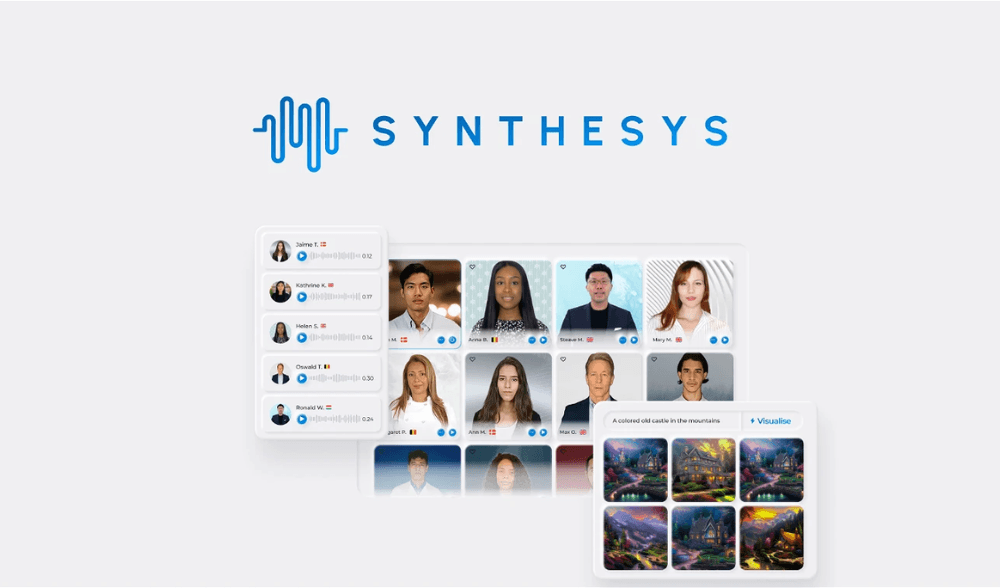
Virtual Avatars with Natural Voices
Synthesys.io is a powerful voice generator software that creates natural-sounding speech. One unique feature of Synthesys.io is AI Humatar, which allows you to choose a virtual avatar for your video. This avatar, along with its voice, creates a video that looks like it’s coming from a real person, making it an excellent tool for marketing your product or business.
The software offers an AI Video Creator feature where you can record your voice or upload a script, and the software takes care of the rest. There are various AI humatars to choose from, each suited for different industries such as fitness or travel. While each humatar comes with its own voice, you have the option to select a different voice to personalize your video.
Pros:
- Unique AI Humatar feature for personalized avatars
- Good selection of industry-specific virtual presenters
- Natural-sounding voices that avoid robotic artifacts
- Multiple language support for global applications
- Straightforward interface with essential features accessible
Cons:
- Humatar technology still has some uncanny valley aspects
- Limited customization of avatar movements and gestures
- Fewer voice options compared to voice-only platforms
- Pricing may be high for voice-only needs
5. Listnr: Podcast & Blog Audio Conversion Specialist
Simplified Audio Creation and Distribution
Listnr is an exceptional AI voice generator known for its wide selection of high-quality AI voices. With a vast library of voices at your disposal, you can create captivating voiceovers for a variety of content, including online courses, explainer videos, and advertisements. Listnr also offers convenient podcast recording and editing capabilities directly from their user-friendly dashboard. Additionally, you can customize the embed module provided by Listnr within their platform.
A unique feature of Listnr is its ability to generate audio versions of online articles or blog posts. Simply provide a link, and Listnr will swiftly generate the corresponding audio version. The interface allows you to easily modify voice style, pronunciations, speed, and audio output according to your preferences. The audio generated by Listnr can be effortlessly shared on popular social networks such as TikTok, Instagram, and YouTube. For programmers, Listnr offers access to their TTS API, enabling seamless integration of their solution into your own applications.
Pros:
- Excellent for converting blog posts to audio automatically
- Customizable embeddable audio players for websites
- Direct podcast distribution to major platforms
- Good voice library with commercial rights included
- Simple interface focused on audio creation needs
Cons:
- Less sophisticated than premium voice platforms
- Limited video integration and editing capabilities
- Some voices lack emotional depth for storytelling
- API access requires higher-tier plans
6. Speechify: Best AI Voice Generator for Education & Accessibility
Transform Any Text into Listenable Content
Speechify is an exceptional AI voice generation tool that produces high-quality and natural-sounding audio from written text. It offers various customization options, allowing users to adjust voice speed, choose from a wide range of voices, select different accents, and more. For those who prefer a visual component, Speechify also has a feature that highlights the text as it is being read.
Speechify is available as both a mobile app for Android and Apple devices, as well as a web-based interface. It is highly regarded in the education sector and offers the ability to import documents from various sources. Alongside reading PDFs, emails, and eBooks, Speechify allows users to upload photos with text and have it read back to them. With its versatility and powerful capabilities, Speechify makes reading and listening to text easy and accessible.
Mobile OCR Scanning
Point your camera at any book or document for instant audio conversion.
Celebrity Voice Options
Listen with voices modeled after famous personalities.
High-Speed Listening
Train yourself to consume information at 400+ words per minute.
Pros:
- Best mobile experience with OCR text capture
- Excellent for accessibility and learning differences
- High-speed listening capabilities for productivity
- Celebrity voice options for engaging content
- Superior document import from multiple sources
Cons:
- Not designed for professional voiceover production
- Limited voice customization compared to creator tools
- Free version has robotic-sounding voices only
- Expensive for premium celebrity voice features
7. Play.ht: Professional Text-to-Speech with WordPress Integration

High-Quality Voices with Platform Integration
Play.ht is a powerful text-to-voice generator that offers an efficient solution for creating high-quality and professional-sounding audio from text. Whether you’re producing podcasts, videos, or articles, Play.ht provides a diverse selection of synthetic voices to choose from. With its robust online text-to-speech editor, you can easily convert your text into audio and customize it with various speech styles and pronunciations. The synthesis process is often real-time, taking just a few minutes to transform your input text into audio.
Play.ht ensures the secure storage and management of your audio files. You have the option to export them in popular formats such as MP3 and WAV, as well as collaborate with team members. Additionally, Play.ht offers a podcasting solution that simplifies the distribution of your audio content. Notably, Play.ht is highly regarded as one of the best text-to-speech plugins for WordPress. It allows you to embed audio widgets on your website, enhancing accessibility and engagement for your audience. This feature is beneficial for SEO purposes, contributing to improved website visibility and user experience.
Pros:
- Excellent WordPress integration with embeddable players
- Large voice library with 900+ AI voice options
- Strong pronunciation control and custom dictionaries
- Good for creating conversational voiceovers
- Secure audio storage with collaboration features
Cons:
- Interface can feel dated compared to newer platforms
- Voice realism trails behind premium competitors
- Advanced features require higher pricing tiers
- Limited video integration capabilities
8. Resemble.AI: Personalized Voice Cloning Technology
Create Your Own Unique AI Voice
Resemble AI is an ideal choice for individuals who are interested in utilizing AI for voiceover projects but prefer to use their own voice. This web-based platform offers a range of tools that allow you to upload recordings, type out text, or even speak directly to generate your personalized AI voice, based on your natural voice. While Resemble AI provides a collection of pre-existing voices for you to utilize, it also empowers you to create a truly unique voice that is distinctively yours.
With Resemble AI, you have the ability to create your AI voice from text or by using your own recorded speech. Their user-friendly editor enables you to incorporate inflections and emotions, resulting in a more expressive and dynamic voice output. Additionally, Resemble AI supports the conversion of voices into various languages, allowing you to generate custom and localized audio for your upcoming content projects. If you require professional assistance, Resemble AI offers a marketplace where you can hire voice actors and utilize their voices to generate custom voices tailored to your specific project requirements.
Pros:
- Specializes in creating personalized voice clones
- Ability to add emotional inflection to generated speech
- Voice marketplace for professional voice actor access
- Good localization support for multiple languages
- Focus on creating unique, branded voice identities
Cons:
- Cloning quality not as consistent as ElevenLabs
- Steeper learning curve for voice training process
- Higher cost for personalized voice creation
- Limited pre-made voice library compared to others
9. Clipchamp: Microsoft’s Video Editor with AI Voice
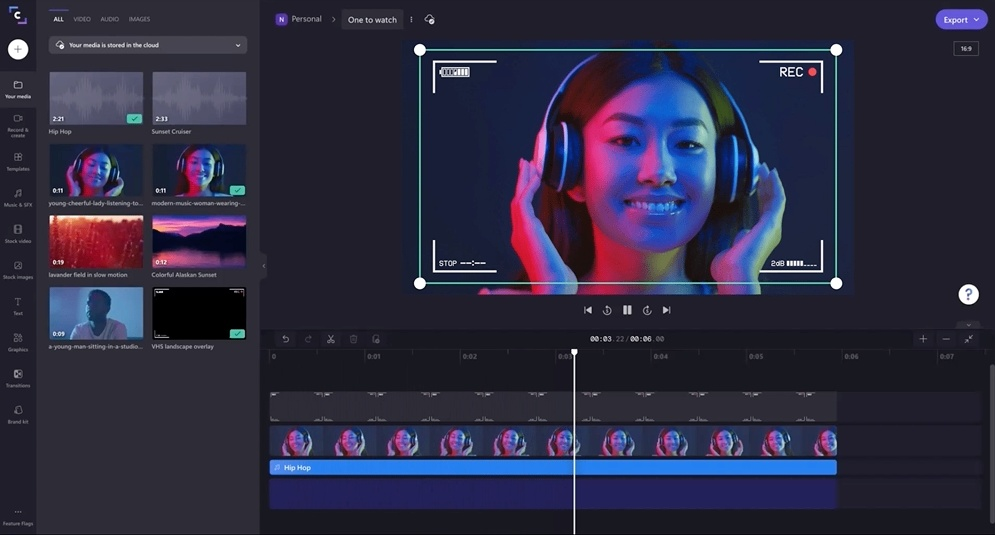
Integrated Video Editing with Voice Generation
Clipchamp stands out as one of the top video creation tools that incorporates AI voice generation. Its intuitive editor allows users to perform various video editing tasks, such as clipping, merging, importing, and recording video clips, all within their web browser. In addition to these editing features, Clipchamp offers a text-to-speech functionality that transforms entered text into AI-generated voiceovers for video projects.
Once you input your desired text into the editor, Clipchamp provides options to customize the generated voiceover. You can apply fade-in effects, adjust the speed, and trim or clip the audio to align with your video content. Additionally, Clipchamp allows you to generate captions from the voiceover, ensuring your videos are accessible to a wider audience. While Clipchamp may not have the most extensive set of tools for AI voice editing and manipulation since it primarily functions as a video editor, it still offers a valuable option for those seeking AI-generated voiceovers for their videos.
Pros:
- Completely free with Microsoft account integration
- Seamless video editing with voiceover synchronization
- Automatic caption generation from AI voiceovers
- User-friendly interface ideal for beginners
- No watermarks on exported content
Cons:
- Limited voice selection and customization options
- Voice quality not competitive with dedicated platforms
- Basic AI voice features without advanced controls
- Microsoft account required for full functionality
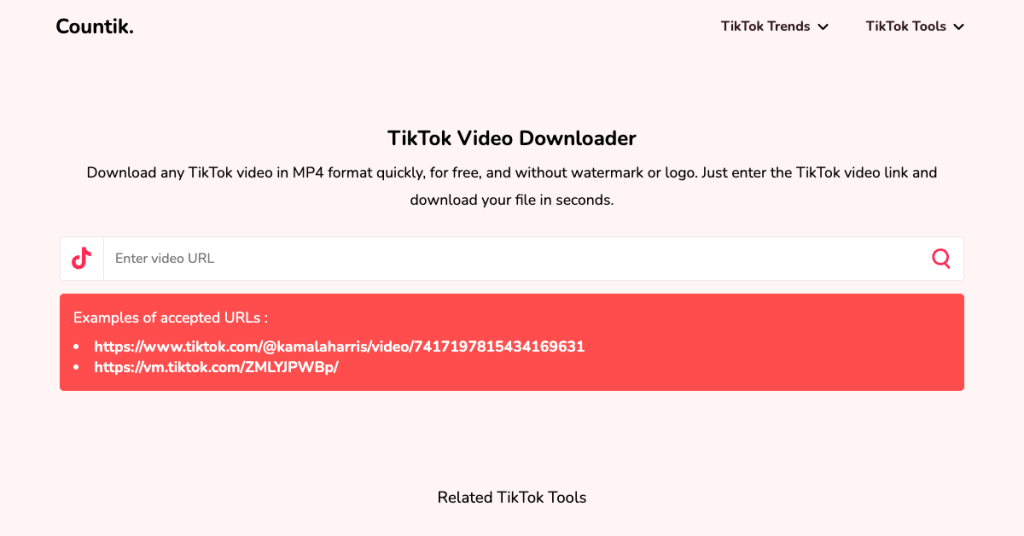
Completely Free Solution for Content Creators
Among the numerous remarkable AI voice generators, one stands out as a true trailblazer in the field of voice synthesis: Countik. Countik’s AI text-to-speech has managed to redefine the landscape of speech synthesis, capturing the essence of human communication like never before. The platform offers up to 7 languages from around the world, making it diverse and more attractive to users. This variety helps content creators connect with audiences in their own languages.
The Countik voice generator has 37 different voice styles as well, from human-like voices to cartoon and movie-like voice styles, allowing creators to share messages that connect with people from various cultures. The most important feature of Countik’s tool is the ability to download the generated audio as an mp3, which you can then use to edit your TikTok and YouTube videos. While many AI voice generators require a monthly subscription to work, this tool is completely free to use.
Pros:
- Completely free with no subscription required
- Direct MP3 download for video editing flexibility
- Good variety of voices including cartoon styles
- Simple interface focused on quick social media creation
- No watermarks or usage restrictions
Cons:
- Voice quality not suitable for professional projects
- Limited languages compared to premium platforms
- No advanced customization or emotion controls
- Unclear long-term sustainability as free service
Comparison Chart: AI Voice Generators at a Glance
| Tool | Best For | Voice Realism | Free Tier | Starting Price | Unique Feature |
|---|---|---|---|---|---|
| ElevenLabs | Audiobooks, premium content | ⭐⭐⭐⭐⭐ | 10,000 chars | $5/month | Industry-leading cloning |
| Murf AI | Content creators, videos | ⭐⭐⭐⭐ | 10 minutes | $19/month | Integrated video studio |
| Speechify | Accessibility, learning | ⭐⭐⭐ | Basic voices | $12/month | Mobile OCR scanning |
| LOVO.ai | All-in-one creation | ⭐⭐⭐⭐ | Limited time | $25/month | Voice + video platform |
| Synthesys | Virtual avatars | ⭐⭐⭐ | Demo only | $29/month | AI Humatars |
| Countik | Social media, free use | ⭐⭐ | Completely free | $0 | No-cost MP3 downloads |
FAQs about AI Voice Generator:
1. What is an AI Voice Generator?
An AI Voice Generator is a software program that utilizes artificial intelligence algorithms to create human-like voices. It takes input text and converts it into speech, mimicking the tone, cadence, and nuances of natural human speech.
2. How does an AI Voice Generator work?
An AI Voice Generator employs deep learning algorithms and speech synthesis techniques to analyze patterns and generate human-like voices. It uses a vast database of recorded human speech samples to understand pronunciation, rhythm, and intonation, allowing it to produce lifelike voices.
3. What are the applications of AI Voice Generator?
AI Voice Generator finds applications in various fields, including:
- Audiobook narration
- Virtual assistants
- Voice-overs for videos and animations
- Language translation and learning apps
- Accessibility tools for the visually impaired
4. Can AI Voice Generator imitate specific voices?
Yes, advanced AI Voice Generators can replicate specific voices, including those of famous personalities. By training the algorithm with a specific voice dataset, it can mimic the unique qualities and speech patterns of the desired individual.
5. Is AI Voice Generator only limited to English?
No, AI Voice Generator supports multiple languages. As the technology continues to evolve, it is becoming more versatile, accommodating various languages and accents, thereby catering to a wider audience.
6. Are there any ethical concerns associated with AI Voice Generator?
While AI Voice Generator offers numerous benefits, ethical concerns do exist. The ability to replicate voices with high accuracy raises concerns about voice cloning and potential misuse for malicious purposes. It is crucial to implement safeguards to prevent unauthorized voice replication and protect individuals’ privacy.
Benefits of AI Voice Generator:
1. Enhanced User Experience
AI Voice Generator enhances user experience by providing natural and engaging interactions. Whether it’s a virtual assistant guiding you through a process or an audiobook narrator captivating you with their voice, AI Voice Generator creates an immersive experience.
2. Time and Cost Efficiency
By automating voice-over tasks and eliminating the need for human narrators, AI Voice Generator significantly reduces both time and cost. It allows businesses to streamline their processes and allocate resources more efficiently.
3. Accessibility for the Visually Impaired
For individuals with visual impairments, AI Voice Generator opens up new avenues of accessibility. It enables them to access digital content, navigate applications, and engage with technology through voice commands.
4. Multilingual Support
With the ability to support multiple languages, AI Voice Generator facilitates effective communication across diverse linguistic backgrounds. It promotes inclusivity and enables businesses to reach a global audience.
5. Personalization and Branding
AI Voice Generator can be trained to mimic specific voices, enabling businesses to create unique brand personas and establish a consistent voice across their platforms. This personalization enhances brand recognition and customer engagement.
6. Scalability and Availability
Unlike human voice talents, AI Voice Generator is scalable and readily available. Businesses can generate voice content instantly, even in high-demand situations, ensuring smooth operations and customer satisfaction.
Choosing Your AI Voice Generator: Decision Framework
- Step 1: Define Your Primary Use Case – Are you creating YouTube videos, audiobooks, e-learning content, or social media clips? Each platform excels in different areas.
- Step 2: Test With Your Actual Content – Never judge by demo voices alone. Use free trials with your specific scripts to hear how each platform handles your industry terminology.
- Step 3: Calculate Real Costs – Look beyond monthly fees. Calculate cost per hour of generated audio based on your expected usage patterns.
- Step 4: Consider Your Workflow – Do you need video integration, team collaboration, or API access? These workflow features often matter more than minor voice quality differences.
- Step 5: Plan for the Future – Choose a platform that can scale with your needs as your content production grows in volume and complexity.
Start Creating with AI Voices Today
The best way to find your perfect AI voice generator is through hands-on testing. Begin with the free tiers of our top recommendations: experiment with ElevenLabs for unparalleled realism, try Murf’s integrated studio for video projects, or use Speechify to transform your reading workflow. The right tool will transform your content creation process, saving you time while delivering professional-quality audio.