Image To Text VS OCR: Unlocking the Power of Visual Content Analysis (2026 Complete Guide)
In the present digitalization era, visual content representation has become indispensable. From social media websites to e‑commerce platforms, images and videos are everywhere. Yet understanding this vast visual landscape presents a significant challenge. Image to text and pixel to word innovations play a pivotal role here. But what exactly differentiates classic OCR from modern AI‑driven visual analysis? This 2026‑updated guide investigates both solutions, analyzes their capacities, and highlights the key contrasts—helping you choose the right technology for your projects.
Understanding Image to Text Technology (OCR in 2026)
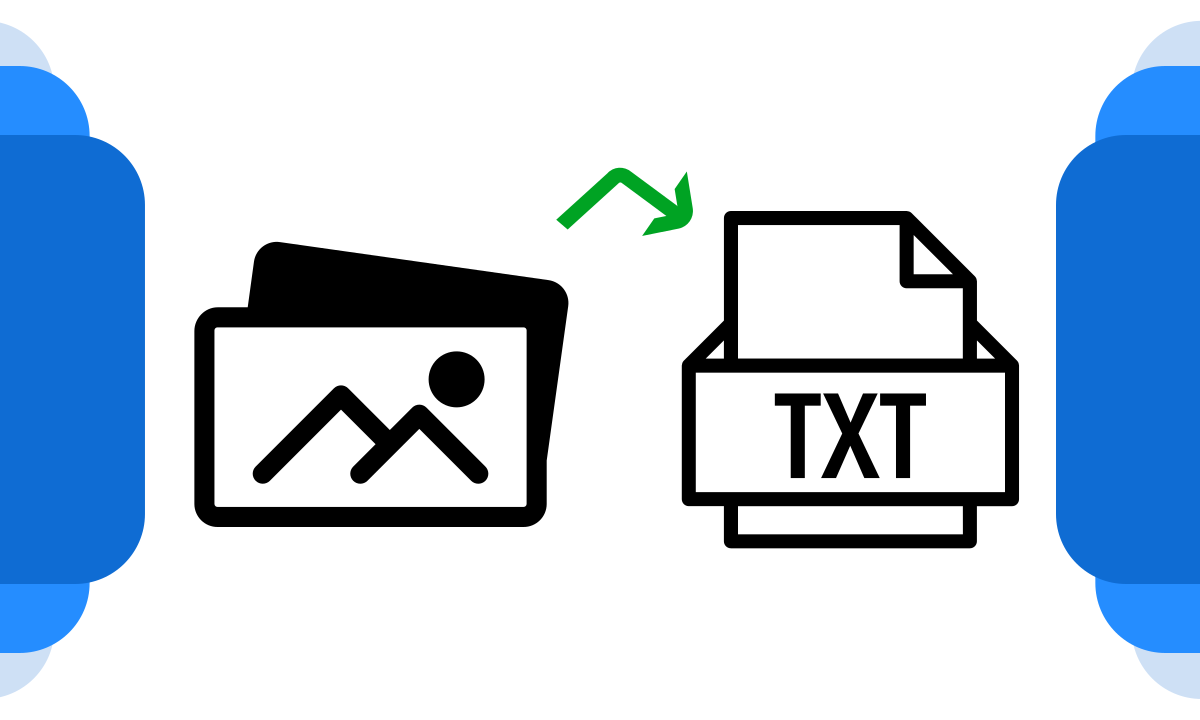
Image to text technology, also called optical character recognition (OCR), is a system that enables computers to recognize text contained within images and convert it into editable, searchable data. It allows you to scan a printed page, a photo of a sign, or even handwritten notes and transform them into digital text. In 2026, OCR has evolved far beyond simple character matching—modern solutions leverage deep learning and transformer models to achieve near‑human accuracy across thousands of fonts and languages.
OCR technology developed fundamentally in recent years. Today’s advanced OCR frameworks use convolutional neural networks (CNNs) and recurrent neural networks (RNNs) to identify characters based on visual patterns while also considering context. This means the system doesn’t just see individual letters—it understands entire words and phrases, correcting ambiguous characters by analyzing surrounding text. High‑level OCR now supports over 200 languages, complex layouts (tables, multi‑column documents), and even handwriting with increasing accuracy.
Applications of image to text technologies are vast: they help digitize historical documents, automate data entry in finance and healthcare, enable text search within image archives, and improve accessibility for blind and low‑vision users through screen readers. However, accuracy can still vary depending on factors such as image quality, font complexity, and the presence of noise or distortion. Modern OCR tools like Amazon Textract and Azure Computer Vision incorporate preprocessing steps—deskewing, contrast adjustment, and noise reduction—to maximize accuracy before recognition begins.
🚀 2026 OCR Innovation: Multimodal Models
The latest OCR systems don’t just read text—they understand document structure. Using multimodal AI (combining vision and language), tools can now extract key‑value pairs from invoices, recognize signatures, and even interpret handwritten annotations. This turns OCR from a simple text extractor into a full document intelligence platform.
Exploring Pixels to Words Technology (Visual Understanding)
Unlike image‑to‑text tech, pixels to word technology focuses on understanding and describing an image’s content in natural language. This state‑of‑the‑art innovation takes visual content analysis to an entirely new level. Instead of simply extracting text from images, pixel‑to‑word systems interpret the entire scene—identifying objects, people, actions, and relationships—and generate descriptive text that provides context and meaning.
Pixel‑to‑word innovation is especially valuable in computer vision and artificial intelligence, where it powers image classification, object detection, and automated content creation. For example, it can automatically generate captions for blind users, distinguish objects in autonomous vehicle imagery, and assist with content creation by writing descriptive text for photographs and videos. This technology paves the way for more natural human‑machine interactions and dramatically increases accessibility for visually impaired individuals.
Modern pixel‑to‑word systems are built on encoder‑decoder architectures with attention mechanisms. The encoder (usually a CNN like ResNet or EfficientNet) extracts visual features, while the decoder (often an LSTM or Transformer) generates coherent sentences describing the image. In 2026, these models have become incredibly sophisticated—they can answer questions about images (visual question answering), detect emotional expressions, and even identify unusual events in video streams.
Comparing Image to Text (OCR) and Pixels to Words
Image to text and pixel to word technologies are both extraordinary in their own domains, yet they excel in different areas. Image to Text (OCR) is the optimal solution when your main objective is to extract and utilize text from pictures—such as converting printed documents into digital text or making scanned books searchable. Pixel to word technology, on the other hand, shines when you need to understand the content, context, and meaning of an image beyond any embedded text.
To better understand the differences and similarities, let’s analyze their main features in a comprehensive correlation table:
| Aspect | Image to Text Technology (OCR 2026) | Pixels to Words Technology |
|---|---|---|
| Core Functionality | Converts text within images to machine‑readable characters | Describes images in natural language (objects, scenes, actions) |
| Key Components | OCR algorithms (CNN + RNN/Transformer), pattern recognition, language models | Computer vision (CNNs, Vision Transformers), natural language processing (GPT‑4, LLaMA) |
| Primary Use Cases | Document digitization, data extraction, license plate recognition, text‑based image searches | Image captioning, object recognition, content generation, autonomous systems, visual Q&A |
| Accuracy | Very high for printed text (98%+), moderate for handwriting (varies) | Variable—depends on scene complexity, but improving rapidly with large vision‑language models |
| Resource Intensity | Moderate—can run on edge devices with optimized models | High—especially for real‑time video analysis, often requires GPUs/cloud |
| Image Content Understanding | Limited to text recognition; ignores non‑text elements | Provides context and meaning for entire image, including relationships |
| Applications | Digitizing books, automating accounts payable, accessibility tools | Social media content moderation, medical imaging, e‑commerce product tagging |
| Scalability | Suitable for large‑scale batch processing of documents | Resource‑intensive; requires careful infrastructure planning for large volumes |
| Human Interaction Enhancement | Enables text‑to‑speech for blind users, searchable archives | Improves human‑computer interaction, assists visually impaired with scene understanding |
| Industry Applications | Legal, finance, publishing, logistics | E‑commerce, autonomous vehicles, content creation, security/surveillance |
| Complementary Use | Can be used alongside pixels to words for comprehensive image analysis (e.g., extracting text from a scene plus describing it) | Can be complemented by OCR to extract textual information from within images |
This comparison table provides a quick overview of the main differences and use cases. While image‑to‑text conversion excels at extracting textual data for industries like finance and publishing, pixel‑to‑word innovation offers a more holistic understanding of image content—making it invaluable in areas like computer vision, accessibility, and autonomous systems. The choice between them depends on your project’s specific needs and goals. In many cases, they can even complement each other, enabling a more extensive analysis of visual content.
10 Key Applications of Image to Text (OCR) Technology in 2026
- Document Digitization and Archiving: Image‑to‑text innovation plays a key role in digitizing printed materials—books, manuscripts, and historical records. It converts physical documents into searchable and editable digital formats, preserving valuable content while making sharing and analysis easier.
- Automated Data Entry and Invoice Processing: Organizations streamline data entry by using OCR to extract information from invoices, receipts, and forms. This reduces manual errors, increases efficiency, and enables automation in finance, healthcare, and logistics.
- Enhancing Accessibility for the Blind: OCR technology significantly improves accessibility for visually impaired individuals. By converting printed materials and images into text, it allows screen readers to vocalize content—from textbooks to restaurant menus.
- Content Indexing and Visual Search: For organizations with large image archives, OCR enables text‑based search within images. This is especially useful in legal and law enforcement contexts, where it helps analyze visual evidence like scanned documents or photos of signs.
- Real‑Time Translation Services: Modern mobile OCR apps can automatically recognize and translate text from images in real time—useful for travelers, language students, and businesses operating in multilingual environments.
- Automated Text Summarization: When curating content or monitoring news, OCR combined with NLP can extract and summarize articles, blog posts, and reports—providing users concise overviews of lengthy texts.
- Education and E‑Learning: Schools and universities use OCR to convert handwritten notes and printed textbooks into digital formats, facilitating online learning and creating accessible educational resources.
- License Plate Recognition (LPR): OCR is at the heart of automated license plate recognition systems used in toll collection, parking management, and law enforcement—reading plates from camera images even at high speeds.
- Healthcare Records Digitization: Hospitals digitize patient records, prescription labels, and lab reports using OCR, making critical information instantly accessible to healthcare providers while reducing paper clutter.
- Banking and Check Processing: Banks use OCR to read check amounts, account numbers, and signatures, enabling automated check clearing and fraud detection.
10 Key Applications of Pixels to Words Technology in 2026
- Automated Image Captioning: Pixels‑to‑words generates descriptive captions for images and videos in real time—improving user experience on websites, social media platforms, and assistive technologies for people with visual impairments.
- Product Classification in E‑Commerce: Online retailers use pixel‑to‑word technology to automatically classify and tag product photos—identifying clothing types, colors, brands, and even styles without manual entry.
- AI‑Powered Content Generation: Marketers and creators leverage pixel‑to‑word models to automate content creation. For example, travel websites generate rich descriptions for destination photos, and real estate platforms create compelling property listings from images.
- Enhanced Visual Search Engines: Search engines now use pixel‑to‑word understanding to deliver more relevant image results. Instead of relying solely on metadata or alt text, they analyze the actual content of images—improving accuracy for queries like “happy dog in park.”
- Assistive Technology for the Blind: Beyond simple text extraction, pixel‑to‑word apps provide detailed scene descriptions—telling a blind user that “a child is playing with a red ball on grass” or “a crowded street with cars and pedestrians.”
- Medical Imaging Analysis: In healthcare, pixel‑to‑word models analyze X‑rays, MRIs, and CT scans, generating preliminary reports that highlight anomalies, measure structures, and assist radiologists in diagnosis.
- Autonomous Vehicle Perception: Self‑driving cars rely on pixel‑to‑word systems to understand their environment—identifying pedestrians, traffic signs, lane markings, and obstacles, then describing the scene to decision‑making algorithms.
- Social Media Content Moderation: Platforms use visual understanding to automatically detect inappropriate imagery (violence, nudity, hate symbols) by analyzing the content of uploaded photos and videos, not just text captions.
- Security and Surveillance: Pixel‑to‑word systems monitor live video feeds, generating alerts when specific events occur—like “person left a package” or “two individuals fighting”—enhancing public safety.
- Visual Question Answering (VQA) Systems: Advanced AI assistants can now answer questions about images. For example, a user could upload a photo of a machine part and ask, “What is this?”—the system analyzes the pixels and returns a detailed description and part number.
🚀 Combining OCR and Pixel‑to‑Word for Maximum Impact
The most powerful visual analysis pipelines combine both technologies. For example, an autonomous vehicle system uses pixel‑to‑word to identify a “speed limit sign” and OCR to read the number “55” on it. Similarly, an accessibility app might first describe a scene (“you are in a restaurant”) then read the menu text using OCR. Integrating both creates a richer, more useful experience.
How to Choose: OCR, Pixel‑to‑Word, or Both?
Selecting the right technology depends on your specific use case. Here’s a decision framework:
- Choose OCR if: You need to extract text from images—digitizing documents, reading license plates, processing forms, or enabling text search in image archives. OCR is mature, fast, and highly accurate for most printed text tasks.
- Choose Pixel‑to‑Word if: You need to understand the content of an image beyond any text—identifying objects, describing scenes, generating captions, or answering questions about visual content.
- Choose Both if: Your use case requires comprehensive understanding—for example, analyzing an infographic (OCR reads the embedded text, pixel‑to‑word describes the chart), processing identity documents (OCR reads the ID number, pixel‑to‑word verifies the photo matches), or creating fully accessible content for blind users.
2026 Trends & Future of Visual Analysis
The convergence of OCR and pixel‑to‑word technologies is accelerating. Here’s what’s shaping the next 12‑24 months:
- Multimodal Foundation Models: Models like GPT‑4V and Gemini are trained on both text and images, enabling them to perform OCR and visual understanding within a single framework. This means you can ask, “What’s written on that sign, and what’s the weather like in the background?” and get a unified answer.
- Real‑Time Video Understanding: Edge AI devices now run lightweight vision models that can describe video frames in real time—opening possibilities for augmented reality glasses, advanced surveillance, and live event captioning.
- Handwriting OCR Breakthroughs: With transformer‑based models, handwriting recognition accuracy has improved dramatically, making it feasible to digitize historical handwritten documents at scale.
- Layout‑Aware OCR: Modern OCR preserves document structure—tables, forms, multi‑column layouts—so extracted text retains its original organization, crucial for legal and financial applications.
- Ethical and Privacy Concerns: As visual analysis becomes ubiquitous, regulations around image data usage are tightening. Expect more focus on on‑device processing to protect privacy, especially in healthcare and surveillance.
Frequently Asked Questions (FAQ) – 2026 Updates
Is OCR the same as image to text?
Yes, in most contexts “image to text” refers to OCR (optical character recognition). It’s the technology that extracts text from images, scanned documents, or photos.
What is the accuracy of OCR in 2026?
For clean, printed text, modern OCR achieves 98‑99% accuracy. Handwritten text accuracy varies but has improved significantly with AI—now reaching 85‑95% for legible handwriting.
Can pixels to words technology read text from images?
Some advanced pixel‑to‑word models (like GPT‑4V) can read text as part of their visual understanding, but dedicated OCR is still more accurate for pure text extraction. For best results, use OCR for text and pixel‑to‑word for scene description.
What’s the best free OCR tool in 2026?
Google Lens, Microsoft Lens, and Tesseract (open source) remain popular. Cloud options like Google Cloud Vision and AWS Textract offer generous free tiers for low‑volume use.
How do I choose between OCR and pixel‑to‑word?
If you need the actual words from an image, use OCR. If you need a description of the image’s content (objects, actions, scenes), use pixel‑to‑word. Many projects benefit from combining both.
Can these technologies handle low‑quality images?
Modern AI‑powered tools are surprisingly robust, but preprocessing (sharpening, contrast adjustment, deskewing) still helps. For very poor quality images, consider manual review.
For deeper dives into image analysis and SEO, check out these related articles from our blog—updated with 2026 insights:
- Transforming Social Media with OCR Technology (2026 Edition)
- Image Optimization Tips for SEO (2026 Update)
- Smartphones for Social Media Content Creation (2026 Guide)
- AltVision AI Text Generator for Images
- Budget and Workload Management in Online Learning
- Social Media Marketing Strategies (2026)
- How to Modify WordPress Header and Footer
Final Thoughts: OCR and Pixel‑to‑Word in 2026
Both image‑to‑text (OCR) and pixels‑to‑words technologies have matured into indispensable tools for businesses, developers, and creators. OCR continues to excel at accurate text extraction—the backbone of document digitization and data automation. Pixel‑to‑word systems, meanwhile, unlock deeper understanding of visual content, powering everything from accessibility apps to autonomous vehicles. As these technologies converge in multimodal AI models, the future promises seamless visual intelligence that understands both what an image shows and what it says. Choose the right tool for your current needs—but keep an eye on integration, because the most powerful solutions will combine both.
Ready to Implement Visual Analysis in 2026?
Download our free checklist to choose the right OCR or pixel‑to‑word tool for your project—includes vendor comparisons, accuracy benchmarks, and integration tips.