Complete Guide to Canva Fonts: Pairings, Tips, and Aesthetic Ideas
Looking for the perfect Canva brand font? Our new font collection features primarily Canva fonts that can be used in graphic design software. Many of these are free fonts, while others require licensing for commercial use. We’ve compiled a list of the best fonts available in the Canva app, as well as Google Fonts available online for free, and premium fonts available after payment. In addition to showcasing these fonts, we’ll also provide guidance on how to choose the right font and pair it with others, as well as the difference between sans serif and serif fonts.
If you’re struggling to find a font that represents your brand and appeals to your audience without breaking the bank, our comprehensive font guide is just what you need. We’ve combed through Canva’s extensive font library to identify the best free and pro fonts for your branding, and we’ll teach you how to select the perfect fonts for your brand even if you’re not a designer. We’ve compiled a list of over 50 popular Canva fonts and ten font combinations that you can use instantly to create a powerful brand identity, whether your brand is elegant, bold, modern, retro, luxurious, or minimal.
How to Choose the right Brand Fonts
Selecting a font that complements your brand’s image across different platforms can be a daunting task, especially if you’re not a designer and typography isn’t your forte. With so many fonts available, how do you choose one that truly reflects your brand’s personality? While finding font inspiration is simple, selecting the perfect fonts for your branding requires a deeper understanding of your brand and its values.
To simplify the process of choosing the right font for your brand, I’ve compiled a quick checklist of five questions that we typically go through with our custom design and branding clients. Answering these questions can help you determine how you want your community and potential customers to perceive your brand. Later in this guide, we’ll also provide you with some cool font ideas and Canva font combinations to spark your creativity.
5 Questions Checklist
Find a Font for your Branding
- Which 3 values do you connect to your brand?
- In 1 sentence – how do you want your brand to be perceived?
- How is your ideal buyer persona like? What are their values?
- What’s your brand mission and how does it show to others?
- Pick 3-5 of the adjectives below that best fit your brand: Modern – Simple – Elegant – Elaborate – Fun – Ambitious – Luxury – Calm – Dynamic – Familiar – Vintage – Bold – Industrious – Kind – Spiritual – Timeless – Feminine – Authentic – Fresh – Minimal – Empowering – Classic – Sophisticated – Creative If you can think of more adjectives to describe your brand, add them.
The best Handwriting and Script Fonts in Canva
Handwriting fonts are a highly sought-after font category on Canva, and for good reason. They are incredibly versatile and can be used in a variety of ways. Handwritten script fonts can serve as the primary font for your brand or logo, or they can be used to add a touch of personality and flair to your designs.
If you frequently share quotes and inspirational content like affirmations, using cursive fonts can help break up the monotony of your feed. In particular, Jonathan and BD Script are two of the best (and free!) fonts for quotes on Canva. Whether you’re looking to add a touch of whimsy to your brand or simply want to spice up your design, handwritten script fonts are an excellent choice.
Calligraphy and script fonts are perfect for your brand if…:
Your branding is feminine, playful or elegant, and if you want to create quotes and lettering in Canva.
Industries where script fonts work:
Coaching, Wedding, Beauty, Fashion, Photography
Where to use handwriting fonts in Canva:
For your logo, in social media quote graphics, as an accent font
Keywords to find the best script fonts on Canva:
Handwriting, Script, Cursive, Calligraphy, Brush, Handwritten, Curly, Signature
The Best Modern Brand Fonts on Canva
If you’re tired of using the same old standard fonts like Arial, Times New Roman, Calibri, or Helvetica, or are in search of Canva equivalents for popular modern fonts such as Futura, Avenir, or Century Gothic, then the following list is just for you.
Canva boasts a plethora of gorgeous modern, contemporary, and classical typefaces that you won’t find everywhere else. So, if you’re looking to elevate your designs and stand out from the crowd, be sure to check out Canva’s vast collection of unique and stunning fonts.
Modern fonts are perfect for your brand if…: f your brand is characterized by being direct, empowering, and bold, and you’re looking to use Canva to select highly professional fonts, then you’ve come to the right place. Canva offers an extensive selection of fonts that are not only professional but also convey a sense of strength and confidence. With Canva, you can easily find the perfect font to complement your branding and help your message stand out.
Industries where modern fonts look good: Service Providers, Coaching, Education, Digital Products
Where to use modern typography in your Canva designs: In big headlines, as body font, as a font for Instagram posts and stories
The Canva Fonts List for Retro + Vintage Fonts
No font guide would be complete without a touch of retro flair, and Canva certainly delivers with its vast library of retro fonts. Whether you’re after the groovy, rounded fonts of the 70s, the funky disco vibes of the 80s and 90s, or elegant vintage serif fonts, Canva has got you covered.
While many popular retro fonts are designed specifically for logos and tend to be quite heavy, we’ve also discovered some typefaces in Canva that can be used as a main brand font. For example, Chloe or Tenor Sans would be perfect for this purpose, offering a retro feel without being overwhelming.
Vintage fonts are perfect for your brand if…: If your brand is all about having fun and being quirky (think 70s and 80s design!), or if you’re looking to add a vintage touch to your branding, then Canva has got you covered. With its wide selection of retro and vintage fonts, you can easily find the perfect typeface to match your brand’s personality and style. Whether you’re looking for a playful and whimsical font or something more elegant and refined, Canva has plenty of options to choose from.
Industries where retro fonts work: Fashion, Food and Drinks, Restaurants, Personal Brands
Find more retro-inspired fonts with these keywords: Vintage, Groovy, Art Deco, Neon, Funky
Minimalist Fonts available on Canva
Choosing the right fonts for your brand is crucial in communicating your brand’s values and personality. It’s not just about what you say, but also how you say it. Whether your brand is traditional or quirky, fun or formal, selecting the right fonts can help attract the right kind of customers.
Whether you’re starting a brand from scratch, reworking your logo, or updating your website, Canva Pro is the perfect design tool for non-designers to create stunning visuals. In this article, we’ve curated 20 unique font combinations to inspire you in creating your own brand. And the best part? All of these fonts are included for free in Canva, so you can showcase your brand in the best possible way.
How to decide on the fitting font on your model?
To add individuality and draw consideration to the distinctive model of your challenge, it’s price getting ready recognizable fonts. Many well-known manufacturers have their very own recognizable fonts like Google or Samsung, and they’re instantly related to the model. Smaller manufacturers can simply select a free Canva font, since you don’t have to assert a trademark to be recognizable. 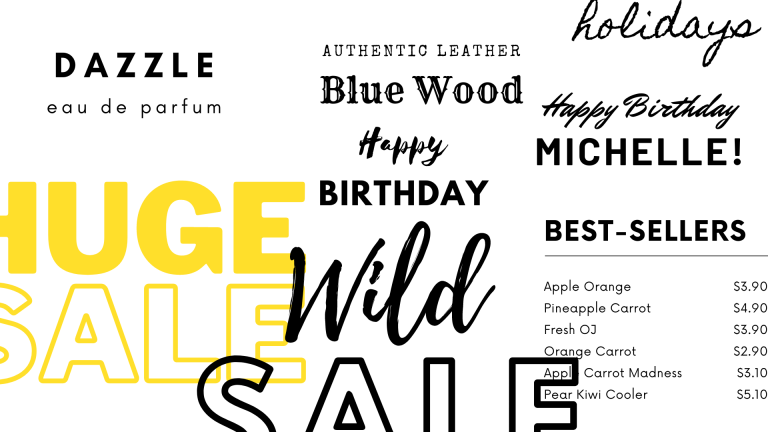
You can use font pairing in your advertising and marketing supplies to determine visible hierarchy and distinction, making the design extra interesting to the viewer. Visual hierarchy could be achieved by means of varied strategies, together with coloration, measurement and typographic distinction. Pair massive fonts with small fonts, serif fonts with sans-serif fonts. Some Canva font mixtures are already urged within the app!
What is a serif font?
Serifs are the little “markers” on the endings of some letters. If the letter ‘I’ has a brief top and backside, the font is a serif font. Thanks to serifs, we will simply distinguish between a capital ‘I’ and a lowercase ‘l’ for instance. 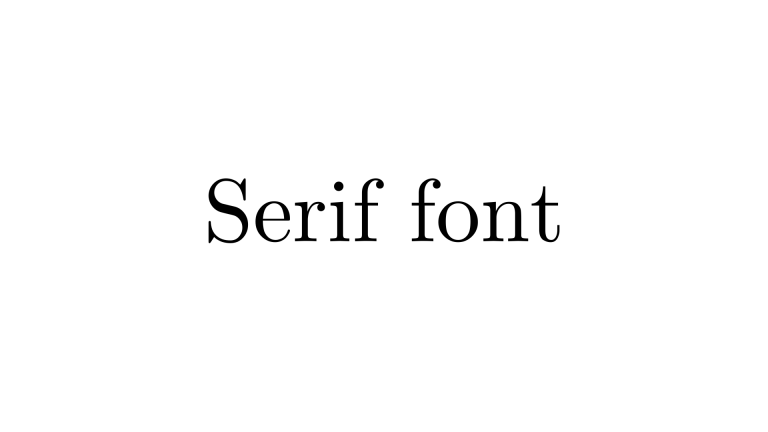 Serifs had been stated to have begun with Latin phrases minimize into stone in Roman Antiquity within the Latin Alphabet. To begin chopping, the craftsmen needed to begin with an incision, thus creating serif font. Serif typefaces are most usually utilized in long materials, corresponding to books, newspapers, and most periodicals, and are essentially the most broadly used printed typestyle owing to perceived readability. Serif display offers legibility and may be very engaging to the reader. There are a whole bunch of examples of a Serif font round, together with Times New Roman, Georgia, Palatino, and Garamond.
What is a sans serif font?
The first sans serif font first appeared in printed media within the late 18th century. They shortly grew to become in style due to their readability and readability in promoting and display utilization, whether or not printed huge or tiny. Sans serif display is extra legible and fewer distracting, however it’s thought of much less elegant. 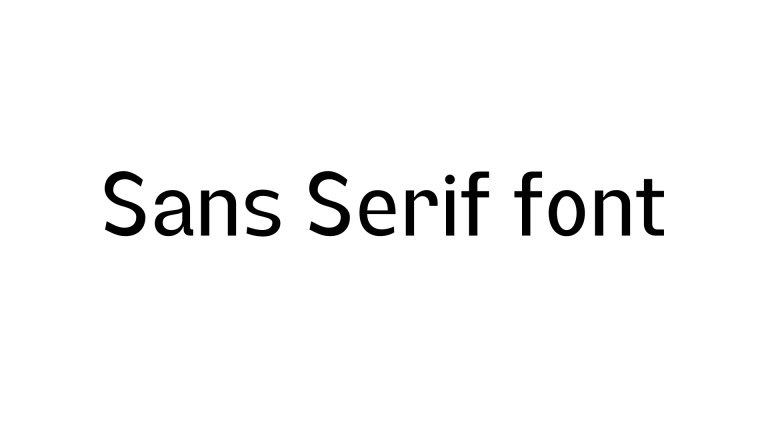 Because screens, particularly within the Eighties and 90s had issue with the serif display on the monitor, sans-serif fonts have change into the most typical for textual content display on computer displays. There at the moment are a whole bunch of sans-serif sorts out there, together with Arial, Helvetica, and Tahoma. A sans-serif font is an excellent possibility for varied shorter textual content conditions, corresponding to titles, credit, column headers, and textual content in infographics. Most Canva font pairing strategies advocate utilizing both a sans serif or serif font as a physique textual content and one other model for headings.
What is a daring font?
A font is a basic form of letters – which could be thicker or thinner, relying on the typeface. Some programs create daring fonts to make use of by thickening them artificially. This could be much less legible than utilizing Canva fonts or Google fonts which have already a daring selection ready by the font designer. It’s best to make use of fonts utilizing the dedicated typeset made by the font designer quite than bolding them in a design tool. 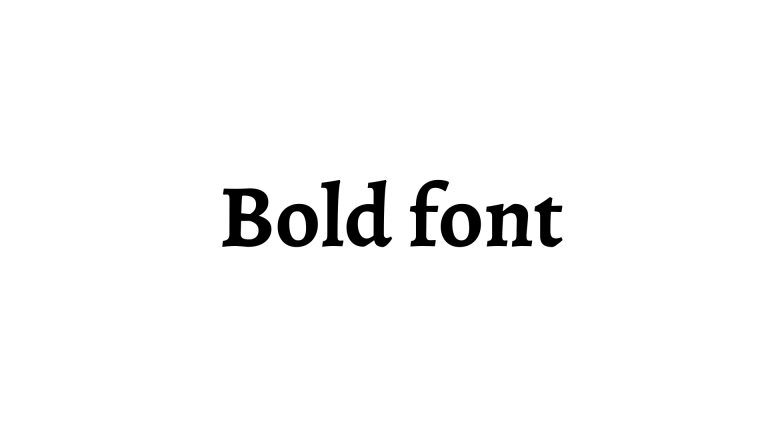
A list of the best Canva fonts
We have prepared a list of some of the best Canva font ideas for your designs and ideas. You might already have some of the free fonts installed on your computer, but you can also upload fonts to use with Canva Pro.
Best Canva Fonts
Canva Pro’s “Font Combinations” feature under the “Brand Kit” tab automatically suggests pairings that work well together. Start with a display font you love, then let Canva recommend complementary body fonts. This saves hours of trial and error.
Advanced Font Pairing Strategies for Professional Results
Choosing a font is only half the battle; pairing them effectively creates visual harmony. Here are proven strategies used by professional designers:
- Contrast is key: Pair a bold, heavy font with a light, delicate one. For example, use Bebas Neue (bold) with Lora (light serif).
- Use a superfamily: Font families like Source Sans Pro and Source Serif Pro are designed to work together seamlessly. Canva includes many such families.
- Limit to two fonts: For most designs, stick to two fonts maximum. Three can work, but only if used very intentionally (e.g., heading, subheading, body).
- Match moods: A modern sans-serif pairs well with another modern sans-serif, but mixing a modern sans with a vintage script can create intentional tension.
- Test readability: Always test your pairing on actual devices. What looks good on a desktop may be illegible on mobile.
How to Use Canva Fonts for Different Platforms
Fonts behave differently across platforms. Here’s how to optimize your choices:
- Instagram Posts: Use bold, easy‑to‑read fonts like Montserrat or Poppins for feed posts. For Stories, use larger, more expressive fonts like Playlist Script or Sacramento.
- YouTube Thumbnails: Legibility is critical. Use condensed, heavy fonts like Bebas Neue or Anton. Avoid thin weights.
- Pinterest Pins: Use a mix of a script (e.g., Yellowtail) for emphasis and a clean sans (e.g., Open Sans) for supporting text.
- Website Headers: Prioritize brand consistency. Use your primary brand font for H1 and H2, and a highly readable secondary font for body text.
While Canva’s built‑in fonts are licensed for commercial use within Canva, if you download a font to use outside Canva, you must purchase a separate license from the foundry. Always read the license terms before using a font in merchandise, print materials, or software outside the Canva ecosystem.
Case Study: How a Skincare Brand Found Its Signature Look with Canva Fonts
Glow Ritual, a clean beauty startup, wanted a brand font that felt both modern and nurturing. After working through the 5‑question checklist, they chose DM Serif Display for headings (conveying elegance) and Poppins Light for body text (conveying approachability). They used these fonts consistently across Instagram, email newsletters, and packaging mockups. Within three months, their brand recognition increased by 40% according to a follower survey. The key: they stuck to their font choices and avoided the temptation to constantly switch.
The Psychology of Fonts: What Your Choice Says About Your Brand
Fonts evoke emotions. Here’s a quick guide:
- Serif fonts (e.g., Times New Roman, Playfair Display): Traditional, trustworthy, sophisticated. Ideal for law firms, luxury brands, editorial.
- Sans-serif fonts (e.g., Helvetica, Montserrat): Modern, clean, approachable. Great for tech, startups, and minimal brands.
- Script fonts (e.g., Pacifico, Sacramento): Creative, feminine, elegant. Perfect for wedding invitations, beauty, and lifestyle.
- Display fonts (e.g., Bebas Neue, Anton): Bold, confident, attention‑grabbing. Use for headlines and logos.
- Monospaced fonts (e.g., Courier, Space Mono): Technical, retro, nostalgic. Works for coding brands or hipster aesthetics.
Canva Pro vs. Free: Which Fonts Are Worth Upgrading For?
While Canva’s free tier includes hundreds of excellent fonts, Pro unlocks premium typefaces that can elevate your brand. Here are a few worth the upgrade:
- Brittany: A gorgeous script font that rivals high‑end paid fonts.
- Playlist Script: A lively handwritten font perfect for quotes and branding.
- Agrandir: A modern sans‑serif with a unique personality, great for logos.
- Cooper Hewitt: A clean, geometric sans that works across all uses.
- Selima: A bold script with a hand‑drawn feel.
Pro also gives you the ability to upload your own custom fonts—essential if you have a brand font not available in Canva.
Key Takeaways: Your Canva Fonts Mastery Plan
- Understand your brand personality before selecting fonts – use the 5‑question checklist.
- Differentiate between serif, sans‑serif, script, and display fonts and choose based on your industry and tone.
- Use font pairing strategies like contrast and superfamilies to create visual hierarchy.
- Leverage Canva Pro’s features (Brand Kit, font uploads) to maintain consistency.
- Test your fonts across platforms (Instagram, YouTube, web) to ensure readability.
- Respect licensing – Canva’s built‑in fonts are licensed for use within the app; external use may require separate licenses.
- Don’t overcomplicate – two well‑paired fonts are often better than four competing ones.
With these strategies, you can confidently choose and pair Canva fonts that not only look beautiful but also strengthen your brand identity and audience connection.
FAQ: Canva Fonts Guide