10 Top HTML Validators to Detect Errors and Optimize Your Code
Clean, valid HTML is the foundation of every well-built website. It determines how browsers render your pages, how search engines index your content, how screen readers navigate your structure, and how reliably your layout holds together across Chrome, Firefox, Safari, and Edge. Yet even experienced developers regularly ship pages with unclosed tags, deprecated attributes, duplicate IDs, improperly nested elements, and missing alt attributes — errors that are invisible in a quick visual test but quietly undermining performance, accessibility, and SEO.
HTML validators are the simplest and most effective solution to this problem. Paste your code, enter a URL, or upload a file — and within seconds you get a precise, line-by-line report of every error, warning, and best-practice violation in your markup. No manual code audit, no browser debugging, no guesswork.
In 2026, the HTML validator landscape spans the gold-standard W3C official tool, developer-friendly browser extensions, bulk-validation platforms for large sites, and fast paste-and-check web tools for quick fixes. This guide reviews the top 10 free HTML validators — what each one does best, how to use it, and which type of developer or project it suits most.

Key Takeaways
Why HTML Validation Matters in 2026
With modern browsers becoming increasingly tolerant of malformed HTML — silently auto-correcting unclosed tags, accepting missing doctype declarations, and rendering deprecated elements without complaint — it’s tempting to treat HTML validation as an optional nicety rather than a necessary step. That tolerance is a trap. Here’s why validation still matters significantly in 2026.
🔍 SEO & Search Engine Crawling
Search engines parse HTML directly — and malformed markup creates ambiguity in how content is interpreted. Improperly structured heading hierarchies, duplicate IDs on indexable elements, and broken structured data markup all create real SEO consequences invisible in visual browser testing. Valid HTML gives crawlers an unambiguous content structure to index.
♿ Accessibility Compliance
Screen readers, keyboard navigation, and assistive technologies rely on semantically correct, well-structured HTML to function. Invalid markup — missing ARIA roles, incorrect landmark elements, absent alt attributes — creates accessibility failures that validation catches before they affect real users. WCAG 2.1 and ADA compliance both require valid HTML as a baseline.
🌐 Cross-Browser Consistency
Browsers handle invalid HTML through error-recovery algorithms — and those algorithms differ across Chrome, Firefox, Safari, and Edge. Code that renders correctly in Chrome may break visually in Safari precisely because of how each browser interprets the same malformed markup. Valid HTML eliminates this ambiguity and ensures consistent rendering.
⚡ Page Load Performance
Error-recovery parsing is computationally more expensive than parsing clean, valid HTML. On pages with significant markup errors, the browser spends additional processing time resolving structural ambiguities before rendering can begin — a hidden performance cost that never shows up in profiling but contributes to slower First Contentful Paint times.
🔧 Easier Debugging & Maintenance
Valid HTML with clean structural hierarchy is dramatically easier to debug, modify, and hand off to another developer. Invalid markup creates cascading layout issues where fixing one bug triggers another — a problem that grows exponentially as a codebase scales. Validation as a habit eliminates this technical debt at source.
📋 Code Quality Standards
Professional web development agencies and enterprise development teams include HTML validation as a mandatory step in CI/CD pipelines and pre-deployment checklists. Valid HTML is a quality standard, not just a nicety — and demonstrating validated code is expected in professional delivery across WordPress, custom HTML, and CMS-based projects.
What Does an HTML Validator Actually Check?
<div> opened but not closed, a <p> nested inside another <p>, or a <li> outside a <ul> or <ol> — these structural errors are caught precisely with line and column numbers.<font>, <center>, <strike>) and attributes (align, bgcolor) that should be replaced with CSS. Validators flag all of these with clear explanations of the modern alternative.alt attributes, form elements without label associations, <a> tags without href values, and invalid attribute values that browsers silently ignore but validators correctly identify.id attributes to be unique within a document. Duplicate IDs break JavaScript targeting, CSS specificity, and anchor navigation — and are one of the most commonly overlooked errors in CMS-built pages.<meta charset> declarations, unencoded special characters, and malformed Unicode sequences that cause display problems in certain browsers and locales.How to Optimize Your WordPress Code (2026 Workflow Guide)
WordPress developers often deal with a unique challenge: themes and plugins can automatically inject extra scripts, styles, or markup into a page. Over time, this can lead to messy HTML output, performance issues, and validation errors that affect SEO and accessibility .Even if your theme files are clean, third-party plugins, page builders, and custom snippets can introduce unclosed tags, duplicate IDs, or deprecated attributes. To keep your WordPress site lean, structured, and error-free, follow a consistent optimization workflow .
📌 Key Takeaways: WordPress Code Optimization in 2026
- Debug first, optimize second: Use Query Monitor as your X-ray tool to identify PHP errors, slow queries, and script bloat before making changes .
- Validate final HTML, not templates: WordPress generates dynamic output—always test the actual page source using W3C Validator to catch real issues .
- JSON data matters: Gutenberg and page builders store content as structured JSON. Keeping this data clean improves performance and maintainability .
- Regular audits prevent decay: Review your site’s HTML after every plugin update, theme change, or custom code addition .
Use Query Monitor for Debugging
One of the best diagnostic tools available for WordPress developers is the Query Monitor plugin. It acts like an X-ray for your website by revealing backend issues that may affect your HTML output .
With Query Monitor installed, you can easily identify:
- PHP warnings and errors generated by themes or plugins
- Slow database queries that affect page performance
- Scripts and styles loaded on each page
- Hooks and template files responsible for rendering content
- HTTP API calls and external requests that may slow down your site
- Duplicate queries that waste database resources
By identifying problematic plugins or theme components, you can fix errors before they turn into broken HTML or layout problems .
Query Monitor Key Features at a Glance
| Feature | What It Reveals | Impact on Optimization |
|---|---|---|
| Database Queries | Execution time, caller, duplicate queries | Identify slow queries for indexing or rewriting |
| PHP Errors | Warnings, notices, deprecation messages | Catch issues before they affect user experience |
| Scripts & Styles | Enqueued assets and their dependencies | Reduce bloat by deregistering unused assets |
| HTTP API Calls | External requests and response codes | Optimize or cache external calls |
| Hooks & Actions | Callbacks fired during the request | Debug plugin conflicts and execution order |
Query Monitor does not have its own settings interface—instead, it displays vital performance information directly in the Admin Toolbar. You’ll see metrics like page generation time, memory usage, and query counts at a glance .
Validate the Final Page Output
Many developers make the mistake of validating only their template files. However, WordPress pages are generated dynamically, meaning the final HTML delivered to the browser can differ significantly from the original code .
To properly validate your site:
- Open your live page in a browser.
- Right-click and select View Page Source.
- Copy the entire generated HTML markup.
- Paste it into an HTML validation tool such as the W3C validator .
This approach ensures you’re testing the actual output created by WordPress, including all plugins, widgets, and builder elements . There are even WordPress plugins that can automate batch validation checks across your entire site .
⚠️ Critical: Validate After Every Change
Make it a habit to validate your HTML whenever you:
- Install a new plugin
- Update your theme or page builder
- Modify template files
- Add custom scripts or CSS
Frequent checks prevent small markup issues from turning into large structural problems later .
Check JSON Data from Page Builders
Modern WordPress editors such as Gutenberg and Elementor store page content using structured JSON data. If this data becomes malformed or overly complex, it can affect both performance and readability .
Gutenberg blocks are stored with JSON metadata encapsulated in HTML comments. For example :
<!-- wp:quote {"className":"inspirational-quote"} -->
<blockquote class="wp-block-quote inspirational-quote"><p>“The journey of a thousand miles begins with one step.”</p><cite>Lao Tzu</cite></blockquote>
<!-- /wp:quote -->
Using a JSON formatter or a tool like Data Debug Tool helps you :
- Verify that JSON structure is valid
- Make nested data easier to read
- Detect formatting or syntax issues
- Debug problems with blocks or dynamic content
- Unserialize PHP serialized data
- Prettify JSON structures for better visibility
Keeping your JSON data clean also improves maintainability when exporting templates or migrating content between environments . The Data Debug Tool automatically parses Gutenberg blocks into readable JSON format without writing any code .
⚡ Pro Tip: Fix Errors from the Top Down
Always fix validation errors from the top of the document downward.
A single mistake early in the markup—such as a missing <!DOCTYPE> declaration or an unclosed tag—can trigger dozens of misleading errors further down the page. Correcting the first issue often resolves many of the remaining warnings automatically.
Improve Code Quality Through Regular Audits
Regular validation and debugging help maintain a stable WordPress environment. Code quality encompasses functional, structural, performance, and security aspects . Make it a habit to review your site’s HTML output whenever you :
- Install a new plugin
- Update your theme or page builder
- Modify template files
- Add custom scripts or CSS
Frequent checks prevent small markup issues from turning into large structural problems later . Consider implementing these practices :
- Use PHP CodeSniffer with WordPress Coding Standards
- Conduct regular code reviews
- Monitor database query performance
- Leverage object caching for frequently accessed data
- Use AI tools to identify optimization opportunities
Query Monitor helps you identify which components—plugins, themes, or core—are responsible for database queries and potential bottlenecks . The Queries by Component panel shows you the number of queries sent by each plugin, helping you pinpoint performance hogs .
Top 10 Free HTML Validators in 2026
1. W3C Markup Validation Service — The Official Gold Standard

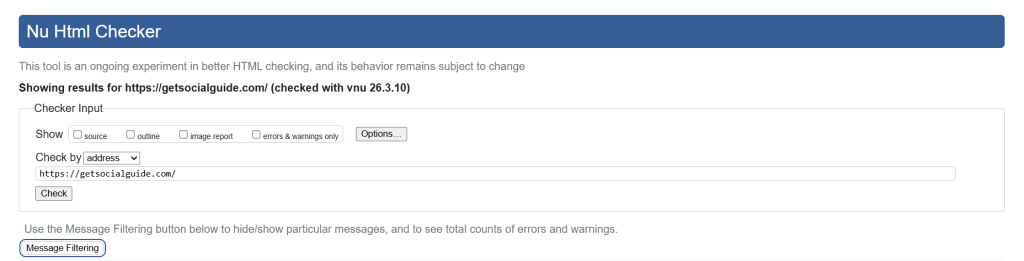
The W3C Markup Validation Service is the original, official HTML validator maintained by the World Wide Web Consortium — the international standards body that defines the HTML specification itself. Since 1994, it has been the reference standard that all other HTML validators are tested against. It validates HTML, XHTML, SMIL, MathML, and other W3C markup languages against their respective specifications, accepting input via URL, file upload, or direct code pasting. Results include precise error descriptions, the line and column number of each issue, and a direct link to the relevant section of the HTML specification explaining why the flagged code is non-conforming. For anyone validating HTML against the official web standard — particularly for accessibility audits, government contracts, or enterprise quality assurance — the W3C validator is the authoritative source. It checks HTML, XHTML, SVG, and MathML formats and includes an outline view and image report alongside the validation results.
| Input Methods | HTML Versions | Price | Best For |
|---|---|---|---|
| URL, File Upload, Direct Input | HTML 4, XHTML, HTML5, SVG, MathML | Free | Official W3C compliance, enterprise QA, accessibility audits |
2. Nu HTML Checker — Modern HTML5 Validator (W3C’s Active Tool)
The Nu HTML Checker (available at validator.w3.org/nu) is the actively developed, modern successor to the classic W3C validator — and the recommended tool for validating HTML5 documents in 2026. While the classic W3C validator has been in maintenance mode, the Nu Checker receives active updates from the W3C team, tracking the latest HTML living standard. It validates HTML5, SVG 1.1, MathML 3.0, ITS 2.0, and RDFa Lite 1.1 with precise error messages, line/column references, and a clean results layout. It also provides a RESTful Web Service API, making it the preferred tool for teams integrating HTML validation into automated CI/CD pipelines. Accepts input via URL, file upload, or direct text paste. A
vailable as an open-source project on GitHub for self-hosted deployments.
| Input Methods | HTML Versions | API Available | Price | Best For |
|---|---|---|---|---|
| URL, File Upload, Direct Input | HTML5, SVG 1.1, MathML 3.0, RDFa Lite 1.1 | Yes (RESTful) | Free / Open Source | HTML5 projects, CI/CD integration, automated validation |
3. FreeFormatter HTML Validator — Fast Paste-and-Check Web Tool
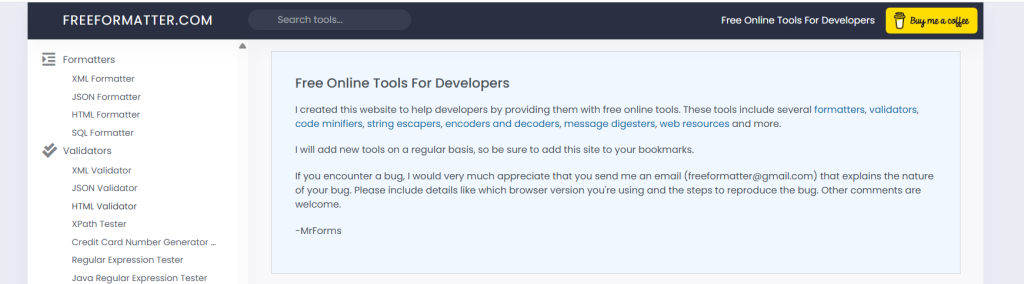
FreeFormatter’s HTML Validator is one of the most-used paste-and-check HTML validation tools online — popular precisely because it requires no account, no setup, and no URL access to the page being validated. Powered by Validator.Nu (the same engine behind Nu HTML Checker), it validates code pasted directly into the editor against W3C standards and performs linting to assess code quality against best practices.
It finds missing or unbalanced tags, stray characters, duplicate IDs, missing or invalid attributes, and other markup issues. Supports HTML5, SVG 1.1, MathML 3.0, ITS 2.0, and RDFa Lite 1.1. Particularly useful for validating fragments of code, template snippets, or local HTML files that don’t have a publicly accessible URL — making it ideal for developers testing code before deployment.
| Input Methods | HTML Versions | Price | Best For |
|---|---|---|---|
| Direct Input (paste) | HTML5, SVG 1.1, MathML 3.0, RDFa Lite 1.1 | Free | Quick code snippet validation, pre-deployment checks, local file testing |
Use FreeFormatter HTML Validator
4. Rocket Validator — Best for Bulk Site-Wide HTML Validation
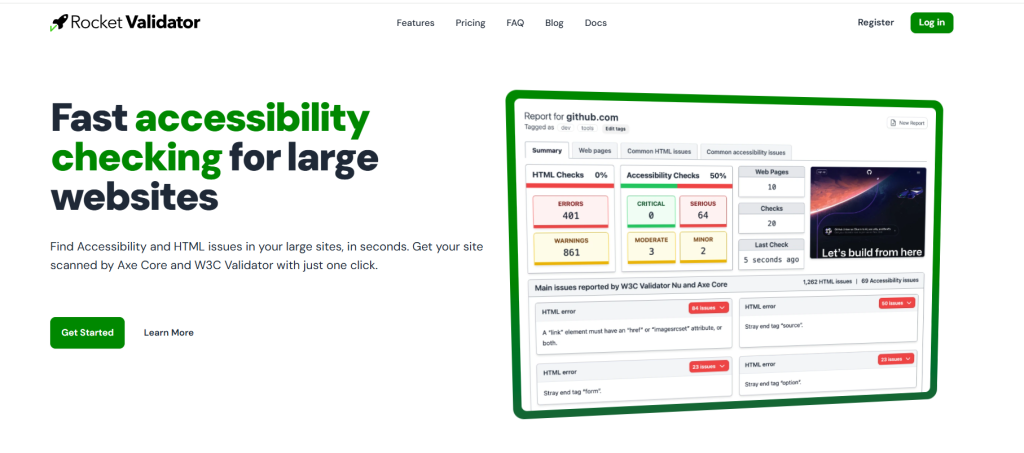
Rocket Validator is in a different category from every other tool on this list — it’s built specifically for validating entire websites rather than individual pages. Instead of submitting one page at a time, you enter a domain URL and Rocket Validator crawls and validates every page it discovers, generating a consolidated report organized by issue type, page, and severity. It runs HTML validation using the Nu HTML Checker engine alongside accessibility checks (axe-core), giving you both structural and WCAG compliance results in a single report.
Ideal for web agencies performing pre-launch audits, developers inheriting large legacy codebases, and site owners who need a complete markup health assessment across dozens or hundreds of pages. A free plan is available with limited pages per report; paid plans unlock full site crawling. For large-scale WordPress sites with many posts and templates, this is an indispensable audit tool — and it pairs naturally with the site maintenance approach in our WordPress speed optimization service.
| Input Methods | Scope | Accessibility Check | Price | Best For |
|---|---|---|---|---|
| Site URL (auto-crawl) | Full website (multi-page) | Yes (axe-core) | Free plan / Paid from $9/mo | Agencies, large sites, pre-launch audits, legacy site reviews |
5. LambdaTest HTML Validator — Developer-Friendly Online Validator
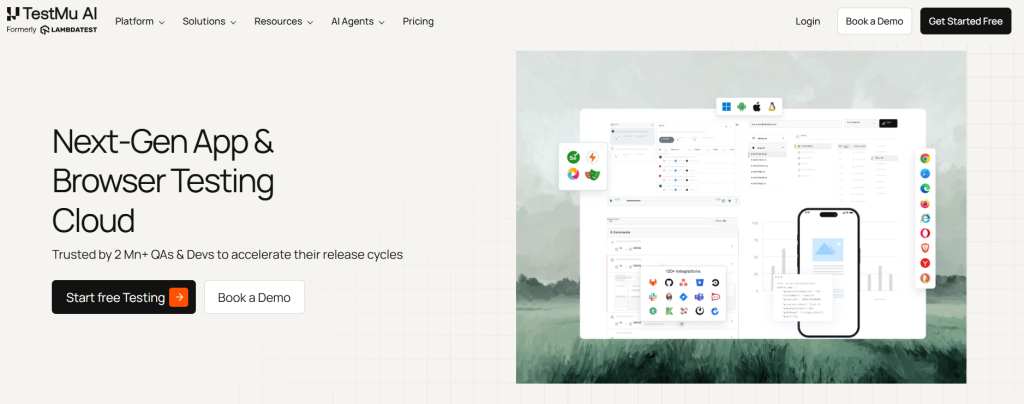
LambdaTest’s HTML Validator is a free online tool that combines W3C-standard validation with a clean, modern developer interface. It checks HTML documents for compliance against established W3C standards — scrutinizing proper tag nesting, attribute usage, structural soundness, and syntactical correctness. The results report is well-organized with clear error descriptions, line and column references, and categorized warnings. As part of LambdaTest’s broader browser testing platform, the HTML validator integrates naturally into workflows that also include cross-browser testing — particularly useful for developers who want to validate markup before running cross-browser compatibility checks. No account or registration required for the free validator tool.
| Input Methods | Price | Best For |
|---|---|---|
| Direct Input (paste) | Free | Developer workflows, pre-cross-browser testing validation |
6. JSONFormatter HTML Validator — W3C-Powered Tool with URL Sharing
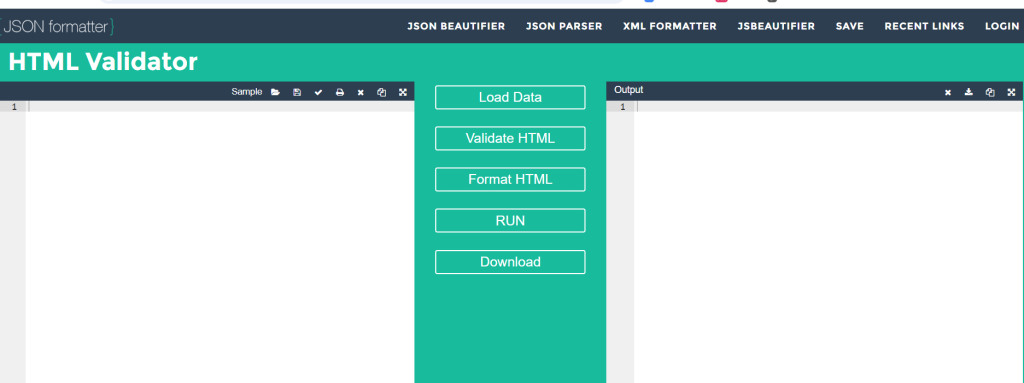
JSONFormatter’s HTML Validator is a straightforward W3C-powered validator that stands out for one practical feature: shareable validation URLs. After validating code, results can be shared via a permanent URL — making it easy to send a validation report to a colleague, client, or code reviewer without requiring them to re-run the validation themselves. Supports copy-paste validation with error display by line number, making corrections fast and precise. Part of JSONFormatter’s broader developer toolbox alongside JSON, XML, and CSS tools, making it a convenient one-stop resource for developers who regularly work across multiple code formats. Completely free, no registration required.
| Input Methods | Shareable Results | Price | Best For |
|---|---|---|---|
| Direct Input (paste), URL | Yes (permanent URLs) | Free | Team collaboration, client code reviews, sharing validation results |
Use JSONFormatter HTML Validator
7. Codeshack HTML Validator — Clean Browser-Based Validator with Instant Results
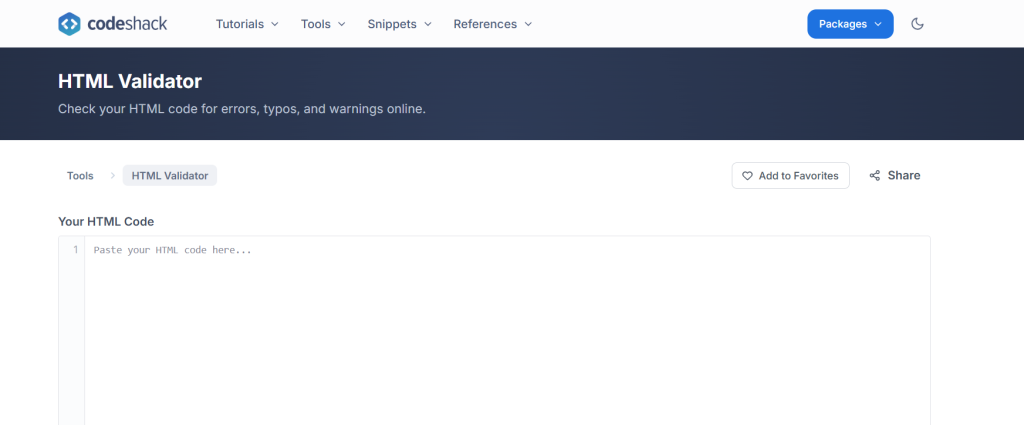
Codeshack’s HTML Validator is a clean, browser-based HTML validation tool that runs entirely in the browser without any server-side processing for the validation logic itself. Paste your HTML, click Validate, and get an immediate results list with error descriptions, line numbers, and column references. The tool checks against W3C rules — syntax errors, deprecated tags, missing attributes, and non-compliance issues — and each error entry includes a clear explanation of the problem and what the correct code should look like. The clean interface, fast results, and educational error explanations make it a strong choice for developers learning HTML best practices, not just experienced developers performing routine validation checks.
| Input Methods | Price | Best For |
|---|---|---|
| Direct Input (paste), File Upload | Free | Learning HTML best practices, beginner developers, quick checks |
8. Static.app HTML Validator — Clean Online Validator with File Upload Support
Static.app’s HTML Validator is a clean, browser-based validation tool that accepts both pasted code and file uploads — useful for validating complete HTML documents from your local machine without needing to host them publicly first. It checks code against W3C standards and reports syntax errors, deprecated tags, missing attributes, and non-compliance issues with precise line numbers. The entirely web-based approach means no downloads, no installations, and no browser extensions to manage. Results are detailed and well-organized, making it easy to work through a list of errors systematically. As part of Static.app’s static site hosting platform, it integrates naturally into workflows for developers who also use Static.app for hosting their HTML projects.
| Input Methods | Price | Best For |
|---|---|---|
| Direct Input (paste), File Upload | Free | Local HTML file validation, static site developers |
9. HTML Corrector — Validator That Also Auto-Fixes Your Markup
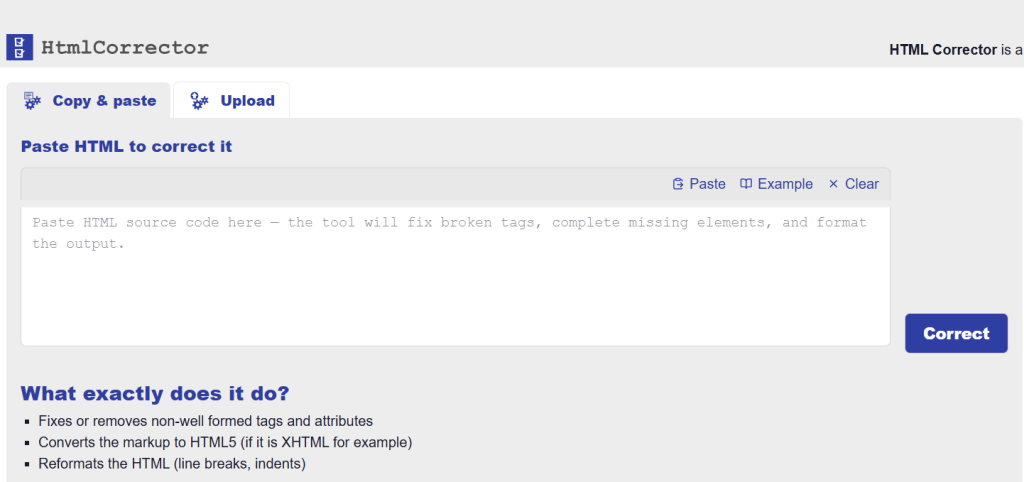
HTML Corrector takes a different approach from every other tool on this list — rather than just identifying errors and requiring you to fix them manually, it automatically rewrites your HTML into valid, corrected markup. Paste broken or invalid HTML, and the tool outputs a corrected version alongside a report of what was changed and why. This makes it particularly valuable for cleaning up messy HTML generated by CMS editors, copy-pasted from Word documents, exported from design tools, or inherited from legacy codebases full of deprecated elements and missing closing tags. The auto-fix approach is faster than manual correction for large volumes of problematic markup — though the output should always be reviewed before deployment to ensure the automated corrections match your intent.
| Input Methods | Auto-Fix | Price | Best For |
|---|---|---|---|
| Direct Input (paste) | Yes — auto-corrects markup | Free | Cleaning CMS-generated HTML, legacy code cleanup, bulk markup fixing |
10. W3C CSS Validator — Validate Your Stylesheet Alongside Your HTML
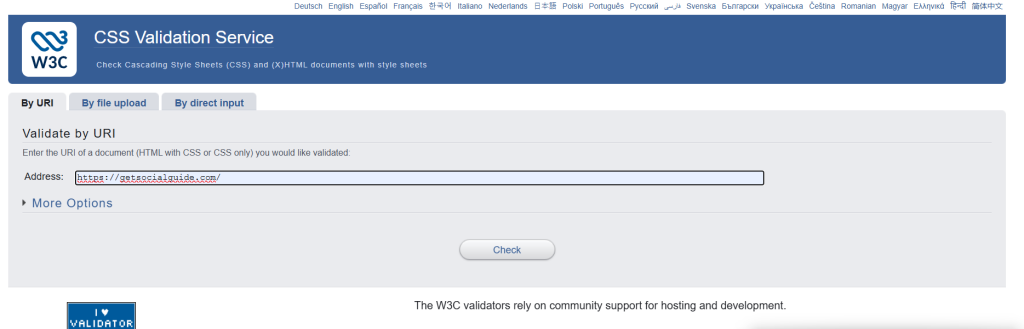
While not an HTML validator per se, the W3C CSS Validation Service is the essential companion tool to HTML validation — and no front-end code quality audit is complete without running both. Maintained by the W3C alongside the HTML validators, it checks your CSS stylesheets against the official W3C CSS specification, identifying invalid property values, incorrect syntax, deprecated properties, parsing errors, and browser-specific hacks that belong in proper vendor-prefix or feature-detection patterns.
It validates CSS for any level (CSS1, CSS2, CSS3, and CSS4 properties) and accepts input via URL, file upload, or direct pasting. Running it alongside an HTML validator gives you a complete picture of your front-end code quality and helps you identify the CSS errors that often appear as visual breakage after HTML structural issues are resolved.
| Input Methods | CSS Levels | Price | Best For |
|---|---|---|---|
| URL, File Upload, Direct Input | CSS1, CSS2, CSS3, CSS4 | Free | CSS quality audits, pairing with HTML validation, front-end QA |
All 10 Free HTML Validators Compared
| # | Tool | Input Methods | Bulk Validation | Auto-Fix | API | Best For |
|---|---|---|---|---|---|---|
| 1 | W3C Markup Validator | URL, File, Paste | ❌ | ❌ | ❌ | Official W3C compliance, enterprise QA |
| 2 | Nu HTML Checker | URL, File, Paste | ❌ | ❌ | ✅ | HTML5, CI/CD pipelines |
| 3 | FreeFormatter | Paste | ❌ | ❌ | ❌ | Quick snippet validation, local files |
| 4 | Rocket Validator | Site URL (crawl) | ✅ | ❌ | ✅ | Agencies, large sites, full audits |
| 5 | LambdaTest | Paste | ❌ | ❌ | ❌ | Developer workflows, pre-browser testing |
| 6 | JSONFormatter | Paste, URL | ❌ | ❌ | ❌ | Team collaboration, shareable reports |
| 7 | Codeshack | Paste, File | ❌ | ❌ | ❌ | Learning HTML, beginner developers |
| 8 | Static.app | Paste, File | ❌ | ❌ | ❌ | Local file validation, static site devs |
| 9 | HTML Corrector | Paste | ❌ | ✅ | ❌ | Legacy cleanup, CMS-generated HTML |
| 10 | W3C CSS Validator | URL, File, Paste | ❌ | ❌ | ❌ | CSS audits alongside HTML validation |
How to Validate Your HTML: Step-by-Step
Choose the right input method. If your page is publicly accessible, use the URL validation option in the W3C Validator or Nu HTML Checker — it validates the exact live HTML the server delivers, including any dynamically injected markup. For local files or code snippets not yet deployed, use the paste or file upload option in FreeFormatter or Static.app.
Run the validator and read the results carefully. Results are categorized as Errors (must fix — non-conforming code) and Warnings (should review — potentially problematic but not specification-breaking). Work through errors first, then warnings. Each item includes the line number, column number, and a plain-English description of the issue.
Fix errors from top to bottom. A single structural error early in a document — like an unclosed tag — can cascade into dozens of reported downstream errors that don’t actually exist independently. Always fix errors in order from the top of the document, then re-run validation to see how many remaining errors were caused by the first one.
Re-validate after fixes. Run the validator again after making corrections to confirm all errors are resolved and no new errors were introduced during the fix. It’s easy to accidentally introduce a new structural issue while correcting another — re-validation confirms a clean result.
Validate CSS alongside HTML. After resolving all HTML validation errors, run your stylesheet through the W3C CSS Validator. CSS errors often manifest as visual layout issues that appear to be HTML problems but are actually invalid property values or incorrect syntax in the stylesheet.
Integrate validation into your workflow. For ongoing projects, add HTML validation to your pre-deployment checklist. For teams using CI/CD pipelines, the Nu HTML Checker’s RESTful API allows automated validation on every build — failing the build if new markup errors are introduced, preventing them from ever reaching production.
Need Help With WordPress Speed, Code Quality, or Web Development?
Valid HTML is a great start — but achieving a fully optimized, fast, secure website involves caching, image optimization, hosting quality, and much more. If your WordPress site needs a professional audit and optimization, our team delivers exactly that.
Keep Reading
- 🚀 How to Increase WordPress Website Speed — Valid HTML is one piece of a fast site. This guide covers caching, image optimization, hosting, Core Web Vitals, and everything else that makes a WordPress site genuinely fast.
- ⚡ WordPress Speed Optimization Service — If HTML validation reveals structural issues in a WordPress theme or page builder output, our speed optimization service addresses these alongside caching, database optimization, and Core Web Vitals improvements.
- 🔐 How to Secure Your WordPress Website from Hackers — Clean, valid code reduces attack surface — but full WordPress security requires hardening your login, keeping plugins updated, and configuring proper file permissions. This guide covers every step.
Frequently Asked Questions
A: An HTML validator is a tool that checks your HTML markup against the official W3C HTML specification and identifies errors, warnings, and best-practice violations. You need one because browsers silently auto-correct many HTML errors, making them invisible in visual testing while still causing problems with cross-browser rendering, SEO crawling, accessibility compliance, and page load performance. A validator gives you precise, line-level feedback on every markup issue so you can fix them systematically rather than discovering them as production bugs.
A: For most developers in 2026, the Nu HTML Checker (validator.w3.org/nu) is the recommended choice — it’s the actively maintained W3C tool purpose-built for HTML5 validation and accepts URL, file, and paste input. For validating individual code snippets without a public URL, FreeFormatter is the most practical paste-and-check tool. For site-wide validation across an entire domain, Rocket Validator is the only tool that automates multi-page validation at scale. For auto-fixing legacy or CMS-generated HTML, HTML Corrector saves the most time. The best choice depends on your specific workflow and scale.
A: Yes, indirectly but meaningfully. Valid HTML ensures search engine crawlers can parse your page’s content and structure unambiguously — without the overhead of error-recovery parsing that malformed markup requires. Specifically, valid heading hierarchy (H1, H2, H3) communicates content structure to crawlers; valid alt attributes on images provide indexable image context; valid structured data markup works correctly only in valid HTML contexts; and clean document structure allows canonical, meta, and Open Graph tags to be read reliably. While Google doesn’t explicitly grade pages on W3C validation pass/fail, valid HTML removes the structural ambiguities that undermine crawler confidence in your content hierarchy.
A: The simplest method is to enter your WordPress site URL directly into the W3C Markup Validator (validator.w3.org) or Nu HTML Checker (validator.w3.org/nu) — both will fetch and validate the live rendered HTML, including any markup added by your theme and plugins. For a complete site audit across all page types (homepage, single post, archive, WooCommerce pages), use Rocket Validator to crawl and validate multiple URLs automatically. Note that some WordPress-generated HTML errors originate from plugins or page builders rather than your theme — identifying which template file or plugin produced each error requires checking the line numbers against your theme files.
A: The W3C Markup Validator (validator.w3.org) is the original, classic validator that has been available since 1994. It validates HTML 4, XHTML, and older standards robustly, but its HTML5 support is less comprehensive and it receives only maintenance updates. The Nu HTML Checker (validator.w3.org/nu) is the modern replacement — actively developed, purpose-built for the HTML5 living standard, and the tool the W3C itself recommends for new projects. For HTML5 projects in 2026, Nu HTML Checker is the right choice. The classic W3C validator remains useful for validating XHTML and older HTML standards that Nu doesn’t prioritize.
A: URL-based validators (W3C, Nu HTML Checker) cannot access pages behind authentication — they fetch pages as anonymous visitors and receive the login page rather than the protected content. For pages that require authentication, use the direct input or file upload method: log into your site, view the page source (Ctrl+U in Chrome), copy the full HTML, and paste it directly into a validator like FreeFormatter, Codeshack, or Static.app. This validates the exact markup of the authenticated page without requiring the validator to authenticate itself.
A: Errors and warnings serve different purposes. Errors represent code that violates the HTML specification — non-conforming markup that can cause browser rendering inconsistencies, accessibility failures, or SEO parsing problems. These should always be fixed. Warnings represent code that is technically valid but potentially problematic — deprecated but not yet removed elements, missing optional attributes that would improve accessibility, or patterns that work today but may be unsupported in future browser releases. Warnings are worth reviewing and addressing where practical, but the priority should always be resolving all errors first before working through warnings.
A: Yes — several VS Code extensions provide real-time HTML validation directly in the editor. The most widely used are HTMLHint (a configurable HTML linter that catches common errors as you type), the W3C Web Validator extension (which sends code to the Nu HTML Checker and displays results inline), and the Markuplint extension (a professional-grade HTML linter with accessibility and ARIA rule support). For developers who prefer inline feedback during coding rather than running a separate tool after the fact, these VS Code extensions bring validation into the development environment itself — catching errors before code is ever committed.
- Complete WordPress Performance Optimization – Deep dive into caching, database optimization, and Core Web Vitals.
- Optimizing Your WordPress Website – Practical tips for speed and SEO.
- Advanced SEO Techniques – Ensure your clean code translates to better search rankings.