Discover the Best Adobe Fonts (TypeKit): Ultimate Guide to Free Professional Typography for Web Design
Best Adobe Fonts (TypeKit) for Modern Web Design Projects
Discover some of the most stunning and elegant free fonts from Adobe Fonts in our comprehensive guide to professional typography. Finding the perfect font for your web design project just became easier with our curated collection of premium Adobe Fonts alternatives. Whether you’re building a WordPress website, creating branding materials, or designing user interfaces, selecting the right typography is crucial for establishing visual hierarchy, brand identity, and user engagement.
Typography plays a critical role in web design and development, determining not only the aesthetic appeal but also the readability, accessibility, and user experience of your digital products. According to recent studies, 95% of web design information comes from written content, making font selection one of the most important decisions in your design process.
What is Adobe Fonts (TypeKit)? Comprehensive Typography Service Explained
Adobe Fonts, formerly known as TypeKit, represents the industry-leading font subscription service that revolutionized digital typography for creative professionals. This comprehensive service provides designers, developers, and businesses with access to thousands of high-quality fonts through Adobe’s Creative Cloud ecosystem.
Adobe Fonts integration benefits include seamless synchronization across all Adobe applications, eliminating the need for manual font installation and ensuring consistency across different design projects. The service operates on a cloud-based model where fonts are activated with a simple toggle switch, making them immediately available in applications like Photoshop, Illustrator, InDesign, and even through CSS for web development projects.
The Adobe Fonts library features exclusive collaborations with world-renowned type foundries and independent type designers, offering unique fonts that you won’t find on free font platforms. Each font family includes comprehensive character sets, multiple weights and styles, and advanced OpenType features like ligatures, swashes, and stylistic alternates that elevate professional typography work.
Key Features of Adobe Fonts Service
- Extensive Font Library – Over 20,000 fonts from leading type foundries worldwide
- Cloud Synchronization – Fonts sync automatically across all devices with Creative Cloud
- Web Font Service – Generate CSS code for embedding fonts directly into websites
- Desktop Application Integration – Direct access within Adobe Creative Suite applications
- Commercial Licensing – All fonts include commercial usage rights for client work
- Automatic Updates – New fonts and features added regularly without extra cost
How to Download and Activate Fonts with Adobe Fonts: Step-by-Step Guide
Using Adobe Fonts is surprisingly straightforward, even for beginners in typography and web design. The platform offers both premium and free font options, though all fonts are included with your Creative Cloud subscription. Here’s your comprehensive guide to accessing Adobe’s typography resources:
Activating Adobe Fonts for Desktop Use
- Create Adobe Account – Sign up for Adobe Creative Cloud or use your existing credentials
- Browse Font Library – Visit fonts.adobe.com and explore curated collections or search specific font names
- Select Font Family – Click “View Family” to see all available weights and styles
- Activate Font Toggle – Switch the activation toggle to “On” position (appears as light switch icon)
- Automatic Installation – Fonts automatically install and sync across all Creative Cloud applications
- Verify Installation – Check font availability in Photoshop, Illustrator, or system font menus
Using Adobe Fonts for Web Development
For web designers and developers, Adobe Fonts provides seamless integration through generated CSS code:
/* Example Adobe Fonts CSS implementation */
@import url("https://use.typekit.net/[your-kit-id].css");

body {
    font-family: "proxima-nova", sans-serif;
    font-weight: 400;
    font-style: normal;
}

h1, h2, h3 {
    font-family: "futura-pt", sans-serif;
    font-weight: 700;
}Adobe Fonts License: Complete Guide for Personal and Commercial Use
Understanding font licensing is crucial for professional designers and businesses. Adobe Fonts operates under a comprehensive Open Type License agreement that grants users extensive rights for both personal and commercial projects when accessed through an active Creative Cloud subscription.
Permitted Uses Under Adobe Fonts License
- Logo Design and Branding – Use any Adobe Font for company logos, brand identities, and visual systems
- Website Publishing – Embed fonts legally on unlimited websites, e-commerce platforms, and web applications
- Print Materials – Create brochures, business cards, packaging, and other physical marketing materials
- Digital Publications – Design ebooks, magazines, PDF reports, and interactive documents
- Video and Broadcast – Use fonts in video productions, motion graphics, and television broadcasts
- Mobile Applications – Implement fonts in iOS and Android applications with proper licensing
License Restrictions and Considerations
While Adobe Fonts offers generous usage rights, certain restrictions apply. Fonts cannot be redistributed as standalone files, modified to create derivative font works, or used in products where the font itself is the primary value (such as font creation tools). The license terminates if your Creative Cloud subscription ends, requiring removal of web font implementations.
Complete List of Best Free Adobe Fonts for Professional Projects
This curated collection represents the highest quality free fonts available through Adobe Fonts, selected for their versatility, aesthetic appeal, and professional application potential. These fonts work exceptionally well for WordPress website design, branding projects, and digital publications.
Top Serif Fonts for Elegant Web Design
Acuta – Modern Serif Elegance
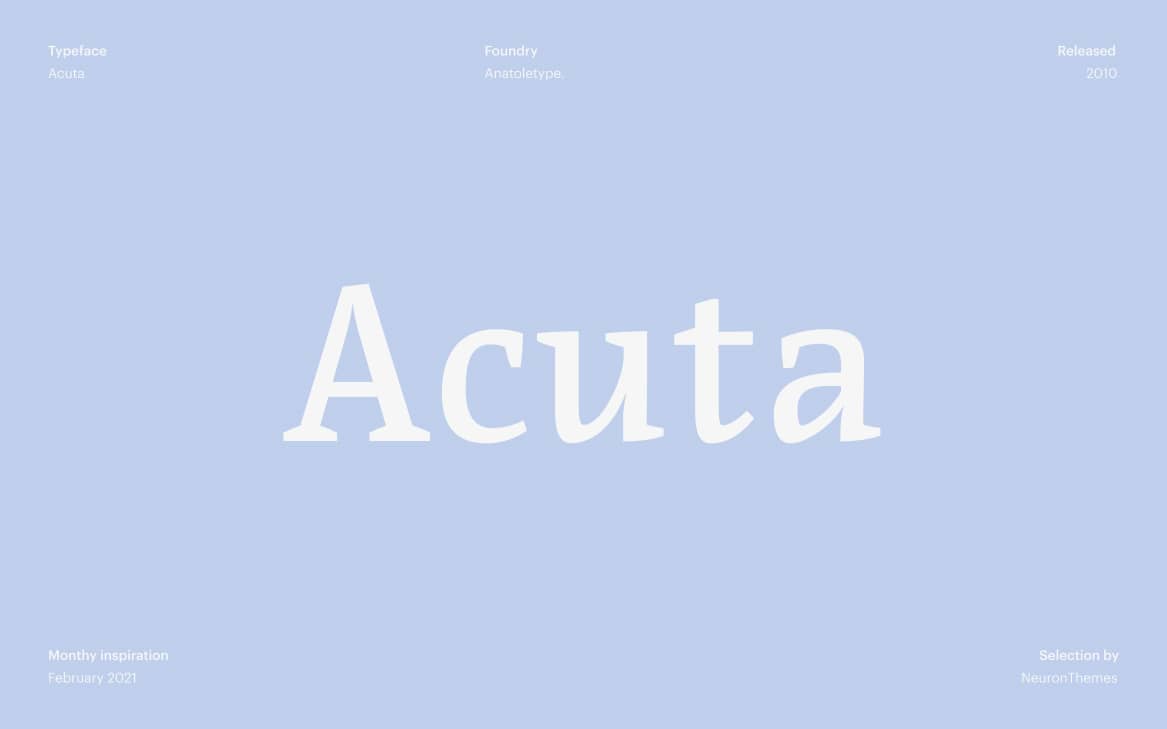
Acuta represents contemporary serif design with its balanced contrast and refined letterforms. Designed by Elena Albertoni, this typeface features medium contrast that ensures excellent readability in both digital and print applications. The font includes extended language support and multiple weights, making it ideal for editorial design, website body text, and luxury brand applications.
Lora – Versatile Contemporary Serif
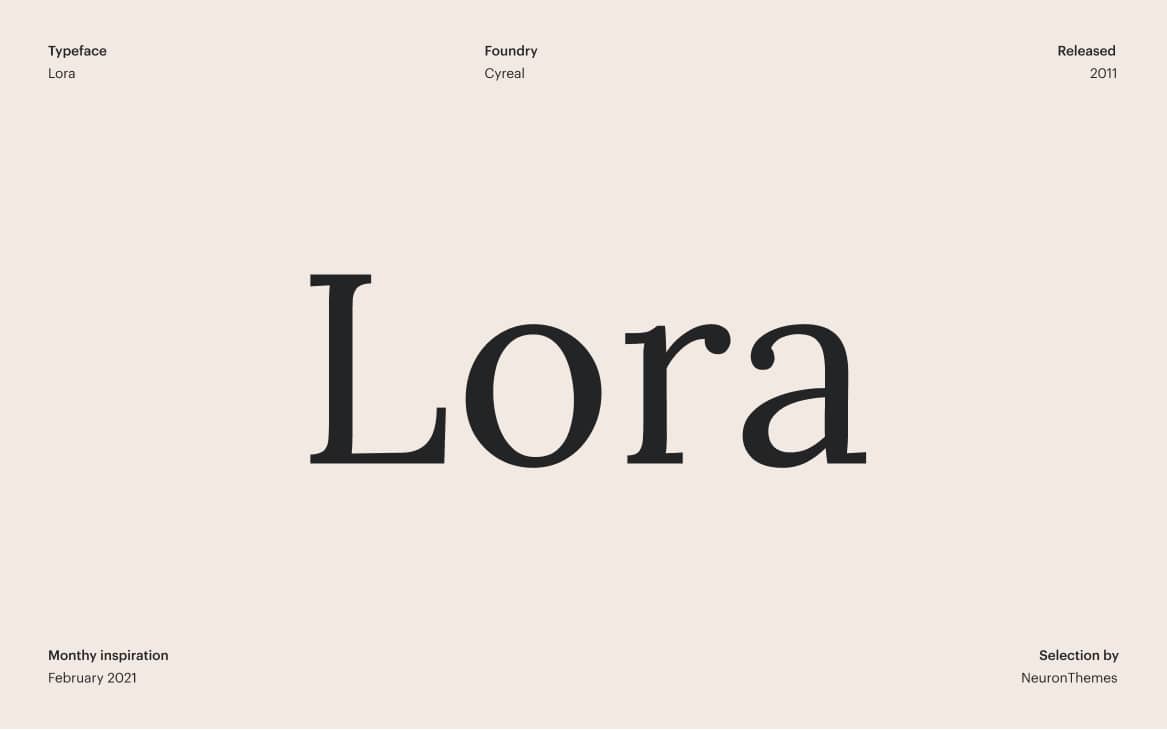
Lora balances traditional serif characteristics with modern design sensibility, featuring calligraphic influences in its letterforms. This beautifully crafted typeface works exceptionally well for long-form content on blogs, news websites, and digital publications. With four distinct styles and excellent screen rendering, Lora has become a popular choice for content-heavy WordPress themes and editorial platforms.
Archivo Black – Bold Geometric Sans
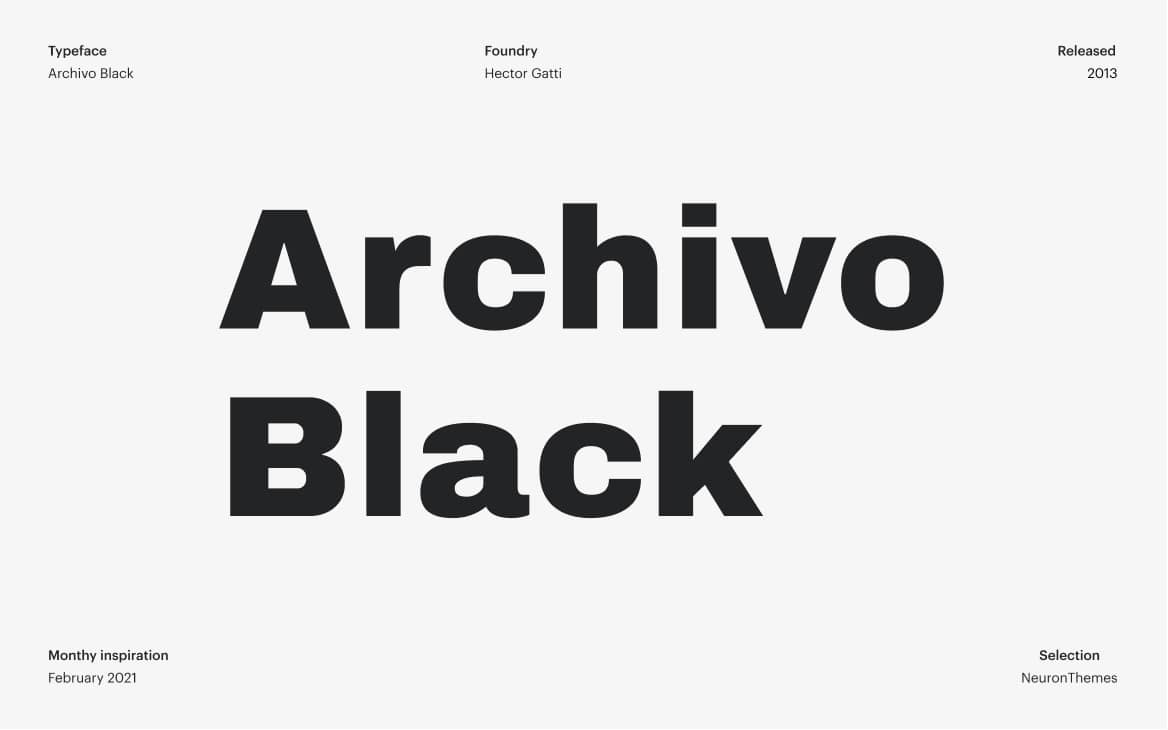
Archivo Black delivers powerful visual impact with its condensed, geometric construction. Originally designed for headlines and display purposes, this robust sans-serif font has gained popularity for web design headings, logo creation, and interface elements. The single weight available emphasizes consistency across applications while maintaining strong character presence.
Liberation Sans – Open Source Excellence
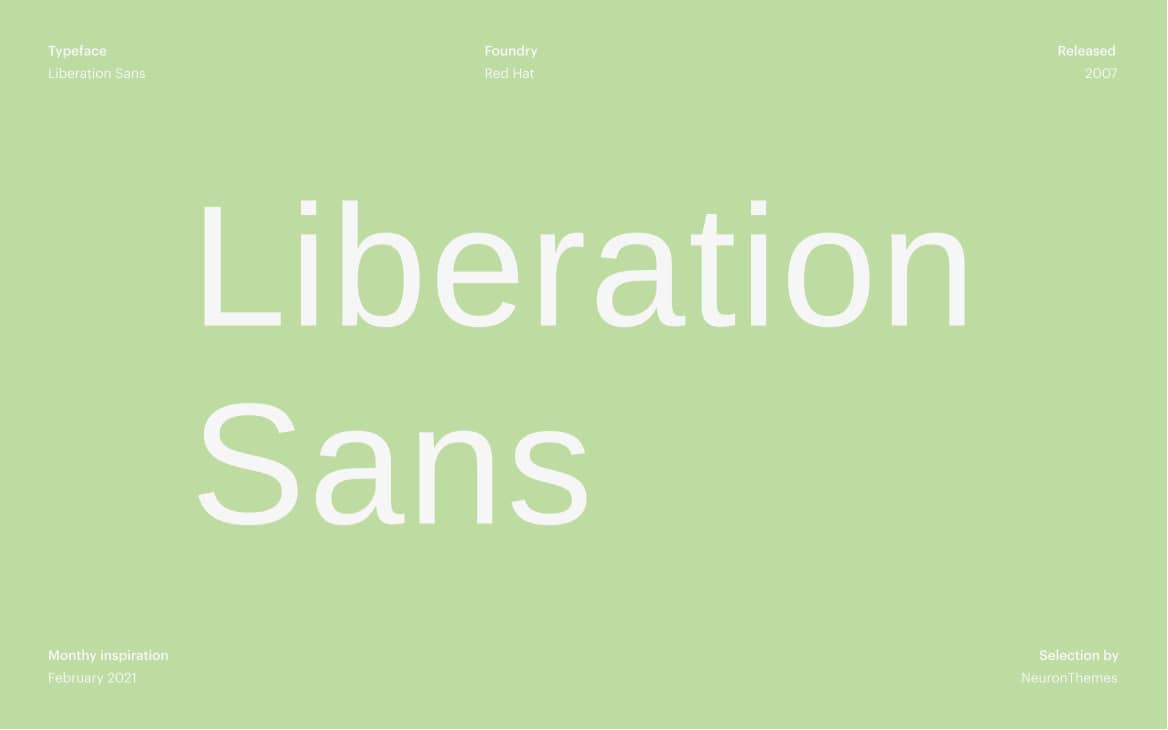
As an open-source alternative to proprietary sans-serif fonts, Liberation Sans offers exceptional value with its four distinctive styles. The font family features symmetrical letterforms and balanced proportions that ensure clarity at various sizes. Particularly effective for user interface design, documentation, and business communications where readability is paramount.
Fira Sans – Mozilla’s Masterpiece
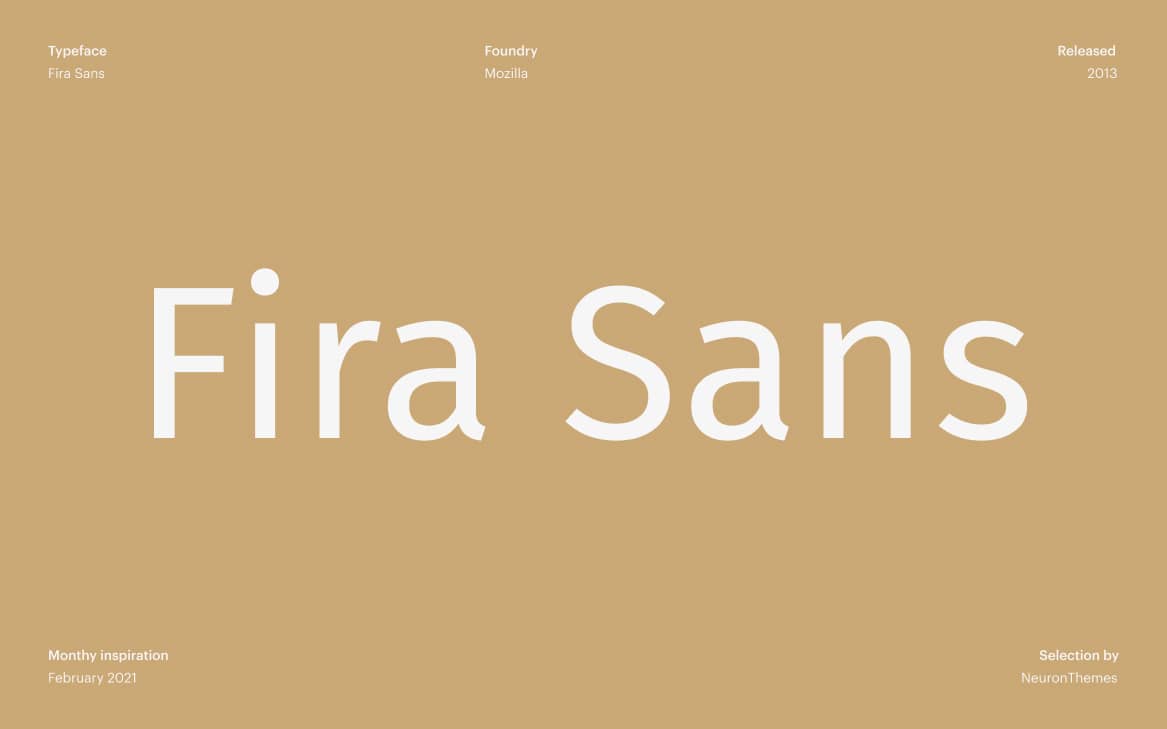
Developed by Mozilla for their Firefox OS, Fira Sans represents humanist sans-serif design at its finest. With 18 distinct styles ranging from hairline to black weights, this comprehensive font family supports complex typographic systems. The slightly condensed proportions and open apertures make Fira Sans particularly effective for mobile interfaces, dashboards, and technical documentation.
PT Sans – Cyrillic Specialist
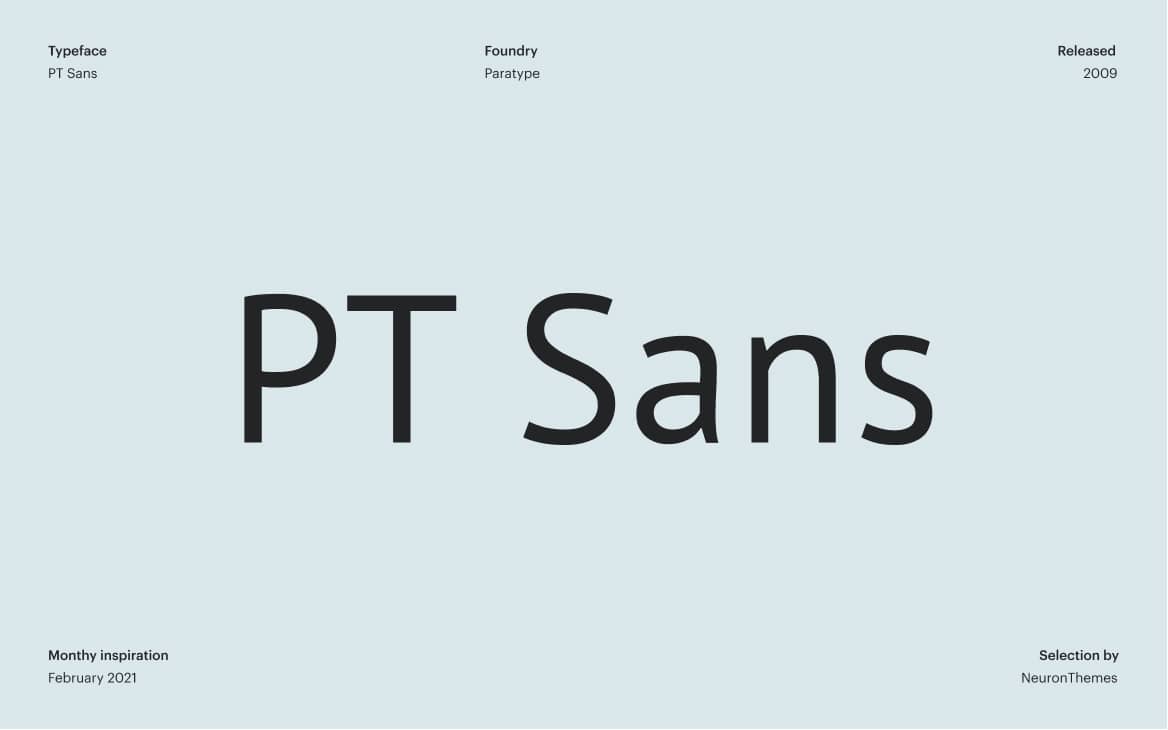
PT Sans combines humanist design principles with specific optimizations for Cyrillic script, making it invaluable for multilingual projects. Developed by Paratype, this font family includes eight distinctive styles with consistent character across weights. The generous x-height and clear letterforms ensure excellent readability in both digital interfaces and print materials.
How to Choose the Right Adobe Font for Your Web Design Project
Selecting the perfect font involves more than aesthetic preference. Consider these professional criteria when choosing Adobe Fonts for your projects:
Technical Considerations for Web Fonts
- Loading Performance – Assess font file sizes and loading impact on website speed
- Screen Rendering – Test font clarity across different devices and resolutions
- Character Set Completeness – Verify special characters, symbols, and language support
- Fallback Font Compatibility – Ensure graceful degradation when web fonts fail to load
Aesthetic and Functional Requirements
Different projects demand different typographic solutions. E-commerce websites benefit from clean, readable sans-serifs for product descriptions, while creative portfolios might employ distinctive display fonts for personality. Consider your brand voice, target audience demographics, content volume, and readability requirements when selecting from the Adobe Fonts library.
Adobe Fonts vs Google Fonts: Professional Comparison for Web Designers
Understanding the differences between major font services helps make informed decisions for your projects:
Adobe Fonts Advantages:
• Premium quality with exclusive foundry partnerships
• Seamless Creative Cloud integration
• Commercial licensing included
• Advanced OpenType features
• Professional technical support

Google Fonts Advantages:
• Completely free without subscription
• Excellent performance optimization
• Large open-source collection
• Easy WordPress integration
• Strong developer community
Implementing Adobe Fonts in WordPress: Technical Guide
Integrating Adobe Fonts with WordPress requires specific implementation methods:
// WordPress function to enqueue Adobe Fonts
function add_adobe_fonts_to_wordpress() {
    wp_enqueue_style('adobe-fonts', 'https://use.typekit.net/[your-kit-id].css');
}
add_action('wp_enqueue_scripts', 'add_adobe_fonts_to_wordpress');

// CSS implementation in WordPress theme
.entry-content {
    font-family: "source-serif-pro", serif;
    font-weight: 400;
    line-height: 1.6;
}
Best Practices for Adobe Fonts Performance Optimization
Ensure your Adobe Fonts implementation doesn’t compromise website performance:
- Font Subsetting – Load only necessary characters and language sets
- Proper Font Display – Implement font-display: swap for better perceived performance
- Strategic Loading – Prioritize critical font weights for above-the-fold content
- Caching Strategy – Leverage browser caching for font files
Final Thoughts: Elevating Your Design with Adobe Fonts Typography
Adobe Fonts represents the gold standard in professional typography for designers and developers working within the Creative Cloud ecosystem. With thousands of high-quality fonts, comprehensive licensing, and seamless integration, this service eliminates the typographic limitations that often constrain creative projects.
Remember that effective typography extends beyond font selection. Proper implementation, attention to hierarchy and spacing, and consideration for accessibility should accompany your font choices. Whether you’re designing a WordPress website, creating marketing materials, or developing brand identities, the Adobe Fonts library provides the professional typographic tools needed to elevate your visual communication.
As you explore the Adobe Fonts collection, consider not just individual fonts but how they work together as systems. Pairing complementary typefaces, establishing clear hierarchies, and maintaining consistency across platforms will ultimately determine the success of your typographic choices in creating compelling, effective designs.