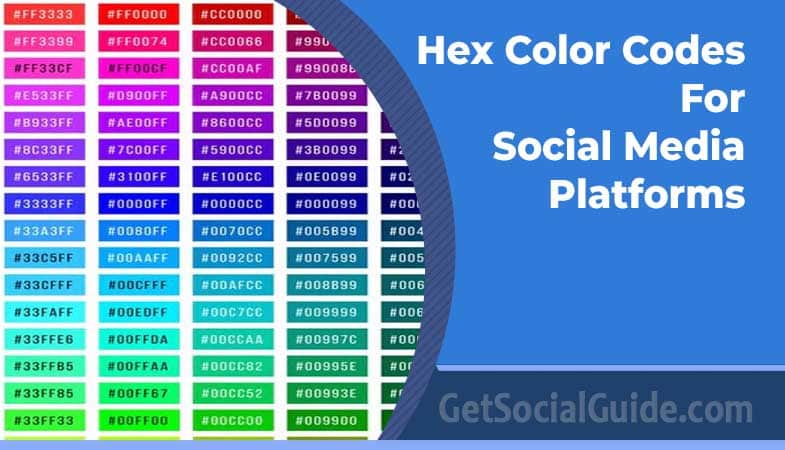
Color is one of the most powerful tools in a brand’s visual identity. It evokes emotion, ensures recognition, and creates a consistent experience across every touchpoint—from a website header to a social media post. For social media managers, graphic designers, and web developers, using the correct brand colors is not just a matter of preference; it’s a matter of professionalism and brand integrity. Imagine creating a stunning graphic for a client’s Facebook page, only to use a slightly off-blue that doesn’t match the official logo. Such subtle inconsistencies can dilute brand recognition and erode trust over time.
This is where hex color codes become indispensable. These six-digit alphanumeric values provide a universal language for color, ensuring that the specific shade of Facebook blue, YouTube red, or Instagram gradient is reproduced accurately across any digital medium. In this comprehensive beginner’s guide, we’ll explore what hex colors are, why they matter for your brand, and provide an extensive, up-to-date library of hex color codes for all major social media platforms in 2025-2026. Whether you’re designing a social media template, building a website, or simply want to ensure your content is on-brand, this guide is your ultimate resource.
What Are Hex Colors?
Hexadecimal colors—or “hex codes” for short—are a way of representing colors using a base-16 numbering system. They are the standard method for specifying colors in web design and digital graphics. A hex code is always preceded by a hash symbol (#) followed by six characters, which can be numbers (0-9) or letters (A-F). The structure is #RRGGBB.
- RR represents the red component of the color.
- GG represents the green component.
- BB represents the blue component.
Each pair of characters represents a value from 00 to FF in hexadecimal, which corresponds to 0 to 255 in the decimal RGB (Red, Green, Blue) color model. This value dictates the intensity of that particular color channel.
A simple example: #FF0000 means the red channel is at its maximum value (FF), while green and blue are at zero (00). The result is pure, solid red. Similarly, #0000FF is pure blue, and #00FF00 is pure green. Combining these values allows us to create millions of distinct colors. For instance, the official Facebook blue is often represented as #1877f2.
💡 Pro Tip: You don’t need to memorize hex codes! Most modern graphic design software (like Adobe Photoshop, Canva, and Figma) and even your browser’s developer tools allow you to pick a color visually and will provide you with its hex code. Tools like Adobe Color or Coolors.co are also excellent for exploring and generating color palettes with their corresponding hex codes.
Why Hex Colors Are Crucial for Branding
Consider the Coca-Cola® company. What color comes to mind? For most people, it’s a very specific, vibrant red. That’s not a coincidence. It’s the result of decades of meticulous brand management. Coca-Cola invests heavily in ensuring that its signature red is consistent across every single touchpoint: its logo, packaging, TV commercials, print ads, website, social media graphics, and even its branded merchandise. This consistency is what makes the brand instantly recognizable anywhere in the world (The Coca-Cola Company).

The iconic Coca-Cola red is a prime example of consistent brand identity.
Maintaining this consistency is a monumental task. Hundreds of designers, developers, printers, and marketers work on the brand globally, using countless different devices, software, and printing techniques. Computer monitors, smartphones, and printers all reproduce color slightly differently. Without a universal standard, the “Coke red” could end up looking slightly orange on one screen and slightly burgundy on another.
Hex color codes solve this problem. They provide a precise, unambiguous specification that transcends these variables. When a designer in Tokyo and a developer in London both use the hex code #F40009 for a project, they can be confident they are working with the exact same shade of red, regardless of the differences in their tools or screens.

How Many Different Hex Colors Exist?
With six hexadecimal digits (each ranging from 00 to FF), the total number of possible color combinations is 16,777,216. This is calculated as 256 x 256 x 256 (or 256³), because each of the three color channels (RR, GG, BB) has 256 possible values (0-255 in decimal, or 00-FF in hex). That’s over 16.7 million distinct colors—enough to capture almost every shade the human eye can perceive in digital form.
As an interesting aside, modern web standards also support an 8-digit hex code (#AARRGGBB) where the first two digits (AA) represent an alpha channel for transparency. This expands the range of codes exponentially, though it defines opacity levels rather than new colors. For most social media branding, the standard six-digit code is all you’ll ever need.
To help you maintain brand consistency in your designs, we’ve compiled a comprehensive and up-to-date list of hex color codes for the world’s most popular social media platforms. These codes are based on official brand guidelines where available. Always double-check a platform’s official media kit for the most current information, as brands occasionally update their visual identities.
| Platform | Primary Color | Hex Code | RGB Value | Color Sample |
|---|---|---|---|---|
| Blue | #1877f2 |
24, 119, 242 | ||
| Magenta / Purple Gradient | #c32aa3 (primary) |
195, 42, 163 | ||
| Twitter / X | Blue | #1da1f2 |
29, 161, 242 | |
| Blue | #0a66c2 |
10, 102, 194 | ||
| YouTube | Red | #ff0000 |
255, 0, 0 | |
| TikTok | Black / Aqua / Red | #010101 (black) |
1, 1, 1 | |
| Snapchat | Yellow | #fffc00 |
255, 252, 0 | |
| Red | #bd081c |
189, 8, 28 | ||
| Orange | #ff4500 |
255, 69, 0 | ||
| Tumblr | Blue | #35465d |
54, 70, 93 | |
| Twitch | Purple | #9146ff |
145, 70, 255 | |
| Discord | Blurple | #5865f2 |
88, 101, 242 | |
| Green | #25d366 |
37, 211, 102 | ||
| Telegram | Blue | #2AABEE |
42, 171, 238 | |
| Medium | Green | #3CB371 |
60, 179, 113 | |
| Substack | Orange | #FFA500 |
255, 165, 0 | |
| Amazon | Orange / Black | #FF9900 |
255, 153, 0 | |
| Multicolor | #4285F4 (blue) |
66, 133, 244 | ||
| Skype | Blue | #00AFF0 |
0, 175, 240 | |
| Alphabet (Google) | Red | #ED1C24 |
237, 28, 36 | |
| Canva | Blue / Purple | #00C4CC (primary) |
0, 196, 204 |
Quick Reference Tables for Designers
For your convenience, here are additional quick-reference tables for social media icon colors and other tech brands.
| Platform | Hex Code | Color Sample |
|---|---|---|
| Digg | #486ca3 |
|
| Disqus | #35a8ff |
|
| Foursquare | #1cafec |
|
| Github | #181616 |
|
#0266C8 |
||
| Hyves | #f9a539 |
|
#406e94 |
||
| Kaixin | #bb0e0f |
|
| Live | #004C9A |
|
| Livejournal | #3770a3 |
|
| Mixi | #d1ad5a |
|
| Myspace | #313131 |
|
| Odnoklassnikki | #f69324 |
|
| Orange | #ff6600 |
|
| Paypal | #13487b |
|
| Persona | #e0742f |
|
#cb2128 |
||
#009BD9 |
||
#ff5700 |
||
| Renren | #005baa |
|
| Salesforce | #219CDF |
|
| Stackexchange | #4ba1d8 |
|
| Steam Community | #666666 |
|
| Tumblr | #32506d |
|
| Verisign | #0261a2 |
|
| Virgilio | #eb6b21 |
|
| Vkontakte | #45668e |
|
| Sinaweibo | #bb3e3e |
|
| WordPress | #21759c |
|
| Mailru | #1897e6 |
|
#007072 |
||
| Openid | #f7921c |
⚠️ Important Note: Brand colors can change. While we strive to keep this list accurate for 2025-2026, it’s always a best practice to verify the most up-to-date hex codes from a platform’s official brand guidelines or media kit, especially for large-scale professional projects. A quick search for “[Platform Name] brand guidelines” usually leads to the official source.
How to Use Hex Color Codes in Your Projects
Using hex codes is straightforward in most design and development contexts.
- In Graphic Design Software (Canva, Adobe Photoshop, Figma): Look for a color picker tool. There’s usually an input field where you can type or paste the hex code directly (e.g.,
#1877f2). The software will instantly display the corresponding color. - In Web Development (CSS): Hex codes are the most common way to set colors in CSS (Cascading Style Sheets). You can use them for backgrounds, text, borders, and more.
/* Example CSS using a hex color code for the background */
body {
  background-color: #f0f0f0;
}

.social-button {
  background-color: #1da1f2; /* Twitter/X blue */
  color: #ffffff;
}
- In Microsoft Office (Word, PowerPoint): When you’re in a color customization menu, look for “More Colors” or “Custom.” Then, switch to the “Custom” tab and you’ll have the option to enter the RGB values derived from the hex code. You can convert a hex code to RGB using online tools if needed.
Frequently Asked Questions
What does the # symbol mean in a hex color code?
The # symbol is simply a prefix that indicates the following six characters are to be interpreted as a hexadecimal color code. It’s a standard convention in HTML, CSS, and design software to distinguish hex codes from other types of values.
What is the difference between hex and RGB color codes?
They represent the same colors but in different numerical systems. RGB uses decimal values (0-255) for each color channel, like rgb(24, 119, 242). Hex codes use base-16 hexadecimal values (00-FF) for each channel, like #1877f2. Hex codes are more compact and are the standard in web development, while RGB is also widely used in CSS and design software. They are interchangeable; you can convert one to the other easily.
Why does Instagram have multiple hex codes?
Instagram’s logo and brand identity is a vibrant, multi-color gradient. While it has primary brand colors like a deep magenta (#c32aa3), the full logo uses a spectrum of colors from purple to pink to orange to yellow. For consistency, it’s best to use the gradient as a whole, but when a single solid color is needed (e.g., for a background or text accent), these individual colors from the gradient are used.
Do I have to use the exact brand colors?
For official projects representing a brand, yes, you should always use the exact brand colors to maintain consistency. For your own projects that are not officially affiliated, you have creative freedom. However, using a very similar shade can sometimes cause confusion or be seen as an attempt to mimic the brand, so it’s often wise to choose your own distinct palette.
How can I find the hex code for a color I see on a website?
Most modern web browsers have built-in developer tools that let you inspect elements. You can right-click on any element on a page, select “Inspect” or “Inspect Element,” and then look at the CSS rules in the developer panel. There, you’ll often see the hex color codes for text, backgrounds, and borders. Browser extensions like “ColorZilla” also make this process very easy.
Is it safe to use these hex codes for printing?
Hex codes are designed for digital displays, which use the RGB color model. Printers use the CMYK (Cyan, Magenta, Yellow, Key/Black) color model. A color that looks vibrant on screen may not print accurately using just its RGB/hex value. For professional printing, you should convert your colors to CMYK using design software like Adobe Photoshop or Illustrator to ensure the printed result matches your expectations as closely as possible.
Conclusion: The Power of Color Consistency
In the crowded and visually-driven world of social media, color is a silent but powerful communicator. It reinforces brand identity, fosters recognition, and creates a cohesive experience for your audience. Hex color codes are the essential tool for achieving this consistency, providing a universal language that bridges the gap between different designers, developers, and digital platforms.
This guide has provided you with the fundamental knowledge of hex colors and an extensive, up-to-date library of codes for all major social media platforms. Bookmark this page, use it as your go-to reference, and ensure that every piece of content you create is perfectly on-brand. Whether you’re designing a Facebook cover photo, a YouTube thumbnail, or a full social media kit, having the right hex code at your fingertips is the first step toward professional, polished, and effective visual communication.
If you notice a brand has updated its colors or if you think we’ve missed a platform, feel free to comment below so we can keep this resource as accurate and helpful as possible!