How to Download Apps on Firestick Without Credit Card?
One of the best ways to watch movies and TV shows on demand is with a Firestick. It is a small media player that you can use to stream online videos or movies to your TV. Usually, you can buy TV shows from Amazon to stream on Firestick. But since you can’t afford to pay for the subscription, that might not be the best choice. A portable media player sold by Amazon, the Amazon Firestick, made its debut in 2014.
You can access both audio and video content from the internet by connecting this tiny device to your television. With the help of this gadget, your television becomes a smart TV and you can access a number of streaming services. The vast majority of people, as far as we can tell, shell out a lot of money to download apps for Firesticks. But using the Amazon Firestick’s downloading application service does not require spending any money. See the rest of the article to learn how to use a Firestick without a credit card to download apps.
PRO TIP: Fortunately, you can add third-party applications to the Firestick to stream free content. For the App to be downloaded, you must first create an Amazon account with a credit card. You can also do it without a credit card, though. This guide will demonstrate how to use a Firestick without a credit card to download apps.
What if you could not only sign up for an account but also download apps and use them as much as you want without having to pay for them or worry about risking your credit card? The ability to download apps to a Firestick without having to enter a credit card is now possible thanks to new apps.
Do You Need a Credit Card for Amazon Fire Stick?
I won’t provide a quick response to your question. Let me explain whether or not you need a credit card to download apps to an Amazon Fire Stick. A credit card is required to download apps if you are unwavering enough and want to use Amazon Fire TV legally.
WARNING: You don’t need a credit card, however, if you want to avoid this requirement. Due to the ability to download apps without using a credit card that installing Kodi or other programs can provide.
How Do I Set Up My Firestick Without a Credit Card?
You don’t need to be an expert at rocket science to set up a Firestick without a credit card. Find out how to install a firestick without a credit card using the steps below.
Firestick Setup Checklist
How to Download Apps on Firestick Without Credit Card?
Many Firestick users frequently ask us how they can download apps without using a credit card on their device. To be completely honest, installing apps on a Firestick is not at all a difficult process. Anyone can download apps by using a few straightforward methods that work well. You can download apps on Firestick without a credit card by following the steps we’ve outlined below. So let’s look and locate the below-listed instructions.
Difficulty Level
Moderate
Intermediate
1. Create an Amazon Account
The very first thing it’s a must to do is, navigate to the Amazon official web site after which press on the “create an account” possibility. A brand new interface will come up and conferred important information together with title, electronic mail, & password, after which press on the “create your Amazon account option.
2. Connect Firestick to Your Smart Tv
Once, you have created your Amazon account, now connect the portable FireStick device to your Smart Tv. Now use the Firestick remote to control the device.

3. Provide the Previous Amazon Account
After connecting the firestick to your smart, tv Power on by using the remote power button of the firestick. Now, conferred the Amazon account that you have created.
4. Search your Desired Apps
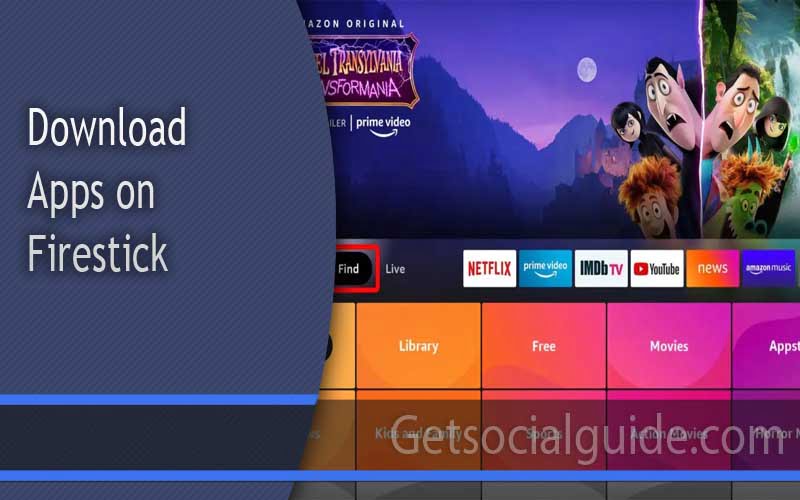
Firestick interface will come up in front of you with several options. From their click on the “Search” icon from the above and search your required app that you simply intend to obtain.
5. Download the App
After Searching the app, some recommendations will seem, and press on the app title that you simply want to obtain. Now Press on the “Download” possibility and wait somewhat time till the app is downloaded.
Create an Amazon Account Without Credit Card
The preliminary factor you require to do is create an Amazon account for utilizing the Firestick. However, we won’t do that from the Firestick interface. We will join Amazon from the PC/ cellular browser to bypass the bank card requirement. Here is the best way to make an account on Amazon:
- Go to Amazon.com out of your PC or cellular. Then click on on the “Account and List” possibility. You will see completely different choices under the tab.
- If you don’t have a previous amazon ID, then press “start here.” Enter genuine information, together with cellphone quantity and mail, for the account creation. Memorize or write down the password you might be utilizing for signup.
- Now you’ll require authenticating the signup by means of e mail verification. Check your e mail and click on on the hyperlink from Amazon to confirm. After succeeding within the affirmation, you’ll be logged in to the ID.
- After that, click on on the “Account and Lists” possibility and go to the “Your Account” possibility. Now discover the “Your Address” possibility from there and enter your handle and reserve it.
Setting Up the Firestick
Utilizing the user manual, connect the Firestick to the TV and power outlet. The setup screen will appear after you turn the device on. You’ll be prompted to create a new account or sign in to an existing one there. It will be necessary for you to sign into the account you just made.
Keep in mind that you shouldn’t make purchases using your personal account. You will be directed to the Firestick TV’s home page after entering your login credentials. You will be asked to enter your credit card information there. Then, proceed to the next step and disregard the option.
Installing the Kodi App
To watch free content on the Amazon Firestick, we’ll use the Kodi streaming software. In case you were unaware, Kodi is a well-known open-source media streaming program. It is designed with televisions in mind, making it simple for the user to use for enjoyable viewing. By using the Kodi app, you can access a huge selection of free movies and TV shows.
We suggest the Kodi app because it is among the best of its kind, has an elegant user interface, and has high-quality advanced features. Additionally, it supports addons, allowing you to stream films and television programs from a variety of online sources. To install Kodi on your Firestick, follow the instructions below:
- Begin with enabling the unknown supply on the Firestick. Here is methods to do it – open settings after which go to the My Fire TV tab and choose the developer’s possibility. Then toggle on the “Apps from Unknown Sources.”
- Then come again to the settings and go to preferences. Then open privateness settings from there and switch Off gadget utilization information. Also, flip off the acquire app utilization information.
- Now you will have to get a downloader app from the App retailer. Simply open the shop and seek for “Downloader.”
- Complete the obtain and launch the downloader. There one can find a URL field beginning with HTTP://. Enter https://www.firesticktricks.com/kapk and press go.
- The obtain of Kodi Leia 18.9 will start, and it’ll take some time. Once accomplished, press on set up and anticipate the set up.
- It will present the App put in when the process is accomplished. Click open to start the Kodi app. That’s it; you may have efficiently downloaded the Kodi app.

De-Register the Amazon Account
You are one stage away from retrieving the free reveals. You might want to de-register the Amazon app for security. Here is how one can do it:
- Open settings by holding the Home button and entry my account choice.
- You will discover Amazon Account under it. Press de-register. That’s it; you’re accomplished.
How to Use Kodi App on Firestick Safely?
SECURITY WARNING: Through the Kodi app, it is unsafe to access copyrighted movies or videos. Copyright laws are quite strict in some countries, and violating them can result in financial penalties. Therefore, using a VPN will be a wise choice for a secure streaming experience. We hope the information above will help you use your Firestick to download apps and play free games without using a credit card.
Alternative Way: Using Gift Cards
Even though there is a way to do it with a gift card, this is the way to legally set up your Firestick account. To link a gift card to your Firestick profile, you must take the following actions:
- You have to purchase a present card that works on-line.
- You should arrange your new Amazon account with a pretend username and add the reward card.
- Now, you need to register your Firestick account with this new account.
| Method | Ease of Setup | Safety Level | Content Access |
|---|---|---|---|
| Gift Card Method | Easy | High | Official Apps Only |
| Kodi Installation | Moderate | Medium | Unlimited (with addons) |
| Deregister Method | Complex | Medium | Limited |
The fact that these gift cards typically do not function on an Amazon Firestick is one thing to keep in mind. The best way to use your streaming device effectively is to purchase a prepaid Visa card without TDC. These virtual prepaid cards are affordable and simple to obtain.
Frequently Asked Questions about Free Music Downloads
Do you need a credit card for Amazon Fire Stick?
Where to download apps on firestick?
FINAL THOUGHT:
You can learn all you need to about using straightforward techniques to download apps on a Firestick without a credit card. You must download apps for free even though setting up your Amazon account might be difficult. With Firestick, you can download and install applications without paying with your TDC using an online gift card. The Kodi interface is one of the key tools for getting free app downloads on Firestick.
You can easily download the applications you want with these services installed on your Fire TV. Installing a private network to safeguard your firestick at all times is a goal you should also take into account. The information about installing apps on a Firestick without a credit card is provided above. You can search the internet for developers in addition to using the traditional methods if you want to download free apps.
You must search online for a developer who will let you download from their server without paying anything if you want to learn how to download apps on a Firestick without a credit card. Don’t worry about any additional fees or costs once you’ve found a developer who will allow you to download from their server without charge. When looking for such a program, that is all that really matters.