9 Effective Pinterest Advertising Strategies You Must Implement
Pinterest is often overlooked as a successful marketing channel for businesses, but it can be highly effective. People come to Pinterest seeking inspiration. What if you could help to turn their aspirations into reality? Idea ads are the newest way for you to connect with people on Pinterest. They’re the promoted version of Idea Pins, with paid media to increase distribution. With Idea ads, you can mix videos and images together in an immersive, full-screen format. You can also fill out a final detail page with helpful info such as recipe ingredients, craft supply lists or other tips that people need to bring your idea to life. Everything that people need to shop for, or try your idea is right in the Idea ad itself—so people can take action straight away.
With a reported 450 million active users every month (MAUs), and a growing number of consumers that frequent the channel for product discovery, Pinterest has emerged as a powerful social platform for brands looking to diversify their paid social media mix. This makes sense when you consider that “shoppers on Pinterest spend 2x more per month than people on other platforms.” In addition to exponentially growing its base—with notable increases in Gen Z, Millennial, and male users—and improving media sharing features, we’ve seen Pinterest make great strides in advertising capabilities for brands as well as strengthening its agency partnerships. In fact, 2022 was Pinterest’s best year for revenue and total active users to date, and this trend shows no sign of slowing.
Key Takeaways
- Pinterest functions as a visual search engine—not just a social network. SEO optimization is critical for both organic and paid success.
- Idea Ads and video formats deliver immersive experiences that drive 2.7x higher purchase intent compared to static images.
- Strategic audience targeting (keywords vs. demographics) prevents oversegmentation and maximizes reach.
- Rich Pins and one-tap pins reduce friction in the customer journey, increasing click‑through and conversion rates.
- Regular split testing of visuals, ad copy, and bidding strategies is essential to optimize cost per click and ROI.
Why Advertise on Pinterest?
Since 2009, Pinterest has fostered an online gathering place for people seeking gift ideas, recipes, DIY projects, and general inspiration. With enhanced business features like product feeds and on-platform checkout, it has become an important sales and marketing channel for large and small retailers alike. While 2020 was a tumultuous year for advertisers due in large part to the COVID-19 pandemic and iOS14+ impacts on signal loss, Pinterest has seen steadily impressive growth within their engaged user base since the second half of 2020. Many point to the positivity of Pinterest as a driving force for advertisers more heavily embracing the platform during the pandemic just a few short years ago.
1. Optimize Your Pinterest SEO
First and foremost, Pinterest is a search engine, not just a social network. Its algorithm relies heavily on keywords to show users content they’re interested in, and for your pins to show up in searches.
See How My Agency Can Drive More Traffic to Your Website
- SEO – unlock more SEO traffic. See real results.
- Content Marketing – our team creates epic content that will get shared, get links, and attract traffic.
- Paid Media – effective paid strategies with clear ROI.
For example, social media manager Chloe West includes the keywords “social media” and “digital marketing” in her name. So when you search Pinterest for “digital marketing,” you see her profile in the results.
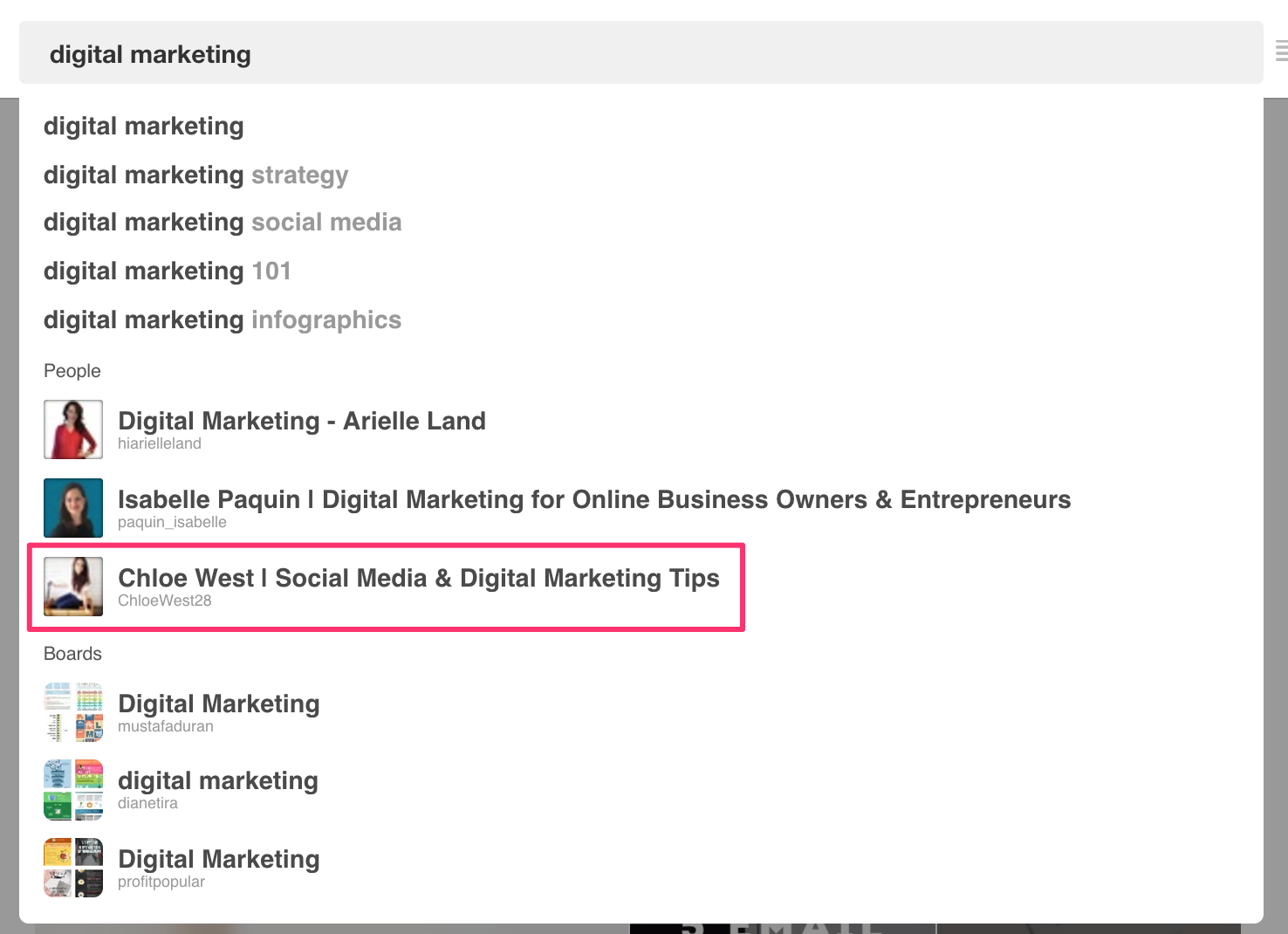
There are a few key places you need to use SEO keywords:
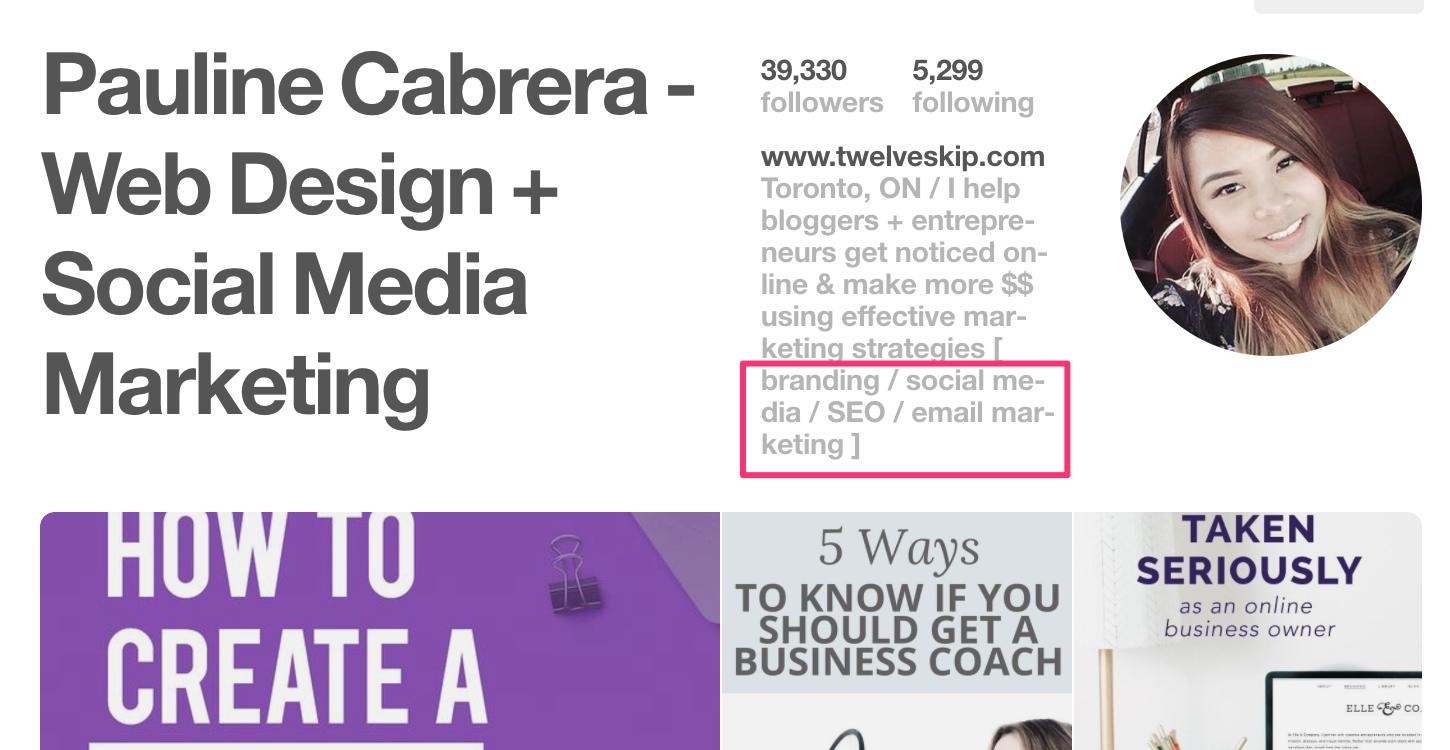
- Your name: Don’t simply use your name. Include a keyword about what you do, like, “Neil Patel – Content Marketing Tips.”
- Profile description: Include at least one keyword in your description, and more if you can fit them.
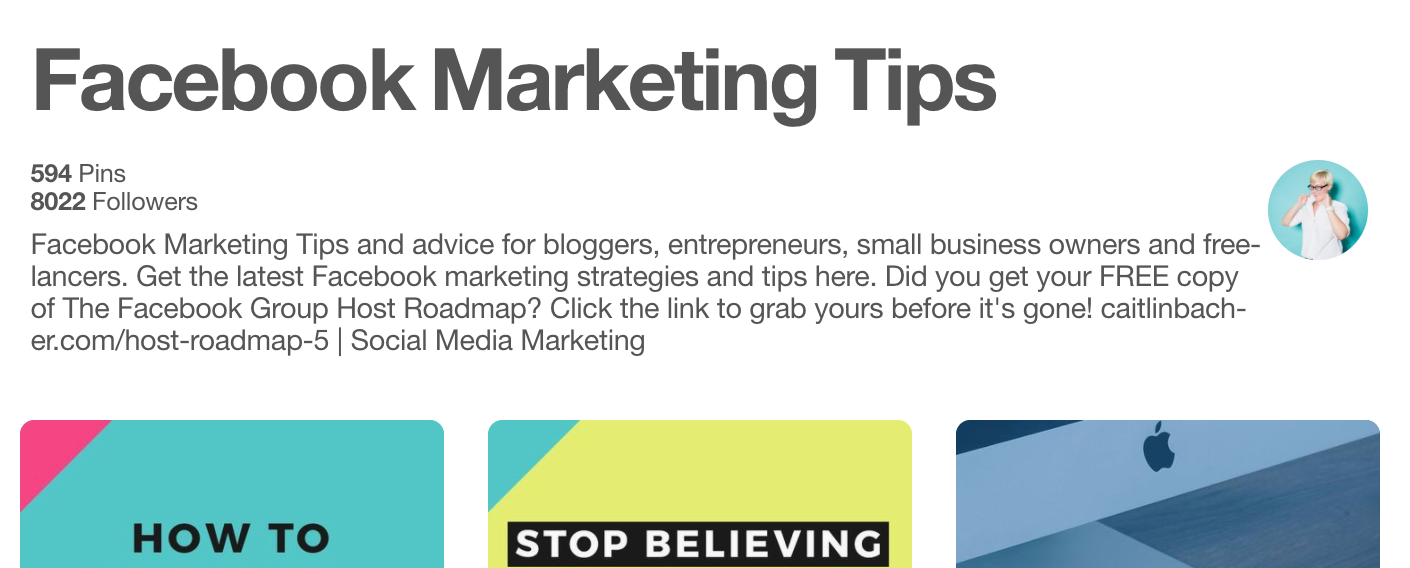
- Board descriptions: You can include keywords here one of two ways. Some people write sentences that include keywords.
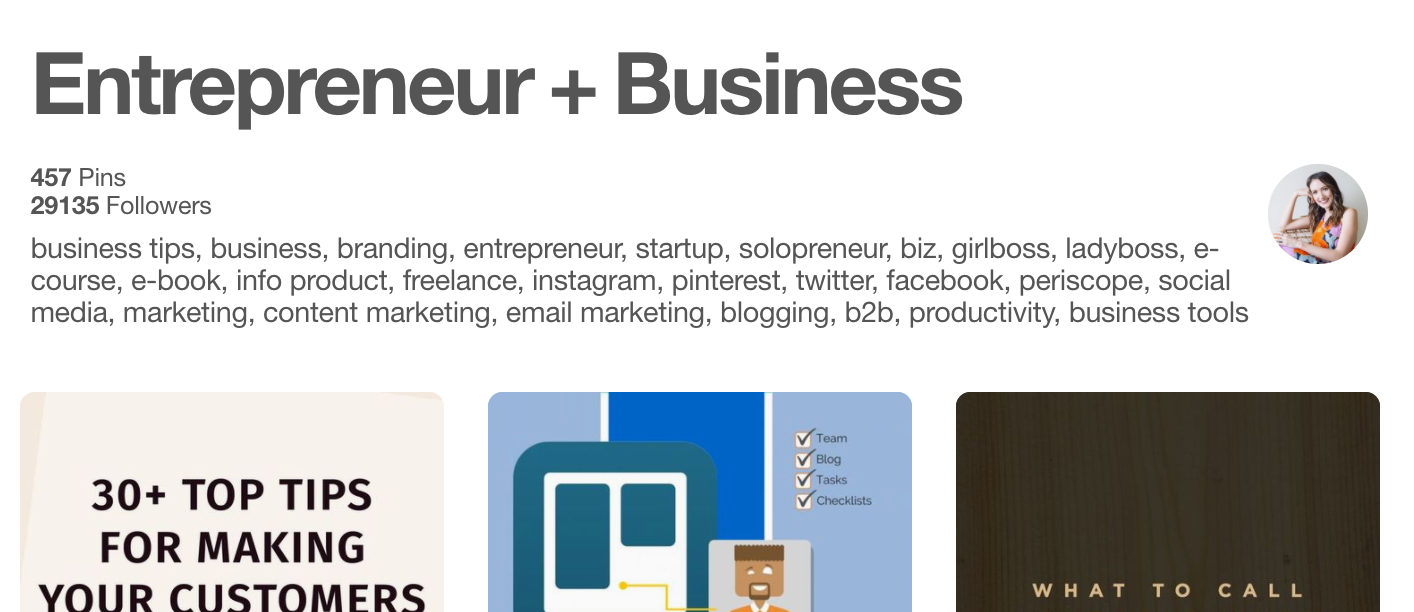
You can also list keywords separated by commas.
- Within pin content: Include at least one keyword when you save new pins. When adding a pin from another website, or repinning one on Pinterest, be sure to edit the description content to maximize it for SEO. To edit an existing description, click the Edit icon, which looks like a pencil.
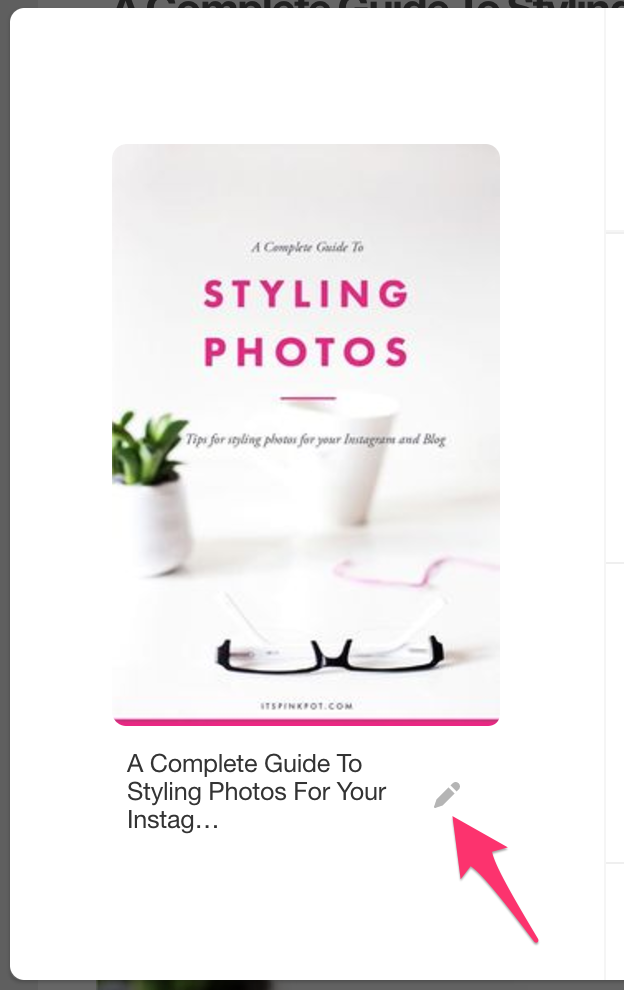
This changes the description only for your account, and not for anyone else who has already pinned it. You need great content on your boards to attract followers and be successful with marketing on Pinterest. A properly optimized profile will help your ads reach more people.
Show a process
Offer practical tips and detailed instructions through a step-by-step process. Think of these as ‘how to’ guides: how to use, how to make, how to plan, etc. For example, creator Kailo Chic partnered with Scotch to create videos featuring the brand’s Scotch Magic™ Tape. The back-to-school videos showed a fun way to create marble-esque textbook covers using the brand’s tape.
Educate your audience with helpful hacks, product facts or reviews. This campaign from home improvement retailer Lowe’s is rich with educational content and offers useful tips to help keep beautiful blooms intact.
2. Do Keyword Research for Pinterest Ads
Successful Pinterest advertising starts with thorough keyword research. Use Pinterest’s own search bar to discover popular terms; autocomplete suggestions and related terms reveal what users are actively searching for. Combine this with tools like Ubersuggest or Ahrefs to find high‑volume, low‑competition keywords relevant to your products or content.
How Much Does a Pinterest Ad Cost?
The cost per click for Pinterest ads naturally varies, with Pinterest generally being a more affordable social media advertising platform than other popular players, including Meta’s Facebook and Instagram. You’ll decide on a maximum daily or lifetime budget for your campaign, and be able to choose from two ad group bidding models: Custom Bids and Automatic Bids.
- Custom Bids: Advertiser sets the maximum bid they are willing to pay per campaign action. Minimum bids are set for each ad format. You will not necessarily pay your maximum for each click—this is simply the ceiling of what you’re willing to pay if circumstances dictate that price.
- Automatic Bids: When leveraging Automatic Bids, you give the reins to Pinterest to automatically adjust your bids to give you the best exposure possible considering real-time conditions.
8 Creative Best Practices for Pinterest Ads
Pinterest users are browsing with a discovery mindset, hoping to find products, crafts, and ideas to implement within their lives. These users expect to see copy and context within the creative images they view on-site. Let’s unpack 8 creative best practices to keep your brand on-brand for Pinterest…
1. Stay On-Brand with Your Creative
Your brand should always be accurately represented and given appropriate focus, including ensuring you include your logo on your images and within your videos. This will help increase brand awareness, and eliminate any content attribution issues.
 Source: Pinterest
2. Pay Attention to Specs for Each Ad Type
As with all platforms, it’s key to ensure you provide Pinterest with appropriately sized images, video, and copy. Below we dive into the specs for different Pinterest ad types…
Idea Pins
An aspect ratio of 9:16 is recommended for Idea Pins, with an ideal size of 1080×1920 for “full-bleed” images and videos. Acceptable image formats include .JPG, .PNG, .BMP, .WEBP and .TIFF, with image sizes up to 20MB each. Accepted video formats include .MP4, .MOV, and .M4V, with H.264 or H.265 encoding and a recommended 1GB file size. Idea Pin videos can contain up to 20 video clips, with each video being 3-60 seconds in length. The titles for Idea Pin images and videos can be up to 100 characters in length; text boxes can contain up to 250 characters.
Collection Ads
Featured images for Collection Ads are accepted in .JPG or .PNG formats, and should be 10MB or smaller in size. If you’ll be working with a featured video instead of a featured image, accepted formats include .MP4, .M4V and .MOV with H.264 or H.265 encoding. Videos can be up to 2GB in size, and range in length from a minimum of 4 seconds to 15 minutes. Hero images have a required aspect ratio of 1:1 or 2:3, with secondary creative accepted in the same aspect ratios; 1:1 is recommended for secondary creative “to best control how they appear in people’s feeds.” The additional images you’ll add to Collection Ads follow the same format and aspect ratio recommendations as featured images, with the option to add between 3 and 24 total additional images. Ad copy can be up to 100 characters for titles, and up to 500 characters for descriptions. Note that the description is not shown in paid ads, only organic Collection Pins viewed up close, but does factor into the algorithm.
Carousel Ads
Carousel ads can contain between 2 and 5 images, with each image having a maximum size of 20MB. Images can be .JPG or .PNG with an aspect ratio of 1:1 or 2:3. Ad copy can be up to 100 characters for titles, and up to 500 characters for descriptions.
Promoted Pin Ad Specs
An aspect ratio of 2:3 is recommended for Promoted Pin images, with acceptable formats including .JPG and .PNG files up to 20MB in size (desktop) and 32MB in size (in-app). Titles can be up to 100 characters, with descriptions having a 500-character limit. For Promoted Video Pins, files can be up to 2GB in size in MP4 or MOV formats. Videos can range in length from 4 seconds to 15 minutes. It’s important to ensure your video is accessible and understandable for viewers who watch with the sound turned off. Video descriptions can be up to 500 characters long.
Standard Width Video Ad Specs
Accepted standard video ad formats include .MP4, .MOV or .M4V, with H.264 or H.265 encoding and a file size limit of 2GB. The recommended aspect ratio is 1:1, 2:3, or 9:16, with videos required to be shorter than 1:2, and taller than 1.91:1. Videos can range in length from 4 seconds to 15 minutes, with titles up to 100 characters, and descriptions up to 500 characters. As noted by Pinterest, “descriptions do not appear for ads when viewed up close.” That said, they do help determine “relevance for delivery” for the Pinterest algorithm.
Max Width Video Ad Specs
Accepted file types for Max Width video ads include .MP4, .MOV or .M4V, with H.264 or H.265 encoding and a file size limit of 2GB. Video length can range from 4 seconds to 15 minutes, with an aspect ratio of 1:1 or 16:9, titles up to 100 characters, and descriptions up to 500 characters. “Note that max. Width videos can’t exceed the height of a 1:1 aspect ratio.”
3. Optimize Text Placement & Phrasing
Advertisers are recommended to include text overlays with actionable callouts within creative assets to catch users’ attention. Use text sparingly but deliberately, leveraging descriptions to add further context. Examples of some short text overlays you might consider include: Let’s Celebrate, Yay for Summer, Shop New Styles, Just Add Accessories, etc.
4. Implement Creative Videos in Your Pinterest Campaigns
The strategic development and implementation of video is only growing across Pinterest and many other platforms, and the options and capabilities are growing along with it. As Search Engine Land shared in February 2023, from Pinterest CEO Bill Ready, video is key in reaching Gen Z: “We’re building an experience that resonates with this audience, specifically around video. In fact, nearly half of all new videos pinned in Q4 were from Gen Z users.” “Over the long term, we also want to make every pin shoppable. To that end, we’re making video content on Pinterest more actionable using the same playbook we applied to static images. Over the course of this year, we will be deploying our computer-vision technology across our video corpus to find products and videos and make them shoppable.”
Combining short video clips with text overlays—or even using GIFS—can be a great way to compel your audience to build awareness and clickthrough to your landing pages.

We recommend keeping your videos playful and product-focused because Pinterest users are expecting to discover and potentially buy items they are interested in. Videos Pins can be leveraged in both Standard and Max Width formats. Max Width Video ads rolled out in 2019 and dominate the viewer’s feed by spanning across both columns of their grid. Max Width Video is seeing strong success in driving increased brand awareness and engagement rates.
5. Don’t Have a Creative Team? Try the Pin Builder Tool & Creative Resources
For advertisers that don’t have a design team dedicated to Pinterest ads, Pinterest’s Pin Builder tool can be a great way to make light edits before publishing your Pins online. In addition to the Pin Builder Tool, the platform also connects brands with Pinterest-preferred creative developers that create assets specifically made to succeed on the platform; ensuring lack of creative is not a roadblock in launching on Pinterest!
 Source: Georgia @ Pinterest UK
“To bridge the gap across additional social platforms Pinterest has implemented a Pin Builder Tool within the build flow on their UI. This tool provides the ability to crop images, and add logos and text with a variety of colors, fonts, and size options.”
 — Jennifer Porch, Paid Social Senior Manager at Tinuiti
“Taking advantage of this tool makes repurposing creative from other platforms to fit what Pinterest users expect to see simple and smooth.”
6. Use a Clear & Concise Call to Action
Sometimes we forget the simplest rules of marketing, including making it very clear what action we want users to take. Use those precious seconds your ad is in view to entice them with eye-catching imagery and a clear call to action or other important element. For example, if your ad features something that will be available for purchase at a specific date or time, include that prominently in the ad. Some examples include: New Color Dropped!, Buy Now, Shop it Here, Coming Next Week, Sign Up Now, Register for Free, Subscribe Today.
3. Target for Keywords or Demographics
If you list 50-plus keywords about your product in a pin (like “crockpot,” “easy,” and “healthy” if you’re pinning a chicken recipe) and then continue to also select specific demographics like age, gender, or location for further segmentation, you’re immediately and unnecessarily limiting your audience. In fact, filtering gender identification options alone causes sellers to miss out on 8% of customers registered as something other than male or female on the app. Therefore, to best maximize your site interest from Pinterest, target either keywords or demographics, not both.
4. Prioritize Stand-out Visuals
For ad campaigns that will convert even casual Pinterest users, they need to be more than just eye-catching. When making visuals for Pinterest social ads, make sure they’re:
- High quality — High-resolution, tall, vertical, and without overwhelming text
- Aesthetically pleasing — Similar color palettes, symmetrical designs, simple lighting, etc.
- Consistently on-brand — Don’t switch up your brand font, colors, and voice every other day
- Searchable — As a loophole to the 500-count character limit across ad formats, consider adding simple text to the image itself but only if necessary.
- Accessible and readable on all devices — Especially since the majority of Pinterest users will be on their mobile devices
3. Use different types of Pinterest ads
Pinterest offers a few different ad options to promote your brand.
Promoted pins: These are the simplest to set up. It’s like “boosting” a post on Facebook. They show up in a user’s feed with the text “Promoted by” and your business name.
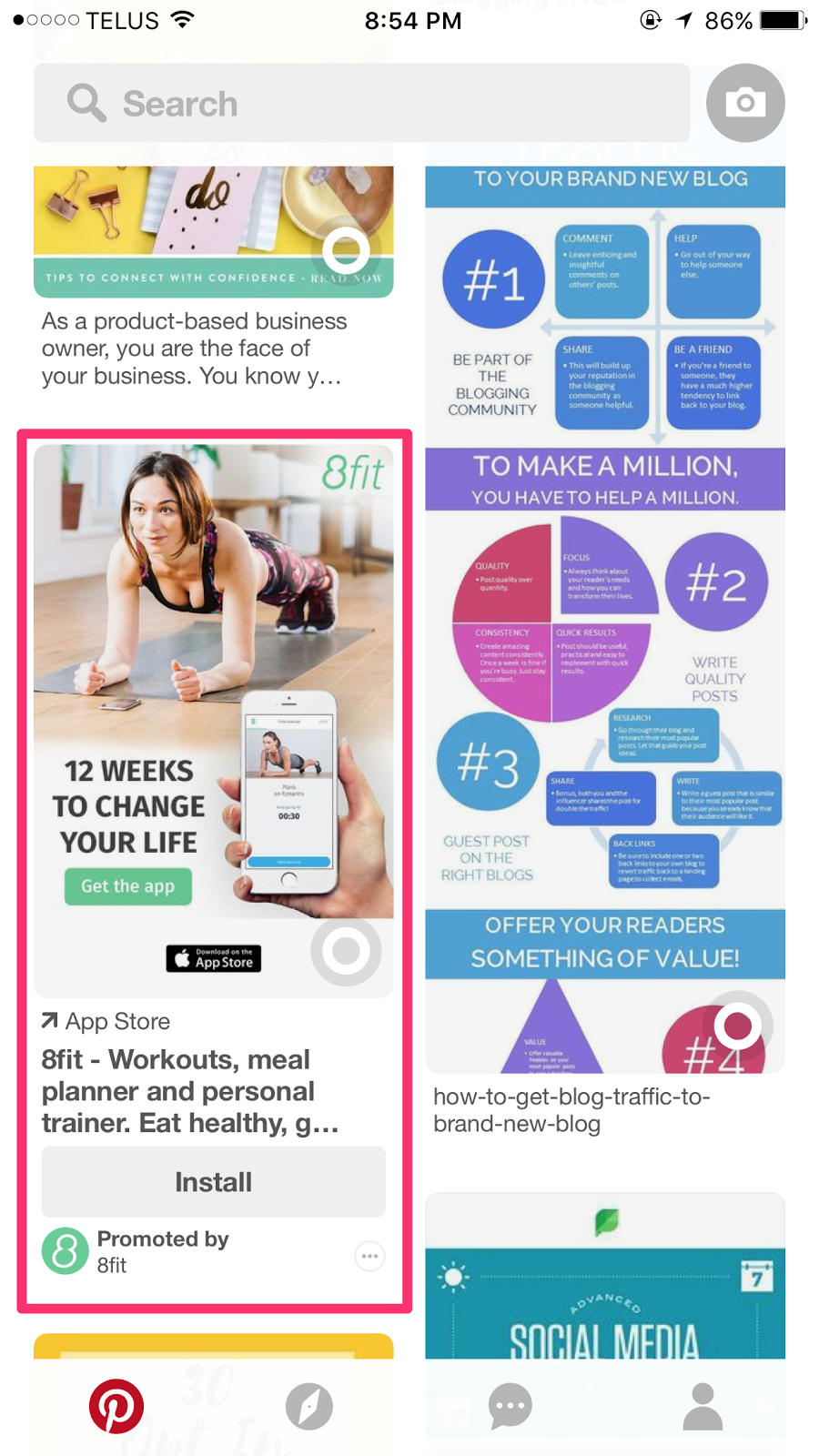
Video pins: They look like regular pins, except the video starts playing automatically as the user scrolls over them. Video is a great marketing tool, even on Pinterest. Viewers are 2.7 times more likely to buy a product once they see a promoted video.
One-tap pins: These pins take the user directly to your website with, as the name implies, only one tap. When a user taps a normal pin, they see an “in between” page that includes a larger version of the pin image and more information about that pin, like this:
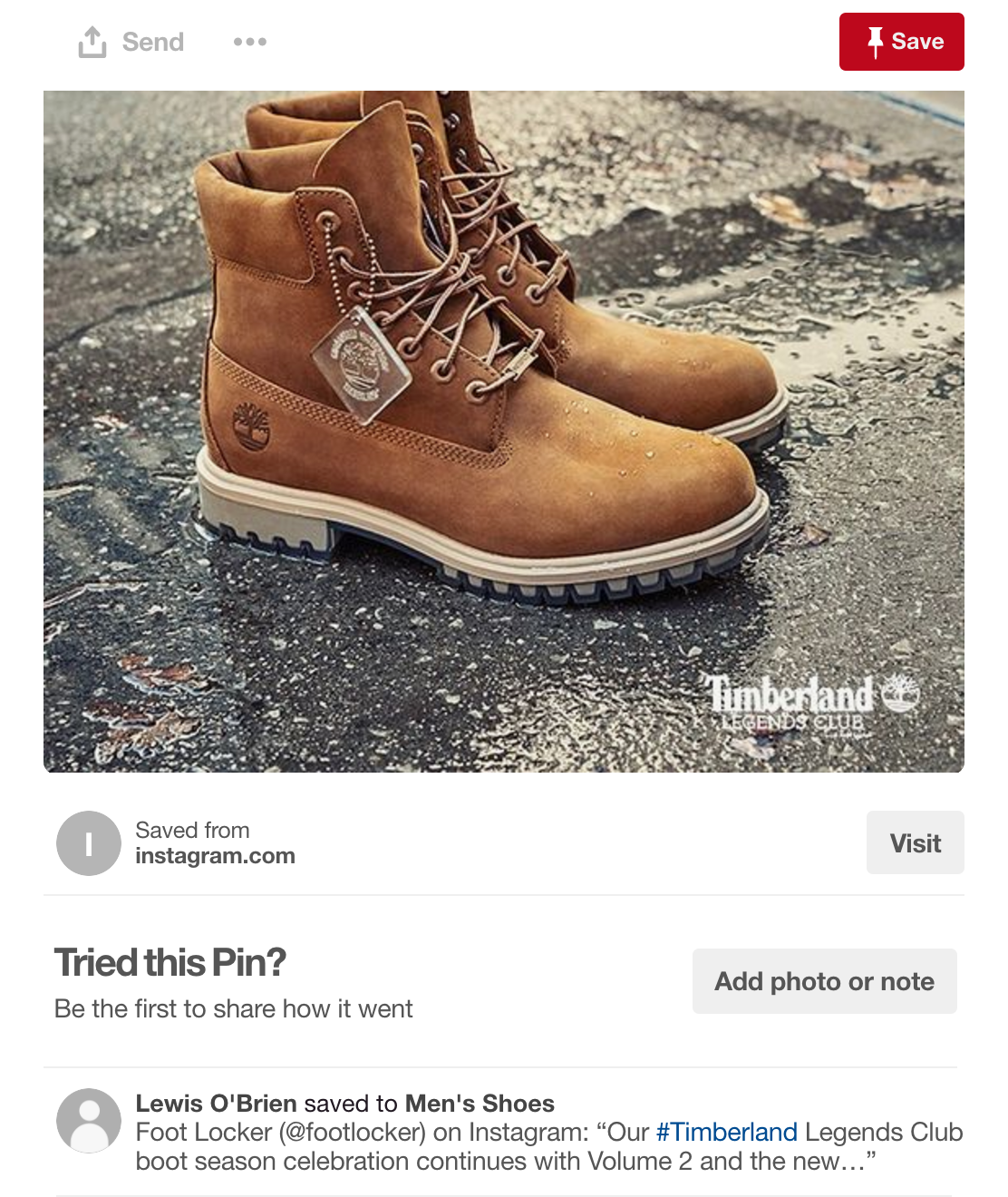
One tap pins allow you to bypass this page. These aren’t available to everyone yet. Check out how to prepare your website for the launch of one tap pins at the end of this article.
Promoted app pins: These pins allow users to download an app from the App Store without ever leaving Pinterest. This is a great format to try out to get traction for your new startup’s app.
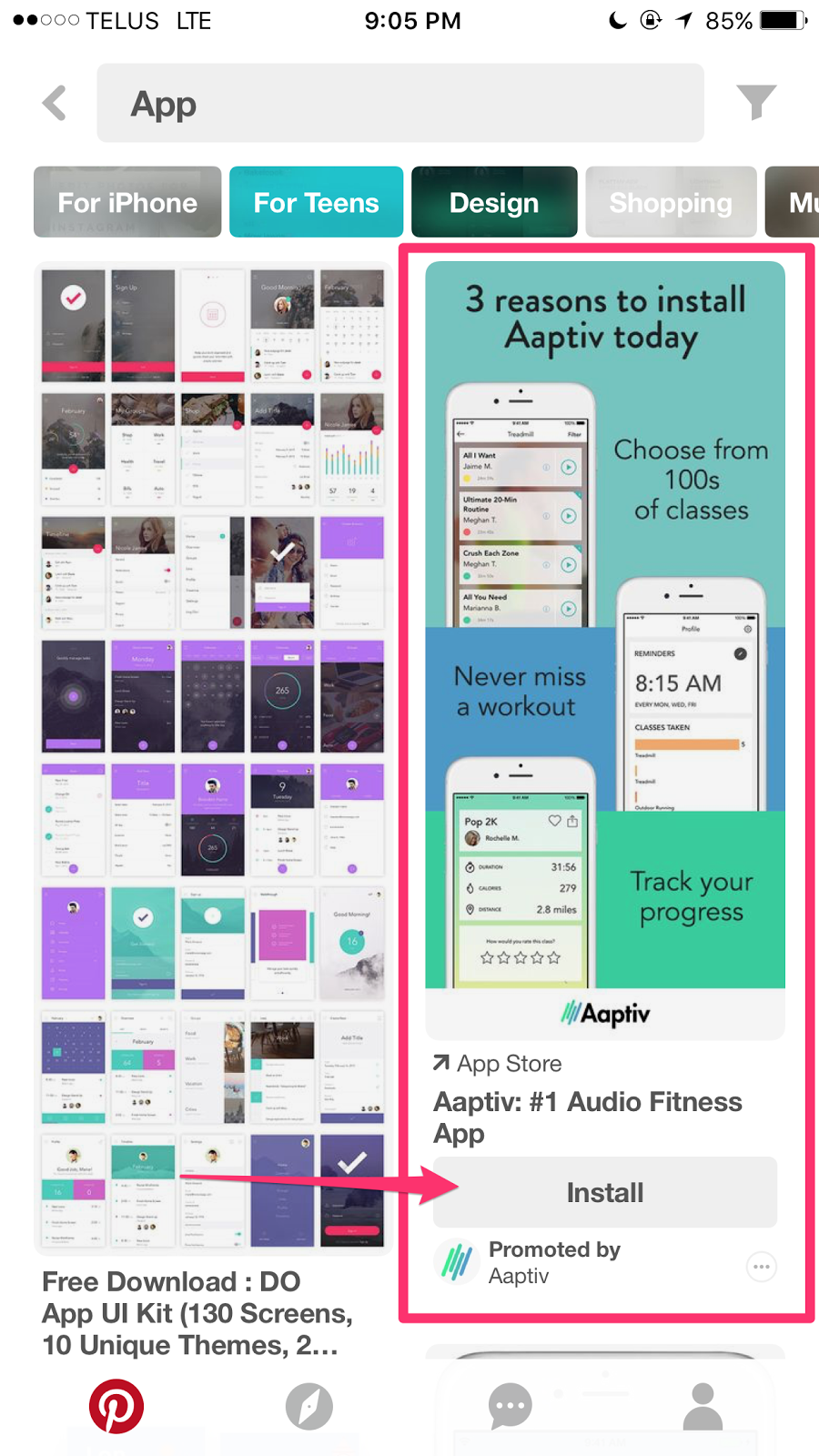
Cinematic pins: These pins move as users scroll past, sort of like an animated GIF. They currently work on mobile only.
4. Utilize different types of Pinterest campaigns
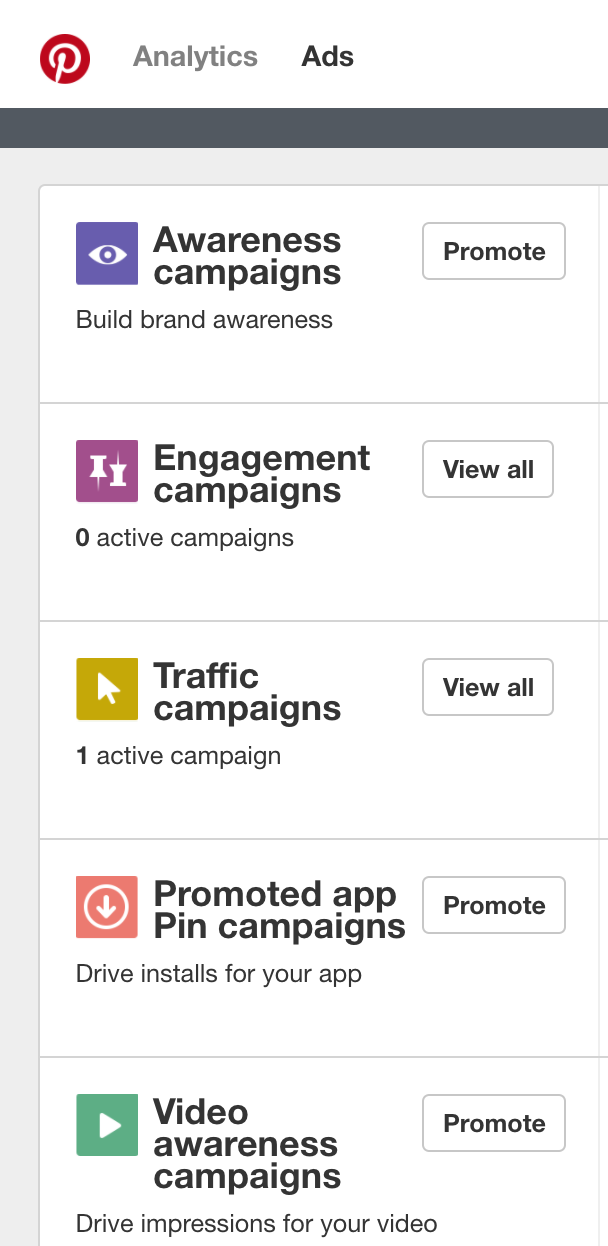
There are 5 main Pinterest campaign strategies.
- Building brand awareness
- Creating pin engagement (e.g. repins and comments)
- Driving website traffic
- Encouraging app installs
- Using video to build your brand
You select which campaign you want on the first screen of creating a new ad.
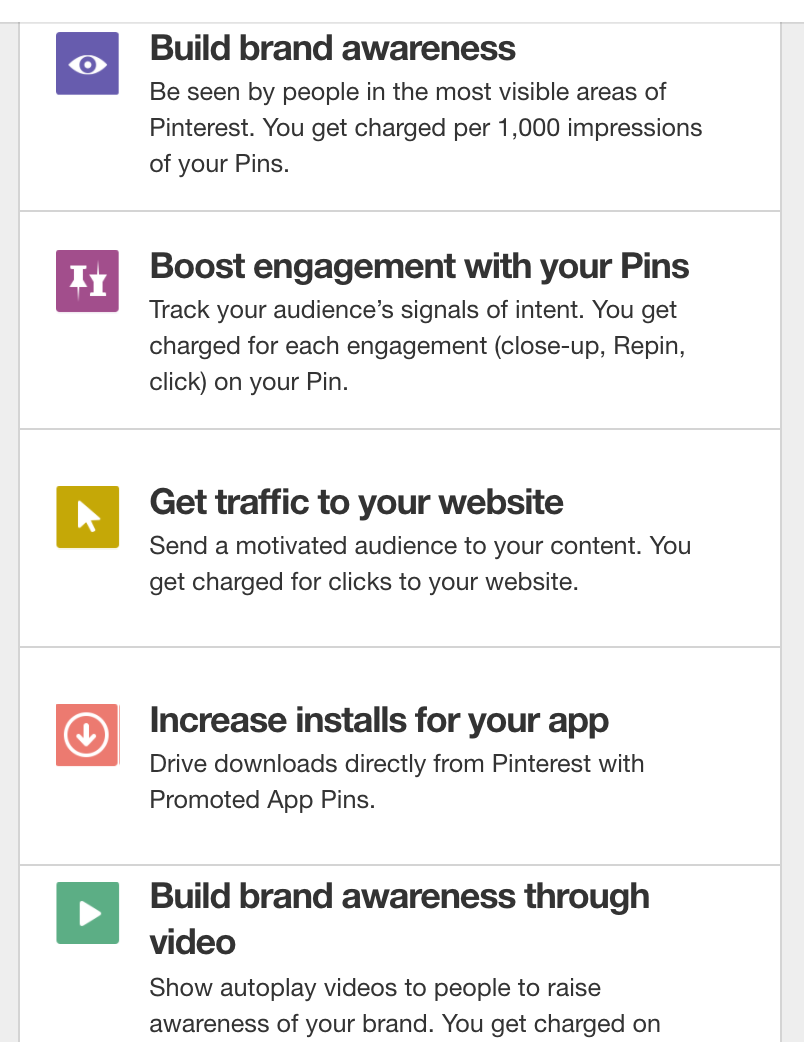
Which campaign you choose depends on your goals. In most cases, you likely want to drive traffic back to your website to read a blog post or view a sales page. Building a traffic campaign is a good way to start with Pinterest ads as it’s simple to set up, and you only get charged for clicks. Now that I covered some Pinterest ad basics, let’s get into the more advanced strategies you should try out.
5. Use audience targeting
Pinterest allows you to target your ads to people based on their interests. You can also save demographic profiles in your account. This is called an audience. Audiences are groups of people you want to see your pins. Your audiences can be based on location if you’re a local business or demographics like age or gender.
Interests are a huge factor in custom audiences. For example, your target customer is a 25-35-year-old New York woman who likes makeup and beauty products. You can create an audience specific to that exact type of person. Here’s how.
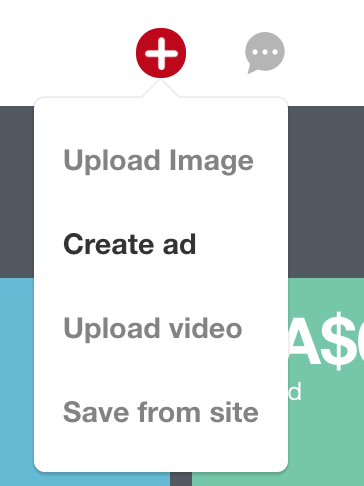
Open up Pinterest and click the + icon at the top. Choose, “Create ad.”
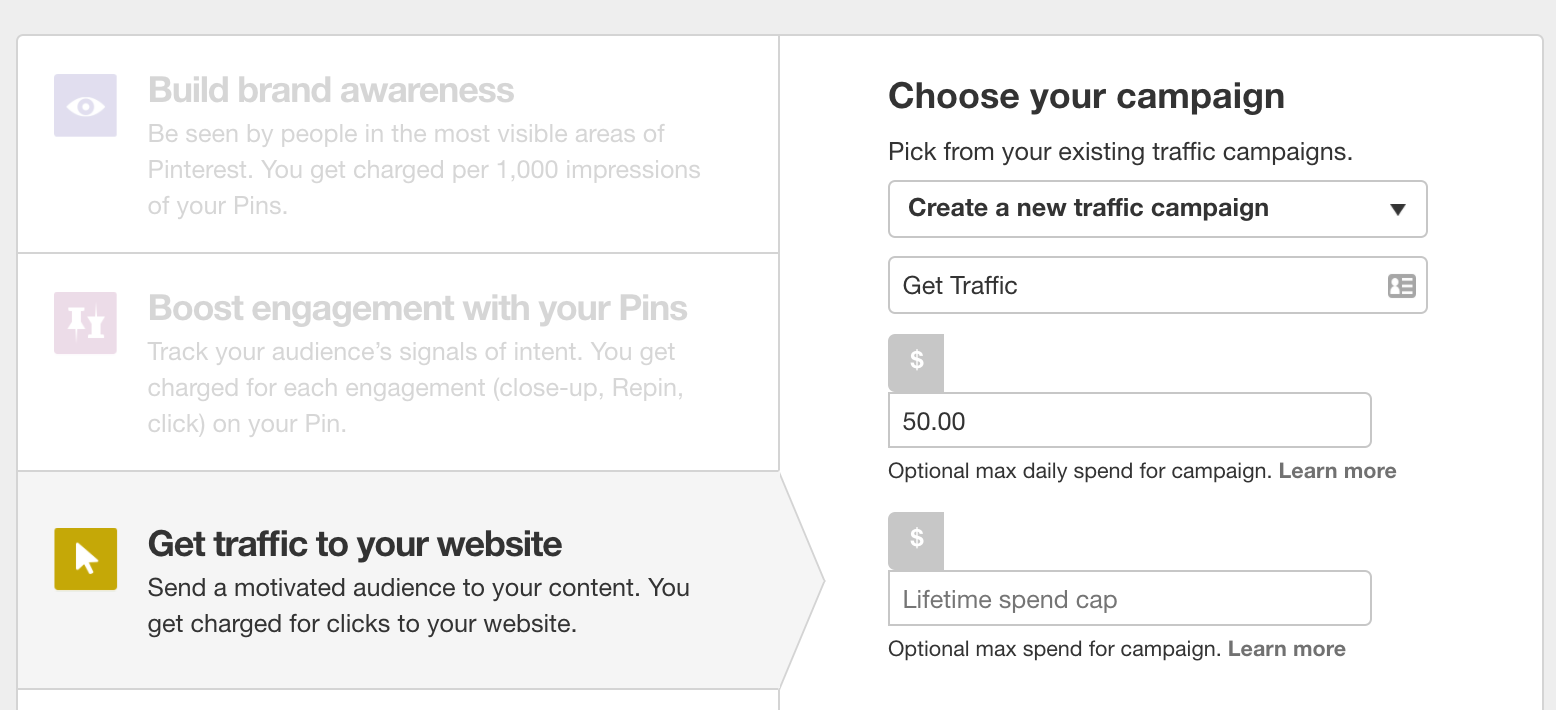
Choose your campaign type from the list of 5 options I mentioned above. For this example, I’m going to use, “Get traffic to your website.” Name your new campaign and enter a budget. You don’t have to enter a budget but if you’re trying to stick to one, I suggest doing so!
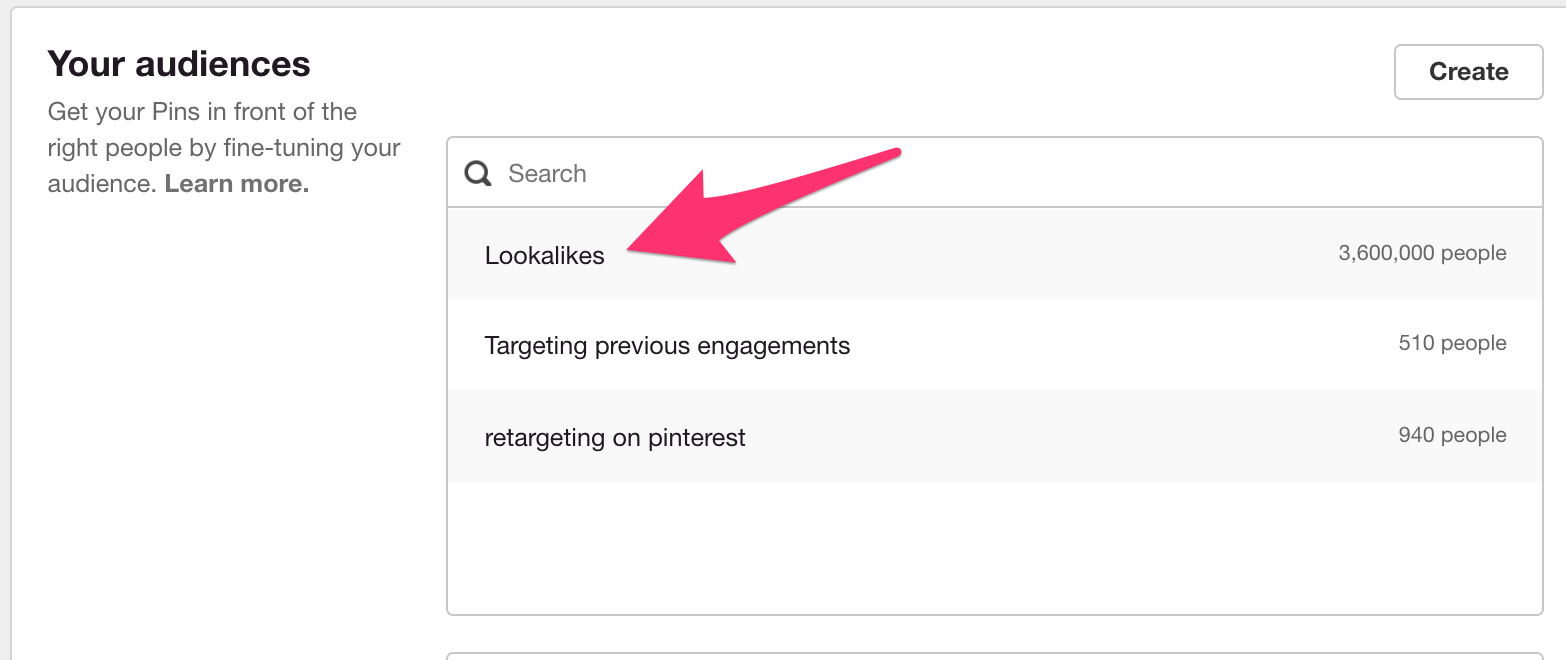
Scroll down to “Your audiences,” and click on Lookalikes.
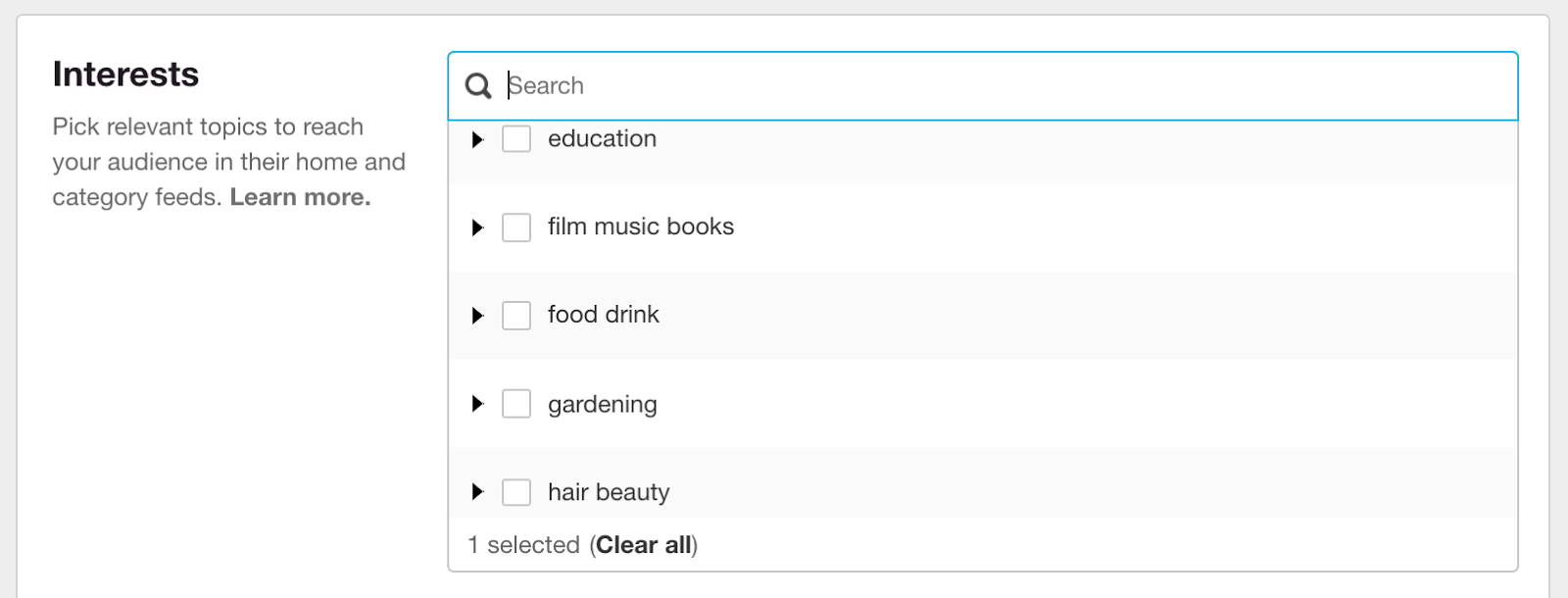
Under Interests, expand each category to select the interests you want to target. You can also search in the box at the top.
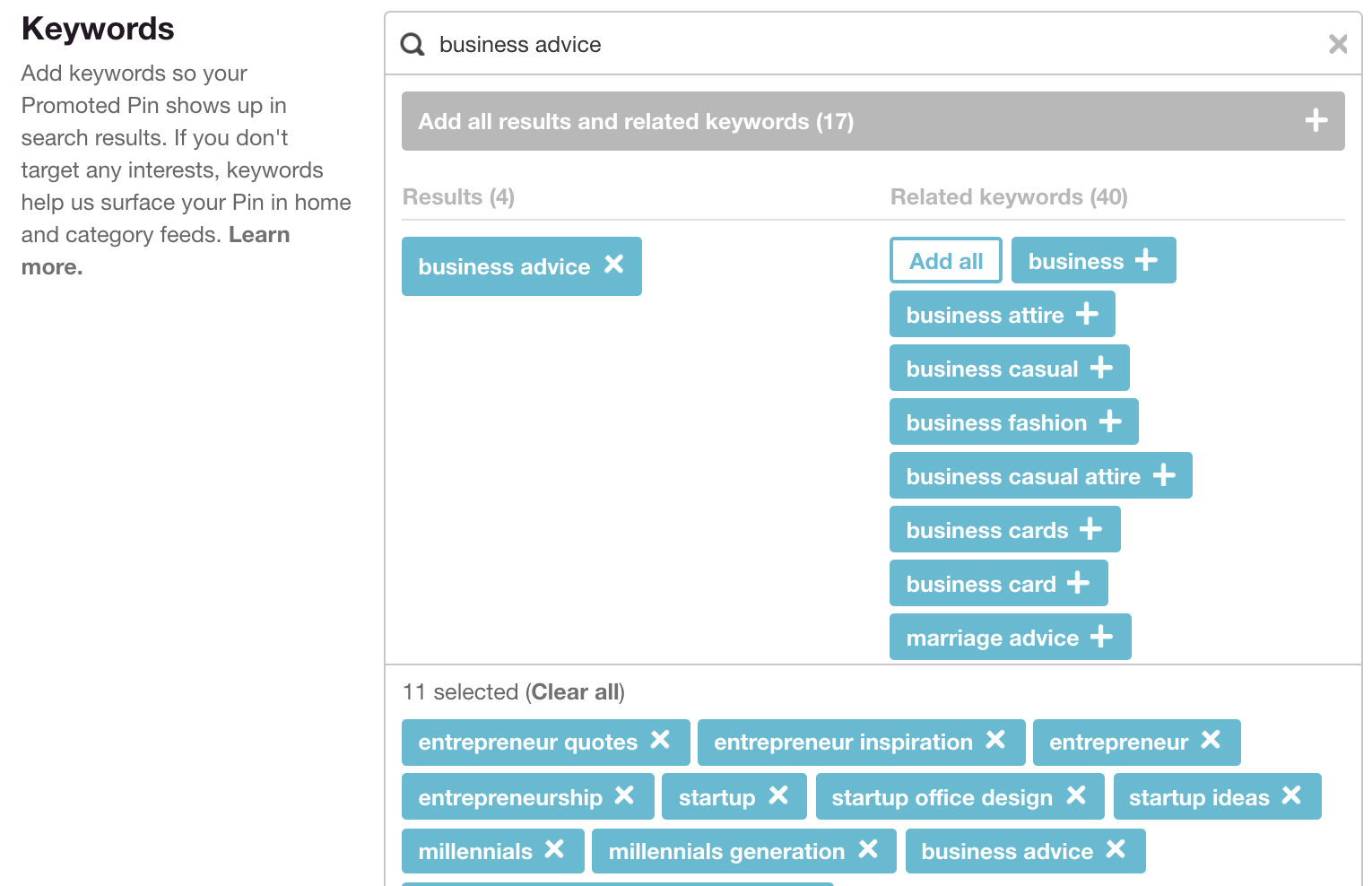
Under Keywords, type in the keywords from your list earlier. Select as many that apply to your audience. In my case, that’s “Entrepreneurs Under 40,” for this example.
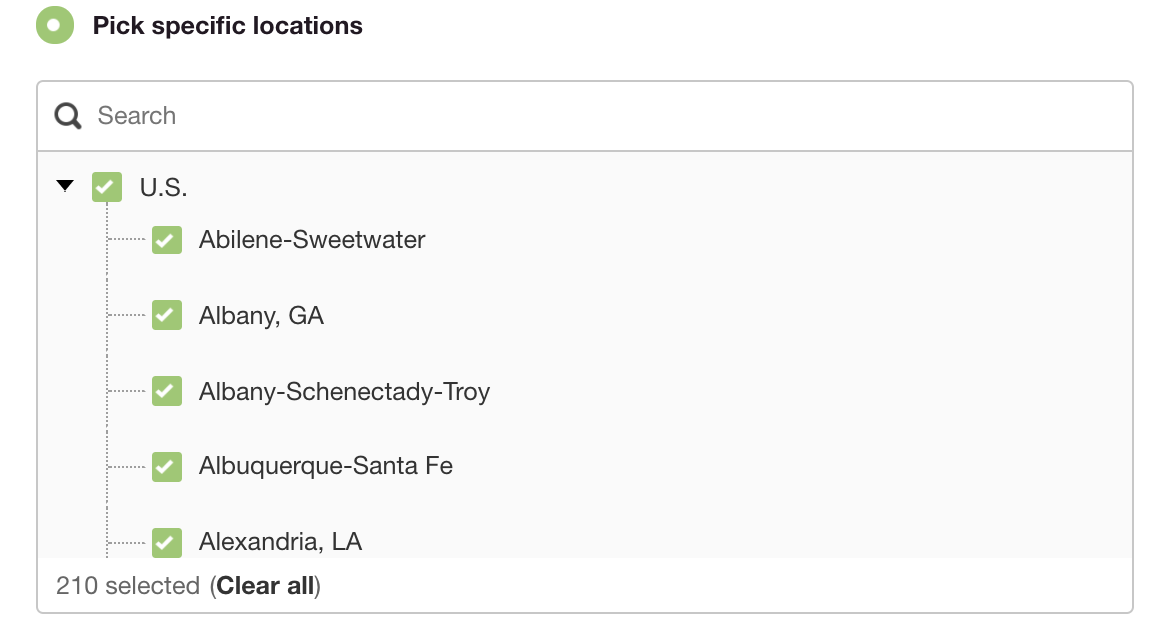
Next, target your desired locations. If you’re a local business, this could be a very small area. I selected the entire United States, but you can break it down by region.
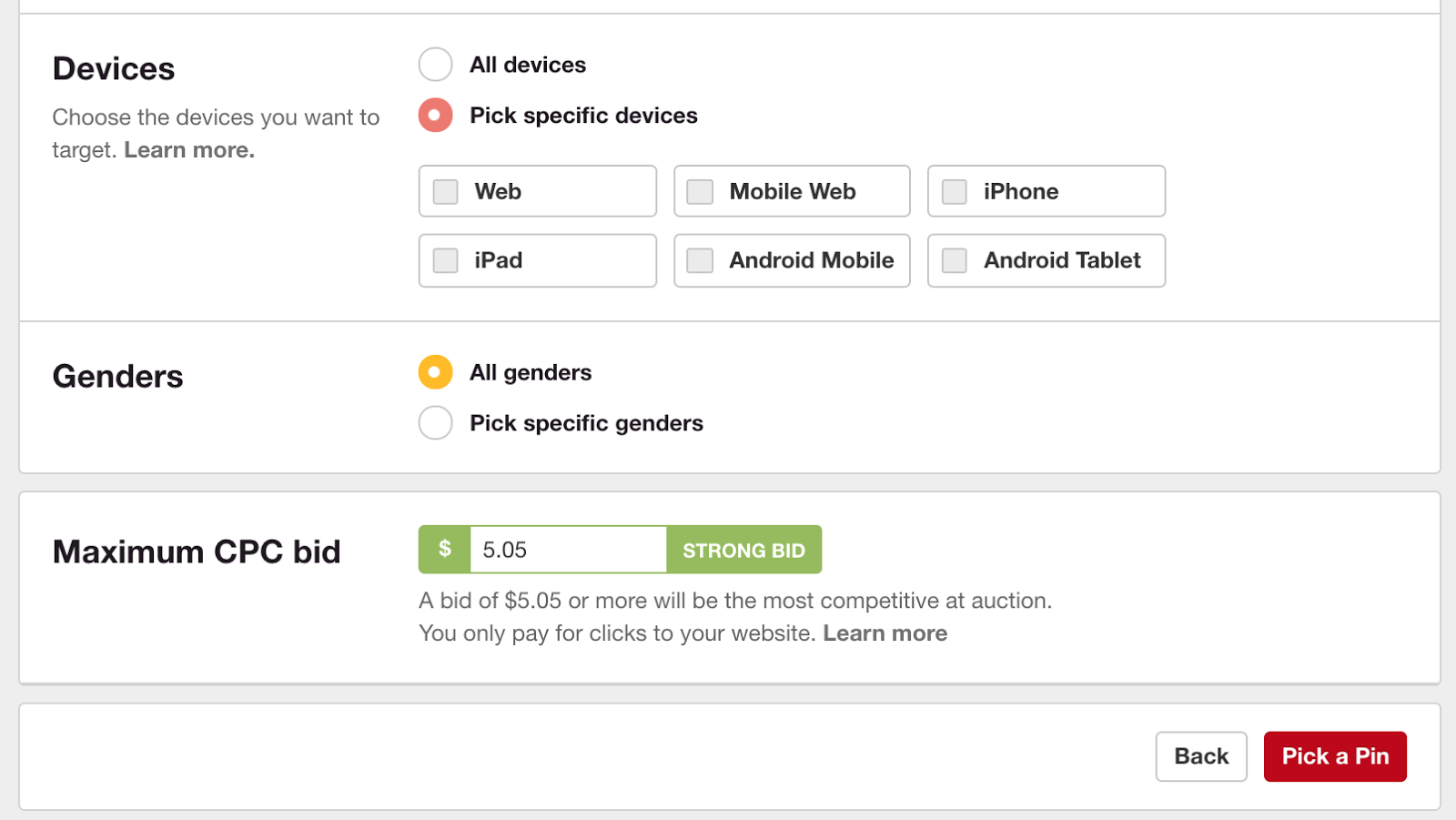
You can also control which devices your ads show on. For example, only mobile or only desktop. If you filled in an optional daily budget above, Pinterest will automatically suggest a max CPC (cost-per-click) bid for you. You can overwrite it with your own amount in the “Maximum CPC bid” field. I write about why you should start with a high bid in the next section, so leave it as is for now.
Click “Pick a Pin” at the bottom when you’re done filling out all the options you want.
Pick the pin you want to promote from your account and then click “Promote Pin” to confirm your new ad campaign. You can use the same audiences in future campaigns, too.
6. Use a high initial maximum CPC bid
You may be thinking that spending $5.05 per click is way too high. Before you judge, listen up. Pinterest uses a second-price auction model, which means you only pay more than it costs the previous highest bidder, up to your maximum CPC. If my maximum CPC is $5.05 but the previous person with the highest bid was $2.03, I would only pay a bit more than $2.03 for that click. If you’re not sure what to bid, try a strong bid in the beginning and monitor the performance closely. Once you get an idea of how much it really costs to get clicks, lower your bid to be more in line with that level. You can then run a long-term campaign without fearing that it will cost a fortune per click.
7. Utilize awesome visuals
Pinterest is a visual platform. You need to have attractive, eye-catching graphics to get eyes on your content and ads. This pin from Priyanka Biswas is a great example of an attractive graphic.
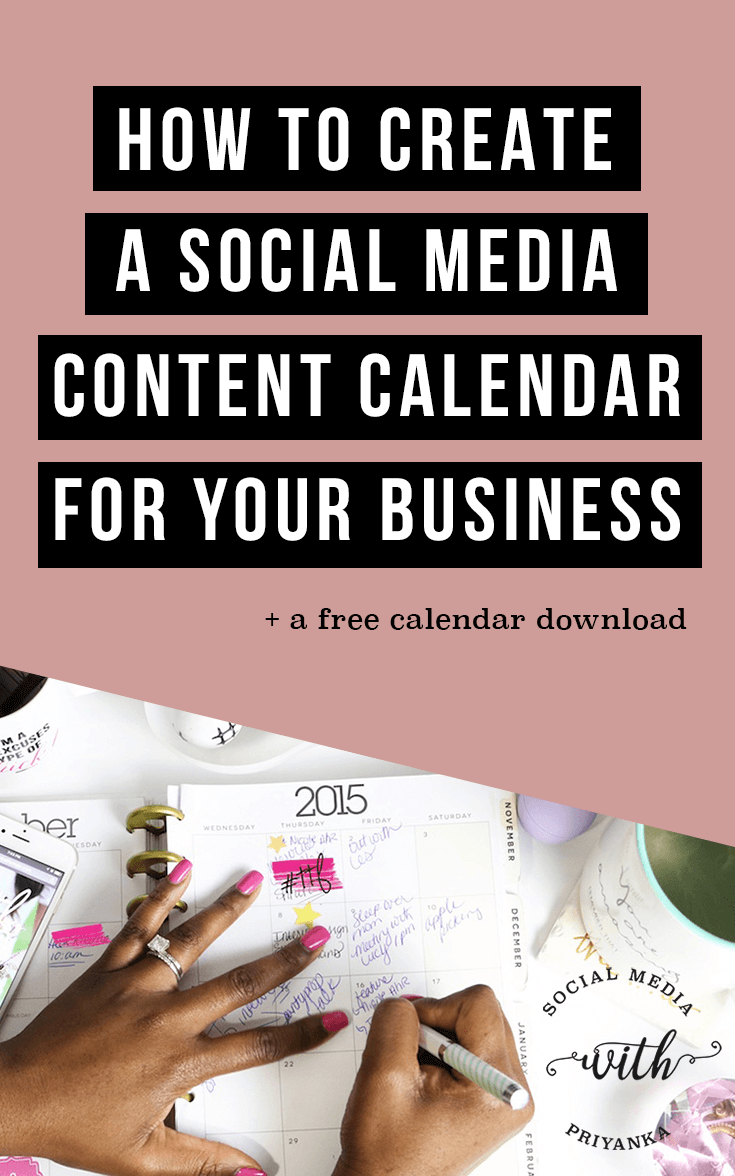
It has a large, easy-to-read title. The font is simple and stands out when scrolling through your feed. It also includes a strong image that isn’t just a stock photo of someone looking over a landscape. It’s related to the topic of the pin. It also features a subhead telling you exactly what to expect when you visit the site: a free calendar download. Here are a few other ways to make your pins stand out.
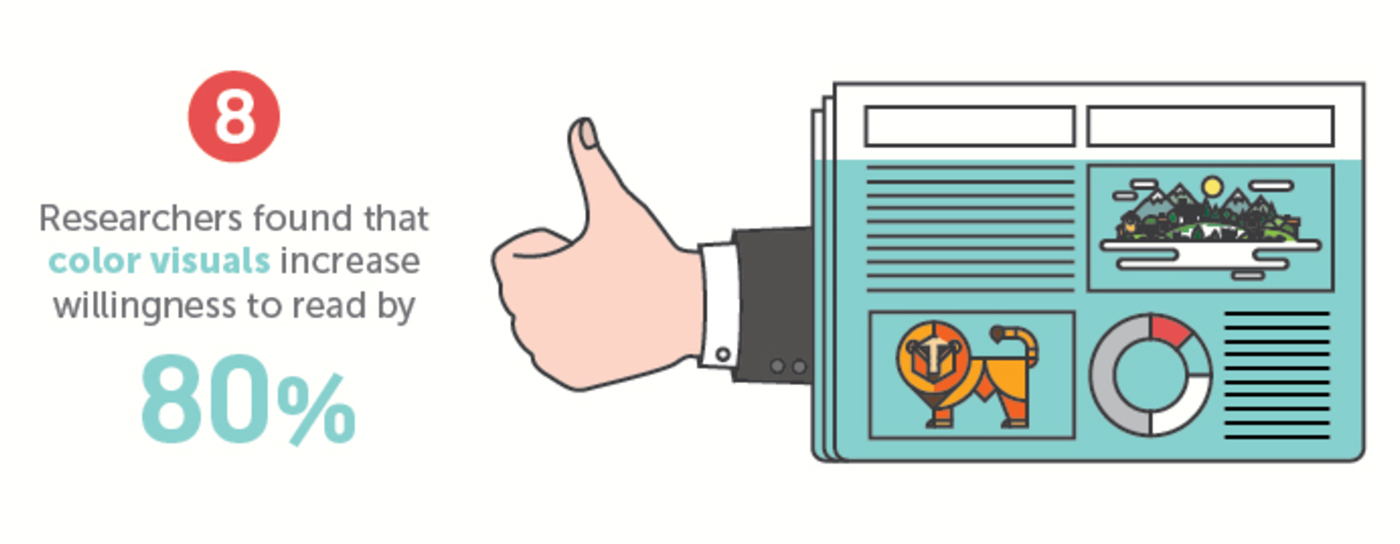
Use infographics: People love infographics. 65% of people are visual learners. When remembering information, people recall twice as much of it when looking at an infographic versus reading text. Adding visuals also increases the willingness to read content by 80%.
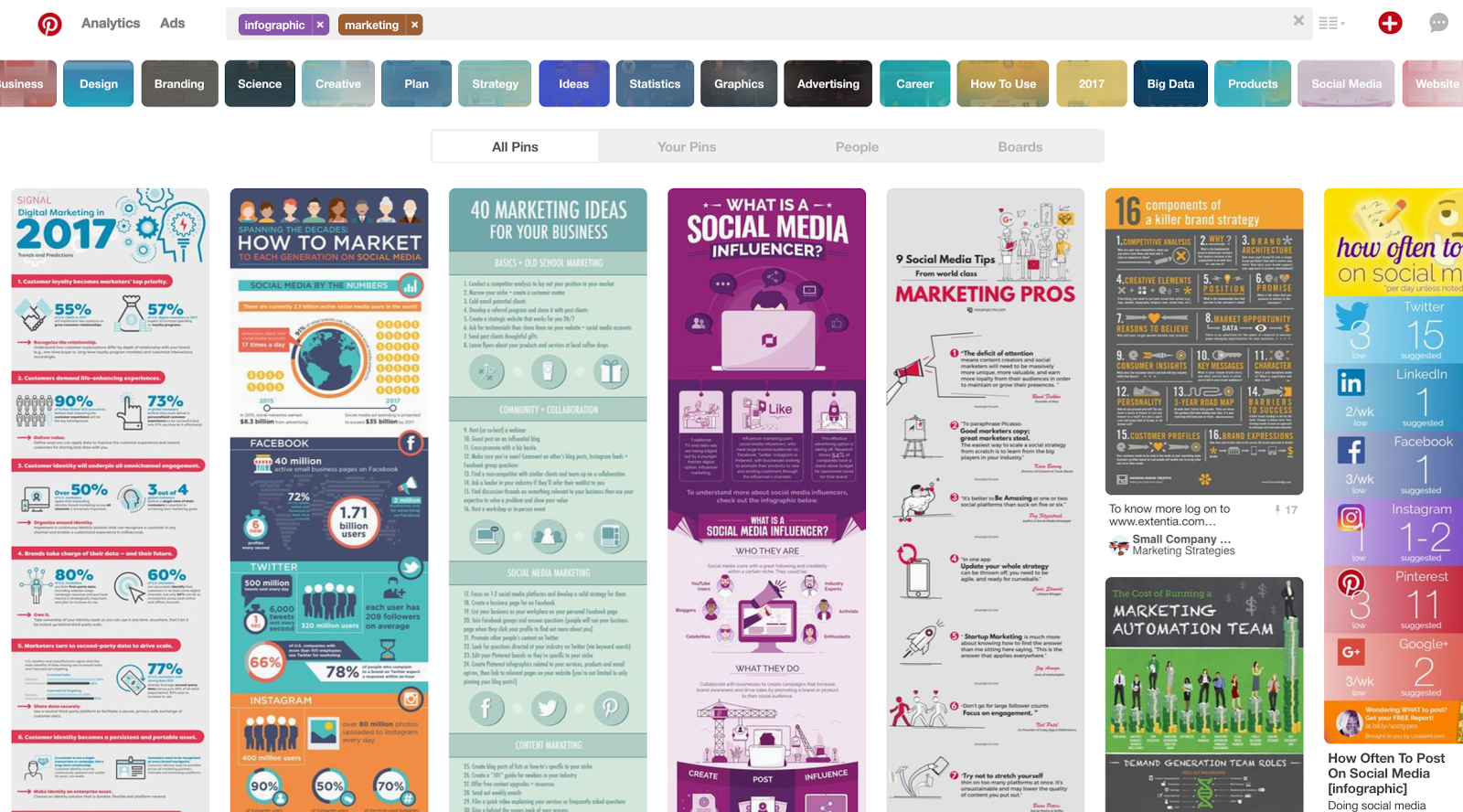
Infographics look awesome on Pinterest! When I search for marketing infographics, this is what comes up. You can read most of the text from the search results page without even clicking on them.
Make your pins vertical: Pinterest allows you to pin images of any format, though square ones often get lost in the shuffle. See how these delicious-looking onion rings get lost in the middle of all the long pins?
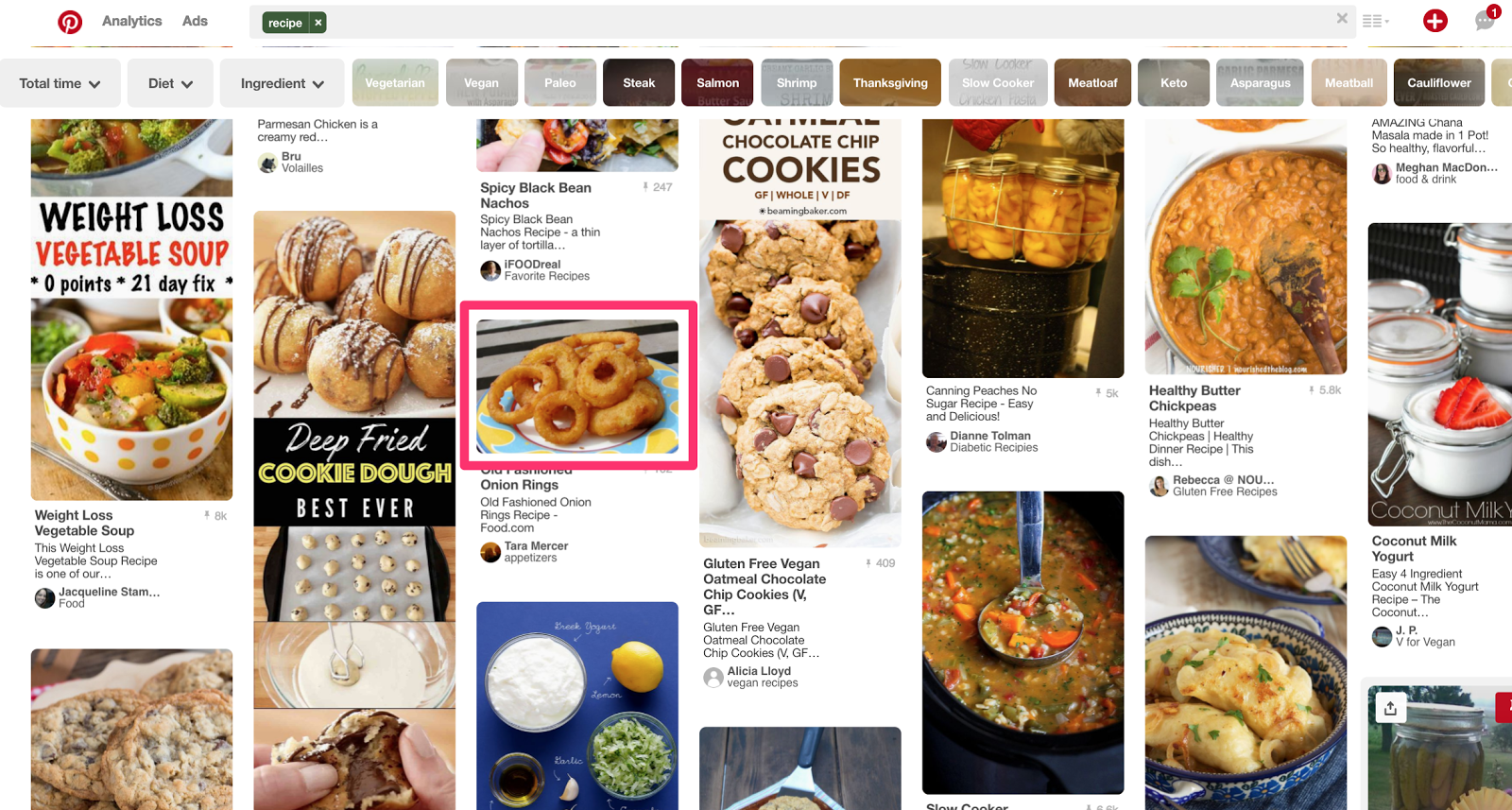
The site’s layout lends itself well to long, vertical images. Make your graphics at least 735px wide to optimize their potential. They can be as long as you need, which is especially great for showing infographics.
Use good photography: You want to choose unique, beautiful images that fit in with your overall brand. The best solution is to take your own photos since no one else will have the same thing on Pinterest. If that’s not possible, you can still find great photos on sites like Death to the Stock Photo or Pixabay. Instead of using photos, you can create a graphic template that relies on text, shapes, or other elements to draw in users. Melyssa Griffin uses a similar font and style in all her pins, making them instantly recognizable.
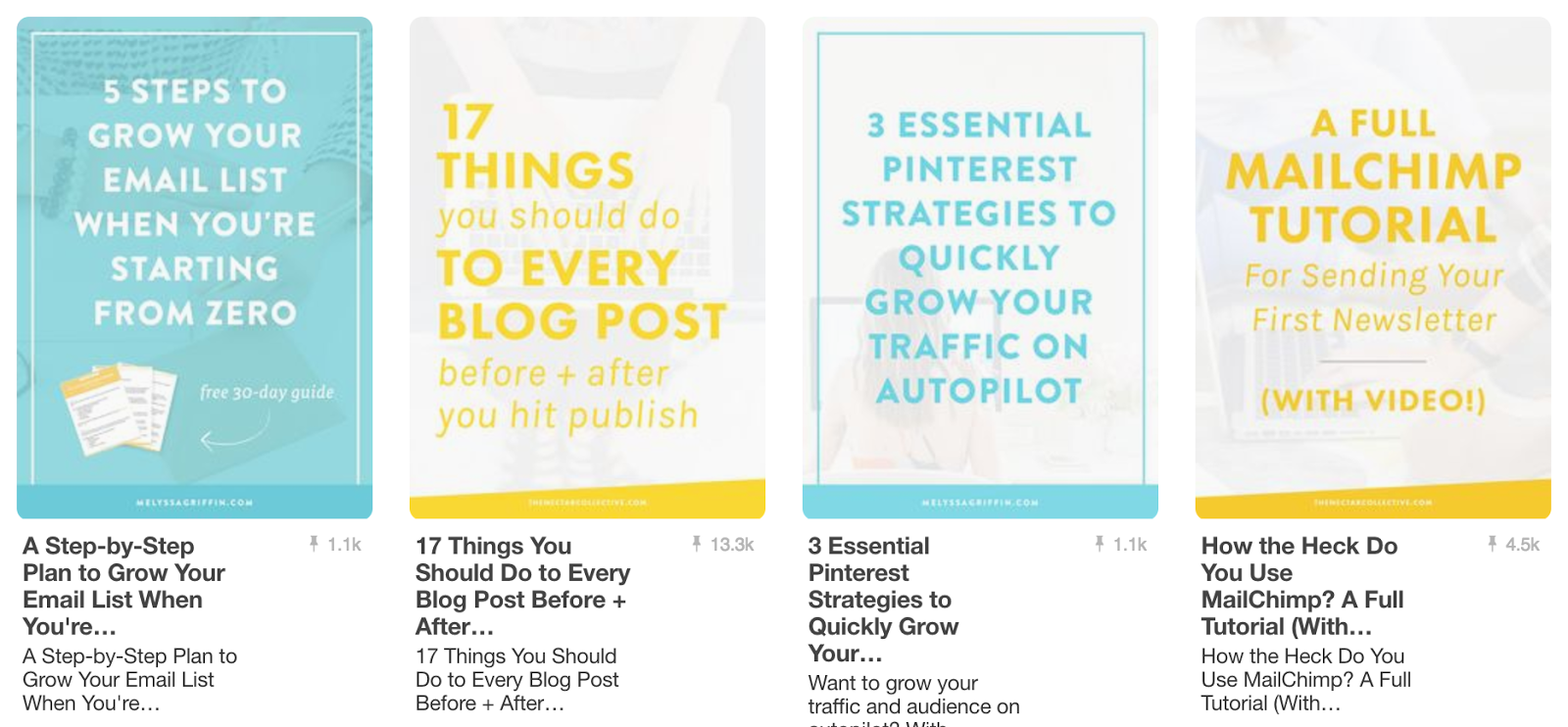
All these rules apply to both promoted and regular pins. Make sure everything you put on Pinterest looks great and is cohesive with your brand.
8. Split test your ad graphics
Just like with any other marketing strategy you try out, you should be split testing your Pinterest advertising. Split testing, also called A/B testing, means that you try out a few different variables in your ads and measure the effectiveness of each. The goal of split testing is to find out which set of variables equals the highest number of conversions.
With your Pinterest ads, this can be as simple as creating a few different styles of graphics. You don’t want to have totally different styles out there that dilute your brand. Keep your graphics looking consistent, but change up a few things. It’s a good idea to try variations of color, font, and layout to find out what brings in the most traffic and clicks.
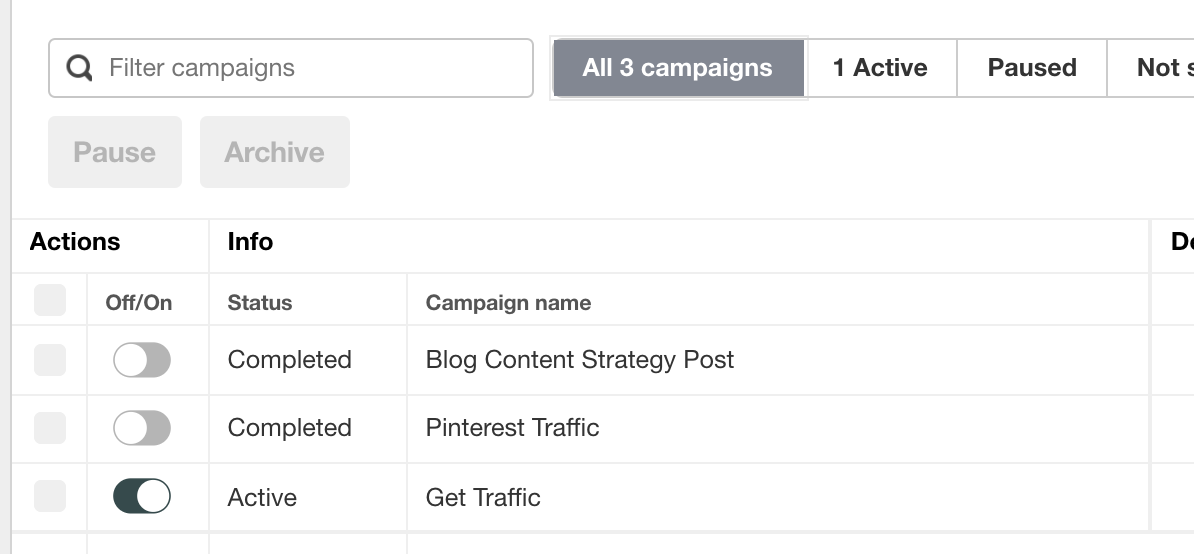
When creating Pinterest ad campaigns, create at least 2 ad groups. This will allow you to try out 2 different visuals to see which one performs better. You can also create additional groups for different sets of keywords or interests to target. It’s all about experimenting to find out what works the best to bring in conversions at the best cost per click. In Ads Manager, you can see the performance of all your groups at a glance. Just click on your campaign. In my case, that was, “Traffic campaigns.”
You’ll see a list of all your past and present ad groups and the ad spend, cost per click, impressions, and more.
9. Set up Rich Pins
Rich Pins are pins with a bit more information on them. Similar to Google’s Structured Snippets, Rich Pins let you define a pin with a certain category and display relevant information about it based on that category. You can have a Rich Pin for a product, app, recipe, or article.
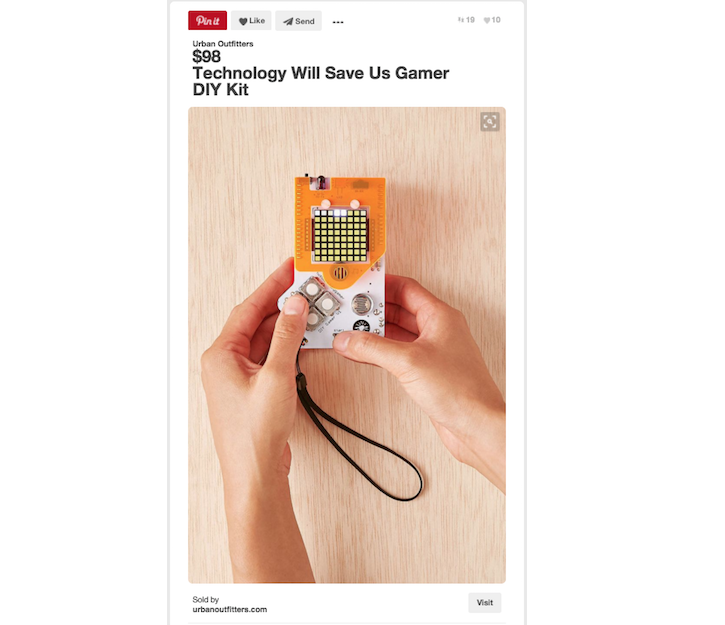
Product pins feature the product’s price and title in a nice big headline at the top. They also feature the “sold by yourwebsite.com” link at the bottom with a button to click to go right to the site.
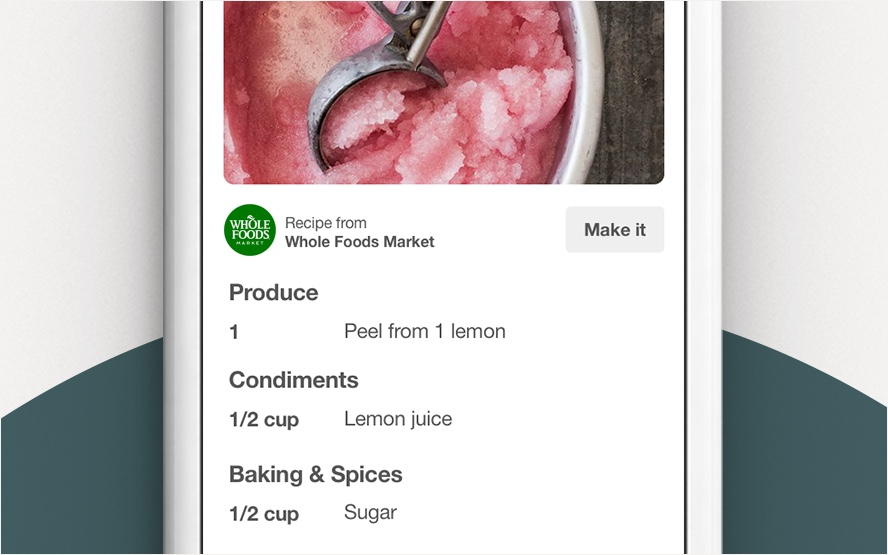
Recipe pins list the ingredients and steps of the recipe right below the image, so pinners don’t even have to leave the site.
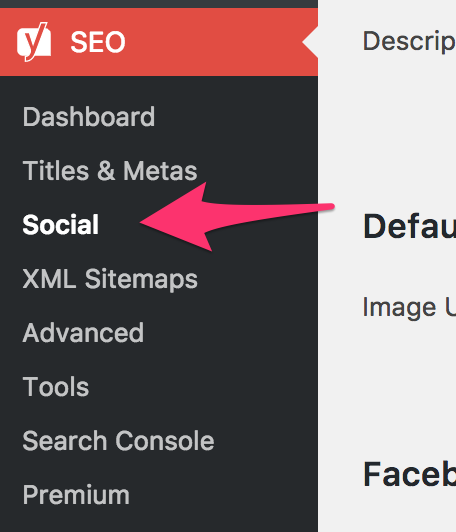
Rich Pins make your content even more appealing to users. Rich Pins use Open Graph metadata from your website’s code to display the additional information on Pinterest. You can either add the code manually to each page you want to create a Rich Pin for or use a plugin. On WordPress, you can use the free version of Yoast SEO plugin to create Rich Pins for your articles. Install the plugin and go to the Social settings menu.
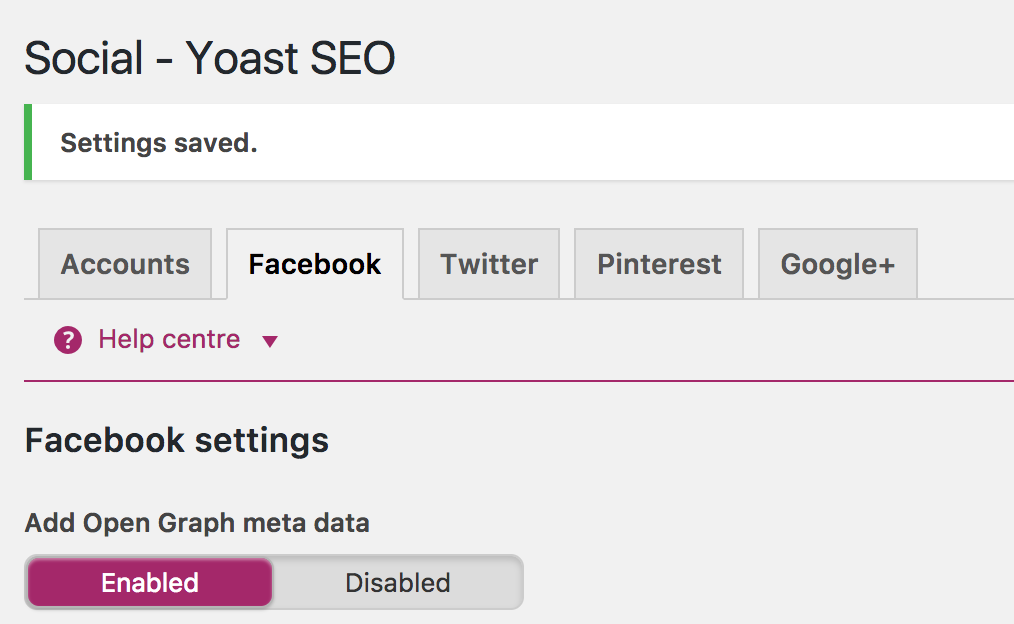
Click on “Facebook” at the top. Make sure “Add Open Graph meta data” is enabled.
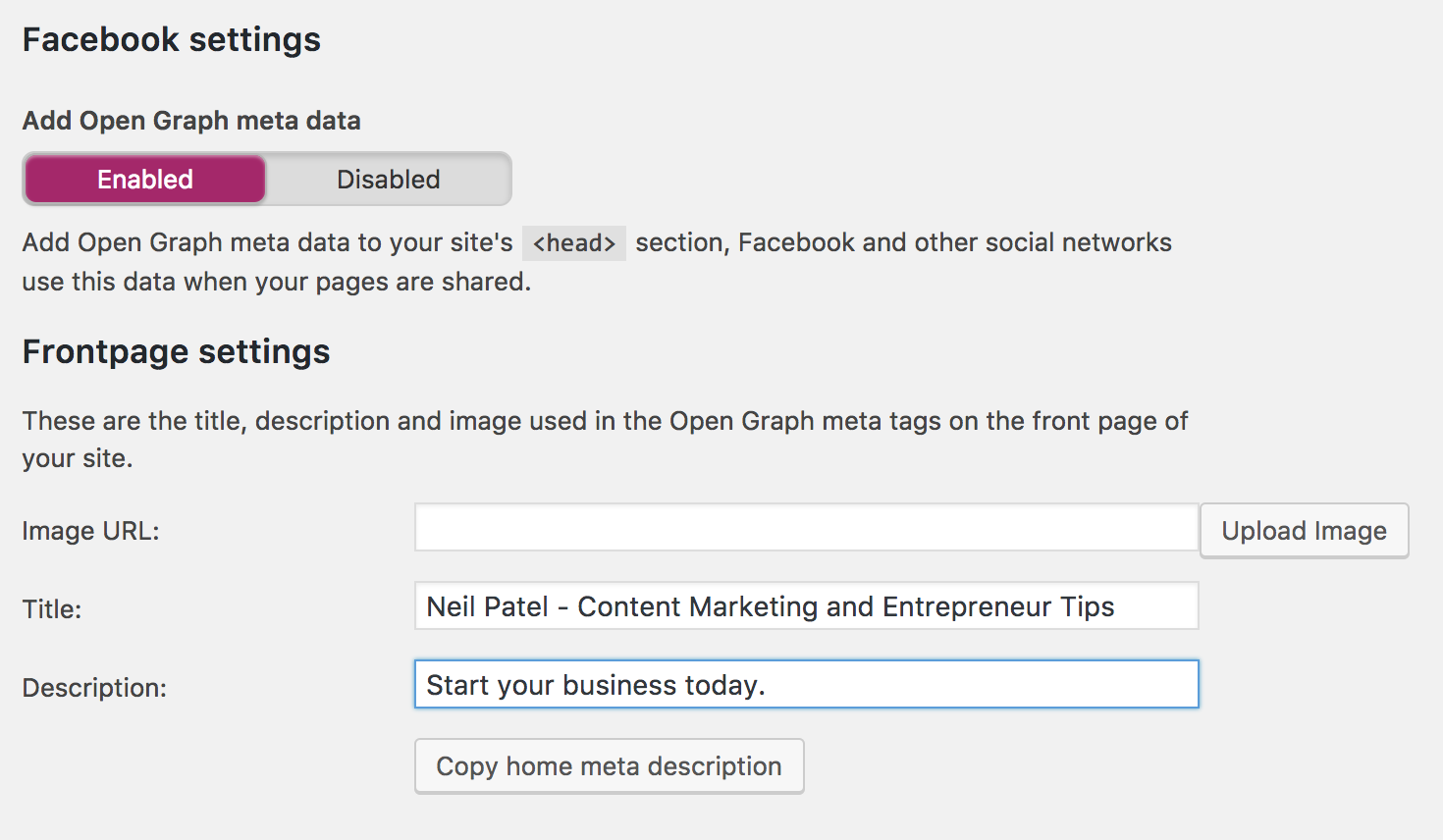
Fill in your website title and description under “Frontpage settings.”
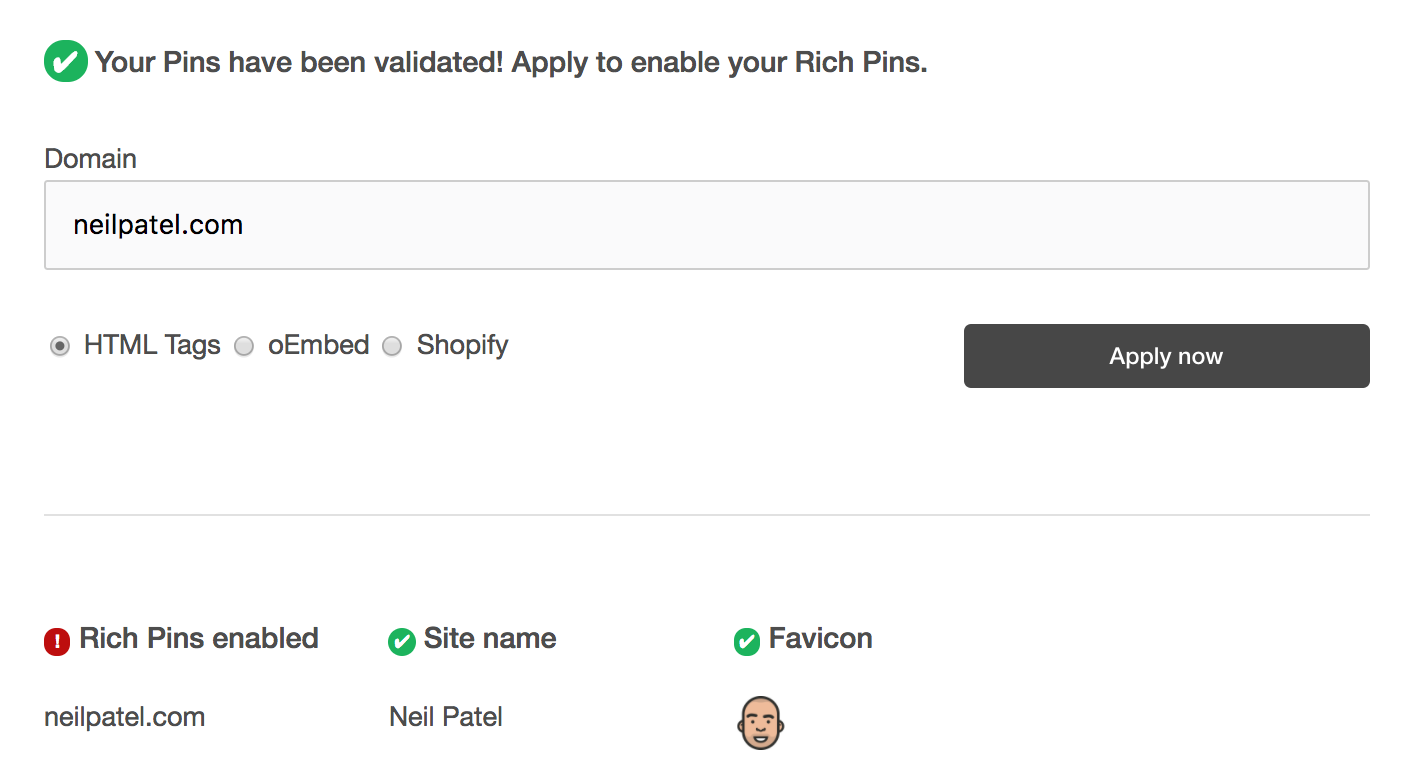
Click “Save changes,” at the bottom. Then, go back to Pinterest and log in to your account. Go to Pinterest’s Rich Pin validator to check your code. This page only shows up for logged in users. If you’re logged in, you’ll see a screen that looks like this. Enter the URL of an article on your website.
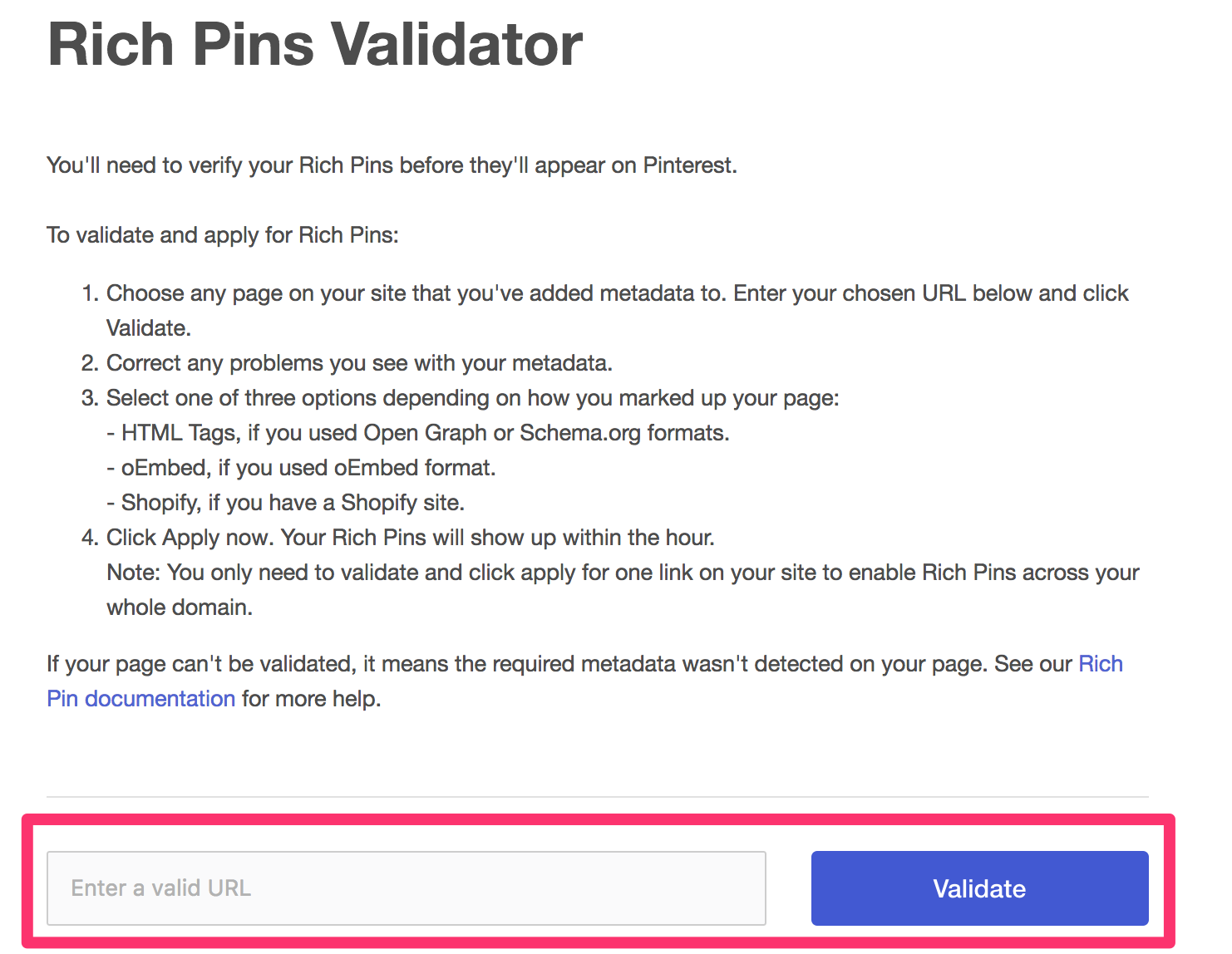
You will see a message that your code is valid. Click “Apply now” to start using Rich Pins on your account. You can leave the setting as “HTML Tags” if you are using the WordPress method I described above. If you are using Shopify, make sure to click that option.
You’ll receive a success message that your Rich Pins are set up!
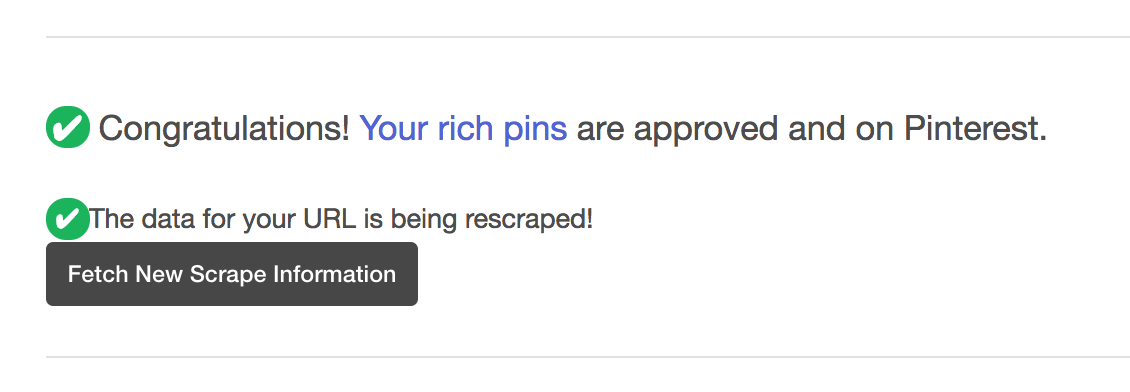
You only need to run one article through the validator. It will apply Rich Pins to your entire profile and all your pins automatically after that.
10. Prepare to use one-tap pins
I talked about the different Pinterest ad formats at the beginning of this article. One-tap pins are one of them. One-tap pins take the user directly to your website when they click it, instead of seeing a page in between. Normally, a user would see your pin in their feed. Let’s say I see these shoes and I want to check them out.
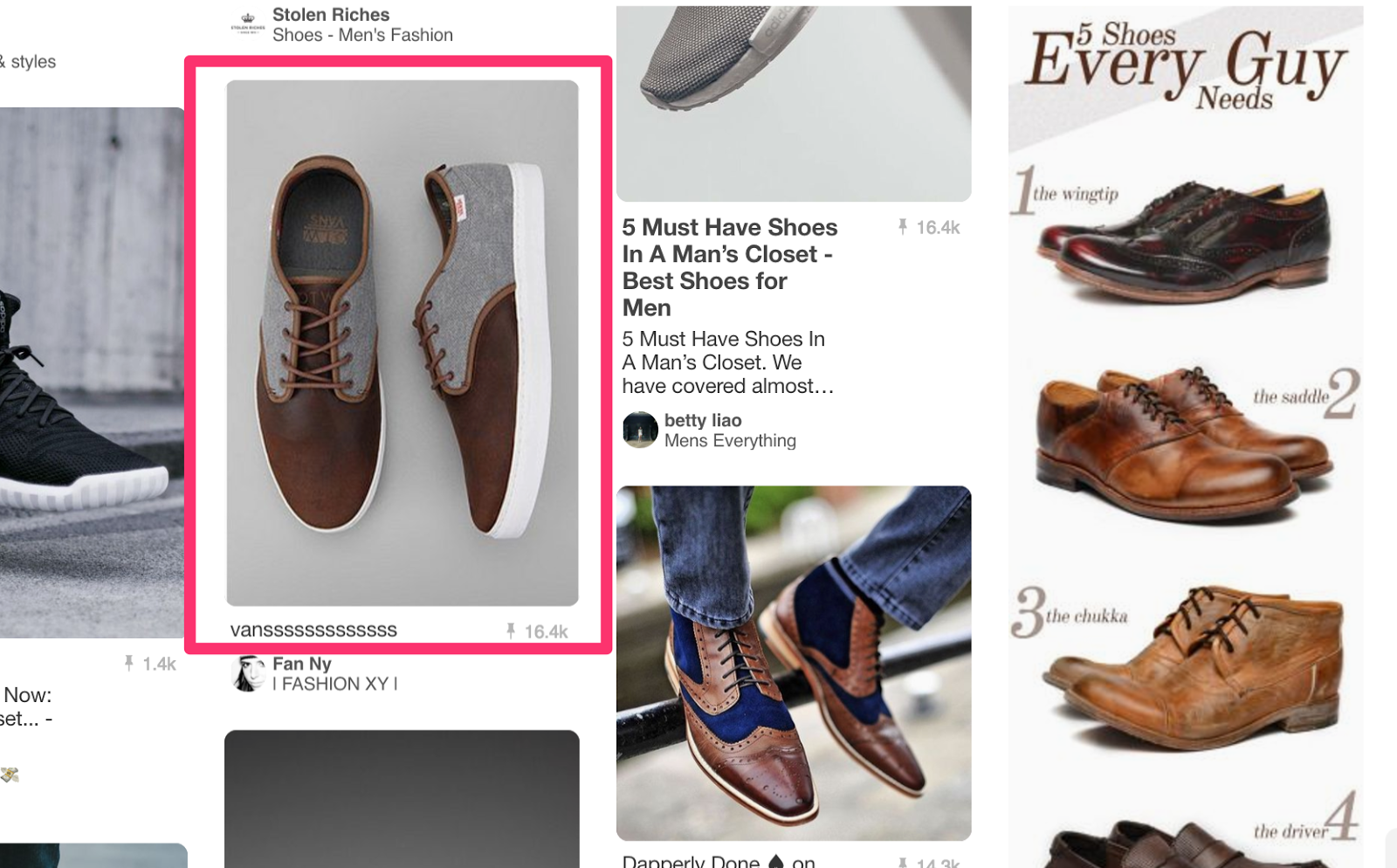
I click on that image. Pinterest blows up the image larger and shows me some more details.
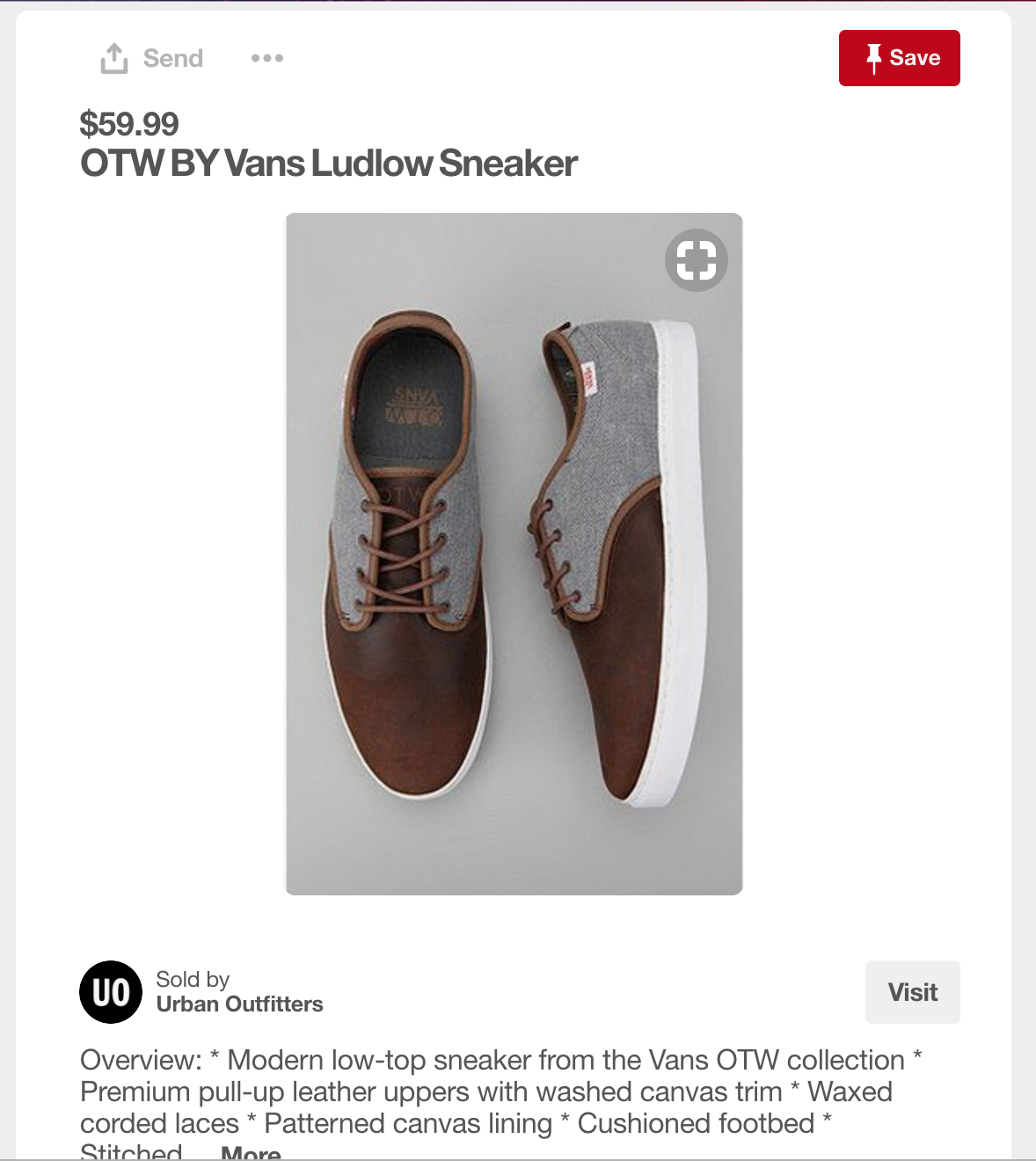
If I click the grey “Visit” button, I am taken to Urban Outfitters’ product page for the shoes where I can actually buy them. One-tap pins remove that middle step and take me directly to the shoes on my first click.
This format is currently still in beta, but Pinterest plans to roll it out to all users in the near future. They do have some strict guidelines to be able to use them, though. Get your website ready now to take advantage of this format as soon as it’s available. To be eligible for one-tap pins, your destination web page must:
- Load quickly
- Look good on mobile
- Display the product or service in the one-tap pin above the fold
- Not include unrelated popups
Those four things are good for any website, so take some time now to get them implemented on yours. Pinterest is by far the favorite social media platform for people wanting to shop for products.
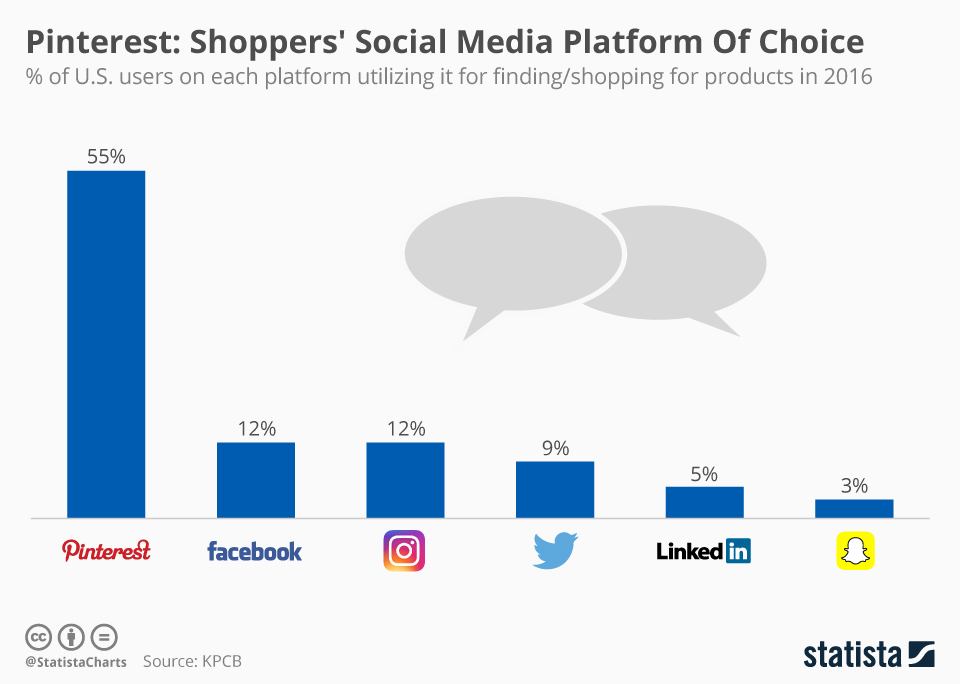
That makes one-tap pins an attractive advertising method for e-commerce businesses of all sizes. If you sell things online and don’t have a Pinterest account, get one now before one-tap pins arrive! Once one-tap pins launch, they’re sure to help you sell more on Pinterest.
Conclusion
Advertising on Pinterest is very different than Google AdWords. It’s a visual platform first and foremost, so you need to be pinning beautiful, vertical images. Without great visuals, your ad campaigns aren’t going to succeed. And because Pinterest is a search engine, you need to ensure your profile, boards, and pins are all SEO optimized before you start advertising. Experiment with the different ad formats Pinterest offers like buyable pins, rich pins, and video. Also experiment with different audiences, keywords, and interest targeting.
Ready to start your first Pinterest ad campaign? Create Your Pinterest Business Account