
How to Unblur Course Hero in Easy Steps – Updated
Course Hero serves as a digital library for students seeking academic aid. It provides a vast collection of resources tailored to specific courses, including user-uploaded notes, practice quizzes, and comprehensive study guides. The platform’s structure encourages a collaborative learning environment. However, a significant portion of the documents are initially blurred. Users gain access to these resources by either becoming a paid subscriber or contributing their own academic materials to the platform. This sharing-based system fuels the platform’s content. For instance, a student needing help with a calculus problem might find a helpful study guide uploaded by another student. If immediate access to unblurred content is required, alternative strategies are available.
The most reliable ways to view full documents on Course Hero are through their official system or by paying for a subscription. Methods like browser inspections or using third-party apps are often ineffective and can risk your account.
The table below summarizes the main approaches:
| Method | How It Works | Key Points |
|---|---|---|
| Official Free Unlocks | Earn “Unlocks” by uploading your own notes or rating others’ documents. | Most reliable free method. Unlocks expire after 30 days. |
| Paid Subscription | Pay for a monthly, quarterly, or annual Premier membership. | Most straightforward way for unlimited access. |
| AI Image Enhancer | Use an AI tool to deblur a screenshot of the document. | A technical workaround for viewing screenshots. Results may vary. |
| Browser Inspection | Use browser developer tools to modify the webpage code. | Unreliable and frequently patched by Course Hero. May not work at all. |
✅ How to Use Course Hero for Free (Official Method)
This is Course Hero’s supported way to access documents without a subscription.
- Earn Unlocks by Uploading: Upload your own original study materials (like lecture notes or essays) to earn “Unlocks.” For every 10 documents approved, you typically earn 5 Unlocks, each good for viewing one full document.
- Other Ways to Earn Credits: You can also earn free Unlocks by rating other users’ documents or by creating quizzes. Note that all Unlocks expire 30 days after you earn them.
💳 Paid Subscription Plans
If you need frequent access, a paid subscription is the simplest option. Here are the latest Premier subscription plans:
- Monthly Plan: $29.95 per month
- Quarterly Plan: $19.95 per month (billed as one $59.85 payment)
- Annual Plan: $9.95 per month (billed as one $119.40 payment)
A Premier subscription typically provides 30 Unlocks per month for viewing documents and Q&A answers.
⚠️ Methods to Avoid
Some popular but risky methods are not recommended:
- Third-Party “Unlockers” or Browser Extensions: Websites or browser extensions that promise free unlocks are often scams, may contain malware, and violate Course Hero’s terms of service, risking a permanent account ban.
- Outdated Tricks (Inspect Element, VPNs): The “Inspect Element” trick, which involves editing page code, has largely been patched by Course Hero and rarely works now. Using a VPN to bypass restrictions is also unreliable and against the platform’s rules.
💡 Using an AI Tool as a Workaround
If you only need to read a specific blurred section, you can try an AI image enhancer. This doesn’t “unlock” the document on Course Hero itself but can clarify a saved screenshot.
- Take a clear screenshot of the blurred document area.
- Use an online AI photo enhancer (like HitPaw Online Photo Enhancer) and upload your screenshot.
- Select an enhancement mode like “Denoise” or “Text Model” and process the image.
- The tool will attempt to sharpen the text in the image for you to download.
I hope this guide helps you safely access the materials you need. If you have a specific budget or type of document you’re trying to access, I can offer more tailored suggestions.
Method 1: Upload Your Own Documents (Most Reliable)
This is the fastest and most consistent way to get free unlocks. Course Hero rewards you for expanding their library.
- How it works: You receive 5 free unlocks for every 10 documents you upload that are approved.
- What to upload: Old lecture notes, study guides, practice quizzes, or essays you have written.
- The Steps:
- Create a free Course Hero account.
- Click on “Upload Now” in the dashboard.
- Select 10 or more documents from your computer. (Ensure you own the copyright-do not upload textbooks or other people’s work).
- Wait for processing. It usually takes 1 to 3 days for the system to approve your files.
- Once approved, you will receive credit to unblur 5 documents of your choice.
Method 2: Rate & Review Content
If you don’t have documents to upload, you can sometimes earn unlocks by helping Course Hero organize their existing library.
- How it works: You rate documents or unlocks that other users have posted.
- The Steps:
- Log into your free account.
- Look for the “Rate Content” or “Review” prompts on your dashboard (availability varies by account).
- Review 5 documents or unlocks.
- You typically earn 1 free unlock for every 5 ratings provided.
Method 3: Create Quizzes
Some users can earn unlocks by creating study quizzes based on documents they have already unlocked.
- How it works: After unlocking a document, use the “Create Quiz” feature to make a 3-question quiz.
- The Reward: If your quiz is approved, you may earn additional unlocks (typically 3 unlocks per approved quiz).
⚠️ Important Warning: Avoid “Unblur” Tools
You will find many websites, Chrome extensions, or “Discord servers” claiming to unblur Course Hero instantly for free.
- Malware Risk: Many of these “downloader” tools are scams designed to install malware on your device or steal your personal data.
- Banned Accounts: Using scripts or bots to bypass the blur violates Course Hero’s Terms of Use and can get your account (and IP address) permanently banned.
Summary of Free Unlocks
| Action | Reward | Processing Time |
|---|---|---|
| Upload 10 Documents | 5 Unlocks | 1-3 Days |
| Rate 5 Documents | 1 Unlock | Instant (if available) |
| Create 1 Quiz | 3 Unlocks | Varies |
Different ways to Unblur Course Hero
- One way to unblur Course Hero documents is to use the “Inspect Element” method on Google Chrome. First, navigate to the document you want to access and highlight the blurred section. Then, right-click and select “Inspect.” Locate the “div” tag with the “anon-hide obscured” parameter, edit the attribute, and change it to “none.”
- Another way to access blurred documents on Course Hero is to log into your free account and find the document you want to view. Click on the blurred section, and a popup will appear prompting you to contribute a document in exchange for access. Click “Upload” and follow the instructions to upload a document, and then the blurred section will be revealed .
- Lastly, you can also use the “Inspect Element” method to unblur Course Hero documents without contributing to the community. After right-clicking the document, click “Inspect” and locate the “div” tag with the “anon-hide obscured” parameter. Edit the attribute to “none,” and the blurred section will be revealed without any contribution.
It is worth noting that while these methods may work, they violate Course Hero’s terms of service, and the platform may take action against users who use them. Additionally, Course Hero offers a subscription service that provides unlimited access to study materials without any restrictions. Students who use the platform regularly may find it beneficial to subscribe and support the platform’s community-based learning system.
1.Review Study Materials
If you are looking to rewrite the given statement about accessing Course Hero content through reviewing others’ work, there are a few strategies you can use. First, it’s important to have a clear message you want to convey. This could be as simple as “Reviewing other people’s work materials can unblur Course Hero documents” or something more complex, like “Peer feedback is essential for improving Course Hero’s study materials.” Having a clear thesis will help you stay on topic and make your argument more effective.
In addition, it’s important to remember that you can’t claim ownership of someone else’s work, even if you modify it. Copyright law is complex and ultimately only a court can determine what is considered fair use
Finally, if you are struggling to develop your argument or clarify your ideas, it can be helpful to get feedback from peers. This can feel intimidating at first, but the insights you gain from others can be invaluable
2. Uploading Documents
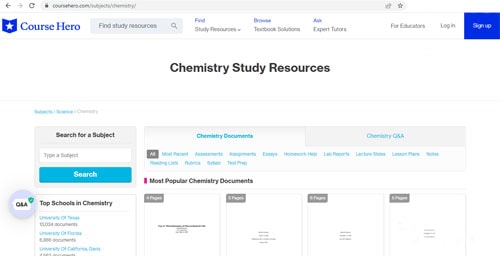
Course Hero is an online platform that allows learners to access study documents, questions and answers, and homework help for free. The platform also provides a system that allows users to upload their original study materials and receive free access to other documents. However, to prevent abuse of the system, Course Hero has implemented a limitation. For every ten documents you upload, you will receive free access to five Course Hero documents.
To upload your study documents, you first need to log in to your Course Hero account. If you don’t have one yet, you can easily create a free account on the website. Once logged in, you can find the blurred document you want to unblur and click on it to open it. Next, click on the “View full document” button and then “Continue to access”. The platform will now offer you subscription options, but if you want to upload your study document, scroll down to the bottom of the page and click on “Upload Your Study Document”.
After clicking on the “Upload Your Study Document” button, a window will appear where you can navigate to the study materials you want to upload to Course Hero. Once you select the document, click on “open” to proceed with the upload. It is important to note that it might take up to 24 hours for the Course Hero team to analyze and process your document. Once the process is complete, Course Hero will mark your uploaded documents as either “Accepted” or “Declined: Duplicate”.
When your document is accepted, Course Hero will credit you as the creator of the content. After ten successful uploads, you will be able to unblur five Course Hero documents. It is essential to note that by uploading your study documents, you are granting Course Hero a non-exclusive license to publicly translate, modify, store, edit, display, perform, reproduce, and distribute your submissions.
3. Create Quizzes
Course Hero offers a way for users to gain free access to hidden study materials by creating quizzes. By making a quiz, you can qualify for a free unlock to view more course-specific study documents, questions, and answers. However, this method has some limitations as you need to unlock at least three documents to qualify, and you must adhere to the site’s strict regulations. To become eligible for free unlocks, you can upload your original study materials, which helps to earn five unlocks for every ten resources you upload . Alternatively, you can review other documents to earn free access to restricted content on the website.
You can also log into your free account or register for one, find and select the blurred document you want to access, and click on the pink “View Full” button It’s worth noting that the more people respond to your quiz, the more free unlocks you’ll get, allowing you to access more study resources from students and educators.
4. Course Hero Subscription
If you don’t want to deal with the hassle of trying to get free unlocks on a Course Hero free account, you can opt for a paid subscription instead. With a Course Hero subscription, you can get 30 unlocks and 40 tutor questions each month for just under $10, billed annually. However, if you prefer a monthly plan, it will cost you just under $20 per month. Keep in mind that this pricing information may change over time, so be sure to double-check the most up-to-date information on the Course Hero website.
If you’re worried about managing your subscriptions and want to save money, you might consider using a service like Truebill, which can help you track and cancel subscriptions . Alternatively, if you’re interested in using Microsoft Azure services, you may be able to sign up for a free account and get $200 in credit for the first 30 days, as well as access to certain free services for 12 months.
5. Unblur Course Hero on a PC using Inspect Element
There are unofficial ways to unblur Course Hero documents, but they are considered more of a “hack” rather than a reliable access method. One such method is the “Inspect Element” technique on Google Chrome. This method involves highlighting the blurred section, right-clicking, selecting “Inspect”, finding the “div” tag with the “anon-hide obscured” parameter, and changing it to “none”. However, this method is not always successful.
It’s important to note that using unofficial methods to unblur Course Hero documents is not recommended, and it violates the website’s terms of use. It’s always best to use official methods like purchasing a subscription to avoid any legal or ethical issues. Additionally, Course Hero offers various subscription plans starting at under $10 a month, which include multiple unlocks and tutor questions.
Summary
It’s important to note that using unofficial methods to unblur Course Hero documents can be considered copyright infringement and is done at personal risk. However, if you are looking for a free option, using the Inspect Element method on Google Chrome or inspecting the page and editing the attribute are two ways to unblur documents. Uploading your own documents and reviewing other people’s work is another approach to gaining free unlocks with your free account on Course Hero. Keep in mind that using unofficial methods to access Course Hero’s content without proper authorization is a violation of the platform’s terms of use and can result in consequences.