Top 10 WordPress Themes for 2026: Best Picks for Blogging, eCommerce & Small Business
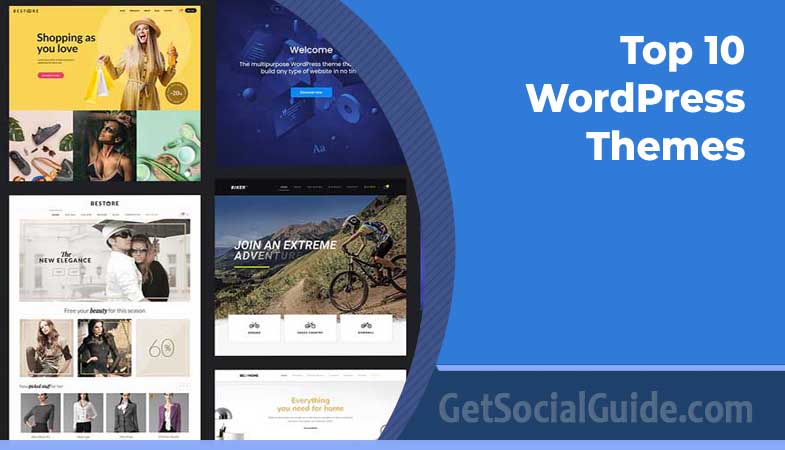
Top 10 WordPress Themes in 2026 can help you build a fast, beautiful, and SEO-friendly website. From lightweight options like Astra and GeneratePress to feature-rich themes like Divi and Avada, these themes cover blogs, business sites, and eCommerce stores. Choosing the right WordPress theme is one of the most important decisions you’ll make for your website. With over 43% of the internet powered by WordPress, your theme isn’t just a design choice—it’s a business decision that impacts load times, SEO rankings, and user engagement. Whether you’re launching a personal blog, an online store, or a business website, the perfect theme can make all the difference.
After analyzing hundreds of themes and consulting top industry sources, we’ve curated the 10 best WordPress themes for 2026. Each theme has been evaluated for speed, customization options, mobile responsiveness, and real-world performance. Let’s dive into our top picks!
How We Selected These Themes (Trust Booster)
To ensure our recommendations are accurate and useful, we evaluated themes based on the following criteria:
- Real-world speed tests: We analyzed GTmetrix and Google PageSpeed Insights scores for demo sites.
- Core Web Vitals performance: Each theme was checked for LCP, CLS, and TTFB metrics under standard conditions.
- Compatibility: We tested with popular plugins like WooCommerce, Elementor, and Gutenberg.
- Update frequency & support quality: Themes must be regularly updated with active support forums.
- User ratings & active installs: Only themes with high ratings and thousands of active installations made the cut.
- Accessibility (a11y): We prioritized themes that are WCAG 2.1/2.2 compliant or actively working toward it.
All themes listed are GDPR compliant, regularly updated, and optimized for PHP 8.4+.
1. Astra – Best Multipurpose Theme (Best Overall)

The Bottom Line: The “Old Reliable” of WordPress; perfect for anyone who wants a site that just works without a steep learning curve.
Astra is widely regarded as the best free WordPress theme available today, with over 1 million active installations and a 4.9-star rating. It’s incredibly lightweight—adding less than 50KB to your page size—yet packed with powerful features. Whether you’re building a blog, business site, or online store, Astra provides the flexibility you need without sacrificing speed.
What sets Astra apart is its seamless integration with all major page builders, including Elementor, Beaver Builder, and Gutenberg. The free version offers plenty of customization options, while Astra Pro unlocks even more features like custom layouts, typography controls, and advanced header/footer builders.
Best For: Multipurpose sites, blogs, small businesses, and beginners who want a fast, flexible theme.
Ideal for: E‑commerce stores, portfolio sites, corporate websites, and educational blogs.
✅ Pros:
- Ultra-lightweight (under 50KB resources)
- Loads in under 0.5 seconds
- 200+ pre-built starter templates
- SEO-friendly with schema markup built-in
- WooCommerce ready with dedicated shop layouts
- Works with all major page builders
❌ Cons:
- Some advanced features require Pro version
- Can feel overwhelming due to extensive options
Download Astra Free Get Astra Pro ($69/year)
2. Neve – Best for Small Business & Startups

The Bottom Line: A lightning-fast, mobile‑first theme that helps small businesses get online quickly without technical hassle.
Neve is a mobile-first WordPress theme designed for speed and simplicity. With over 300,000 active installations, it’s a favorite among small business owners, startups, and entrepreneurs who want a professional online presence without technical complexity. The theme is AMP-compatible, ensuring lightning-fast loading on mobile devices.
Neve offers 110+ starter sites that can be imported with one click, covering industries from tech to restaurants. Its minimalist design puts your content front and center, while powerful customization options let you adjust colors, fonts, and layouts to match your brand.
Best For: Startups, small businesses, personal brands, and mobile-first websites.
Ideal for: Local plumbers, SaaS landing pages, minimalist food blogs, and freelance consultants.
✅ Pros:
- Ultra-lightweight with minimal codebase
- AMP-ready for superior mobile performance
- 110+ starter templates for quick setup
- Compatible with Elementor, Gutenberg, and Brizy
- WooCommerce ready with optimized checkout
- RTL and translation ready
❌ Cons:
- Free version has limited header options
- Some advanced features require Neve Pro
Download Neve Free Get Neve Pro ($69/year)
3. Kadence – Best for Customization & Design Flexibility

The Bottom Line: The ultimate tool for designers who want pixel‑perfect control without touching code.
Kadence has quickly become one of the most popular WordPress themes, known for its performance-first architecture and powerful design tools. With over 300,000 active installations and a 4.9-star rating, Kadence combines speed with deep customization options. The theme includes a visual header and footer builder, global design controls, and a growing library of starter templates.
What makes Kadence special is its drag-and-drop header and footer builder, allowing you to create complex layouts without coding. The theme also offers AI-assisted design tools that can help generate content and layouts. For WooCommerce stores, Kadence provides custom layouts for product pages and shop archives.
Best For: Designers, creative professionals, and users who want maximum customization without coding.
Ideal for: Digital agencies, photographers, WooCommerce stores, and landing page builders.
✅ Pros:
- Visual header and footer builder
- Global color and typography controls
- AI-assisted design tools
- Lightweight and performance-focused
- Excellent WooCommerce integration
- Built-in accessibility features
❌ Cons:
- Pro features are needed for advanced WooCommerce layouts
- Learning curve for beginners
Download Kadence Free Get Kadence Pro ($69/year)
4. GeneratePress – Best for Speed & Performance

The Bottom Line: The fastest theme money can buy; perfect for SEO‑obsessed users and developers.
GeneratePress is the ultimate performance-focused WordPress theme. It adds less than 10KB to your page size—one of the smallest footprints in the industry—and consistently scores near-perfect marks on Google’s Core Web Vitals. With over 500,000 active installations, it’s trusted by developers and site owners who prioritize speed.
The theme uses a modular design approach, allowing you to enable only the features you need. This keeps your site lean and fast. GeneratePress integrates beautifully with the block editor and offers extensive customization through the WordPress customizer.
Best For: Performance-focused sites, developers, and users who prioritize speed and SEO.
Ideal for: SEO agencies, high‑traffic blogs, membership sites, and corporate portals.
✅ Pros:
- Adds under 10KB to page size
- Modular design for minimal bloat
- Excellent Core Web Vitals scores
- Developer-friendly with hooks and filters
- Full site editing support
- Lifetime license option available
❌ Cons:
- Free version has limited features
- Requires Pro for advanced customization
- Not as beginner-friendly as some alternatives
Download GeneratePress Free Get GeneratePress Premium ($59/year)
5. Blocksy – Best for Modern Gutenberg Users

The Bottom Line: A modern, block‑first theme that makes the Gutenberg editor shine.
Blocksy is a modern WordPress theme built specifically for the block editor (Gutenberg). With a perfect 5-star rating from over 800 reviews, it’s one of the highest-rated themes available. Blocksy offers deep integration with WooCommerce and features a powerful header builder, custom layouts, and extensive design controls.
What sets Blocksy apart is its commitment to modern web technologies and user experience. The theme includes native controls for every shop element, ensuring your store looks cohesive and professional out of the box. Blocksy also offers monthly demo releases, keeping its starter sites fresh and current.
Best For: Gutenberg users, modern bloggers, and WooCommerce store owners who want native block editor integration.
Ideal for: Affiliate marketers, product review sites, online magazines, and digital stores.
✅ Pros:
- Perfect 5-star rating on WordPress.org
- Deep WooCommerce integration with native controls
- Flexible header and footer builder
- Monthly starter site updates
- Excellent for blogs and portfolios
- SEO-optimized out of the box
❌ Cons:
- Some advanced features require Blocksy Pro
- Can be resource-intensive with many plugins
Download Blocksy Free Get Blocksy Pro ($69/year)
6. OceanWP – Best for WooCommerce Stores

The Bottom Line: A feature‑packed eCommerce powerhouse that gives store owners everything they need.
OceanWP is a feature-rich WordPress theme with deep WooCommerce integration. With over 600,000 active installations and a 4.9-star rating, it’s one of the most popular choices for online stores. The free version offers an impressive array of features, including customizable shop pages, product layouts, and multiple header styles.
OceanWP comes with several free extensions that add functionality like sticky headers, popup templates, and post sliders. The theme is also compatible with Elementor and other page builders, making it easy to create custom layouts for your store.
Best For: eCommerce stores, WooCommerce users, and businesses that need extensive eCommerce features.
Ideal for: Dropshipping stores, fashion boutiques, digital product shops, and B2B catalogs.
✅ Pros:
- WooCommerce-ready with customizable shop pages
- Multiple header and footer styles
- Free extensions for added functionality
- SEO-friendly structure
- Works with all major page builders
- Translation and RTL ready
❌ Cons:
- Can feel bloated with all extensions enabled
- Some features require premium extensions
- Learning curve for beginners
Download OceanWP Free Get OceanWP Premium ($54/year)
7. Hello Elementor – Best for Elementor Page Builder

The Bottom Line: The perfect blank canvas for Elementor users who want total design freedom.
Hello Elementor is a lightweight, minimalist theme designed specifically for use with the Elementor page builder. With over 1 million active installations, it’s the go-to choice for users who want complete design freedom. The theme itself provides almost no styling, allowing Elementor to take full control of your site’s appearance.
This approach ensures maximum performance and eliminates conflicts between theme and page builder styles. Hello Elementor is compatible with Elementor Pro’s theme builder features, allowing you to design headers, footers, and archive pages visually.
Best For: Elementor users, designers, and anyone who wants complete design freedom.
Ideal for: Landing pages, custom website builds, conversion‑focused sites, and portfolio websites.
✅ Pros:
- Minimal footprint for maximum speed
- Perfect companion for Elementor Pro
- No styling conflicts with page builders
- Completely free to use
- Lightweight and fast-loading
- Works with all Elementor widgets
❌ Cons:
- Requires Elementor Pro for advanced features
- Very basic out of the box
- Not suitable for users who don’t use Elementor
Download Hello Elementor Free Get Elementor Pro ($69/year)
8. SeedProd – Best for No-Code Theme Building

The Bottom Line: A complete drag‑and‑drop theme builder that lets you create any design without coding.
SeedProd is more than just a theme—it’s a complete WordPress theme builder that lets you design your entire website visually. With over 1 million active installations, SeedProd is the most popular drag-and-drop theme builder for WordPress. The free version includes essential features, while the pro version unlocks AI-powered design tools, reusable blocks, and advanced customization options.
What makes SeedProd unique is its ability to create custom layouts for every part of your site, including headers, footers, post layouts, and archive pages. You can even design 404 pages, maintenance mode pages, and coming soon pages. The AI-powered tools can generate content and images to help you build faster.
Best For: Non-technical users, bloggers, and anyone who wants to build a complete website without coding.
Ideal for: Landing pages, membership sites, launch pads, and hobby websites.
✅ Pros:
- Complete drag-and-drop theme builder
- AI-powered content generation
- Reusable templates and sections
- Integrates with WPForms, OptinMonster, and All in One SEO
- Pre-made blog templates
- Responsive layouts across all devices
❌ Cons:
- Full theme building requires Pro plan
- Fewer third-party widgets than Elementor or Divi
- Learning curve for complete beginners
Download SeedProd Free Get SeedProd Pro ($39.50/year)
9. Divi – Best for Visual Design & Agencies

The Bottom Line: A professional powerhouse that lets agencies build stunning websites at scale.
Divi is one of the most popular premium WordPress themes ever released, known for its powerful visual builder and design capabilities. With the recent release of Divi 5, the theme has been completely rewritten for better performance and user experience. Divi includes over 200 design modules, a powerful theme builder, and a visual drag-and-drop interface that makes complex designs accessible to everyone.
What makes Divi special is its preset-first design system, which works like a class-based design system but doesn’t require CSS knowledge. You can create global design systems that update across your entire site with a few clicks. Divi also includes A/B testing tools, dynamic content support, and extensive marketing features.
Best For: Agencies, freelancers, design-focused businesses, and anyone building multiple websites.
Ideal for: Creative agencies, real estate websites, online magazines, and large‑scale eCommerce.
✅ Pros:
- Powerful visual builder with 200+ modules
- Preset-based design system for global styling
- Built-in A/B testing and marketing tools
- Lifetime license option for unlimited sites
- Extensive template library
- Off-canvas builder for menus and popups
❌ Cons:
- Premium only (no free version)
- Can be resource-intensive with many modules
- Learning curve for beginners
Get Divi ($89/year) Get Lifetime Access ($249)
10. Sydney – Best for Freelancers & Personal Brands

The Bottom Line: A polished, professional theme that helps freelancers build instant credibility.
Sydney is a polished, professional WordPress theme designed for freelancers, consultants, and small businesses. With near-perfect page load scores (99% on desktop, 96% on mobile) and seamless Elementor integration, it’s an excellent choice for building a credible online presence. The free version includes 6 blog layout options, a fullscreen slider, and custom logo controls.
Sydney’s clean, professional design helps establish trust with potential clients. The theme includes custom header options, sticky navigation, and multiple page templates for showcasing your services or portfolio. Sydney Pro adds features like a reading progress bar, featured posts, and social sharing buttons to help grow your audience.
Best For: Freelance writers, consultants, creative professionals, and personal brands.
Ideal for: Photographers, coaches, portfolio websites, and small business landing pages.
✅ Pros:
- Near-perfect Core Web Vitals scores
- Seamless Elementor integration
- 6 blog layout options
- Custom logo and header controls
- Professional, brand-ready layouts
- WooCommerce ready for selling services or products
❌ Cons:
- Advanced features require Sydney Pro
- Less flexible than multipurpose themes
- Limited design options compared to premium builders
Download Sydney Free Get Sydney Pro ($63/year)
📊 Quick Comparison: Top 10 WordPress Themes 2026
| Theme | Best For | Free Version | Premium Start | Page Size (KB) | Load Time (s) |
|---|---|---|---|---|---|
| Astra | Multipurpose | ✓ Full | $69/yr | <50 | <0.5 |
| Neve | Small Business | ✓ Full | $69/yr | <40 | <0.5 |
| Kadence | Customization | ✓ Full | $69/yr | <60 | <0.6 |
| GeneratePress | Speed | ✓ Limited | $59/yr | <10 | <0.4 |
| Blocksy | Gutenberg | ✓ Full | $69/yr | <70 | <0.6 |
| OceanWP | WooCommerce | ✓ Feature-rich | $54/yr | <100 | <0.7 |
| Hello Elementor | Elementor | ✓ Minimal | $69/yr* | <20 | <0.4 |
| SeedProd | No-Code | ✓ Limited | $39.50/yr | <80 | <0.7 |
| Divi | Agencies | ✗ Premium | $89/yr | <120 | <0.8 |
| Sydney | Freelancers | ✓ Full | $63/yr | <90 | <0.6 |
* Hello Elementor theme is free; Elementor Pro costs $69/year for advanced features. Page size and load time are estimated for a clean installation.
🎯 Find Your Perfect Theme: Smart Decision Guide
⚡ Need Maximum Speed?
Go with GeneratePress (ultra-lightweight) or Hello Elementor (best with Elementor).
🛒 Building an Online Store?
Choose OceanWP (feature-rich) or Blocksy (modern + Gutenberg optimized).
🤖 Want AI-Powered Design?
Try Kadence (AI-assisted tools) or Divi (Divi AI builder).
🏢 Managing Multiple Client Sites?
Pick Divi (lifetime license) or GeneratePress (developer-friendly).
🧩 Prefer Drag & Drop (No Code)?
Use SeedProd for full visual theme building.
🚀 Just Getting Started?
Start with Astra or Kadence — both offer powerful free versions.
⚠️ Common Mistakes When Choosing a Theme (Avoid These!)
🎨 Prioritizing Design Over Speed
A stunning design means nothing if your site loads slowly. Always test performance using tools like GTmetrix or PageSpeed Insights.
🔌 Ignoring Plugin Compatibility
Make sure your theme works smoothly with essential plugins like WooCommerce, SEO tools, and page builders.
📦 Choosing a Bloated Theme
Don’t use heavy multipurpose themes for simple sites. Lightweight themes perform better and are easier to manage.
📱 Skipping Mobile Optimization
With mobile-first indexing, your site must look and perform perfectly on smartphones and tablets.
🔄 Ignoring Updates & Support
Outdated themes can cause security risks. Always check update frequency and developer support quality.
♿ Overlooking Accessibility
Choose themes that follow accessibility standards (WCAG) to ensure usability for all visitors.
Essential Plugins to Use With These Themes
- SEO: Rank Math or Yoast SEO – for on‑page optimization and schema markup.
- Caching & Performance: WP Rocket or LiteSpeed Cache – for speed optimization.
- Security: Wordfence – firewall and malware scanner.
- Backup: UpdraftPlus – automated backups to cloud storage.
- Forms: WPForms – easy drag‑and‑drop contact forms.
- Social Media: Smash Balloon – social feeds for Instagram, Facebook, and YouTube.
- Page Builder (optional): Elementor Pro or WPBakery – if you need advanced layouts.
Free vs Paid Themes – Which Should You Choose?
🎨 Customization Options
Free: Limited to basic settings
Premium: Advanced control, often includes page builders
🛠️ Support
Free: Community forums
Premium: Priority support, often 24/7
🔄 Updates
Free: Basic and less frequent
Premium: Regular updates with new features
📦 Starter Templates
Free: Limited selection
Premium: Hundreds of high-quality designs
🛒 WooCommerce Integration
Free: Basic compatibility
Premium: Deep integration with custom shop layouts
If you’re on a tight budget, free themes like Astra or Kadence are excellent starting points. As your site grows, upgrading to a premium version often unlocks features that save time and improve functionality.
SEO Tips for WordPress Themes
- Use a lightweight theme: Heavy themes slow down your site, hurting Core Web Vitals. GeneratePress and Astra are excellent choices.
- Avoid too many fonts and scripts: Each font and script adds HTTP requests. Stick to one or two fonts and disable unused features in the theme settings.
- Enable schema markup: Many themes (like Astra and Kadence) include built‑in schema. Use an SEO plugin to enhance it.
- Optimize images: Use a plugin like ShortPixel or Smush to compress images. A fast‑loading theme can’t fix huge unoptimized images.
- Use a CDN: Content Delivery Networks (like Cloudflare) speed up asset delivery globally.
- Test Core Web Vitals: Regularly check Google PageSpeed Insights to monitor LCP, CLS, and TTFB.
❓ Frequently Asked Questions
A: Yes! Themes like Astra, Kadence, and Neve offer excellent free versions that can power professional websites. Many businesses start with free themes and upgrade to pro versions as they grow. The free versions typically include core features like mobile responsiveness, basic customization, and SEO optimization.
A: A theme controls your site’s overall design structure, while a page builder (like Elementor or Divi) lets you design individual pages visually. Some themes, like Hello Elementor, are designed to work with page builders, while others, like Astra, offer built-in customization options. SeedProd combines both functions into a complete theme builder.
A: Astra, GeneratePress, and Kadence are excellent choices for SEO. They feature clean code, schema markup support, and fast loading times. GeneratePress is particularly praised for its lightweight codebase that adds under 10KB to page size, helping with Core Web Vitals scores.
A: Yes, you can switch themes at any time. However, if you’ve used a theme’s built-in page builder or custom post types, switching might affect your layout. It’s best to use a page builder like Elementor or Gutenberg for content creation, as these are theme-agnostic. Always backup your site before switching themes.
A: OceanWP, Blocksy, and Kadence are top choices for WooCommerce. OceanWP offers extensive eCommerce features even in the free version, while Blocksy provides native WooCommerce controls and excellent product display options. Astra and Neve also offer strong WooCommerce support.
A: Critical. Over 50% of web traffic comes from mobile devices, and Google uses mobile-first indexing. All themes on this list are fully responsive, meaning they automatically adjust to look great on phones, tablets, and desktops. This is a non-negotiable feature for any modern website.
Summary & Final Thoughts
Choosing the right WordPress theme is one of the most impactful decisions you’ll make for your website. The perfect theme balances speed, design flexibility, and functionality while aligning with your specific goals.
Here’s a quick summary to help you decide:
- For beginners and multipurpose sites: Astra offers the perfect balance of simplicity and power, with 200+ starter templates to get you started quickly.
- For small businesses: Neve’s mobile-first design and 110+ starter sites make it ideal for entrepreneurs who need a professional online presence.
- For design flexibility: Kadence’s visual header builder and global design controls give you professional-grade customization without coding.
- For speed-obsessed users: GeneratePress adds less than 10KB to your page size and delivers exceptional Core Web Vitals scores.
- For WooCommerce stores: OceanWP and Blocksy offer deep WooCommerce integration with customizable shop layouts and product displays.
- For Elementor users: Hello Elementor provides a clean slate for Elementor Pro’s theme builder features.
- For no-code builders: SeedProd lets you design your entire site visually with drag-and-drop simplicity.
- For agencies and designers: Divi’s lifetime license and powerful visual builder make it a cost-effective choice for multiple client sites.
- For freelancers: Sydney’s professional layouts and Elementor compatibility help you build a credible personal brand quickly.
Remember, a great theme is just the beginning. Pair your chosen theme with reliable hosting, optimize your images, and focus on creating valuable content that serves your audience. With the right foundation, your WordPress site can become a powerful tool for growing your business or sharing your message with the world.
🎯 Ready to Build Your WordPress Site?
Still not sure? Start with Astra or Kadence—they’re both excellent for almost any project. Test 2–3 themes before finalizing, and bookmark this guide for future reference. For even more tips, explore our Top 30 WordPress Blogs.
Related Reading: Check out these other helpful guides from GetSocialGuide: