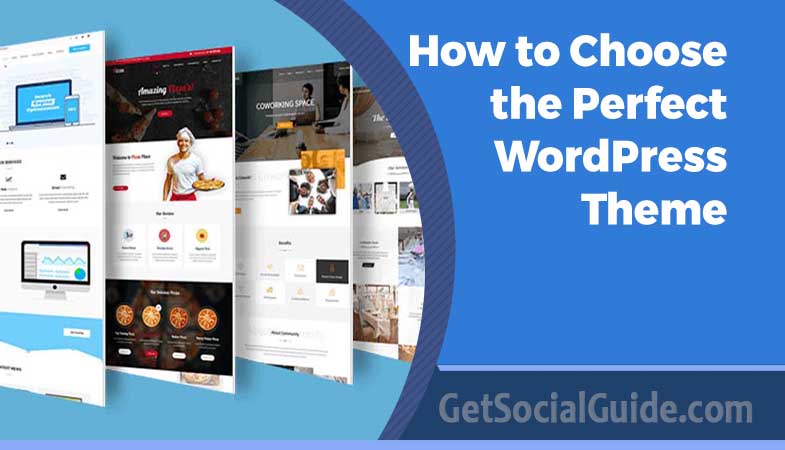
How to Choose the Perfect WordPress Theme for Your Website?
Creating a WordPress website is an exciting and rewarding endeavor, allowing you to showcase your personal brand, business, or creative projects to a global audience. WordPress, being one of the most popular content management systems, offers a plethora of themes and plugins to customize your site to your exact needs and preferences.
If you have decided to build a WordPress website, choose the relevant theme and good WordPress hosting for a successful online journey. Millions of websites worldwide are built on this same framework. The platform has regular updates and new features with continuous support and development. However, making a successful website without a perfect WordPress theme is not possible.
You must choose the best web hosting in Dubai for the perfect theme and WordPress plugins. Which is the right fit for your website development among the different themes? Certain factors need to be considered while choosing a suitable WordPress theme.
What is a WordPress Theme?
A WordPress theme is one of the most essential components of the website. It dictates how the website looks and how visitors interact with the content. Your website creates the first impression where visitors have an overlook of your brand. Thus, it is important to choose the perfect WordPress theme to make a significant impact. A visually compelling theme reflects professionalism and captures the attention of your target audience.
WordPress theme is a file group that helps in website design. These include template files, fonts, stylesheets, images, theme files, and possibly JavaScript files. All those files change how your posts and pages are displayed. Themes can control something as significant as your site’s layout or as small as the colours of your hyperlinks.
PRO TIP
Don’t confuse themes with page builders. A theme controls the overall design framework, while page builders (like Elementor or Beaver Builder) let you design individual pages with drag-and-drop. Many modern themes now come with built-in builder compatibility—look for those labelled “Elementor ready” or “Gutenberg optimized” for maximum flexibility. The official Elementor blog recommends starting with lightweight, builder-friendly themes for optimal performance .
How To Choose the Right WordPress Theme?
Here are some factors to consider when choosing a suitable WordPress theme, based on extensive research of top-ranking pages and expert recommendations .
Define Your Website’s Purpose
Before jumping into the sea of WordPress themes, it’s essential to know your needs and your website’s purpose. Are you designing a blog, store, portfolio, or Internet representation of a company? Every type of website has its specific characteristics regarding the necessities and features. Identifying the primary goal helps to narrow down the options at the level of selection of the theme, which will ultimately make the site more suitable for the user and easier to manage. Your niche and target audience should guide every design decision .
| Website Type | Recommended Theme Features | Popular Theme Examples |
|---|---|---|
| Blog / Magazine | Clean typography, multiple post formats, featured images, reading time estimation, social sharing | Astra, Kadence, GeneratePress |
| eCommerce Store | WooCommerce compatibility, product gallery, quick view, cart options, payment gateway support | OceanWP, Shopkeeper, Shoptimizer |
| Portfolio / Creative | Grid layouts, lightbox galleries, parallax effects, fullscreen images, masonry grids | Oshine, Uncode, Kalium |
| Business / Corporate | Pre-built landing pages, service sections, team members, testimonial sliders, FAQ sections | Divi, Enfold, Neve |
Prioritize Simplicity and Clean Code
The physical layout of the selected WordPress theme needs to be simple when making this selection. Although, when choosing a suitable theme, it might be more appealing to select one with bright, flashy animations and complicated designs, it is worth noting that they hinder the use of the website. Being minimal, without many elements and additional features, a clean and straightforward design facilitates visitor navigation and contributes to quicker loading times and compatibility across devices. Search for a theme that contains the necessary options to meet your needs but does not confuse the viewer.
The code quality matters tremendously. According to WordPress performance experts, themes with bloated code stuffed with unnecessary scripts and oversized CSS files will slow your site to a crawl . Google uses page speed as a ranking factor, so lightweight themes like Astra (loading under 0.5 seconds) or GeneratePress are often recommended for their minimalist approach .
Check for Responsiveness (Mobile-First Design)
Thus, it is utterly critical to be present on social networks and create a mobile-friendly website that meets current demands. A responsive WordPress theme can scale perfectly on any available width and be adapted to any gadget the viewer uses. Before making a final decision about the theme, it is recommended to check how it looks when you make your browser window small or open the site on a smartphone or tablet. Most modern themes come with responsive design elements, but it does not hurt to check one more time.
With over 60% of Google searches coming from mobile devices, mobile-first indexing means Google primarily evaluates your mobile site for rankings .
MOBILE USABILITY WARNING
Don’t just resize your browser—use real testing tools. Google’s Mobile-Friendly Test and Chrome DevTools device emulation are good, but nothing beats testing on actual phones. The eUKhost knowledge base recommends previewing the theme demo on your own smartphone before purchasing . Check menu usability, button sizes (thumbs need at least 48px targets), and whether pop-ups cover the screen on small devices.
Consider Browser Compatibility
All your website visitors will access the site with browsers like Chrome, Firefox, Safari, and Edge, among others. It is crucial to ensure your selected WordPress theme works and displays well for users in all the popular browsers. Usually, theme developers mention the list of supported browsers in the documentation with the theme. Still, it would help if you did not rely solely on that; scroll through your theme with different browsers to spot the instabilities.
Evaluate Plugin Support and Compatibility
Plugins are vital for extending the functionality of your WordPress site. Therefore, choosing a theme that supports popular plugins like WooCommerce, Yoast SEO, and Contact Form 7 is essential. A theme that integrates well with essential plugins can save you a lot of hassle in the long run. Check the theme’s compatibility with plugins and read reviews to ensure it works seamlessly with the tools you plan to use.
Be aware that some themes or plugins can conflict with each other. According to WordPress development best practices, plugins and themes that inject scripts and styles site-wide can break features of other plugins . Always test your essential plugins with the theme demo or during a refund period.
SEO Plugins
Ensure the theme outputs clean code and works with Yoast, Rank Math, or All in One SEO. Check if it supports schema markup automatically .
eCommerce
For stores, look for “WooCommerce ready” badges. The theme should handle product pages, carts, and checkout without conflicts .
Page Builders
If you use Elementor or Divi, pick a theme specifically coded to be lightweight with those builders to avoid bloat .
Caching & Performance
Check compatibility with WP Rocket, W3 Total Cache, or LiteSpeed Cache. Poorly coded themes can break caching .
Performance Testing: How to Evaluate Theme Speed
According to rigorous testing by Hostinger, theme performance varies dramatically. Their tests measured Kadence at 1.4s fully loaded time with 49.7KB page size, while Astra achieved 720ms with only 6 page requests . Before committing, run the theme’s demo through:
- Google PageSpeed Insights – Focus on Core Web Vitals (LCP, INP, CLS)
- GTmetrix – Check fully loaded time and page weight
- Pingdom Tools – Review performance grade and requests
SEO Friendliness and Semantic HTML
Google doesn’t “see” your design—it reads your HTML. If your theme is a pile of div soup, you’re making it harder for search engines to understand your content . Look for semantic tags: <header>, <main>, <article>, <section>, and proper heading hierarchy (one H1 per page, followed by H2-H3 in order).
PRO TIP
Schema markup is non-negotiable. A good SEO-friendly WordPress theme should either include basic schema for posts, pages, and breadcrumbs, or integrate seamlessly with schema plugins . Test with Google’s Rich Results Tool before launching.
Why Choose The Right WordPress Theme?
WordPress is quite versatile, and one can build virtually any type of website with it. Today, we see many kinds of themes that satisfy the various needs of people, including WooCommerce themes, membership site themes, and multi-purpose themes, which can be appropriate for any niche.
It is essential to understand that tens of customization settings accompany many WordPress themes. If not coded properly, these options can cause issues whenever you try to change themes or use another WordPress plugin. You will be stuck with that theme or have to find a WordPress developer to assist you with change.
However, some beautiful WordPress themes make your website very slow. A slow website is unsuitable for your SEO, users, consumers and many other aspects of your business.
Your theme is the interface of your WordPress site and influences the users and search engines regarding your site. Ideally, you are searching for a WordPress theme that looks good, is lightning-fast, and can be altered.
Where to Source Your Theme Safely
Always obtain themes from trusted sources :
- WordPress.org Theme Directory – Free, vetted themes with user reviews and ratings
- Premium Marketplaces – ThemeForest, TemplateMonster, StudioPress (Genesis Framework)
- Reputable Developers – Astra, Kadence, GeneratePress, OceanWP
SECURITY WARNING
Never use “nulled” or cracked themes. These almost always contain malicious code, backdoors, or hidden links. They are extremely dangerous and can compromise your entire site and server . Always pay for legitimate licenses.
Theme Features Checklist for 2025/2026
Based on analysis of top-ranking pages and expert consensus , here’s what your theme must include:
- ✅ Performance optimization – Lightweight code, under 2 second demo load time
- ✅ Mobile responsiveness – Seamless adaptation to all screen sizes
- ✅ Semantic HTML5/CSS3 – Proper heading structure, schema-ready
- ✅ Page builder compatibility – Works with Elementor, Gutenberg, etc.
- ✅ Regular updates – Compatible with latest WordPress and PHP versions
- ✅ Translation/ multilingual support – WPML or Polylang ready
- ✅ Accessibility features – WCAG 2.1 compliance where possible
Final Theme Selection Checklist
- ✅ Purpose match: Does the theme have demos similar to what you want to build?
- ✅ Speed: Run the demo through PageSpeed Insights—aim for >85.
- ✅ Responsive: Test on multiple devices (phone, tablet, desktop).
- ✅ Plugin compatibility: Will it work with your must-have plugins?
- ✅ Support & updates: Check when the theme was last updated and review support forum responses.
- ✅ Customization: Can you tweak colors, fonts, and layouts without touching code?
Summing Up
Choosing a suitable WordPress theme is crucial in building a full functional WordPress website. By defining your site’s purpose, prioritizing simplicity, and ensuring responsiveness, you set a solid foundation for a great user experience. Browser compatibility, plugin support, and SEO friendliness are essential for functionality and visibility.
Additionally, reading reviews and ensuring regular updates help you avoid potential issues down the line. Customization options allow you to create a unique site that aligns with your brand while sourcing your theme from trusted providers, which ensures reliability and security. By considering these factors, you’ll be well on your way to selecting a theme that looks great and performs exceptionally well.
Ready to start building? For beginners, we recommend starting with a lightweight, multi-purpose theme like Astra, Kadence, or GeneratePress paired with reliable hosting. These themes consistently top performance charts with sub-second load times and excellent SEO foundations . Happy building!
For official guidance, always refer to the WordPress.org Theme Directory for free, vetted themes, and sites like ThemeForest for premium options with extensive user reviews. For in-depth SEO considerations, the Visualmodo guide offers excellent insights on semantic markup and schema support .