Embracing the Latest Trends in Website Design
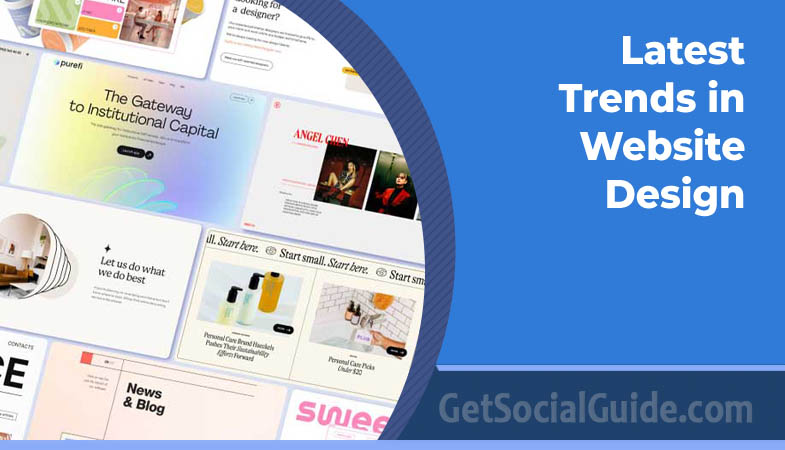
In the ever-evolving world of web design, staying up-to-date with the latest trends is crucial to creating engaging and visually appealing websites. As technology advances and user expectations change, designers are constantly finding innovative ways to enhance user experiences and make websites stand out. In this blog, we will explore the top 10 latest trends in website design that are shaping the digital landscape in 2023.
Dark Mode:
Dark mode has gained immense popularity recently due to its sleek and modern appearance. It not only reduces eye strain but also adds a touch of elegance to websites. Many popular platforms and apps have already embraced this trend, and web designers are now incorporating dark mode into their designs to provide users with an alternative visual experience.

The science behind dark mode extends beyond aesthetics. Research from Google’s Material Design team suggests that dark themes can significantly reduce power consumption on OLED screens, with potential battery savings of up to 60% at maximum brightness. This makes dark mode not just visually appealing, but also practical for mobile users. Major platforms like Twitter, Instagram, and YouTube now offer robust dark mode implementations, and users have come to expect this option as standard.
PRO TIP
Don’t just invert colors—design for dark mode intentionally. True dark mode isn’t simply black text on a white background flipped. Use true black (#000000) sparingly; instead, opt for dark grays like #121212 which reduce eye strain and allow shadows to create depth. Test your contrast ratios to ensure readability—the Web Content Accessibility Guidelines (WCAG) require a contrast ratio of at least 4.5:1 for normal text, even in dark mode.
When implementing dark mode, consider providing users with a toggle rather than relying solely on system preferences. Some users prefer light mode during daytime and dark mode at night, while others have consistent preferences. Websites like Smashing Magazine and CSS-Tricks have implemented elegant dark mode toggles that remember user preferences across sessions, creating a personalized experience that keeps visitors coming back.
Neomorphism:
Neomorphism is a design technique that blends minimalism and skeuomorphism, creating realistic and tactile elements on the screen. It focuses on creating a sense of depth through subtle shadows, gradients, and highlights. This trend adds a unique and futuristic touch to websites, making them more engaging and interactive.

Emerging from the broader “new skeuomorphism” movement, neomorphism creates interfaces that appear to be extruded from the background. Unlike the harsh drop shadows of the past, neomorphic designs use dual shadows—one light and one dark—to create the illusion that elements are either raised above or pressed into the surface. This creates a soft, almost tangible quality that feels both futuristic and familiar.
ACCESSIBILITY WARNING
Neomorphism can compromise contrast if implemented poorly. The soft, monochromatic shadows often reduce the contrast between elements and backgrounds, making it difficult for users with visual impairments to distinguish interactive elements. Always test neomorphic designs with contrast checkers and ensure buttons and links have clear states. Consider using neomorphism for decorative elements while maintaining high-contrast, clearly defined interactive components.
The key to successful neomorphism lies in restraint. Dribbble and Behance are filled with stunning neomorphic concepts, but production-ready implementations require careful attention to usability. Designers at companies like Apple and Google have experimented with neomorphic elements in their design systems, but always with clear interactive states. For example, buttons should have distinct hover and active states that depart from the neomorphic style to indicate interactivity.
Asymmetrical Layouts:
Moving away from traditional grid-based layouts, designers are now embracing asymmetrical layouts to create visually dynamic websites. Asymmetry adds a sense of creativity and unpredictability, capturing users’ attention and providing a memorable browsing experience. This is good for websites as it can intrigue the user and convince them to come back.
Asymmetrical design isn’t about chaos—it’s about purposeful imbalance that creates visual tension and guides the eye. Studios like Awwwards-winning agencies have mastered the art of asymmetry, using it to highlight key content and create memorable brand experiences. The key is maintaining visual hierarchy while breaking free from rigid grids. Elements can overlap, sizes can vary dramatically, and white space becomes an active design element rather than empty background.
Consider how Stripe’s website uses asymmetry to guide users through complex financial concepts. Their layouts often feature large typography on one side balanced by smaller illustrative elements on the other, creating dynamic tension while maintaining readability. This approach keeps users engaged and encourages scrolling—a crucial metric for conversion-focused websites.
Visual Interest
Asymmetry naturally draws the eye and keeps users exploring longer than predictable grids.
Responsive Challenges
Asymmetrical designs must carefully reflow on mobile—what works on desktop often needs complete rethinking.
Visual Balance
Use color, size, or motion to balance asymmetrical elements—it’s about perceived weight, not mathematical symmetry.
Strategic asymmetry can direct users toward CTAs and important content naturally.
Microinteractions:
Microinteractions are small, subtle animations or visual feedback that respond to users’ actions. They enhance the overall user experience and make websites feel more interactive and responsive. From animated buttons to loading spinners, microinteractions are being cleverly incorporated into website designs to engage users and provide delightful moments.

The psychology behind microinteractions is fascinating. According to Don Norman’s principles of design, feedback is essential for usability. Microinteractions provide that feedback at a granular level, confirming actions, indicating system status, and preventing errors. When you hover over a button and it gently lifts, or when a form field shakes to indicate an error, these microinteractions communicate with users in a language they instinctively understand.
PRO TIP
Use microinteractions to reduce perceived wait times. Loading animations, progress bars, and skeleton screens make delays feel shorter. Research shows that users perceive a 2-second load with a progress bar as faster than a 1-second load without feedback. Tools like Framer and Principle make prototyping microinteractions accessible even for non-coders.
Leading companies like Mailchimp and Slack have built entire brand identities around delightful microinteractions. Mailchimp’s high-five animation when you send a campaign, or Slack’s subtle typing indicators, create emotional connections with users. These moments may seem small, but they compound over time, turning functional interactions into memorable experiences that users want to repeat.
3D and Immersive Experiences:
Advancements in technology have made it easier for web designers to incorporate 3D elements into their designs. These three-dimensional visuals create a sense of depth, realism, and interactivity, providing users with immersive experiences. From 3D product showcases to interactive storytelling, this trend is transforming how websites engage and captivate audiences.

The barrier to entry for 3D web design has plummeted thanks to tools like Spline, Three.js, and WebGL frameworks. What once required specialized 3D artists can now be achieved by frontend developers with moderate JavaScript skills. Websites like Apple’s product pages use 3D to let users examine products from every angle, while creative portfolios like those on Awwwards use 3D to create virtual galleries that feel like physical spaces.
PERFORMANCE WARNING
3D elements are resource-intensive. Complex 3D scenes can drain battery life, cause fans to spin up, and make sites unusable on older devices. Always implement progressive enhancement—serve a static fallback for low-powered devices, and lazy-load 3D assets only when needed. Use tools like Google’s Lighthouse to measure the performance impact before deploying to production.
The rise of WebXR and AR capabilities means 3D on the web is no longer just for show. Furniture retailers like IKEA allow customers to place 3D models in their actual rooms using AR, while fashion brands let users try on clothes virtually. These immersive experiences bridge the gap between online browsing and physical shopping, reducing return rates and increasing conversion.
Simplifying navigation menus has become a key trend in website design. By reducing clutter and focusing on essential elements, designers are creating intuitive and user-friendly navigation experiences. Minimalist navigation often involves using hidden menus, hamburger icons, or sticky navigation bars, allowing users to easily find what they’re looking for without feeling overwhelmed.

The philosophy behind minimalist navigation is rooted in Hick’s Law, which states that the time it takes to make a decision increases with the number and complexity of choices. By reducing navigation options, designers help users make faster decisions and find content more efficiently. This doesn’t mean hiding important pages—it means prioritizing and organizing content so that the most important options are immediately visible while secondary options remain accessible through patterns users already understand.
Spotify’s web player exemplifies minimalist navigation done right. The main navigation is limited to “Home,” “Search,” and “Your Library”—everything else is contextual or accessible through these primary paths. This simplicity allows users to focus on music discovery rather than menu exploration. Similarly, Dropbox’s website uses a nearly invisible navigation bar that only appears on scroll, maximizing space for content while maintaining accessibility.
Ideal for mobile and content-heavy sites, but test extensively—some users miss hidden navigation.
Keeps key options accessible while scrolling, improving conversion rates on long pages.
Search-First
For content-heavy sites, prominent search can replace complex menus entirely.
Not minimalist, but can organize vast content efficiently—use with caution.
Bold Typography:
Typography plays a crucial role in website design, and in recent years, designers have been experimenting with bold and eye-catching typography. Large and expressive fonts are being used to create visual hierarchy, evoke emotions, and convey brand personalities. Combined with creative layouts, bold typography adds a strong visual impact to websites.

The resurgence of bold typography coincides with improved web font delivery and variable font technology. Google Fonts and Adobe Fonts now offer thousands of typefaces with extensive weights and styles, while variable fonts allow a single font file to behave like multiple fonts, adjusting weight, width, and other attributes dynamically. This technical freedom has liberated designers to treat typography as the primary visual element rather than supporting imagery.
PRO TIP
Pair bold typography with ample white space. Large, expressive fonts need room to breathe. Crowding bold type with other elements diminishes its impact. Use tools like Font Pair to find complementary typefaces, and always test on mobile—what looks bold and beautiful on desktop can overwhelm small screens. Consider using CSS clamp() to scale typography fluidly across device sizes.
Brands like Nike and Supreme have built their identities around bold typography, using custom typefaces that are instantly recognizable. On the web, this translates to hero sections where the headline occupies 50% or more of the viewport, creating immediate impact before users even process the supporting content. The key is balance—bold typography should lead, not overwhelm.
Immersive Video Backgrounds:
Video backgrounds have become a popular trend in website design, providing a captivating and immersive experience for users. By incorporating high-quality videos that relate to the website’s content or purpose, designers can effectively convey messages and evoke emotions, resulting in a memorable and engaging browsing experience.
Video backgrounds tap into our innate attraction to motion. Our peripheral vision is wired to detect movement, making video backgrounds effective attention-grabbers. When used appropriately, they can set mood, demonstrate products in action, or tell stories in ways static images cannot. Travel sites like Airbnb and tourism boards use video backgrounds to transport visitors to destinations before they’ve even read a word of copy.
PERFORMANCE & ACCESSIBILITY WARNING
Video backgrounds can significantly impact load times and accessibility. Always compress videos heavily (aim for under 5MB), provide poster images that load first, and respect user preferences for reduced motion. Many users find auto-playing videos distracting—consider making videos click-to-play by default, and always include controls. Remember that video content must be accessible to screen readers, so provide transcripts or descriptive alternatives.
Technical implementation matters enormously with video backgrounds. Modern techniques involve using the HTML5 video element with multiple sources for different browsers, proper compression for fast loading, and careful consideration of mobile data usage. Progressive enhancement is key—on slow connections, the poster image should provide the same messaging without the video. Services like Wistia and Vimeo offer optimized hosting solutions specifically designed for background videos.
Chatbots and AI Assistants:
Chatbots and AI assistants are becoming increasingly prevalent in website design, as they enhance user interactions and provide instant support. These intelligent virtual assistants can answer queries, provide recommendations, and guide users through websites, making the browsing experience more personalised and efficient.

The evolution of AI has transformed chatbots from clunky rule-based systems to sophisticated conversational agents. Large language models (LLMs) now power chatbots that understand context, remember conversation history, and provide human-like responses. Companies like Intercom and Drift have integrated AI into their customer service platforms, reducing response times from hours to seconds while handling common queries automatically.
PRO TIP
Don’t let your chatbot become a frustration point. Be transparent about whether users are talking to AI or a human, and provide clear escalation paths. Use analytics to identify where chatbots fail and continuously improve those flows. Remember that sometimes, a well-designed FAQ page or knowledge base is more efficient than any chatbot—use AI to enhance, not replace, good information architecture.
The strategic value of chatbots extends beyond customer support. E-commerce sites use AI assistants to guide product discovery, asking questions about preferences and budget before recommending specific items. Real estate sites use chatbots to qualify leads and schedule viewings automatically. Financial services use them to answer account questions securely. In each case, the chatbot serves as a 24/7 first point of contact, handling routine interactions so human agents can focus on complex issues.
Custom Illustrations and Graphics:
To create a unique and memorable brand identity, designers are leveraging custom illustrations and graphics in website design. Custom artwork adds personality and authenticity to websites, helping them stand out in a sea of generic designs. From hand-drawn illustrations to intricate animations, custom visuals are becoming a staple in modern web design.
The shift toward custom illustrations reflects a broader desire for authenticity in digital experiences. Stock photography, while convenient, often feels generic and fails to convey brand personality. Custom illustrations, by contrast, can be tailored to exactly match brand guidelines, evoke specific emotions, and create visual metaphors that explain complex ideas simply. Companies like Mailchimp, Stripe, and Intercom have built entire visual identities around distinctive illustration styles.
ILLUSTRATION STYLE GUIDE
- Consistency: Establish clear rules for color palette, line weight, and character proportions.
- Scalability: Design vector illustrations that scale from favicon to billboard without quality loss.
- Brand Integration: Illustrations should complement, not compete with, typography and photography.
- Accessibility: Ensure sufficient contrast and provide alt text for all meaningful illustrations.
- Cultural Sensitivity: Test illustrations with diverse audiences to avoid unintended meanings.
The process of creating custom illustrations has been democratized by tools like Figma, Procreate, and Adobe Illustrator, while platforms like Dribbble and Behance connect designers with talented illustrators worldwide. For startups and small businesses, services like ManyPixels and Blush offer customizable illustration libraries that provide the benefits of custom art without the cost of full custom commissions. As AI illustration tools evolve, we’ll likely see even more accessible ways to generate brand-consistent custom visuals.
Conclusion:
In the fast-paced digital landscape, staying updated with the latest trends in website design is crucial to creating captivating and user-centric online experiences. The trends discussed in this blog represent the current direction of web design, with a focus on enhancing user engagement, providing immersive experiences, and incorporating innovative elements. From the sleek and modern appeal of dark mode to the realistic and tactile nature of neomorphism, designers are constantly pushing boundaries to create visually striking and interactive websites. Asymmetrical layouts break away from traditional grids, adding a touch of creativity and unpredictability, while microinteractions and 3D elements bring websites to life, making them more engaging and immersive.
Simplicity and intuitive navigation are prioritised through minimalist navigation, while bold typography and immersive video backgrounds capture attention and convey messages effectively. The rise of chatbots and AI assistants revolutionises user interactions, providing personalised support and guidance. Lastly, custom illustrations and graphics allow websites to establish unique brand identities and stand out from the crowd. By embracing these latest trends, web designers have the opportunity to create exceptional digital experiences that not only captivate users but also align with their evolving expectations.
As we move forward, it’s essential for designers to keep an eye on emerging trends, as the digital landscape continues to evolve at a rapid pace. By staying informed and experimenting with new techniques, designers can push the boundaries of web design, creating websites that are not only visually stunning but also offer seamless user experiences. So, embrace the trends, experiment, and create websites that truly captivate and engage your audience in the ever-evolving world of website design.
Quick Reference: When to Use Each Trend
| Trend | Best For | Implementation Difficulty | ROI Potential |
|---|---|---|---|
| Dark Mode | Content-heavy sites, apps, creative portfolios | Medium | High (user preference) |
| Neomorphism | Dashboards, creative agencies, experimental brands | High | Medium (aesthetic focus) |
| Asymmetrical Layouts | Portfolios, landing pages, editorial sites | Medium | High (memorability) |
| Microinteractions | All sites (especially forms, e-commerce) | Low to Medium | Very High (UX improvement) |
| 3D Elements | Product showcases, gaming, tech companies | Very High | Medium (performance tradeoffs) |
| Minimalist Navigation | All sites (especially mobile-first) | Low | Very High |
| Bold Typography | Brand-forward sites, editorial, agencies | Low | High |
| Video Backgrounds | Travel, entertainment, luxury brands | Medium | Medium (bandwidth concerns) |
| Chatbots | E-commerce, SaaS, customer service | High | Very High (automation) |
| Custom Illustrations | Brands seeking unique identity | Medium to High | High (brand differentiation) |
Your Web Design Trend Implementation Checklist:
- ✅ Audit your current website against these 10 trends—identify 3 that align with your brand goals.
- ✅ Prioritize trends that improve user experience (microinteractions, minimalist navigation) over pure aesthetics.
- ✅ Test performance impact before committing—use tools like WebPageTest and Lighthouse.
- ✅ Implement progressively—roll out one trend at a time and measure user response.
- ✅ Stay curious—bookmark design inspiration sites like Awwwards, CSS Design Awards, and Behance.
Remember: trends come and go, but great user experience is timeless. Use these trends as tools in your design arsenal, not as ends in themselves. The best websites don’t follow trends—they set them.