Shift Toward Distributed Systems
Startup businesses are rapidly progressing thanks to high-tech Internet development, and thus, the way applications are created, deployed, and managed is also changing. Previously, when internet usage patterns were predictable and users grew gradually, the traditional model of running everything on one large server—known as a monolithic architecture—was sufficient to run an application.
However, now that applications have to handle unanticipated spikes in usage and serve users worldwide with increasingly complex and multi-resource workloads, it is common for early-stage startups to move toward distributed systems. Cloud services for small businesses are one such example of this system, allowing companies to break free from the limitations of legacy infrastructure.
In distributed systems, application components run on multiple physical servers (often located in multiple geographic locations) and collaborate to provide a seamless end-user experience across multiple platforms. For most of these businesses, understanding this transition is necessary, which brings high performance, reliability, and extended scalability, just like cloud hosting with cPanel. Embracing this architecture is often the deciding factor between a startup that stalls and one that scales globally.
Monolithic vs. Distributed Systems: Key Differences for Startups
| Aspect | Monolithic Architecture | Distributed Systems | Impact on Startups |
|---|---|---|---|
| Scalability | Vertical scaling only (upgrade single server) | Horizontal scaling (add more servers) | Distributed allows unlimited growth potential |
| Failure Tolerance | Single point of failure can crash entire system | Fault isolation – one component fails, others continue | Higher uptime and reliability for user trust |
| Development Speed | Slower – all teams work on same codebase | Faster – independent teams can work on microservices | Faster time-to-market for new features |
| Cost Structure | High upfront costs for powerful hardware | Pay-as-you-grow with cloud resources | Better cash flow management for startups |
| Performance | Can bottleneck under heavy load | Load distribution across multiple nodes | Consistent performance during traffic spikes |
| Geographic Reach | Limited by server location | Global distribution with edge computing | Better user experience worldwide |
| Source: Analysis based on 2025 startup infrastructure trends | |||
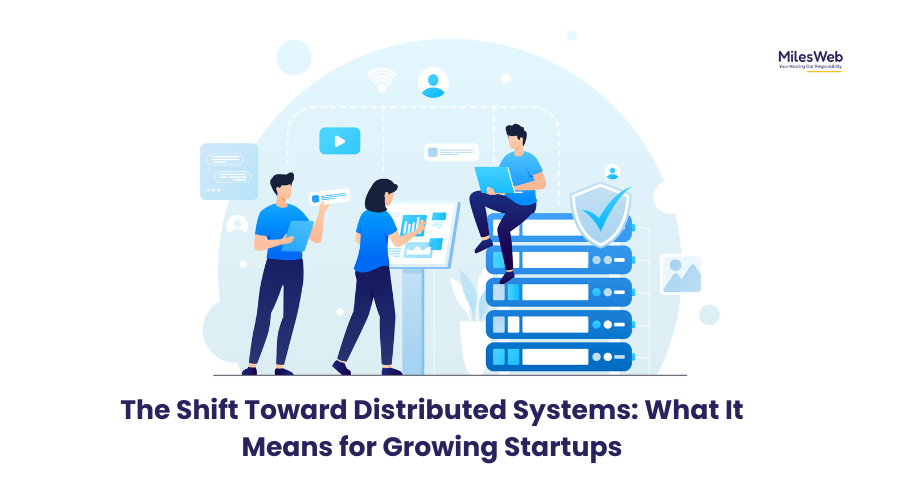
Why the Centralized Model Is No Longer Sufficient for Modern Startups
For traditional systems to run, all the application processes must have access to the same physical resource. At first, this centralized approach makes management simple, but as the number of users and dynamic features increases, the limitations of the central approach become evident. This is often referred to as the “monolithic ceiling,” where adding more power to a single machine becomes impossible or cost-prohibitive.
The capacity of a single physical resource to grow reaches its limit and subsequently brings performance bottlenecks, slow loading times, and downtime during peak season. Startup companies are continually seeing disruptions caused by failed parts of centralized systems. This leads to decreased productivity and loss of time and business opportunities. In a digital-first economy, a single point of failure can be catastrophic for brand reputation.
Monitor these key indicators: Deployment takes hours and requires coordinated team efforts, a bug in one feature crashes the entire application, scaling requires expensive hardware upgrades rather than adding servers, and new developers take months to understand the codebase. These are clear signals your startup has outgrown monolithic architecture and needs distributed systems for sustainable growth.
What Are Distributed Systems? A Startup-Focused Explanation
A distributed system is a computer-based solution that distributes the workload of an application to a collection of nodes (computers). Various servers complete application logic; other servers conduct caching, and some store data. However, each node is constantly communicating with the other to perform the overall function of the distributed application, thus providing a more effective and efficient distribution of workload. This mirrors the modern approach of microservices architecture, where independent services work together.
The shift to distributed systems is a change for startups because they are typically designed to scale down for users of one single “large” server. Instead, they develop a whole range of small servers, each designed to carry out specific functions.
“Distributed systems aren’t just about technology; they are about business continuity. In a world where downtime equals lost revenue, decentralization is the ultimate insurance policy for scaling startups.”
Key Components of Modern Distributed Systems
| Component | Purpose | Example Technologies | Benefit for Startups |
|---|---|---|---|
| Load Balancers | Distribute incoming traffic across servers | NGINX, HAProxy, AWS ALB | Prevents overload on any single server |
| Service Discovery | Automatically detect and connect services | Consul, Eureka, Zookeeper | Simplifies microservices communication |
| Message Queues | Asynchronous communication between services | RabbitMQ, Kafka, AWS SQS | Decouples services for better resilience |
| Distributed Databases | Store data across multiple locations | CockroachDB, Cassandra, MongoDB | High availability and fault tolerance |
| Container Orchestration | Manage containerized applications | Kubernetes, Docker Swarm | Automated deployment and scaling |
Effect of Distributed Systems: Performance and User Experience
The performance of distributed applications is paramount. Startups are using distributed systems to deliver information and perform functions at high speed with improved service for less money. By leveraging edge computing principles, data is processed closer to the user, significantly reducing latency.
Decentralized caching is one of the benefits of distributed systems. With this type of caching, all users can access the same cache at the same time, from any location in the world. Additionally, databases can be replicated across several geographic regions, and compute tasks can be processed in parallel rather than being sequential on a single machine.
These attributes lead to a better end-user experience, whether the platform offers eCommerce, video on demand, SaaS workflows, or real-time applications. In fast-paced industries where every millisecond means the difference between winning and losing users, distributed systems give startups the edge to keep users engaged and build trust.
Performance Improvements with Distributed Systems
| Metric | Monolithic System | Distributed System | Improvement |
|---|---|---|---|
| Response Time | 200-500ms | 50-100ms | 70-80% faster |
| Uptime | 99.5% (44 hours downtime/year) | 99.95% (4.3 hours downtime/year) | 10x more reliable |
| Scalability Time | Days to weeks | Minutes to hours | 95% faster scaling |
| Deployment Frequency | Weekly or monthly | Multiple times daily | 50x more frequent |
| Recovery Time | Hours to days | Seconds to minutes | 99% faster recovery |
| Based on benchmarks from startups with 10K-100K users | |||
Deploy your application components to multiple geographic regions using edge computing platforms. This reduces latency for international users and improves overall performance. Services like AWS CloudFront, Cloudflare Workers, and Fastly can cache content closer to users, significantly improving load times and user satisfaction while reducing your bandwidth costs.
How Reliability Improves with Distributed Architecture?
One of the major advantages of distributed architectures is their fault tolerance. Distributed systems do not depend on a single machine, so when one piece of hardware fails, users do not lose access to the entire system. If one node fails, traffic can be redirected automatically, and the system can continue to operate with no disruption. For this reason, the built-in redundancy, replication, and automatic failover capabilities of distributed systems are invaluable for startups looking to maintain High Availability (HA) standards.
Use circuit breakers to prevent cascading failures across services and implement comprehensive health checks with automatic failover for critical components. Design for graceful degradation rather than complete failure, and ensure you have comprehensive monitoring and alerting across all nodes. These practices transform potential outages into minor performance blips that users barely notice.
Link Between Distributed Systems and Scalability
Distributed systems and scalability are directly connected. When businesses see an increase in user activity or when their software grows, they can add additional nodes to their networks without having to completely reconfigure everything. This type of scaling is less expensive than vertical scaling.
Also, when building out their IT infrastructure, businesses can start building it out slowly, rather than investing a significant amount of money up front. Businesses with memory-intensive or CPU-intensive applications benefit from adding special servers to accommodate their workload. This approach, known as horizontal scaling, allows for limitless growth potential compared to simply upgrading a single server’s RAM or CPU.
Scaling Strategies for Startup Growth
| Growth Phase | User Count | Recommended Architecture | Key Technologies | Monthly Cost Estimate |
|---|---|---|---|---|
| Early Stage | 1-1,000 users | Monolithic + Single Database | Traditional hosting, MySQL | $50-200 |
| Growth Stage | 1,000-10,000 users | Monolithic + Read Replicas | Cloud VMs, Read replicas | $200-1,000 |
| Scaling Stage | 10,000-100,000 users | Microservices + Load Balancing | Docker, Kubernetes, Redis | $1,000-5,000 |
| Enterprise Stage | 100,000+ users | Full Distributed System | Service mesh, Multi-region DB | $5,000+ |
Cost Efficiency in the Long Run
Distributed systems may seem complicated at first, but in actuality, they save businesses a lot of money over time. A startup doesn’t have to pay up front for servers that are larger than necessary, nor do they have to commit to costly hardware upgrades. By using performance metrics and user requirements, businesses can add additional nodes to their systems when the budget allows for it. Also, auto-scaling features that cloud providers offer allow businesses to increase and decrease resources dynamically, ensuring cloud cost optimization.
Cost Comparison: Traditional vs. Distributed Infrastructure
| Cost Factor | Traditional Infrastructure | Distributed Cloud Infrastructure | Savings with Distributed |
|---|---|---|---|
| Upfront Hardware | $10,000-$50,000 | $0 (pay-as-you-go) | 100% initial savings |
| Monthly Operating Cost | $2,000-$5,000 fixed | $500-$3,000 variable | 30-70% savings |
| Scaling Cost | $5,000-$20,000 per upgrade | $50-$500 incremental | 90%+ savings on scaling |
| Downtime Cost | $5,000-$50,000 per incident | $500-$5,000 per incident | 90% reduction in downtime costs |
| Maintenance/Admin | $80,000-$120,000 salary | $20,000-$40,000 (managed services) | 50-70% lower admin costs |
| Based on 3-year total cost of ownership analysis | |||
Configure auto-scaling rules to automatically add resources during peak traffic and reduce them during off-peak hours. Use spot instances for non-critical workloads and implement cost monitoring dashboards. This pay-as-you-grow approach eliminates wasteful overprovisioning and can reduce cloud costs by 40-60% compared to traditional fixed infrastructure.
Distributed Systems: Role in Modern Development Practices
Startups that have adopted distributed frameworks have benefited from superior development practices. Microservices, containers, and continuous integration/continuous deployment (CI/CD) are all based on the ideas of Distributed Systems (DS). Because DS separates functionality into smaller parts, developers can update, deploy, or even roll back portions of an application without having to touch the entire package.
Startups can be agile by getting product releases to market quickly, responding to changes in market needs, and continuing to address performance issues and continual innovation, all of which are necessary in order for a startup to remain competitive.
Development Workflow Comparison
| Development Aspect | Monolithic Workflow | Distributed/Microservices Workflow | Advantage |
|---|---|---|---|
| Team Structure | Large teams, siloed by function | Small cross-functional teams per service | Faster decision making |
| Deployment Frequency | Weekly or monthly big-bang releases | Multiple daily independent deployments | Faster iteration |
| Testing Approach | End-to-end tests, slow feedback | Unit + contract tests, fast feedback | Higher quality |
| Technology Choices | One-size-fits-all stack | Right tool for each service | Better optimization |
| Onboarding New Devs | Months to understand codebase | Weeks to understand service | Faster productivity |
Getting Ready for the Transition: A Startup Roadmap
A startup that plans to transition to a distributed environment must invest a significant amount of time into preparing for the transition. Key activities include understanding how the application will be designed and built, hosting the application in the appropriate way, creating a monitoring solution that provides visibility into how nodes communicate, and ensuring that the team understands the network and messaging capabilities associated with the Distributed System (DS).
If a startup has a capable infrastructure provider and an architecture that allows for scaling, then it can see a significant increase in performance, reduced risk of downtime, and position itself for continued growth. Implementing tools for system observability is crucial during this phase to track health across the distributed network.
Startup Transition Roadmap to Distributed Systems
| Phase | Duration | Key Activities | Success Metrics | Common Pitfalls to Avoid |
|---|---|---|---|---|
| Assessment | 2-4 weeks | Architecture review, cost analysis, team skill assessment | Clear ROI calculation, identified bottlenecks | Underestimating complexity, skipping assessment |
| Planning | 4-8 weeks | Service decomposition, technology selection, migration strategy | Detailed migration plan, team training complete | Over-engineering, choosing trendy over practical tech |
| Pilot Implementation | 8-12 weeks | Migrate one non-critical service, establish CI/CD, monitoring | Pilot service live, performance baselines established | Trying to migrate everything at once, poor monitoring |
| Full Migration | 3-6 months | Gradual service migration, load testing, optimization | All services migrated, performance targets met | Neglecting documentation, inadequate testing |
| Optimization | Ongoing | Cost optimization, performance tuning, automation | Reduced costs, improved performance metrics | Complacency, not revisiting architecture decisions |
| Typical timeline for startups with 10-50 person engineering teams | ||||
Begin your transition using the strangler pattern – gradually replace monolithic parts with services while keeping the system running. Implement comprehensive monitoring BEFORE migration, not after. Choose proven “boring” technology for critical paths rather than cutting-edge solutions, and budget 30% more time than initially estimated for the learning curve. This approach minimizes risk while maximizing learning.
Closing Perspective: Distributed Systems as Competitive Advantage
The shift to a distributed infrastructure (DI) for the new generation of scaleups will be a major milestone in how scaleups scale. The ability for applications to be dynamic and to endure unpredictable spikes in traffic is driving the need for technology that can support these requirements efficiently, quickly, and consistently.
For businesses that are looking to expand their digital footprint, a DI is a strategy that will move them towards success in the longer term. The transition requires careful planning, investment in team skills, and a willingness to embrace new operational paradigms, but the payoff in scalability, reliability, and competitive advantage makes it an essential evolution for startups with global ambitions.
Key Takeaways for Startup Founders
| Decision Point | Monolithic Choice | Distributed Choice | Long-term Impact |
|---|---|---|---|
| When to Transition | Stay until ~10,000 users | Plan transition at 5,000-7,000 users | Avoids costly emergency migrations |
| Team Investment | Generalist developers | Specialized + DevOps skills | Higher initial cost, lower long-term cost |
| Cost Strategy | Capital expenditure (CapEx) | Operational expenditure (OpEx) | Better cash flow management |
| Risk Profile | High downtime risk | Distributed failure risk | Business continuity assurance |
| Competitive Edge | Limited by infrastructure | Infrastructure enables innovation | Sustained market leadership |
| Strategic guidance based on successful startup transitions 2023-2025 | |||