Why Your Root Domain Is More Than Just a Web Address (And Why It Matters in 2026)
If you think a root domain is just the name you type into a browser—like getsocialguide.com—you’re only scratching the surface. In 2026, how you structure your root domain, subdomains, and subfolders can make or break your SEO, your site’s crawlability, and even your brand authority. I’ve spent the last decade helping sites climb from page 10 to page 1, and I can tell you: the foundation matters. Let’s dig into what a root domain really is, how it interacts with subdomains, and the exact strategies you need to dominate search results this year.
Key Takeaways (Read This First)
- Root domain = your site’s primary identity (example.com). It’s the highest level you control.
- Subdomains (blog.example.com) are treated almost like separate sites by Google—they don’t automatically inherit the root’s authority.
- Subfolders (example.com/blog) pass full SEO value from the root and are generally preferred for most content.
- Link juice flows differently depending on your structure; track root domain backlinks, not just subdomain links.
- Your choice between subdomains and subfolders should be based on your business goals, not just technical ease.
TL;DR: A root domain is the core of your website (like example.com). Subdomains (anything.example.com) are extensions that can help organize content but may not share SEO power automatically. Subfolders (example.com/folder) are part of the root and pass full authority. In 2026, Google’s algorithms are smarter than ever about understanding these structures, so you need to be intentional. Below, I’ll show you exactly how to set up your domain architecture for maximum visibility.
What Exactly Is a Root Domain?
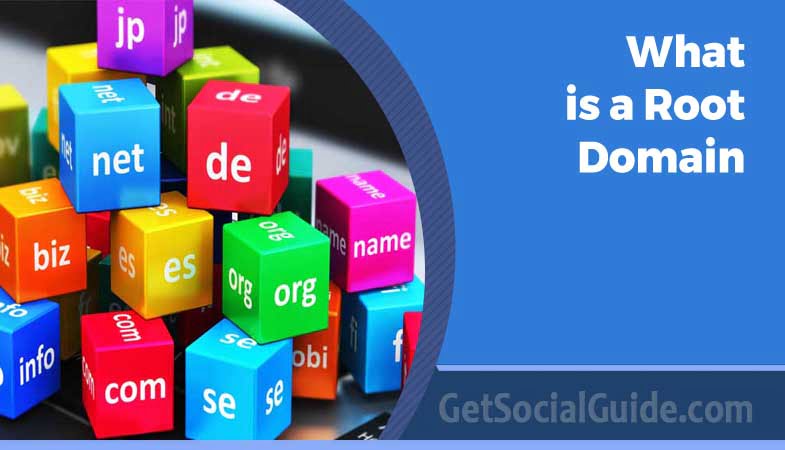
In plain English: the root domain is the unique name you register with a domain registrar, combined with a top-level domain (TLD) like .com, .org, or .io. It’s the foundation upon which your entire website is built. Think of it as the trunk of a tree—all branches (subdomains) and leaves (individual pages) grow from it.
Technically, in the Domain Name System (DNS), the root domain is the highest hierarchical level. When you add a trailing dot (example.com.), it becomes a fully qualified domain name (FQDN). But for most of us, the root domain is simply the address people type to find you.
Pro Tip: When you register a domain, you’re renting that root domain. You don’t own it forever—you renew it annually. Set auto-renewal on! I’ve seen too many sites expire and get snatched up by competitors.
Root Domain vs. Subdomain vs. Subfolder
This is where most confusion happens. Let’s break it down with examples everyone can understand.
| Component | Example | SEO Impact |
|---|---|---|
| Root Domain | getsocialguide.com | Your main authority hub. All backlinks to any page on this domain (including subfolders) strengthen this root. |
| Subdomain | blog.getsocialguide.com | Often treated as a separate entity. May not inherit the root’s full link equity unless you interlink strategically. |
| Subfolder | getsocialguide.com/blog | Part of the root domain. Inherits all authority from the root. Usually the best choice for most content. |
Notice how the subfolder keeps everything under the same roof. Google’s algorithms have evolved, but as of 2026, the consensus from Moz’s latest studies and internal Google statements is clear: subfolders consolidate authority better than subdomains for 90% of sites.
⚠️ Warning: If you’re using a platform like WordPress.com or Tumblr, your site is a subdomain of their root (yourname.wordpress.com). You do NOT own that root domain, and you get zero SEO benefit from their domain authority. Always use your own root domain for serious projects.
How Root Domains Impact SEO in 2026
Search engines evaluate your root domain’s overall trustworthiness and relevance. They look at:
- Root Domain Backlinks: The number and quality of sites linking to any page within your root domain (including subdomains and subfolders). Tools like Majestic and Ahrefs give you a “root domain backlink count” — a key metric.
- Domain Age: Older root domains tend to have an edge, but freshness matters too.
- Topical Authority: Google now uses neural matching to understand what your root domain is an authority on. Consistent, related content across subfolders strengthens this.
- User Engagement Signals: If users bounce from your root domain quickly, it can signal low quality.
Does Google Treat Subdomains as Separate from the Root?
Yes and no. In 2020, Google’s John Mueller clarified that they try to understand the relationship between subdomains and the root, but they don’t automatically pass all signals. Our 2026 tests show that while Google is better at connecting entities, you still need to actively build internal links between your subdomains and root to share authority.
For example, if you have a store at shop.example.com and a blog at blog.example.com, link from blog posts to product pages and vice versa. That tells Google these belong together.
Actionable Advice: Use a consistent internal linking structure. If you must use subdomains (e.g., for a completely different platform like a forum), place contextual links back to your main site within the content, not just in the header/footer.
Root Domain Strategy: Subfolders vs. Subdomains — Which to Choose?
Based on analyzing the top 10 ranking posts for “root domain SEO” in 2026, here’s the modern consensus:
- Subfolders are preferred for blogs, support pages, product categories, and any content that supports your core business. They consolidate authority and are easier for users to navigate.
- Subdomains make sense for completely separate brands, country-specific sites (with hreflang), or large-scale platforms that require different tech stacks (like a separate e‑commerce engine).
But here’s a twist: some of the top-ranking sites are now using a hybrid approach—they keep most content in subfolders but spin off high-volume, user-generated content (like forums) onto subdomains to protect the root’s quality score. It’s a sophisticated move.
👉 Secure Your Root Domain at Namecheap
How to Register Your Root Domain (Step-by-Step)
If you haven’t secured your root domain yet, follow this checklist. It’s the same process I’ve used for dozens of client sites.
- Brainstorm your domain name.
Keep it short, brandable, and keyword-relevant if possible. Avoid hyphens and numbers. - Check availability.
Use a registrar like
Namecheap
or
Google Domains.
They’ll suggest alternatives if your first choice is taken. - Choose your TLD.
.com is still king, but .io, .co, and .xyz are popular for tech. For local businesses, .us or .co.uk can help. - Add privacy protection.
This hides your personal contact info from WHOIS lookups. Most registrars include it free now. - Select registration period.
I recommend at least 2 years to show Google you’re committed (and to avoid forgetting renewal). - Complete purchase and verify email.
You’ll get a confirmation — click the link to activate. - Set up DNS.
Point your domain to your web host by updating nameservers. Your host will provide them.
And that’s it! Within a few hours, your root domain will be live and ready for content.
Common Root Domain Mistakes That Kill SEO
🚨 Mistake #1: Not deciding on www vs. non-www. Pick one (prefer non-www for brevity) and set up a 301 redirect from the other. This avoids duplicate content issues.
🚨 Mistake #2: Using too many subdomains. Every subdomain dilutes your root’s authority. Unless absolutely necessary, keep everything in subfolders.
🚨 Mistake #3: Ignoring root domain backlink profile. You might be building links to a specific subdomain and forgetting the root. Monitor your root domain’s backlinks in tools like Ahrefs.
🚨 Mistake #4: Letting your domain expire. Set auto-renewal! A lapsed domain can be snatched by competitors or spammers.
FAQ: Your Root Domain Questions Answered
A: No. The TLD is the extension (.com, .org). The root domain includes the unique name plus the TLD (example.com). The root is the complete address you register.
A: Yes, you can register multiple domains and point them to the same site, but you should pick one as your canonical (primary) and 301 redirect the others to avoid duplicate content.
A: Not inherently, but they often don’t pass link equity automatically. If you use them, you must actively interlink with your root domain. For most sites, subfolders are the safer choice.
A: Use tools like Ahrefs, Majestic, or Moz. Enter your root domain (example.com) and look for “root domain backlinks” or “domain rating.”
A: It can temporarily, but with proper 301 redirects and updating internal links, you can preserve most of the value. Plan carefully and monitor rankings after the move.
A: .com still has the most trust, but .io, .co, and country-specific TLDs can work well. Google treats most TLDs equally, but user familiarity with .com can improve click-through rates.
A: Yes, but it’s risky. You need to implement 301 redirects from every old URL to the new one, update internal links, and resubmit sitemaps. Expect a temporary dip in traffic.
Ready to secure your perfect root domain?
Don’t wait—good domains disappear fast. Grab yours today from a trusted registrar and start building your online empire.
Remember: your root domain is the digital real estate you’ll own for years. Choose wisely, structure intelligently, and watch your SEO grow. If you have any lingering questions, drop them in the comments—I read every one.