The Road to WordPress 7.0: What Happened in 2026?
WordPress 7.0 — officially named “Armstrong” after jazz legend Louis Armstrong — dropped on May 20, 2026, and it is arguably the most consequential release since Gutenberg rewrote the editing experience back in 2018. Eight years of incremental evolution culminated in this single update: a native AI client baked into core, a completely rebuilt admin dashboard powered by React DataViews, PHP-only block registration, browser-side media processing, and the long-awaited groundwork for real-time collaborative editing (even if the final collaboration feature itself got pulled days before launch). Whether you manage a personal blog, a WooCommerce store, or a sprawling enterprise multisite network, WordPress 7.0 changes how you build, publish, and manage content.
This deep-dive guide covers every major feature, walks you through the safest upgrade path, explains what got postponed and why, and maps out what comes next in WordPress 7.1 and 7.2. Read on to get fully up to speed — and to stay ahead of the 43 percent of the entire internet that now needs to decide when and how to update.
The Road to WordPress 7.0: What Happened in 2025?
To truly understand WordPress 7.0, you need to understand the turbulent year that preceded it. The WordPress community expected three major releases in 2025. That plan fell apart almost immediately. A high-profile legal dispute between WordPress.org and WP Engine created a governance crisis that had ripple effects across the entire open-source ecosystem. Automattic — the company behind WordPress.com and the single largest corporate contributor to WordPress core — temporarily halted its contributions to the project.
Because Automattic employs a disproportionately large share of core developers, that pause created an immediate capacity gap. Initiatives stalled. Coordination across teams became complicated. Mary Hubbard, WordPress Executive Director, publicly announced that no additional major release would ship until 2026. The community rallied, independent contributors stepped up, and WordPress 6.9 (“Gene”) shipped in December 2025 as a stabilization release — clearing technical debt, shipping Notes for block-level commenting, and laying the pipe for everything 7.0 would deliver.
The upside of that difficult year? The development team arrived at 7.0 with extraordinary focus. Features that shipped are stable. Features that were not ready got cut rather than rushed. That discipline shows in the release — and it is a meaningful shift in how WordPress handles major version milestones.
WordPress 7.0 Release Timeline and Development Phases
| Phase | Date | What Happened |
|---|---|---|
| Alpha / Feature Planning | November 2025 | Contributors began integrating Gutenberg Phase 3 features into core branches |
| Beta 1 | February 19, 2026 | Public testing begins; real-time collaboration features available for testing |
| Beta 2–5 | February–March 2026 | Community feedback loop; critical bugs identified in collaboration DB architecture |
| RC 1 & RC 2 | March 19, 2026 | Feature freeze; only critical bug fixes allowed |
| Extended RC Phase | April 2026 | Database stability issues discovered; RC phase extended |
| RC 3 | May 8, 2026 | Real-time collaboration pulled from core; RC 3 treated as a new beta cycle |
| RC 4 | May 14, 2026 | Final effective release candidate; final developer Field Guide published |
| Code Freeze | May 19, 2026 | No further changes permitted |
| General Release | May 20, 2026 | WordPress 7.0 “Armstrong” publicly available |
The release was originally slated for April 9, 2026 — timed to coincide with WordCamp Asia in Mumbai for maximum global visibility. The extension pushed the date back six weeks, but the core team chose stability over spectacle. The release leads were Matias Ventura as overall Release Lead, with Ella van Durpe and Mukesh Panchal serving as technical leads.
WordPress 7.0 Key Features: A Complete Breakdown
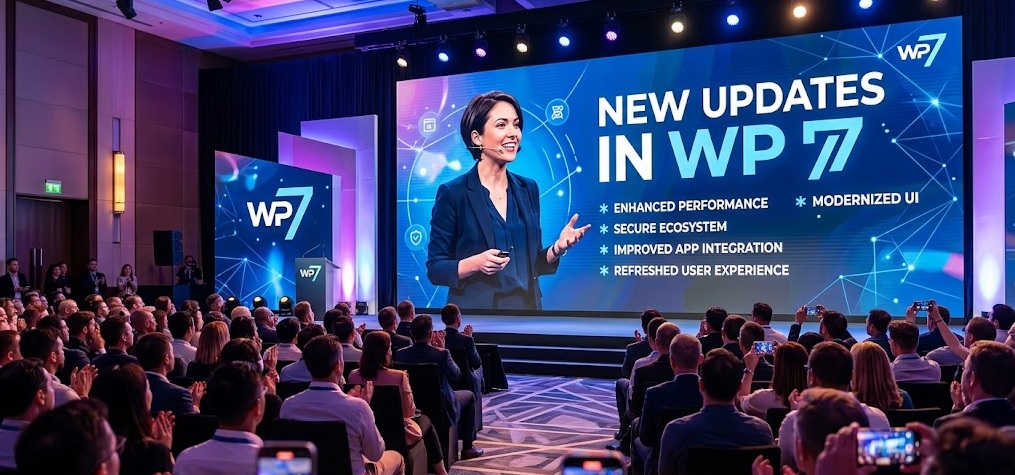
WordPress 7.0 ships with a genuinely long list of meaningful changes. Unlike minor releases that patch bugs and tweak interfaces, this version restructures core pillars of the platform. Here is a structured overview before we go deep on each one:
- 🤖 WP AI Client API — Provider-agnostic, PHP-based AI infrastructure built natively into core
- 🔌 AI Connectors Screen — Unified settings interface for connecting OpenAI, Anthropic, Google, and other AI providers
- 🧩 Abilities API (JavaScript) — Extends AI capabilities into block-editor UI interactions
- 📋 DataViews — Modern, React-based replacement for legacy admin list tables (Posts, Pages, Media)
- 📝 Block-Level Notes — Single-user block commenting system with @mention notifications
- 👁️ Visual Revisions — Timeline slider for restoring past content versions
- 📦 PHP-Only Block Registration — Build blocks in pure PHP without JavaScript build pipelines
- 🎯 Responsive Block Visibility Controls — Hide or show blocks per device breakpoint
- 🎬 Browser-Side Media Processing — Client-side image/video compression before upload
- 🍞 New Breadcrumbs Block — Native breadcrumb navigation for FSE themes
- 🔣 New Icons Block — SVG icon embedding without plugin dependency
- 🎥 Cover Block Video Backgrounds — Embedded video support in Cover blocks
- ⌨️ Command Palette Shortcut — Faster keyboard navigation across the editor
- 🔢 PHP 7.4 Minimum Requirement — End of support for PHP 7.2 and PHP 7.3
- 🛠️ WP-CLI 3.0 — New
wp blockandwp abilitycommand sets launching alongside 7.0
WP AI Client API and Abilities API: WordPress Goes Native AI
The headline technical addition in WordPress 7.0 is the WP AI Client — a provider-agnostic PHP API embedded directly in WordPress core. For years, AI integration in WordPress meant installing heavy third-party plugins, each with their own approach, their own API keys, and their own compatibility quirks. That era is over.
The WP AI Client uses a fluent builder pattern. Developers call wp_ai_client_prompt() with method chaining: using_system_instruction(), using_max_tokens(), and generate_text(). The system is completely provider-agnostic — it does not care whether you plug in OpenAI’s GPT-4o, Anthropic’s Claude, Google Gemini, or a locally hosted model. The actual provider plugins install separately from WordPress.org and configure under a new Settings > Connectors screen.
This architecture is deliberate and clever. WordPress core does not lock users into any AI vendor. You swap providers without touching your theme or custom plugin code. For enterprise sites, that vendor flexibility is genuinely valuable — procurement teams can negotiate contracts with AI providers without forcing developers to rewrite integrations.
What Can the AI Client Actually Do?
- Adjust text tone (formal, casual, persuasive) directly in the block editor
- Summarize long-form content into excerpts
- Generate complete block patterns from a text prompt
- Answer natural language queries about site content
- Integrate with the new Abilities API for editor-level UI interactions
The Abilities API (JavaScript)
Alongside the PHP AI Client, WordPress 7.0 ships the JavaScript version of the Abilities API. This layer extends AI functionality into the block editor’s UI — letting plugins register their own “abilities” (discrete AI tasks) that appear contextually as users write or edit. Think of it as a structured plugin contract: rather than every AI plugin doing its own thing in the editor toolbar, they register abilities through a standard API that WordPress controls and surfaces consistently.
WP-CLI 3.0, releasing in tandem with WordPress 7.0, adds two new command sets: wp block for read-only block entity access, and the new wp ability commands for working with the Abilities API from the command line — critical for developers building automated content workflows.
DataViews: The WordPress Admin Dashboard Is Finally Modern
If you have used WordPress for any meaningful length of time, you know the feeling: opening the Posts list, staring at a table that looked exactly the same in 2012, manually clicking through pagination to find one specific post. DataViews ends that. In WordPress 7.0, the Posts screen, Pages screen, and Media Library are rebuilt from the ground up using a modern React component architecture.
DataViews replaces static PHP-rendered admin list tables with dynamic, client-side interfaces that support:
- Instant filtering without page reloads — filter by author, status, category, tag, or date range in real time
- Grid and list view toggle — switch between a card-based visual grid and a traditional row layout
- Inline editing — update post status, title, or author directly in the list view without opening the post
- Bulk actions — faster, more responsive handling of mass-publishing, mass-deleting, or reassigning content
- Third-party type registration via the Field API — plugins can register custom content types inside DataViews
The DataViews experience in WordPress 7.0 also includes a new Activity layout and an improved Details layout inside the Site Editor. The overall effect is an admin dashboard that finally feels like a modern web application rather than a relic of the early WordPress era.
Block Editor Improvements in WordPress 7.0
WordPress 7.0 delivers a batch of editor-level improvements that content creators and site builders have been requesting for years. These are not cosmetic changes — they meaningfully expand what you can do inside the block editor without reaching for a page builder or custom plugin.
Responsive Block Visibility Controls
You can now control the visibility of any block based on the device breakpoint. A full-width hero image that looks great on desktop but clutters a mobile screen? Hide it on mobile with a toggle. A CTA block designed specifically for mobile users? Show it only on small screens. This was previously possible only through third-party plugins like Advanced Custom Fields workarounds or custom CSS classes. It is now a core feature, accessible directly from the block inspector panel.
Per-Block Custom CSS
Each block now has a dedicated Custom CSS field in the Advanced panel of the block inspector. This lets developers and advanced users write block-scoped styles without polluting the global stylesheet or adding custom CSS to the entire theme. The CSS applies only to that specific block instance, keeping stylesheets lean and debuggable.
Visual Revisions
WordPress has had revision history for years, but the old system required navigating to a separate screen and comparing text diffs. WordPress 7.0 replaces that with a visual revisions timeline — a slider that lets you scrub through past versions of a post or page and see a visual preview of each saved state. Restoring a previous version is a single click. This is particularly valuable for editorial teams where multiple contributors make changes to the same piece of content over time.
Block-Level Notes (Expanded)
Notes — which shipped initially in WordPress 6.9 — are expanded in 7.0. The system allows threaded, block-level comments tied to specific blocks rather than the document as a whole. In WordPress 7.0, Notes supports @mention notifications, so editors can tag specific team members in a comment and trigger an email notification. This creates a lightweight editorial workflow directly inside WordPress without requiring a separate project management tool.
Command Palette Shortcut
Power users gain a new command palette shortcut in the block editor, providing keyboard-driven access to common editor actions — inserting blocks, switching templates, toggling editor modes, and more. Think of it as Spotlight or VS Code’s command palette, but inside WordPress. Once you start using it, going back feels impossible.
WordPress 7.0 introduces two new native blocks. The Breadcrumbs block generates dynamic breadcrumb navigation automatically based on a post’s position in the content hierarchy — essential for FSE (Full Site Editing) themes that want semantic, accessible navigation without a plugin. The Icons block lets you embed SVG icons from a curated library directly into content or templates, eliminating the need for icon font plugins or custom SVG upload workarounds.
Cover Block: Embedded Video Backgrounds
The Cover block — one of WordPress’s most visually versatile blocks — now supports embedded video backgrounds natively. Previously, video backgrounds in Cover blocks required workarounds or custom HTML. In 7.0, you upload a video, set it as the Cover block’s background, and the block handles autoplay, muting, and poster fallback images automatically.
PHP-Only Block Registration: A Developer Game-Changer
This feature will not make headlines on tech blogs, but among the WordPress developer community it is genuinely transformative. Before WordPress 7.0, building a custom block required JavaScript — specifically, a React-based component registered through the block API, typically built with a Node.js build pipeline using tools like webpack or Vite.
That requirement created a meaningful barrier for developers who work primarily in PHP. A backend developer who wants to expose a custom field as a block had to either learn React tooling or hand the task to a JavaScript developer. WordPress 7.0 removes that barrier entirely. Blocks can now be registered and rendered entirely via PHP.
WordPress automatically generates Inspector controls for common attribute types — text, number, boolean, select — based on the block’s attribute schema. For simple display blocks that do not require complex JavaScript interactions, this approach eliminates build tool dependencies, reduces bundle size, and makes custom block development accessible to the entire PHP developer community.
Browser-Side Media Processing: Faster Uploads, Smaller Files
Media handling has been a persistent pain point in WordPress. Large image uploads slow down the server, eat into PHP memory limits, and create performance bottlenecks — particularly on shared hosting. WordPress 7.0 addresses this with browser-side media processing: images and videos are compressed and resized in the user’s browser before the file is sent to the server.
The practical benefits are significant:
- Uploading a 15MB RAW image no longer hammers the server’s PHP memory allocation
- Upload speeds improve dramatically on slow connections because the file is smaller before transfer
- Server-side PHP image libraries (GD, Imagick) handle less load
- Users on mobile connections — a growing segment of content creators — get a noticeably faster upload experience
This feature uses the browser’s native Canvas API and modern JavaScript media APIs, so there is no plugin or server configuration required. It works immediately for any site running WordPress 7.0 in a modern browser.
What Happened to Real-Time Collaboration?
The most anticipated feature in WordPress 7.0 — real-time collaborative editing, where multiple users can co-edit the same post simultaneously like in Google Docs — was pulled from the release on May 8, 2026, just twelve days before launch. This was not a soft disable or a feature flag. The code was deleted from core for RC 3.
The decision came down to architectural stability. During the extended RC testing phase, the development team identified unresolved issues with database synchronization, server load under concurrent editing scenarios, and synchronization bugs that could result in content loss. Project leadership — specifically Matt Mullenweg — made the call to cut the feature rather than ship something unstable to 500+ million websites.
The feature will be re-evaluated during the WordPress 7.1 cycle. That is not a commitment to ship it in 7.1 — it is a commitment to keep developing it. Given how complex operational transformation (the algorithm that powers real-time co-editing) is at scale, setting realistic expectations matters. When it does ship, it will be solid.
In the meantime, editorial teams wanting collaborative WordPress workflows can look at established solutions like Notion for drafting and then publishing to WordPress via REST API, or plugins like CoAuthors Plus for multi-author attribution and workflow management.
PHP 7.4 Minimum Requirement: Why It Matters and What to Do
WordPress 7.0 raises the minimum supported PHP version to PHP 7.4, ending official support for PHP 7.2 and PHP 7.3. Both of those versions reached PHP’s own End of Life in November 2020 — they have received no security patches from the PHP project in over five years. Running a WordPress site on PHP 7.2 or 7.3 in 2026 means running on an unpatched, security-exposed server environment.
That said, the technical hard minimum documented on wordpress.org (updated May 7, 2026) is PHP 7.2.24+, reflecting that WordPress will attempt to run on older PHP but without support or optimization. The strongly recommended minimum is PHP 8.3 or higher for security, performance, and JIT compilation benefits.
| PHP Version | WordPress 7.0 Support Status | Recommendation |
|---|---|---|
| PHP 7.2 / 7.3 | ❌ Dropped (no security updates since 2020) | Upgrade immediately — security risk |
| PHP 7.4 | ✅ Minimum supported version | Upgrade — end of life, but WP 7.0 runs |
| PHP 8.0 / 8.1 | ✅ Supported | Acceptable; plan for 8.3 upgrade |
| PHP 8.2 | ✅ Supported | Good; 8.3 preferred |
| PHP 8.3 | ✅ Recommended | Best choice for performance and security |
Most managed WordPress hosting providers — including Kinsta, WP Engine, and SiteGround — make PHP version changes a one-click operation in the hosting dashboard. If your host does not, it is worth evaluating alternatives before this becomes a blocking issue.
How to Upgrade to WordPress 7.0 Safely: Step-by-Step
The core team’s official guidance is to wait one to two weeks before upgrading production sites. This gives the plugin ecosystem time to release compatibility updates and gives the community time to surface any post-launch bugs. For complex sites — WooCommerce stores, multisite networks, heavy plugin stacks — that patience is well worth it.
Pre-Upgrade Checklist
- Verify your PHP version. If you are below PHP 7.4, upgrade PHP before doing anything else. Test your site on the new PHP version with your current WordPress version first.
- Create a full backup. Use UpdraftPlus, Jetpack Backup, or your host’s backup system. Verify the backup is complete and restorable.
- Set up a staging environment. Clone your production site to a staging URL. Your host likely provides one-click staging. If not, use a tool like Local by Flywheel for local testing.
- Update all plugins and themes on staging to their latest versions before upgrading WordPress core.
- Upgrade WordPress to 7.0 on staging and conduct thorough testing — admin screens, frontend, forms, checkout flows, editor experience.
- Pay special attention to: plugins that customize admin list tables (DataViews compatibility), editor-extending plugins (block editor isolation mode), and any plugin touching PHP version-specific APIs.
- Upgrade production only after staging passes. Put your site in maintenance mode during the upgrade window.
- Monitor for 48 hours after upgrading: check error logs, test critical user journeys, and watch for unexpected behavior.
WordPress 7.1 and 7.2: What Comes Next?
WordPress is returning to a three-release-per-year cadence in 2026 — a sign that the governance turbulence of 2025 is behind the project. Here is what the roadmap currently looks like:
WordPress 7.1 — Tentatively August 19, 2026
- Real-time collaboration (re-evaluation): The feature will go back into development. Whether it ships in 7.1 depends on architectural resolution of the database synchronization issues cut from 7.0.
- AI Abilities API expansion: More built-in AI abilities, potentially including image generation and SEO analysis built into core
- DataViews extension: Third-party content types more deeply integrated; Comments screen may receive the DataViews treatment
- Performance improvements: Core team performance group continues Speculative Loading, LCP image optimization, and INP improvements
WordPress 7.2 — Expected December 8–10, 2026
- Full Gutenberg Phase 3 collaboration feature set, if 7.1 delivers real-time co-editing successfully
- Phase 4 groundwork (Multilingual) — native multilingual support has been a Gutenberg roadmap item for years
- Advanced AI integration with the Connectors API expanded to support MCP (Model Context Protocol) adapters natively
The Gutenberg Phase 3 roadmap is ambitious. Even with the real-time collaboration delay, WordPress is moving faster toward a modern, collaborative publishing platform than at any point in its history. The Phase 4 multilingual initiative — which would build native language management directly into WordPress without requiring plugins like WPML or Polylang — remains the most transformative item on the long-term roadmap.
⚡ Key Takeaways: WordPress 7.0 “Armstrong”
- ✅ Released May 20, 2026 — named “Armstrong” after Louis Armstrong
- ✅ WP AI Client is the biggest structural addition — provider-agnostic, opt-in, and extensible
- ✅ DataViews replaces legacy PHP admin tables — biggest plugin compatibility risk in this release
- ✅ PHP-only block registration dramatically lowers the barrier to custom block development
- ✅ Responsive block visibility and per-block custom CSS are long-overdue editor features
- ✅ Browser-side media processing reduces server load and speeds uploads
- ✅ Visual revisions make content version control genuinely usable
- ❌ Real-time collaboration was cut on May 8 — code deleted from core, not just disabled
- ⚠️ PHP 7.4 is the new minimum — check your PHP version before upgrading
- ⏳ Wait 1–2 weeks before upgrading production; always test on staging first
- 🔮 WordPress 7.1 (August 2026) will re-evaluate real-time collaboration
FAQ
When was WordPress 7.0 released?
WordPress 7.0, named “Armstrong,” was officially released on May 20, 2026. The release was originally planned for April 9, 2026, but was delayed to allow additional stability work, particularly related to the real-time collaboration feature that was ultimately removed before launch.
Does WordPress 7.0 include real-time collaboration?
No. Real-time collaborative editing was pulled from WordPress 7.0 on May 8, 2026 — twelve days before launch. The code was completely removed from core (not just disabled) due to unresolved database synchronization issues and server-load concerns. The feature will be re-evaluated during the WordPress 7.1 development cycle, tentatively scheduled for August 2026. That is not a guarantee it will ship in 7.1.
What PHP version does WordPress 7.0 require?
WordPress 7.0 requires a minimum of PHP 7.4, ending official support for PHP 7.2 and PHP 7.3. The hard technical minimum documented on WordPress.org is PHP 7.2.24+, but running on these outdated versions is unsupported and insecure. The strongly recommended version is PHP 8.3 or higher for optimal performance, security, and JIT compilation benefits. Check your PHP version at Tools > Site Health > Info > Server before upgrading.
What is the WP AI Client in WordPress 7.0?
The WP AI Client is a provider-agnostic PHP API built natively into WordPress 7.0 core. It allows WordPress — and any plugin — to connect to external AI services (OpenAI, Anthropic Claude, Google Gemini, and others) through a standardized interface. AI provider connections are configured at Settings > Connectors using separately-installed provider plugins. The AI Client is completely opt-in — it does not activate or transmit data until a site administrator installs a connector and enters API credentials. Features include text tone adjustment, content summarization, and block pattern generation.
What are DataViews in WordPress 7.0?
DataViews is a modern, React-based replacement for the legacy PHP-rendered admin list tables that powered the Posts, Pages, and Media screens in WordPress for over a decade. DataViews supports instant filtering without page reloads, switchable grid and list views, inline editing, and third-party content type registration via the Field API. It is the most significant visual and functional change to the WordPress admin dashboard in many years — and the biggest plugin compatibility risk in the 7.0 release.
Is it safe to upgrade to WordPress 7.0 immediately?
The core development team recommends waiting one to two weeks before upgrading production sites to WordPress 7.0. This allows the plugin ecosystem time to release compatibility updates. Before upgrading, you should: create a full backup, clone your site to a staging environment, update all plugins and themes to their latest versions, upgrade your PHP version to 7.4 or higher (8.3 recommended), test WordPress 7.0 thoroughly on staging — especially admin-screen plugins and editor-extending tools — and only then upgrade production. Never skip the staging test for sites with complex plugin stacks, WooCommerce setups, or customized admin screens.
What are PHP-only blocks in WordPress 7.0?
PHP-only block registration allows WordPress developers to create and register custom blocks using only PHP — without requiring JavaScript, React, or a Node.js build pipeline. WordPress automatically generates Inspector controls for common attribute types (text, number, boolean, select) based on the block’s schema. This dramatically lowers the barrier to custom block development for PHP developers and eliminates build tool overhead for simple, server-rendered display blocks.
What are the new blocks in WordPress 7.0?
WordPress 7.0 introduces two new native blocks: the Breadcrumbs block, which generates dynamic breadcrumb navigation based on content hierarchy (essential for Full Site Editing themes), and the Icons block, which allows SVG icon embedding from a curated library without plugin dependencies. The Cover block also gains a new capability: embedded video backgrounds, natively supported without custom HTML or plugins.
When is WordPress 7.1 coming out?
WordPress 7.1 is tentatively scheduled for August 19, 2026. It will re-evaluate the real-time collaborative editing feature that was cut from 7.0, expand the AI Abilities API, and continue DataViews development. WordPress 7.2 is expected around December 8–10, 2026, potentially bringing more complete Phase 3 collaboration features and groundwork for Phase 4 (multilingual support).
Does browser-side media processing affect image quality in WordPress 7.0?
Browser-side media processing in WordPress 7.0 compresses and resizes images before they are uploaded to the server. The compression algorithms use quality settings designed to balance file size reduction with visual fidelity — similar to what server-side tools like ImageMagick produce. For most web use cases, the quality is indistinguishable from server-processed images. Photographers or designers uploading images for print or high-fidelity archival purposes should be aware that some lossy compression occurs and should keep original files backed up separately.
Summary
WordPress 7.0 “Armstrong,” released on May 20, 2026, is the most significant major version update since Gutenberg landed in 2018. After a difficult 2025 marked by governance disputes and contributor slowdowns, the WordPress community delivered a release that is architecturally ambitious, well-tested, and genuinely forward-looking.
The headline additions — the WP AI Client, DataViews admin redesign, PHP-only block registration, responsive block visibility controls, browser-side media processing, and visual revisions — collectively move WordPress from a legacy CMS into a modern, extensible publishing platform capable of competing with headless and SaaS alternatives. The real-time collaboration feature was cut before launch for sound architectural reasons; its development continues and remains a core priority for 7.1.
For site owners and developers: upgrade your PHP to 8.3, test thoroughly on staging (especially admin-touching and editor-extending plugins), wait one to two weeks after release before touching production, and then embrace what WordPress 7.0 brings. The platform is in good hands, moving in the right direction, and — after a year of uncertainty — moving fast again.
The next twelve months of WordPress development (7.1 in August, 7.2 in December) will determine whether the collaboration vision fully lands. But WordPress 7.0 itself is a strong, stable, meaningfully improved foundation to build on right now.