

Top 5 Best Video Downloader Apps | The Ultimate Guide
⚠️ Important Legal & Safety Notice: Downloading videos often violates platform Terms of Service and copyright laws. Only download content you own or have explicit permission to use. Many free tools contain malware or intrusive ads. Use reputable sources and consider YouTube Premium for legal, offline viewing.
In our digital age, social media platforms are a constant source of entertainment, from movie clips and music to sports highlights and influencer content. A significant portion of online activity is driven by digital creators who produce brand promotions, social cause videos, and engaging reels.
Many users wish to download these videos to share in status updates or with friends. However, most social media applications do not offer a built-in download option. This guide explores the top tools that can help, while emphasizing critical safety and legal considerations.

While social networks restrict downloads, specialized applications make the process straightforward. These tools are designed for specific platforms to download streaming videos directly to your device. You don’t need to be tech-savvy; these apps provide user-friendly methods to save content. Below are detailed profiles of top video downloader apps and modern alternatives.
Pro Tip: The safest method is often to use the official platform’s “Save” or “Watch Later” feature. For legal offline viewing of YouTube content, YouTube Premium is the endorsed solution.
#1. Odownloader
Odownloader is a popular web-based tool for downloading videos from YouTube and other social networking sites like Twitter, Instagram, and Facebook. It operates on a reliable server, allowing downloads in HD, video trimming, and conversion to audio format (MP3). Its primary strength is simplicity—no software installation is required.
#2. Videoder
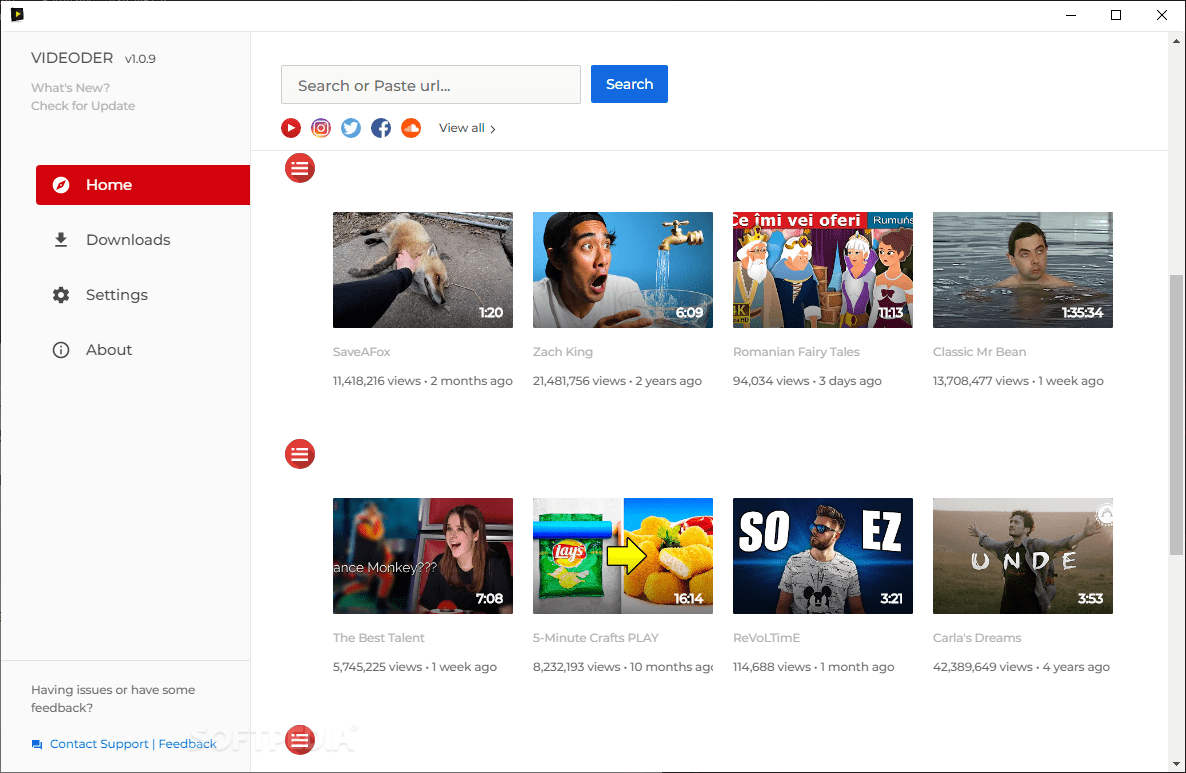
Videoder is a robust Android application supporting over 1,000 websites. It features a built-in browser, batch downloads, multiple beautiful themes, and a night mode. Praised for its clean User Interface (UI), it facilitates fast downloading from numerous hosting platforms without extra fees.
Read Also: How To Freeze Your Screen On Google Meet
#3. Vidmate
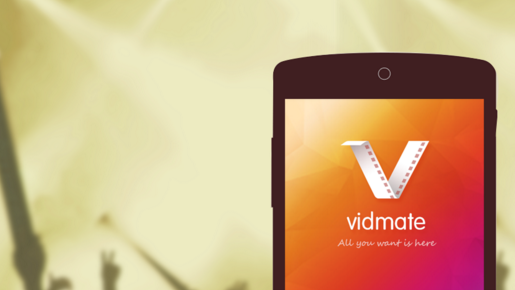
Primarily an Android YouTube video downloader, Vidmate also streams and downloads from other social networks. It requires installing an APK file and offers features like high-format video streaming, download resumption, URL-based downloads, and private folders. It functions as a hub for online videos and music.
#4. RedV
RedV is a simple, popular tool specifically for downloading videos from Reddit. Its user-friendly interface allows quick saving of Reddit videos for offline viewing. The process is straightforward: paste the video URL into RedV, and it extracts and prepares the video for download to your mobile, making sharing offline easy.
#5. Regrann
Regrann is an easy-to-use Android app for reposting and downloading Instagram content. It requires no sign-in or paid upgrades. Beyond downloading photos and videos, it allows scheduling posts and uploading full-sized, uncropped pictures from your gallery to your Instagram feed. Users can save any video using the “copy share URL” option.
Read Also: Why Were Cornflakes Invented – Here Is the Answer
#6. Pinterest Video Downloader
This is a free online tool designed specifically for Pinterest. It simplifies downloading favorite images, videos, and GIFs from the platform. The process is user-friendly, making all Pinterest media accessible for download through a straightforward interface.
Essential Safety Checklist Before Downloading:
Modern & Highly-Rated Alternatives
The landscape of downloader tools is always changing. Here are two contemporary, highly-regarded alternatives that address specific user needs:
- 4K Video Downloader: A powerful desktop application (Windows, Mac, Linux) renowned for downloading high-quality video (up to 8K), entire playlists, and converting videos to MP3. It’s praised for its clean interface and reliability.
- NewPipe: An open-source Android app focused on privacy. It doesn’t use YouTube’s official API, requires no Google account, and offers background playback and downloading. It must be downloaded from trusted sources like F-Droid or its GitHub repository.
Final Thoughts On The Best Video Downloader Apps To Use
These applications solve the common problem of wanting to save interesting videos for later viewing. It is crucial to remember that whichever application you choose must be legitimate and used responsibly. The tools mentioned have established user bases, but always verify their current status and reviews.
Most importantly, always review the Terms of Service of any social networking website before downloading content. Respect creators’ rights, and when in doubt, use official methods to support content creators directly.
Author Bio: Hanna Flores is a passionate blogger. She loves to share her thoughts, ideas, and experiences with the world through blogging. Hanna Flores is associated with Circle Box Blog, Simply Law Zone, Exclusive Rights, & Istana Green World, World Health Life, Lower My Legal Fees, True Health Tips.




Thanks! That’s what I need!
Thanks for nice comments, keep reading and sharing
This is very useful for me Thanks I like it and I want to know How to download YouTube Thumbnail
I appreciate the article
Thanks for nice post
I appreciate the thorough research you put into this post.
Thanks for the comments, be sure to bookmark and share
this will really help digital marketer and users in there seo
Thanks for the comments, be sure to bookmark and share
Very nice post. keep up the good work. thanks
Thanks for the comments, be sure to bookmark and share
Your blog is always commendable, and I have benefited greatly from it. Thank you so much, and please continue to share such blogs.
Thanks for the comments, be sure to bookmark and share
I want you to be aware of the significant influence that you have had on my professional life; you have been a consistent source of inspiration and motivation for me.
nice blog thanks for sharing.
Thanks for nice comments, keep reading and sharing
Nice blog thanks for sharing it content is easy to understand Thanks very much for nice blog
Thanks for nice comments, keep reading and sharing
Your blogs are always a joy to read—concise, clear, and full of valuable insights. I appreciate the effort you put into delivering such informative content. Thanks for consistently adding value through your writing!
Thanks keep reading and sharing
Great list of video downloader apps! Thanks for sharing it
Thanks keep reading and sharing
I really enjoyed this post, it gave me a fresh perspective on the topic!
Thanks keep reading and sharing
I definitely enjoying every little bit of it and I have you bookmarked to check out new stuff daily.
Thank you for reading! Keep exploring and sharing — knowledge grows when it’s shared.
Great article – I learned a couple of new things here. Thanks for putting this together!
Thank you for reading! Keep exploring and sharing — knowledge grows when it’s shared.
Really helpful post! Would love to hear more posts and thoughts of yours.
Thank you for reading! Keep exploring and sharing — knowledge grows when it’s shared.