

A.I Plugins for WordPress to Automate Your Site
Everything in the technological world is evolving in such a way that it includes innovation and automation. Everything is becoming more advanced, from computers that can now write codes without the need for a programmer to hospitals and schools. These technological advancements are the major thread that tends to hold any organization’s bright future. And, with the introduction of Artificial Intelligence and Machine Learning, machines are becoming intelligent and smart to the point where no human would require the assistance of another being.
Top 20 Automated Intelligence (A.I) Plugins for WordPress in 2025
The same is true in the case of CMS. WordPress is one of those platforms that is widely used across the internet, and artificial intelligence has already made its way into the WordPress world. There are already numerous WordPress plugins available for use on a daily basis. Regardless, the task is to convert a website to a WordPress site! Here are some WordPress plugins that use AI to assist you.
Artificial Intelligence and WordPress
WordPress and artificial intelligence complement each other. Artificial intelligence plugins typically provide users with a plethora of options and features such as grammar correction, WordPress search, increasing e-commerce sales, and a variety of other things. Different plugins perform different functions, and the user can choose from a wide range of products with varying functions and pricing. In addition, the website would be much faster and more responsive. The best part about this combination is that it solves many problems, allowing them to concentrate on other important aspects of the business.
Top AI Apps For WordPress
Artificial intelligence (AI) apps are an excellent way to increase business on WordPress sites. There are numerous benefits to using AI applications and plugins to boost ROI and improve WordPress design. The best AI apps for WordPress assist web developers in allocating time and resources more effectively toward creating better website content. Web developers can use AI extensions to better attract new visitors to their sites and retain existing customers. AI apps improve website optimization, generate more secure websites, and improve website content quality as a solution to better WordPress sites.
Today, every job, including material production, required the use of a machine. WordPress websites require artificial intelligence technologies as well. As a result, we’ve compiled a list of the best WordPress artificial intelligence plugins in this article. Writing content and performing SEO is a time-consuming process. Every blogger considers work automation. In this scenario, our mind is preoccupied with robots. Yes, something new has arrived in the WordPress blogging industry. WordPress also has an artificial intelligence WordPress theme, but this article will only cover the WordPress artificial intelligence plugin. Artificial intelligence is used in some WordPress plugins. You can automate your work with these plugins. Voice recognition, search patterns, translations, image recognition, and other examples of artificial intelligence workflow. Artificial intelligence is powered by user activity and information collection, and it can make decisions based on pre-programmed intelligence.
The majority of WordPress websites are built on default content management system designs that lack advanced configurations to better serve business objectives. To boost brand awareness and ROI, a WordPress website outfitted with the best AI apps promotes business products and services while improving user experiences through simple and effective software design.
What is Artificial Intelligence?
On the surface, artificial intelligence (AI) appears to be a simple concept. It enables machines to take over tasks that previously required human intervention. On the one hand, this means that machines will be able to do more jobs that we don’t want to do or that are dangerous in the future. On the other hand, some people are concerned that AI will render many jobs obsolete. Parts of this can already be seen in customer service with chat bots or in real life when McDonald’s began replacing workers with self-service kiosks. However, we are not yet at the point where machines will completely replace humans in the labour force (once again). On the web today, we are mostly dealing with a subset of artificial intelligence known as machine learning.
Understanding clients’ needs and adapting products and services to consumer preferences is a huge advantage for many businesses. Web developers and programmers can use WordPress plugins to gain analytical knowledge, manage content, and optimise websites. In general, every WordPress website user would benefit from installing the best plugins on their sites in order to have more user-friendly apps and easier content management. Fortunately, web developers have access to resources that can help them learn more about the best WordPress plugins.
Most companies are already using Artificial Intelligence technologies in various ways for the majority of products and services on the market today. With time, most consumer products and services will respond to societal demands and needs via powerful AI marketing platform technologies that generate solutions from massive amounts of consumer data.
Simply put, AI technologies use large amounts of data to create algorithms that better organise, distribute, and promote the data. The algorithms generate potential solutions for the services assigned to them using the data. Machine learning technologies are experts at detecting online trends. AI technologies assist businesses in developing solutions to better serve their clients in order to better understand their customers. This artificial intelligence (AI) feature has become a critical component in business operations because it prioritises company objectives around consumer needs while expanding business across various online channels.
It means that software can learn from experience and make future decisions based on what it has learned. What makes that any different from before? Prior to this advancement, you had to provide software with predefined rules to follow, and it would only operate within those parameters. You can teach AI algorithms that allow the programme to make up its own rules based on what it is exposed to and change them over time. As a result, it can adapt to the environment in which it operates, for example, by better understanding user behaviour and learning to better serve their needs. Are you up to date on artificial intelligence? Then let’s take a look at some WordPress plugins that are already using it.
Usage of artificial intelligence in WordPress
In WordPress, artificial intelligence can improve user experience by checking grammar and style, increasing conversions, increasing e-commerce sales, improving WordPress search, and much more. Your website will perform smarter, faster, and more personalised for your users as a result of the use of artificial intelligence. Let’s take a look at the WordPress artificial intelligence plugins list.
Why Use AI for WordPress?
WordPress, as a content management system, makes it easier for web developers to format and design websites. Installing high-quality plugins is essential for making WordPress operations more enjoyable and effective for meeting business objectives. WordPress also includes plugins with artificial intelligence design for additional high-quality plugins.
After it is established, your WordPress site will probably continue to change for some time. Standard plugins devoid of artificial intelligence might function well when they are first installed, but they might not be able to continue serving you well over time.
In contrast, artificial intelligence-enhanced plugins continue to perform and learn, enhancing your website over time. Remember that artificial intelligence-based plugins occasionally require some time to become familiar with your website before they can operate well. Before you pass judgement too quickly on plugins, give them a chance.
Developers can always access helpful articles about the machine learning processes in AI apps to gain a better understanding of the importance of AI. With this software, WordPress developers can better recognise consumer trends and develop better content, products, and services for potential and existing clients by utilising a wide range of additional extensions and Artificial Intelligence (AI) technologies. Furthermore, incorporating AI apps into WordPress websites increases website traffic, improves content and media quality, improves website search engine optimization, and improves data tracking through advanced analytical technologies.
Benefits of WordPress Chatbots for Businesses
Before we jump into the actual reviews, let’s have a quick look at what good adding a chatbot to your WordPress site can bring about.
- Improve customer service. Chatbots can answer up to 80% of common customer service questions and reduce company spending by 30% due to low maintenance (IBM)
- Make employee routine more efficient. Chatbots reduce low-end, repetitive tasks by 20%—a full day a week (Accenture)

- Make product research easier for customers. Over 92% of Millennial customers are interested in using a chatbot to get product details (EMACS Journal survey)
- Improve customer experience. About 52% of businesses use chatbots to welcome website visitors (Tidio).
WordPress Plugins Using A.I
WordPress users can choose from a variety of plugins, which are available directly from the WordPress hosting site. Users can open the WordPress plugins tab and begin scrolling through lists of active WordPress installations to improve websites by simply navigating to the WordPress menu bar. Users can navigate to Artificial Intelligence applications among the records and read ratings, descriptions, and installation options from the WordPress plugins menus. Users can find the best AI apps for WordPress by using this menu.
AI is popular technology, and the following WordPress plugins are extremely helpful throughout the process. Let’s look at some of the most recent plugins that provide users with advancement and the best PSD to WordPress companies.
1. Wordlift

Wordlift is a plugin that uses artificial intelligence to analyse and process human language. Once the content has been comprehended and the information sought has been located. It tends to put effort into improving content as well as improving content display and search engines. A knowledgeable graph is also used to provide SEO tips for improving the content. It can convert text into machine-readable languages, allowing it to generate facts, images, links, visuals, and other elements that help to make the content more engaging. This would improve the SEO perception and result in an increase in traffic.
Another AI app for WordPress that improves WordPress sites is WordLift. WordLift is a simple yet effective AI technology that analyzes website content for high search engine optimization rankings. In most cases, WordPress web developers design content around popular topics that struggle to compete with more top ranking websites. WordLift smart technology locates vital phrases that rank well with popular search engines like Google and reports low ranking content on WordPress websites.
To elaborate, AI technology uses content from WordPress sites to search for similar content throughout the web. The AI extension then works with data to better represent the content of the article, the images, media, and numerous vital phrases accessible on search engines. Rather than working harder to create more content, AI technologies specialize in assisting web developers with designing WordPress sites around higher search engine optimization (SEO) standards. As a benefit, this artificial intelligence program develops the language within the content to read better with powerful machine algorithms that rank high on different web browsers and search engines. With the WordLift AI app, web developers achieve higher SEO scores to attract more visitors to their sites.
2. Quttera Web Malware Scanner

Quttera Web Malware Scanner is a WordPress security plugin that scans the website for malware, viruses, trojans, and anything else that may be harmful to the site. The plugin makes use of artificial intelligence and cloud technology to perform all tasks. AI enables not only the identification of known threats but also the recognition of unknown threats. Despite the fact that it is only a scanning tool, it does not protect the website from being harmed.

Akismet is another exciting plugin that the user should be familiar with. It is one of the plugins that is installed with every WordPress installation. For a long time, a large number of WordPress users and website owners have relied on Akismet. If you receive spam comments, you should unquestionably run your WordPress without this plugin. One of the few drawbacks of this spam is that it is the sole cause of the website’s slowness and poor performance. However, with the help of this plugin.
Machine Learning and AI would be used to sort through all of the clutter, including spam comments on the website. Not only that, but it also monitors bots that visit the site while running in the background without the user’s knowledge.
5. Live Chat

Live Chat is one of the most amazing AI-powered virtual chat agents for the WordPress website; this plugin adds 24/7 live chat assistance under the supervision of an automatic bot. First, the user must train their bot by answering a series of frequently asked questions. As they have done in the past, their original processors balance difficulties with appropriate keywords and provide resolutions to customers. Live Chat is a machine-learning chatbot that recognises communication with other customers and manages it to grow over time. If the bot does not understand a question, it will transfer the conversation to a live operator. The user can then switch to live support with a single click.
6. Watsonfinds
Watsonfinds – The power of knowing that what others think about you is altogether a different sort of feeling. And what if I tell you that there is a WordPress plugin that can help you with it, and does provide you with the same power. When the developers select a productive method for any project, they can perform something original and exciting. Due to productive developers, Watsonfinds have an impressive feature. After examining text elements on the website, it informs every user that how much delight or fears they receive. Moreover, the user can scan for effects or on any other kind of data – letters, posts, emails, on other websites, and so on. Thus there is no difficulty in the fact that it is an areally alluring tool that tends to produce content that everyone will like. Download this plugin and then trying to be a user’s mastermind.
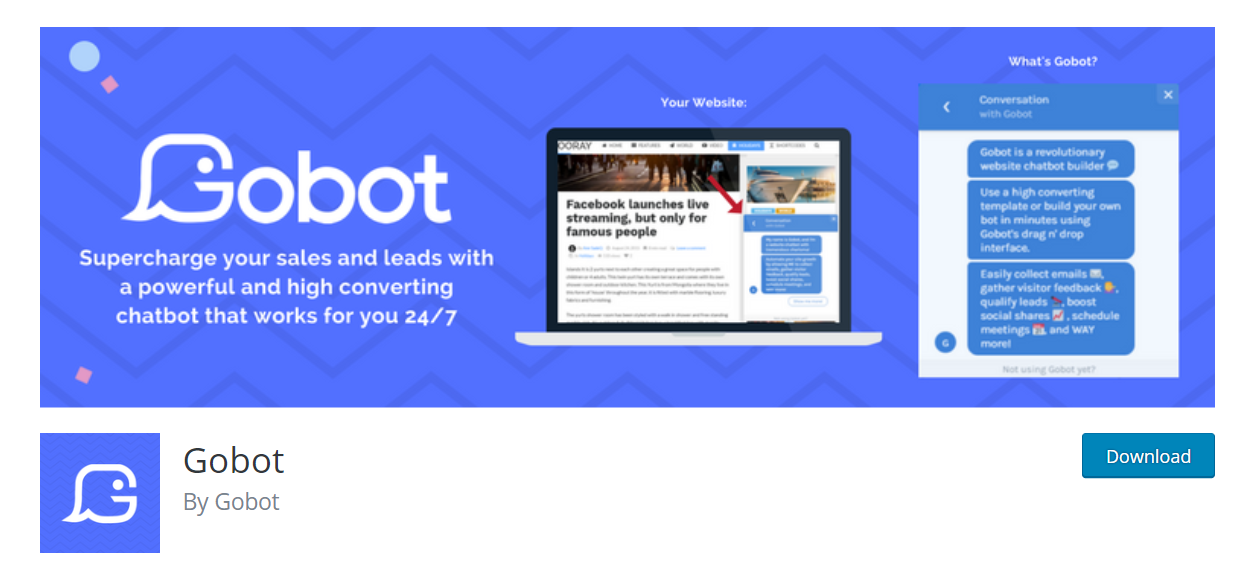
7. My ChatBot
Although it was originally developed as a separate WordPress extension, “After The Deadline” is currently available as a component of JetPack’s comprehensive plugin suite. In the category of artificial intelligence-powered syntax checking devices, this plugin is defined as one that assesses the readability of the material in order to aid users in the way they write. American, British, and Canadian English are the most commonly encountered, with just limited grammar support for the French and German styles of communication. It is also available as a Google Chrome extension, which may be used in conjunction with the JetPack module.
8. After the Deadline
Although it was originally developed as a separate WordPress extension, “After The Deadline” is currently available as a component of JetPack’s comprehensive plugin suite. In the category of artificial intelligence-powered syntax checking devices, this plugin is defined as one that assesses the readability of the material in order to aid users in the way they write. American, British, and Canadian English are the most commonly encountered, with just limited grammar support for the French and German styles of communication. It is also available as a Google Chrome extension, which may be used in conjunction with the JetPack module.
9. Kindred Posts
Visitors to Kindred Posts can use a widget that suggests similar content based on their browsing activity. While artificial intelligence is not a new concept, this is the plugin that uses it to learn and read more about users, as well as to recommend appropriate content. As a result, a higher percentage of users are likely to speak or interact with the site. The better the results, the more explicit the references and sources are. The user can connect to the service and interact with it, as well as with Google Analytics, to discover which recommendations are the most widely accepted. As a result, the plugin works with the bare minimum of settings and functionality right out of the box.
10. Recomendo
There are times when having tools that can estimate the range of data that the user will need to see is beneficial. Recomendo also offers the capacity to present each user with information that has been previously personalised. Recomendo has no control over the website’s operation because it is hosted on cloud servers. Users are sure to be overjoyed when they discover how simple the software is to set up. All that is required of the user is Recomendo configuration. Begin with a support code, and they’ll be able to accept it without difficulty. In addition, if a user has any reservations about Recomendo, they can try it out for a month for free.
11. Grammarly Artificial Intelligence for WordPress
There is no Grammarly WordPress plugin available; however, you can utilise Grammarly while working on your WordPress site by downloading the Grammarly Chrome extension for free. Grammarly is an artificial intelligence programme, but it does not have a WordPress plugin. This tool is more valuable than a WordPress plugin in terms of grammar, which is why I’ve included it in this list. With Grammarly’s AI-powered writing assistant, you can write material intelligently, free of grammatical and spelling errors, and compose bold, clear, mistake-free writing. It not only improves the grammar and spelling, but it also changes the style and tone. It eliminates faults and adds the appropriate words to your statement so that you may express yourself. We’re all writing with the reader in mind, and Grammarly is helping us out with that. Grammarly can help you become a better writer.
It also works with email and messaging platforms including Gmail, Outlook, Yahoo, and Facebook Messenger. You can use Slack, Google Docs, Jira, and Salesforce to create documents and projects. It also works with social media platforms like Medium, Facebook, Twitter, and Linkedin. It also comes with a Chrome extension that allows you to check for grammatical and spelling problems in real-time. Grammarly is offered in three different plans: free, premium, and business. The premium plan is $12.00 per month. The monthly fee for the business plan is $12.50.
12. Translate WordPress – Google Language Translator
Another WordPress artificial intelligence plugin is Google language translator. Since 2008, this plugin has been known as GTranslate, a renowned internet translation service provider. GTranslate is a WordPress artificial intelligence plugin that powers over 500.000 websites all over the world.
Google language translator is one of the most adaptable plugins for website owners to employ if they want their visitors to be able to simply translate their website content without having to develop a multilingual website. In most cases, the plugin integrates Google’s AI and machine learning translation engine into the website. The user has the authority to choose which languages appear on the website. Using the sidebar widget or a shortcode, the translator can be integrated to the site.
Main benefits of GTranslate WordPress artificial intelligence plugin
- Google’s machine translation service is free.
- “Suggest a better translation” can be turned off. pop-up
- Option to conceal After translation, the top frame of Google
- Integration with Google Analytics
- On-the-fly translation of the website
- Posts and pages can be translated
- Translate tags and categories.
- Menus and widgets can be translated.
- Themes and plugins should be translated.
- Language assistance from the right to the left
- Language picker that floats
- In the menu, there is a language bar with flags.
- WooCommerce shop translation
This WordPress artificial intelligence plugin is available both free and paid. And its paid features are as below.
- Allow search engines to index your website in several languages.
- Human-level translation quality from neural machine translations
- Increased visitors and money from AdSense
- Friendly to search engines (SEF) URLs
- Compatible with Yoast SEO
- Compatible with WooCommerce
- You can have a sub-domain (example.com/es/) or a sub-directory (example.com/es/) (es.example.com) structure of a URL
- It is possible to translate URLs (example.com/about-us vs. example.es/about-us) or slugs (example.com/about-us vs. example.es/about-us).
- For translated alternatives, use hreflang tags.
- Manually correcting translations is possible.
- Interface for context translation (make corrections without losing the context)
- Metadata translation (meta keywords, meta description)
- Microdata from schema.org is being translated for a better search engine look.
- Updates are seamless (our cloud service is updated on our end – SaaS, so you don’t have to bother about backups on your end)
- JSON items are translated (JSON format translation)
- AMP pages can be translated (Accelerated Mobile Pages translation)
- Translation of media – Image localization
- Proxy Translation (aka Translation Delivery Network)
- The cache of Centralized Translations – Over time, we alter and enhance our translations.
- Hosting a Language (example.fr)
- Analytics Dashboard for Users
- Support via live chat
13. MyCurator Content Curation WordPress artificial intelligence plugin
MyCurator is a piece of Artificial Intelligence. This cloud-based content production WordPress plugin is available as a free or paid download from the WordPress plugin repository. It produces the continents based on a certain topic and improves the content by learning from what you input to the table of contents. The WordPress Artificial Intelligence plugin allows you to develop the most relevant articles for your readers using machine learning.
By using this plugin, you may quickly and easily generate content. This plugin is responsible for obtaining an API Key in order to access cloud services. If you want selected content on a variety of topics for several websites, this is the service for you. Every paid plan comes with a 30-day risk-free trial period.
14. Yoast SEO Artificial Intelligence WordPress plugin
It’s no surprise that Yoast SEO also includes an Artificial Intelligence plugin for WordPress. With the help of this plugin, millions of website owners can improve their search engine rankings. Yoast reads your post in real-time and provides you with advice on how to improve it on the go. It also assists you in increasing the ranking of your website. Yoast provides on-the-fly feedback on the content quality by displaying a red-green indicator.
This will assist you in improvising without the need for any expert SEO skills. When it comes to blogging, SEO is a difficult task. As a result, the Yoast SEO Artificial Intelligence WordPress plugin makes SEO much simpler than you might expect. The most important advantages of Yoast SEO.
- Improvements in technical SEO, such as canonical URLs and meta tags, are automated.
- Advanced XML sitemaps, which make it simple for Google to grasp the structure of your website.
- Title and meta description templates are used to provide more consistent snippets in search results and to improve branding.
- By assisting search engines in comprehending your material, a thorough Schema.org integration will boost your chances of receiving rich results in search results.
- Complete control over the site’s breadcrumbs, ensuring that both users and search engines are always aware of their location.
- As a result of a unique technique of organising data in WordPress, your entire website will load faster than ever before.
Yoast SEO plugin was available in both free and paid versions.
Akismet is one of the must-have programmes. Plugins for WordPress that use artificial intelligence. Spam comments and form submissions are commonplace on WordPress, which is well-known for this. This programme includes a global database to help you avoid receiving spam from everywhere, and it also assists you in preventing yourself from publishing hazardous stuff. You can examine spam comments for unspam or delete them permanently after Akismet filters them into the spam category. Akismet filters spam comments into the spam category.
- The software automatically scans all comments and filters out those that appear to be spam.
- You can readily check which comments were captured or cleared by Akismet, as well as which comments were spammed or unspammed by a moderator, because each comment has its own status history.
- URLs are displayed in the body of the remark to reveal hidden or deceptive hyperlinks.
- Moderators have access to the number of comments that have been approved for each user.
- A trash tool that completely eliminates the worst spam, allowing you to save disc space while also speeding up your site.
If you have any suggestions for this list, please share them in the comments section. It will be a wonderful thing, and we will take them into consideration. Please remember one more thing, readers: if you enjoyed this post, please consider sharing it on social media networks such as Facebook, Twitter, Pinterest, and other similar platforms.
16. Alter
Alter is a free AI extension for WordPress users that is available as open-source software and has a number of useful features. With the help of content priority configurations, Alter supports WordPress users in upgrading website designs while simultaneously generating more online traffic to their sites. Furthermore, this programme provides content recommendations to websites that do not have a high level of visitor engagement or page visits. As a result of the AI-powered plugin, the necessity for the site and content monitoring on the part of the developer is decreased dramatically. Once the basic input parameters have been completed, the programme proceeds through a series of automated operations. Instead of using typical plugins’ “related articles” functionality, the application promotes greater engagement for website content through automation.
The Alter website and artificial intelligence integration, on the other hand, necessitate specific training. Without explicit rules to suggested material and target market, it is reasonable to expect that developers with a variety of content will struggle to route site users to recent posts, popular posts, and related posts without particular guidelines to suggested content and target market. In this situation, Alter is a good artificial intelligence tool for WordPress developers due to the program’s ability to research and analyse website traffic, as well as to create algorithms based on visitor navigation and purchase behaviours, among other things.
When a site visitor spends more time on a certain web page than another visitor, Alter takes note of this difference in time spent on the page. Alter will then provide personalised material to individuals who have expressed an interest in the specific WordPress site content that Alter has created. As a result, site visitor engagement levels climb, resulting in an increase in total page views. WordPress developers may once again improve the management of their content with the use of artificial intelligence software, which can accurately rank specific material for intended target audiences.
17. Quttera Web Malware Scanner
AI technology searches for patterns in data in order to create solutions for the services that the web developer has assigned. Most web developers and programmers use WordPress plugins that detect malware activity and create firewalls in order to provide greater data protection. Despite the fact that most plugins appear to provide adequate protection, adopting artificial intelligence software for WordPress security may be a more effective solution for sites with significant levels of activity.
To be more specific, the Quettera AI plugin searches for user activity on many websites. Multiple attempts to log into website accounts are the most common source of potential threats in the majority of circumstances. Artificial intelligence, on the other hand, allows algorithms to discover patterns in a dangerous activity and to report that activity straight to the web developer. According to this scenario, artificial intelligence detects suspicious activity on websites and uses the information to notify web developers of the recurring risk and issue. The web developer uses this information to increase security by implementing artificial intelligence systems that provide anti-virus protection for the website.
18. WooCommerce Darwin Pricing
Making decisions as an online e-commerce site without using analytics is a dangerous proposition for organisations. The Darwin Pricing app for WordPress websites is an extension to the WooCommerce shopping cart software. Darwin pricing incorporates artificial intelligence technologies to aid WordPress administrators in designing web designs based on target audiences. As an added bonus, web developers can increase marketing and sales through the use of artificial intelligence-driven analytical tools. To clarify further, the artificial intelligence (AI) programme collects data on competitor prices for similar items and services on the internet, which is then used to make decisions. Furthermore, the site developer compares costs for competing items and services from a single location. This is significant.
The site developer can learn which price methods to adopt for their products and services from the Darwin Pricing analytical AI page, which is based on geographic, competition, and market data. In a first for the industry, the software identifies internet providers that provide discounts on certain products or services. Due to the increased usage of discount tracking, web developers’ web pages with superior content and coupons are visited by an increasing number of visitors. Simply put, users will spend more money on websites that provide them with affordable alternatives to expensive options. In total, artificial intelligence apps will continue to alert developers of ongoing customer trends, allowing them to identify additional commercial prospects in the market.
19. Primal
To continue, specific artificial intelligence applications for WordPress contribute to the improvement of the design of content management systems (CMS). The Primal artificial intelligence (AI) plugin places a strong emphasis on the implementation of broadcasting sites to users that are more relevant to the search themes being searched for. To attract new website users and keep existing website traffic, it is critical to maintain websites that are optimised for WordPress visitors. When a visitor looks for products on search engines or on specific websites, artificial intelligence (AI) automation technology filters away older postings in order to present more relevant and up to date information.
Primal is yet another service that allows you to display web information that is relevant to your viewers. It accomplishes this by gathering information about the topics of your posts and pages and displaying up-to-date, relevant material as a result. By observing visitor behaviour over time, the plugin learns to become more effective at its task using machine learning.
As an added bonus, Primal captures data from users’ activities to assist web developers in determining whether to create new content or update old websites. Popular WordPress websites do not have the potential advertising and sales prospects shown by the data gathered through WordPress AI plugins. Furthermore, more popular websites rank higher on search engine optimization web browsers and generate more page views for their respective websites.
20. Watsonfinds
When running WordPress websites, the quality of the material is determined by the preferences of the audience and their assessment of the articles and websites. Without a doubt, uninteresting content and postings that are difficult to read drive visitors away from websites. This plugin for WordPress sites promotes content around the interests and wants of target markets by tailoring it to those preferences and needs. Watsonfinds provides site developers with new options to change posts, pages, and product descriptions using artificial intelligence analyzer tools.
Watsonfinds AI technologies, which serve as the primary feature, identify users’ attitudes toward WordPress content through the use of simple and effective icons. Icons that represent emotions such as joy, sadness, anger, disgust, and fear are more effective in signalling to web developers how visitors are feeling when navigating around websites. Deeper content is created by web developers that have a better understanding of their target audience. Content is tailored to the preferences of target audiences thanks to the use of artificial intelligence apps. Artificial intelligence (AI) locates website material that draws more viewers to websites. Because of this, web developers ensure that website material is of higher quality and that the design is more imaginative.
This WordPress chatbot guide is your one-stop shop for all things chatbot. It is written in plain English. By the time you’ve finished reading this article, you’ll have a better understanding of what the finest WordPress chatbots can achieve for your business. We have everything you need, whether you’re looking for a simple, free chatbot for WordPress or a lead-generation machine. In addition to offering numerous capabilities, the ten WordPress chatbot plugins we’ve selected for you also provide free plans to get you started.
21. Tidio
Speaking positively of your own product in an article that you produced yourself might be a little difficult at times. Regardless of how much you adore the product and how eagerly you would like to endorse it, you cannot. Instead, let us look at what our users have to say: “Easy to use, with a clear layout and a surprising number of functions.” It’s particularly impressive how in-depth their bot and automation can become without necessitating extensive technical knowledge.” You may read more reviews about Tidio before deciding to use the WordPress chatbot. What you’ll receive is as follows:
22. WP-Chatbot for Messenger by Mobile Monkey
WP-Chatbot for Messenger is one of the most popular WordPress chatbot choices, with more than 10,000 active instals to its credit. After a brief setup, the plugin provides you with a single inbox into which you may receive messages from clients who visit your Facebook page or use the website chatbot widget. You may use our WordPress chatbot to send marketing messages and answer FAQs, allowing you to reach more customers on an automated basis.
23. Chatbot With IBM Watson
With the help of IBM’s Watson Assistant technology, this WordPress chatbot can be used to create and employ virtual assistants that are powered by artificial intelligence. The inclusion of IBM Watson’s chatbot on this list is due to its ability to send rich messages with interactive responses and multimedia, as well as its extensive customization and language recognition capabilities. One thing to keep in mind before diving into this artificial intelligence website discussion plugin: be prepared to learn something new. Due to the fact that the technology requires some initial training, IBM offers a free course on how to implement chatbots on their cloud.
WordPress website designs are user-friendly and uncomplicated to create by default, making them a good choice for web developers. WordPress websites are very simple to explore and run for website visitors thanks to artificial intelligence technologies. A chatbot on the homepage of a more complicated website improves the design of the website and increases the amount of time that site visitors spend on the site. The Chatbot WordPress plugin is an artificial intelligence application that replies to user input texts by providing answers to their questions.
When compared to typical chatbots, artificial intelligence (AI) plugins propose answers to commonly asked inquiries (FAQs) based on previous website visitor data. Furthermore, based on the user’s action, the Chatbot provides material, assistance, and contact alternatives to him or her. Chatbot is also adjustable and can be used in conjunction with other artificial intelligence WordPress plugins to inform web developers of website activity that is trending. This allows web developers to better evaluate website traffic and prioritise artificial intelligence recommendations in order to better assist users with navigation, ultimately leading to increased sales and page views.
24. Chatra Live Chat + ChatBot + Cart Saver
A WordPress chatbot developed to assist with sales, Chatra can be found here. As part of Chatra’s multichannel marketing solution, it provides templates for automating lead creation and easy support duties such as answering frequently asked questions (FAQs). The integration of Chatra with Facebook could also be beneficial. Because 50 percent of buyers follow firms on social media to learn more about their products, implementing the best chatbot for WordPress is a smart option for increasing sales.
25. Live Chat (+Chatbots) by Hybrid.Chat
Universities, marketing agencies, law businesses, and healthcare organisations might consider using the WordPress chatbot by HybridChat because it comes with pre-designed designs for each of these types of organisations. The use of chatbots to improve visitor experiences is particularly recommended by hospitality professionals, and HybridChat’s industry-specific chatbots are one of the features that distinguish the company from the competition. You may use templates to collect contact information from prospects, answer frequently asked questions, allow visitors to schedule appointments, and more. You may use a chatbot builder to construct bespoke WordPress bots, which is available to you.
26. Breinify
Breinify is a service that collects information on visitors to a website that is not affiliated with the website in question. This website tries to learn more about visitors through the use of artificial intelligence, based on what other types of WordPress websites they visit in the future. This information will allow you to gain a better understanding of the types of things that they are interested in learning more about. Meanwhile, Breinify provides you with real-time information about the activities taking place on your site. Unfortunately, their WordPress plugin hasn’t been updated in over a year; nonetheless, the service is still available to customers.
27. Aimojo
Aimojo is a reworking of an older plugin known as Affinitomics, which was developed by the same team. According to reports, the new version is ten times faster. It enhances your website’s structure by adding new structured taxonomies. They enable the plugin to better organise the material on your website. As a result, search results, contextual link lists, and menus are all improved. As a result, it improves the usability and conversion rates of the website. Taxonomies self-organize and learn from their experiences as a result of artificial intelligence (AI). However, the plugin hasn’t been updated in over a year, which is concerning.
28. MyCurator Content Curation
The next technology on the list is this cloud-based, artificial intelligence-driven content curation tool. MyCurator helps you discover fascinating information in your niche and uses artificial intelligence to organise the content it discovers according to its relevance. This is in contrast to RSS feeds or Google Alerts, which do not make a distinction between different types of news. It strives to offer only the content that is genuinely interesting to you. Furthermore, the plugin gains knowledge from your input. Through the use of upvotes and downvotes, you can help to enhance the results in the future. Finally, you can manually contribute pieces of content that you think is interesting to the site.
29. Watsonfinds
Our next Skynet wants tobe wishes to assist you in improving the quality of your content. It accomplishes this by connecting your website to IBM Watson’s sentiment analysis service. This provides you with information on the emotions that your material may elicit in your audience, such as joy, anger, sadness, disgust, or fear, among others. This allows you to fine-tune your articles and pages in order to attain the objective you have set for yourself.
30. Kindred Posts
Kindred Posts provides a widget for your website that allows users to be directed to relevant information. While this is not a new concept (see related articles plugins), this one makes use of artificial intelligence to learn more about your visitors and then propose material to them based on their interests and preferences. A direct result of this is that the more individuals that interact with your site, the more specific the recommendations get. You can even integrate the service with your Google Analytics account to keep track of which recommendations are most frequently clicked on. Furthermore, the plugin is ready to use right out of the box with only a few tweaks.
A.I Plugins for WordPress to Automate Your Site– Summing Up
AI and machine learning will continue to infiltrate our lives. IT is a rapidly evolving field of technology that has already found its way into WordPress. A growing number of plugins employ machine learning to improve speed and add new features. It has a variety of applications ranging from language processing to content curation to image identification. Most of the plugins on the list are new or experimental. It will be intriguing to watch what new AI uses emerge in the future. So long as Cyberdyne Systems stays out of it, I’m fine. Do you know of any other AI or machine learning plugins? What do you think of the overall trend? Let us know in the comments.
Great firms adapt to consumer needs. Top AI apps for WordPress now help site developers, programmers and businesses learn more about customers. AI software and plugins use consumer data to enhance business. WordPress web designers use AI to promote better content, more page views, and more site interaction. Developers also improve SEO rankings and website content. The ability to understand consumers with AI is critical for corporate success. With analytics and data, AI enhances website ROI and drives more traffic to WordPress sites.
Artificial Intelligence and Machine Learning continue to improve people’s and things’ lives. It’s a quickly evolving technology that’s made its way into WordPress. A rising number of WordPress plugins use AI and machine learning to improve speed and provide previously unavailable features such as language processing, content curation, and emotional analysis. The list of WordPress plugins employing AI above should help clarify the problem. It will be interesting to watch what future AI applications bring. We hope this post has given you the necessary information. If you have any questions about this topic, please post them in the comment area below.






Everything in the technological world is evolving in such a way that it includes innovation and automation.