
Powerful Facebook Automation Tools to Boost Your Marketing (2026)
📌 Key Takeaways: Facebook Automation Tools (2026)
- Automation saves time and boosts consistency: Scheduling posts, monitoring engagement, and analyzing performance across Facebook and other platforms becomes effortless with the right tools, freeing you up for strategic work.
- Choose the right tool for your needs: All‑in‑one platforms like Hootsuite and Sprout Social are great for agencies; SEMrush excels at SEO + social integration; Tailwind is unbeatable for Pinterest/Instagram visuals; Missinglettr automates blog promotion.
- Engagement still needs a human touch: Automation tools can schedule and monitor, but authentic replies and community building require real human interaction. Use automation to handle the repetitive tasks, not to replace conversation.
- 2026 trends favor AI‑powered insights: Tools like Sprout Social and SEMrush now use AI to suggest optimal posting times, predict content performance, and analyze competitor strategies automatically.
- Budget ranges from free to enterprise: Many tools offer free trials or limited free plans (Agorapulse, Missinglettr). Paid plans start around $15–$30/month for solo users and scale for teams and agencies.
Using automation tools for social media marketing, including Facebook automation tools, can indeed be beneficial for growing an online business in 2026. These tools can help streamline marketing efforts and reach a broader audience efficiently. Here are some advantages of using Facebook automation tools:
- Time Efficiency: Automation tools allow you to schedule and publish posts in advance, saving you time and effort in manually posting content at specific times. This frees up more time for other aspects of your business.
- Consistent Posting: With automation, you can maintain a consistent posting schedule, ensuring that your audience receives regular updates and content. Consistency is crucial for building brand awareness and engagement.
- Targeted Audience Reach: Facebook automation tools often come with audience targeting features. This means you can define specific demographics, interests, and behaviors to reach the most relevant audience for your business.
- Increased Reach and Engagement: By automating your social media marketing, you can post at optimal times when your target audience is most active, leading to increased reach and engagement with your content.
- Social Listening and Monitoring: Some automation tools provide social listening capabilities, allowing you to track mentions, comments, and conversations about your brand or industry. This helps you stay informed and respond promptly to your audience’s needs and concerns.
- Analytics and Insights: Many automation tools offer detailed analytics and insights into your social media performance. You can track key metrics like engagement, click-through rates, and follower growth, which helps you measure the effectiveness of your marketing strategies.
- Streamlined Blogger Outreach: Automation tools can assist in identifying and connecting with relevant bloggers and influencers in your industry, making the outreach process more efficient.
- Cost-Effectiveness: Using automation tools can be cost-effective compared to manual social media management, especially for small businesses or entrepreneurs with limited resources.
While automation tools offer numerous benefits, it’s essential to use them wisely and ensure that your social media content remains authentic and engaging. Balancing automation with real-time engagement and interaction is crucial for building a strong online presence and fostering meaningful connections with your audience.

📊 Quick Comparison: Top Facebook Automation Tools
| Tool | Best For | Key Automation Features | Starting Price | Free Trial |
|---|---|---|---|---|
| Hootsuite | All‑in‑one management | Scheduling, content calendar, inbox, analytics, team collaboration | $49/month | 30 days |
| Sprout Social | Engagement & analytics | Smart inbox, scheduling, reporting, social listening | $249/month | 30 days |
| Kicksta | Instagram growth | Automated likes/follows based on targets, organic follower growth | $49/month | 7 days |
| CoSchedule | Content calendar & marketing | Marketing calendar, social scheduling, content organization | $29/month | 14 days |
| SocialPilot | Budget‑friendly bulk scheduling | Bulk scheduling, calendar, analytics, team collaboration | $25.50/month | 14 days |
| Sendible | Agencies & client management | Unified inbox, bulk scheduling, RSS feeds, client reports | $29/month | 14 days |
| Agorapulse | Inbox & CRM features | Social inbox, moderation rules, CRM, listening | €99/month | Free plan available |
| SEMrush | SEO + social integration | Social poster, tracker, brand monitoring, competitor analysis | $99.95/month | 7 days |
| Missinglettr | Blog‑to‑social automation | Auto‑generates year‑long campaigns from blog posts | $19/month | Free plan available |
| Awario | Social listening & alerts | Real‑time keyword monitoring, influencer identification, email alerts | $29/month | 7 days |
| Tailwind | Pinterest & Instagram visuals | Smart scheduling, hashtag finder, SmartLoop for resharing | $14.99/month | Free plan available |
| Marketo | Enterprise marketing automation | Lead management, A/B testing, customer engagement | Custom | Contact sales |
| Constant Contact | Email + social integration | Email marketing, social posting, event management | $12/month | 60 days |
| OneSpot | AI‑powered content promotion | Machine learning content distribution, cross‑channel promotion | Custom | Contact sales |
| HubSpot | Inbound marketing & CRM | Social scheduling, lead generation, CRM integration, analytics | $45/month | Free tools available |
🏆 Best Facebook Automation Tool Recommendations (2026)
- 📅 Best All‑in‑One: Hootsuite / Sprout Social
- 💰 Best Budget Option: SocialPilot / CoSchedule
- 📊 Best for SEO + Social: SEMrush
- 📝 Best for Blog Promotion: Missinglettr
- 🖼️ Best for Visual Platforms: Tailwind (Pinterest/Instagram)
- 🔍 Best for Social Listening: Awario
- 🏢 Best for Agencies: Sendible / Agorapulse
- 📧 Best Email + Social Combo: Constant Contact
💡 Pro Tip: Start with a Free Trial and Scale
Almost all tools listed offer free trials (7–60 days). Use this time to test scheduling, analytics, and engagement features with your real Facebook page. Don’t commit to an annual plan until you’ve confirmed the tool fits your workflow. For solo entrepreneurs, tools like Missinglettr or CoSchedule often provide enough free features to get started.
The Advantages Of The Facebook Automation Tools
The Facebook automation tools are just like the shortcut to making your brand name famous. When you are establishing a new business, your time and money both are limited.
Facebook automation tools are the best ones to spread your words among the maximum number of audiences. Do check the best social media hacks. And you are going to understand how social media tools are beneficial for your business growth.
- Fast, reaching your maximum number of audiences.
- Facebook automation tools are really fast and effective.
- These automation tools are reducing the cost of branding and human resources.
- You can generate leads in a very fast way.
- Finding the target audiences is easy.
- The social media platform is the global platform, so any special area is not specialized.
- The relationship between you and your clients is turning into a more robust and strong build.
Best Facebook Automation Tools

If you are spending hours in front of your social media page. And spending days creating valuable, engaging content, but still, now you do not get your expected result. And you do not get any hint about the gaps. But you want to do everything to see a promising result.
Give a try to these best Facebook automation tools, and we guarantee your efforts and time are getting paid.
1. Hootsuite
Use Case: “Schedule a month’s worth of Facebook posts in one sitting and monitor all comments from a single dashboard.”
Hootsuite is indeed one of the most popular social media management tools, and it provides various features to help users effectively manage and automate their social media presence across platforms like Facebook, Twitter, and Instagram. Here are some of the tasks you can perform using Hootsuite:
- Composing and Publishing Content: Hootsuite allows you to create and schedule posts for multiple social media platforms in advance. This feature helps you maintain a consistent posting schedule and save time by planning your content in one place.
- Audience Engagement: Hootsuite provides tools to monitor and track audience engagement across your social media accounts. You can view and respond to comments, mentions, and direct messages from a centralized inbox, making it easier to interact with your audience in real-time.
- Content Calendar: Hootsuite offers an inbuilt content calendar that helps you visualize your scheduled posts and upcoming content. With this feature, you can easily manage your content strategy and ensure a well-balanced distribution of posts.
- Inbox Segmentation: If you manage multiple social media pages, Hootsuite allows you to effectively organize incoming messages from your audience. This feature enables you to keep track of interactions separately for each social media account, ensuring no message goes unnoticed.
- Analytics and Reporting: Hootsuite provides detailed analytics and reporting features that give you insights into the performance of your social media efforts. You can track metrics such as engagement, reach, and audience growth to measure the effectiveness of your social media campaigns.
- Social Listening: Hootsuite enables social listening, allowing you to monitor keywords, mentions, and hashtags related to your brand or industry. This helps you stay informed about what people are saying about your business and industry, facilitating better customer engagement and market research.
- Team Collaboration: Hootsuite offers collaboration features, allowing multiple team members to work together on social media management. You can assign tasks, share content drafts, and track changes made by team members.
Use Case: “Automatically track brand mentions and sentiment, and assign customer inquiries to specific team members.”
Sprout Social is the social media automation tool that is creating social media engagement by publishing and analytical features. If you search for the best platform to increase your social media engagement level, sprout social is the best one. You can monitor the social media engagement level of each potential audience.
You can perform the following task by the Sprout Social.
- Sprout special is effectively managed content posting like publishing, engaging, and reporting.
- Sprout special segregates all the messages from the different social media pages.
- Sprout social is creating an advantage for multiple users. Means multiple users can handle the same platform.
- You can monitor the social media page by sprout.
- Genuine leads are generated with the sprout social.
- Sprout is a Twitter-certified product.
3. Kicksta
Use Case: “Automatically engage with potential customers by liking and following users based on your target audience list.”
Kicksta is a more convenient tool for Instagram. The social media automation tool is really easy to handle. Only you have to give the targeted audiences list. Afterward, Kicksta is entirely handling all the content publishing. And from your targeting audiences list, Kicksta will find what types of audiences you are searching for.
You can perform the following task by the Kicksta.
- You are getting a very high number of Instagram and Facebook followers.
- The organic follower’s rate is increasing. Organic followers rate increasing means the genuine followers are increasing by number.
- Kicksta is very useful for business organizations, PR companies, and digital marketing agencies.
4. CoSchedule
Use Case: “Plan your entire marketing calendar – blog posts, social media, and email campaigns – in one drag‑and‑drop view.”
Coschedule is the most effective social media manager for all social media platforms. The features are almost the same as the Hootsuite. The best features of the Coschedule all the features are the same as the Hootsuite and this quality is turning these social media tools into the best tool to organize your entire social media management platform.
You can perform the following task by the Coschedule.
- The marketing calendars are maintained by the Coschedule.
- This tool is working as the content creator and organizer.
- This tool is effectively doing all the work related to social organizations.
- The platform is creating a unique custom status, and within the inbox, all the social media engagement communications are getting stored.
Use Case: “Bulk upload dozens of Facebook posts at once and schedule them across multiple pages with a few clicks.”
Social Pilot is a cloud-based social media tool for content posting and analyzing customer behavior. Social Pilot is the best-integrated tool and works on the different social media platforms. If you are in search of the perfect social media tool by which you can easily track the daily post of the social media posts.
You can perform the following task by the Social pilot.
- The most attractive feature of the Social Pilot is calendar management.
- The branding, advertisements, branding, and scheduling everything is done by this one social media management tool.
- When you are handling different social media pages, account handling is really a big headache. This one tool is eliminating all your efforts by segregating the posts.
6. Sendible
Use Case: “Automatically curate content from RSS feeds and schedule it across your client’s social profiles.”
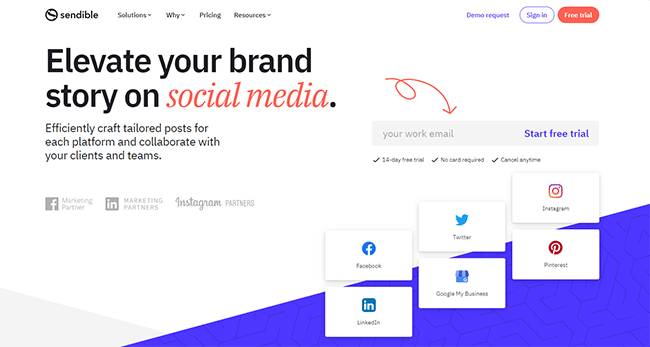
Sendible is an all-in-one social media administration tool designed that will help you handle your social networks from one place. The unified social media dashboard not only helps you to plan and handle all of your content material but in addition saves you time leaping between particular person social streams because it routinely gathers conversations into one inbox. It can save you time by scheduling content material to post routinely all through the week, as far forward as you want.
Plus, Sendible additionally means that you can tailor the content material to every community with totally different messages, emojis, and attachments. You may as well group your content material into campaigns and assign it to totally different queues, so you retain issues recent. And for these posts that carry out well, you’ll be able to recycle them on repeating queues.
Sendible can be nice for monitoring key phrases, akin to manufacturers and rivals, and sending you automated alerts and notifications through e mail, Slack, or inside your Sendible account everytime you get a match. Sendible’s reporting hub means that you can create in-depth, custom-made studies which you could routinely ship to staff members and shoppers on a day by day, weekly, or month-to-month foundation.
- Gathers conversations into one unified inbox
- Schedules social media posts, pictures, and movies individually or in bulk
- Teams posts into campaigns and schedules on separate queues
- Recycles your evergreen posts with repeating schedules
- Curates, schedules, and shares related high quality content material from RSS feeds
- Screens key phrases with automated alerts and notifications
- Sends studies to colleagues and shoppers regularly
Pricing
Sendible provides a range of subscription plans based mostly on the variety of social profiles and consumer accounts you require, ranging from $29/month.
7. Agorapulse
Use Case: “Set up automated moderation rules to automatically hide or flag negative comments and spam.”
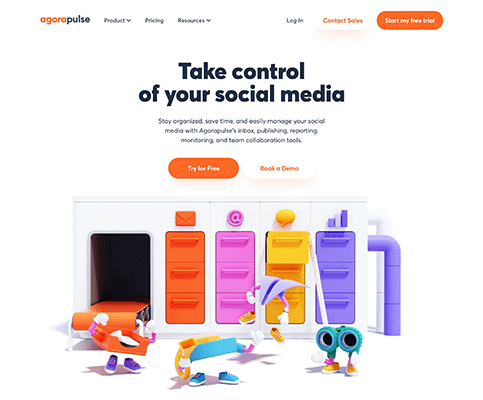
Agorapulse is an all-in-one social media administration tool designed to save lots of you time. Agorapulse routinely combines all of your social conversations in a single place so you’ll be able to review, reply, and label them. The inbox captures feedback, mentions, messages, and reviews in chronological order. Moreover, you’ll be able to arrange automated moderation guidelines to review, tag, conceal, or assign key messages, so that you spend much less time in your inbox. And you need to use saved template replies to reply shortly.
Agorapulse’s scheduling tools help you publish posts as soon as, a number of occasions, or many times with totally different queues. You may as well use queue classes to retailer limitless queued posts on specific themes and matters. The built-in Social CRM tool can routinely tag, label, and rank your most passionate fans, followers, and influencers for every social community based mostly on consumer engagement. Plus, the monitoring tool can warn you to traits, hashtags, and key phrases through computerized notifications. Agorapulse’s reporting tool works within the background to collect insights in your content material efficiency, so you already know what content material works on every social community.
- Combines conversations from every community into one inbox
- Makes use of automated moderation guidelines to handle key messages
- Schedules and queues content material to publish as soon as, a number of occasions, or on repeat
- Shops and categorizes limitless queued posts on specific themes
- Tags your customers based mostly on engagement ranges
- Screens traits, hashtags, and key phrases through computerized notifications
- Generates in-depth analytical studies and insights
Pricing
Agorapulse has a range of subscription plans based mostly on the variety of customers and social profiles you require, ranging from €99/month (low cost provided when bought yearly). You can begin off with their free plan which helps you to have 3 social profiles and 1 consumer.
8. SEMrush
Use Case: “Track competitor Facebook strategies and automatically compare your engagement metrics side‑by‑side.”
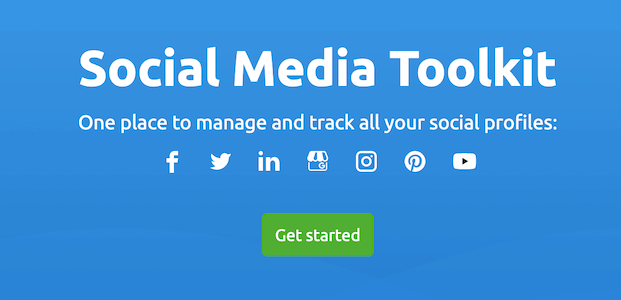
SEMrush is an all-in-one digital advertising and marketing platform, best recognized for its web optimization and PPC toolkits. But it surely additionally has a Social Media Toolkit, which permits automated posting, monitoring, promotion, and analytics throughout the foremost social channels.
The Social Media Poster tool helps you to plan and schedule your Facebook, Twitter, Instagram, Pinterest, and LinkedIn posts weeks upfront, after which routinely post them for you on the proper time. As soon as a post is printed, you’ll be able to review its efficiency, and if it appears good, then you’ll be able to reschedule the post as a one-off or add it to a repeating queue. The Social Media Poster additionally means that you can add 5 RSS feeds so you’ll be able to routinely seize the most recent content material from different websites. You’ll be able to review the collated content material concepts and add them to your queues for computerized publishing.
Options:
- Queues content material to simplify your posting schedule
- Finds your best performing content material to schedule once more
- Collects, reviews, and schedules content material concepts from 5 RSS feeds
The Social Media Tracker tool runs within the background, routinely checking and compiling all of your important engagement metrics into one easy-to-read desk, so you’ll be able to see which platforms and content material work best. Plus, the tracker routinely finds your rivals’ social media accounts (based mostly on the domains you enter), so you’ll be able to analyze their campaigns, hashtags, particular provides, and top-performing posts to boost your individual social media technique. SEMrush presents the mixed knowledge in a graph so you’ll be able to examine you and your rivals on three major metrics: viewers, exercise, and engagement. Plus, you’ll be able to report the progress of your social media campaigns to your teammates or shoppers with customizable, easy-to-read PDF studies.
Options:
- Checks automated studies in your best-performing content material
- Analyzes competitor campaigns, hashtags, and top-performing posts
- Builds customizable, easy-to-read PDF studies
Model Monitoring
SEMrush’s Brand Monitoring Tool is a part of its Content material Advertising and marketing Toolkit and tracks the net mentions of any phrase or phrase you want to monitor. As well as web site mentions, you’ll be able to monitor Twitter and Instagram feeds for particular key phrases, hashtags, or usernames, akin to influencers or your rivals. For instance, you’ll be able to see the Instagram customers mentioning your model title sorted by the variety of mentions.
Options:
- Tracks model key phrases, hashtags, customers, and mentions
- Studies on the variety of mentions by customers on Instagram
Pricing
SEMrush has a range of subscription plans that each one embrace the Social Media Toolkit, ranging from $99.95/month (paid yearly). But Model Monitoring is only out there within the Guru and Enterprise Plans, beginning at $191.62/month (paid yearly).
9. Missinglettr

Use Case: “Turn every new blog post into a year‑long social media campaign automatically.”
Missinglettr is a helpful time-saving tool that routinely turns your weblog posts into partaking social media campaigns. When you’ve arrange your account and connected your weblog through RSS, Missinglettr displays your weblog 24/7. When it detects a brand new weblog post, it auto-generates a brand new social media marketing campaign. Missinglettr makes use of AI and Machine Studying to scan your weblog post, in search of quotes, content material, and imagery that it thinks will work well in your chosen social platforms. It even recommends related hashtags. However most significantly, every post within the marketing campaign hyperlinks to your weblog post.
You’ll get prompted through e mail to review and modify the marketing campaign. When you’ve accredited your marketing campaign, Missinglettr will publish your social media posts to your chosen networks (Facebook, Twitter, LinkedIn) on the prescribed days all through the following twelve months. A default Missinglettr marketing campaign lasts 12 months, however you’ll be able to create your individual schedules. You even have the choice to let Missinglettr routinely re-publish your weblog posts on Medium, without negatively affecting web optimization.
Then there’s the brand new Curate function. This lets you supply content material to share together with your viewers and get your content material shared by different customers. And in case you’re publishing guest posts, you may as well manually add these URLs to Missinglettr and let it create a social marketing campaign for these, too.
- Turns weblog posts into social media campaigns
- Generates and recommends related hashtags
- Republishes weblog posts on Medium
- Content material promotion and curation through Missinglettr Curate add-on
Pricing
Missinglettr has a choice of subscription plans, ranging from $19/month.
10. Awario

Use Case: “Get real‑time email or Slack alerts whenever your brand is mentioned on Facebook or across the web.”
Awario is a strong social media listening tool that makes it easy to watch key phrases and model mentions throughout the online, together with Twitter, Facebook, Instagram, and YouTube. Awario tracks your key phrases in any language and site. So whether or not you’re a small enterprise monitoring the native media or a world model monitoring in every single place, it’s capable of collect the mentions you want. When you’ve entered the key phrases and channels you wish to monitor, Awario displays the online 24/7 and returns ends in real-time with the intention to react promptly to any point out. Awario routinely updates and displays your social media analytics within the dashboard.
For instance, you’ll be able to uncover the places and languages of your mentions, examine your hottest platform, and discover which influencers are mentioning you or your model. Should you’re strapped for time, you’ll be able to arrange e mail alerts in Awario, and get day by day or weekly summaries of recent mentions straight to your inbox. Or, in case you want, you will get real-time notifications in a Slack channel of your choice. As well because the real-time dashboard, Awario generates customizable studies (in PDF or HTML) on social listening, share of voice, and influencers which you could share with colleagues. Plus, companies can customise the white-label studies for his or her shoppers to save lots of much more effort and time.
- Screens the online for mentions of your key phrases in actual time
- Tracks the expansion within the variety of your mentions
- Identifies top influencers by social networks
- Captures potential gross sales leads
- Delivers day by day or weekly summaries of recent mentions straight to your inbox
- Generates studies on social listening, share of voice, and influencers
Pricing
Awario has a range of subscription plans, ranging from $29/month.
11. Tailwind
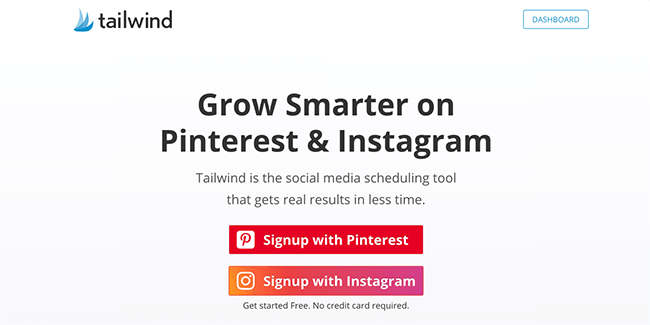
Use Case: “Automatically find and add relevant hashtags to your Instagram posts and schedule them at peak engagement times.”
Tailwind is a scheduling and publishing tool for Pinterest and Instagram.
Tailwind for Pinterest means that you can add a Pin as soon as and schedule it to publish on a number of boards, saving you a great deal of time. Plus, the optimized Pinning calendar routinely publishes your Pins when your viewers is more than likely to see them.
Tailwind Communities is an effective way for bloggers and entrepreneurs to share one another’s content material. When you add your Pins to a Neighborhood, you’ll get extra publicity when a Neighborhood Member select to share your content material with their fans.
Likewise, you’ll be able to shortly discover related Pins in a Neighborhood to share together with your viewers.
SmartLoop makes it easy to reshare your best Pins on the best occasions for engagement. It saves you hours of guide pinning as you only add your Pins to SmartLoop as soon as, after which Tailwind reshares them for you indefinitely. Tailwind for Instagram means that you can add any single-image or video post and publish on to any of your Instagram enterprise profiles. Plus, SmartSchedule routinely chooses the best publishing occasions when your viewers is more than likely to be searching their feed. Coupled with SmartSchedule is Tailwind’s
Hashtag Finder, which finds clever hashtags for each post and routinely provides them to the primary remark. You additionally get the choice to save lots of top-performing hashtag lists and add to them on the fly. Tailwind additionally has its auto-updating SmartBio function, so that you only set your bio hyperlink as soon as. Then while you add a hyperlink to any Instagram post, Tailwind routinely updates your customized touchdown web page behind the scenes so everybody can click on via to your web site, weblog post, or product itemizing.
Pinterest:
- Creates 10 Pins in a single click on
- Schedules and publishes Pins at optimum occasions
- Generates analytics and insights for Pins and Boards
- Reshares best-performing evergreen Pins
Instagram:
- Schedules and publishes pictures and movies
- Suggests perfect-fit hashtags
- Suggests the best publishing occasions when your viewers is most engaged
- Sends visitors from Instagram to your touchdown pages
Pricing
Every Pinterest or Instagram account you want to publish from will want its personal Plus Plan. The value of a single Plus Plan is $14.99 paid month-to-month, or $119.88 paid yearly.
12. Marketo
Use Case: “Automate complex lead nurturing workflows based on Facebook ad clicks and form fills.”
Marketo has emerged as one of many best advertising and marketing automation platforms with round 2,300 prospects and over 100,000 energetic customers from all around the world. On top of Marketo’s simplicity and ease of use, it’s extremely versatile and complicated, enabling salespeople and entrepreneurs to attain desired outcomes.
It is without doubt one of the most complete platforms that may simply scale together with your enterprise. With features like lead administration, A/B testing, key phrase evaluation, buyer engagement metrics, and many others. Marketo proves to be a terrific addition to your advertising and marketing arsenal!
13. Constant Contact
Use Case: “Automatically post about upcoming events on Facebook while managing email invitations from the same tool.”
Fixed Contact is one the best e mail advertising and marketing service with almost each function a small enterprise proprietor would wish. It’s particularly helpful for firms that host occasions, due to its occasion administration and registration capabilities.
Some neat features embrace:
- Handle your contacts from a number of sources– Excel, Gmail, and even social media accounts
- Electronic mail monitoring capabilities
- Conduct surveys and polls
- Occasion management
It additionally provides a 60 day trial interval which might be helpful for small enterprise homeowners to test out the service at size earlier than placing in {dollars}
14. OneSpot

Use Case: “Use machine learning to automatically promote your best Facebook content to lookalike audiences.”
OneSpot is a content material advertising and marketing platform that makes use of machine studying to assist promote your model and content material for max engagement and keep on the client top of thoughts.
OneSpot’s machine studying expertise routinely delivers your content material to your customers based mostly on their searching historical past and pursuits. OneSpot follows a buyer across the net and promotes related content material throughout their social media, e mail, on-line advertisements, and different networks. It’s trusted by massive manufacturers like IBM, L’oreal, Nestle to call a couple of.
15. HubSpot
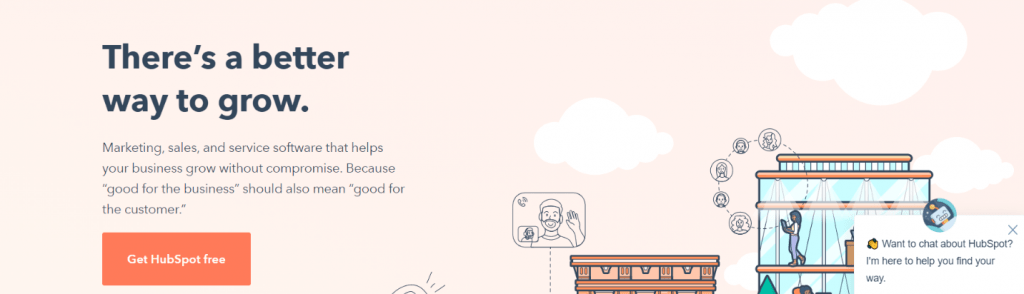
Use Case: “Automatically log social media interactions in your CRM and trigger follow‑up emails based on engagement.”
Should you or your staff use inbound advertising and marketing to generate leads, you then’ll love HubSpot. HubSpot is an inbound advertising and marketing platform with a supporting suite of gross sales and CRM platforms.
It’s a well-known and broadly used advertising and marketing automation software program with over 34,000 prospects worldwide. It gives entrepreneurs and salespeople with all of the bells and whistles they should lure prospects, work together with them, present buyer assist, create compelling content material, goal the fitting viewers, and measure the outcomes of your campaigns.
⚠️ Warning: Don’t Over‑Automate Your Engagement
- Authenticity matters: Automated comments and generic replies can damage your brand reputation. Use tools to schedule and monitor, but always write personal responses to comments and messages.
- Facebook’s algorithm penalizes spammy behavior: Over‑posting or using bots to like/follow can trigger shadowbans. Always follow platform guidelines.
- Data privacy: Ensure any tool you use is GDPR/CCPA compliant if you handle customer data. Read privacy policies carefully.
- Tool overlap: You don’t need all tools at once. Start with one comprehensive tool (like Hootsuite or Sprout Social) and add specialized tools (like Tailwind or Missinglettr) only when needed.
✅ Facebook Automation Tool Evaluation Checklist
Use this checklist to choose the right tool for your business:
- How many Facebook pages do you manage?
- Do you also need to manage Instagram, Twitter, LinkedIn, or Pinterest?
- Is advanced analytics and reporting a priority?
- Do you need social listening (brand mention tracking)?
- Will multiple team members need access?
- Do you want to automate blog promotion?
- Is budget a primary concern? (If yes, consider SocialPilot or CoSchedule)
- Do you need CRM integration (HubSpot, Salesforce)?
- Have you taken advantage of free trials to test features?
Answering these questions will narrow down your choices significantly.
Wrapping It Up:
These all Facebook automation tools are effectively improving your brand awareness. When you build up social media awareness, branding and customer engagements are essential for you. So if you want to grow your business through social media platforms, these are the best choice for you. So what about your planning to use the automation tools? Do not forget to comment back to us.
Author Bio: Jais Frank is a freelance content writer and enthusiastic blogger. He is the co‑founder of Essay Writing Guides. He contributes to many authority blogs such as The Legal Guides and The Parents Magazine.
❓ Frequently Asked Questions (FAQ) About Facebook Automation Tools
1. What is the best free Facebook automation tool?
A: Agorapulse offers a generous free plan for up to 3 social profiles and 1 user. Missinglettr also has a free plan that lets you create one campaign per month. For scheduling only, Facebook’s own Creator Studio is free but limited.
2. Can I automate direct messages on Facebook?
A: Yes, tools like ManyChat and Chatfuel specialize in Facebook Messenger automation (not covered in this list). For responses to comments, tools like Agorapulse allow you to save and use template replies.
3. Will Facebook automation tools get my page banned?
A: Using reputable tools that comply with Facebook’s terms is safe. Avoid tools that promise “auto‑like” or “auto‑follow” bots – those violate Facebook’s policies and can lead to bans. All tools listed here are officially recognized or widely used by legitimate businesses.
4. How much do Facebook automation tools cost?
A: Prices range from free (Agorapulse, Missinglettr) to $29–$99/month for solo users, and up to $200+/month for enterprise plans. Most tools offer discounts for annual billing.
5. Can I schedule Facebook posts for multiple pages?
A: Yes. Most tools like Hootsuite, Sprout Social, Sendible, and SocialPilot allow you to manage unlimited pages (depending on your plan). You can schedule posts to multiple pages simultaneously.
6. Which tool is best for detailed Facebook analytics?
A: Sprout Social and SEMrush offer the most in‑depth analytics, including competitor benchmarking and custom report generation. Hootsuite and Agorapulse also provide robust analytics.
7. Do these tools work for Instagram and Facebook together?
A: Absolutely. Hootsuite, Sprout Social, Sendible, Agorapulse, and SEMrush all support cross‑platform scheduling and monitoring for Facebook, Instagram, Twitter, LinkedIn, and more.
📝 Article Summary: Best Facebook Automation Tools (2026)
- Why automate? Save time, ensure consistency, reach targeted audiences, and gain valuable insights through analytics.
- All‑in‑one leaders: Hootsuite and Sprout Social are the industry standards for comprehensive management and analytics.
- Specialized tools: Missinglettr (blog promotion), Tailwind (visual platforms), Awario (listening), SEMrush (SEO + social).
- Budget options: SocialPilot, CoSchedule, and Agorapulse (free plan) offer excellent features at lower price points.
- Agency choices: Sendible and Agorapulse excel at client management, white‑label reports, and multi‑account handling.
- 2026 trend: AI‑powered insights and competitor analysis are becoming standard features in top tools.
Automation is essential for scaling your social media presence, but it must be balanced with genuine human interaction. Choose tools that fit your workflow, budget, and long‑term goals.
- → How to Build a Social Media App (2026)
- → Social Media Marketing Guide for Beginners
- → Easy Guide for Engagement of Viewers on Social Media
- → Benefits of Using Instagram and YouTube for Social Media Marketing
- → Why Your Social Media Needs Services and Software
- → 5 Types of Visual Content to Improve Social Media Engagement
- → Ways Small Businesses Can Benefit From Influencer Marketing
- → Insurance Social Media Marketing
📚 Further Reading from Trusted Sources
- PCMag: The Best Social Media Management Tools (2026)
- TechRadar: Best Social Media Management Tools 2026
- CNET: Best Social Media Management Tools for 2026
- Forbes Advisor: Best Social Media Management Tools
- Hootsuite Blog: The Ultimate Guide to Social Media Management Tools
- Sprout Social Insights: How to Choose a Social Media Management Tool
- Buffer Library: 20+ Best Social Media Management Tools
- Social Media Examiner: Social Media Management Tools
- G2: Social Media Management Software Reviews
- Capterra: Social Media Management Software




Thank you for sharing this wonderful Submission list for us. That is very helpful