
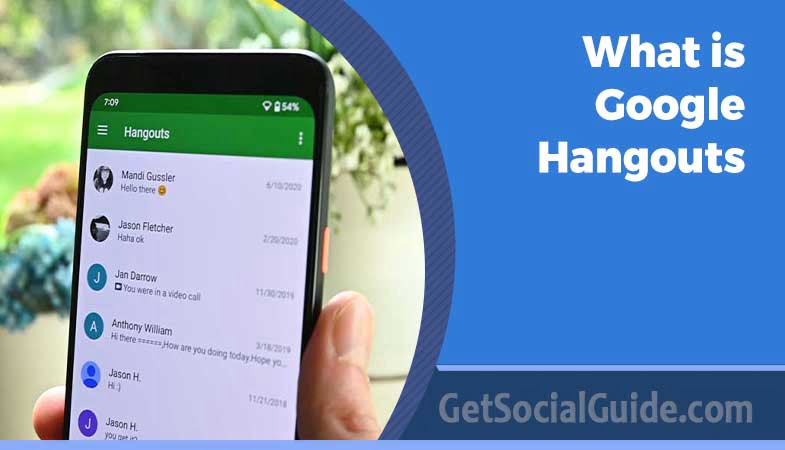
What is Google Hangouts? Beginners Guide
Google Hangouts is a communication platform which includes those features mentioned above. It was created by Google in order to make communication easier among the users of the same company. The platform can be used for free.
VOIP (Voice Over Internet Protocol) is a technology that allows users to make phone calls over the internet. The use of the internet in such a way may also involve the transmission of video alongside the audio or both together.
Before Google Hangouts, Google had among its products other communication services including Gmail and Google Workspace.
With Google Hangouts, users are allowed to communicate with two or more people via messages or a video call through Hangout. People can retrieve their previous chats online as soon as the conversation is over. It is also possible to delete your message history. Therefore, deleted messages will not be available on the device of the person who deleted them; however, other users may still have them.
Google Hangouts is an adaptable platform that not only enables users to exchange messages but also allows them to make video calls, phone calls, and send texts to real phones. In addition, it can be used to hold meetings and set up a web conference, which is similar to the functionality provided by other online meeting tools.
This platform combines different Google services, such as Google Talk, Hangouts, and Google Voice, to provide a single solution to its users.
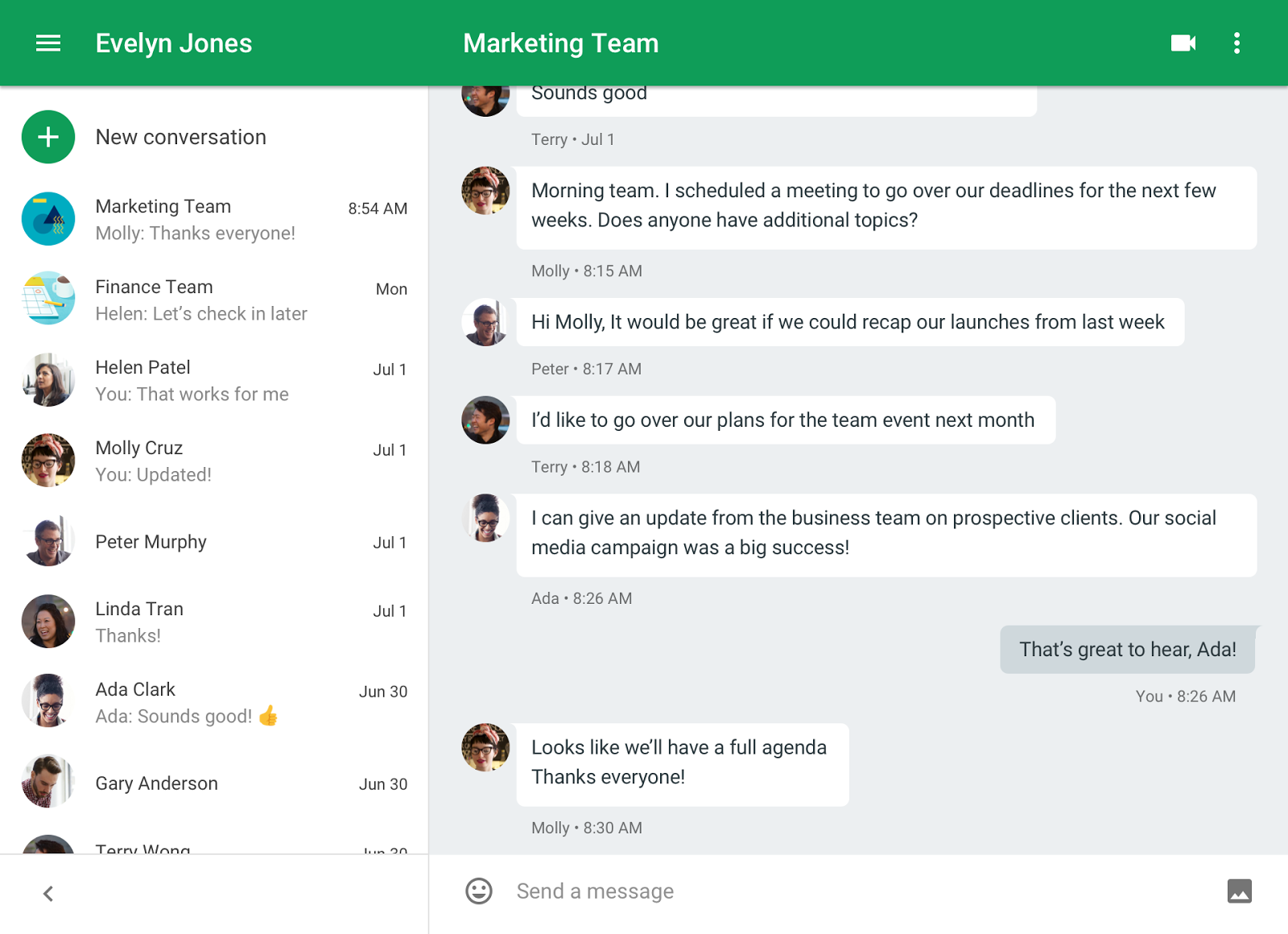
What is Google Hangouts?
Google Hangouts is only one among several choices for online video conversations tools. The other major competitors in this market are Skype, Zoom, and Teams. At the heart, these video conversation tools offer the same basic functionalities, which means users can make video calls to their friends, colleagues, or clients through the internet. Still, Google Hangouts separates itself from its rivals by a handful of features.
To begin with, Google Hangouts is mainly a browser-based service. So, it can be used from any device having an internet connection, and there is no need to download any software. Other platform may require you to download and install specific applications, for example.
Moreover, Google Hangouts has no restrictions on the number of the people you can talk to or the calling time. Unlike Zoom, for instance, which might limit the number of participants or the duration of the call to certain accounts, Google Hangouts doesn’t impose such kind of limitations and thus becomes a more economical way of conducting business which means there is no need for a paid subscription to get these extra features.
Video chat programs have been gaining a lot of users lately, and Google Hangouts is one of the platforms that have made themselves more accessible and attractive to people who want to interact with each other without any interruptions.
Google Hangouts Features
:max_bytes(150000):strip_icc():format(webp)/messaging-5b40e35ec9e77c0037b03f3c.jpg "Google Hangouts Review 3")
On the simplest level, Google Hangouts serves as a text messaging platform. If you open up a contact, then you can immediately start a text conversation with them, and your messages are sent directly to their Google Hangouts account for their responses.
Options for inserting emojis and images, either from your computer or your Google account, are available within the conversation window. You may also make use of the integrated video search feature to conveniently send videos and additionally, you may delight in your creativity by using the drawing tool to send sketches.
To make a telephone call, you have to press the correct button in the chat window, thus changing from a text conversation to a voice or video call. In brief, Google Hangouts allows for video messages and audio-only calls, but please be aware that if you want to use these features, you need to install the Hangouts plugin.
Moreover, the sending of a text message to the person is quite alike to the SMS function on your mobile device, but what makes it different is that it can be done from your computer directly.
Google Hangouts can be reached via a computer through the Google Hangouts website. As it is browser-based, you can easily let other Google users know that they are invited to take part in a chat or a call. Besides, you have the option to add more people to the existing text chat or video/audio call.
In addition, Google Hangouts is accessible on mobile devices for the people who are not at home. iPad and iPhone users can get Hangouts from the App Store while Android users can download Hangouts from Google Play. In case your main focus is on making calls, you are able to have the Hangouts Dialer app for Android.
Here are some additional features of Google Hangouts:
- Voicemails from Google Voice are stored within your account.
- Text conversations can involve up to 250 participants.
- A maximum of 25 people can participate in a single video chat.
- During a call through the desktop version of Google Hangouts, text messages can be exchanged alongside the video, allowing the video to remain on the top.
- In the mobile app, you have the option to minimize a call, keeping it visible on the screen while sending text messages simultaneously.
- On both the mobile and desktop versions, you can disable the microphone and/or camera at any time during the call without ending the session.
- If you encounter issues with a smooth video call on Google Hangouts from a computer, you can adjust the outgoing and incoming video bandwidth. You also have the option to force incoming audio only, regardless of whether the participant(s) are displaying video.
- You can share a link to a Google Hangouts call with anyone you wish to add to the call, provided they have a Google account.
- You can make audio-only calls to other Google Hangouts users by initiating a video call first and then disabling the video component.
- The Google Hangouts app has the capability to send the user’s current location.
- Conversations can be marked as favorites in the mobile app, which places them at the top of the conversations list for easy access.
How Do I Access Google Hangouts?
There are many methods through which Google Hangouts can be reached. One can very well open the Hangouts tab in his/her Google account. Besides that, it is possible to access it from the Gmail account where it is located under the chats label. Choosing which chats to keep is the user’s prerogative. In case you only want to get messages from certain people, use the settings to pick those who can talk to you and thus, be safe from messages from unknown persons.
Users are facilitated to be reminded of their dialogues through a watermark that shows the place where they stopped. The phone call button is able to perform local or international calls, can also be used to get a call and in some cases, the calls are free.
Photos taken during the conversations are put in a secret album so that you can later have access to them whenever you want. In messaging, Google Hangouts uses different types of emojis, and they are all colorful. Users who prefer drawing their own smiley faces can use a “pencil” tool that enables you to draw your image in the given box. Other users can then change your smiley drawing and reply with theirs. Besides that, there is also text formatting, with Ctrl+U being the shortcut for underlining text whereas Ctrl+B is for emphasizing text.
Besides this, Google Hangouts permits chat commands to be used whereby one can mute or unmute certain audio sources and also send private messages.
How to Use Google Hangouts
- To start using Google Hangouts, follow these steps:
- Visit https://hangouts.google.com/.
- Click “Sign in” and log in using your Google account. If you don’t have a Google account, you can create one at www.google.com.
- There are two ways to initiate a Hangout:
- a. Click the “VIDEO CALL” icon, and a “Invite people” window will appear. Enter the name or email address of the person you want to invite and click “INVITE.”
- b. Alternatively, you can enter the name, email, or phone number in the search box on the left if the person you wish to connect with is in your contact list. Click on the name, email, or phone number in the list to start a conversation on the right.
- You can send messages at the bottom of the conversation window or click the “Video call” icon at the top to initiate a video call.
- Once your contact accepts the invitation, the “Hangout Video Call” window will open. You will see the presenter in the center and your own webcam feed in the lower-right corner.
- Click the “people icon” in the top-right corner to invite more people to the call.
- Click the “gear icon” in the top-right corner to access general settings, such as video, microphone, and speaker preferences.
- Click the “…” icon to explore more options, including sharing your screen, entering full-screen mode, using the chat feature, accessing help, and providing feedback.
- When you’re ready to end the Hangout, click the “Hangup icon.”
- These steps will help you get started with Google Hangouts and begin your video calls or chat sessions.
How to Use Google Hangouts
Google Hangouts serves as a platform to connect people worldwide through messaging, calls, and video calls. Here’s how you can use it to connect with others:
- Sign in to Your Google Account: To access Google Hangouts, you’ll need a Google account. If you don’t already have one, the first step is to create it. You’ll need to choose a username, provide some basic information, and agree to the privacy policy. You can sign up for a Google Account at Google’s signup page.
- Create a Hangout: Once you’re signed in, visit the Google+ page. You’ll find a section for Hangouts, and within that, you’ll see an option to ‘+new hangout.’ You’ll have a list of your contacts from which you can select the people you want to communicate with on Hangout. If you don’t see certain people in your contacts, you can search for them using their phone numbers or email addresses.
- Start Chatting: Before you begin, you’ll need to choose your preferred Hangout format. Keep in mind that you can always change this choice. In Hangouts, you can use emojis, share pictures, and even discover Hangout Easter eggs for added fun. You can create or join hangout parties, allowing you and your friends to have group video chats. You also have the option to decide which people to invite to your hangout. Google Hangouts supports HD videos with the capacity to include up to 25 users in your hangout.
By following these steps, you can use Google Hangouts to connect with friends, family, or colleagues, whether through text chats, voice calls, or video calls, fostering communication with people from around the world.
What is Google Hangouts Used For?
Google Hangouts is a versatile platform that can be applied to various contexts, offering key benefits for both personal and business communication:
- Eliminating the Need for Travel: Google Hangouts helps reduce the necessity for physical travel to attend meetings. This is not only cost-effective but also environmentally friendly, saving time and resources.
- Enhancing Personal Communication: Hangouts provides a more personal and engaging means of communication compared to other online channels. Through video calls and face-to-face interactions, it fosters a sense of connection, making it suitable for personal conversations, catching up with friends and family, or conducting job interviews.
- Efficiently Setting Up Meetings Worldwide: Hangouts simplifies the process of scheduling and conducting meetings with participants located around the world. It eliminates geographical barriers, allowing people from different regions to collaborate seamlessly.
- Presentation and Screen Sharing Features: The platform offers features for presentations and screen sharing, making it invaluable for business meetings, webinars, training sessions, and collaborative projects where visual aids and shared documents are essential.
In various contexts, Google Hangouts proves to be a valuable tool for communication, offering convenience, personal interaction, and efficiency, making it suitable for a wide range of purposes.
Business
Google Hangouts significantly reduces the necessity for in-person meetings, making it a valuable tool for business communication. Here’s how it serves businesses:
- Conducting Business Meetings: Google Hangouts offers a video calling feature, allowing businesses to conduct meetings, discussions, and presentations without the need for physical gatherings. This is particularly beneficial for remote teams and international collaborations.
- Integration with Cloud-Based Office Suite: It seamlessly integrates with a cloud-based office suite. When businesses invest in Google Hangouts accounts, they gain access to additional features that enable domain personalization and management of employee email accounts.
- Cost-Effective Conference Calls: Businesses can hold cost-effective conference calls through Google Hangouts. These calls can be recorded for future reference, which is advantageous for keeping records of important discussions and decisions.
- Client Collaboration: Businesses can invite clients to join Hangouts for discussions, clarifications, or consultations. This fosters transparent and efficient client interactions.
- Affordable Phone Calls: Google Hangouts offers affordable phone call options to contact employees and other stakeholders. In many cases, calls to numbers in Canada and the US are free.
- Customer Reviews: Some businesses utilize Google Hangouts to collect feedback and reviews from their customers, improving their products and services.
- Social Interaction: Beyond business matters, Google Hangouts provides a platform for employees and clients to engage socially, fostering a sense of community and teamwork.
In an era of increasing remote work, video chat tools like Google Hangouts play a crucial role in facilitating communication and collaboration, making them more important than ever for businesses and organizations.
Google Hangouts enables you to connect with your family and friends through a range of communication methods, including video calls, phone calls, and messages. It offers delightful features like the ability to doodle, use emojis, and incorporate animations for added fun. You can share images with others and have control over who you communicate with. Additionally, you have the option to block users if the need arises.
Planning group video chats with your family and friends is easy, requiring only good lighting, a quality camera, and microphone. The browser-based nature of Hangouts means there’s no need to download an app, making it a hassle-free way to stay in touch with people from all corners of the world.
Education
Google Hangouts is a valuable tool for educators, offering a range of possibilities for enhancing the learning experience:
- Online Book Clubs: Teachers can create virtual book clubs on Google Hangouts, where groups can discuss the books included in their curriculum. Students can collaborate, help each other answer questions, and even recommend additional reading materials.
- Collaborative Projects: Google Hangouts provides an ideal platform for students to work on group projects, eliminating the need for physical meetings. It fosters effective teamwork and project completion.
- Presentations and Guest Speakers: Educators can use Hangouts to host presentations for specific projects or invite guest speakers to address their students. This is particularly valuable when guest speakers are unable to visit the school in person. The video calling feature allows these speakers to interact with students, providing valuable insights and knowledge.
- Remote Study Lessons: Teachers and private tutors can use Google Hangouts’ video call feature to offer study lessons to individual students or groups, making it a convenient and flexible way to provide educational support.
How Much Does It Cost To Use Google Hangouts?
Google Hangouts is a cost-effective communication tool, offering the following benefits:
- Free to Use: Google Hangouts is available for free. You only require a Google Voice Phone Number to make free calls to Canada and the United States. In regions where calls are not free, the costs are minimal, amounting to just pennies.
- Free Calls between Google Accounts: Calls between different Google accounts are entirely free, allowing users to connect with friends, family, and colleagues without incurring charges.
- Premium Google Workspace Version: By subscribing to the premium version of Google Workspace, you gain access to Google Meets. This online video chat platform offers a more extensive set of features, including integrations with Google Docs, Sheets, and Slides, enhancing collaboration and productivity.
Google Hangouts provides both free and premium options, making it an accessible and cost-effective choice for various communication needs.
Is Google Hangouts Private?
Google Hangouts offers privacy options depending on your settings:
- Video Hangouts Privacy:
- Private: You can set your video Hangouts to be private. In this mode, only the individuals you invite will be able to view your broadcast.
- Public: Alternatively, you can choose ‘on air,’ making your video Hangout public, allowing everyone to see your broadcast.
- Hangout Messages Privacy:
- Private: Hangout messages are inherently private. Conversations are encrypted to protect your messages. However, it’s important to note that the company can access these conversations if required by legal obligations. This is because Google does not employ end-to-end encryption, which means they have the ability to access message content when necessary.
These settings allow you to control the privacy of your video Hangouts and messages while being aware of the encryption and access policies in place.
Do I Need The Hangout App?
Google Hangouts is accessible via web browsers, eliminating the need to download the Google Hangouts app. It functions seamlessly on popular browsers, including Chrome, providing a comparable experience to the app. To use Google Hangouts in your browser, all you need is a Google account.
For those who prefer mobile applications, the Google Hangouts app is available for both iOS and Android users, offering convenience and flexibility for on-the-go communication.
How Popular Is Google Hangouts?
Google Hangouts has gained popularity with the launch of various G Suite tools, but it does come with certain limitations:
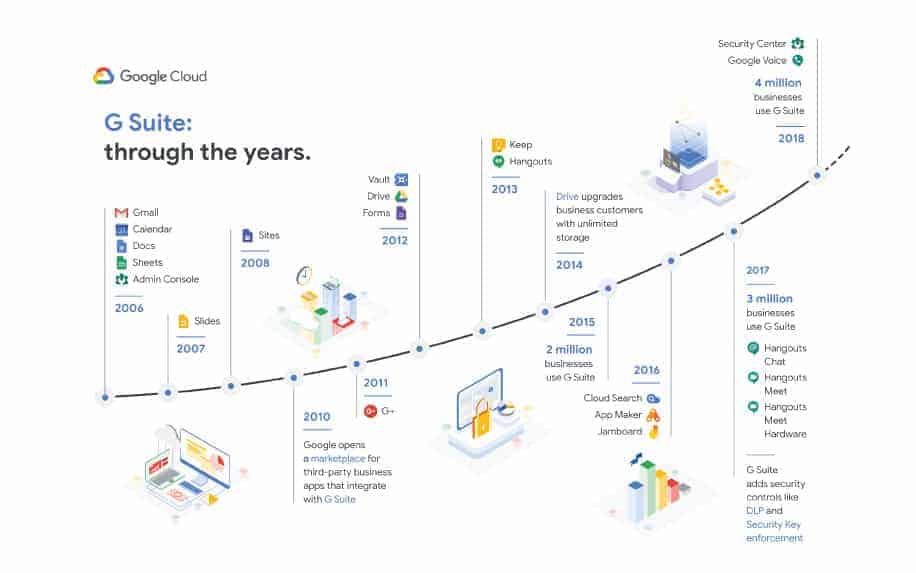
- Computer-Centric: Google Hangouts functions best on computers. On mobile phones, it may not always display correctly, which can be a drawback for mobile users.
- Lower Rating on Play Store: Its rating on the Play Store is 3.9, which is relatively lower compared to other messaging platforms that often have ratings of 4 and above. This suggests room for improvement in user satisfaction.
- Limited Functionality: Google Hangouts has some limitations in terms of functionality. Users can only share one image at a time, and forwarding messages requires opening new hangout messages. Removing unwanted users from a group chat is not straightforward; you would need to create a new group chat without the undesired participants.
- Notification Display: Google Hangout notifications pop up and display the entire text, which may be a concern for users who value privacy or discretion, especially since there’s no option to change this behavior.
- Lack of Tagging in Group Chats: In Google Hangout group chats, there’s no feature to tag or mention a specific user you are addressing, making it less interactive.
- Inability to Share Videos: While video chats are supported, the platform does not allow users to share videos, which can be a limitation for multimedia interactions.
While Google Hangouts offers several communication features, these limitations should be considered when using the platform, and users may find alternatives that better suit their needs.
Pros and Cons of Google Hangouts
| Advantages | Disadvantages |
|---|---|
| All-in-One Communication Tool: Google Hangouts is versatile, offering text messaging, photo sharing, and video or voice calls. | Inconsistent Device Performance: It functions inconsistently on various devices, leading to usability challenges. |
| Accessibility: It can be used on a range of devices, making it suitable for home or on-the-go use. | Google Account Requirement: Google Hangouts necessitates a Google account, potentially tying you into using other Google services. |
| Free Service: Google Hangouts is entirely free to use. | Service Dependency: Using Google Hangouts may lead to reliance on other Google services, which could be bothersome if you prefer standalone use. |
These points highlight the pros and cons of using Google Hangouts for communication.
FAQ
Is Google Hangouts Still Accessible Online?
Yes, Google Hangouts is still available for online use, but it has undergone changes, including the removal of certain features. For more comprehensive video conferencing capabilities, it is advisable to use either Google Meet or Zoom.
Are Google Hangout Conversations Private?
Indeed, Google Hangout conversations are considered private. Google employs encryption to safeguard the content of your messages. It’s worth noting, however, that Google retains records of online text conversations as required by federal law. These records are protected under Google’s privacy policy and can only be accessed with a court subpoena in the context of a criminal investigation. In regular circumstances, conversations held on Google Hangouts remain private, with only the participants having access to the messages.
Summary: Should You Use Google Hangouts?
Google continues to enhance Google Hangouts with each new version surpassing the previous one. When it initially launched, the user interface was less than ideal, but it has since been improved significantly. The widespread appeal of Hangouts can be attributed to its unique features. Notably, it seamlessly synchronizes across all your devices and any other platforms where you log in. This ensures constant accessibility to your chats. Furthermore, Hangouts integrates a wide array of communication options, encompassing messaging, video calls, and phone calls.


Google Hangouts is easily the worst of the video calling platforms – and even worse when travelling. I would only use it as a last resort.