Best Payroll Software for Independent Contractors (1099) – 2025-2026 Guide
The gig economy is booming. Millions of independent contractors, freelancers, and self‑employed professionals now power businesses of all sizes. Whether you’re a solo consultant, a small agency owner with a handful of 1099 workers, or a business that regularly hires freelancers, managing payments, tax compliance, and financial records for non‑traditional employees presents unique challenges.
Unlike regular employees, independent contractors are responsible for their own taxes, benefits, and retirement. For the businesses that hire them, this means no automatic tax withholding, no W‑2s, and a different set of rules. This is where specialized payroll software for independent contractors comes in. These platforms automate payment processing, handle 1099 form generation, ensure compliance with state and federal regulations, and streamline financial management—saving you time, money, and headaches.
In this comprehensive guide, we’ll explore the top 9 payroll software solutions designed specifically for independent contractors and the businesses that work with them. We’ll cover key features, pricing, pros and cons, and help you choose the perfect tool for your needs in 2025‑2026.
How Does Payroll Software Work for Contractors?
Most online payroll services function similarly, despite having unique designs and diverse features. They typically consist of a cloud‑based portal that caters to both employers and contractors. Here’s a general overview of how they work:
- Setup: The employer (or their designated accountant, bookkeeper, or HR person) sets up worker profiles, including pay rates, payment schedules, and tax information.
- Self‑Onboarding: Many platforms offer employee/contractor self‑onboarding portals, where new hires can enter their own W‑9 information, contact details, and direct deposit preferences. This reduces data entry errors and saves time.
- Time Tracking & Invoicing: Some payroll services integrate time tracking or allow contractors to submit invoices directly through the platform.
- Payment Processing: The software calculates gross pay, applies any deductions (if applicable), and processes payments via direct deposit, paper check, or even pay cards. For contractors, this often means a simple ACH transfer to their bank account.
- Tax Documentation: At the end of the year, the software generates 1099‑NEC forms for each contractor who was paid $600 or more, and files them with the IRS and state tax authorities (if elected).
- Integrations: Most platforms integrate with popular accounting software like QuickBooks, Xero, or FreshBooks, ensuring that all payroll data flows seamlessly into your financial records.
Top 9 Payroll Software for Independent Contractors (2025-2026)
Gusto
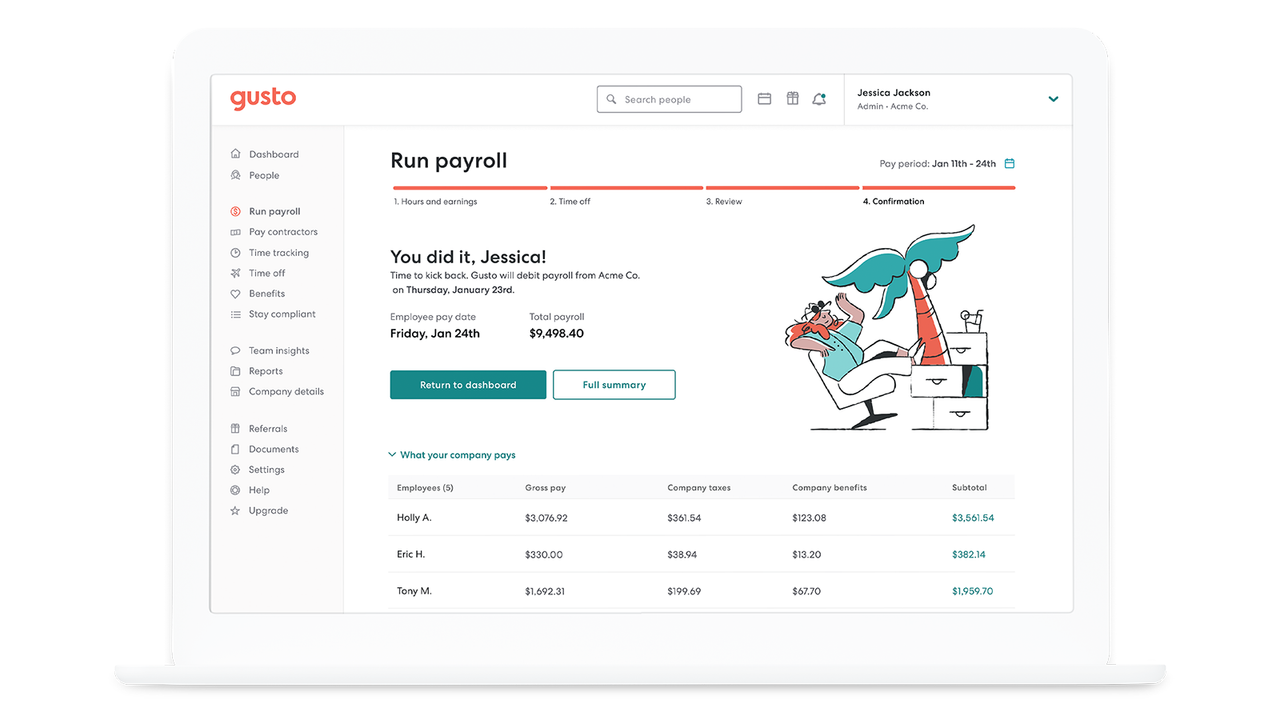
Gusto is a leading payroll and HR platform designed specifically for small businesses and the contractors they hire. It’s known for its intuitive interface and comprehensive features that simplify every aspect of contractor payment and compliance.
- Automated Tax Calculations: Gusto automatically calculates and withholds the correct taxes for contractors (when applicable) and handles all 1099‑NEC filing at year‑end. This ensures accuracy and compliance without manual work.
- Direct Deposit: Contractors receive their payments directly into their bank accounts via fast, secure direct deposit. You can choose the payment schedule that works best for your business.
- Contractor Self‑Onboarding: Send a link to new contractors, and they can securely enter their own W‑9 information, bank details, and contact info—saving you time and reducing errors.
- Multi‑State Support: If your contractors work across state lines, Gusto handles the complexities of multi‑state tax reporting and compliance.
- Integrations: Gusto integrates seamlessly with popular accounting software like QuickBooks, Xero, and FreshBooks, as well as time‑tracking apps and HR tools.
- User‑Friendly Interface: Gusto’s clean, modern dashboard makes it easy to run payroll in minutes, even for non‑accountants.
Pricing: Gusto’s contractor‑only plan starts at $6 per contractor per month. Full‑service plans (including employee payroll) start at $40/month + $6 per person.
Best For: Small businesses and startups that need an easy‑to‑use, all‑in‑one payroll and HR solution for both employees and contractors.

QuickBooks is a household name in accounting, and its payroll offering is equally robust. For independent contractors and the businesses that hire them, QuickBooks Payroll provides a seamless way to manage payments and taxes, especially for those already using QuickBooks for accounting.
- Comprehensive Payroll Features: QuickBooks Payroll handles all aspects of contractor payments, including direct deposit, 1099‑NEC preparation and filing, and year‑end reporting.
- Multi‑State and Local Tax Management: The platform automatically calculates and files state and local taxes where required, ensuring compliance even if your contractors are spread across the country.
- Contractor Self‑Onboarding: Contractors can securely enter their own tax information and bank details, streamlining the onboarding process.
- Seamless Accounting Integration: Because it’s built by QuickBooks, payroll data flows directly into your QuickBooks accounting software, eliminating manual data entry and reconciliation.
- Time Tracking Integration: QuickBooks offers integrated time tracking (with some plans), making it easy to pay contractors based on hours worked.
Pricing: QuickBooks Payroll Premium (which includes contractor payments) starts at $80/month + $8 per employee/contractor per month. A separate Contractor Only plan is available at $20/month + $2 per contractor.
Best For: Existing QuickBooks users who want a tightly integrated payroll solution for both employees and contractors.
Wave
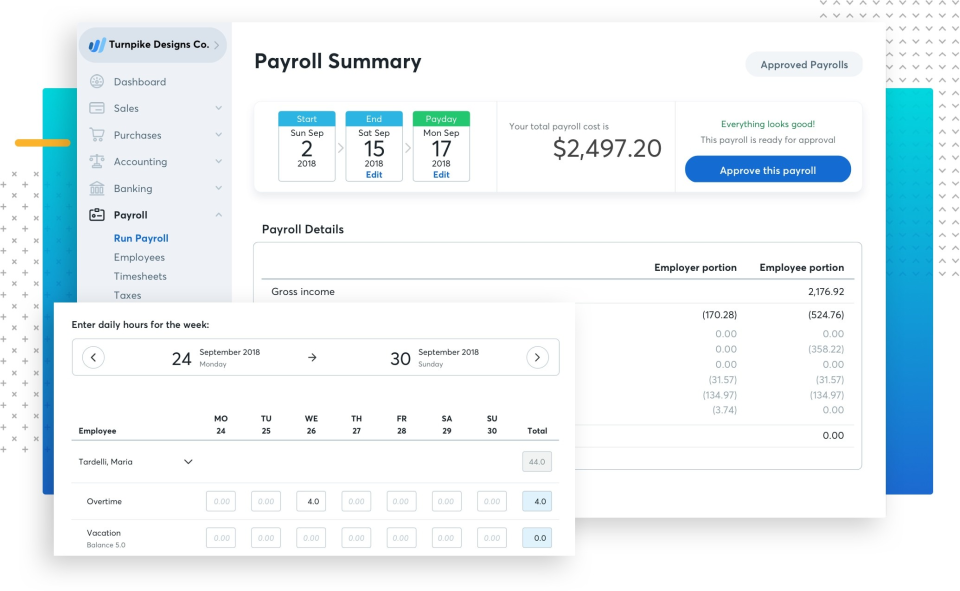
Wave is a unique player in the payroll space—it offers robust accounting and invoicing tools completely free, with a paid payroll add‑on. For independent contractors and very small businesses, Wave is an attractive, budget‑friendly option.
- Free Accounting & Invoicing: Wave’s core accounting, invoicing, and receipt scanning tools are free forever. This makes it an ideal choice for solopreneurs and micro‑businesses.
- Automatic Tax Calculations: Wave Payroll automatically calculates federal and state payroll taxes for employees (including contractors where applicable) and handles year‑end W‑2 and 1099 filing.
- Direct Deposit: Contractors and employees can be paid via direct deposit, ensuring fast and secure transactions.
- Self‑Onboarding: New hires can enter their own tax information through a secure portal, reducing administrative burden.
- Cost‑Effective: Wave’s payroll service is priced per state (starting at $20/month + $6 per employee/contractor). Given that the accounting software is free, the overall cost is very competitive.
- User‑Friendly: Wave’s interface is clean and intuitive, designed for non‑accountants.
Pricing: Wave Payroll starts at $20/month + $6 per person per month in most states. (Pricing varies slightly by state.)
Best For: Solopreneurs, freelancers, and very small businesses that want free accounting software and an affordable payroll add‑on.
Justworks is a professional employer organization (PEO) that bundles payroll, benefits, HR tools, and compliance support into a single platform. It’s designed for businesses that want to offer big‑company benefits to their teams, including contractors, while minimizing administrative headaches.
- PEO Services: As a PEO, Justworks becomes a co‑employer of record, handling payroll, tax filings, and benefits administration. This can be a huge relief for growing businesses.
- Contractor Payments: Justworks allows you to pay contractors via direct deposit, and it handles all 1099 reporting at year‑end.
- Benefits for Contractors: While traditional benefits are for employees, Justworks offers contractors access to perks like 401(k) plans and health insurance (through partner programs).
- HR Tools & Compliance: The platform includes HR resources, employee handbooks, and compliance alerts, helping you stay on top of changing regulations.
- Integrations: Justworks integrates with popular accounting software like QuickBooks and Xero, as well as time‑tracking and applicant tracking systems.
Pricing: Justworks starts at $59 per employee per month (with a minimum of 25 employees for some plans). Contact them for contractor‑only pricing.
Best For: Growing businesses (25+ employees) that want a comprehensive HR, benefits, and payroll solution and may also hire contractors.
Visit Gusto (formerly ZenPayroll)
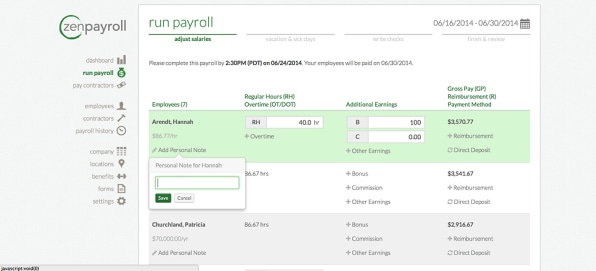
ZenPayroll was the original name of what is now Gusto. While the company rebranded to Gusto several years ago, many older articles still reference ZenPayroll. Today, Gusto carries forward the mission of simplifying payroll for small businesses and contractors. (See #1 for full details.)
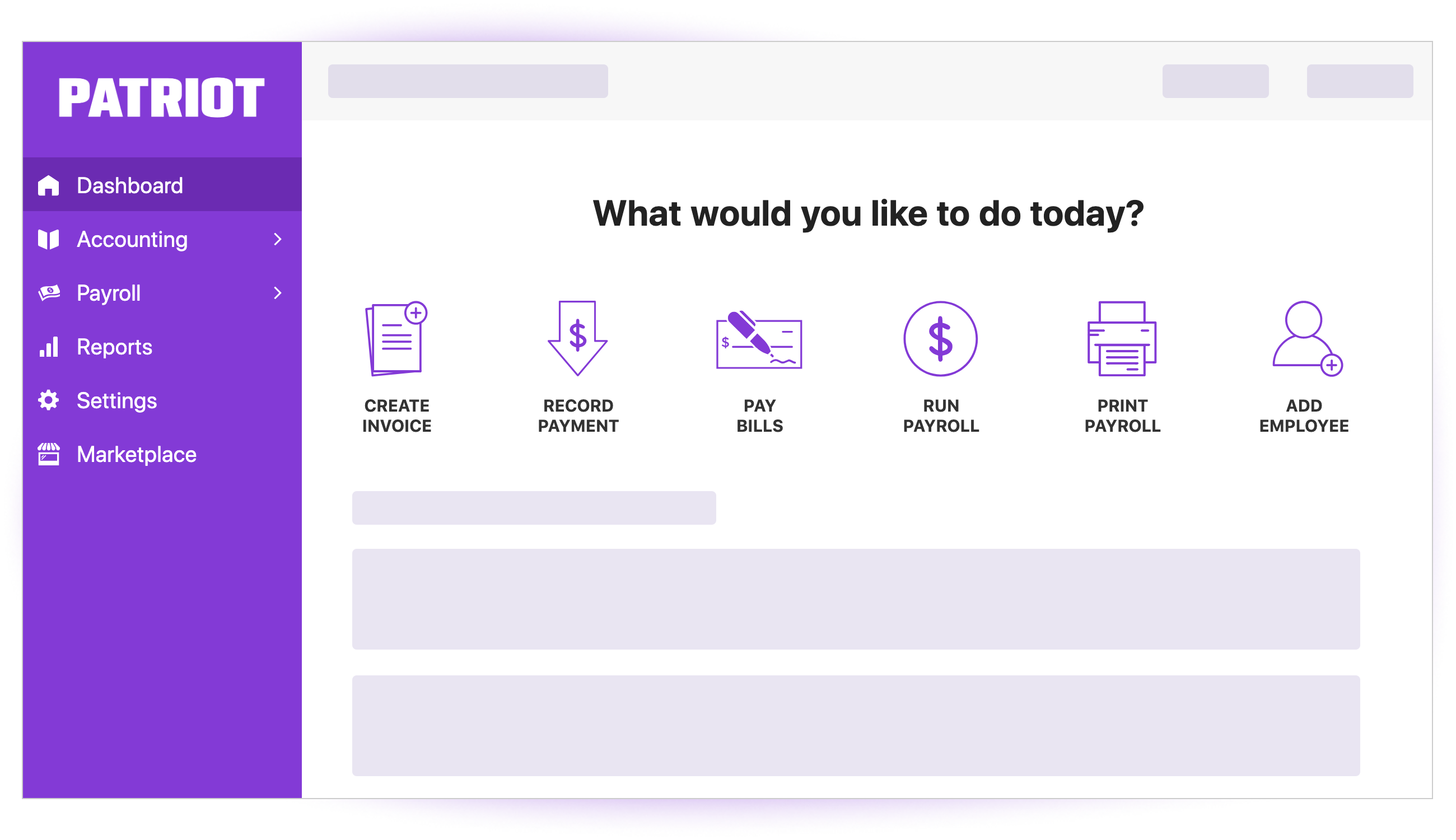
Patriot Software is a well‑established, affordable payroll and accounting solution that caters to small businesses and their contractors. It offers a straightforward, no‑frills approach to payroll that’s perfect for budget‑conscious business owners.
- Direct Deposit: Pay contractors quickly and securely via direct deposit. Patriot also offers live checks and pay cards.
- Automated Tax Filings: Patriot automatically calculates, withholds, and files federal and state payroll taxes for employees. For contractors, it handles 1099‑NEC preparation and filing (with paid plans).
- Self‑Onboarding: Contractors can enter their own W‑9 information through a secure portal, streamlining the process.
- Multi‑State Support: Patriot handles payroll taxes for contractors and employees in multiple states, ensuring compliance across borders.
- Accounting Integration: Patriot integrates with its own accounting software as well as popular third‑party tools like QuickBooks.
- Excellent Customer Support: Patriot is known for its friendly, US‑based customer support team.
Pricing: Patriot’s payroll plans start at $17/month + $4 per person. The 1099‑only plan is $37/month (includes unlimited contractors).
Best For: Small businesses that want an affordable, reliable payroll solution with excellent support and don’t need the bells and whistles of more expensive platforms.
ADP
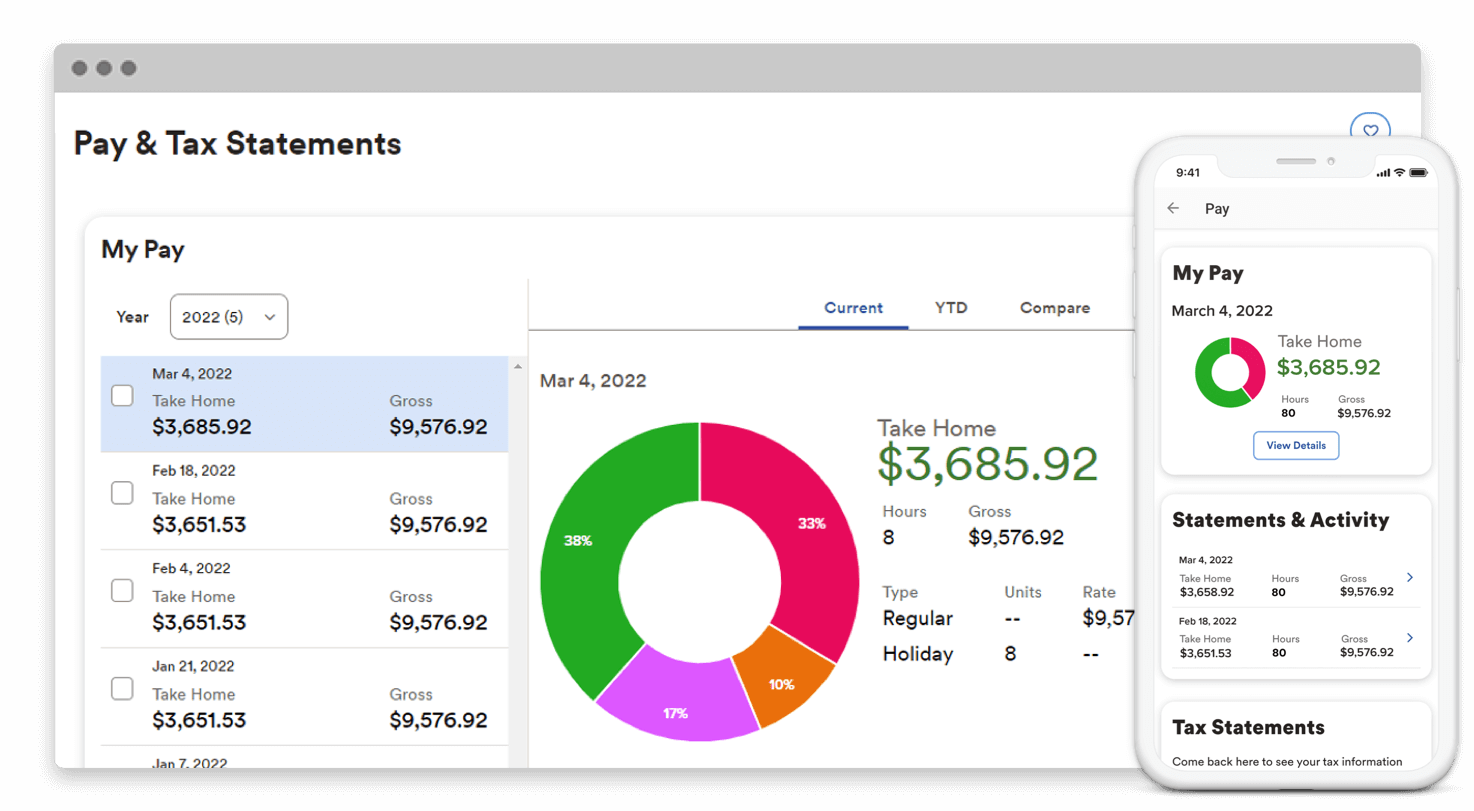
ADP is a global leader in payroll and HR services, offering a wide range of solutions tailored to businesses of all sizes. For independent contractors and the companies that hire them, ADP provides robust, scalable options.
- Direct Deposit: ADP offers fast, reliable direct deposit payments for contractors and employees.
- Automated Tax Filing: ADP handles all tax calculations, filings, and payments, including 1099‑NEC preparation and e‑filing.
- Contractor Self‑Onboarding: Contractors can securely submit their W‑9 information and banking details through ADP’s self‑onboarding portal.
- Multi‑State and Local Tax Management: ADP’s systems are built to handle complex tax scenarios across all 50 states and many local jurisdictions.
- Comprehensive HR & Benefits: Beyond payroll, ADP offers a full suite of HR tools, benefits administration, and compliance support—ideal for businesses with employees as well as contractors.
- Scalability: ADP solutions can grow with your business, from a few contractors to thousands of employees worldwide.
Pricing: Custom pricing based on your business size and needs. Contact ADP for a quote.
Best For: Businesses of all sizes that need a reliable, scalable payroll and HR solution with deep expertise in tax compliance.
Paychex
Paychex is another industry giant, offering a full range of payroll, HR, and benefits solutions. Like ADP, Paychex serves businesses from solo entrepreneurs to large enterprises, with flexible plans that accommodate independent contractors.
- Direct Deposit: Pay contractors via direct deposit, with flexible scheduling options.
- Automated Tax Filing: Paychex calculates, files, and pays federal and state payroll taxes for employees, and handles 1099‑NEC preparation and filing for contractors.
- Self‑Onboarding: Contractors can enter their own tax information and bank details through a secure online portal.
- Multi‑State and Local Tax Support: Paychex’s systems are equipped to handle complex tax situations across multiple jurisdictions.
- HR & Benefits Administration: Paychex offers a wide range of HR services, including employee handbooks, compliance alerts, and benefits administration.
- Accounting Integrations: Paychex integrates with popular accounting software like QuickBooks and Xero.
Pricing: Custom pricing based on your business size and needs. Contact Paychex for a quote.
Best For: Businesses of any size that need a comprehensive, customizable payroll and HR solution with expert support.
Deel
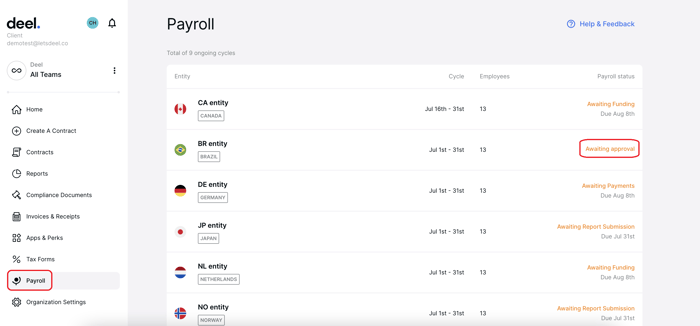
Deel was built specifically for the global workforce. If you hire contractors from other countries, Deel is the go‑to solution. It handles international payments, compliance with local laws, and all the complexities of cross‑border hiring.
- Global Payments: Pay contractors in over 150 countries, in their local currency, via ACH, wire transfer, PayPal, Payoneer, and even cryptocurrency.
- Compliance & Contracts: Deel generates locally compliant contracts and handles all the necessary tax forms for international contractors, ensuring you’re compliant with local labor laws.
- Self‑Onboarding: Contractors can onboard themselves, upload IDs, and sign contracts electronically through the Deel platform.
- Invoicing & Time Tracking: Contractors can submit invoices and track time directly in Deel, making it easy to approve and process payments.
- Dedicated Support: Each customer gets a dedicated account manager to help with onboarding, compliance, and any issues that arise.
- Integrations: Deel integrates with popular HRIS and accounting tools like QuickBooks, Xero, and BambooHR.
Pricing: Deel’s contractor plan starts at $49 per contractor per month. EOR (employer of record) plans for hiring employees internationally start at $599 per employee per month.
Best For: Companies of any size that hire contractors internationally and need a compliant, easy‑to‑use payment solution.
📊 Quick Comparison: Top Payroll Software for Contractors
| Software | Best For | Starting Price | Key Feature |
|---|---|---|---|
| Gusto | Small businesses & startups | $6/contractor/mo | All‑in‑one HR & payroll |
| QuickBooks Payroll | Existing QuickBooks users | $20/mo + $2/contractor | Seamless accounting integration |
| Wave | Solopreneurs & micro‑businesses | $20/mo + $6/person | Free accounting + affordable payroll |
| Justworks | Mid‑sized businesses (25+ employees) | Contact for pricing | PEO + benefits |
| Patriot Software | Budget‑conscious businesses | $37/mo (unlimited contractors) | Affordable, US‑based support |
| ADP | All sizes, complex tax needs | Custom quote | Scalable enterprise solutions |
| Paychex | All sizes, HR & benefits | Custom quote | Comprehensive HR services |
| Deel | International contractors | $49/contractor/mo | Global payments & compliance |
✅ Benefits of Using Payroll Software for Independent Contractors
Whether you’re a contractor managing your own payments or a business paying multiple freelancers, dedicated payroll software offers numerous advantages over manual methods like spreadsheets or paper checks.
- Automated Tax Calculations: The software automatically calculates the correct taxes (where applicable) and generates 1099‑NEC forms at year‑end, reducing the risk of IRS penalties.
- Direct Deposit: Contractors get paid faster and more securely with direct deposit, eliminating the need for paper checks and manual trips to the bank.
- Self‑Onboarding: New contractors can enter their own W‑9 information, saving you time and ensuring accuracy.
- Multi‑State Tax Support: If your contractors work across state lines, the software handles the complexities of multi‑state tax reporting.
- Accounting Integration: Payroll data flows directly into your accounting software, eliminating double entry and reducing errors.
- Record Keeping: All payment and tax records are stored securely in the cloud, making it easy to access them during tax season or audits.
- Time Savings: Automating payroll frees up hours of manual work each month, allowing you to focus on growing your business.
- Cost‑Effective: Compared to hiring a dedicated bookkeeper or accountant, payroll software is a fraction of the cost.
- Reporting & Analytics: Many platforms offer robust reporting features, giving you insights into your contractor spend and cash flow.
🔍 How to Choose the Right Payroll Service
Selecting the best payroll software for your needs depends on several factors. Use this checklist to guide your decision:
- Variety of Payment Methods: Does the platform support direct deposit, paper checks, and pay cards? Contractors may have different preferences.
- Tax Filing and Payment: Does it handle 1099‑NEC preparation and filing automatically? For international contractors, does it ensure local compliance?
- Unlimited Payroll Runs: Some platforms charge per payroll run. For businesses with contractors on different schedules, unlimited runs are essential.
- Self‑Service Portal: Can contractors update their own information and view payment history? This reduces administrative work.
- Reporting: Does it provide reports on total payments, taxes withheld, and other key metrics?
- Automatic Compliance Updates: Tax laws change frequently. The software should update automatically to reflect new rates and regulations.
- Mobile Accessibility: Can you approve payments or view reports from your phone? This is especially useful for busy business owners.
- International Capabilities: If you hire contractors abroad, you need a platform like Deel that handles cross‑border payments and compliance.
- Budget: Consider both monthly fees and per‑contractor costs. Some platforms offer flat‑rate plans that can be more economical as you scale.
💡 Pro Tip: For most U.S.‑based small businesses hiring domestic contractors, Gusto or Patriot Software offer the best balance of features, ease of use, and affordability. If you’re already using QuickBooks for accounting, QuickBooks Payroll is the most seamless integration. For international hiring, Deel is unmatched.
⚠️ Important: Misclassifying employees as independent contractors can lead to severe penalties from the IRS and state labor departments. Payroll software can help you manage payments, but it’s your responsibility to ensure you’re classifying workers correctly. If you’re unsure, consult with a labor attorney or tax professional. The IRS provides guidelines to help you distinguish between employees and contractors.
Frequently Asked Questions (FAQs)
What is the best payroll software for independent contractors?
How do I pay independent contractors?
Do I need to withhold taxes for independent contractors?
What is a 1099‑NEC form?
Can I use regular payroll software for contractors?
How long does payroll take to process?
Conclusion
Managing payments for independent contractors doesn’t have to be a headache. The right payroll software automates the tedious tasks—calculating payments, handling tax forms, and ensuring compliance—so you can focus on what really matters: growing your business and building strong relationships with your freelance talent.
From all‑in‑one HR platforms like Gusto to global specialists like Deel, the options in 2025‑2026 are powerful, affordable, and easy to use. Consider your budget, the number of contractors you hire, whether you have employees as well, and if you hire internationally. Use the comparison table above to narrow down your choices, and take advantage of free trials to test the software before committing.
Investing in a quality payroll solution is an investment in your business’s efficiency, compliance, and professional reputation. Choose wisely, and happy paying!
💼 Ready to Simplify Your Contractor Payments?
Get started with Gusto or Deel today and see how easy payroll can be.