The Ultimate Guide to Creating and Verifying Your Binance Account: A Step-by-Step Walkthrough for Beginners
Binance has cemented its position as the world’s leading cryptocurrency exchange, serving millions of users globally. Whether you’re taking your first steps into the world of digital assets or looking for a reliable platform to expand your trading portfolio, understanding how to correctly set up and verify your account is crucial. This comprehensive guide goes beyond the basics—offering in-depth insights, security best practices, and actionable tips to ensure you navigate the process smoothly and confidently.
What Is Binance and How Does It Work?
Founded in 2017 by Changpeng Zhao (CZ), Binance rapidly evolved from a simple trading platform into a comprehensive ecosystem. It offers spot trading, futures, margin trading, staking, savings accounts, an NFT marketplace, and even a native blockchain—the BNB Chain. The exchange is renowned for its high liquidity, processing over 1.4 million transactions per second, and supports hundreds of cryptocurrencies, making it a one-stop shop for both novice and seasoned traders.
What sets Binance apart is its commitment to user empowerment. Through its native token, BNB, users can enjoy reduced trading fees, participate in token sales, and access various ecosystem benefits. The platform’s interface, while feature-rich, is designed to scale with your experience—from a simplified “Lite” mode for beginners to advanced charting tools for professional traders.
Why Use Binance? Key Advantages for New Users
Choosing the right exchange can be overwhelming. Here’s why Binance consistently ranks as a top choice:
- Unmatched Liquidity and Variety: With over 380 cryptocurrencies and hundreds of trading pairs, you’ll find both major coins and emerging projects.
- Multiple Earning Avenues: Beyond trading, Binance offers staking, yield farming, liquidity pools, and the Learn & Earn program to grow your holdings passively.
- Lowest Trading Fees: Starting at just 0.1% per spot trade, fees can be further reduced by holding BNB in your account.
- Robust Security Infrastructure: Features like the Secure Asset Fund for Users (SAFU), advanced data encryption, and mandatory two-factor authentication (2FA) provide layers of protection.
- Cross-Platform Accessibility: Trade seamlessly on desktop (Windows, macOS, Linux), web browser, or via the highly-rated mobile app (iOS/Android).
How to Create and Verify Binance Account: A Detailed Walkthrough
To begin your journey, you’ll need to register and complete identity verification (KYC). This not only unlocks higher limits but also aligns with global regulatory standards.
Step 1: Registration – Creating Your Account
- Navigate to Binance: Go to Binance.com and click the Register button.
- Enter Your Details: Provide a valid email address and create a strong password (use a mix of uppercase, lowercase, numbers, and symbols).
- Apply Referral ID (Optional): Enter the referral ID 40738427 to benefit from a 40% discount on trading fees. This can significantly reduce costs over time.
- Complete Security Verification: Slide the puzzle to verify you’re human.
- Email Confirmation: Check your inbox for a six-digit verification code. If it doesn’t appear within a few minutes, check spam or request a new code.
Step 2: Identity Verification (KYC) – Unlocking Full Access
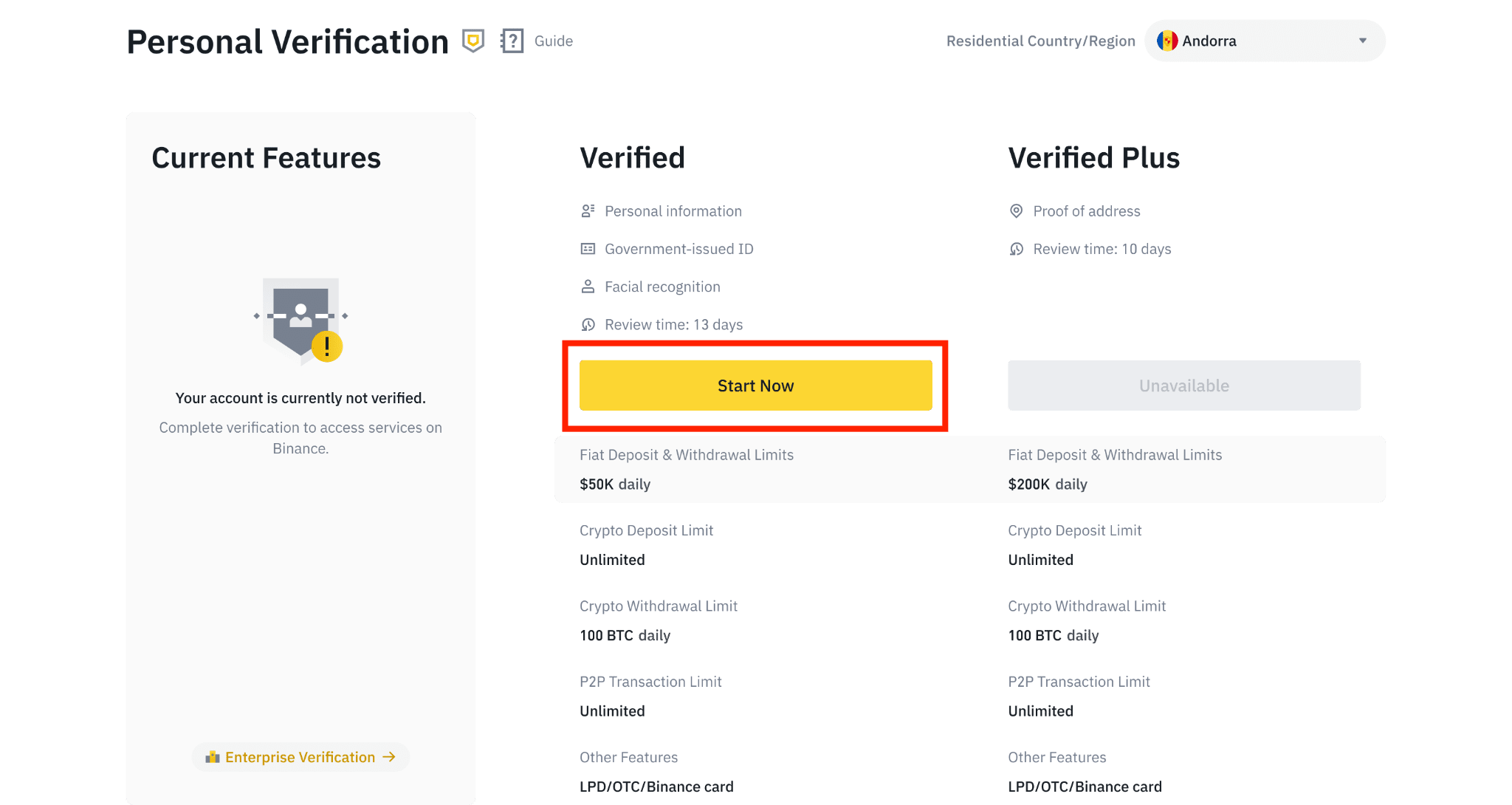
Binance employs tiered verification levels. Completing the process not only boosts your withdrawal limits but also improves account security and grants access to fiat deposits and specialized products.
Basic Verification
- Log in and go to [User Center] → [Identification].
- Select your country of residence and enter your personal details (full name, date of birth, address).
- Submit the form. Basic verification typically processes within minutes.
Intermediate/Advanced Verification
- After basic verification, click “Verify” again and select “Intermediate”.
- Upload a clear photo of your government-issued ID (passport, driver’s license, or national ID card). Ensure the image is high-resolution and all details are legible.
- Complete the facial verification step. This usually involves a live selfie or video recording. Make sure you’re in a well-lit environment without sunglasses or filters.
- If required, upload a proof of address (utility bill, bank statement, or official government letter) dated within the last 3 months.
Once submitted, verification typically takes 1–3 business days. You’ll receive an email confirmation upon approval. After verification, your daily withdrawal limits will increase substantially (e.g., up to $200,000 for fiat on Verified Plus accounts).
Funding Your Binance Account – Fiat and Crypto Options
With verification complete, you can now deposit funds. Binance supports multiple methods:
Depositing Fiat Currency
- Navigate to Wallet → Overview → Deposit.
- Choose “Deposit Cash” and select your preferred fiat currency (e.g., EUR, GBP, USD).
- Follow the on-screen instructions, which may include bank transfer, credit/debit card, or third-party payment providers.
- For bank transfers, always include the provided reference code to ensure funds are credited correctly.
Depositing Cryptocurrency
- Go to Wallet → Overview → Deposit → Deposit Crypto.
- Select the cryptocurrency you wish to transfer.
- Copy the deposit address and network (ensure you choose the correct network—e.g., BEP-20 for BSC, ERC-20 for Ethereum). Sending crypto on the wrong network may result in permanent loss.
- Paste the address into your external wallet or exchange to initiate the transfer.
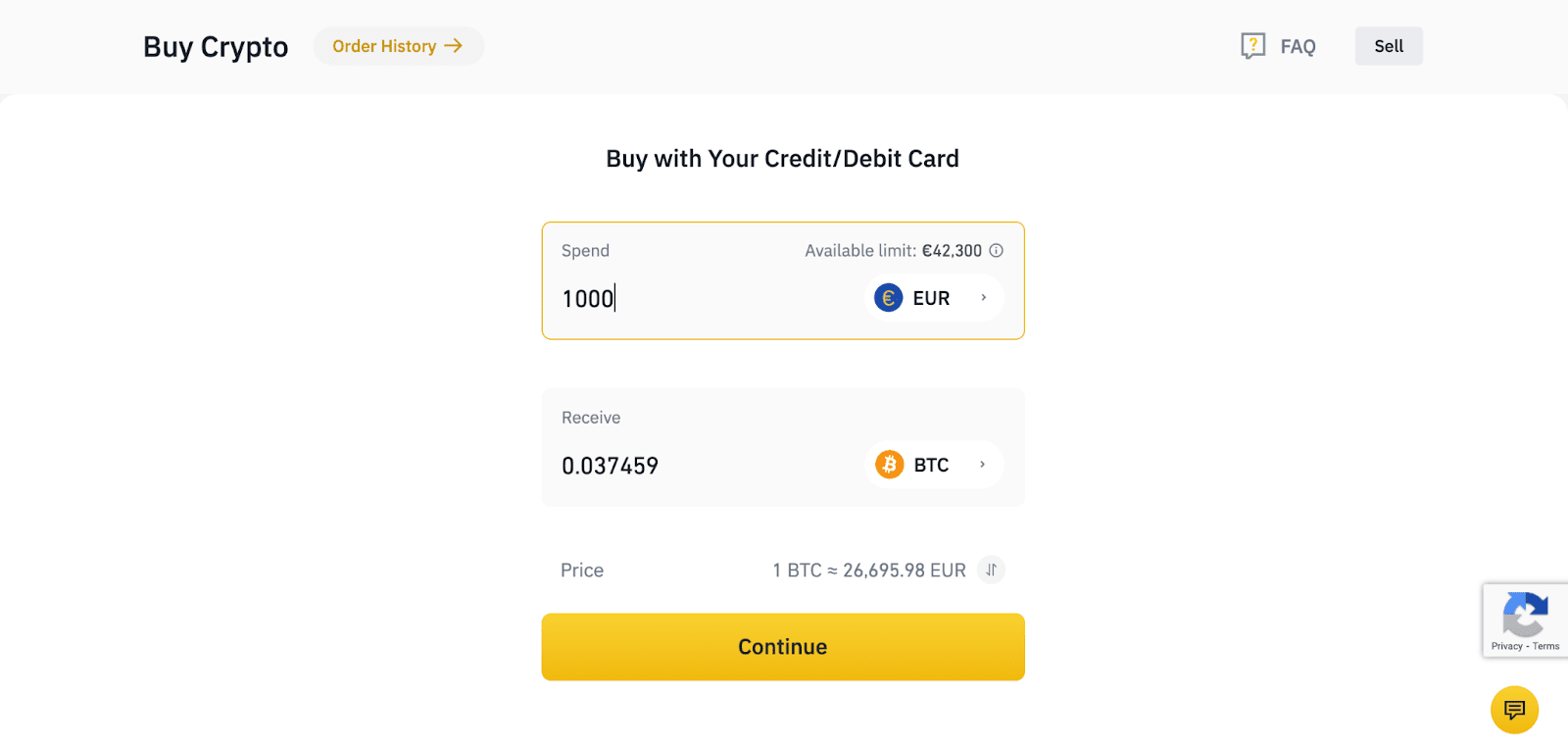
For beginners, the “Convert” and “Spot” trading interfaces offer the simplest entry points. Here’s how to make your first trade:
- Click on Trade → Spot (or “Lite” mode in the app).
- Choose a trading pair, e.g., BTC/USDT.
- Decide on your order type:
- Market Order: Buys or sells immediately at the current market price.
- Limit Order: Allows you to set a specific price; the order executes only when the market reaches that price.
- Stop-Limit Order: Combines a stop price and a limit price for advanced risk management.
- Enter the amount you wish to trade and confirm the order.
Maximizing Your Experience: Binance Learn & Earn and Beyond
One of the most beginner-friendly features is the Learn & Earn program. You can watch short educational videos about blockchain projects and take quizzes to earn free crypto. This is an excellent way to gain exposure to new tokens without risking your own capital.
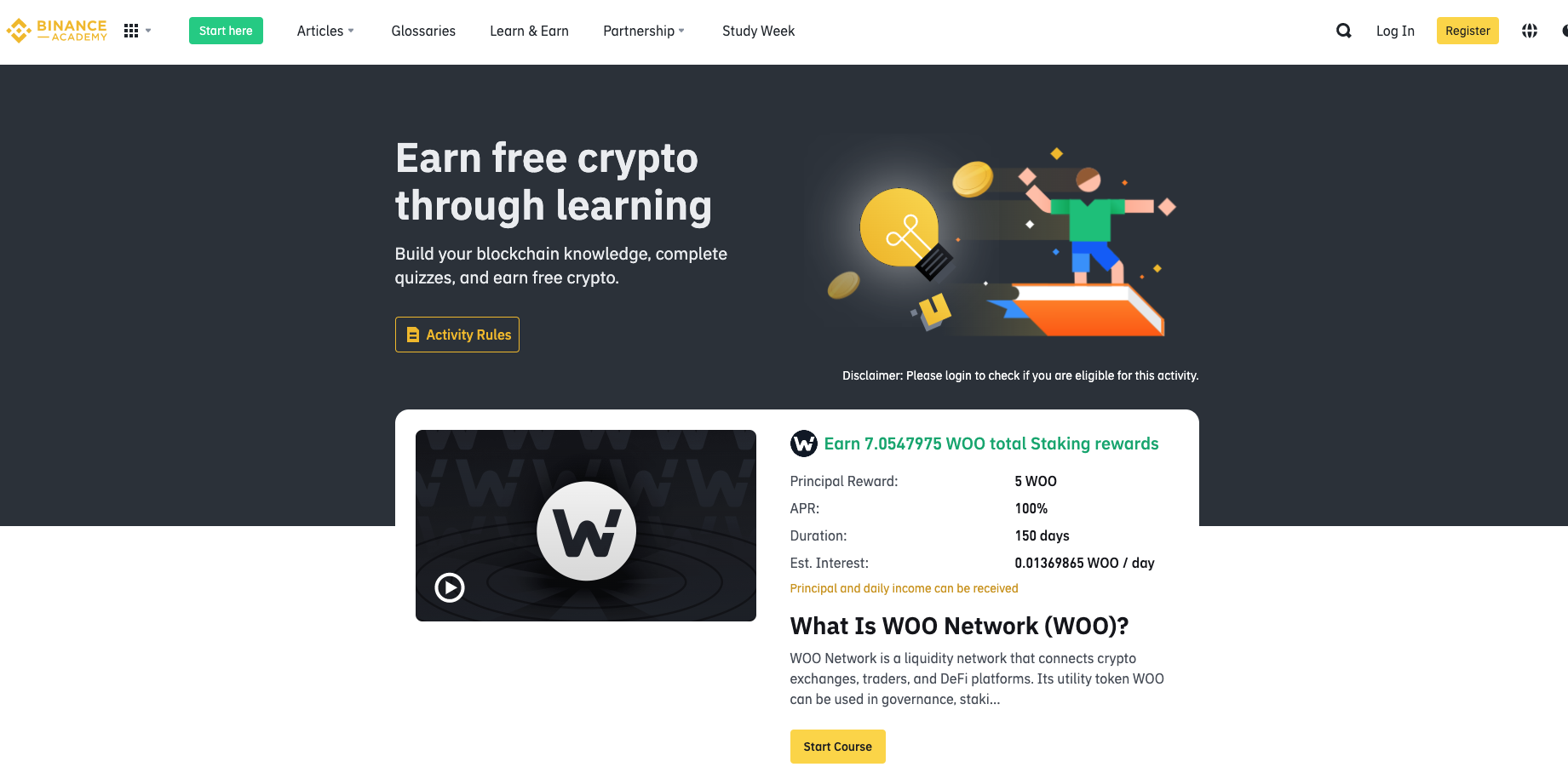
To participate, go to Binance Academy → Learn & Earn. Courses are released periodically, so check back often. Rewards are typically distributed within 48 hours after passing the quiz.
Security Best Practices: Protecting Your Binance Account
While Binance employs industry-leading security measures, your personal vigilance is the first line of defense.
- Enable 2FA: Use Google Authenticator or hardware keys like YubiKey. Avoid SMS-based 2FA due to SIM-swapping risks.
- Whitelist Withdrawal Addresses: In the security settings, restrict withdrawals to only pre-approved addresses. This adds a 24-hour delay for new addresses, giving you time to react if your account is compromised.
- Regularly Review Device Management: Check “Device Management” to ensure no unrecognized devices have accessed your account.
- Beware of Phishing: Always double-check the URL; Binance’s official domain is
binance.com. Never share your password, 2FA codes, or private keys with anyone claiming to be support.
Geo-Restrictions and Accessing Binance
Binance operates in most countries, but certain regions (e.g., the United States) have restricted access due to local regulations. If you’re traveling or reside in a restricted area, using a reputable VPN may allow access—but always verify that your actions comply with local laws. Binance also offers a dedicated platform, Binance.US, for eligible US residents.
Frequently Asked Questions (FAQ)
Key Takeaways
- Registering on Binance is straightforward but requires careful attention to security, especially enabling 2FA.
- Completing identity verification (KYC) unlocks higher limits, fiat access, and advanced products.
- Binance offers multiple ways to earn passive income, including staking, savings, and the Learn & Earn program.
- Always double-check deposit addresses and networks to avoid irreversible errors.
- Use the referral ID 40738427 during registration to secure a 40% discount on trading fees.
Summary
Setting up a Binance account is your gateway to the vast world of cryptocurrency trading and earning. By following the step-by-step instructions, verifying your identity, and adhering to security best practices, you can confidently explore everything the platform offers—from spot trading to passive income opportunities. The combination of low fees, high liquidity, and educational resources makes Binance an ideal starting point for any crypto enthusiast.