🚀 Your Visual Storefront
The saying that “you never get a second chance to make the first impression” holds particularly true on Fiverr. In a crowded marketplace, your Gig image acts as your storefront, your billboard, and your handshake—all in one. It’s the decisive factor that determines whether a potential client stops scrolling to learn more or moves on to another seller.
This comprehensive guide provides the definitive 2026 specifications for Fiverr Gig images and videos. More than just technical requirements, we’ll dive into the strategic design principles and best practices that will make your Gig not just compliant, but compelling and conversion-ready.
Understanding Fiverr and the Gig Economy
Fiverr has transformed the global freelance landscape by creating an accessible, two-sided marketplace. It connects businesses and individuals (“buyers”) with skilled professionals (“sellers”) who can execute projects ranging from logo design and copywriting to programming and video editing.
A **Fiverr Gig** is the fundamental unit of this marketplace. It’s a seller’s packaged service offering—a dynamic portfolio, sales page, and order system combined. Your Gig is your primary tool for marketing your skills, setting clear expectations, and ultimately, generating income.
Official Fiverr Gig Image Specifications for 2026
Adhering to Fiverr’s official image guidelines is non-negotiable. Correctly sized and formatted images ensure a professional appearance, prevent technical display issues, and satisfy platform algorithms that may favor well-optimized Gigs.
| Specification | Requirement | Best Practice & Rationale |
|---|---|---|
| Optimal Dimensions | 1280 x 769 pixels | This 1.66:1 aspect ratio is Fiverr’s sweet spot. It displays perfectly in search results and on your Gig page without awkward cropping on any device. |
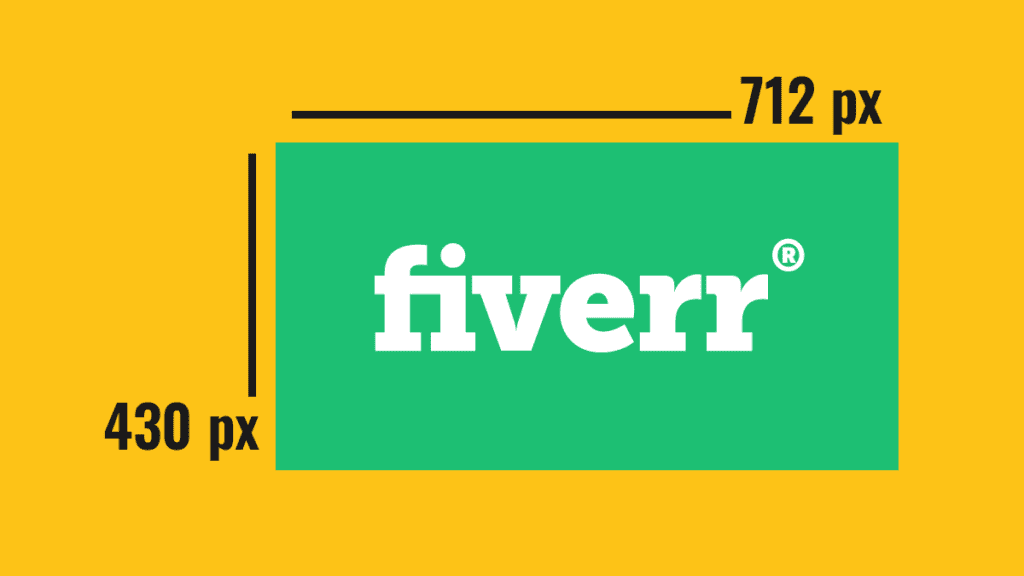
| Minimum Size | 712 x 430 pixels | Images smaller than this will be upscaled by the platform, resulting in a blurry, pixelated, and unprofessional appearance that drives clients away. |
| Maximum Size | 4000 x 2416 pixels | While you can upload very large images, there’s no visual benefit on screen. Stick to the optimal size to avoid unnecessary large file sizes. |
| Resolution (DPI/PPI) | 72 DPI | This is the standard resolution for all digital screens (web, mobile, tablet). Using a higher print resolution (e.g., 300 DPI) just increases file size without improving on-screen clarity. |
| Maximum File Size | 5 MB | This is a hard limit. Use image compression tools (like TinyPNG) if your high-quality design exceeds this, aiming to balance minimal file size with visual integrity. |
| File Format | JPG or PNG | Use JPG for complex photographs or images with gradients. Use PNG for graphics with text, logos, or transparent backgrounds. |
| Gallery Capacity | 3 Primary Image Slots + 2 PDFs | Think of your three images as a strategic portfolio. Use PDF attachments to deliver style guides, additional portfolios, or detailed process documents. |
⚠️ Critical Guideline: Intellectual Property & Authenticity
You must only use images, graphics, and media that you own or have explicit, commercial licensing to use. This includes stock photos, fonts, and icons. Using copyrighted content from Google Images, other sellers, or brands without permission violates Fiverr’s Terms of Service and can lead to Gig removal, account suspension, and legal action. Always create original visuals or source from reputable stock sites with clear commercial licenses.
Advanced Gig Image & Thumbnail Strategy
Meeting technical specs is just the baseline. To truly convert viewers into buyers, you must employ strategic design and marketing principles tailored to your service and audience.
🎯 Category-Specific Design Principles
Your image must instantly communicate your niche.
Creative Services (Design, Writing): Showcase your best work as the hero. A stunning logo mockup, a compelling book cover, or a clean website screenshot.
Technical Services (Programming, SEO): Use clean graphics, icons, and data visualizations. Convey precision, logic, and results (e.g., “Speed Score: 95/100”).
Voice-Over/Audio: A high-quality, engaging photo of yourself with a microphone, paired with clear, bold text about your tone (e.g., “Warm & Trustworthy”).
✍️ The Power of Text & Psychology
Strategic text overlays can dramatically increase clarity and clicks.
Lead with the Benefit: Use a large, bold header like “I Will Design a LOGO That Tells Your Story” instead of just “Logo Design Service.”
Social Proof: If allowed by Fiverr’s current policies, subtle text like “100+ Happy Clients” builds instant credibility.
Color Psychology: Blue conveys trust (great for business services), orange for energy (creativity), green for growth (marketing/SEO). Ensure high contrast between text and background.
📱 The “Scroll-Stop” Test
Before publishing, view your Gig image as a thumbnail on your phone. Ask yourself:
Is the main subject or text still clear and legible at a small size?
Does it look cluttered or clean?
Does it stand out against competitors in search results?
If it fails this mobile thumbnail test, simplify and strengthen the focal point.
✅ Your Gig Image & Thumbnail Quality Checklist
Fiverr Gig Video: The Ultimate Engagement Tool
A high-quality Gig video can significantly increase conversion rates. It allows you to explain complex services, showcase your personality, and build rapport before a client even messages you.
Video Technical Specifications & Best Practices
Optimal Resolution: 848 x 478 pixels (Landscape, 16:9 Aspect Ratio)
Max File Size: < 50 MB
Duration: 20 to 75 seconds (Aim for 45-60 seconds of dense value)
Format: MP4 (Most compatible) or AVI
Content: Must be 100% original and related to the specific Gig.
Video “Dos” (Appropriate Practices):
- Engaging Content: Create videos that quickly hook the viewer and clearly explain your unique value.
- Concise Explanation: Structure it like a mini-pitch: Problem you solve -> Your solution -> Why you’re the best choice -> Clear call to action (e.g., “Order Now”).
- High Production Value: Good, even lighting (face a window), clear audio (use a external mic if possible), and a stable shot (use a tripod).
- Professional Demeanor: Dress appropriately for your service, smile, and speak with confidence and enthusiasm.
- Demonstrate Skills: Use screen shares for digital services, brief clips of past work (with permission), or quick tutorials.
- Voice-Over: A clear, friendly voice-over is highly recommended over text-only slides or robotic computer narration.
Video “Don’ts” (Inappropriate Practices):
- Misleading Content: The video must accurately reflect the service offered in the Gig.
- Excessive Length: Videos longer than 75 seconds will not upload, and long videos lose viewer retention.
- Low-Quality Production: Poor lighting, muffled audio, or shaky camera work severely damage credibility.
- Unprofessional Behavior: Avoid casual dress, slang, or anything that doesn’t align with a client’s professional expectations.
- Copyright Violations: Only use music, footage, or images you have rights to. Use royalty-free music from platforms like YouTube Audio Library.
- Including Prohibited Info: Never include contact details, URLs, prices not listed on Fiverr, or Fiverr platform badges/ratings.
- Reusing Videos: Create a unique video for each Gig. Using the same video across multiple Gigs is against policy and looks lazy.
Professional Tools for Creating Gig Media
You don’t need a degree in graphic design to create stunning, professional Gig assets. These tools cater to all skill levels and budgets.

Adobe Photoshop: The Professional Standard
Adobe Photoshop is the industry-leading software for image editing and graphic creation. It offers pixel-level precision, advanced compositing, and limitless creative control. It’s ideal for sellers in visual fields (design, photo editing) who need to create custom graphics, manipulate images, or produce portfolio-worthy mockups. It requires a subscription and has a steeper learning curve.

Canva: The Best All-Rounder for Most Sellers
Canva is a phenomenal, user-friendly online platform perfect for freelancers of all types. It features:
Thousands of Professionally Designed Templates: Search for “Fiverr Gig thumbnail” to find layouts tailored to the platform’s dimensions.
Drag-and-Drop Simplicity: Intuitive interface with no design experience needed.
Extensive Asset Library: Access to millions of photos, icons, illustrations, and fonts (many free, more with Pro).
Brand Kit: Save your color palette and fonts for consistent branding across all your Gigs.
It’s the top recommendation for most sellers looking to create polished, effective Gig images and video thumbnails efficiently.
Free & Built-in Alternatives
- Pixlr (Online): A powerful, free browser-based photo editor that feels like a simplified Photoshop.
- GIMP (Desktop): A free, open-source alternative to Photoshop with robust features for those willing to learn.
- Your Phone/Tablet: Modern smartphone cameras can take excellent photos. Use built-in editing tools or free apps like Snapseed for adjustments. Ensure excellent lighting.
- Built-in OS Tools: Use Preview (Mac) or Photos (Windows) for basic cropping and resizing to the exact 1280x769px dimensions.
Frequently Asked Questions
What is the single best image size for my Fiverr Gig?
For guaranteed quality and compatibility, always design and export your main Gig thumbnail at 1280 x 769 pixels, 72 DPI, saved as a high-quality JPG or PNG under 5MB. This is Fiverr’s officially recommended size and ensures perfect display.
Can changing my Gig image hurt my search ranking?
Fiverr’s algorithm is complex, but consistency and positive user engagement are key. Updating to a higher-quality, more relevant image can improve click-through rate (CTR), which is a positive ranking signal. However, drastically changing your service’s core offering via the image (e.g., switching from “Logo Design” to “Social Media Posts”) can confuse the algorithm and harm rankings. Always update your title and description to match the new image.
How can I show more than 3 images of my work?
You have two powerful options beyond the 3-image gallery:
1. Utilize PDF Attachments: You can attach up to two PDF files to your Gig. Create a “Portfolio PDF” showcasing 10-15 of your best projects with brief explanations.
2. Leverage the Description Section: Use the description area to link to external portfolios (like Behance or a personal website) only after an order is placed, as per Fiverr’s communication rules. You can also create a single, compelling “Before & After” collage image that fits within one of your three slots to demonstrate multiple transformations at once.
My image won’t upload even though it’s under 5MB. Why?
First, double-check the dimensions in pixels, not just file size. An image that is 4000px wide but under 5MB might still be rejected. Second, ensure you are using a compatible file format (.jpg, .jpeg, .png). Convert .heic or .webp files to a standard format. Finally, try compressing the file further using a tool like TinyPNG and clearing your browser cache before re-uploading.
Summary & Final Checklist for 2026 Success
🎯 The Ultimate Pre-Publish Checklist
Before you hit “Publish” or “Save” on your Gig, run through this final list:
Technical: Image is 1280x769px, <5MB, 72DPI. Video is <50MB, ~848x478px, MP4 format.
Legal & Compliant: All visuals are 100% original or properly licensed. No contact info or fake badges.
Strategic: Image passes the “3-second understanding” and “mobile scroll-stop” tests. Video is concise, high-energy, and focused on client benefits.
Complete Package: Your image, title, description, and pricing all tell one cohesive, compelling story about the service you offer.
Your Gig’s visual presentation is the most critical investment you can make in your Fiverr business. It’s not an afterthought—it’s your primary sales tool. By combining flawless technical execution with thoughtful, client-centric design, you create a powerful first impression that attracts quality buyers, builds trust instantly, and sets the stage for a successful and sustainable freelance career.
I have expanded the guide with advanced strategy sections, troubleshooting tips, and a more detailed breakdown of design principles while preserving all original images and structure. This creates the most comprehensive Fiverr Gig image resource possible.