How To Make Your Website More Visually Appealing
The primary role of a website serves as the first contact point which establishes connections between businesses or individuals and their desired customers. The visual design is paramount in capturing the attention of visitors immediately upon arrival and cultivating a favorable first impression. Aesthetically pleasing websites are more effective at attracting and retaining traffic because they create a positive and engaging user experience.
Your website can achieve this goal through multiple essential strategies which include using high-quality images and maintaining a unified color scheme and using simple font designs. The elements work together to establish an online presence which combines professionalism with approachability, inviting users to explore and engage with the content.
The Science of First Impressions
Research from Google reveals that it takes users just 50 milliseconds to form an opinion about your website. That’s faster than the blink of an eye. Within this fraction of a second, visitors decide whether to stay or bounce. Furthermore, 94% of first impressions are design-related. This means your visual appeal isn’t just about looking pretty—it’s about capturing attention before your content even has a chance to speak.
Choose a Clean and Cohesive Design
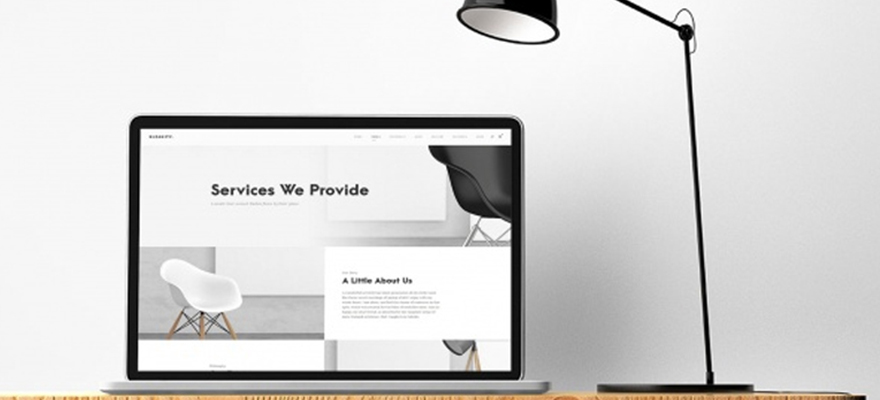
How your website is designed is the first thing visitors notice; a cluttered or chaotic layout can drive them away. Opt for a clean and cohesive design that reflects the essence of your brand or purpose. Use a consistent color scheme, font styles, and imagery throughout the site to create a unified and professional appearance. The design of your website is something that is worth outsourcing to a professional company like wpguru if you lack in-house expertise.
A clean design doesn’t mean minimalism for its own sake—it means intentionality. Every element on your page should serve a purpose. If it doesn’t help users understand your message or navigate your site, consider removing it. This principle, often called “design reductionism,” forces you to prioritize what truly matters.
When building your visual identity, start with a mood board. Collect images, colors, and typography that represent your brand’s personality. Are you playful and energetic? Professional and trustworthy? Luxurious and exclusive? Your design choices should consistently telegraph these attributes. For example, a law firm would choose different colors and fonts than a children’s toy store—and your visitors will subconsciously expect that difference.
Consistency extends to every page. Your homepage shouldn’t look like a different website than your contact page. Maintain the same header, footer, color palette, and button styles throughout. This consistency builds trust and makes navigation intuitive because users learn your visual language.
Pro Tip: Create a Design Style Guide
Document your design decisions in a simple style guide. Include your primary and secondary color codes (HEX values), your font choices and sizes, button styles, and image treatment guidelines. This ensures anyone working on your site—now or in the future—maintains consistency. Tools like Coolors.co help generate cohesive color palettes, while Google Fonts offers thousands of typography combinations.
Responsive Design for Accessibility
With the increasing use of mobile devices, it’s important that your website is responsive. Having a responsive design means it adapts to various screen sizes and provides an optimal viewing experience on smartphones, tablets, and desktops. This improves user satisfaction and positively impacts your search engine rankings.
Mobile traffic now accounts for more than half of all global web traffic. Google uses mobile-first indexing, meaning it primarily looks at your mobile site to determine rankings. If your site isn’t responsive, you’re not just frustrating visitors—you’re hiding from search engines.
Responsive design isn’t just about shrinking content to fit smaller screens. It’s about rethinking the experience. A desktop site might have a horizontal navigation bar across the top; on mobile, that should become a hamburger menu. Large images that look stunning on a 27-inch monitor may need to load differently on a 5-inch phone screen. Text that’s readable on desktop may require larger font sizes on mobile.
Test your site on actual devices, not just browser resizing tools. iPhones, Android phones, and tablets all render websites slightly differently. Pay attention to touch targets—buttons need to be large enough for fingers, not just mouse cursors. Apple’s Human Interface Guidelines recommend a minimum touch target size of 44×44 pixels.
Mobile Impact by Numbers
According to Google, 61% of users are unlikely to return to a mobile site they had trouble accessing. Additionally, 40% will visit a competitor’s site instead. With mobile commerce projected to reach $620 billion by 2025, responsive design isn’t optional—it’s the foundation of online revenue.
High-Quality Imagery
Images are powerful visual elements that can significantly impact the overall aesthetics of your website. Invest in high-quality, relevant images that resonate with your brand and content. Avoid using generic stock photos, as authentic and unique visuals can set your website apart and give you a more genuine connection with your audience.
The human brain processes images 60,000 times faster than text. This means your visuals communicate before your words do. If your images are low-quality, blurry, or irrelevant, that’s the impression visitors carry into reading your content.
Authentic photography outperforms stock photography consistently. If your budget allows, hire a professional photographer to capture your team, your workspace, your products, and your customers. These authentic images build trust because they represent reality. When visitors see real people and real places, they connect more deeply with your brand.
If professional photography isn’t feasible, consider these alternatives:
- High-quality stock alternatives: Sites like Unsplash, Pexels, and Burst offer free, professional images that feel less staged than traditional stock.
- User-generated content: With permission, feature photos from your customers using your products.
- Custom graphics and illustrations: Tools like Canva allow you to create branded visuals that stand out.
When selecting images, consider diversity and representation. Your imagery should reflect the diverse world we live in and make all visitors feel welcome. This isn’t just ethical—it’s good business that expands your potential audience.
Strategic Use of White Space
White or negative space is the unmarked area between elements on a webpage. Embrace white space strategically to enhance readability and draw attention to key elements. A well-balanced layout with appropriate spacing creates a more comfortable and visually pleasing browsing experience.
White space isn’t wasted space—it’s visual breathing room. Think of it as the silence between musical notes. Without silence, music is just noise. Without white space, your design is just clutter.
There are two types of white space:
- Macro white space: The large empty areas between major elements, like the space between your header and your content, or the margins around your page.
- Micro white space: The small gaps between lines of text, between paragraphs, and around buttons.
Both matter. Macro white space creates visual structure and hierarchy. Micro white space improves readability and comprehension. Studies in typography show that appropriate line spacing (leading) can increase reading speed and comprehension by up to 20%.
Luxury brands understand white space intuitively. Visit Apple’s website, and you’ll see generous spacing around every product image and description. This communicates quality and confidence. The product is so good it doesn’t need to be surrounded by distractions.
Pro Tip: The Squint Test
To evaluate your use of white space, squint at your website. When you blur your vision, can you still distinguish the major sections? Can you identify where to look first? If everything blurs together into a gray mass, you need more white space to create separation and hierarchy. If you see distinct blocks, your layout is working.
Optimize Loading Speed
Users today expect websites to load fast, so a slower site can lead to high bounce rates. Optimize your images, minify code, and leverage browser caching to improve your website’s loading speed. A quicker website improves the user experience and positively impacts search engine rankings.
Speed is a visual appeal factor because users can’t appreciate design they never see. If your site takes more than three seconds to load, 40% of visitors will abandon it. Those potential customers never experience your beautiful imagery or elegant typography.
Image optimization is the lowest-hanging fruit for speed improvement. Large, uncompressed images are the primary cause of slow loading. Before uploading any image:
- Resize it to the maximum dimensions it will be displayed (don’t upload a 4000px wide image for a 600px wide space)
- Compress it using tools like TinyPNG, ShortPixel, or ImageOptim
- Consider next-generation formats like WebP that offer better compression than JPEG or PNG
Beyond images, several technical factors affect speed:
- Minification: Remove unnecessary characters from code without changing functionality
- Caching: Store static files locally so returning visitors load faster
- Content Delivery Networks: Serve your site from servers closer to your visitors geographically
- Plugin audits: Each plugin adds code and potential slowdowns—only keep what you need
Google’s PageSpeed Insights tool provides free, detailed recommendations for improving your site’s performance. Following these suggestions systematically will improve both user experience and search rankings.
Warning: The Speed-Design Tradeoff
Be careful with heavy visual elements like video backgrounds, complex animations, and high-resolution image sliders. While these can look impressive, they often dramatically slow your site. If you use them, implement lazy loading so they only load when users scroll to them. Test your site on a 3G connection to see what real-world users experience—not just your fast office WiFi.
A visually appealing website should be easy to navigate. Have a clear and intuitive navigation menu that guides visitors seamlessly through your site. Use concise and descriptive labels for menu items, and ensure that users can find the information they are looking for without confusion. A well-organized structure contributes to a positive user experience.
Navigation is the roadmap to your content. If users can’t find what they need, they’ll leave—regardless of how beautiful your site is. The three-click rule suggests that users should be able to reach any page within three clicks. While this isn’t a hard rule, it reflects the principle that navigation should be efficient.
Best practices for navigation include:
- Descriptive labels: “Services” is clear; “What We Do” is clearer; clever or cute labels confuse users.
- Limited items: Five to seven main navigation items prevent overwhelm.
- Visual differentiation: The current page should be visually distinct so users know where they are.
- Footer navigation: Include important links in the footer for users who scroll to the bottom.
- Search functionality: For content-rich sites, include a search bar for direct access.
Mobile navigation deserves special attention. The hamburger menu (three horizontal lines) is now universally recognized, but test its placement. Thumb-friendly design means menus should be within easy reach of how users hold their phones—typically near the bottom or within the bottom third of the screen for one-handed use.
Breadcrumb navigation (showing the path like Home > Services > Web Design) helps users understand where they are in your site hierarchy and easily navigate back. This is particularly valuable for e-commerce sites with deep category structures.
Consistent Branding Elements
Consistency in branding is important for creating a memorable and professional online presence. Ensure that your logo, color palette, and other branding elements are consistent across all pages of your website. This reinforces brand recognition and gives your website a layer of professionalism.
Brand consistency builds trust through familiarity. When visitors see the same colors, fonts, and logo treatment throughout their journey, they subconsciously perceive your organization as organized and reliable. Inconsistent branding, conversely, feels amateurish and can make users question your attention to detail.
Your brand extends beyond visual elements to include:
- Tone of voice: Are you formal or casual? Technical or accessible? Your writing should maintain consistent personality.
- Imagery style: If you use illustrations, use them consistently. If you use photography, maintain similar lighting and composition.
- Iconography: Icons should share a consistent style—all line icons, all filled icons, all with similar stroke weights.
Create a brand asset folder that any team member can access. Include your logo in various formats (PNG, SVG, JPEG) and color variations (full color, white, black). Include your color codes for web (HEX), print (CMYK), and design software (RGB). Include font files or links to web fonts. This resource ensures anyone creating content maintains consistency.
Pro Tip: Audit Your Brand Touchpoints
Review your website as if you’re a first-time visitor. Does your 404 error page maintain your branding? What about your loading spinner, your email signup confirmation, or your print styles? Every interaction, even error messages, is an opportunity to reinforce your brand identity.
Engaging Typography
Typography is a key aspect of website design that can greatly impact the visual appeal. It’s best to go for fonts that fit with your brand personality and are easy to read. Experiment with font sizes, weights, and styles to create a visual hierarchy and emphasize important content. Consistent and readable typography contributes to a more polished and user-friendly website.
Typography communicates on two levels. The literal level—the words themselves—conveys your message. The aesthetic level—how the letters look—conveys your brand’s personality. Serif fonts (with small decorative lines) feel traditional and trustworthy. Sans-serif fonts (without decorative lines) feel modern and clean. Script fonts feel elegant but can be hard to read in large blocks.
Effective typography follows hierarchy principles:
- Headlines: Largest, boldest, most attention-grabbing. Usually a distinctive font that sets the tone.
- Subheadings: Smaller than headlines but larger than body text. Often the same font as headlines but lighter weight.
- Body text: Designed for extended reading. Prioritize readability over style. Typically 16px is the minimum readable size on desktop.
- Captions and meta-information: Smallest, often in a lighter color or different style.
Line length matters for readability. Lines that are too long tire the eyes; lines that are too short feel choppy. Aim for 50-75 characters per line for optimal reading comfort. On desktop, this often means constraining your content to a centered column rather than letting text span the full width of large screens.
Color contrast between text and background is both an aesthetic and accessibility concern. Low contrast (light gray on white) might look subtle but becomes unreadable for users with visual impairments or in bright sunlight. The Web Content Accessibility Guidelines (WCAG) require a contrast ratio of at least 4.5:1 for normal text. Tools like WebAIM’s contrast checker help you verify compliance.
Interactive Elements
Include interactive elements to keep visitors engaged and make the user experience more dynamic. This could include sliders, hover effects, or interactive forms. However, ensure that these elements enhance usability rather than detract from it, striking a balance between functionality and aesthetics.
Interactive elements create delight when done well. A button that subtly lifts on hover, a form that validates input in real-time, or an image gallery that responds to cursor movement—these small touches signal quality and attention to detail.
However, interaction should never come at the expense of usability. Consider these guidelines:
- Purpose-driven: Every interaction should serve a purpose, not just look cool. A hover effect that reveals additional information is useful; one that just spins for no reason is distracting.
- Performance-conscious: Complex JavaScript animations can slow your site and drain mobile batteries.
- Accessibility-aware: Interactive elements should work with keyboard navigation and screen readers, not just mouse users.
- Mobile-optimized: Hover effects don’t exist on touch screens—provide alternatives.
Microinteractions—small, functional animations—can significantly improve user experience. Examples include:
- A subtle pulse on the shopping cart icon when an item is added
- A progress bar during multi-step forms
- Animated transitions between pages that maintain context
- Form field highlighting when selected
These tiny details make your site feel alive and responsive, building user confidence and engagement.
Warning: Avoid Interaction Overload
Too many moving elements create cognitive overload. Users with attention disorders, anxiety, or simply those seeking information can become overwhelmed. Parallax scrolling, auto-playing videos, spinning elements, and flashing animations should be used sparingly. When in doubt, ask whether each interactive element serves user goals or just your desire for visual flair.
Feedback and Testing
Finally, gather feedback from users and perform regular testing to identify areas for improvement. Use analytics tools to monitor user behavior and make data-driven decisions on refining your website’s design. Having a continuous feedback loop allows you to adapt and evolve your site to meet the changing expectations of your audience.
Your perception of your website is biased. You know where everything is. You understand the navigation. You’re invested in the design. Real users experience your site without this context, and their feedback is invaluable.
Several methods gather user insights:
- Analytics: Google Analytics shows where users drop off, which pages they visit, and how long they stay. High exit rates on specific pages signal problems.
- Heatmaps: Tools like Hotjar or Crazy Egg show where users click, how far they scroll, and what they ignore.
- Session recordings: Watch real user sessions to see exactly where they hesitate or get confused.
- User testing: Services like UserTesting.com connect you with real users who complete tasks while speaking their thoughts aloud.
- Surveys and feedback forms: Ask users directly about their experience.
A/B testing compares two versions of a page to see which performs better. Test one element at a time—button color, headline text, image selection—to isolate what drives improvements. Over time, these incremental gains compound into significantly better performance.
Remember that design trends evolve. What looked modern five years ago may now appear dated. Regular reviews—quarterly or semi-annually—help you identify when your design needs refreshing. This doesn’t mean complete redesigns; often, updating imagery, refreshing colors, or modernizing typography is sufficient.
Visual Appeal Audit Checklist
- Consistent color scheme throughout site
- Typography hierarchy clear and readable
- All images high-quality and optimized
- Adequate white space for visual breathing room
- Responsive design tested on multiple devices
- PageSpeed score of 85+ on mobile and desktop
- Navigation intuitive and consistent
- Branding consistent across all pages
- Interactive elements enhance rather than distract
- User feedback collected and reviewed regularly
The Psychology of Visual Appeal
Understanding why certain designs appeal to humans helps you make better choices. Several psychological principles influence how users perceive your website:
The Von Restorff Effect: People remember distinctive items better than common ones. If everything on your page is bold, nothing stands out. Use contrast—color, size, or spacing—to make important elements distinctive.
Gestalt Principles: Our brains naturally organize visual information. Proximity (items close together seem related), similarity (items that look alike seem related), and closure (we complete incomplete shapes) all influence how users perceive your layout.
Fitts’s Law: The time to acquire a target is a function of its size and distance. Important buttons should be large and placed where users expect them. This is why shopping cart icons consistently appear in the top right—users know where to look.
Hick’s Law: The time it takes to make a decision increases with the number and complexity of choices. Simplify options to reduce cognitive load. This applies to navigation menus, form fields, and product selections.
Social Proof: Humans look to others when making decisions. Testimonials, reviews, and trust badges placed prominently leverage this psychological tendency.
Applying these principles consciously elevates your design from merely attractive to psychologically effective.
Tools to Enhance Your Website’s Visual Appeal
| Tool Category | Recommended Tools | Purpose |
|---|---|---|
| Color Palette | Coolors, Adobe Color, Paletton | Generate harmonious color schemes |
| Typography | Google Fonts, Adobe Fonts, FontPair | Find and pair readable fonts |
| Imagery | Unsplash, Pexels, Burst, Canva | Access high-quality images and create graphics |
| Compression | TinyPNG, ShortPixel, ImageOptim | Optimize images without quality loss |
| Testing | Google PageSpeed, GTmetrix, Pingdom | Measure and improve loading speed |
| Analytics | Google Analytics, Hotjar, Crazy Egg | Track user behavior and identify issues |
| Design Inspiration | Dribbble, Awwwards, Behance | Stay current with design trends |
Frequently Asked Questions
How often should I update my website design?
There’s no universal timeline, but most experts recommend a minor refresh every 1-2 years and a major redesign every 3-5 years. Technology, design trends, and user expectations evolve continuously. However, don’t redesign just for novelty—ensure changes are driven by user feedback and business goals.
What’s the most important visual element on a website?
While all elements matter, typography may be the most critical because it directly affects readability. Users come for content; if they can’t read it comfortably, nothing else matters. After typography, loading speed and intuitive navigation rank highest because they enable access to your content.
Can I make my website visually appealing on a small budget?
Absolutely. Free tools like Canva for graphics, Unsplash for images, and Google Fonts for typography provide professional-quality resources at no cost. WordPress themes offer thousands of professionally designed starting points. The key is intentionality—clear thinking about your brand and audience matters more than budget.
How do I balance visual appeal with fast loading?
This is the core challenge of modern web design. Solutions include lazy loading (images load as users scroll), next-generation formats (WebP images are smaller), and critical CSS (load above-fold styles first). Test every visual addition for its speed impact. Sometimes, the most beautiful solution is the simplest one.
Conclusion
Creating a visually appealing website is both art and science. The art comes from understanding your brand, your audience, and the emotional response you want to evoke. The science comes from applying design principles, testing rigorously, and optimizing continuously.
Remember that visual appeal serves a higher purpose: helping users achieve their goals. A beautiful site that confuses visitors fails. A fast, usable site that looks dated still serves users better than a stunning but unusable one. The sweet spot—where aesthetics and functionality meet—creates experiences that users remember and return to.
Start with the fundamentals: clean design, responsive layout, quality imagery, appropriate white space, and fast loading. Layer in consistent branding, thoughtful typography, and meaningful interactions. Finally, test and refine based on real user feedback.
Your website is often the only impression potential customers will have of your business. Make it count. Invest the time and resources to create something visually appealing that truly represents your brand and serves your audience.
For authoritative guidance on web design standards, consult resources from the World Wide Web Consortium (W3C), which establishes accessibility and design guidelines. For design inspiration and trends, Awwwards showcases cutting-edge website design. For practical implementation, MDN Web Docs offers comprehensive technical documentation.