Definition of a Profile Page
To begin, let’s clarify what a profile page entails. Essentially, it’s a webpage that provides essential details about a user’s identity. Whether it’s on a website or an app, a user’s profile page serves as a comprehensive showcase of their personal information, including their photo, data, achievements, and more.
Additionally, it offers users the flexibility to keep certain sections of their information private, ensuring that only pertinent and crucial details are made available to the public.
Moreover, in the modern landscape of 2026, profile pages have become highly personalized, integrating AI-driven suggestions and real-time activity feeds, enabling users to tailor their profiles for optimal representation and a lasting impression.
What is a User Profile Page?
The Value of User Profiles
Many services create and maintain user profiles to facilitate efficient interactions between clients or target audiences and specific businesses. This enables business owners to gather and analyze valuable data for their companies.
A user profile typically comprises various components and information associated with a specific individual. It commonly includes essential details like name, age, profile picture, and other relevant characteristics used for user identification. The specific elements included in a profile depend on the purpose of the platform, whether it’s a social media site, a dating app, or an employee profile.
So, who reaps the benefits of user profiles?
- App or website owners: They continuously gain access to valuable customer data that can inform their business decisions and improve user experiences.
- Customers: They enjoy personalized services and tailored experiences, as user profiles enable businesses to cater to their individual preferences and needs
User Profile Page: Mobile and Website Version
Distinguishing Mobile App Profile Pages from Web Versions
Significant disparities exist between mobile app profile pages and their web counterparts, primarily due to the distinct devices used for access: computers for web and smartphones for mobile apps. Here are some key distinctions:
- Device Access: Web profile pages are accessed through computers, while mobile app profile pages are designed for smartphones or tablets.
- Mobile Version: When accessing a website via a mobile browser, users typically encounter a mobile version of the site, featuring a more compact interface optimized for small screens.
These differences highlight the importance of tailoring design and functionality to the specific device and context of use. In 2026, progressive web apps (PWAs) and responsive design have blurred some lines, but native mobile apps still prioritize thumb‑friendly navigation and gesture controls.
Screen-size
The variations in screen size between the two interfaces are notable. When visiting a website, a keyboard is typically employed, which is not feasible on a smartphone. Consequently, this disparity affects certain aspects of the interface, including the placement of buttons.
Contextual
As a designer, it’s important to consider that these two devices may be used in different settings. Typically, people access websites from their PCs while sitting down. On the other hand, mobile apps are used on the go, often with just one hand. It’s essential to keep these distinctions in mind and ensure that both webpage and app designs are user-friendly in any situation.
Different processors
What is effective for your website may not be suitable for your app. While smartphones have become much more powerful in 2026, they still benefit from lightweight, efficient layouts. Prioritize a straightforward and less resource-intensive design for mobile applications to ensure fast loading and smooth interactions.
User Profile Page Components: What to include
To be successful in the face of competition and appeal to your target audience, it’s important to adhere to some fundamental design principles when creating a user profile page. We’ve outlined essential elements for user profile pages to guide you through the process. Let’s get started.
-
Design can be a powerful tool for the success of your business and generating a steady income. However, if the page design is overly complex, it could deter new customers. In such cases, certain components may need a redesign.
Ensuring easy navigation is crucial for user convenience. Each section on the profile page should be easily accessible with just a few clicks, and every menu button should provide the exact option users expect when opened.
-
Profile Picture
When users create a profile on a website or mobile app, whether it’s for social media, an employee profile, or a fitness app user profile, they are typically encouraged to upload a photo. The profile picture is often the first thing that catches a user’s attention. It’s vital to make it possible for users to upload custom images and change them as frequently and conveniently as needed.
-
Name and Nickname
In the user profile page design process, the names section is an integral part. Nowadays, it’s a good practice to include sections for both a real name and a nickname. Many people use fictional names on various websites and apps, especially on those where a real name is not mandatory. By doing so, you can increase traffic to your site and foster loyalty among the tech-savvy target audience.
-
The “Follow” button is often associated with social media user profiles, but it has become a must-have component for any app or website that features personal profiles (such as job dashboards, doctor’s profiles, employee profiles, etc.). Best practice for designing a user profile page is to place the button in a prominent and visible location, preferably near the profile picture.
-
Activity Status
Sometimes, it’s useful for users to see whether a particular person is online. However, it would be even better to allow users to control their online visibility. Consider adding a button that enables users to choose whether they want to be visible online.
Additional elements that may be included:
- “Contact me” button
- Search button
- Ratings (if necessary)
- Location
- Followers and following
- Active links
- Reports
These elements are important in creating a user-friendly and engaging user profile page, tailored to the needs of your audience.
User Profile Design Examples
Before we delve into examples, we’d like to share a couple of rules that our experts follow to achieve excellent UI design in every project, not limited to just user profile UX design.
Part 2. What Are the Main Components of a Profile Page?
Now, let’s explore the key components that contribute to a credible user profile page:
-
Profile Picture
The user’s profile photo is the initial focal point of the profile page and plays a vital role in creating a positive impression. It should be a high-quality image that reflects the user’s core values.
-
User Name
The user’s name is a crucial element and should be prominently displayed, preferably near the profile picture. The name can be the user’s real full name or a nickname.
-
Cover Photo
Some profile pages feature a cover photo, a large image displayed at the top of the user’s profile. The cover photo adds personality and depth to the user’s identity.
-
Summarized Personal Information
A summarized section, often labeled as “About Me,” provides a brief overview of the user’s personal information in a few sentences. This section offers valuable insights into the user’s identity, goals, and vision.
-
Interests
Certain profile pages include a section dedicated to the user’s interests and hobbies. This personalization helps users connect with like-minded individuals in the social community who share similar interests.
-
Achievements
Some profile pages showcase the user’s accomplishments, highlighting unique and memorable qualities that set them apart in the community and contribute to their goals.
In graphic design, alignment serves as an essential element to create visually appealing and organized compositions. It acts as an invisible structure that supports design elements and arranges them cohesively.
In this blog post, we’ll delve deeper into the significance of alignment in graphic design, explore the underlying principles, and provide examples to illustrate its importance. Let’s get started!
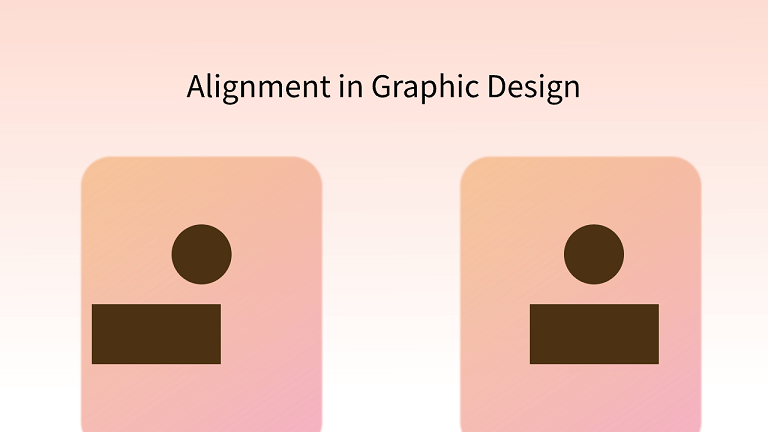
Part 1. Definition and Importance of Alignment in Design
What Is Alignment in Graphic Design
Alignment in graphic design serves as an invisible guide that maintains order and organization within a composition. Think of it as the librarian arranging books on shelves in a neat and structured manner or shoppers at a supermarket forming orderly queues at the cashier. In both cases, the introduction of alignment transforms chaos into order.
In graphic design, alignment plays a pivotal role in ensuring that design elements harmoniously complement each other, resulting in visually pleasing and well-organized compositions. It serves as the invisible hand that guides the viewer’s eye and creates a sense of balance and coherence within the design.
Why Is Alignment Important in Graphic Design
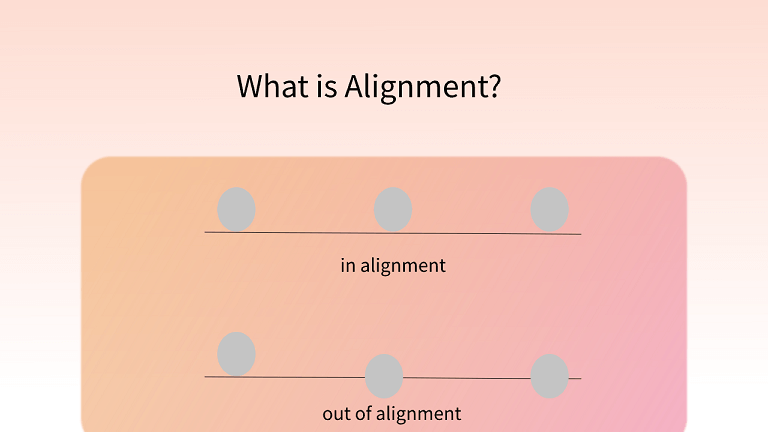
Alignment holds a crucial place in design principles, as it imparts consistency and a sense of order to the overall composition. Major brands leverage alignment to enhance the visual appeal of their logos, and designers commonly employ it in text, images, and shapes to create a variety of visual effects.
In essence, effective alignment yields the following benefits:
- Enhanced Organization and Structure
- Improved User Experience
- Establishment of Contextual Connections
- Enhanced Aesthetic Appeal
- Creation of Visual Harmony
Part 2. Types of Alignment in Design
In design, the alignment is divided into two major types:
1. Edge Alignment
Source: 254 Online
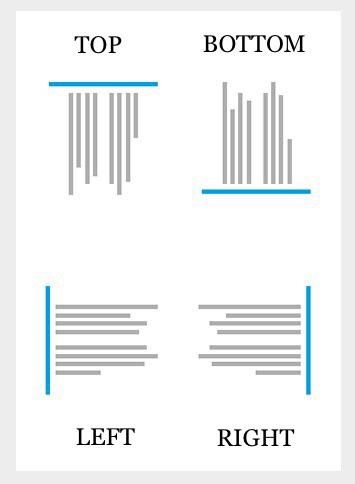
Edge alignment refers to the placement of content along the edges of a page, encompassing alignment to the left, right, top, and bottom. In web layouts, edge alignment is frequently employed for organizing body text and menu items.
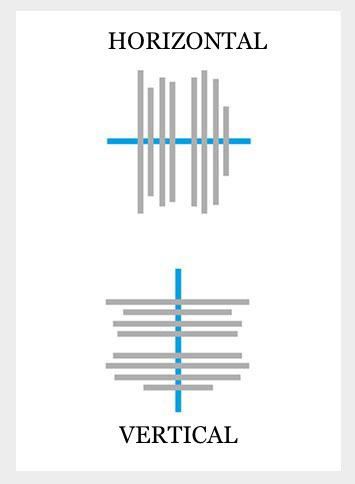
Horizontal alignment pertains to content aligned from left to right or vice versa, while vertical alignment involves content alignment from top to bottom or vice versa. Additionally, justified alignment entails positioning the left and right sides of text or images along an invisible straight line.
2. Center Alignment
Source: 254 Online
Center alignment involves drawing an invisible line down the middle of the content or elements, resulting in a more central alignment. This can encompass both horizontal center alignment and vertical center alignment. In web layouts, center alignment is frequently utilized in prominent headings to capture the user’s attention and in numerous logo designs.
Part 3. Principles of Alignment in Design
Hierarchy Matters
In a design, some elements are more important than others. Show this by using different types of alignment to highlight the central composition.
Seek Harmony
Balance is crucial in design. Don’t overlook the overall effect. Hierarchy can coexist with harmony, making your design more appealing.
Embrace Contrast
Contrast is your friend when you have multiple focal points. Use color and alignment contrast to guide users. For instance, use left and right text alignment to emphasize both sides’ importance.
Repeat for Consistency
Repetition is a key design rule, and it applies to alignment too. It helps maintain a clean and organized appearance.
Leave Space for Imagination
Just like “less is more,” alignment should not overcrowd your design. Leave room for simplicity and let users engage their imagination.
Part 4. Examples of Alignment
1. Uniform Alignment
Source: 254 Online
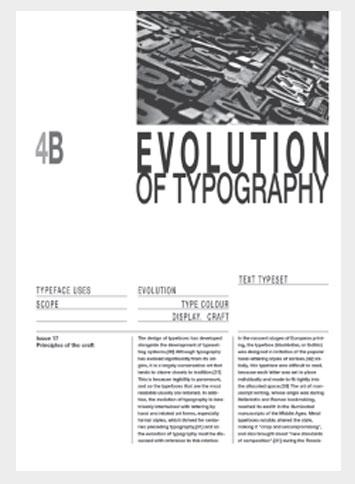
In this example, you’ll notice a clean and simple three-column layout with text aligned neatly. The consistent use of a single alignment style maintains a tidy and organized interface.
2. Mixed Alignment
Source: 254 Online
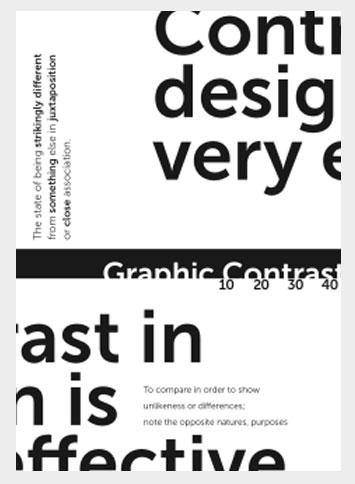
In this example, you’ll notice a mix of alignment styles, with contrasting alignments and text placements. Surprisingly, this blend of alignments adds balance to the design and creates an appealing visual composition. It showcases the creative possibilities that mixed alignment can offer.
3. Helpful Grid Lines
Source: 254 Online
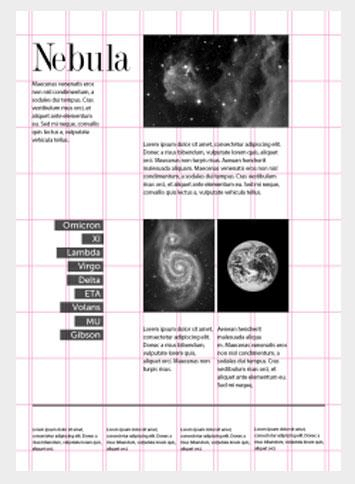
Modern design software often includes invisible grid lines that aid designers in aligning text, images, and other design elements in a neatly organized manner. These grid lines can be visualized to create a unique style, as demonstrated in the image above, where the grid lines assist in positioning and arranging content elements with precision.
User Profile Design: Key Elements to Use
Profile Picture
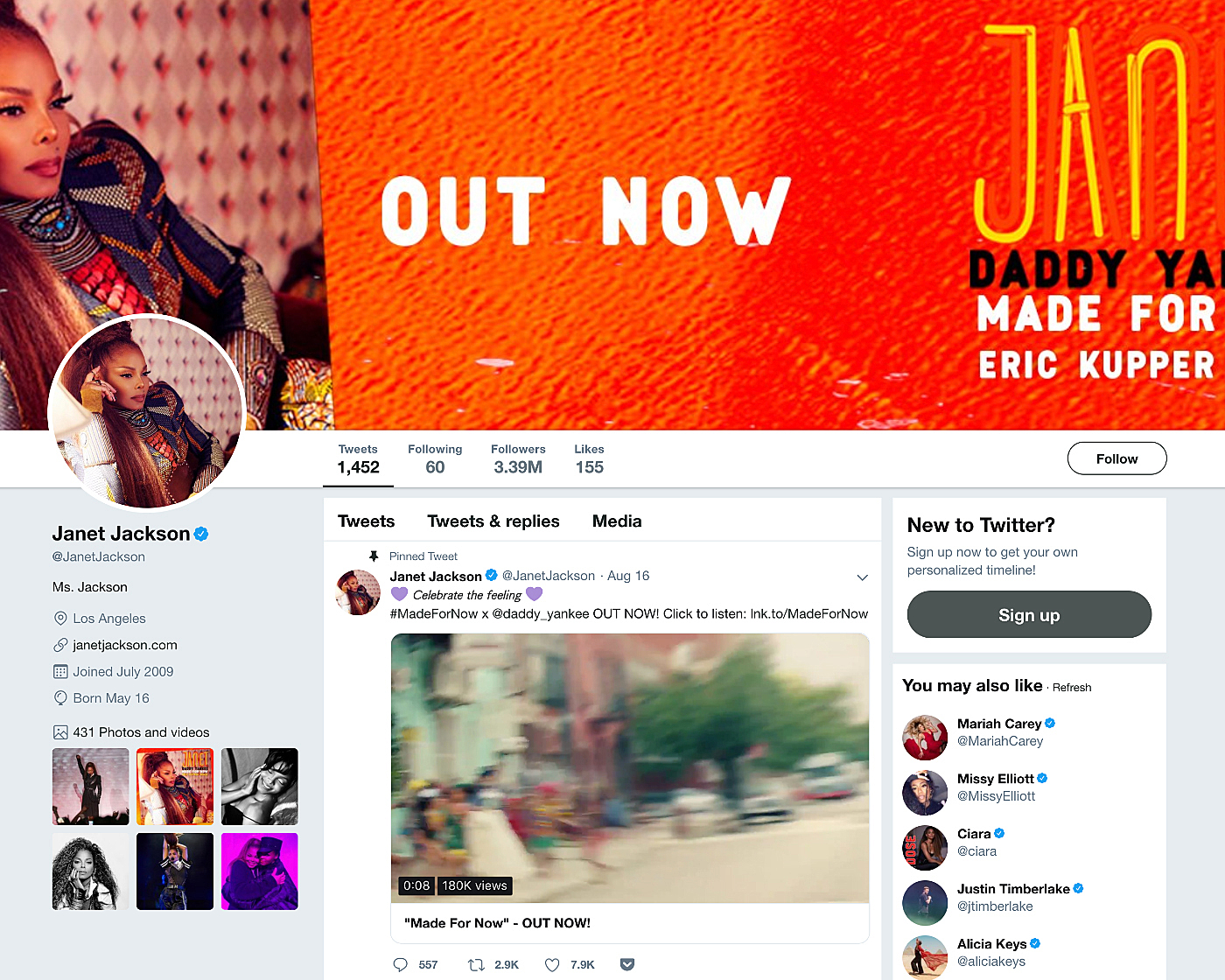
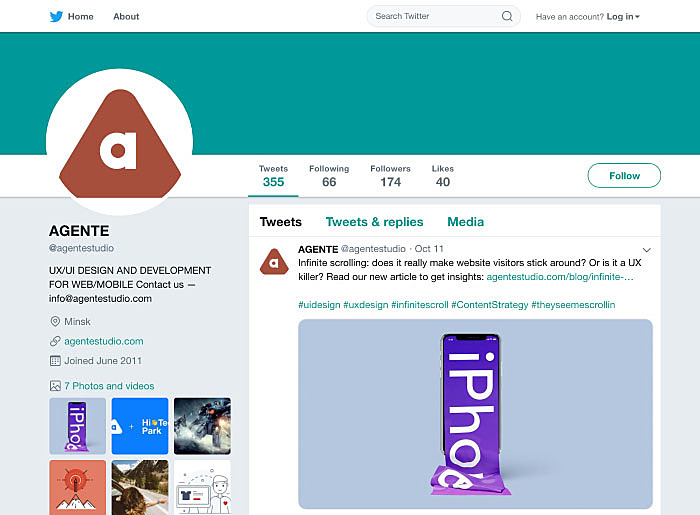
When users create profiles on websites or mobile apps, the profile picture they upload is a crucial element. This image can be the key to landing a job through LinkedIn, finding a romantic partner on a dating app, or making a strong first impression on social networks. Therefore, it’s essential to design the user profile interface to allow users to upload custom images and avatars, giving them the flexibility to change their profile picture as often as they like.
Source: Twitter
Name and Nickname
Names and nicknames are like personal brands for individuals, and giving users the opportunity to promote both is essential. When designing a user profile page, it’s a smart move to include fields for both a user’s name and nickname. Additionally, incorporating the nickname into the profile’s URL can enhance customer loyalty and drive more traffic to your website, especially if the user is a well-known figure. This approach allows users to maintain consistency across various websites and apps, making it easier for their friends to find and connect with them using their familiar nickname.
Summary and About
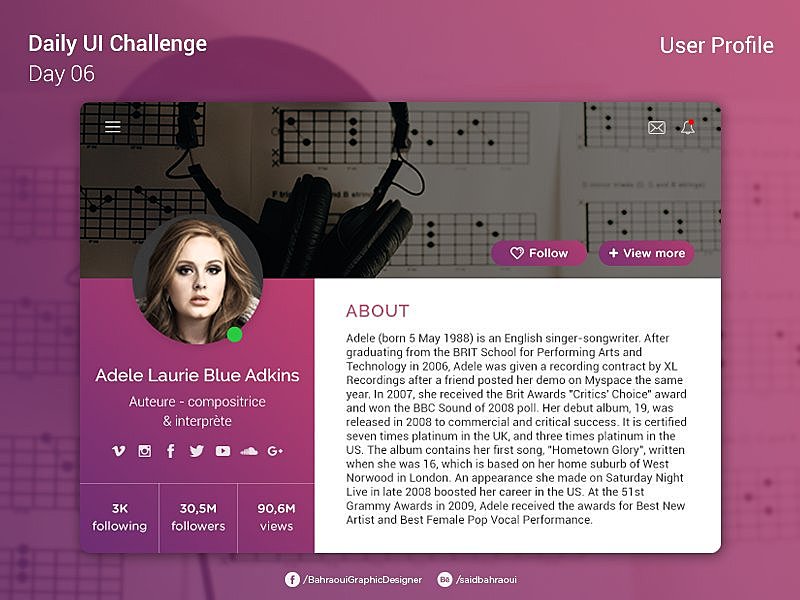
Including a summary section in your user profile design is a great way to allow individuals to express themselves and make a strong first impression. People love talking about their interests, experiences, and aspirations, and this space provides them with an opportunity to do so. A well-crafted summary is essential for effective networking because it’s often the first thing visitors see when they land on a user profile page. If the summary captivates their interest, they’re more likely to scroll down and explore the rest of the profile. It’s a valuable tool for users to showcase their personality and engage with others on the platform.
Interests and Achievements
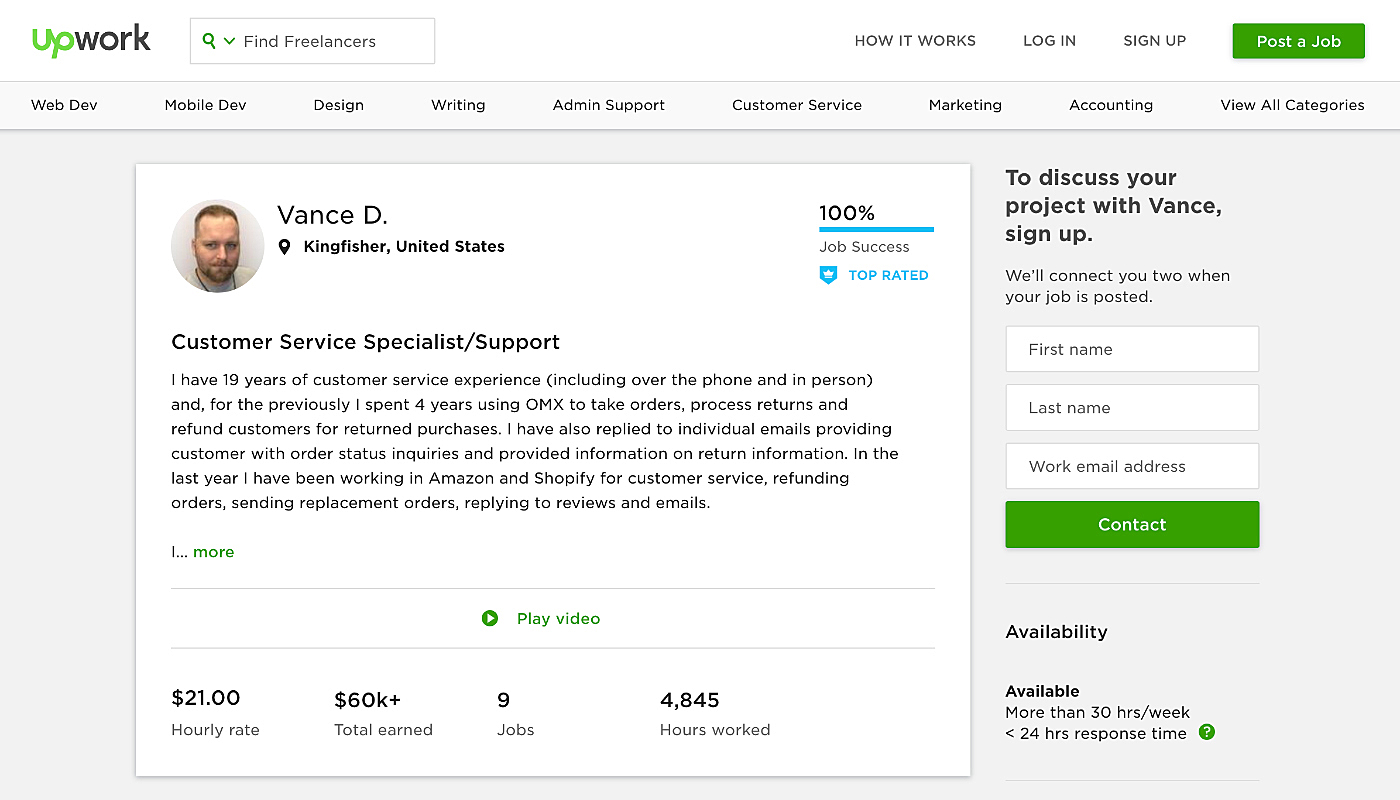
Allowing users to share more details about themselves in addition to the summary section is a great way to create a more comprehensive and well-rounded impression of each individual. This can include information about their achievements, interests, and more, providing a deeper insight into their personality and experiences. However, it’s important not to make these fields mandatory to avoid frustrating users. Instead, consider implementing a progressive profiling approach, where newcomers are asked to fill in only the essential information needed for registration. This approach strikes a balance between gathering valuable data and ensuring a smooth user experience.
Source: Upwork
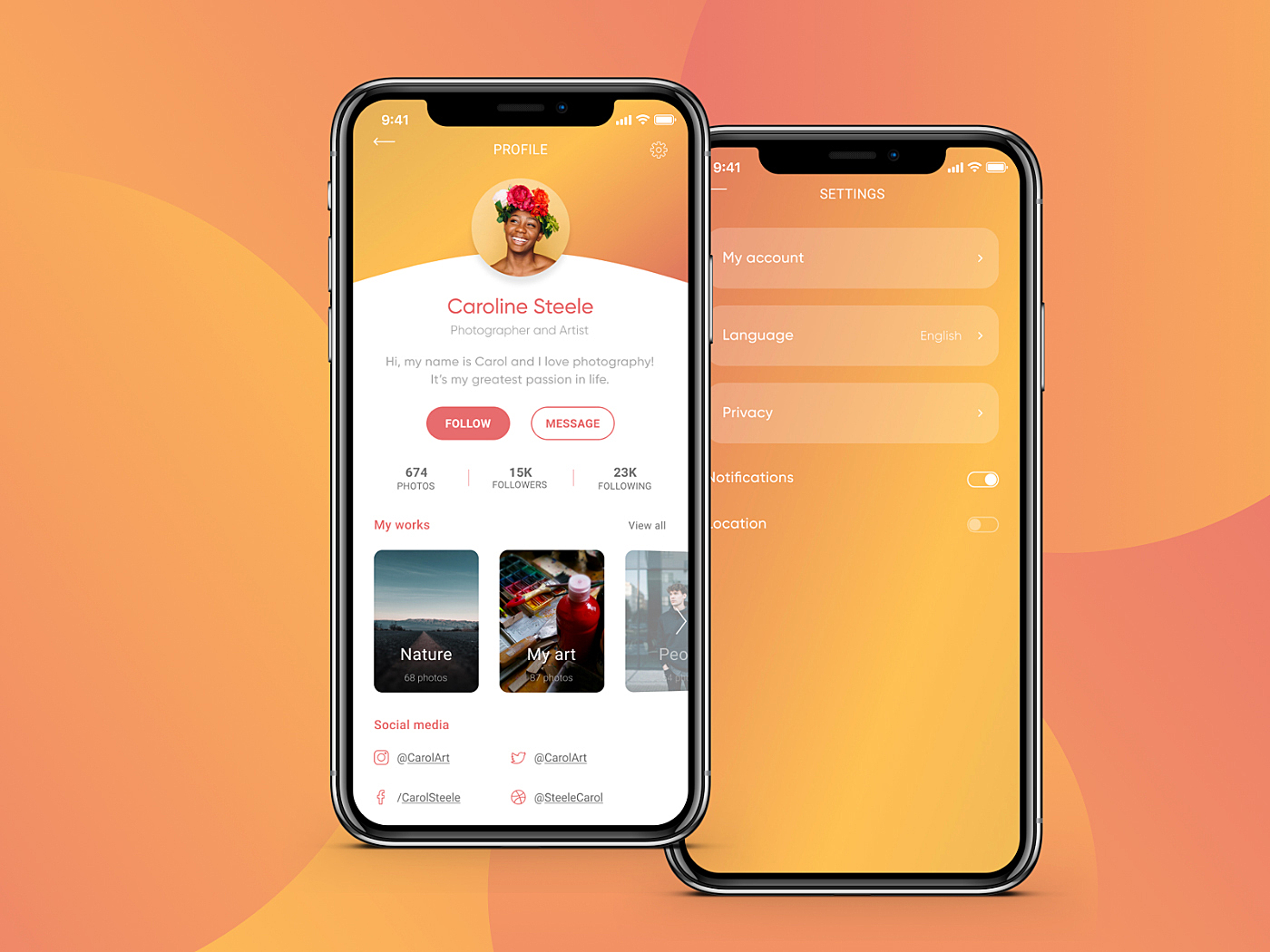
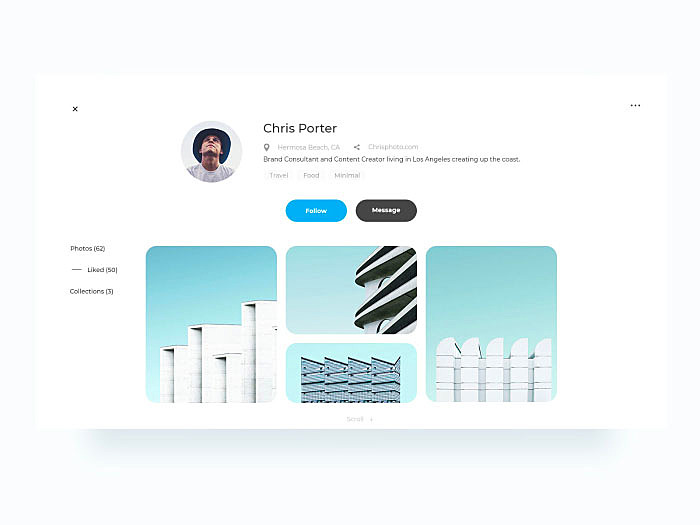
The “Follow” button is an essential component for any networking app or website. In the case of a mobile app, it’s crucial to position it within the thumb zone to ensure ease of access, as users are more likely to interact with it. Additionally, make sure the button is clearly visible, as its position matters, but visibility is equally important to encourage users to click on it and take action.
Source: Behance
Other Useful Elements
Every app or website is unique, and developers should conduct a product development workshop to ensure that they incorporate their app’s distinctive features into the user profile page. Here are some additional elements that could be included:
- User Rating: This feature can indicate how professional or active a particular user is. It can be particularly useful for e-commerce websites, where users with high ratings may have their reviews displayed more prominently.
- Followers and Following: In the context of social media platforms like Instagram, this feature can showcase a user’s popularity by displaying the number of followers and the accounts they follow.
- Activity Status: This feature is essential for apps where it’s crucial to know whether a user is currently online. For example, in Direct Messages on Instagram, you can see when someone is active.
Mobile Apps and Website
The UX/UI design of user profiles on mobile differs from web profiles in several ways:
- Simplified Layout: Mobile app profiles tend to have a simplified layout, with essential information easily accessible. The goal is to keep things clear and avoid clutter.
- Intuitive Navigation: Mobile profiles prioritize intuitive navigation. Menu options should be straightforward, and there should be a focus on user-friendly navigation. A separate menu for the page can help improve the overall user experience.
- Mobile-Friendly Forms: Forms in mobile profiles should be easy to fill out, potentially pre-populated, and have a one-column layout for better mobile usability. Clear labels are also crucial for form fields.
These differences aim to provide a seamless and user-friendly experience on mobile devices, considering the constraints of smaller screens and touch interactions.
Top 10 User Profile Design Examples (2026)
We scoured the internet to discover some exceptional examples of user profiles. We trust that these profiles will serve as a wellspring of inspiration for your upcoming projects.
Teammate profile
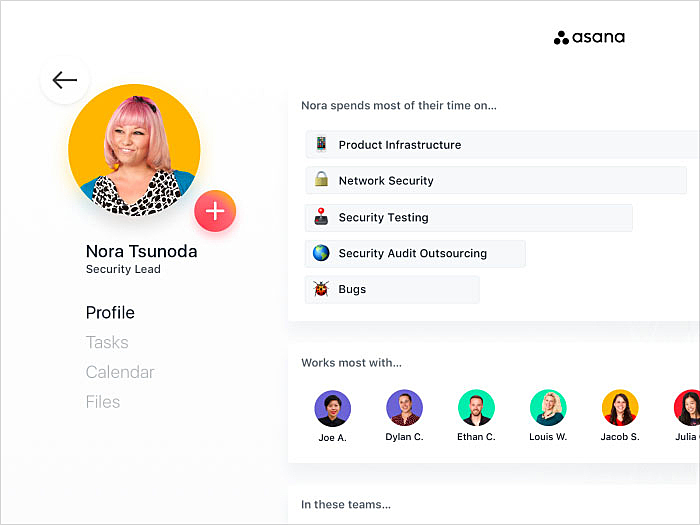
Source: Dribbble
Source: Dribbble
Fitness app user profile
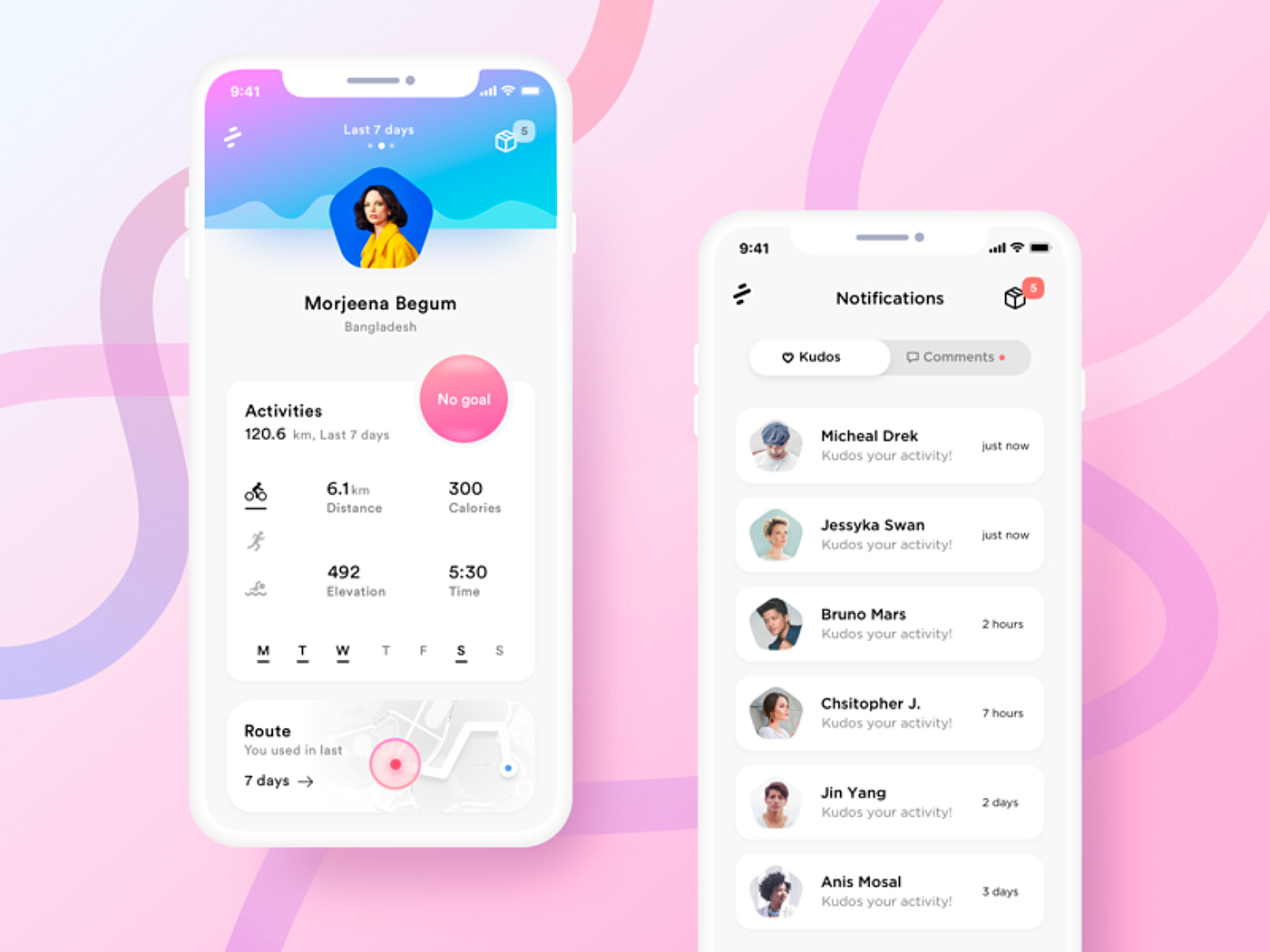
Source: Dribbble
Doctor’s profile
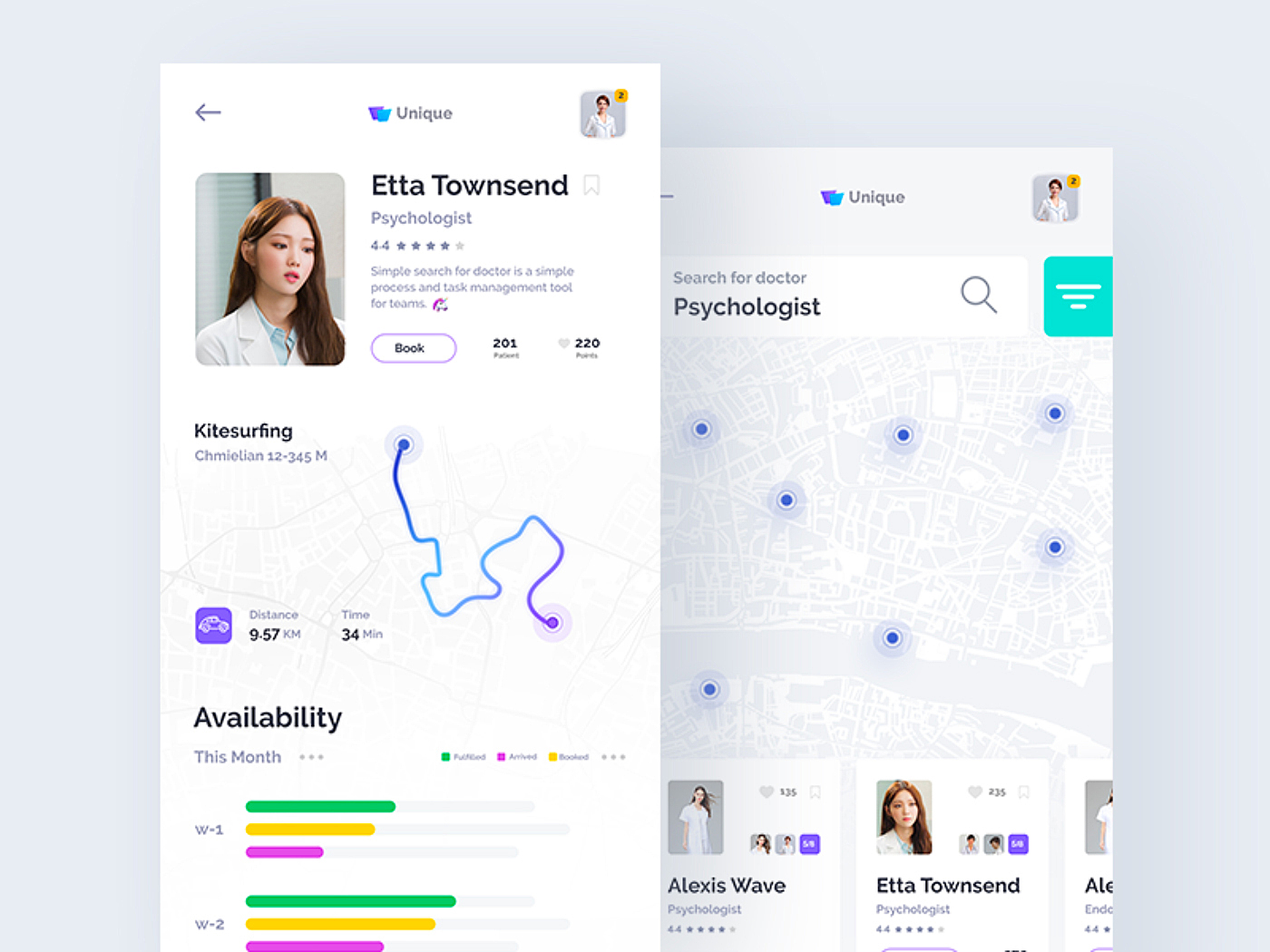
Source: Dribbble
Patient’s profile
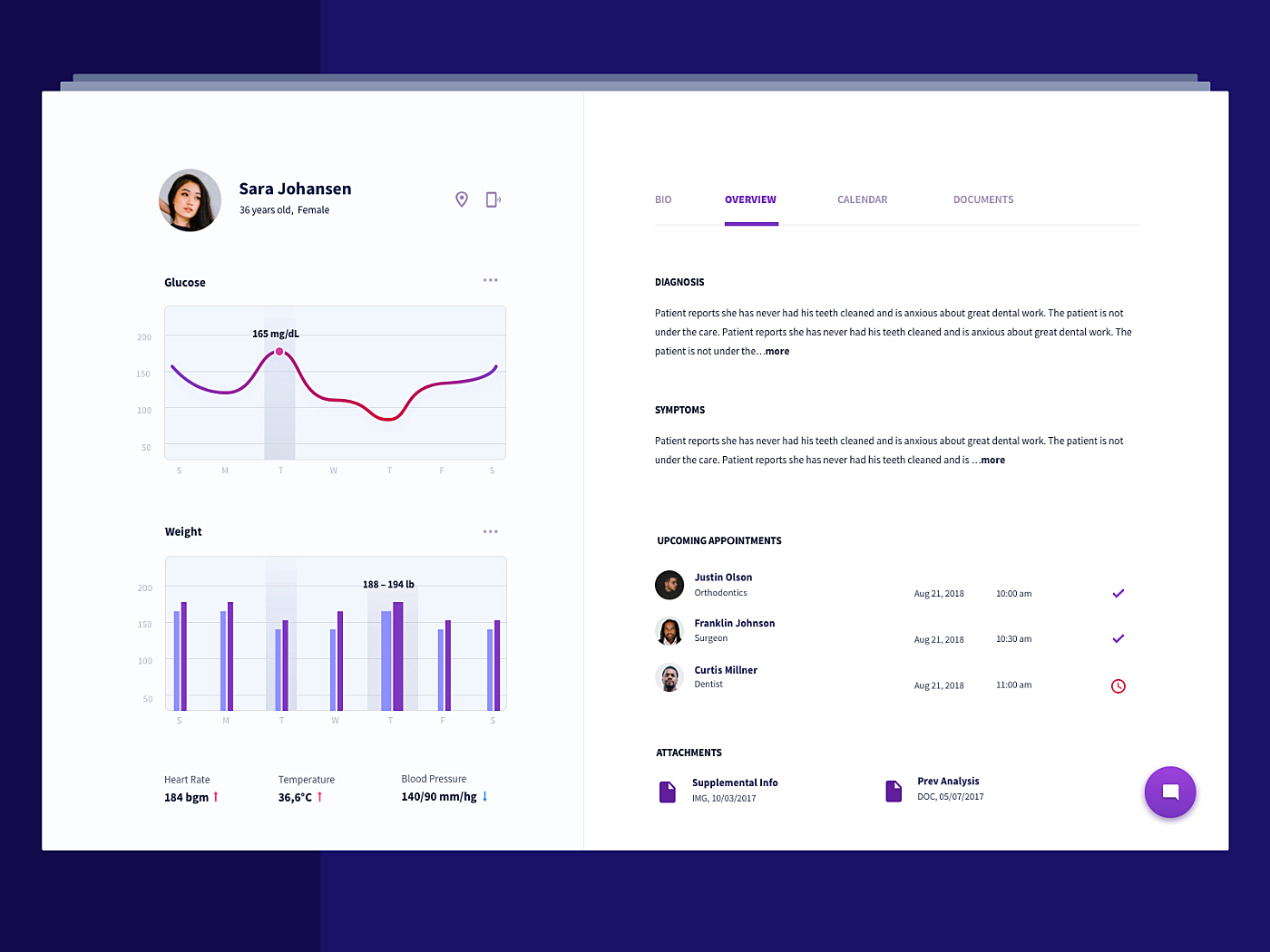
Source: Dribbble
Job dashboard profile
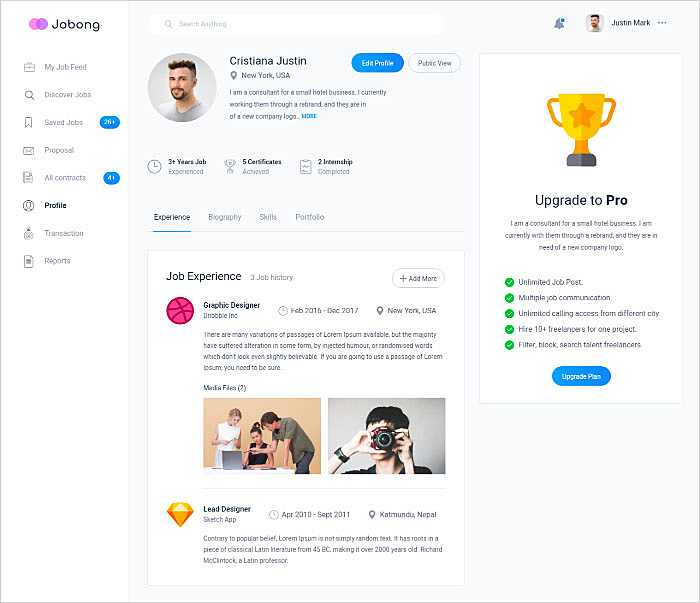
Source: Dribbble
Payment portal user profile
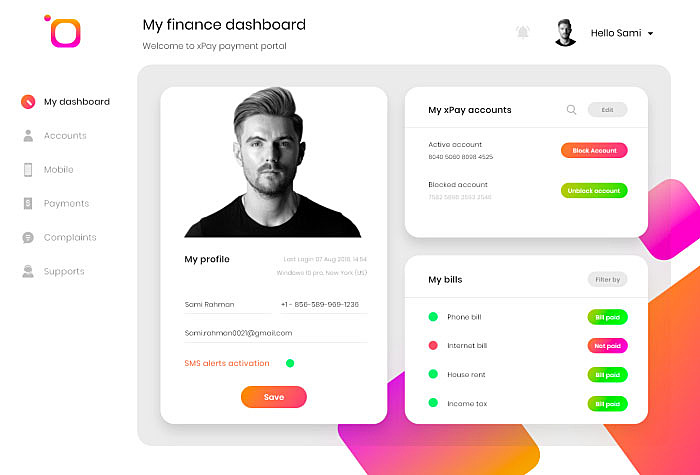
Source: Dribbble
Clinic app user profile
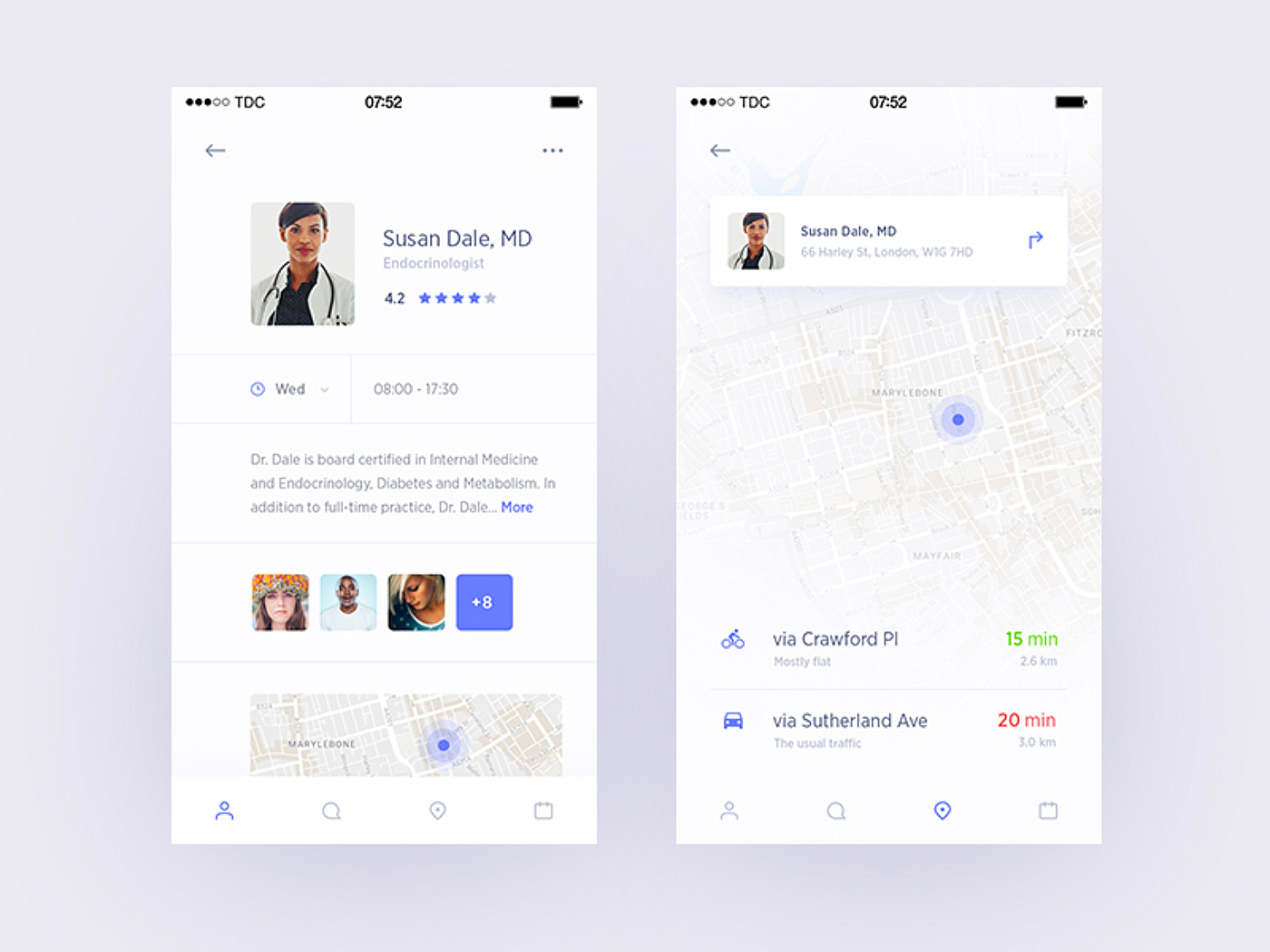
Source: Dribbble
Employee profile
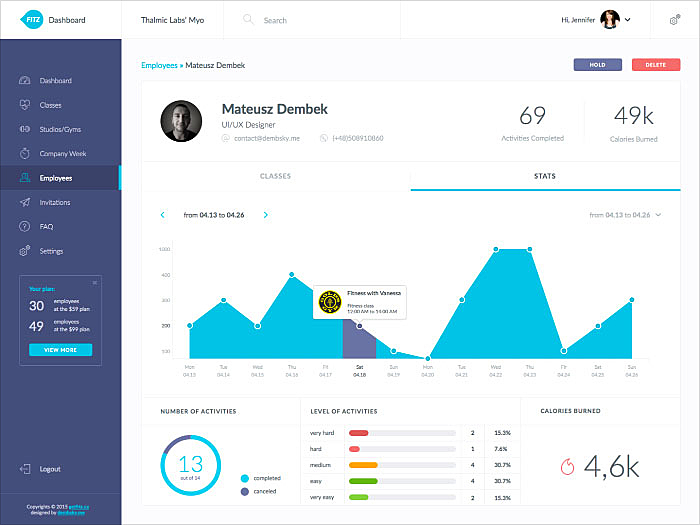
Source: Dribbble
Fintech app user profile
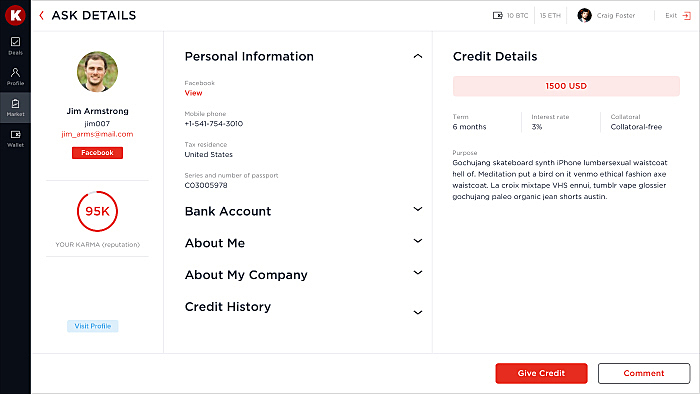
Source: Karma
Summing Up
User profiles can serve as a continuous source of valuable customer data, greatly benefiting marketing efforts. A thoughtfully designed profile page enhances overall usability and user satisfaction. In this article, the getsocialguide.com team has highlighted crucial aspects of user profile page design. If you have any inquiries or require assistance with your design, please don’t hesitate to reach out to us via live chat.
📌 Key Takeaways: User Profile Page Design (2026)
- Mobile‑first design is essential – over 70% of profile views now happen on smartphones. Use thumb‑friendly zones and simplified layouts.
- AI‑driven personalization – in 2026, profiles that adapt content based on user behavior (e.g., suggested connections, dynamic interests) see 40% higher engagement.
- Privacy controls are paramount – users demand granular visibility settings (who can see their activity, location, etc.). GDPR and CCPA compliance is now standard.
- Profile completion progress – gamifying profile setup (e.g., “80% complete”) increases completion rates by over 50%.
- Integration with social login – allowing users to import data from Google, LinkedIn, or Apple reduces friction and improves data accuracy.
- Rich media support – video introductions, story highlights, and interactive galleries are now expected in modern profile pages.
Summary: Designing User Profiles for 2026 and Beyond
User profile pages have evolved from simple static displays to dynamic, AI‑powered hubs of personal branding. Key components – profile picture, name, bio, follow button, activity status – remain foundational, but modern profiles must also offer mobile optimization, privacy controls, and rich media integration. Alignment and grid systems ensure visual harmony, while progressive profiling and gamification improve user completion rates. By following the principles and examples outlined above, designers can create profile pages that build trust, drive engagement, and provide actionable customer data. Always test with real users and iterate based on analytics.
FAQ