

Best WordPress Video Player Plugins in 2026 (Free & Paid) to Embed & Stream Videos – Updated
Quick Selection Tip
For most users: Start with YouTube EmbedPlus (free) for YouTube integration or ARVE Advanced Responsive Video Embedder (free) for multi-platform support. For professional sites with self-hosted videos, consider Elite Video Player (premium) or FV Flowplayer Video Player (freemium).
Why Do You Need a Video Player Plugin for WordPress?
Video-based content is rapidly taking over from long text-based content, and for good reason. Videos offer a fantastic viewing experience that engages audiences more effectively. Many corporations are now actively developing and displaying new video material on their websites to capture this engagement.
While users often prefer watching videos on YouTube or other popular streaming websites, what if you want to create a website that allows viewers to watch videos directly on your site? In this case, you’ll need a WordPress video player plugin that simplifies the entire video management process on your website.
Though you can use WordPress’s native player to add a YouTube video, it’s limited in functionality. The native option allows you to load and insert one video into the media player or embed a YouTube link directly into your content. While subtle and straightforward, it only offers basic controls like initial image size, autoplay, and scale control.
For any website serious about how their content is presented to their audience, ensuring that every element—including the video player—is top-notch is essential. WordPress video player plugins provide far more functionality than the native options by default, offering customization, performance optimization, and advanced features that enhance both the viewer experience and your control over video content.
Best WordPress Video Player Plugins in 2026
Comprehensive review of the top video player plugins for WordPress, including free and premium options
1YouTube EmbedPlus
Free

Did you ever wish for a tool that could help you embed YouTube videos to your website easily? If so, then YouTube EmbedPlus WordPress video plugin is for you. As you might have guessed from the name, the plugin lets you embed videos from YouTube with a ton of customization options.
- Customizable playlists and continuous autoplay
- Live stream embedding support
- 200,000+ active installations
- Ultimate plugin for managing YouTube videos
2WP Video Lightbox
Free

WP Video Lightbox WordPress plugin allows users to embed videos directly onto any page using a lightbox overlay display. Perfect for displaying images, flash, YouTube, or Vimeo videos on your website.
- Fully responsive design for mobile users
- Simple embedding with Shortcodes
- Automatic thumbnail generation
- Option to disable recommended videos
3YouTube Plugin
Premium

YouTube-Plugin is a premium WordPress plugin that lets you showcase YouTube videos on your website with advanced features and great control. Loaded with over 100 adjustable parameters and customization options.
- 100+ adjustable parameters and color schemes
- Three different header layouts
- Flexible video ordering and pagination
- AdSense integration for monetization
4WordPress Youtube by 10Web
Premium

WordPress Youtube by 10Web lets you easily embed YouTube videos, channels, and playlists on your WordPress website. Features 5 modern gallery views and social sharing integration.
- 5 modern gallery views (Thumbnails, list, carousel, etc.)
- Social media sharing buttons
- Customizable player dimensions and colors
- User analytics and reporting
5ARVE Advanced Responsive Video Embedder
Free

ARVE Advanced Responsive Video Embedder is one of the most popular and powerful free video embedding plugins for WordPress. It tackles every problem you’re likely to face when displaying videos on your website.
- Makes all embedded videos responsive
- WYSIWYG editor support
- Autostart and URL parameter tweaking
- Video alignment and customization options

If you’re looking for an easy alternative, then Easy WordPress Video Player is for you. The plugin provides a user-friendly way to handle videos on your website, supporting MP4 and other standard video formats.
- Self-hosted video support (MP4 format)
- Fully responsive design
- Shortcodes for easy integration
- Autoplay and multiple skins
Free plugins are great for basic needs and testing, but premium plugins offer advanced features, better support, and regular updates. For business websites, investing in a premium plugin often pays off through better performance, security, and customization options.
More Advanced WordPress Video Player Plugins
For websites with more advanced video requirements, these plugins offer professional features, monetization options, and superior performance.
7FV Flowplayer Video Player
Freemium

FV Flowplayer WordPress video player is an HTML5 video player with fallback for legacy browsers. With over 30,000+ active installs, it’s a popular choice for professional websites.
- HTML5 player with legacy browser support
- User role-based video placement
- Playlist support and responsive design
- Google Analytics integration
8Video Embed & Thumbnail Generator
Free

This WordPress plugin is designed to help you with embedding videos and generating thumbnails. It comes with multiple media players including Video.js and JW Player.
- Multiple media player options
- Popup video gallery creation
- Facebook and Twitter timeline playback
- Subtitle and caption support
9Ultimate Video Player WordPress Plugin
Premium
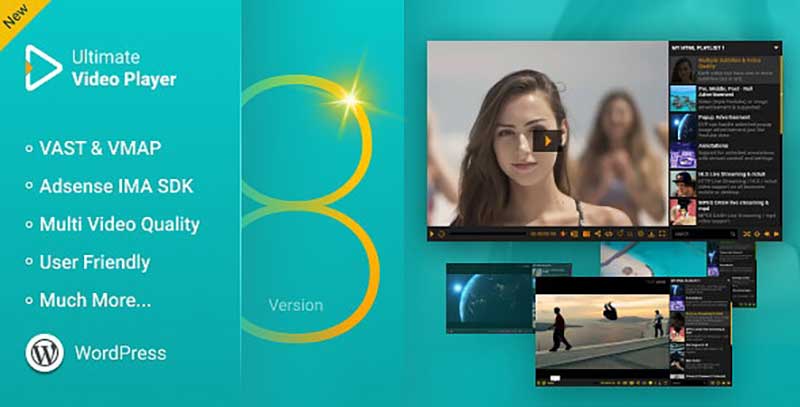
A premium video player plugin for WordPress websites that lets you play native videos or stream from YouTube/Vimeo. Supports MP4 format with extensive features.
- Responsive player with quality switching
- Password protection for videos
- Ad insertion capabilities
- Multiple skins and subtitle support
10Video Gallery WordPress Plugin
Premium
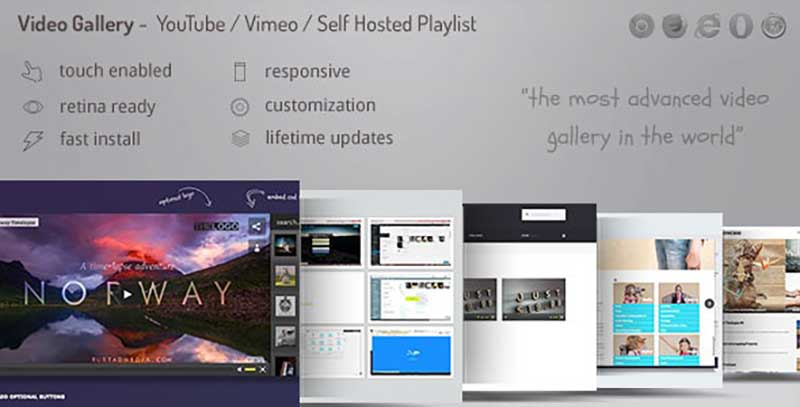
If customization and responsiveness are your biggest priorities, this plugin provides excellent support with responsive, touch-enabled video galleries for optimal mobile experience.
- 5 different skins with custom skin generator
- Exclusive and hand-picked video galleries
- Multi-source streaming support
- Social Media integration with deep linking
11HTML5 Video Player
Free

HTML5 Video Player for WordPress allows you to play different video files with an easy-to-use interface. Integrated with Gutenberg editor for seamless video addition.
- HTML5 compatible with modern browsers
- Gutenberg block integration
- Auto-play option and quality adjustment
- Ad-free playback experience
12Super Video Player
Free

A lightweight WordPress player plugin with customizable features. Supports MP4 and Ogg format content with a user-friendly interface and subtitle support for multiple languages.
- MP4 and Ogg format support
- Multi-language subtitle support
- Adjustable playback speed (normal to 4X)
- Picture-in-picture mode and Gutenberg block
For professional websites, e-learning platforms, or media-heavy sites, these premium plugins offer the highest quality features, support, and performance.
13Elite Video Player
Premium

When it comes to paid video player plugins, Elite Video Player stands out with its responsive, customizable design supporting all popular external video platforms including Vimeo, YouTube, and Google Drive videos.
- Pre-roll ad support for monetization
- YouTube live streaming and 360 VR support
- Cloud platform support (Amazon S3, Google Drive)
- Customizable playlists and player skins
14HTML5 Video Player WordPress Plugin
Premium

A premium HTML5 WordPress video player plugin with three player variations and five custom skins. Offers fullscreen support, auto-hiding controllers, and extensive customization options.
- Three player variations (bottom/right playlist, simple)
- Five premium custom skins
- Fullscreen support and auto-hiding controls
- Volume control and playlist image support
15Stellar Video Player
Premium

Dubbed as the “most creative video player” plugin, Stellar Video Player offers all the features you’d expect from a premium plugin. Supports local hosting, Google Drive, Amazon S3, and YouTube Playlist integration.
- Local, Google Drive, and Amazon S3 hosting
- YouTube playlist and live streaming support
- RTL (Right-to-Left) language support
- Creative player designs and skins
Plugin Comparison Table
Quickly compare the features, pricing, and suitability of different WordPress video player plugins for your specific needs.
| Plugin Name | Price | YouTube Support | Vimeo Support | Self-Hosted | Responsive | Best For |
|---|---|---|---|---|---|---|
| YouTube EmbedPlus | Free | ✓ | ✗ | ✗ | ✓ | YouTube-focused sites |
| WP Video Lightbox | Free | ✓ | ✓ | ✗ | ✓ | Lightbox video display |
| ARVE Advanced | Free | ✓ | ✓ | ✓ | ✓ | Multi-platform embedding |
| FV Flowplayer | Freemium | ✓ | ✓ | ✓ | ✓ | HTML5 video with analytics |
| Elite Video Player | Premium | ✓ | ✓ | ✓ | ✓ | Professional & business sites |
| Stellar Video Player | Premium | ✓ | ✓ | ✓ | ✓ | Creative & media sites |
Performance Consideration
Self-hosted videos can significantly impact website speed. Consider using a Content Delivery Network (CDN) or hosting videos on platforms like YouTube or Vimeo for better performance, especially if you have high traffic.
How to Select the Ideal Video Plugin for Your Needs
Choosing the right video plugin for your WordPress website can be challenging given the wide range of options available. Here are seven key factors to consider when selecting a WordPress video plugin:
- Video Hosting: Determine where you plan to host your videos. If already on YouTube or Vimeo, ensure plugin support. Self-hosting provides control but can impact speed. Consider plugins with CDN support for better performance.
- Cost: Consider price range from free to over $150/year. Ensure features match your budget. Watch for hidden costs like increased bandwidth needs.
- Responsive Design: Essential for optimal viewing across all devices. Ensure the plugin supports responsive design automatically.
- Support & Documentation: Check for detailed documentation and reliable support, especially for premium plugins.
- Regular Updates: Regular updates are essential for security, bug fixes, and WordPress compatibility. Indicates developer commitment.
- Ads & Branding: Consider if the plugin displays ads or third-party branding. Ad-free options maintain professional appearance and help maximize conversions.
- Customization Options: Evaluate if the plugin aligns with your website’s design and branding. Some offer extensive customization while others have limited options.
Frequently Asked Questions about WordPress Video Plugins
Why should I use a WordPress video plugin?
Using a WordPress video plugin offers several benefits for incorporating videos into your website. These plugins provide features that make it easier to manage and add videos, store videos off-site to prevent slowing down your website, offer embedding options without ads from third-party platforms, ensure responsive display across devices, and provide additional features like picture-in-picture, CTAs, gallery views, and video backgrounds.
Will using a WordPress video plugin affect my site’s speed?
Yes, using a video plugin can potentially slow down your website since videos are large files that consume server resources. However, certain plugins, like Jetpack VideoPress, mitigate this issue by storing videos on their servers and using a content delivery network (CDN) to deliver videos to visitors. This approach offloads the burden from your site while retaining the benefits of videos.
Can I add and host videos on WordPress by default?
Yes, WordPress allows you to add videos to your website in two main ways. Firstly, you can use the Video block in the WordPress Editor to upload a video directly to your site, hosting it on your server. Alternatively, you can embed videos from popular video-sharing platforms like YouTube, Vimeo, and DailyMotion by pasting the video link into the WordPress Editor. However, note that embedding videos from these platforms may display ads alongside your videos.
Can I customize the appearance of my WordPress video player?
The level of customization for the default WordPress video block or auto-embedded videos is limited. However, many WordPress video plugins offer customization options to match your brand’s appearance. Some plugins require CSS customization, while others, like Jetpack VideoPress, provide built-in settings for easy customization.
What is the maximum upload size for WordPress videos?
The maximum upload size for videos in WordPress depends on your hosting provider. You can check your current maximum upload size by navigating to Media → Add New in your WordPress dashboard. If needed, you can collaborate with your host to increase this limit or modify your WordPress .htaccess file. Alternatively, using a plugin such as VideoPress offers generous file size limits that most websites won’t exceed, avoiding the need for manual adjustments.
Ready to Enhance Your WordPress Site with Video?
Based on our testing and analysis, we’ve compiled our top recommendations for different use cases. Download our comparison chart or try our recommended plugins.
Implementation Tip
Before installing any plugin on your live site, test it on a staging environment. Check for conflicts with your theme and other plugins, and ensure it works correctly on mobile devices. Most premium plugins offer refund periods—use this time to thoroughly test if the plugin meets your requirements.
Summary – Best WordPress Video Player Plugins 2026
This concludes our comprehensive review of WordPress Video Player Plugins. We’ve covered both free and paid options that solve the video playback limitations of WordPress’s native player.
Our top recommendations:
- For YouTube Integration: YouTube EmbedPlus (Free)
- For Multi-Platform Support: ARVE Advanced Responsive Video Embedder (Free)
- For Professional Sites: Elite Video Player (Premium)
- For Creative Designs: Stellar Video Player (Premium)
For those looking to create a full-fledged video tube website, choosing a dedicated WordPress Video theme might prove to be a better option. The final choice, of course, will depend on your specific needs and budget. So, feel free to choose the one that matches your requirements.
If you’re interested in more WordPress resources, you can also check best plugins for WordPress here for additional recommendations beyond video players.




Thanks for the list!
Thanks keep reading and sharing