Best WooCommerce Plugins
Just having attractive products is not enough to run a successful online store with WooCommerce. You need to make sure that those products can be easily found. Search Engine Optimization (SEO) is the tool that brings organic traffic—highly valuable and free visitors—directly to your product pages. Nevertheless, doing SEO manually can be very time-consuming, and you might have to do it full-time without realization.
That is why the right WooCommerce SEO plugins are a great help. These powerful tools make the product of optimizing products something feasible and provide clear steps to accomplish it. As an illustration, they make it easy for you to add structured data (Schema Markup) so that search engines can better understand your product (price, customer reviews, stock availability) and, therefore, show rich and attractive search results. Think of a customer viewing a product’s price and rating right in the search results; this, by far, is the most efficient way of turning clicks into visits. According to Moz’s ecommerce SEO guide, structured data can increase click-through rates by up to 30%.
Besides that, these plugins are taking care of technical SEO in the background; for instance, they create XML sitemaps that make it easy for search engines to crawl the website and manage redirects so that users don’t get broken links. Also, they provide real-time feedback on your product titles, descriptions, and content, pointing out whether you have used the right keywords that can draw more traffic to your store from potential buyers.
PRO TIP
Quality over quantity. It’s better to have a few well‑coded, essential plugins than dozens of mediocre ones that slow your site. Each plugin adds code, and poorly optimized plugins can hurt your store’s performance and SEO. Always check last update date, compatibility with your WooCommerce version, and user reviews before installing. As recommended by WooCommerce’s official documentation, a lean plugin stack is key to performance.
1. WooCommerce Bookings and Appointments Plugin
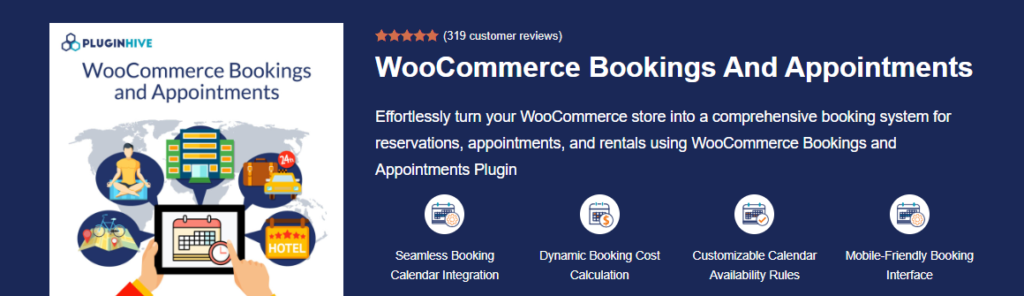
Transform your WooCommerce store into a fully functional booking system with the WooCommerce Bookings and Appointments Plugin. Ideal for businesses offering reservations, appointments, and rentals, this plugin streamlines the booking process, allowing your customers to easily book services, products, or time slots. With flexible pricing, availability management, and seamless integration with various calendars, this plugin ensures a smooth experience for both businesses and customers. According to WooCommerce’s official guide, adding a booking system can increase average order value by up to 30% when customers can reserve services online.
Notable Features of WooCommerce Bookings and Appointments:
- Seamless Booking Calendar Integration: Effortlessly integrate a dynamic booking calendar on your site.
- Dynamic Booking Cost Calculation: Automatically adjust booking costs based on customer preferences like date, time, and services.
- Customizable Calendar Availability Rules: Block specific dates, times, and set seasonal availability.
- Mobile-Friendly Booking Interface: A fully responsive design ensures a seamless experience across devices.
- Google & iCalendar Sync: Sync bookings to Google, Outlook, and iCalendar for both you and your customers.
- Multilingual Support with WPML: Available in multiple languages for global reach.
Strengths:
- Flexible Booking Options: Offer single-day, multiple-day, flexible start/end time bookings, and recurring appointments.
- Comprehensive Management: Set up personalized booking rules, manage staff availability, and apply dynamic pricing.
- Highly Customizable: Customize booking forms, add custom fields, and set up multiple services or resources.
- Strong Integrations: Seamlessly integrates with Google Calendar, Microsoft Outlook, and iCalendar for synchronization.
Weaknesses:
- Requires Additional Add-ons: Some advanced features (like recurring bookings or multiple non-adjacent bookings) require purchasing additional add-ons.
- Initial Setup May Take Time: Depending on business complexity, configuring all settings and availability rules might require an investment of time.
Pricing Structure:
- Single Site License: $149.00/year, including one year of updates and support.
- 30-Day Money-Back Guarantee: Try the plugin risk-free.
- Cancel Renewal Anytime: No long-term commitment.
TESTING WARNING
Always test booking plugins in a staging environment first. Booking systems often interact with payment gateways and calendars. A misconfiguration could lead to double bookings or lost revenue. Use a staging site to simulate real customer scenarios before going live.
2. WooCommerce Table Rate Shipping Pro Plugin
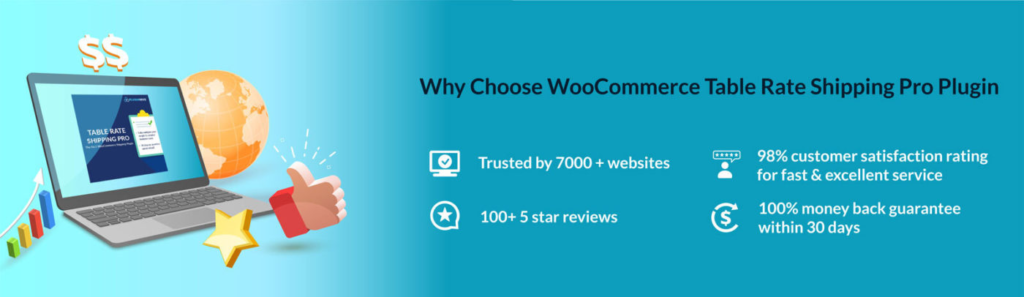
The WooCommerce Table Rate Shipping Pro Plugin provides an advanced shipping solution for WooCommerce stores, allowing you to easily set up customized shipping rates based on factors such as weight, price, and shipping zones. With its flexible and intuitive interface, this plugin helps you streamline your shipping process and offer accurate, dynamic shipping rates to your customers. According to ecommerce shipping studies, offering accurate shipping rates at checkout can reduce cart abandonment by up to 28%.
Notable Features of Table Rate Shipping Plugin:
- Custom Shipping Rules: Create unlimited shipping rules based on cart conditions like product weight, price, and quantity.
- Flexible Shipping Zones: Integrate seamlessly with WooCommerce zones for accurate shipping rates by location.
- Per Product Shipping: Set specific rates for individual products or categories to meet varied shipping needs.
- CSV Import/Export: Import and export shipping rules using CSV files for efficient bulk management.
- Global Shipping Options: Offer international shipping with tailored rates for each country or region.
- WPML Compatibility: Fully compatible with WPML, making it easy to use in multiple languages.
Strengths:
- Comprehensive Customization: Tailor shipping rates to specific products, quantities, or destinations with ease.
- User-Friendly Interface: Set up complex shipping rules without any technical expertise.
- Global Reach: Offer shipping options for customers worldwide with location-based rate customization.
- Time-Saving Features: Bulk import/export of shipping rules saves valuable time for store owners.
Weaknesses:
- Requires Initial Setup: Although flexible, initial configuration may take some time to set up rules for different regions.
- No Free Version Available: The plugin does not offer a free version, so users must purchase the pro version to access the full range of features.
Pricing Structure:
The WooCommerce Table Rate Shipping Pro Plugin is priced at $79/year for a single-site license, including one year of updates and support. A 30-day money-back guarantee ensures a risk-free trial.
3. FuseWP Marketing Automation Plugin

FuseWP is essential for all WooCommerce stores to automatically sync customers, orders, subscriptions, and membership activity to your CRM or email marketing platform. This makes it easier to segment buyers, send targeted campaigns, and automate follow-ups based on actual purchase behavior. Instead of manually exporting data, FuseWP keeps your marketing lists updated in real time so you can focus on increasing sales. According to Mailchimp benchmarks, segmented campaigns can generate up to 60% of all revenue from email marketing.
Notable Features
- Automatic Customer Sync: Every new customer, order, and profile update is instantly synced to your CRM or email marketing tool.
- Advanced Segmentation Tags: Apply tags based on products purchased, purchase total, order status, or membership level. Perfect for targeted campaigns.
- WooCommerce Subscriptions Support: Sync subscription starts, renewals, cancellations, and expirations to trigger automated workflows.
- WooCommerce Memberships Sync: Automatically tag members when they join, renew, or lose access to a membership plan.
- Real-Time Data Updates: Ensure your marketing platform always reflects accurate customer activity. Supports Major Email Platforms: Works with Mailchimp, ActiveCampaign, HubSpot, ConvertKit, Drip, AWeber, and more.
Strengths:
- Enhances Email Marketing Accuracy: Creates precise customer segments for upsell, win-back, cart recovery, and VIP promotion campaigns.
- Deep WooCommerce Integration: Syncs detailed purchase history, membership changes, and subscription events.
- Saves Time & Reduces Errors: Eliminates manual data entry, exports, and import processes. Ideal for Automation: Perfect for businesses using email funnels, onboarding sequences, or purchase-triggered automations.
Weaknesses:
- Requires External Email/CRM Tool: FuseWP focuses on syncing and automation, so you still need a separate email marketing service.
- Advanced Workflows Depend on CRM: The complexity of your automations depends on the capabilities of your connected CRM.
Pricing Structure:
- Single Site License: Starts at $119/year and includes all integrations, updates, and support—30-Day Money-Back Guarantee.
Segmentation
Send the right message to the right customer based on their purchase history.
Real‑Time Sync
No more manual CSV exports—data flows instantly to your email tool.
Targeted Campaigns
Automate win‑back emails, upsells, and post‑purchase follow‑ups.
Revenue Growth
Businesses using automation see up to a 451% increase in qualified leads.
4. WooCommerce Shipping Services
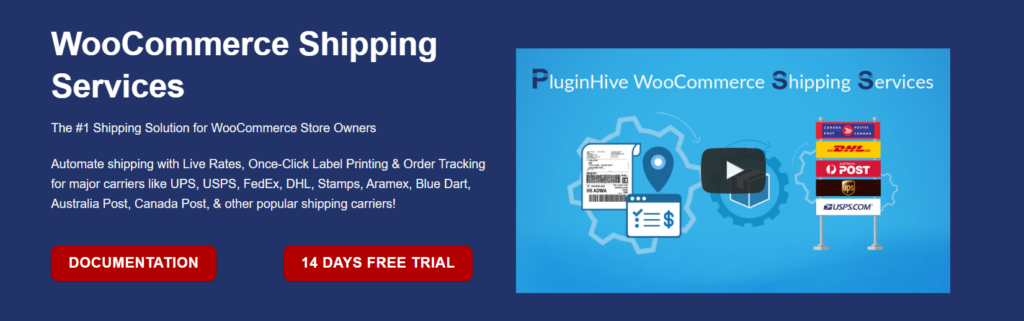
PluginHive’s WooCommerce Shipping Services offers a seamless solution for automating shipping with live rates, one-click label printing, and real-time order tracking for major carriers. Integrated with WooCommerce, it simplifies your shipping process, saving time and reducing errors while offering global carrier support. According to ShipStation data, automated shipping can cut fulfillment time by up to 70%.
Notable Features:
- Display live shipping rates at checkout
- Print shipping labels directly from WooCommerce
- Send live shipment tracking updates to customers
- Integrates with top global shipping carriers
- Supports multi-vendor shipping and label printing
Strengths:
- Seamless integration with WooCommerce
- Supports a wide range of shipping carriers
- Easy to use, with all shipping tasks in one dashboard
- Customizable plans for businesses of all sizes
Weaknesses (Positives):
- Initial setup may require a quick learning curve
- Some advanced features may be more suitable for larger stores
Pricing Structure:
- Basic: $9/month – 100 orders, 1 carrier
- Starter: $19/month – 200 orders, 2 carriers
- Popular: $29/month – 1,000 orders, all carriers
- Premium: $49/month – 3,000 orders, all carriers
- Enterprise: $99/month – 15,000 orders, all carriers
- Annual plans available with savings up to $49
PRO TIP
Use real‑time rates to reduce cart abandonment. When customers see unexpected high shipping costs at checkout, they often leave. Displaying accurate, live rates from carriers like UPS or FedEx builds trust and helps customers choose the best option. Test different strategies—free shipping thresholds vs. exact rates—to see what converts best for your audience.
5. Multi-Carrier Shipping Plugin for WooCommerce
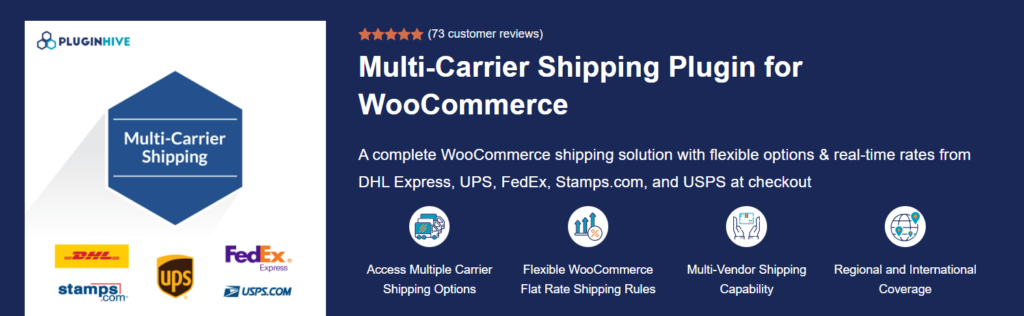
The Multi-Carrier Shipping Plugin for WooCommerce is a comprehensive solution that integrates real-time shipping rates from major carriers such as UPS, FedEx, DHL Express, USPS, and Stamps.com. It enables store owners to offer flexible shipping options, including free and flat-rate shipping, based on various criteria like product weight, quantity, price, and shipping destination. This plugin streamlines the shipping process, enhancing both efficiency and customer satisfaction. According to McKinsey, 65% of customers check shipping costs before adding items to their cart.
Notable Features:
- Real-Time Shipping Rates: Access live rates from UPS, FedEx, DHL Express, USPS, and Stamps.com.
- Flexible Shipping Rules: Set rules based on product weight, quantity, price, categories, and shipping classes.
- Multi-Vendor Compatibility: Supports multi-vendor setups, allowing vendors to configure their own shipping methods.
- Parcel Packing Methods: Choose from weight-based packing or pack items individually for accurate shipping calculations.
- Handling Fees: Add handling fees to shipping rates as needed.
- Fallback Rates: Set fallback rates for unavailable services in specific regions.
Strengths:
- Comprehensive Carrier Integration: Supports multiple major shipping carriers, providing diverse options for customers.
- Advanced Rule Configuration: Offers detailed control over shipping rules, accommodating various business models.
- Multi-Vendor Support: Seamlessly integrates with multi-vendor platforms, enhancing flexibility.
- User-Friendly Interface: Designed for ease of use, simplifying the setup and management of shipping options.
Weaknesses:
- No Free Version: The plugin does not offer a free version, which may deter users looking for a trial or more budget-friendly option.
- Complex Setup for Beginners: New users might find the initial setup process a bit challenging due to the plugin’s extensive features.
Pricing Structure:
The Multi-Carrier Shipping Plugin for WooCommerce is available at $99.00 per year, which includes one year of updates and support. A 30-day money-back guarantee is also offered. You can cancel your renewal at any time.
FAQ
A: Yes, definitely. Although WooCommerce is a great platform for handling products and transactions, it only has very minimal built-in SEO features. A separate SEO plugin is necessary to optimize your store’s writing, facilitate essential schema markup, create smart sitemaps, and manage the technical issues that have the greatest impact on your store’s ranking in search engines. According to Moz’s ecommerce SEO guide, structured data (product schema) can increase click-through rates by up to 30%.
A: Yes, it is possible. The issue of plugin bloat is quite serious. Each plugin adds code to your site, which can slow down the loading process if the plugins are not well-coded or if you have too many activated. A study by Kinsta found that some poorly optimized plugins can increase page load time by over 300%. Always choose lightweight, well-coded plugins, and regularly audit your installed plugins—deactivate and delete any you no longer need.
A: It is always recommended to test any newly installed or majorly updated plugin in a staging environment before doing it on your live store. Staging environment is a secure, identical copy of your live store. By testing on staging, you are able to: find conflicts, check for errors or slowdowns, and ensure all functionalities work correctly. Most quality WordPress hosts (like Kinsta, WP Engine) offer one-click staging environments.
A: Start with essentials: an SEO plugin (like Yoast or Rank Math), a shipping plugin with real-time rates, a marketing automation tool (like FuseWP), and a security plugin. As your store grows, consider booking or subscription plugins based on your business model. According to WooCommerce’s own recommendations, focusing on performance and compatibility is crucial.
PERFORMANCE WARNING
Too many plugins can cripple your store. Every plugin adds potential points of failure and extra code. Before installing, ask: “Do I really need this?” Use performance tools like GTmetrix or PageSpeed Insights to measure your site’s speed after adding new plugins. If your site slows down significantly, consider alternative solutions or custom code.
Conclusion: Choosing the Right Plugins for Your Store
The right plugins can transform your WooCommerce store from a simple shop into a powerful, automated, and customer‑friendly business machine. Whether you need advanced booking capabilities, flexible shipping rules, or deep marketing automation, the plugins listed above represent some of the best solutions available. Remember to always prioritize quality, performance, and security. Test new plugins in a staging environment, keep your plugins updated, and regularly audit your plugin list to ensure your store remains fast and reliable.
By strategically choosing and managing your plugins, you’ll not only improve the customer experience but also boost your SEO, increase conversions, and ultimately grow your revenue. For further reading, check out BigCommerce’s guide to WooCommerce plugins and Shopify’s perspective on ecommerce tools (both high-authority sources).
Your WooCommerce Plugin Action Plan:
- ✅ Audit your current plugins—remove any that are inactive or low‑quality.
- ✅ Prioritize essential functions: SEO, shipping, bookings, and automation.
- ✅ Choose one plugin per function (avoid overlapping features).
- ✅ Test new plugins on a staging site before going live.
- ✅ Monitor your site speed after each addition.
A lean, well‑optimized WooCommerce store is a high‑converting store. Start building yours today.