

7 Best SEO Plugins to Bring More Traffic to Your WordPress Website
Quick Start: Modern SEO is multi-faceted. This guide organizes the best WordPress SEO plugins by the specific traffic problem they solve, helping you build a comprehensive strategy beyond just keywords.
You have designed a unique and attractive WordPress website with highly readable content for your target visitors. You hope that visitors can easily get attracted to the innovatively designed website. But, in reality, the scenario is different. Until you think of taking SEO steps, you cannot find visitors on your WordPress site.
The good news is that WordPress plugins can be the best resource for you to make your SEO campaign successful. The choice of the right plugins will drive more web traffic to your WordPress site.
After creating a WordPress blog you need find a list of the most reliable WordPress SEO plugins that draw the target audiences to your site.
Best WordPress SEO Plugins to Increase Traffic (2024–2025)
Only a few plugins will not just “check off” SEO tasks but will bring more traffic to your WordPress website. Such tools specifically allow you to rank for more keywords, raise your click-through rate (CTR), and enhance your site speed, which is a verified Google ranking factor.
It is no longer sufficient to rely on a single basic plugin with search algorithms becoming more user-focused in 2024–2025. An appropriate SEO configuration should facilitate search engines to comprehend your content, ensure your pages load quickly, and help users explore further your site.
These are the top WordPress SEO plugins that can be found working efficiently for the exact problem of traffic that they solve.
Recommended Starter Plugin Stack:
These plugins when used together are a solid SEO foundation that facilitates WordPress sites to rank higher, get more clicks, and have a steady organic traffic flow in 2024 and the years to follow.
The Best All-in-One WordPress SEO Plugins
These comprehensive plugins form the core of your technical and on-page SEO. Choose only one to manage titles, meta descriptions, sitemaps, and content analysis.
#1. Yoast SEO

As a free WordPress SEO plugin, it helps you with website optimization for higher rankings. With Yoast SEO plugins, you can take advantage of:
- Meta description and title optimization
- SERP previews
- Readability analysis
- XML sitemap development and more
This plugin is best for your on-site SEO campaign. You can add the relevant keywords to your site while maintaining their frequency. Moreover, you can optimize your meta title, URL, and meta description. Yoast SEO makes it easy for you to delight search engines and readers.
#2. SEOPress

SEOPress is an easy-to-use, potential SEO plugin best for making a difference in your WordPress website. It provides you with every feature that you desire from SEO plugins. Meta description, meta title, image, XML sitemaps, open graph, and redirects—everything is manageable with SEOPress.
Although the free version is highly functional, you can subscribe for SEOPress Pro to get more tools and benefits. You will also get access to Google Analytics to gather data about your website performance. Based on the SEO report from Analytics, you can take effective steps. It is easy to deal with the installation wizard for SEOPress. You need to choose an option to be adjusted and make the configuration.
#3. Rank Math

You can choose it for better optimization of your WordPress website content. You will have real-time insights into your posts without leaving the WordPress website interface.
Like other SEO plugins, Rank Math enables you to make your meta description and titles SEO-friendly. It also gives you the snippet preview and reduces the risk of Google’s SERP display errors. The unique feature of Rank Math is that it helps in ensuring the optimal speed of your WordPress website. Furthermore, it offers features, like 404 monitoring, redirections and WooCommerce site SEO.
Specialized Plugins to Solve Specific SEO Problems
Once your foundation is set, these targeted plugins address critical areas to maximize traffic from different sources.
1. Best Plugins for Rich Snippets & Higher CTR
It is not enough to be ranked on the first page if users do not click your result. Rich Snippets such as star ratings, FAQs, and review boxes visually make your listing stand out and attract more clicks.
Schema Pro
Most WordPress themes do not automatically add advanced structured data such as Product Reviews, Courses, or Recipes. Schema Pro resolves this issue by automatically applying the correct schema based on your content type.
For instance, a “Reviews” category containing posts can be made to instantly show in Google search results the stars corresponding to the rating of the post.
Traffic Benefit: Listings with structured data are more likely to be clicked because the users see that the results that display ratings and more information are trustworthy.
Free Alternative: Rank Math supports the majority of common schema types without any additional charge.
Website: https://wpschema.com/
One of the rapid methods to bring more traffic to your old articles is by using internal linking without the necessity of creating new content.
Link Whisper
The task of manually handling internal links is quite hard, especially for bigger sites. There are many important posts that are still “hidden” because they do not get any internal authority.
While writing, Link Whisper looks for relevant internal links and suggests them to you, also through one click bulk linking to the most important pages is enabled.
Traffic Benefit: The authority that comes from the pages that perform well is transferred to the ones that perform badly, thus helping the latter to rank faster and increasing the total traffic of the site.
Website: https://linkwhisper.com/
Internal Link Juicer

It is another WP plugin to make sure that your WordPress site’s internal link has a proper structure. Moreover, the plugin helps with the automatic linking of keywords and phrases in your posts with the relevant categories and pages. Thus, internal link creation becomes easy with this WP plugin, and you can avoid SEO penalties.
3. Best Plugins for Site Speed & Core Web Vitals
We have already learned that rankings may be affected by Core Web Vitals. A slow website will be losing both its visibility in search and visitors.
WP Rocket
With WP Rocket the website speed can be improved through caching pages, file optimizing, and image lazy loading without the need for technical knowledge.
Traffic Benefit: Shorter loading times greatly contribute to good mobile rankings and less bounce rates. Various studies inform that if a page requires more than three seconds to load, then those mobile users that leave amount to over half.
Free Alternatives: W3 Total Cache and WP Fastest Cache are good at providing similar services but in a different way and thus need to be configured carefully.
Website: https://wp-rocket.me/
WP Super Cache

As you like to have a fast-loading WordPress website, you must learn about caching. Normally, when a webpage receives requests from the browser, the server does complicated calculations. It restores the posts, identifies the sidebar widgets, and does several other things.
WP Super Cache generates static HTML versions of the dynamic web content. Then, it serves these webpages to your visitors and prevents slower-loading versions.
4. Best Plugins for Image SEO & Google Images Traffic
Google Images can bring a lot of traffic that is usually not considered. This traffic is mainly for blogs, tutorials, and products content.
ShortPixel or Smush
Both plugins doing the same work – compressing images, reducing file size, and converting images into modern formats like WebP which Google prefers.
Traffic Benefit: The loading that is made faster by the images will result in the overall page speed being improved and also your images will rank higher in Google Image Search.
ShortPixel Website: https://shortpixel.com/
Smush Website: https://wordpress.org/plugins/wp-smushit/
Essential Utility & Management Plugins
Redirection
To ensure SEO-friendly redirects in your WP website, you can choose this plugin. It is the best WP plugin to solve the 404 errors on your site.
Broken links affect your website’s SEO performance, as your users can leave the platform. That is why you have to check the broken links of your website and eliminate them. While you have found the broken link, you can direct users to the right link.
WP Meta SEO
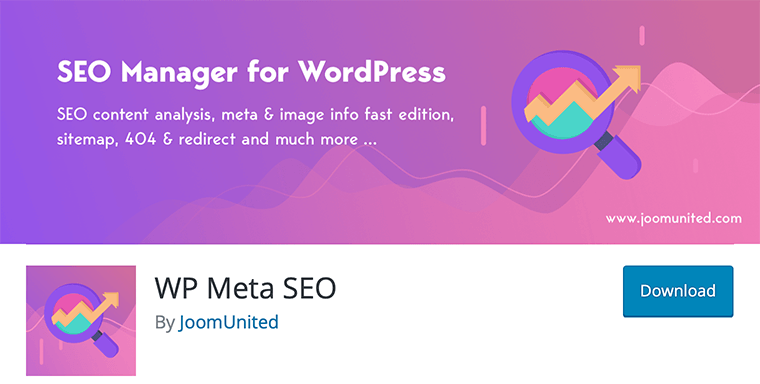
You can choose this plugin as your meta information editor. Without reaching every page separately, you may work on the overall site. You may also integrate Google Search Console for keyword suggestions. Accurate data can be obtained directly from search engines to make the right decision. With WP Meta SEO plugin, you will get some other special features, like the sitemap generator and redirections manager. Use the bulk editor to accelerate your workflow speed.
Key Considerations for WordPress SEO Plugins and Tools
Here are some important things to know about WordPress SEO plugins and tools:
- Overabundance of SEO Tools: When you explore SEO tips for WordPress or search for the “best free WordPress SEO plugins,” you may encounter articles listing numerous tools. This can be overwhelming, especially for beginners and non-technical users.
- Practicality Over Quantity: You don’t necessarily require a multitude of SEO tools to achieve better search engine rankings. While many blog posts highlight the most popular SEO plugins, it’s crucial to grasp the specific purposes of each tool.
- Avoiding Plugin Conflicts: It’s essential to avoid using multiple WordPress SEO plugins on your website. Commonly mentioned plugins include All in One SEO (formerly All in One SEO Pack), Yoast SEO, SEOPress, and Rank Math. You should select just one to prevent conflicts between plugins.
- Choosing Tools Carefully: Tools like SEMRush and Ahrefs are powerful, but when you’re starting, you don’t need all of them since they often have overlapping features. It’s advisable to select tools based on your specific needs and business goals.
Understanding these points will help you make informed decisions about selecting the right WordPress SEO plugins and tools for your website, ensuring optimal functionality and avoiding unnecessary complexity.
Final Takeaway: Now, you can choose the best WordPress plugins that make your SEO campaign successful. Build your toolkit with one core SEO plugin, then add specialized tools for speed, images, and linking as your needs grow. You will find more traffic and a better rank for your website.




this blog is very helpful to me ,thanks for it.
Thank you very much for your ranking booster advice. I will definitely apply your thought
Utilizing effective SEO plugins can significantly enhance the visibility of your WordPress website, especially when focusing on WordPress web design services
You’re very welcome! I’m delighted to hear that you found the blog helpful and that it answered all of your questions. If you ever have more inquiries or need further assistance in the future, don’t hesitate to reach out. Happy to help anytime!
Very interesting and worth reading, Thanks for these tips, really helpful!
Nice Blog, Thank you for sharing
Thanks for the comments, be sure to bookmark and share
Nice Blog, Thank You from
These circles are always helpful for me. Thank you
Very informative post and easy to understand, thanks for sharing
Very informative post and easy to understand, thanks for sharing
Thanks for the comments, be sure to bookmark and share
Very informative post and easy to understand, thanks for sharing
Thanks for the comments, be sure to bookmark and share
This is a very informative post and easy to understand, thanks for sharing
Thanks for the comments, be sure to bookmark and share
This is a very informative post and easy to understand, thanks for sharing
Thanks for the comments, be sure to bookmark and share
Thanks for Sharing.
Thanks for the comments, be sure to bookmark and share
informative BLOG. Thanks
Thanks for the comments, be sure to bookmark and share
Wow, wonderful weblog format! How lengthy have you been blogging for?
Thanks it’s almost more than 10 years
Thanks for the comments, be sure to bookmark and share
very interesting and informative blog
Thanks for the comments, be sure to bookmark and share
I want you to be aware of the significant influence that you have had on my professional life; you have been a consistent source of inspiration and motivation for me.
I enjoyed reading your article and the efforts you put into creating this article, it was awesome thank you so much.
Thanks for nice comments, keep reading and sharing
I love the way you’ve explained this topic! It really helped me understand a complex concept in a simple way. Thanks for sharing your insights!
Thanks keep reading and sharing
I love the way you’ve explained this topic! It really helped me understand a complex concept in a simple way. Thanks for sharing your insights!
Thanks keep reading and sharing
This was very interesting and useful information. Thank you so much for sharing these tips!
Wow, what a gorgeous blog design! How long have you been sharing your passion?
Thanks keep reading and sharing
This was very interesting and useful information. Thank you so much for sharing these tips
Thanks keep reading and sharing
Thank you very much for providing important information. All your information is very valuable to me.
Thank you for reading! Keep exploring and sharing — knowledge grows when it’s shared.