
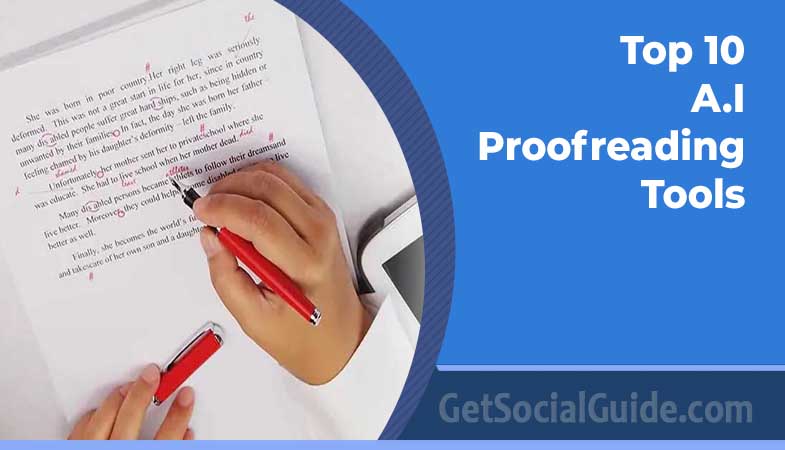
Finding the best AI proofreading tools can save you hours of editing and stop embarrassing typos from reaching your readers. Today’s AI proofreading tools do far more than catch spelling mistakes: they fix grammar and punctuation, tighten wordy sentences, adjust tone, and even check for plagiarism.
In this guide, we compare the 10 best AI proofreading tools of 2026 — from free AI grammar checkers to premium proofreading software for students, bloggers, and professional writers. For each tool, you will find what it does, who it is best for, its key features, and its pricing, so you can choose the right one without weeks of trial and error.
Prices change often. The prices below were checked against the tools’ official sites and independent 2026 roundups in November 2026. Always confirm the current price on the official site before you buy. Where we could not verify a current price, we say so.
🏆 Our top picks at a glance
- Best overall: Grammarly — a free plan and the widest integrations.
- Best value: ProWritingAid — from $8/month billed annually.
- Best free AI proofreading tool: LanguageTool — a generous free plan in 30+ languages.
- Best for students: QuillBot — paraphrasing, grammar checking, and a citation generator.
- Best for academic writing: Paperpal or Trinka AI.
Why the Best AI Proofreading Tools Matter in 2026
Typos and grammar mistakes cost you credibility. Readers judge your expertise by your writing, and search engines reward clean, readable content. That is why an AI proofreader has become a standard part of the writing workflow for bloggers, students, marketers, and authors.
A good AI proofreading tool catches far more than spelling errors. It flags grammar and punctuation problems, highlights wordy or confusing sentences, checks your tone and formality, and keeps spelling and style consistent across a whole document. Many of the tools below also add a plagiarism checker, a paraphraser, or readability scores, so one subscription can replace several separate apps.
The catch is that no two tools are the same. Some are built for academic writing, some for long-form books, and some for quick emails and social posts. The right choice depends on what you write, where you write it, and how much you are willing to pay.
How We Chose the Best AI Proofreading Tools
We reviewed each tool’s official features, free plan, and pricing, and compared our findings with independent 2026 roundups from Kindlepreneur, editGPT, and ProofreaderPro. To make this list, a tool had to offer real grammar and spelling checking, a free plan or free trial, an integration with a browser, Microsoft Word, or Google Docs, and transparent pricing.
We did not run a controlled lab test, so you will not find made-up accuracy scores here. Our recommendations reflect documented features, pricing, and independent reviews — not invented test results. Tools that appear in most competitor roundups earned the top spots, and we dropped tools that no competitor recommends or that no longer fit a general audience.
The 10 Best AI Proofreading Tools in 2026
Here are the ten tools that made the cut, starting with the strongest all-rounder. Each entry covers what the tool does, who it is best for, its key features, and its pricing.
1. Grammarly — Best AI Proofreading Tool Overall
What it does: Grammarly is the best-known AI grammar checker. It checks grammar, spelling, and punctuation in real time, suggests clearer rewrites, detects tone, and offers generative AI help for drafting and rewriting.
Best for: Professionals, business writers, content marketers, bloggers, and students who need one reliable all-in-one writing assistant.
Key features: Browser extension, desktop and mobile apps, Google Docs and Microsoft Word integration, tone detector, style guide, and a plagiarism checker on paid plans.
Pricing: Free plan available. Pro costs $12/month billed annually, or $30/month on monthly billing.
Verdict: If you only want one AI proofreader, start with Grammarly. Its free plan covers everyday grammar and spelling, and the paid plan adds the tone, clarity, and plagiarism tools that professionals need.
2. ProWritingAid — Best AI Proofreading Tool for Long-Form Writers
What it does: ProWritingAid is a deep-editing AI proofreader built for long documents. Beyond grammar and spelling, it analyses style, readability, repeated words, and sentence variety with more than 20 in-depth reports.
Best for: Authors, novelists, and bloggers who write long-form content and want detailed feedback on their writing style.
Key features: In-depth writing reports, style and readability analysis, Word, Scrivener, and Google Docs integration, and a lifetime license option.
Pricing: Free plan covers 500 words at a time. Premium costs $8/month billed annually. A lifetime license is also available — check the current price on the official site.
Verdict: The best value on this list for serious writers. The reports go further than any other tool here, and the lifetime license can pay for itself quickly.
3. QuillBot — Best Free AI Proofreading Tool for Students
What it does: QuillBot combines an AI grammar checker with a paraphraser, summarizer, and citation generator, making it a popular all-in-one tool for students and academic writers.
Best for: Students, researchers, and bloggers who need paraphrasing and citations as well as proofreading.
Key features: Paraphraser with multiple modes, grammar checker, summarizer, citation generator, plagiarism checker, and a co-writer for drafting.
Pricing: Free plan available. Premium costs $8.33/month billed annually.
Verdict: The best free AI proofreading tool for students. The paraphraser and citation generator alone make it worth installing, and the paid plan is one of the cheapest on this list.
4. LanguageTool — Best Multilingual AI Proofreading Tool
What it does: LanguageTool is an AI proofreader that works in more than 30 languages, including English, Spanish, French, and German. It checks grammar, style, and spelling, with a strong focus on privacy.
Best for: Non-native English speakers, multilingual teams, and anyone who writes in more than one language.
Key features: Support for 30+ languages, browser add-on, desktop app, Word and Google Docs integration, and EU-based servers with an open-source core.
Pricing: Free plan available. Premium starts at $12.45/month on monthly billing, with lower rates on annual plans.
Verdict: The clear choice if you write in several languages. No other tool on this list matches its language coverage, and the free plan is genuinely useful.
5. Hemingway Editor — Best AI Proofreading Tool for Readability
What it does: Hemingway Editor is a readability-focused AI proofreader. It grades your writing, highlights hard-to-read sentences, passive voice, and unnecessary adverbs, and pushes you toward shorter, clearer sentences.
Best for: Bloggers, copywriters, and anyone who wants bold, easy-to-read writing.
Key features: Readability grade, sentence-level highlights, passive voice and adverb detection, a free web app, and a desktop app.
Pricing: The web app is free. The Classic desktop app costs $19.99 as a one-time purchase. Hemingway Plus, with AI sentence fixes, starts at $10/month.
Verdict: Hemingway does not check grammar the way Grammarly does, so pair it with a grammar checker. As a readability tool, though, it is unmatched for the price.
6. Wordtune — Best AI Proofreading Tool for Rewriting and Tone
What it does: Wordtune is an AI writing companion that rewrites sentences in different tones — formal, casual, concise, or expanded — and summarises long text.
Best for: Marketers, social media writers, and non-native speakers who want help rephrasing sentences naturally.
Key features: Rewrite suggestions, tone adjustment, summarizer, and integrations with Google Docs and Chrome.
Pricing: Free plan includes 10 rewrites per day. Advanced plans start at $6.99/month.
Verdict: The best tool here for rewriting rather than just correcting. Use it when you know what you want to say but not quite how to say it.
7. Ginger — Best AI Proofreading Tool for ESL Writers
What it does: Ginger is an AI grammar checker designed with English learners in mind. It corrects grammar and spelling, rephrases sentences, and translates text in more than 40 languages.
Best for: ESL writers and non-native English speakers who want a simple, affordable proofreader.
Key features: Grammar and spell checking, sentence rephraser, translation in 40+ languages, a personal trainer, and a text reader.
Pricing: Free plan with limited checks. Premium costs about $12/month on monthly billing, with lower rates on annual plans — confirm the current price on the official site.
Verdict: A solid, simple option for ESL writers. Its translation and rephrasing tools are genuinely useful, though its grammar engine is less powerful than Grammarly’s.
8. WhiteSmoke — Best Budget All-in-One AI Proofreader
What it does: WhiteSmoke is a budget all-in-one proofreader that checks grammar, spelling, style, and punctuation, and adds a plagiarism checker and a translator for more than 50 languages.
Best for: Budget-conscious writers who want grammar, style, plagiarism, and translation in one subscription.
Key features: Grammar, spell, and style checking, punctuation correction, plagiarism checker, and translation in 50+ languages.
Pricing: WhiteSmoke does not publish one stable headline price and sells its plans with frequent discounts, so we could not verify a current price. Check the official site for the current price before subscribing.
Verdict: Good value when bought on discount, but the interface feels dated next to Grammarly and ProWritingAid. Only buy it at a discounted price.
9. Paperpal — Best AI Proofreading Tool for Academic Writing
What it does: Paperpal is an AI proofreader built for academic and research writing. It corrects academic English, suggests suitable journals for your paper, and offers generative AI help for research writing.
Best for: Researchers, PhD students, and academics preparing papers for publication.
Key features: Academic English correction, journal suggestions, generative AI for research writing, and add-ins for Word and Google Docs.
Pricing: Free plan includes 200 suggestions per month. Prime costs about $12/month — confirm the current price on paperpal.com before subscribing.
Verdict: If you write research papers, Paperpal understands academic language better than general-purpose tools. For everyday writing, Grammarly or QuillBot is a better fit.
10. Trinka AI — Best AI Proofreading Tool for Technical Writing
What it does: Trinka AI is an AI proofreader tuned for technical and research writing. It checks subject-specific grammar, consistency, and publication readiness, and can find suitable journals for your manuscript.
Best for: Researchers, technical writers, and academics in science, medicine, and engineering.
Key features: Academic and technical grammar checks, consistency checks, publication readiness scores, journal finder, and citation checks.
Pricing: Free plan with limited checks. Premium costs about $20/month.
Verdict: The most specialised tool on this list. For technical and research writing it is excellent; for general writing it is more than you need.
Best AI Proofreading Tools at a Glance
| Tool | Best for | Free plan | Paid plans from | Languages |
|---|---|---|---|---|
| Grammarly | Overall | Yes | $12/mo (annual billing) | English |
| ProWritingAid | Long-form writers | Yes (500 words) | $8/mo (annual billing) | English |
| QuillBot | Students | Yes | $8.33/mo (annual billing) | English |
| LanguageTool | Multilingual | Yes | $12.45/mo (monthly billing) | 30+ |
| Hemingway Editor | Readability | Yes (web app) | $19.99 one-time (Classic) | English |
| Wordtune | Rewriting & tone | Yes (10 rewrites/day) | $6.99/mo | English |
| Ginger | ESL writers | Yes (limited) | About $12/mo | 40+ (translation) |
| WhiteSmoke | Budget all-in-one | Trial only | Price not verified — check official site | 50+ (translation) |
| Paperpal | Academic writing | Yes (200 suggestions/mo) | About $12/mo | English (academic) |
| Trinka AI | Technical writing | Yes (limited) | About $20/mo | English (technical) |
Which AI Proofreading Tool Is Right for You?
- 👉 For best overall: Grammarly — the strongest all-rounder with the widest integrations.
- 👉 For students: QuillBot — paraphrasing, a citation generator, and a generous free plan.
- 👉 For free and multilingual proofreading: LanguageTool — free and available in 30+ languages.
- 👉 For academic writing: Paperpal or Trinka AI — built for research and publication.
- 👉 For long-form authors: ProWritingAid — in-depth reports and a lifetime license.
- 👉 For readability only: Hemingway Editor — the free web app is enough for most bloggers.
- 👉 For rewriting and tone: Wordtune — the best sentence rewriter on this list.
Free vs Paid AI Proofreading Tools
Most of the best AI proofreading tools offer a free plan, and for everyday writing that is often enough. Free plans usually cover grammar and spelling, while paid plans add plagiarism checking, tone detection, advanced style suggestions, and higher word limits.
Start with a free plan and upgrade only when you hit its limits. If you write for a living, a paid plan pays for itself quickly: Grammarly Pro and ProWritingAid Premium both cost less than $12/month on annual billing, which is less than a single hour of a human editor’s time. Students should try QuillBot or LanguageTool first, since both have genuinely useful free plans.
Can AI Proofreading Tools Replace Human Editors?
No. AI proofreading tools are excellent at catching grammar, spelling, and clarity problems, but they cannot judge your argument, check your facts, or understand your audience the way a human editor can. The best workflow is an AI proofreader for the first pass and a human editor — or at least a careful self-review — for the final pass.
There is one more thing to watch: AI detection. Schools, journals, and publishers increasingly use AI detectors such as Turnitin, and heavily AI-rewritten text can be flagged. Always review every suggestion, keep your own voice, and check your institution’s or publisher’s policy on AI writing tools before you submit.
Also Worth a Look
Three more AI proofreaders appear in competitor roundups but did not make our top ten. Wordvice AI is a strong academic option with an AI proofreader and editing services, with team plans from about $9.95/month. Scribbr is popular with students for proofreading, citation, and plagiarism checking. editGPT is a focused proofreader for Word and Google Docs with a free plan of 10,000 words per month. ChatGPT can also proofread — see the FAQ below — but it is a general chatbot, not a dedicated proofreading tool.
How to Get the Most From Your AI Proofreader
- Write first, proofread second. Draft your text, then run the checker. Editing while you write slows you down.
- Review every suggestion. AI tools sometimes suggest changes that alter your meaning. Accept the fixes that are right and ignore the rest.
- Add your style guide. Add brand names, technical terms, and preferred spellings to your tool’s dictionary so they are not flagged again.
- Run a readability check. After grammar, check your readability score — short sentences and simple words keep readers on the page.
- Do a final human read. Read your text aloud before publishing. Your ear catches awkward phrasing that no AI proofreader will.
Key Takeaways
- Grammarly is the best overall AI proofreading tool, and its free plan covers everyday grammar and spelling.
- ProWritingAid offers the best value for long-form writers, from $8/month billed annually.
- QuillBot and LanguageTool are the best free AI proofreading tools — QuillBot for students, LanguageTool for multilingual writers.
- Paperpal and Trinka AI are the best choices for academic and technical writing.
- No AI proofreading tool replaces a human editor. Use AI for the first pass and a human for the final pass.
Frequently Asked Questions About the Best AI Proofreading Tools
What is the best AI proofreading tool in 2026?
Grammarly is the best AI proofreading tool overall thanks to its accuracy, free plan, and integrations with browsers, Word, and Google Docs. ProWritingAid is the best value for long-form writers, and QuillBot is the best choice for students.
Are free AI proofreading tools good enough?
Yes, for everyday writing. Free AI proofreading tools such as Grammarly, QuillBot, and LanguageTool catch most grammar and spelling errors. Paid plans are worth it when you need plagiarism checking, tone detection, advanced style suggestions, or higher word limits.
Which are the best AI proofreading tools for students?
QuillBot is the best AI proofreading tool for most students because it combines a grammar checker with a paraphraser and a citation generator. Grammarly’s free plan is a strong second choice, while Paperpal and Trinka AI are better for academic and research writing.
Is ChatGPT good for proofreading?
Yes, ChatGPT can proofread: paste your text and ask it to find errors, explain them, or rewrite awkward sentences. It is flexible and good at explanations, but it is a general chatbot, not a dedicated proofreader — it does not check your writing in real time inside Word or Google Docs, and it can occasionally miss errors or change your meaning. Use it alongside a dedicated AI proofreading tool, not instead of one.
Is Grammarly or ChatGPT better for proofreading?
Grammarly is better for dedicated proofreading: it checks your writing in real time, works inside your browser and documents, and catches errors as you type. ChatGPT is better for flexible rewrites and explanations, and for discussing why a sentence is wrong. Many writers use both — Grammarly for everyday checking and ChatGPT for tricky rewrites.
Can AI proofreading tools replace human editors?
No. AI proofreading tools catch grammar, spelling, and clarity problems, but they cannot judge arguments, verify facts, or understand nuance the way a human editor can. Use an AI proofreader for the first pass and a human editor for the final pass, especially for important work such as theses, books, and client content.
💡 People Also Search For: best free AI proofreading tools, AI grammar checker, Grammarly alternatives, AI proofreading tool for students, best proofreading software, AI proofreader for academic writing, AI proofreading tools for essays.
🚀 Start writing cleaner today: Pick one tool from this list, install its free plan, and run your next article through it. Most writers notice the difference on the very first draft.
👉 AI Tools for Freelance Content Writing
👉 Top 5 WordPress SEO Plugins (2026)
👉 How to Humanize AI Content for Better Engagement
Note: Prices were checked in November 2026 and change frequently. Always verify the current price on the tool’s official site before subscribing.