

Social media algorithms change every month, but your email list is yours. No algorithm decides whether your subscribers see your new post — when you send an email, it lands in their inbox. That is why bloggers who take their blog seriously eventually build an email list, and why email marketing is still the highest-ROI channel for creators: studies repeatedly put the average return at $36–$42 for every $1 spent.
So what are the best email marketing tools for bloggers in 2026? After comparing the leading platforms on free plans, published pricing, automation, and how well each fits a blog (not a big ecommerce store), the short answer is this: Kit (formerly ConvertKit) is the best overall pick for most bloggers, thanks to a free plan that covers up to 10,000 subscribers. MailerLite is the easiest and cheapest way to start, Brevo and Sender have the most generous free plans, and Mailchimp is still the best-known all-rounder — though its free plan is now the smallest of the group.
This guide compares all 10 tools side by side — free-plan limits, real starting prices checked in November 2026, standout features, and honest pros and cons — so you can pick the right one for your list size and budget instead of the one with the loudest ads.

The 10 Best Email Marketing Tools at a Glance
If you only remember one table from this guide, make it this one. Prices are starting prices for the lowest paid tier, checked against each vendor’s pricing page in November 2026 — always confirm the current price before you sign up, because free-plan limits have changed several times in the last two years.
| Tool | Best For | Free Plan | Starting Price |
|---|---|---|---|
| Kit (ConvertKit) | Bloggers & creators overall | Up to 10,000 subscribers | $33/mo (billed annually) |
| MailerLite | Beginners on a budget | 250 subscribers, 2,500 emails/mo | $12/mo |
| Mailchimp | All-in-one for beginners | 250 contacts, 500 sends/mo | $13/mo |
| Brevo | Big lists, infrequent sending | 300 emails/day, unlimited contacts | $9/mo |
| Sender | Free plan with full automation | 2,500 subscribers, 15,000 emails/mo | $9/mo |
| GetResponse | All-in-one + webinars | 500 contacts, 2,500 newsletters/mo | $19/mo |
| AWeber | Phone support & templates | 500 subscribers, 3,000 emails/mo | $15/mo |
| Moosend | 30-day trial (no free plan) | $9/mo | |
| Constant Contact | Events & nonprofits | 60-day trial (no free plan) | $12/mo |
| Omnisend | Bloggers who also sell | 250 contacts, 500 emails/mo | $16/mo |
Notice the pattern: the free plans differ far more than the paid prices do. Kit covers 10,000 subscribers for free, while Mailchimp and MailerLite now stop at 250. If your list is growing fast, the free-plan ceiling matters more than the monthly price.
How to Choose the Right Email Marketing Tool for Your Blog
Before the reviews, here are the six things that matter for a blogger — a tool can be excellent for a shop and wrong for a blog.
- Free-plan ceiling. How many subscribers can you hold before paying? A generous free plan buys you months of growth at zero cost. Check the monthly send limit too — 500 sends a month means one email a week to 125 subscribers.
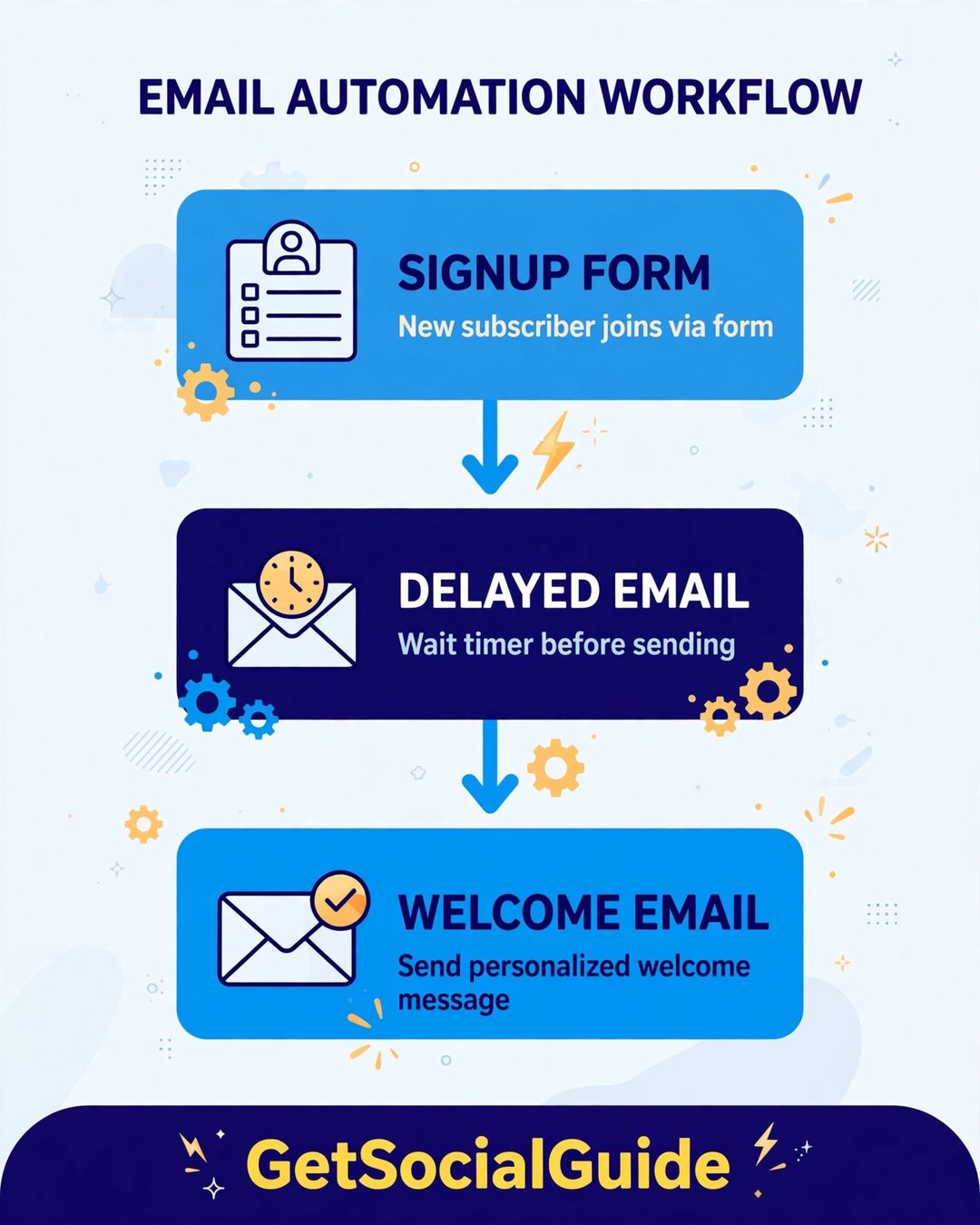
- Automation. A welcome sequence that sends itself when someone joins is the single highest-value feature for a blogger. Some tools include automation free (Sender); others lock it behind a paid tier (Kit’s free plan is broadcast-only after its 14-day trial).
- Forms and landing pages. You need signup forms that embed in your blog posts and a landing page for your lead magnet. Every tool here has both, but quality and free-plan limits vary.
- Deliverability. A beautiful email that lands in spam earns nothing. The established tools here all deliver well; what hurts deliverability most is blasting a cold list, not the tool itself.
- Ease of use. You are a blogger, not an email engineer. A clean editor and a short learning curve beat a powerful tool you never finish setting up.
- Price at your list size. Almost every tool charges by contacts, so the price that matters is the one at your list size — 500, 2,500, or 10,000 subscribers — not the headline price.
One more thing before you pick: the tool is only half the job. The other half is getting people onto the list in the first place — our guide to email marketing best practices for lead generation covers lead magnets, form placement, and the welcome email that turns a subscriber into a reader.

1. Kit (formerly ConvertKit) — Best Overall for Bloggers

Best for: bloggers and creators who want to grow an audience and eventually sell to it. Free plan: up to 10,000 subscribers. Starting price: Creator from $33/month billed annually ($39 month-to-month).
Kit was built specifically for creators — bloggers, podcasters, YouTubers, and course sellers — and it shows in every design decision. Instead of lists, it uses tags and segments, so subscribers who joined through different posts can get different emails automatically. It also lets you sell digital products directly from your emails, which makes it the only tool on this list that can become a small storefront as your blog earns.
The free plan is the most generous in email marketing: up to 10,000 subscribers with unlimited broadcasts, unlimited landing pages and forms, tagging and segmentation. The catch is automation — after the included 14-day Creator trial, the free plan is broadcast-only, so welcome sequences and visual automations need the Creator plan. Paid plans have risen in price over 2025–2026, so Kit is no longer the cheap option once you pay.
Pros: most generous free plan anywhere; built for creators, not shops; tagging and segmentation are genuinely good; sell digital products natively. Cons: no sequences or automations on the free plan after the trial; paid plans are pricier than MailerLite or Brevo; fewer ready-made templates than Mailchimp. Visit Kit
2. MailerLite — Best for Beginners on a Budget

Best for: first-time email marketers and bloggers who want the easiest tool that still does the job properly. Free plan: 250 subscribers and 2,500 emails a month. Starting price: from $12/month.
MailerLite has been rated the easiest-to-use email marketing tool in independent testing for four years running, and five minutes inside the editor explains why: the drag-and-drop builder is smooth, the templates look modern, and you can go from signup to a sent campaign in under an hour. Unusually, automation is included on the free plan (up to 3 automations), along with a website builder, a landing page, and forms.
The main caveat in 2026 is the much smaller free plan. It used to allow 1,000 subscribers; in June 2026 it was cut to 250 subscribers and 2,500 emails a month, with limits of 3 forms, 3 automations, and 1 landing page. If your list grows fast you will hit the paid tier sooner than you used to. But at $12 a month it is still one of the cheapest here, and you only pay for active subscribers.
Pros: easiest editor on this list; automation included on the free plan; clean modern templates; cheap paid plans. Cons: free plan shrank to 250 subscribers in 2026; fewer advanced features than GetResponse or Kit; support is knowledge-base only on the free plan. Visit MailerLite
3. Mailchimp — Best All-in-One for Beginners

Best for: bloggers who want one tool that does email, landing pages, ads, and a small shop in the same place. Free plan: 250 contacts and 500 sends a month. Starting price: Essentials from $13/month at 500 contacts.
Mailchimp is the most recognizable name in email marketing, with 12 million active users, the largest template library on this list, and integrations with almost every tool a blogger uses. The drag-and-drop editor is genuinely easy, the reporting is solid, and if you run a small shop, Mailchimp connects email to your store without extra plugins.
The trade-off is cost at scale. The free plan has shrunk repeatedly — it now covers just 250 contacts and 500 sends a month (250 a day), with no scheduling, no multi-step automation, and Mailchimp branding. And pricing climbs steeply as your list grows: Essentials is $13 a month at 500 contacts, $45 at 2,500, and $110 at 10,000. Mailchimp also counts unsubscribed contacts toward your limit. It is a fine place to start; it is an expensive place to stay.
Pros: biggest template library; easiest all-in-one suite; huge integration list; good reporting. Cons: smallest usable free plan among the big names; prices climb fast with list size; no automation on the free plan; counts unsubscribed contacts. Visit Mailchimp
4. Brevo (formerly Sendinblue) — Best Free Plan for Big Lists

Best for: bloggers with a big list who email infrequently, and anyone who wants SMS and transactional email in the same place. Free plan: 300 emails a day, unlimited contacts. Starting price: Starter from $9/month.
Brevo charges by how many emails you send, not by how many subscribers you have — and that one difference makes it the best free plan for a blogger whose list is large but who only emails once or twice a week. The free plan stores unlimited contacts (up to 100,000) and lets you send 300 emails a day — roughly 9,000 a month, enough for a weekly newsletter to about 2,000 subscribers at zero cost.
Beyond email, Brevo includes SMS marketing, transactional emails (order confirmations, password resets), a CRM, and landing pages, so it grows with you if your blog becomes a business. The editor is solid rather than beautiful — but if you email daily to a big list, the per-email pricing model stops being the bargain it looks like.
Pros: unlimited contacts on the free plan; cheapest paid tier; SMS and transactional email included; good for infrequent senders. Cons: 300-emails-a-day cap on the free plan; editor is plainer than MailerLite’s; pricing gets expensive for daily senders. Visit Brevo
5. Sender — Best Free Plan With Full Automation

Best for: bloggers who want real automation without paying for it. Free plan: 2,500 subscribers and 15,000 emails a month, with full automation included. Starting price: Standard from $9/month.
Sender’s free plan is the best-kept secret on this list. Where Kit locks sequences behind a paid plan and Mailchimp removes automation from its free tier entirely, Sender gives you the full automation engine — welcome sequences, abandoned-cart flows, behaviour triggers — for up to 2,500 subscribers and 15,000 emails a month, free. It also includes SMS and a clean drag-and-drop editor, and its user rating (4.8/5) is the highest of any tool here.
The catch is scale and ecosystem: Sender is a smaller company than Mailchimp or Kit, so it has fewer third-party integrations and a smaller template library, and paid plans get pricey after 10,000 subscribers. But for a blogger starting from zero who wants a welcome sequence running from day one without paying, nothing else on this list matches it.
Pros: full automation on the free plan; 2,500 subscribers free; highest user ratings; SMS included. Cons: fewer integrations than the big names; smaller template library; paid pricing rises steeply at large list sizes. Visit Sender
6. GetResponse — Best All-in-One With Webinars

Best for: bloggers who also teach — courses, coaching, and webinars alongside the blog. Free plan: 500 contacts and 2,500 newsletters a month. Starting price: from $19/month ($15.58 billed annually).
GetResponse is the all-in-one option: email marketing, landing pages, a website builder, a course builder, and built-in webinars in a single subscription. For a blogger who runs live workshops or sells a course, that webinar feature is something none of the other tools here offer natively.
The downsides are price and complexity: it is the most expensive starting paid plan here, and the interface packs in so much that beginners can find it busier than MailerLite or Kit. The free plan is a genuine free account rather than a trial, but at 500 contacts it is a starting point, not a long-term home.
Pros: webinars and course builder built in; strong automation; good deliverability; generous feature set. Cons: highest starting paid price on this list; busier interface; free plan caps at 500 contacts. Visit GetResponse
7. AWeber — Best for Phone Support and Templates

Best for: bloggers who want a human on the phone when something goes wrong, and a huge template library. Free plan: 500 subscribers and 3,000 emails a month. Starting price: Lite from $15/month ($12.49 billed annually).
AWeber has been in email marketing since 1998, and it shows in two ways: a template library with hundreds of designs (one of the largest here), and real phone support — a rarity in an industry that mostly offers chatbots and help centres. The editor is simple, the automation covers the essentials (welcome sequences, tagging, split testing), and the free plan includes landing pages and forms.
The trade-off is that AWeber feels a little old-fashioned next to Kit or MailerLite, and its paid plans are not the cheapest: Lite starts at $15 a month, and unlimited automations need the Plus tier from around $30 a month. It is a dependable, unflashy choice for bloggers who value support and templates over cutting-edge features.
Pros: phone support; huge template library; long track record; solid free plan. Cons: interface feels dated; paid plans are mid-priced, not cheap; unlimited automation needs the Plus tier. Visit AWeber
8. Moosend — Best Cheap Automation

Best for: bloggers who want full automation features at the lowest possible monthly price. Free plan: none — 30-day free trial. Starting price: Pro from $9/month for up to 500 subscribers.
Moosend’s pitch is simple: every feature on every plan, from $9 a month. There is no feature gating — the $9 Pro plan includes the full automation engine, landing pages, forms, and reporting, where rivals charge two or three times as much. That makes it the cheapest way to run a serious welcome sequence and segmented campaigns once you outgrow the free plans.
The catch is the missing free plan: you only get a 30-day trial, so there is no $0 runway while your list is tiny. For a blogger with a few hundred subscribers who wants real automation for $9 a month, though, it is hard to beat on price.
Pros: all features on every plan; cheapest full automation; clean editor; no feature gating. Cons: no free plan, trial only; smaller template and integration library; less community support than the big names. Visit Moosend
9. Constant Contact — Best for Events and Nonprofits

Best for: bloggers who run events, workshops, or a nonprofit — and anyone who wants coaching-style support. Free plan: none — 60-day free trial. Starting price: Lite from $12/month ($10.20 billed annually).
Constant Contact is the oldest name on this list, and its strengths are built around real-world gatherings: event management, RSVPs, and donation tools sit alongside email, SMS, and social posting. It also offers phone support and an optional personal coaching tier, which no other tool here matches.
The weaknesses for a typical blogger are the missing free plan (a 60-day trial is generous, but it ends) and the price at scale: the Standard plan reaches around $110 a month at 10,000 contacts, and custom automation needs the Premium tier. If your blog is built around events or a nonprofit, it fits beautifully; if it is a plain content blog, the tools above give you more for less.
Pros: event and donation tools; phone support and coaching; very beginner-friendly; generous 60-day trial. Cons: no free plan; expensive at large list sizes; automation is basic until the Premium tier. Visit Constant Contact
10. Omnisend — Best for Bloggers Who Also Sell

Best for: bloggers with a shop — WooCommerce or Shopify — who want email, SMS, and push notifications in one place. Free plan: 250 contacts and 500 emails a month. Starting price: Standard from $16/month for 500 contacts.
Omnisend is built for ecommerce first: it ties campaigns directly to product and order data, so you can email people who bought a specific product, abandoned a cart, or browsed a category. For a blog that sells merch, templates, or presets, that connection between your store and your emails is something the blogger-focused tools cannot match — and it also bundles SMS and push notifications in the same workflows.
For a pure content blog, though, Omnisend is overkill: the free plan is small (250 contacts, 500 emails), Standard starts at $16 a month, and the interface assumes you have a store. Pick it when your blog earns through a shop; pick Kit or MailerLite when it earns through content.
Pros: best ecommerce integration on this list; email + SMS + push in one platform; good automation even on the free plan. Cons: small free plan; overkill for a content-only blog; pricier than MailerLite or Brevo at the same list size. Visit Omnisend
Which Tool Should You Pick?
Here is the decision, one line each:
- Starting from zero and want to pay nothing for as long as possible? Kit’s free plan covers you to 10,000 subscribers; Sender is the runner-up, with full automation free.
- Want the easiest tool to learn? MailerLite. You will send your first campaign within an hour of signing up.
- Want one tool that does everything, shop included? Mailchimp if your list is small, Omnisend if you actually sell products.
- Have a big list but email rarely? Brevo — you pay for sends, not subscribers.
- Teach, coach, or run webinars? GetResponse, for the built-in webinars and course builder.
- Want the cheapest real automation? Moosend at $9 a month, or Sender free.
Whichever you choose, the tool is the easy part — the hard part is what you send. Once your list is set up, learn to read your numbers with our guide to email marketing metrics, and write subject lines people open with our 100 professional email subject lines.

Frequently Asked Questions
What is the best email marketing tool for bloggers in 2026?
Kit (formerly ConvertKit) is the best overall pick for most bloggers in 2026: built for creators, with tagging that fits how blog audiences behave, and a free plan covering up to 10,000 subscribers. MailerLite is the easiest to learn, and Sender is the best option for full automation.
Is there a completely free email marketing tool for bloggers?
Yes. Kit’s free plan covers up to 10,000 subscribers with unlimited broadcasts, landing pages, and forms. Sender’s free plan covers 2,500 subscribers and 15,000 emails a month with full automation included. Brevo’s free plan stores unlimited contacts and allows 300 emails a day. Mailchimp, MailerLite, AWeber, GetResponse, and Omnisend also have free plans, but with smaller subscriber limits.
Mailchimp vs Kit (ConvertKit): which is better for bloggers?
Kit is better for most bloggers: built for creators, with a free plan covering 10,000 subscribers versus Mailchimp’s 250 contacts, and tagging that fits blog audiences better than Mailchimp’s list-based structure. Mailchimp wins if you want the biggest template library, the most integrations, or an all-in-one suite covering ads and a small shop — but it gets expensive quickly as your list grows.
How much does email marketing cost for a blogger?
You can start for free: Kit, Sender, and Brevo all have free plans that cover a new blog’s list for months or years. Once you pay, entry-level plans start at $9 a month (Brevo, Sender, Moosend), $12 a month (MailerLite, Constant Contact), $13 (Mailchimp), $15 (AWeber), $16 (Omnisend), and $19 a month (GetResponse), and $33 a month billed annually (Kit Creator). The price rises with your list size, so check the cost at your subscriber count, not the headline price.
Do I need a website to start an email list?
No. Every tool on this list includes landing pages, so you can collect subscribers with a standalone signup page before your blog is even finished — Kit’s free plan includes unlimited landing pages for exactly this reason. A blog helps enormously, though: every post is another chance for a reader to join your list.
How many subscribers do I need before I start paying for email marketing?
It depends on the tool. With Kit you may never pay until you pass 10,000 subscribers or want automation. With Sender the free plan ends at 2,500 subscribers. With Mailchimp or MailerLite you will hit the paid tier at just 250 subscribers. As a rule, start on a generous free plan, and only pay when you need automation, more sends, or a feature the free plan lacks — not just because your list grew.
The Bottom Line
The best email marketing tool for bloggers in 2026 is the one that fits your list today and your plans for next year. For most bloggers that is Kit — free to 10,000 subscribers, built for creators, and ready to sell digital products when you are. If you want the easiest start, pick MailerLite; free automation, pick Sender; a big list you email rarely, pick Brevo.
Whatever you choose, start this week: put a signup form on your best post, offer one genuinely useful lead magnet, and send your first email. An email list compounds like nothing else in blogging — every subscriber you collect now is a reader you can reach directly for years. And when you write that first email, our tips for high-conversion emails will help you turn readers into buyers.


