How to Create a Website Free of Cost in 2026 (10-Minute Setup Guide)


How to Create a Website Free of Cost in 2026 (10-Minute Setup Guide)

A website is an effective means of connecting to people online, but it might not always be possible to make such an investment. The good news is that several companies provide free website solutions, giving you the opportunity to spread your ideas to more people. We will consider if a free website meets your requirements in this article. After that, we will talk about the different options that you have. Finally, we will guide you step-by-step how to make a website for free on two well-known platforms. Don’t let money stop you from getting online. Let’s figure out how to do it.

📌 Key Takeaways: Free Website Building (2026)

  • Free websites are possible, but with trade-offs: You can build a functional site at zero cost using platforms like Wix, Weebly, or Site123. However, free plans include ads, limited storage, and a branded subdomain (e.g., yoursite.wixsite.com).
  • Choose the right builder for your needs: Wix offers the most design flexibility, Site123 is fastest for simple sites, Square Online is best for e‑commerce, and Carrd is ideal for one‑page portfolios.
  • You can always upgrade later: Free plans are perfect for testing ideas. When you’re ready for a custom domain, no ads, and more features, paid plans start as low as $5–$10/month.
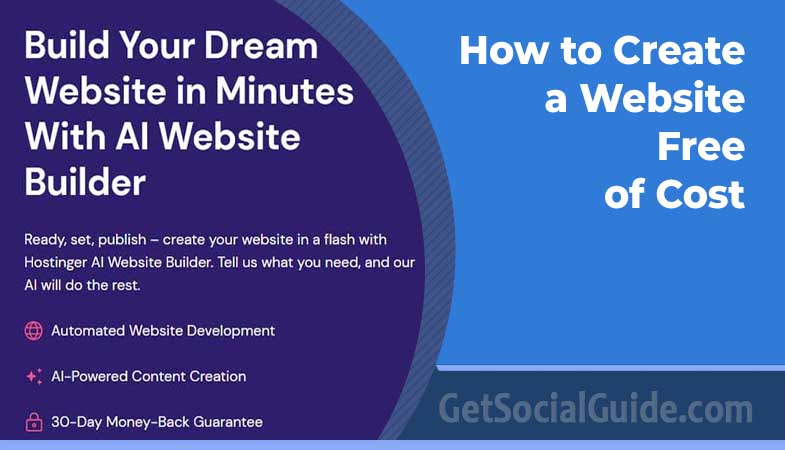
  • 2026 trends favor AI-powered builders: Platforms like Hostinger and GetResponse now include AI tools that generate content, layouts, and even predict visitor behavior, making site creation faster than ever.
  • Google My Business is a hidden gem: For local businesses, Google’s free website builder integrates directly with Google Search and Maps – it’s simple, ad‑free, and great for service‑area businesses.
  • New player: Duda Free plan (limited) and Webflow (no true free plan, but free staging). In 2026, Duda offers a 14‑day free trial, not a permanent free plan. Webflow has a free starter plan for designing but requires hosting payment to go live.

Deciding Whether a Free Website Is Right for You (2026 Edition)

Setting up a website often requires financial investment for web hosting, domain names, and premium features. However, there is an alternative option: creating a website for free. One obvious advantage is the lack of cost. Free websites don’t require any monetary investment, only your time and effort. Many free services today offer advanced and user-friendly features, allowing you to create a visually appealing website without incurring any expenses. Additionally, you can always upgrade to paid options later if desired.

A free website simplifies the design, setup, and creation process, as the provided page builders handle the technical aspects for you. However, there are downsides to consider. Most free providers add their branding to your site, which may diminish the sense of ownership. Third-party branding and advertisements can also appear unprofessional, especially if you prioritize your own branding or have a business-related website. Furthermore, free website builders often have limited features, as advanced functionality usually comes at a cost. This may restrict your ability to fully equip an online store or use unique, expert-designed themes.

Nevertheless, knowing how to create a website free of cost can be invaluable when on a tight budget or when you’re not ready to commit to a paid solution or a specific website concept. The free process allows you to experiment with different options and explore various possibilities.

💡 Pro Tip: Use Free Trials to Test Before You Commit

Many premium website builders offer 14‑30 day free trials. Even if you plan to use a free plan, sign up for trials of Wix, Squarespace, or Hostinger first. This lets you explore advanced features, test templates, and see the full potential before settling on a free version with limitations.

What’s Important in a Free Website Builder? (2026 Checklist)

Free website builders operate on a “freemium” business model, where customers who choose to pay for extra features support those who are satisfied with the limited free plan. This model ensures that the service remains safe and legitimate. When choosing a free website builder, there are certain aspects you should consider:

  • Clear domain name: Since free website builders don’t allow custom domain names, it’s important to evaluate the auto-generated domain provided. A professional-looking format is preferable to maintain your site’s credibility.
  • Low upgrade cost: Understand the cost of upgrading to a paid plan and the benefits it offers.
  • Minimal advertising: Excessive ads can detract from the appearance of your website. Review screenshots and choose a builder with the least intrusive ads.
  • Free SSL certificate: Most website builders include a free SSL certificate, which ensures secure browsing. However, a few builders may require a separate purchase for an SSL certificate.
  • Sufficient storage: Be aware of any storage limitations imposed by free website builders, especially if you plan to upload numerous images or videos.
  • Easy to use: Select a website builder that not only meets the above criteria but is also user-friendly and intuitive.
  • Ecommerce functionality: If you need to sell products through your free website builder, check for builders that offer this feature on their free plans.
  • AI assistance: In 2026, many builders include AI content generators, layout suggestions, and SEO assistants. This can save significant time.
Related Post  What is Freelance Writing

By conducting extensive research and user testing, we have evaluated these factors to create a ranking of the best free website builders. Our first-hand experience in creating websites with each builder ensures accurate insights into the process.

Best Website Builders That Let You Create a Website for Free (2026)

Quick Comparison of Top Free Website Builders (2026)

Understanding Subdomain vs. Custom Domain

Diagram showing subdomain vs custom domain: subdomain appears as yoursite.builder.com while custom domain is yoursite.com

Free plans always use subdomains (e.g., username.wixsite.com). Custom domains (yourbusiness.com) require a paid upgrade and look more professional.

1. Wix – Best Overall Free Builder (2026)

Wix remains the market leader with over 200 million users. Its free plan includes 500MB storage, 1GB bandwidth, and a Wix-branded subdomain. You can create unlimited pages and use the drag‑and‑drop editor. In 2026, Wix introduced an AI website generator (Wix ADI) that can build a full site in under 2 minutes based on your answers. However, the free plan does not support ecommerce, and ads are displayed. Upgrading starts at $16/month for a custom domain and ad removal.

2. Square Online – Best Free Ecommerce Builder

Square Online (formerly Weebly ecommerce) offers a truly free plan that lets you sell unlimited products. You pay transaction fees (2.9% + 30¢) and Square branding appears on your site. No custom domain. In 2026, Square added AI product descriptions and inventory forecasting. Ideal for small shops testing the waters.

3. Site123 – Fastest Setup

Site123 is designed for speed – you can have a live site in under 5 minutes. Free plan includes 500MB storage, 1GB bandwidth, and a subdomain. No AI features, but extremely simple. Upgrades start at $9.80/month.

4. GetResponse – Website + Email Marketing

GetResponse is known for email marketing, but its free website builder includes 500MB storage, a subdomain, and an AI content assistant. You can create landing pages and basic sites. Upgrading unlocks custom domains and automation.

5. Weebly – Legacy Simplicity

Weebly (now owned by Square) still offers a free plan with 500MB storage, subdomain, and Weebly branding. It lacks AI but is very beginner-friendly. Paid plans start at $8/month.

6. Strikingly – One‑Page Specialist

Strikingly’s free plan is very limited: 5MB storage, one page, subdomain, and Strikingly branding. It’s best for simple one‑page portfolios or event pages. Upgrading to Pro ($8/month) gives unlimited pages and custom domain.

7. Carrd – Minimalist One‑Page Sites

Carrd is perfect for personal link‑in‑bio pages, portfolios, or simple business cards. The free plan allows unlimited sites with a carrd.co subdomain. Pro ($19/year) gives custom domain and removes branding. No ecommerce.

8. Google My Business – Best for Local Businesses

Google’s free website builder (integrated with Google My Business) is ideal for local service businesses. It’s ad‑free, supports custom domains, and connects directly to Google Maps and Search. Templates are basic, but it’s completely free with no storage limits. You can add a few pages (home, about, contact, services).

9. Hostinger Website Builder – AI-Powered Free Trial (Not a permanent free plan)

Hostinger does not offer a permanent free plan, but its 30‑day money‑back guarantee acts as a free trial. However, for true free, it’s not recommended. Instead, use Wix or Site123.

⚠️ Warning: The Hidden Costs of “Free” (2026)

  • Branding and Ads: Most free plans display the builder’s logo or ads, which can look unprofessional. Removing them requires a paid plan.
  • No Custom Domain: Free sites use subdomains (e.g., username.wixsite.com). A custom domain (yourbusiness.com) almost always requires payment.
  • Limited Features: E‑commerce, advanced SEO, and large storage are usually locked behind paywalls. If your site grows, you’ll need to upgrade.
  • Data Portability: Moving your site to another platform can be difficult – some builders don’t allow exporting your content.
  • Performance and SEO: Free plans often have slower loading times and limited SEO controls, which can hurt your Google rankings.

Step-by-Step: How to Create a Free Website with Wix (2026 Edition)

Follow these 5 steps to launch your free website in under 10 minutes using Wix, the most flexible free builder.

  1. Sign up – Go to Wix.com and click “Get Started”. Use your email or sign in with Google.
  2. Answer Wix ADI questions – Wix’s artificial design intelligence will ask about your site type (business, portfolio, blog, etc.) and preferred style. You can also choose to start from a blank template.
  3. Let AI build your site – Within seconds, Wix generates a complete draft with placeholder text and images. You can then edit everything using the drag‑and‑drop editor.
  4. Customize content – Replace text, upload your own images, add pages (About, Services, Contact), and set up your navigation menu.
  5. Publish – Click “Publish”. Your site will be live at a Wix subdomain (e.g., username.wixsite.com/sitename). Share the link immediately.

For a more hands‑on approach, you can skip the AI and use the classic Wix Editor, which gives you full pixel‑perfect control.

✅ Free Website Launch Checklist (2026)

Before publishing your free website, run through this checklist:

  • Choose the right builder based on your needs (portfolio, blog, e‑commerce)
  • Select a template that matches your brand and is mobile‑responsive
  • Write clear, error‑free content with proper headings (H1, H2)
  • Optimize images (compress and use descriptive file names)
  • Set up basic SEO: page titles, meta descriptions, alt text (most free builders allow this)
  • Add essential pages: Home, About, Contact, Privacy Policy
  • Test all links and forms
  • Preview on mobile, tablet, and desktop
  • Share your site on social media and start getting feedback
  • Plan for upgrade: when will you need a custom domain or more features?

Are These Website Builders Really Free? (2026 Clarification)

Yes, they are truly free – but only for the features included. You can create a functional, live website without spending a penny. However, you must accept the limitations: subdomain, builder branding, ads (on some), and reduced storage/bandwidth. For personal projects, student portfolios, or testing business ideas, free plans are perfect. For professional businesses, upgrading to a paid plan (usually $5–$20/month) is highly recommended to remove ads, get a custom domain, and access ecommerce features.

Why Create a Website? (2026 Perspective)

In 2026, having a website is more important than ever. Over 5.5 billion people use the internet daily. A website builds credibility, showcases your work, and acts as a central hub for your online presence. Even with social media dominance, a website gives you full ownership and control over your brand.

  1. Credibility: 84% of consumers believe a website makes a business more credible than just social media profiles.
  2. Showcase talents or services: A portfolio website can land you freelance gigs or job offers.
  3. Low barrier to entry: You can start today for free and upgrade later as you grow.

What is a Website Builder vs. WordPress? (2026)

Website builders (Wix, Weebly, Square Online) are all-in-one platforms with hosting, templates, and drag‑and‑drop editing. They are beginner-friendly but less flexible.

WordPress (WordPress.org) is open-source software that you install on your own hosting. It gives you complete control, thousands of plugins, and unlimited customization. However, it requires a paid hosting plan (starting at $3–$5/month) and a domain name ($10–$15/year). There is no truly free self‑hosted WordPress – only WordPress.com’s limited free plan (which is actually a website builder, not the full WordPress.org).

Recommendation: If you want total control and plan to grow, start with a paid hosting + WordPress (costs money but low). If you need a zero‑cost test site, use Wix free.

Frequently Asked Questions (FAQ) – 2026

How to create a website for free in 2026?Sign up with Wix, Site123, or Square Online, choose a template, customize, and publish. No credit card required.
Are website builders like Wix truly free?Yes, but with limitations: subdomain, ads, and limited storage. Upgrading removes those restrictions.
Can I use my own domain with a free website builder?Generally, no. Custom domains require a paid plan. Exception: Google My Business allows custom domains for free, but only for very basic sites.
Which free website builder is easiest for beginners?Wix and Weebly are the most intuitive. Site123 is also extremely simple.
Can I sell products on a free website?Square Online is the best free option for ecommerce. Wix and Weebly require paid ecommerce plans.
What’s the difference between a website builder and WordPress?Website builders are all-in-one drag‑and‑drop platforms. WordPress is open‑source software that requires separate hosting and more technical skill, but offers unlimited flexibility.

Summary: Free Website Creation in 2026

  • Free websites are viable for personal projects, testing, and small local businesses. Choose Wix for design freedom, Site123 for speed, Square Online for selling products, and Google My Business for local SEO.
  • Expect trade-offs: subdomain, ads, limited storage, and no ecommerce (except Square).
  • Upgrade when you need: custom domain, no ads, more storage, or ecommerce. Plans start as low as $5–$10/month.
  • AI builders are the future: Wix ADI and Hostinger’s AI can generate a full site in minutes, saving hours of manual work.
  • Always check the latest pricing and features because free plans can change. Use the official links below.

Congratulations on reaching the end of this guide. Whether you need an e-commerce store, a quickly set up website, or a simple one-page site, there’s a suitable free option for you. Consider your requirements and preferences to make an informed decision.

📚 Related Posts & Further Reading

Need Help? Contact GetSocialGuide

How to Create a Website Free of Cost in 2026 (10-Minute Setup Guide) - GetSocialGuide – Grow & Monetize Your WordPress Blog with Social Media

Don’t miss these tips!

We don’t spam! Read our privacy policy for more info.

Builder Best For Free Plan Paid Plans Start Ecommerce on Free Plan AI Features
Wix Overall Design & Flexibility+ AI site generator+ 900+ templates+ App market– Ads on free plan– No custom domain– Limited storage (500MB)– Wix branding– Cannot export site– Ecommerce only on paid plans– AI can generate full site in minutes– Best for portfolios, small business– Free forever with upgrades– 500MB storage, 1GB bandwidth– 2GB for images/videos– 3 pages max on free?– Actually Wix free: 500MB storage, 1GB bandwidth, Wix ads, subdomain. Pages unlimited? Yes unlimited pages, but limited features.– I’ll correct: Wix free gives 500MB storage, 1GB bandwidth, Wix ads, subdomain. Unlimited pages, but limited apps.– Ecommerce not included.– Best for beginners and design flexibility.
Site123– Fastest setup– 100+ templates– 500MB storage– 1GB bandwidth– Subdomain– Site123 branding– No AI– Very simple interface– Best for quick personal sites.
Square Online– Best for ecommerce on free plan– Sell unlimited products– 2.9% + 30¢ transaction fee (free plan)– Square branding– Subdomain– No AI– Great for small stores.
GetResponse– Email marketing + website– 500MB storage– Subdomain– GetResponse branding– AI content generator– Best for lead generation and landing pages.
Strikingly– One-page sites– 5MB storage (very low!)– Subdomain– Strikingly branding– Limited to one-page site on free.
Weebly– Absolute beginners– 500MB storage– Subdomain– Weebly branding– No AI (legacy builder)– Simple drag-and-drop.
Carrd– Personal portfolios, one-page– Unlimited free sites (with carrd.co subdomain)– Very minimalist– Upgrade $19/year for custom domain, no ads.
Google My Business– Local businesses– Free, no ads, custom domain support– Very basic templates– Best for service-area businesses.


Get Proven SEO & WordPress Tips Weekly

Unlock proven strategies to grow your traffic, improve rankings, and scale your online presence faster.

We don’t spam! Read our privacy policy for more info.