

30 Best Online Course Platforms in 2026 (Ranked & Reviewed)
The online education industry is experiencing rapid growth, and this trend is expected to continue as more students embrace online learning. Advancements in technology have made it increasingly easy for individuals to create and market their own online courses, thereby reducing the barriers to online teaching. With the surge in demand for online education, there is now a wide range of online course platforms available. Each of these platforms offers unique features and benefits to course creators and learners. However, the abundance of choices can be overwhelming and make it challenging to select the most suitable online course software.
In this guide, we will explore some of the top online course platforms available in the market as of 2026. Additionally, we will provide insights and criteria to help you make an informed decision when choosing the right platform for your online course business. Let’s get started.
📌 Key Takeaways
- Understand the ecosystem first: Online course platforms fall into four main categories: Hosted Platforms, All-in-One Platforms, WordPress LMS Plugins, and Online Marketplaces. Your choice depends on your technical skills, business goals, and budget.
- Hosted platforms are beginner-friendly: Thinkific, Teachable, and LearnWorlds offer easy setup without technical maintenance, making them ideal for first-time creators.
- All-in-One platforms save on tools: Kajabi, Podia, and Systeme.io bundle website building, email marketing, and course hosting—perfect for those wanting everything under one roof.
- WordPress plugins offer full control: LearnDash, LifterLMS, and AccessAlly give you unlimited customization but require more technical expertise and separate hosting.
- Marketplaces provide instant audience: Udemy and Skillshare let you tap into millions of existing students, but you sacrifice brand control and revenue share is lower.
👨💻 Web Master’s Verdict (UAJK)
As a Web Master at the University of Azad Jammu and Kashmir, I’ve helped numerous faculty members and students launch online courses. My recommendation? LearnDash for those who want total control over their data and already use WordPress, but Thinkific for beginners who want to launch in 48 hours without touching a line of code. For advanced marketing automation, Kajabi is worth the premium price—it replaces 5-6 separate tools and pays for itself.
Understanding the Online Course Platform Ecosystem

While “online course platform” is a broad term, it’s important to understand that there are various options available for individuals who want to start teaching online. Simply choose the category that best suits your needs, and you’ll find my list of the top platforms below:
- Dedicated Course Platforms: These platforms are solely focused on helping you create online courses and establish your own e-learning school. Examples include Teachable, Learnworlds, Thinkific, and Teachery.
- All-in-One Course Platforms: These are online business platforms that offer more than just course creation functionality. With these platforms, you can create courses as well as conduct webinars, develop email sequences, and more. Some examples are Podia, Systeme.io, Kartra, and Kajabi.
- E-Learning WordPress Plugins or Themes: If you prefer to keep all your course content within WordPress, these online course platforms designed specifically for WordPress are excellent options. They are suitable for those who already have a website. Examples include Learndash and Zippy Courses.
- Online Course Marketplaces: In a course market, the course you create turns into a part of a catalog and you get an existing student base to sell online courses to. This includes Udemy, Skillshare, Coursera and LinkedIn Learning.
- Enterprise LMS Platforms: These are the kinds of platforms that may be used to help companies roll out training materials to their employees and are less focused on individual small course creators. These include Academy of Mine and Wiz IQ.
Quick Comparison: Top Online Course Platforms at a Glance
| Platform | Category | Starting Price | Transaction Fee | Best For |
|---|---|---|---|---|
| Thinkific | Hosted | Free / $49/mo | 0% | Beginners, brand control, free plan |
| Kajabi | All-in-One | $149/mo | 0% | Full marketing funnels, automation |
| Teachable | Hosted | $39/mo + 5% | 5% (basic plan) | Ease of use, coaching products |
| LearnDash | WordPress | $159/yr | 0% | Existing WordPress sites, full control |
| Podia | All-in-One | $39/mo | 0% | Memberships, digital downloads, simplicity |
| LearnWorlds | Hosted | $29/mo + $5/sale | $5/sale (starter) | Interactive video, built-in community |
| Udemy | Marketplace | Free | 37% – 63% | No existing audience, quick start |
| Systeme.io | All-in-One | $27/mo | 0% | Budget all-in-one, email marketing |
| LifterLMS | WordPress | Free / $299/yr | 0% | Membership sites, gamification |
| Academy of Mine | Enterprise | $199/mo | 0% | B2B training, certifications |
How to Choose the Best Online Course Creator
The biggest reason why people struggle to find the best online course software is that they aren’t sure about what they need to look for in a course platform. If you don’t have an understanding of what an online course platform should offer, you’re very likely to make a wrong choice. So let’s discuss some of the most important things that you must consider while choosing the right platform for your online business.
Types of Online Course Software
There are several different types of online course platforms that can be fit into a few categories. Each of these categories works best for various needs and so you should first determine the type of online course platform you’ll use.
For example, if you want full control over your online business, brand and customer data, you should use a hosted online course software or a WordPress plugin. On the other hand, you should go for an online learning platform if you want to leverage an existing market audience. Similarly, if you want to sell from your own website but aren’t very tech-savvy, you should use a hosted platform rather than a WordPress LMS plugin.
All-In-One vs Standalone Platforms
Usually, most online course platforms offer primarily course creation features and basic e-commerce capabilities. But, the concept of all-in-one online course platforms have gained popularity in the past couple of years. Aside from the course creation and selling tools, these platforms are supposed to provide you with tools for marketing and audience building.
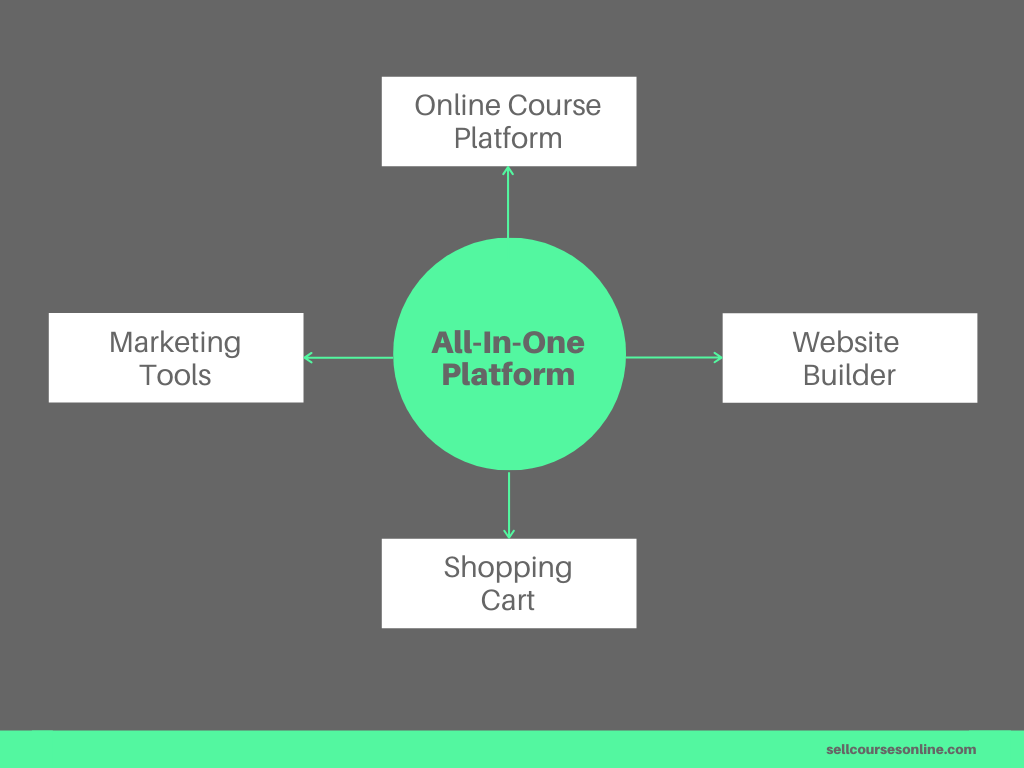
If you want to simplify the tech side of things and want everything under one roof, you’ll want to go the all-in-one platform route. Otherwise, if you already have your website and funnels in place, a standalone platform might be a better option.
Learning and Engagement Tools
The end goal of your online course is to facilitate students’ learning and your course platform is the medium through which you deliver that learning experience.

For me, it is one of the most important aspects of any online course creator and here are some things your platform should allow you to do:
- Create engaging courses with videos, audio, PDFs, text, etc.
- Track your students’ video views and course progress.
- Create quizzes, drip out course content and issue certificates.
- Allow students to interact with fellow students and instructors.
- Great end-user experience (from purchasing courses to watching content).
- Ability for students to consume your content on mobile.
Again, these are some of the most commonly used features that an online course software should have but you may want more features depending on your specific requirements.
Third-Party Integrations
This is one of the most important but overlooked criteria for choosing an online course platform. The question that you need to ask is: does the platform integrate and play well with other popular tools? For example, you’ll want your course platform to integrate with email service providers (e.g. ConvertKit), list building tools (e.g. ConvertBox), funnel tools (e.g. Deadline Funnel) and so forth.

Another must-have integration that the best online course platforms should support is Zapier. Zapier is an automation tool that allows you to integrate hundreds of apps with each other and so if your platform integrates with it, it’ll integrate with most other online tools.
Your Budget
For some of you, the budget may not be an issue. But for others, it’s an important criterion while choosing an online course platform.
If you’re just getting started, it won’t make any sense to pay, say $400/month or make a major investment upfront. I personally like the “pay more as you grow” type of pricing where an online course platform offers multiple pricing options. At first, you can subscribe to one of the lower priced plans and then upgrade as your online business grows.
Customer Support and Training
Finally, you should choose an online course software that provides excellent customer support. The platform should have a team of dedicated customer support guys to answer your questions and resolve issues related to the platform quickly.
But, keep in mind that customer support isn’t just about answering your questions. Rather it’s about supporting you at every stage of your journey as a course creator. For example, some platforms have an engaged instructor community where you can hang out with fellow course creators, seek advice and celebrate each other’s successes, and that is invaluable.
These are some of the most important things that you must consider while evaluating an online course platform. Clearly, there may be other things to consider as well depending on your requirements.

What Online Course Platform is Right For You?
Are you struggling to choose the right online course platform for your online business? Do you feel confused about all the options out there? Just answer a handful of questions and we’ll tell you which one is best for you.
Best Hosted Online Course Platforms
The platforms in this category provide you the infrastructure and the tools to create and sell online courses from your own website. The biggest upside of using hosted solutions is that you can build your course website without worrying about “techy stuff” like hosting, maintenance, security and updates.
The hosted platforms are supposed to be easy to use and they will let you get started fairly quickly, so you can focus on creating content and selling it rather than building and managing your website or dealing with tech issues. Plus a good hosted course builder gives all the essential features that an average course creator would need and thus they work very well for a majority of creators.
1. Thinkific
Thinkific is one of the most popular hosted online course platforms out there that allows you to create and sell online courses under your own brand. It allows you to create engaging online courses with multiple content types including videos, text, PDFs, quizzes, surveys, etc., and further deliver your content professionally through the built-in course player. Furthermore, you can do live courses, create assignments, drip your course content, build a community space, issue certificates as well as create learning paths with prerequisites and lesson locking.

When it comes to website building, Thinkific offers a bunch of themes and a powerful website builder that allows you to build a good-looking website and create sales pages easily, without requiring to write any code. Furthermore, Thinkific offers essential selling tools like payment processing, bundling, 1-click upsells, coupons, affiliate marketing, etc.
As far as Thinkific pricing is concerned, you can use their core features like content hosting for free. Or, you can upgrade to their Basic plan ($49/mo) or their PRO Plan ($99/mo) to get more features.
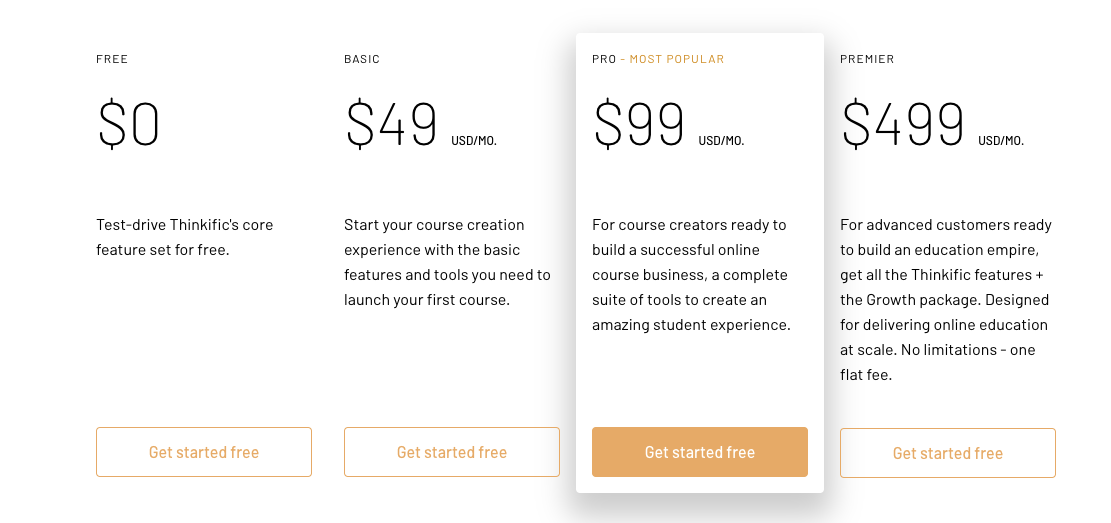
The best part about its pricing is that it doesn’t charge you any transaction fee on any of the plans which makes it the most fairly priced online course platform out there. Overall, Thinkific is the most professional solution for creating an online course and driving learner engagement, and if you’re looking for a standalone course platform, you won’t find a better option.
Pros of Thinkific
- Built-in support for more advanced quiz elements as well as assignments.
- Ability to do live courses.
- Ability to create a standalone community space for learners.
- Powerful and flexible course compliance features.
- Offers multiple website themes and a strong page builder.
- Ability to bulk sell courses and easily manage students in a cohort.
- Beginner-friendly pricing with zero transaction fees on all plans.
Cons of Thinkific
- Doesn’t offer a mobile app.
- Has a 2-step checkout process.
- Doesn’t support PayPal for recurring payments as well as non-USD pricing.
- Doesn’t handle EU VAT.
- Doesn’t offer live chat support.
2. LearnWorlds
LearnWorlds is another popular online learning platform available that has a strong focus on delivering an interactive learning experience. Some of the features that make it stand apart from the competition include Interactive Video Player, Interactive E-book Reader, Advanced Quiz and Examination Capabilities, Online Community Builder, Copyright Protection, etc.

Aside from the course creation features, LearnWorlds has a powerful page builder that allows you to create stunning sales pages as well as other pages for your course website. Furthermore, it offers some helpful e-commerce features like payment processing, bundling, subscriptions, coupons, etc.
As far as pricing is concerned, LearnWorlds pricing starts at $29/month where you have to pay $5 as transaction fees for each sale or, you can upgrade to their $99/month plan in order to avoid paying a transaction fees.
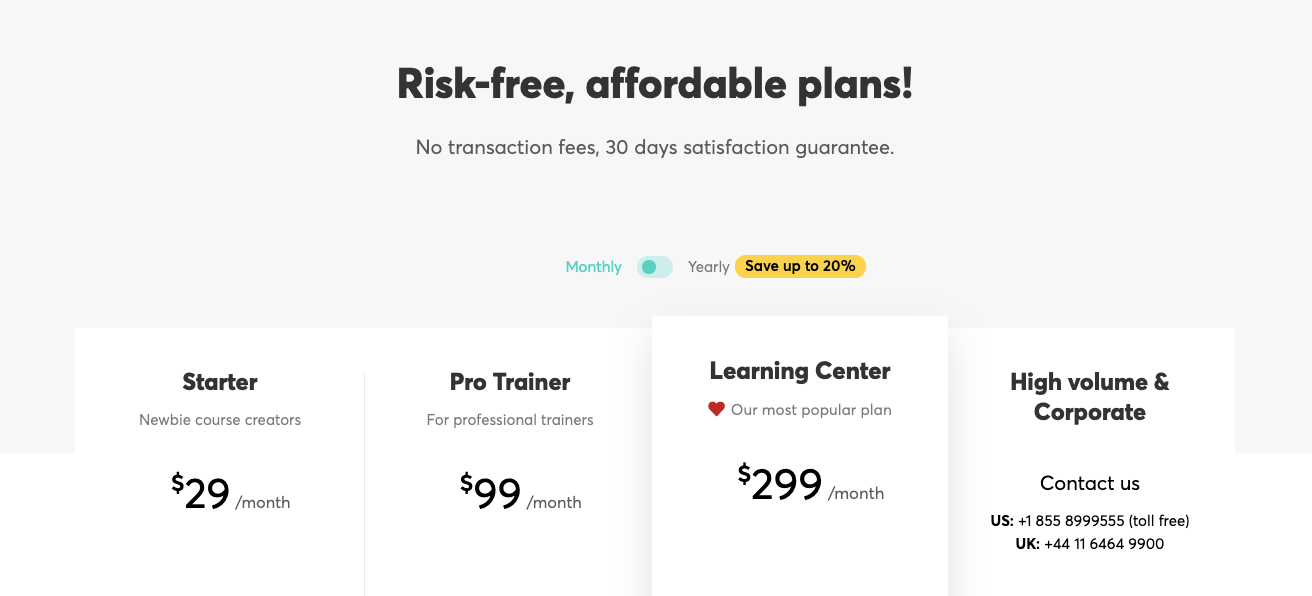
However, their most popular plan is the Learning Center Plan which costs $299/month and could be a bit expensive.
Pros of LearnWorlds
- Supports learning tools like quizzes, certificates, course compliance, etc.
- The course player has a clean, modern design.
- Allows you to edit your videos on the fly and add interactive elements within them.
- Offers a powerful online community builder.
- Offers useful features for copyright protection.
- Allows you to create a blog natively.
- Beginner-friendly pricing.
Cons of LearnWorlds
- Course builder isn’t very flexible and doesn’t support bulk importing.
- Doesn’t offer a native mobile app.
- Very basic course reporting tools.
- Doesn’t have any website themes.
- Doesn’t allow you to offer both card/Paypal options together.
- Checkout process isn’t optimized for conversions.
- Doesn’t handle EU VAT natively.
3. Teachable
Teachable is another strong solution for creating and selling online courses and it’s somewhat similar to Thinkific in terms of features and capabilities. Like Thinkific, Teachable is focused on providing only the core features for creating and selling an online course. So it doesn’t include a sales funnel builder or an email automation platform.
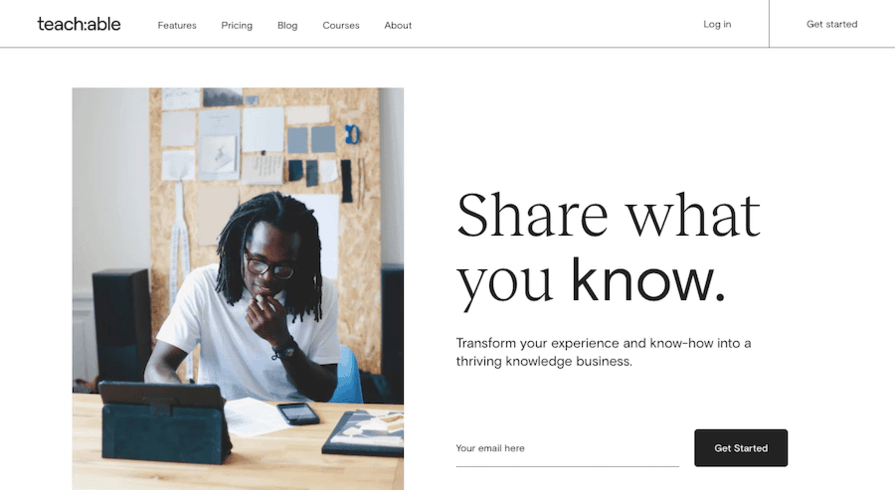
When it comes to course delivery, Teachable allows you to add multiple content types including videos and quizzes to your course, drip your course content, create certificates natively, ensure course compliance and it also has a very well-designed course player which collectively result in a great learning experience for the students. Apart from online courses, Teachable also allows you to create a “Coaching” product which lets you run your one-on-one coaching program with ease.
It also offers highly effective sales and marketing features like coupons, a highly optimized 1-step checkout process, 1-click upsells, EU VAT handling, as well as a set of services to manage your finances and paperwork.
However, Teachable’s website building capabilities are fairly limited. It doesn’t have any website themes and the page builder has limited editing options which makes customizing the look and feel of your website difficult. As far as Teachable pricing is concerned, the platform is fairly priced. In fact, Teachable had a free plan as well for quite a while but it is no longer available. So you can start with their Basic Plan ($39/mo + 5% transaction fees) or with the Professional Plan ($119/mo + 0% transaction fees) in order to get more features.

While Teachable will work for almost any course creator, Teachable’s ease of use combined with its flexible pricing makes it an ideal platform for those getting started with selling online courses.
Pros of Teachable
- Super easy to use and setup.
- Offers learning tools like graded quizzes, content dripping, certificates, course compliance, etc.
- Ability to create and manage 1:1 coaching.
- Powerful course reporting and analytics tools.
- Useful sales and marketing features including a well-optimized checkout process, 1-click upsells, etc.
- Offers services like automated affiliate and creator payouts.
- Handles EU Digital Goods VAT Tax.
Cons of Teachable
- Limited website building capability.
- Doesn’t support advanced quiz features like question banks etc.
- Doesn’t have a built-in community feature.
- Doesn’t support PayPal for recurring payments as well as non-USD pricing.
- Has direct integration with only a few third-party marketing tools.
4. Teachery
Teachery is among the newer platforms on my list and it’s definitely worth including. I think Teachery is a great choice for beginners because they purposely limit some of the confusion design and functionality elements to give people exactly what they need. Plus, they also don’t have transaction fees, which is always positive. They differentiate themselves by using a guided tutorial to help new instructors get up and running quickly.
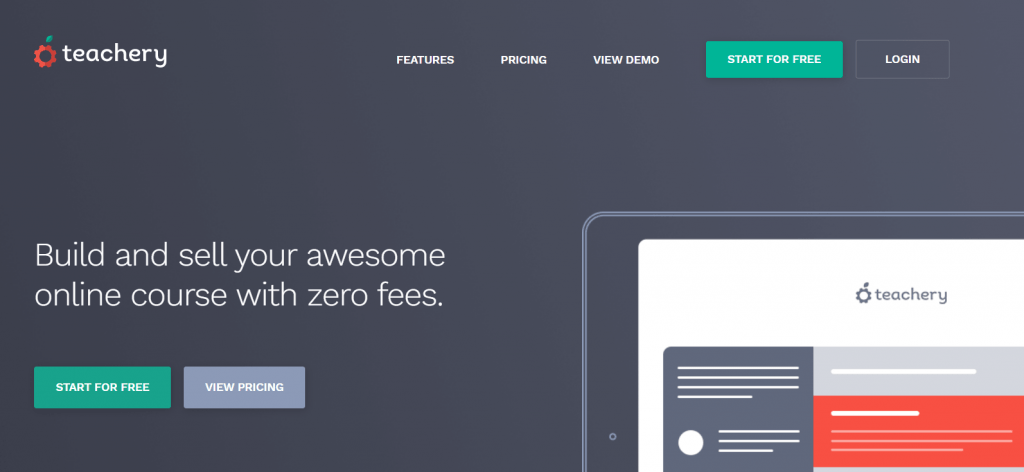
Their biggest differentiation from other platforms is they are extremely beginner-friendly and help novice course creators get something up to sell to their audience. A few good things about Teachery is that they have no monthly fee, the platform is very simple and intuitive, and you can upload unlimited files to your courses.
Teachery is best for instructors who are completely new at this online business stuff that want to get started quickly and without a transaction fee to worry about.
Key Features
- Simple Templates: They give you two templates to create a course. This is to limit overwhelm and give you a simple solution.
- Easy to Use Course Editor: They have a very user-friendly course editor to quickly alter things you need without tech headaches.
- Payment Plans and Membership: Allows you to easily set up a payment plan or membership option for your students.
- Sales and Landing Pages: Allows you to easily create new sales or landing pages to drive traffic to.
Pros of Teachery
- Focused on Beginners
- No additional transaction fees
- Unlimited everything
- Simplicity over advanced functionality
- Drip email sequences
- Many integrations
Pricing: Teachery plans start at $49 per month and include unlimited uploads and courses. They have a two-week trial you can take for free prior to making any payments.
All-in-One Online Course Platforms
While the options above are purely online course platforms, the next section of our list is all-in-one platforms. These are online platforms that allow you to build a full online business that goes beyond just online course functionality.
5. Kajabi
Kajabi is an all-in-one online course platform that allows you to build a beautiful course website, host all kinds of content including videos, market online courses, deliver your content professionally, and further engage your students.
Unlike Thinkific, Kajabi isn’t just focused on providing core features for creating and selling online courses, rather it also includes the ability to build marketing funnels and do email marketing. As far as course delivery and student engagement is concerned, Kajabi does an excellent job!
Its course player has the most engaging design choices among all the platforms that I’ve used which helps you give a premium look and feel to your courses. Apart from all the essential course creation features, it offers some powerful features like iOS/Android mobile app, Community, Assessments (quizzes and assignments), Automations, learning paths, etc. which will help you create a great learning experience for your members.
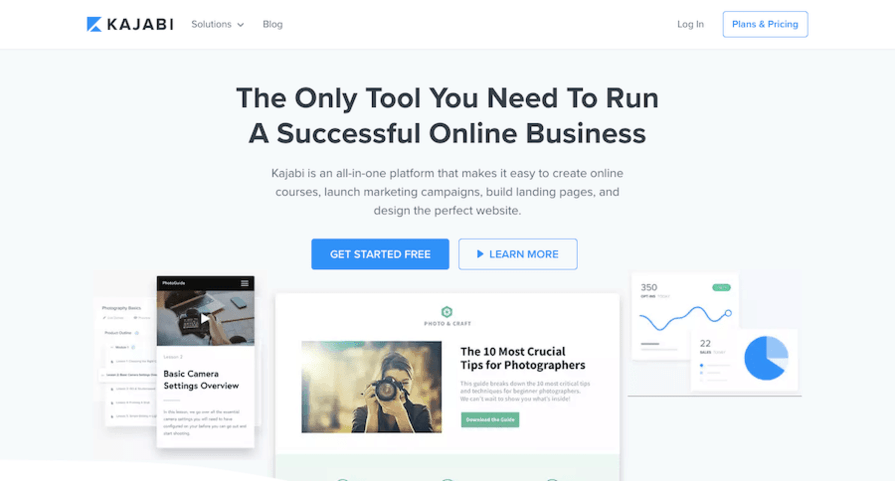
When it comes to website building, Kajabi has the most to offer among all the hosted online course platforms. It has a library of 6 pre-built website themes that you can choose from and you can further build and customize your website with its easy-to-use yet powerful web page builder. You can also create and run a fully-fledged blog on the Kajabi platform itself.
Finally, Kajabi really takes it to the next level with its sales and marketing features. It has what it calls the sales pipeline builder that allows you to easily create whole workflows including landing pages for getting new leads, launching your product, doing webinars, or making sales.
It also has built-in capabilities for email marketing automation which lets you follow up with your leads or send them automated sales emails. Kajabi pricing starts from $149/mo and their most popular plan costs $199/mo. Whether you choose the lowest pricing tier or the highest one, Kajabi doesn’t charge you any transaction fee.

Kajabi is definitely not the most affordable online course solution on the market and its starting price is steep. So it may not work for you if you just want to test the waters or if you’re on a tight budget.
That being said, Kajabi is the most feature-rich online course platform on the market and for everything that it has to offer, it’s really worth the price. It’s an ideal solution for you if you want to run your entire business or a good portion of it on a single platform.
Pros of Kajabi
- All-in-one, so you won’t have to patch together or learn multiple tools.
- Offers 10+ well-designed themes and plenty of customization options for the course player.
- Has an iOS/Android mobile app.
- Offers powerful engagement tools like Community, Assessments, learning paths etc.
- Allows you to create a full website as well as run a blog.
- Has built-in sales pipeline builder and marketing automation tools.
- Excellent (24X7) customer support.
Cons of Kajabi
- Doesn’t allow you to create certificates natively.
- Doesn’t support advanced quiz elements like questions banks, randomization etc.
- Doesn’t handle EU VAT.
- The starting price is steep.
6. Podia
Podia (formerly Coach) is the easiest-to-use online course platform available that allows you to create and sell online courses and other digital products from your own website. When it comes to content delivery, Podia allows you to create engaging multimedia lectures with videos, audio, text, PDFs, etc. that are then delivered through the beautifully designed course player.
Another helpful feature that Podia offers is for building membership sites. So other than bundling your courses, you can also create individual Posts which work great for delivering one-off content regularly.
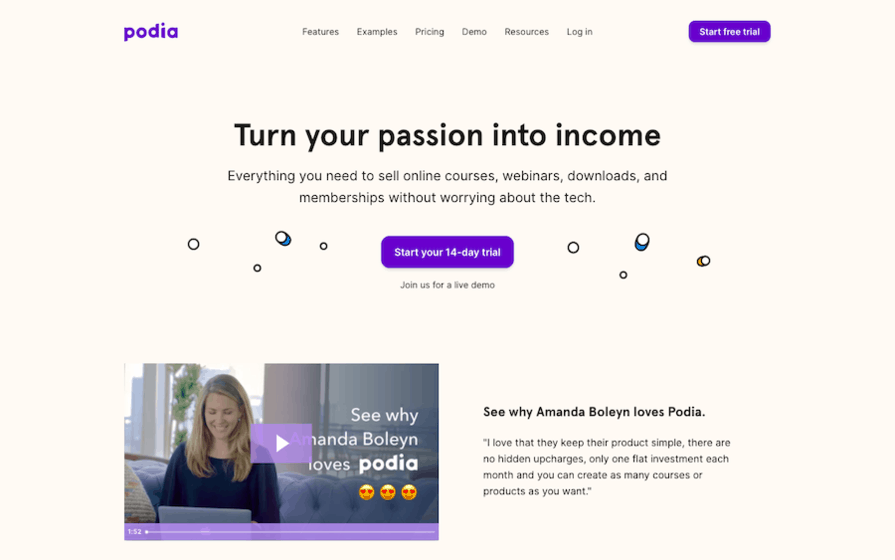
Having said that, Podia at this point doesn’t support important features like Graded Quizzes, Certificates, Content Locking etc. and you should consider this while evaluating it. When it comes to website creation, Podia allows you to build sales pages for your products but then there are no website themes available and the page builder isn’t very flexible as well, so you can’t create a fully-fledged website on the platform.
As far as sales and marketing is concerned, Podia includes essential features like payment processing, bundles, coupons, affiliate marketing and email marketing. However, it doesn’t allow you to create sales funnels or landing pages. Finally, Podia pricing is affordable and it offers two plans, both of which charge 0% transaction fees. On the Mover plan ($39/month), you can create and sell online courses and digital downloads but not memberships which is available only on the Shaker plan ($79/month).

While Podia doesn’t have a free plan, they do offer a 14-day free trial so you can evaluate this online course creation software.
Pros of Podia
- Super easy to use.
- Both the frontend (storefront) and the backend (student area) have a clean, modern design out of the box.
- Ability to create individual “Posts” for your membership.
- Ability to embed Podia checkout on any website.
- Handles EU Digital Goods VAT tax.
- Built-in live chat widget.
- Offers free migration to Podia.
- Friendly customer support.
Cons of Podia
- Course builder lacks flexibility and doesn’t support cloud import.
- Doesn’t support important features like graded quizzes, certificates, course compliance etc.
- Doesn’t allow you to create a standalone community space on the platform.
- Doesn’t offer a mobile app.
- Not suitable for building a fully-fledged website.
7. Systeme.io
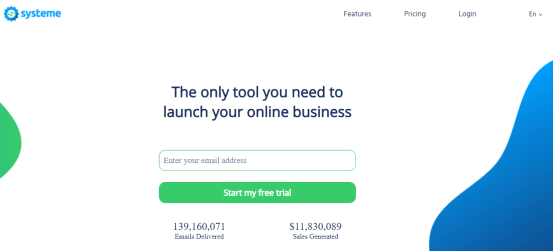
Systeme.io is an all-in-one marketing software that has everything an entrepreneur needs to start and run their online business or sell courses. Launched in 2018, it has steadily grown to 5000+ users who rely on its multiple features to run their online businesses smoothly. On the dashboard, you can find the funnel builder, email marketing tool, automation rules, and much more.
Key Features:
- Funnel Builder: This software allows you to build sales funnels and landing pages in under a minute with the powerful page builder.
- Email Marketing: systeme.io has a powerful email autoresponder built into it. With it, you can send email newsletters, set up email campaigns, and send unlimited emails.
- Product Selling: You can connect your Paypal or Stripe account and sell your products. You can also add upsells, downsells and order bumps to your sales funnel.
- Online Courses: You can build and launch online courses.
- Multimedia Courses: You can include video, audio, PDF, images, text etc. in your courses.
Pros Of Systeme.io:
- An online course can be created within minutes
- The tool is easy to use so you don’t have to be a tech enthusiast to be able to use it.
- Free migration from other platforms is available as long as a paid plan is taken up.
- You’re able to integrate with other platforms but since almost everything you need is available within the platform, there probably won’t be a need for that.
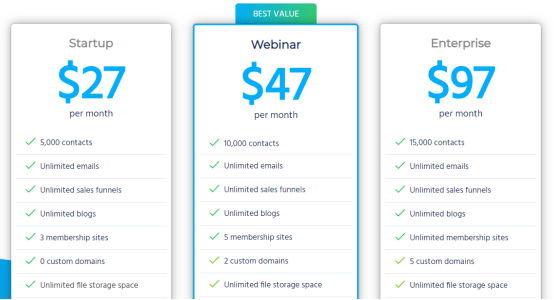
Pricing: Systeme.io has three pricing options: Startup Plan – $27, Webinar Plan – $47, Enterprise Plan – $97.
What Are People Saying?
- “Coming from many years of Clickfunnels, I looked into Systeme and it seems fantastic!” – Neil Hamilton, business owner.
8. Kartra
Kartra is an interesting solution because it doesn’t just stop at courses. With Kartra, you have so much functionality at your fingertips including checkouts, the ability to create a membership site, and you can even host your own affiliate program. I feel that this platform is beneficial for those that aren’t merely looking to create courses, but want to develop a business beyond the simplicity of a course platform. When you use this platform, you’ll be able to use advanced tools and functionality to market your course as well as being an administrator. Kartra is best for people looking to create a community around their course and have advanced functionality in the future to grow their business.

Key Features
- Internal Checkout Platform: Kartra allows customers to checkout using software that they’ve built which eliminates the need for a third-party integration.
- Kartra Pages: This function gives users the ability to easily launch high-converting landing page, which should increase your ability to collect emails and get visitors to take action.
- Funnels and Campaigns: Being able to run different funnels and campaigns is extremely useful as it will allow you to control the path users take in an effort to convert them to students.
- Memberships: With this all-in-one platform, you can go far beyond one or two courses. They allow you to create a membership site.
- Helpdesk: Aiding students with tech issues is more common than you think. The platform has a helpdesk section as part of it’s core offering to help with that.
- Extra Integrations and API’s: While Kartra has loads of wonderful capabilities, they understand you may wish to work with other platforms you’re familiar with. So, they offer integrations with hundreds of other platforms.
Pros of Kartra
- All-in-One platform, everything works together
- Less stress and less tech, a great solution to keep things simple
- Can scale as your course demand and community grows
- 100% in the cloud, no need to worry about your work being deleted
- Cheaper than all platforms combined to achieve the same functionality
Pricing: On the most basic plan, Kartra costs $99 per month. They have a 25% discount if you pay for an annual plan and though they don’t have a free plan, they do have a 14-day trial available for $1.

Best WordPress LMS Plugins
In order to create an online course on WordPress, you’ll need what’s called an LMS plugin. These plugins will allow you to organize your content and deliver it to your students in a user-friendly manner. The biggest upside of using WordPress for building a course website is that it gives you unlimited flexibility in terms of features and functionality.
However, it requires you to be more tech-savvy and unlike hosted options, you’ll have to go through a not-so-easy installation and setup process that involves at the very least, website hosting, a theme, and several plugins, as well as using a separate video hosting site. Plus, you will need to manage website maintenance, performance, and security on an ongoing basis, which can be overwhelming for many course creators. With that in mind, let’s discuss some of the top WordPress LMS plugins.
9. LearnDash
LearnDash is the most popular WordPress LMS plugin and is used by some of the top companies, universities, and training organizations. The core plugin is fairly strong and includes all the essential features like drag-n-drop course builder, quizzes & exams, dripping, prerequisites, community forums, certificates & badges, etc.
Furthermore, LearnDash has tons of free/premium add-ons that allow you to easily extend the functionality of your course website. So if there’s a feature that isn’t available in the core plugin, you can simply find an add-on for that.
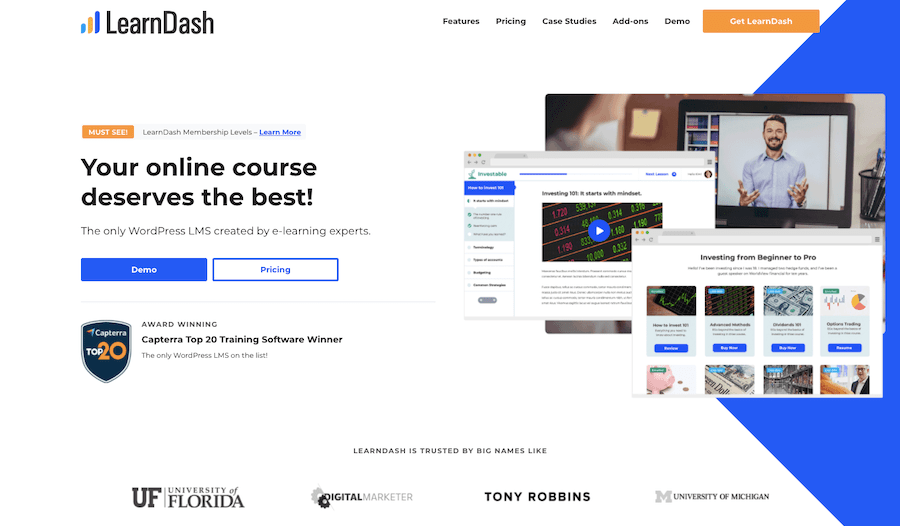
When it comes to e-commerce capabilities, LearnDash has in-built shopping cart functionality and you can process payments natively using Stripe, PayPal or 2Checkout. However, the shopping cart functionality is really basic but the good thing is that LearnDash has direct integration with popular cart options like SamCart, WooCommerce and Easy Digital Downloads.
LearnDash is very fairly priced, so you can get a 1 site license for just $159/year. If you want more than 1 license, you can buy the Plus Bundle which costs $189/year and gives you 10 site licenses.
10. LifterLMS
LifterLMS is another great option for building WordPress-based course websites and delivering online courses. It has an easy to use course builder and supports features like quizzes, assignments, certificates, learning paths, content dripping, community forum, etc. and you can always add new features using the additional add-ons. Furthermore, LifterLMS has built-in membership functionality as well.
So if you want to build a traditional membership site that includes more than just online courses, you can do that with LifterLMS.
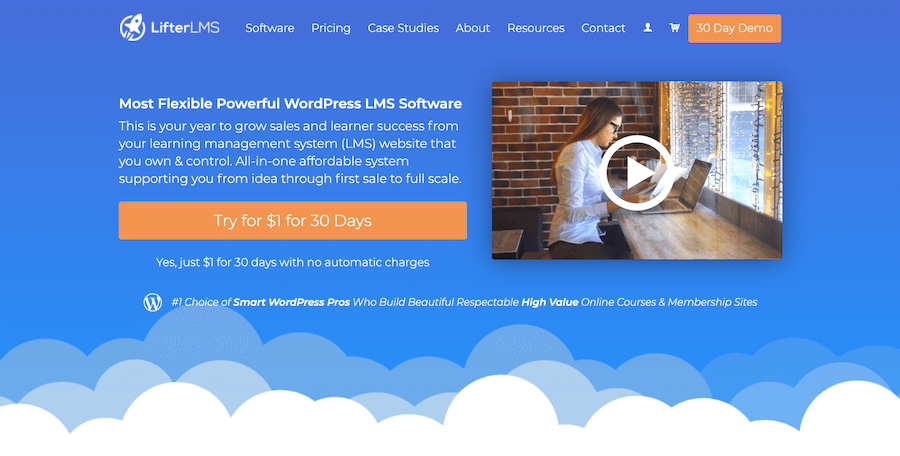
Finally, LifterLMS offers useful e-commerce features which include ability to process one-time and recurring payments, create coupons, and bundle your courses. As far as the pricing is concerned, you get the core plugin free of charge. However, if you want to process payments or integrate with your email service, you’ll have to upgrade to the Universe Bundle which costs $299/year. If you want features like advanced quizzes or social learning, you’ll either need to purchase add-ons for them individually or upgrade to the Infinity Bundle which is super expensive ($999/year).
11. AccessAlly
AccessAlly is an all-in-one WordPress plugin that provides all the essential features you’ll need to create and sell an online course. The plugin has a drag-n-drop course builder and it supports course creation features like user progress, quizzes, assignments, certificates, etc. Plus AccessAlly features a full-blown membership management software.
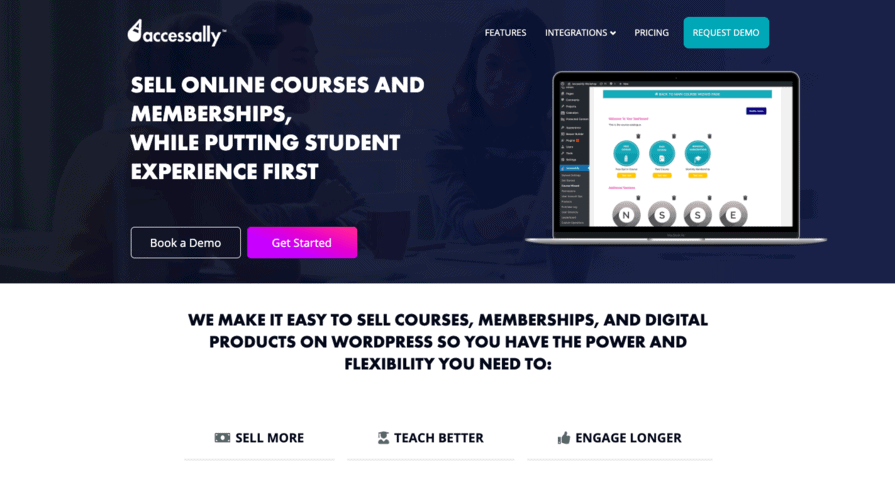
When it comes to e-commerce functionality, AccessAlly has quite a bit to offer for a course plugin. So you can create conversion targeted order forms, process one-time or recurring payments, create upsells and cross sells and even run you affiliate program. As far as pricing is concerned, the lowest tier costs $99/month and their most popular plan costs $129/month. So AccessAlly is definitely priced on the higher side.
Best Online Course Marketplaces
The online course marketplaces list courses from multiple instructors and the students can pay and watch the course on the platform. So they give you not just the infrastructure but they also actively help you with sales and marketing. You’ll normally have to give a share of your sales to the platform which can vary from as low as 25% to as high as 75%. As far as I’m concerned, revenue share is less of an issue for me.
The bigger concern is that you don’t get access to your students’ email addresses and you have little control over the platform’s policies, your branding, course pricing etc. which makes marketplaces a bad option for selling courses in the long term. So marketplaces are a good option for creating an additional sales channel for your courses.
12. Udemy
You may have taken a course through Udemy because they’re simply the largest online course market out there. They’re also a good option for course creators to list their courses. What I like about it is that Udemy offers instructors a lot of guidance to create their own courses and market their offerings online.

You can use Udemy for free and simply create an online course with the knowledge you want to share. After that, you can market your course on the marketplace or to your own audience. If you sell directly to your audience, you get 97% of the revenue and Udemy takes 3%. However, if you get sales through Udemy’s market, they get 50% of the sale and you get the other half.
If you’re just starting out teaching online and aren’t sure where to start, SkillShare might be a suitable option. You can create courses that feature videos and a class project and taught in short 10-25 minute segments.
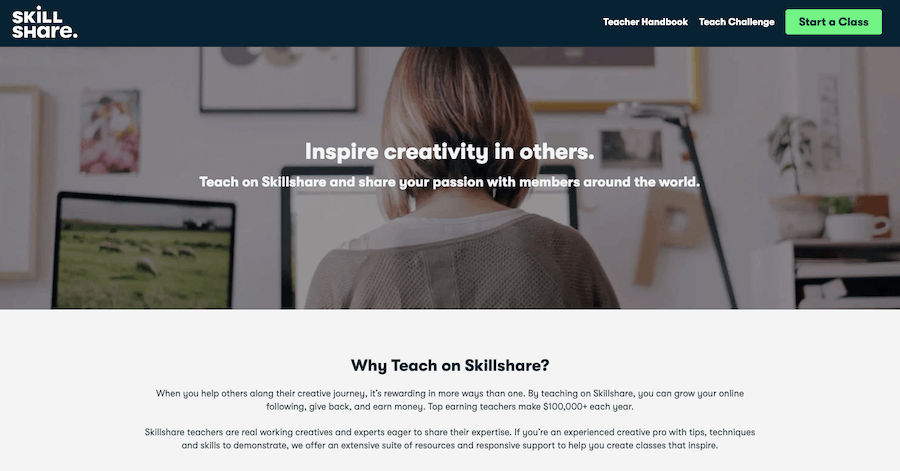
The only downside is you need to get 25 students enrolled in your class before you start earning any money. Once you hit 25 enrollments, you can start to make between $1-2 per enrollee as part of the SkillShare Partner Program. You can also get compensated for premium members by using your referral link.
14. Coursera
Coursera is an incredible marketplace that allows course creators to teach content that’s then featured at institutions like the University of Illinois, Duke, Google, IBM, University of Michigan, Stanford, and more. While this is a great marketplace, the courses which are created are of the highest quality and the platform is invite-only for instructors. From my understanding, course creators get 15% of the revenue that the courses generate, but the courses are free to MOST students on the platform.
The revenue is usually made here when Coursera employees partner with educational institutions or corporations, or an individual purchases Coursera Plus. Frankly, this isn’t a great place to try to teach if you’re new to the online teaching world. They’re very selective and it’s not easy to be invited, plus it doesn’t appear to be as profitable as other options.
15. LinkedIn Learning
Previously Lynda.com, LinkedIn Learning is an online course market that’s been integrated into the wildly popular professional social media network.
Just like Coursera, LinkedIn Learning is very selective about the instructors that they allow to join their platform and while they pay the instructors well, it’s not easy to be chosen. I wasn’t able to find how much earnings instructors make, but one can assume it’s a profitable venture given the popularity of LinkedIn as a whole.
16. BitDegree
BitDegree is a beginner-friendly and highly intuitive e-learning platform that allows instructors to create and publish their courses (text or video) for no initial cost. By attracting more than 1,000,000 unique visitors each month, it gives you a large and motivated user base from the get-go! Along with that, the company has collaborated with the world’s gamification leaders Octalysis Group to integrate game design elements into the user UI – all to enhance students’ motivation and keep them engaged in the learning process.
Key Features
- Course Creation Flexibility: Apart from lectures, you’re free to include assignments (like quizzes), extra learning materials, and create secret or invite-only courses.
- Live Lessons: You can create individual chat rooms for video conferences and present your lessons using your camera, microphone, screen share, and whiteboard. Lessons are also free to record and download for later use.
- Tools for Analytics: You can easily track your course enrollments, earnings, ratings, and other important numbers in the intuitive Teacher’s Studio.
- Teachers’ Academy: There are comprehensive and detailed articles available to help you in every step of planning, creating, and managing your courses.
Enterprise LMS Platforms
The next section of my online course platform comparisons is focused on learning management systems. These are typically the kinds of platforms that can be used to help companies roll out training materials to their employees. Whether a small 5 person business or a large enterprise client, these are more suited to help businesses than those previously listed.
17. Academy of Mine
Academy of Mine allows you to create your very own customized e-learning platform. It’s great for professional development, continuing education, and certifications, as well as B2B training. With this all-in-one solution, you’ll be able to white-label all your courses to match your brand.

The software allows you to build a fully-fledged website so you can host and market your digital training from one convenient place. The platform is customizable and scalable. Its user-friendly interface makes it great for beginners and professional entrepreneurs alike. It’s also easy to share your expertise and knowledge with your students. This software is undoubtedly among the best ways for businesses and educators to market their online courses.
Academy of Mine is best for any organization or person who needs an e-learning platform that is custom-built. This includes coaches and businesses in education, healthcare, law, safety training, and more.
Key Features
- Integrated Website: Get a new fully-integrated website or connect your own.
- Interactive Content: Engage students with interactive video, PDF, and PPT content.
- Customized Features: Customize the different features to fit your specific needs.
- Self-Paced Courses: Learners can complete courses at their own pace.
- Third-Party Integrations: Academy of Mine software integrates easily with other tools.
Pros of Academy of Mine
- Custom-built solutions for different needs
- Easy integration with other marketing tools
- Gamification for higher student engagement
- Certificates awarded for course completion
- Convenient self-paced courses
Pricing: You can get started on Academy of Mine for $199 per month. The platform doesn’t offer a free plan, but you can schedule a demo that gives you a glimpse into what’s possible when using this software.
18. Wiz IQ
WizIQ offers a complete solution for businesses and tutors who want to deliver online courses. It also allows you to launch self-paced courses for your students. The platform has a user-friendly interface that gives you the ability to use your own branding in all your course materials.

Students can access courses on any device and from any location. The training portal has a course builder, virtual classrooms, test and assessment builder, eCommerce and reports, and numerous other wonderful features. You also get customized mobile application features. All in all, this is an incredible tool that will help you replicate a physical classroom learning management experience online.
WizIQ is best for teachers and educators that want full engagement with their students through live interactive digital courses.
Key Features
- Virtual Classroom: Deliver engaging live video lessons with HD video conferencing.
- Mobile Learning Management System: Learners can access course content on the go.
- LMS eCommerce: Easily sell self-paced and instructor-led courses.
- Reporting and Analytics: Monitor your learners’ progress and performance easily.
- Course Assessments: Create multimedia tests and assessments in multiple formats.
Pros of WizIQ
- Real-time messaging for unlimited members
- Customizable learning management system portals
- Train external stakeholders, partners, or promoters
- Mobile options for on-the-go learning management
- Discussion boards for easy communication
- Video streaming
Pricing: WizIQ pricing options are based on rooms, attendees, and registered users. It starts at $20 per month for the basic plan. They don’t offer a free version, but you can try out the software with a free 14-day trial.
ProProfs Training Maker
ProProfs has one of the most comprehensive learning management systems on the market. Whether you want to train your employees or customers, you can do that with ProProfs Training Maker. ProProfs Training Maker has all the essential features that you need to create advanced training programs including an easy to use course builder, built-in video hosting, support for SCORM & Tin Can, learner communities, strong reporting & tracking capabilities, etc.
However, the best part about ProProfs training maker is that it also gives you access to some of ProProfs’ other popular software like the Quiz Maker, Survey Maker, Knowledge Base and ProProfs Collaborate.

Another unique thing about ProProfs Training Maker is that it has a library of pre-made courses for HR, Compliance and Workplace training. You can use these courses for your organization as they are or you can modify them based on your needs. As far as pricing is concerned, ProProfs has a very simple pricing based on the number of learners. It has three pricing plans – Free, Essentials and Premium. The Essentials Plan costs $120/month for up to 100 learners while the Premium Plan costs $240/month for the same number of learners.
How to Create Online Courses in 11 Steps
Creating an engaging course doesn’t have to be hard. All you need is to have a step-by-step plan that you will follow to success. Whether you’re a mission-driven edupreneur or a small education and training business that wants to make an impact by selling courses online, it’s now extremely easy for you to create digital courses and sell them online. Use the steps listed below as your guide to help you create a well-structured, practical, and engaging course that will help your learners achieve clear goals.
1. Choose Your Course Topic
Think of three topics that you can teach. Choose something that:
- You’re very passionate about;
- You’re extremely knowledgeable about;
- You have lots of experience on the topic.
Once you’ve come up with the three possible topics, the next step is to know the competition and demand for these topics. This is important because you don’t want to choose a topic you’re passionate about that no one will be willing to spend money to learn. Whatever you choose, it should have a ready market of students who will pay to learn what you know.
2. Check For Market Demand Using Keyword Tools
When doing research for market demand, there are many keyword tools you can use, including Google’s free keyword tool. Do a search for keywords related to each of the three topics you selected. Google will show you how many searches are performed each month for various keywords and phrases related to your topic. If no one is searching for what you want to create a course about, that’s not a good sign. Keep looking until you hit on a topic with a healthy number of searches per month.
3. Come Up With Learning Objectives
Once you’ve selected a topic with great earning potential, it’s time to come up with learning objectives for your course. You need to decide who you’re going to be teaching and what you want to help them achieve. Where do you want your learners to be by the time they get to the end of your course? Start with the end in mind and focus on solving problems. Don’t try to share all the knowledge you know with your students – all you need to teach them is what they need to know in order to achieve the outcome promised by your course.
4. Outline Your Course
The next step is to create a top level view that would be the basis on your on-line course. This course of entails deciding the way you’re going to visualize and structure your course content material. Ensure that to deal with learning aims clearly in every part of your define.
5. Determine on Complimentary Learning Material in Sections
Now that you have your sections all planned out, it’s time to decide on how you’ll teach each lesson.
- Are you creating a PDF or text course?
- Do you need to include a quiz?
- Will students require exercises, activities, or study guides?
- How are you going to reinforce the lessons?
- What kinds of materials will be best for the students to practice what you’re teaching?
6. Filming/Recording/Writing the Course
Now that you’ve gathered everything you need, you can get started filming, recording, or writing the lectures. You’ll want to be sure that you’re using the best tools to produce high-quality content. For example, if you’re including videos in your course, make sure that you are using a camera that’s capable of capturing videos in HD. This will ensure that you’re able to create the best possible online course for your audience.
7. Editing the Course
Once you’ve written, recorded, or filmed your course, it’s time to edit it to make sure that you deliver only high-quality content packed with value. Make sure your course flows perfectly and address issues like visual hierarchy, alignment, spacing, and other content formatting best practices. If you’re not adept at video editing, you may wish to enlist the help of a freelance professional who will get the job done well.
8. Set Up the Course on an Online Platform
Now that your course is finished, you can set it up on your chosen online course platform. There are things to consider at this stage, such as the pricing, packaging, and naming of your course. Once you’ve settled on the right choices for your course, you can proceed to upload your content onto the course platform.
9. Set Up Your Course Funnel
The next step is to think about how you’re going to get your students to your course. Marketing your course can be made easy by using automation tools. Some of the online course platforms listed above offer sales page creation, email integration, and other marketing tools that can help you build a funnel to get students to your course.
10. Launch Your Course
Now comes the fun part – launching your online course! The first thing you need to decide is whether you’re going to launch your course as a product launch or an evergreen course. If you choose to go for an event-based launch, it means course enrollment will be closed after a specific window. Evergreen course sales are always available for learners who want to join.
11. Create Content for Your Ideal Students to Get Them to the Course
After your course is live, you need to promote it by creating content to attract your target students to it. Whether your students find the course through your own marketing efforts, organic search, or promotions from your course platform, you need to write landing page copy that helps them determine that your course is exactly what they need to help them achieve a specific goal. So take the time to craft a compelling course title, description, lesson previews, and more to ensure that you maximize your conversions.
Frequently Asked Questions
A: For absolute beginners, Thinkific offers the best balance of ease of use, free plan availability, and zero transaction fees. Teachable is also very beginner-friendly with excellent guidance, though their basic plan includes a 5% transaction fee. If you want an all-in-one solution from the start, Podia’s clean interface makes it easy to sell courses, memberships, and downloads.
A: Yes, absolutely. While it depends on which platforms you’re using, most of them do support this type of functionality. In fact, my top 3 recommended online learning platforms offer this. Thinkific, Teachable, and LearnWorlds all allow custom domains on paid plans. Having a domain like www.yourbrand.com/courses is much more professional than yourbrand.thinkific.com.
A: Of all the online course platforms on this list, Thinkific and Teachable are the most popular. Thinkific wins on pricing (no transaction fees even on free plan) and more flexible course building. Teachable wins on ease of use and a more optimized checkout process. Both are excellent—your choice depends on whether you prioritize flexibility (Thinkific) or simplicity (Teachable).
A: Most online course platforms are focused on one main thing – helping you create and sell courses. Some platforms like Kajabi and LearnWorlds have built-in blogging functionality. Others like Thinkific and Teachable do not have native blogging, but you can always link to an external blog (which is actually recommended for better SEO and ownership).
A: A learning management system, or LMS, is software for hosting and delivering online courses, registering students, and tracking their progress. If you’re looking for a platform to sell online courses, you’re certain to run across the term. It’s helpful to know how these online course platforms differ from traditional LMSes, most of which were designed for corporate training or academic degree programs, not for selling courses.
A: Most online course platforms feature tools that you can use to author online courses. These are normally quite intuitive and make it possible to use a mix of text, pictures, and videos to create courses. Most also include the ability to add quizzes and tests, discussion boards, and other interactive features. Follow the 11-step guide in this article for a complete walkthrough.
Online Course Platform – Final Verdict
As you can see, there are many different online course software options available out there and I know that choosing the right one can be overwhelming. So I recommend that you keep it simple! You should first determine the type of online course platform you’ll use based on your broad requirements and your tech expertise.
You can then evaluate the platforms within that category based on their features, your specific requirements, and your budget. As mentioned previously, hosted online course platforms work best for most course creators and if you’re looking for an all-in-one platform, you should check out Kajabi. Otherwise, you should go for a standalone platform like Thinkific.
Do you have any questions about any of these platforms? Which platform do you think will work the best for you and why? Leave a comment below and let me know.





Thanks for sharing online course platforms! I took online course from Summit Learning Institute and observed that professional courses are very helpful in career, professional and personal life.