This definitive guide details the best free cookie notification plugins for WordPress, enabling you to make your website compliant with the EU Cookie Law (ePrivacy Directive) and other global regulations like the GDPR and CCPA. I’m not a legal professional and this text will show you how to comply – without the effort – with these high-quality free cookie notification WordPress plugins.
Key Takeaways
- Cookie compliance is a global necessity—regulations in the EU (ePrivacy, GDPR), US (CCPA/CPRA), Brazil (LGPD), India, and beyond require explicit consent for non-essential cookies.
- Free WordPress plugins can handle most compliance needs, but you must understand their features: script blocking, consent logging, and granular controls.
- The future of consent is shifting toward browser-level signals and simplified banners; prepare by eliminating dark patterns and enabling Global Privacy Control.
- Choose a plugin based on your primary need: simplicity (Cookie Notice), audit trails (Cookie Law Info), script blocking (EU Cookie Law), or zero-config (UK Cookie Consent).
- Regularly test your implementation using browser developer tools to ensure scripts are actually blocked before consent—many plugins fail here, creating liability.
A cookie is a small piece of data that a website asks your browser to store on your computer or mobile device. It keeps track of your actions across the website so that it can remember something about you at a later time, such as login status or items in a shopping cart. Understanding this is the first step to managing them responsibly.
Cookies serve many essential functions—they keep you logged in, remember your preferences, and help site owners understand how visitors interact with their content. However, they also raise privacy concerns when used to track users across the web without their knowledge. The two primary categories are first-party cookies (set by the site you’re visiting) and third-party cookies (set by other domains, often advertisers). While third-party cookies are being phased out by major browsers, first-party cookies remain crucial for functionality and analytics.
Beyond the basics, cookies can be further classified as session cookies (temporary, deleted when you close the browser) or persistent cookies (remain on your device until they expire or are manually cleared). Modern websites also use HTTP-only cookies for security and Secure/ SameSite attributes to prevent cross-site request forgery. Understanding these technical nuances helps you communicate cookie usage transparently in your privacy policy and consent banner.
The EU ePrivacy Directive (also known as the Cookie Law) came into force in the UK on 26th May 2012 and elsewhere in Europe shortly afterward to require explicit cookie consent. If you own a website, you need to get informed permission from users before deploying non-essential cookies. It was designed to protect online privacy by making users aware of how their data is collected and used online. It’s an amendment to an older piece of legislation.
The directive was later reinforced by the General Data Protection Regulation (GDPR), which introduced stricter requirements for consent: it must be freely given, specific, informed, and unambiguous. Pre-ticked boxes or implied consent via continued browsing are no longer considered valid under the GDPR. This shift forced many website owners to upgrade their cookie banners and implement true opt-in mechanisms.
Why is Compliance Critically Important?
There is a penalty for disobeying the European Union ePrivacy directive and the GDPR, but as long as you make a genuine effort to comply you are better protected. Supervisory authorities are actively testing websites and enforcing rules, particularly against pre-checked boxes and making rejection as difficult as acceptance. Fines can be substantial, but proactive compliance is your best defense.
Beyond the EU, other regions have enacted similar laws. California’s CCPA/CPRA gives residents the right to opt out of the sale of their personal information, which includes cookie-based advertising. Brazil’s LGPD, India’s Digital Personal Data Protection Act, and various other national laws all impose consent or opt-out requirements. A single website with global traffic must comply with multiple frameworks simultaneously—a challenge that modern cookie plugins are designed to address through geolocation and granular rule-setting.
Non-compliance can lead to fines, reputational damage, and loss of user trust. For example, CNIL (France) has issued multi-million-euro fines to tech giants for inadequate consent mechanisms. Even small sites are not immune; national data protection authorities increasingly automate website scanning and issue warnings or fines based on the severity of violations.
How Do You Obtain Valid Consent?
Consent must be freely given, specific, informed, and unambiguous. There are two main types – explicit and implied. Explicit consent is where a user must actively click to accept cookies. Implied consent involves notifying your visitor that your website uses cookies and if they continue browsing, it’s assumed they agree. Note that implied consent is often not considered sufficient under strict interpretations of the GDPR and should be avoided for best practices.
Today’s best practice is to implement a granular consent banner that categorizes cookies (essential, functional, analytics, marketing) and allows users to accept or reject each category. The banner must include a clear “Reject All” button equally prominent as “Accept All.” It should also provide a link to a detailed cookie policy where users can learn about each cookie’s purpose and duration. Moreover, consent choices must be stored and respected, and users should be able to change their preferences at any time via a floating widget or footer link.
Major regulatory changes are on the horizon aimed at reducing “cookie fatigue” and simplifying compliance. The European Commission’s Digital Omnibus proposal, presented in late 2025, seeks to overhaul the current system. While these are not yet law, understanding them is crucial for future-proofing your website.
- One-Click Accept/Reject: Mandatory, equally prominent “Accept All” and “Reject All” buttons on cookie banners, ending deceptive designs.
- Browser-Level Consent: Users may set global privacy preferences in their browser, which websites must automatically respect.
- Fewer Repetitive Banners: Consent decisions will be valid for longer periods, reducing prompts on repeat visits.
- New Legal Bases for Cookies: The strict “opt-in” requirement may be relaxed for some non-intrusive cookies, potentially allowing other legal bases like legitimate interest.
- Stricter Global Enforcement: Authorities in the UK, EU, US states, and India are increasing coordinated enforcement, especially against deceptive “dark patterns”.
Additionally, Google’s Privacy Sandbox initiative and the depreciation of third-party cookies in Chrome (now scheduled for 2025) are reshaping the advertising ecosystem. Consent management will increasingly focus on first-party data and cohort-based targeting. Websites that adopt privacy-preserving analytics and contextual advertising will be better positioned for these changes.
The WordPress community has several of the best cookie consent plugins that can help you comply with the directive. The following are several of the best free cookie notice WordPress plugins which are certain to make life easier for website owners. The table below provides a strategic overview to help you choose based on your primary need.
| Plugin Name | Best For | Key Free Features | Primary Compliance Focus | Direct Download Link |
|---|---|---|---|---|
| Cookie Notice by dFactory | Simple, customizable banners | Custom message, refuse button, accept on scroll, multilingual support | GDPR, CCPA, ePrivacy | Download Plugin |
| Cookie Law Info | Customization & basic cookie audit | Customizable bar, scroll acceptance, “show again” tab, cookie audit table | GDPR, CCPA, ePrivacy | Download Plugin |
| EU Cookie Law | Automatic script blocking | Blocks scripts/iframes pre-consent, customizable banner, responsive | GDPR, ePrivacy Directive | Download Plugin |
| Italy Cookie Choices | Blocking third-party cookies | Blocks third-party scripts, banner templates, scroll acceptance | EU Cookie Law, Italian rules | Download Plugin |
| Termly (GDPR/CCPA Banner) | Simplicity & geo-targeting | Auto-creates policy page, geolocation, dismiss on scroll/click/timer | GDPR, CCPA, ePrivacy, Global Laws | Download Plugin |
| UK Cookie Consent by Termly | Extreme ease of setup | Zero-configuration banner, auto-generated policy page, simple dismissal | GDPR, PECR | Download Plugin |
Quick Selection Guide:

It is the best and most popular cookie notice WordPress plugin by dFactory. It lets you elegantly inform users about cookies to comply with the EU regulations. The plugin comes with some unique features like customizing, option to accept the cookie on scroll, option to refuse functional cookies, cookie message box positions, WPML and Polylang compatible, translation ready with 16 languages, set cookie expiry.
Following is the list of features.
- Customize the cookie message
- Redirect users to a specified page for more cookie information
- Set cookie expiry
- Link to more information page
- Option to accept cookies on scroll
- Option to set on scroll offset
- Option to refuse functional cookies
- Select the position of the cookie message box
- Animate the message box after cookie is accepted
- Select button style from none, WordPress and Bootstrap
- Set the text and bar background colors
- WPML and Polylang compatible
- .pot file for translations included
Download Cookie Notice by dFactory
One standout aspect of Cookie Notice is its simplicity combined with deep customization. It doesn’t automatically block scripts—that’s left to you—but it provides a clean, fast-loading banner that respects user choices. The plugin stores consent in a cookie and optionally sets a cookie to refuse functional cookies, giving you fine-grained control. For most small to medium sites, this plugin is more than sufficient and is actively maintained with regular updates.
You can inform users and change the colors, fonts, styles, position, and how it behaves when ‘accept’ is clicked. It has a Cookie Audit module to show your website users what cookies your website uses neatly in a table on a privacy page. There is a show again tab which dismisses the notice or shows it again. The plugin can be configured for implied consent, an approach aimed at reducing website visitor dropout. Features:
- Fully customizable to match your own website’s brand: customize the colors, styles and fonts
- Option to place cookie bar in header or footer
- (Optional) accept cookie policy if the user scrolls
- (Optional) automatically close the cookie bar after a delay (delay is configurable)
- (Optional) cookie bar can be permanently dismissed or accessible via a “show again” tab
- (Optional) “show again” tab is fully customizable including position shown on page and styles
- “Cookie Audit” shortcode to create a well-styled page for ‘Privacy & Cookie Policy’
- WPML compatible
- qTranslate support
What makes Cookie Law Info unique is its built-in cookie audit table. By inserting a shortcode, you can display a comprehensive list of all cookies set by your site—including their name, duration, and purpose. This transparency helps build trust and can be a differentiator for privacy-conscious users. The “show again” tab is also a nice touch, allowing visitors to revoke or modify consent easily. The plugin’s developer, WebToffee, also offers a premium version with advanced features like auto-scanning and consent logs, but the free version is remarkably robust.

EU Cookie Law has the capacity to lock scripts before acceptance (as required by Italian Law – Garante della Privacy guidelines). It is a robust solution for your website to comply with the European cookie law with an elegant popup. It can automatically block embeds, iframes, scripts and objects. You can customize it to match your website design and have many options to control behavior before and after acceptance.
Advanced Features
- Block scripts if cookies are not accepted
- Automatic block of iframes, embeds, scripts and objects
- Complete set of developer Shortcodes and PHP Functions
- Manual and Automatic set width and height of blocked content
Features
- Customizable banner (color, position, strings)
- Consent by Clicking, Scrolling and Navigation
- Set your page, popup or custom URL for Cookie Policy
- Set cookie expiry
- Fully responsive for tablets and smartphones
- Compatible with mobile themes and plugins
- Compatible with multi-language plugins
- Certified for WPML
- Shortcode to revoke cookie consent
- Shortcode to show a list of cookies
- Compatible with Disqus and Jetpack InfiniteScroll
This plugin is particularly favored by sites that rely heavily on third-party embeds (YouTube videos, Twitter feeds, Google Maps) because it blocks them until consent is given. The automatic blocking mechanism works by scanning the page for certain tags and replacing them with placeholders. When consent is granted, the original content is loaded. This approach is crucial for strict compliance under the GDPR, as it ensures no non-essential cookies are set prior to consent. The plugin also offers developer-friendly shortcodes and filters, making it a top choice for technically inclined site owners.
Italy Cookie Choices will let you block third-party cookies. It complies with the Italian cookie legislation as well as the broader European cookie law, displaying the notice only the first time a guest visits your site. Italy cookie choices adds only inline CSS and Javascript, so it doesn’t make your website slower. It has a Third-party cookie eraser to block all cookies. Other features
- Display banner in front-end
- Three templates (standard, big buttons, small buttons)
- Three positions (top, dialog, bottom) Or custom style
- Content banner customizable with HTML tags
- URL and buttons text customizable
- Acceptance on mouse scroll
- Acceptance on the second view
- Block third party script in page
- Add custom script to not block (all page)
- Add custom script to block (wp_header and wp_footer)
- Multilanguage (WPML, Polylang, Ceceppa)
Originally designed to meet Italy’s strict interpretation of the ePrivacy Directive (which requires prior consent for any script that sets cookies), this plugin has evolved into a lightweight yet powerful tool. Its main strength is the “third-party cookie eraser,” which actively removes cookies set by third-party scripts before consent is given. This goes beyond simple blocking—it actively cleans up any cookies that might have been set inadvertently. The plugin also offers multiple templates and positions, making it easy to integrate with any design.
The only WordPress plugin that helps you comply with the EU GDPR’s cookie consent and CCPA’s “Do Not Sell” Opt-Out regulations. Get visitor consent for cookies using a fully customizable cookie consent bar on your website to comply with EU GDPR. Display a fully customizable notice with a ‘Do Not Sell’ link on your website to comply with CCPA. Supports WPML so your translation needs are covered.
Download WP Cookie Notice for GDPR & CCPA
What sets this plugin apart is its dual focus on both GDPR and CCPA. For European visitors, it presents a standard consent banner with opt-in requirements. For California residents, it displays a “Do Not Sell My Personal Information” link, as mandated by CCPA. The plugin uses geolocation (via a free IP database) to determine the visitor’s region and serve the appropriate notice. This is an elegant solution for sites with traffic from both the EU and US. The free version includes core features, while the premium version adds cookie scanning and consent logging.
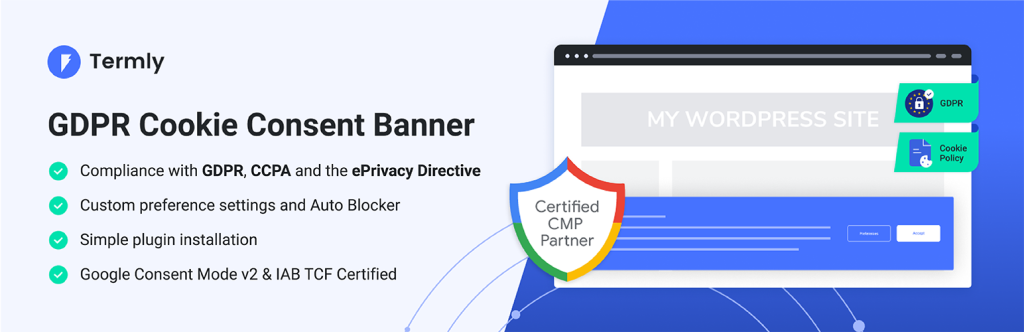
Simplicity is the most popular aspect of this plugin, as it hardly takes a second to get up and running. Simply install and activate the plugin to automatically add the cookie notification bar without any configuration. It automatically creates and populates a page on your website with information about your cookie policy and adds a link to the notification bar.
Other Features in the new version 2.0 include:
- Two dismissal methods – either on click by the user or timed
- Two types of dismissal elements – either button or ‘x’ close
- Option to show the notification on the first page only – subsequent pages visited by the user will not display the message
- Three positions – either top or bottom bar, or floating in one of the corners of the screen
- Better translation support
- Better responsive support
- Update styles from within the customizer
- Inherits your theme styles where possible
- The option to use an absolute or external URL to link to for further information
- Set the cookie period
- Set the cookie version – updating a version will reset the cookie on all user sites
Important Update: This plugin is now developed by Termly. The free version supports sites with up to 10,000 monthly unique visitors and requires a free Termly account.
Download UK Cookie Consent by Termly
For site owners who want compliance without any hassle, UK Cookie Consent is the ideal choice. After activation, a banner appears immediately with a default message and a link to an automatically generated cookie policy page. You can then customize the appearance via the WordPress Customizer, making it blend seamlessly with your theme. The plugin also respects the Global Privacy Control signal and includes a simple consent management interface. While the free version has visitor limits, it’s perfect for small blogs, local businesses, and personal sites.
While the free plugins above are excellent, your compliance needs may grow. For advanced features like automatic cookie scanning, detailed consent logging, and Google Consent Mode v2 integration, consider these highly-rated freemium plugins from the official directory:
- CookieYes: Over 1 million active installs. Offers automatic cookie blocking, a comprehensive scanner, and policy generator. Its free version is robust, with premium plans unlocking geo-targeting and advanced analytics.
- Complianz: Another plugin with 1M+ installs. Uses a wizard to guide setup for multiple laws (GDPR, CCPA, LGPD) and can generate legal documents.
- Real Cookie Banner: Focuses on strict GDPR/ePrivacy compliance with automatic script blocking and pre-built service templates.
- GDPR Cookie Compliance by Moove: A user-friendly plugin with 300,000+ installs, featuring customizable banners and local consent storage.
- WPConsent: Provides automatic script blocking for known trackers, a built-in scanner, and multiple banner layouts.
Choosing a plugin is the first step. To ensure long-term compliance as laws evolve, you should adopt these strategic practices:
- Eliminate “Dark Patterns” Immediately: Ensure your “Reject” button is as prominent and easy to use as your “Accept” button. Avoid pre-ticked boxes, guilt-tripping language, or making rejection require multiple clicks.
- Implement Granular Consent Controls: Where possible, allow users to choose categories of cookies (e.g., Essential, Analytics, Marketing). This respects user autonomy and aligns with best practices.
- Ensure Technical Accuracy: Your plugin must actually block scripts before consent. Studies show a significant portion of implementations fail here, defaulting to “granted” and creating liability. Test with browser developer tools.
- Plan for Global Audiences: If you target India, prepare for multilingual consent in 22+ languages. For Brazil, ensure your banner is in Portuguese. US state laws require recognizing the Global Privacy Control (GPC) signal.
- Monitor Regulatory Updates: The EU’s Digital Omnibus proposal is a key development to watch. While no action is required yet, understanding the shift towards browser-level signals and simplified banners will prepare you for 2026-2027 changes.
To help you get started, here’s a universal workflow that applies to most free plugins:
- Backup your site: Before installing any plugin, create a full backup of your WordPress site.
- Install and activate: Go to Plugins → Add New, search for your chosen plugin, install and activate.
- Configure basic settings: Navigate to the plugin’s settings page (usually under Settings or a dedicated menu). Set your cookie message, button text, and link to your privacy policy page.
- Choose consent method: Select whether consent is given by clicking “Accept,” scrolling, or continuing navigation. For GDPR compliance, opt for explicit click.
- Set cookie expiry: Typically 30 days to 1 year. A shorter expiry prompts users to renew consent more often, which can be more transparent.
- Customize appearance: Adjust colors, position, and button styles to match your brand.
- Enable script blocking (if supported): If your plugin offers it, enable automatic blocking of third-party scripts (analytics, ads, embeds) until consent is given.
- Test on multiple devices: View your site on desktop, tablet, and mobile to ensure the banner displays correctly and behaves as expected.
- Verify with developer tools: Open your browser’s inspector (F12), go to the Network or Application tab, and check that tracking scripts are not loaded before consent. Also, check that the consent cookie is set after interaction.
- Monitor and update: Periodically review your privacy policy and cookie audit table. Update your plugin when new versions are released to stay compliant with evolving laws.
Even with the best plugin, implementation errors can undermine compliance. Here are methods to test your setup:
- Browser Developer Tools: Open the Network tab, clear all cookies, and reload your site. Watch for requests to analytics (e.g., Google Analytics) or advertising domains before you click “Accept.” If they appear, your plugin is not blocking correctly.
- Cookie Audit Tools: Use online scanners like Cookiebot’s free scanner or the Chrome extension “EditThisCookie” to see what cookies are set at various stages.
- Geolocation Testing: Use a VPN or browser extension to simulate visits from different regions (EU, US, etc.) and verify that the correct banner appears.
- User Experience Testing: Ensure the “Reject All” button is as easy to find and click as “Accept All.” Also, test the “preferences” or “settings” link to confirm users can change their choices later.
- Assuming installation equals compliance: Many site owners install a plugin and forget it, never verifying that it actually blocks scripts. This can lead to false confidence and potential fines.
- Using implied consent for GDPR: Even if your plugin offers “consent by scrolling,” this is generally not considered valid under GDPR. Always use explicit opt-in for European visitors.
- Ignoring the cookie policy page: A banner without a detailed cookie policy is incomplete. Your policy must list all cookies, their purposes, durations, and any third-party access.
- Forgetting to update: Cookie regulations and browser behaviors change. An outdated plugin may not respect new requirements like Global Privacy Control.
- Over-relying on free plugins for complex sites: If you use multiple third-party scripts (e.g., Facebook Pixel, Google Ads, Hotjar), manual configuration may be needed, and a premium plugin with auto-scanning could save time and reduce risk.
- Not respecting user choices: Once a user rejects cookies, no non-essential scripts should load on subsequent pages. Some plugins fail to maintain this state across sessions—test thoroughly.
Google Consent Mode v2 (released 2024) is a framework that adjusts the behavior of Google tags (Analytics, Ads) based on user consent. It allows you to send cookieless pings when consent is denied, enabling basic conversion modeling without cookies. Many premium plugins now support Consent Mode v2 natively, but free plugins may require manual implementation. To enable it:
- Check if your plugin has a “Google Consent Mode” option. If yes, enable it and select the appropriate consent states (analytics_storage, ad_storage, etc.).
- If not, you can add the Consent Mode snippet manually in your theme’s header, but this is advanced and may conflict with your plugin.
- Test using Google’s Tag Assistant to verify that tags respect consent choices.
Consent Mode v2 is becoming essential for advertisers who rely on conversion tracking, as it helps fill data gaps while respecting privacy. Even if you don’t run ads, enabling it for Analytics can improve data accuracy.
Frequently Asked Questions
If your site only uses strictly necessary cookies (e.g., session cookies for login, shopping cart), you may be exempt from consent requirements. However, you still need to inform users about those cookies in a privacy policy. Most sites use at least analytics or functional cookies, which require consent. When in doubt, consult a legal professional.
Can I use a free plugin for an e-commerce site?
Yes, but you must ensure that essential cookies (like those for cart and checkout) are not blocked by the consent mechanism. Most free plugins allow you to whitelist specific scripts or set essential cookies as always active. For high-traffic e-commerce sites, a premium plugin with regular scanning and detailed logs may be worth the investment.
Plugins like EU Cookie Law and Italy Cookie Choices can automatically block embeds and replace them with placeholders until consent is given. This is the safest approach. Alternatively, you can switch to privacy-enhanced embeds (e.g., YouTube’s nocookie domain) but still need to inform users about any cookies set.
What is Global Privacy Control (GPC) and do I need to support it?
GPC is a browser signal that allows users to automatically opt out of the sale of their personal information (as required by CCPA) and object to tracking under GDPR. Many cookie plugins now detect GPC and treat it as a valid opt-out. Supporting GPC is considered a best practice and may become mandatory in future regulations.
No, using two cookie notice plugins will cause conflicts, duplicate banners, and may break script blocking. Choose one and disable any others.
Pro Tips for Advanced Users
- Lazy-load your banner: If your site uses a caching plugin, ensure that the cookie banner script is not deferred or combined, as it needs to load early to block scripts effectively.
- Use a child theme for modifications: If you need to customize the plugin’s templates, always use a child theme so updates don’t overwrite your changes.
- Monitor consent rates: Use analytics to see what percentage of users accept vs. reject cookies. Low acceptance may indicate your banner is too intrusive or your messaging unclear.
- Consider a consent management platform (CMP): For large sites with complex advertising setups, a dedicated CMP like OneTrust or Cookiebot may be more appropriate than a simple plugin.
Conclusion and Final Recommendation
When you search for Cookie Notice WordPress plugins you’ll never come short of options as there are several WordPress cookie consent plugins to choose from. They all bring something a little different to the table, all the above plugins are the best of them.
For most users seeking simple, effective compliance today, Cookie Notice by dFactory or Cookie Law Info are outstanding free choices. If you need automatic script blocking for stricter compliance, EU Cookie Law is powerful. For the absolute simplest setup, UK Cookie Consent by Termly works instantly.
Remember that cookie compliance is not a one-time task—it requires ongoing vigilance. Laws evolve, browser behaviors shift, and your own use of tracking scripts may change. Revisit your setup at least annually, and always test after updating your plugin or adding new features to your site.
Ready to Secure Your Website?
Don’t let compliance be an afterthought. Choose a plugin from our reviewed list above, implement it today, and browse with confidence knowing you’re building a trustworthy foundation for your visitors.
What’s your favorite plugin to show cookie notice? Did I miss any? I’d love to hear what you think! If you like, you can also check best plugins for WordPress here.