Slow ordering costs sales. Shoppers who must click through many pages often give up. Some stores simply outgrow the standard shop layout. A quick order form solves that problem. It puts products, quantities, and the cart in one window. This guide shows when your store needs one. The WooCommerce Quick Order plugin makes the switch easy. We will cover the warning signs, the benefits, and the features worth checking.
What Is a WooCommerce Quick Order Form?
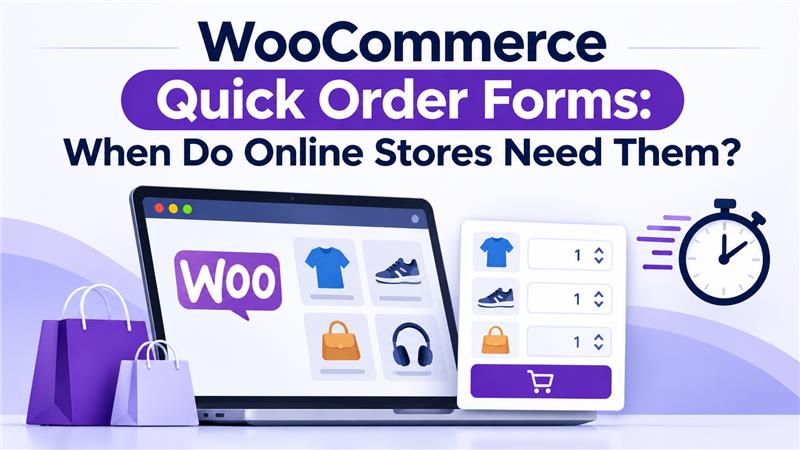
A quick order form is a page where shoppers add many products fast.
Think of it as a menu for your store. Customers see items in a clean list or grid. They pick what they want and move on. Nobody has to open each product page.
How Does It Differ From a Normal Shop Page?
The default shop page shows products one card at a time. Each item usually needs its own page visit. That works well for browsing. It works poorly for repeat buying.
A quick order form flips this. Everything sits on one screen. Shoppers scan, add, and check out in a few clicks.
What Does a WooCommerce Quick Order Plugin Add?
WooCommerce does not ship with this layout by default. A WooCommerce quick order plugin builds it for you. You choose which products appear. Styling is entirely up to you. Then you drop the page into your store.
Which Online Stores Need a Quick Order Form?
Stores with fast, repeat, or high-volume ordering gain the most from one.
Not every shop needs this. A store selling five custom items can skip it. Others will feel the difference quickly.
Do Stores With Repeat Buyers Need One?
Yes, they often do. Repeat customers know what they want. They do not need long product stories. Speed matters most.
A quick order page lets them reorder in one sitting.
Do Stores With Large Catalogs Need One?
Large catalogs are hard to browse page by page. Shoppers get lost between categories. A single list with filters and search fixes that.
Pagination helps too. It keeps long lists tidy. Customers move through them without scrolling forever.
They fit the format naturally. Think of a cake shop, a cafe, or a pub. Customers expect a menu. They want to pick items and order at once.
A quick order page copies that menu feel. It works well on phones too. Many food buyers order while on the move.
What Are the Signs Your Store Needs a Quick Order Form?
You need one when customers struggle to order several items quickly.
Watch for these warning signs:
- Customers abandon carts after adding only one or two items.
- Buyers email you their full order instead of using the site.
- Your catalog has grown past what a normal shop page handles well.
- Most of your sales come from returning customers.
- Mobile visitors scroll a lot but rarely buy.
Spot two or three of these? Test a quick order page. The cost of trying is small.
What Features Should a WooCommerce Quick Order Plugin Offer?
You should look for flexible layouts, a live cart, and control over what shoppers see.
Don’t pay for bells and whistles you’ll never use. Here’s the short list worth checking first:
- List and grid layouts that hold up on a phone.
- Filters, sorting, and a search box.
- A way to choose which products or categories show up.
- Choice over whether images, SKUs, and prices appear.
- Pagination, so long catalogs don’t become endless scrolling.
- A cart that updates without a page reload.
- Rules for what guests and logged-in users can see.
Each one solves a small problem. Search saves time in big catalogs. A live cart keeps shoppers sure about what they’ve picked. Visibility rules decide who gets to see the page.
How Does WooCommerce Quick Order: Easy Order Handle This?
It turns shortcodes into order pages with list or grid views and a cart.
The WooCommerce Quick Order plugin is one option worth a look. It mirrors a pub or shop menu. Customers can order from one window, on desktop or phone.
How Do the Shortcodes Work?
Admins create shortcodes by selecting all products or chosen categories. Each shortcode carries its own settings. You can adjust the color and style on a per-page basis.
The plugin lets you make an unlimited number of shortcode pages. One store could run several order pages. A bakery might have one for cakes and one for drinks. You can also exclude a specific product or category from a list.
What Can You Control on the Page?
Set how many products appear per page. You can turn filtering, sorting, and searching on or off. Image, SKU, and price display are optional. Pagination is optional too.
Layout comes in two forms. Choose a list or a grid. Both are mobile-friendly. You can also show pages to logged-in users, guests, or both.
What Does the Cart Widget Do?
Turn on the sticky, floating cart so shoppers always see what they’ve picked. It lists each product and item count, along with prices. Updating or removing something takes just a few clicks.
You can show or hide the proceed to checkout button. Colors and icon colors are customizable. Adding, removing, and updating items runs on Ajax. That means no full page reload.
When Can You Skip a Quick Order Form?
You can skip one if shoppers buy a single item and rarely return.
Some stores sell high-ticket products. Others rely on long descriptions and rich visuals. Those buyers want detail, not speed. A quick order list might feel too thin for them.
Look at your order data. Small baskets suit a standard shop page. Large baskets call for a second look.
How Do You Get Started With a Quick Order Page?
Start small, test one page, and expand once you see results.
Here’s a simple way to begin:
- Choose a small set of products, like your best sellers.
- Build one shortcode page for them.
- Switch on the cart widget and search.
- Try it yourself on a laptop and a phone.
- Ask a few regular customers what they think.
Don’t try to launch everything at once. Add categories and filters once the basics work. Real feedback beats guesswork.
The Bottom Line
Stores with repeat buyers and big catalogs benefit most from quick order forms. Other than that, stores with menu-style products benefit as well.
Speed wins in these cases. Fewer clicks mean fewer lost carts. A well-chosen WooCommerce quick order plugin gives customers a direct path to checkout.
Check your cart abandonment and reorder patterns. Then decide if a quick order page fits. For many shops, it is a smart and low-risk upgrade.