


- Banner rotator plugins let you display multiple ads in one spot — rotating them automatically to keep your site looking fresh without cluttering the page.
- AdRotate is the best free option for most sites. It supports image and code ads, scheduling, geo-targeting, and detailed statistics.
- Ads Pro is the best premium choice for full ad management with CPC, CPM, and CPD pricing models.
- Ad Inserter is the most flexible for inserting ads anywhere in posts and pages with 16 ad blocks and advanced targeting.
- Google AdSense users should look at Quick Adsense, AdSense WP Quads, or AdPresso for easy AdSense placement and tracking.
- Always test on mobile and consider page speed — heavy ad scripts can slow down your site and hurt SEO.
- What is a Banner Rotator?
- Why Use a Banner Rotator on Your WordPress Site?
- Top Banner Rotator WordPress Plugins (Full Reviews)
- Comparison Table: Best Banner Rotator Plugins
- How to Choose the Right Banner Rotator Plugin
- Best Practices for Banner Advertising on WordPress
- Performance and SEO Considerations
- Monetization Strategies with Banner Rotators
- Frequently Asked Questions
- Final Verdict: Which Banner Rotator Plugin Should You Use?
If you have set up a WordPress website and are looking to enhance it with Banner Advertising, these dedicated banner rotator WordPress plugins can assist you in doing so. These plugins are user-friendly and can provide your website with a dynamic appearance. Attracting visitors, well-designed banner advertising can effectively capture their attention.
These WordPress plugins for banner rotation are designed to automatically install a captivating advertisement banner on your website, displaying your company’s assets. They are the top choices for implementing a banner rotator in WordPress.
A banner rotator is a WordPress plugin that lets you display multiple banner ads in a single location on your site. Instead of showing one static ad, the plugin cycles through a list of ads automatically — either on a timer, on each page load, or in a random order. This approach keeps your site from looking cluttered and lets you show all your ads without dedicating separate space to each one.
Banner rotators are commonly used for:
- Advertisers: Displaying multiple ad creatives in one sidebar or header spot.
- Affiliates: Rotating multiple affiliate offers in a single widget.
- Site owners: Promoting their own services and products across different pages.
- Publishers: Managing both AdSense and direct-sold ads in one location.
Using a banner rotator offers several practical benefits over static banner ads:
- Cleaner design: Rotating ads in one spot keeps sidebars and headers uncluttered.
- More revenue opportunities: Multiple advertisers or affiliate offers can share the same space.
- Better user experience: Visitors see different ads, reducing ad fatigue.
- Performance tracking: Most rotators provide stats on impressions, clicks, and click-through rates.
- Scheduling and targeting: Many plugins let you schedule ads for specific dates, times, or geo-locations.
One of the best WordPress banner advert plugins with all of the features you could possibly probably want. Create sized or responsive advertisements in a number of zones and display them all through your WordPress web site with the auto rotate function. Full statistics for units, zones, banner advertisements and sizes can be found.
Ads Pro plugin
(Affiliate hyperlink) A full-featured advertisements plugin for WordPress with all of the bells and whistles you could possibly think about. You can promote advertisements utilizing a number of cost strategies, select the model for every advert (CPC, CPM, CPD) and see detailed statistics for all of your advertisements.

Create picture or code advertisements in teams and display them in your WordPress web site. A nifty function of this plugin is the power to display advert teams on sure schedules like days of the week and instances as well.
AdPresso

AdPresso is built by the former Advanced Ads team and lets you manage and display any type of ads across your WordPress website, from banner ads and affiliate links to Google AdSense. You can place ads in specific locations, control when they appear, and track their performance right from your WordPress dashboard. Ad tracking is available even in the free version, so you can monitor your ads without upgrading to a paid plan.
Ad Inserter plugin
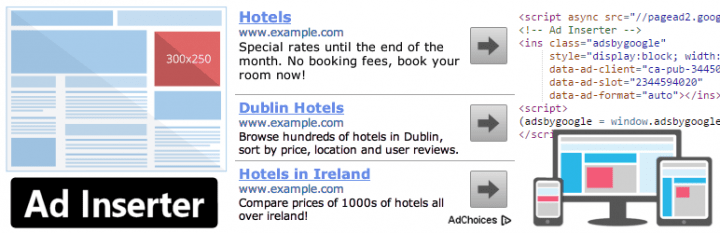
This full-featured advertisements plugin supplies you with 16 advert blocks to create many varieties of banner advertisements. You can display advertisements in posts, pages, widgets, and many others. and in addition black- or whitelist sure posts, IPs, nations, and many others.
Quick Adsense plugin

Another Google Adsense particular plugin to insert your Google Adsense code. Display the advertisements you create in particular spots in your web site equivalent to above posts, below posts, and many others.
AdSense WP Quads plugin

This plugin specifically targets Google Adsense, allowing you to input your Google Adsense settings and showcase these advertisements. Instead of specific teams or zones for ads, it provides a single, unchanging advertisement per designated area.
Advanced Ads plugin
Display advertisements throughout your WordPress web site in a number of locations with ease. You can create code advertisements, rich content material advertisements, picture advertisements, Google Adsense advertisements and extra.
WP-Insert plugin

Effortlessly integrate code advertisements from various advertising networks into your WordPress posts, pages, sidebars, and more. This plugin offers a range of valuable features, with the automatic display of ads above, below, or within the content of your posts and pages being particularly noteworthy.
WordPress Ad Widget plugin

This WordPress advertisements plugin is particularly for sidebar widgets. You merely drag and drop a sidebar widget in place and specify the advert particulars, that’s it.
Ultimate Ads Manager plugin

A easy and easy advertisements plugin for WordPress that helps picture and Google Adsense advertisements. It supplies detailed statistics as well as integration with Google Analytics to file/monitor occasions on advertisements.
AdPlugg WordPress Ads plugin
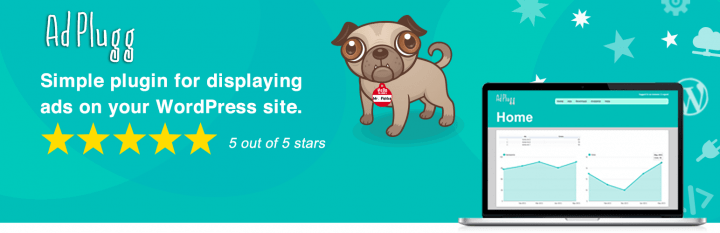
Create and display advertisements in your WordPress web site utilizing widgets, zones, and many others. It supplies detailed statistics, GDPR compliance, compatibility with Facebook Instant Articles and Google AMP pages. There is a free and a Pro model accessible.
Corner Ad plugin

This plugin permits you to create and display a Flash powered nook web page fold advert in your web site. As a consumer clicks on the nook it’s going to fold open like a web page and display the complete advert.
Related Post Appealing Marketing Ideas To Stay In Competitive Market
Website Monetization by MageNet plugin

Connect a number of web sites via MageNet service and promote advert areas in your web sites via them. Display advertisements in your web sites utilizing sidebar widgets and different strategies.
Meks Easy Ads Widget plugin
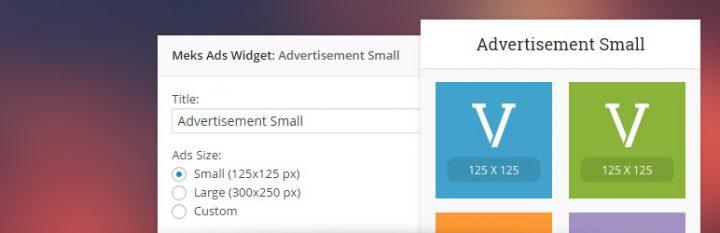
Display picture or code advertisements in your WordPress sidebars utilizing sidebar widgets. You can display a number of advertisements of a measurement of your choice in a single widget and specify the picture and hyperlink or code for every banner advert.
Special point out
WP AdCenter
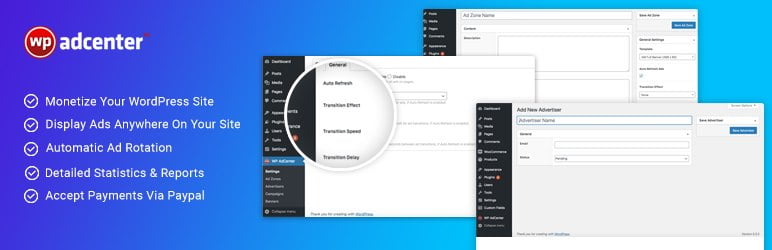
WP AdHeart is the considered one of best WordPress ad plugins accessible. It comes loaded with a range of features like a Google AdSense importer, Geo-Targeting, and limitless advert zones. With WP AdHeart, you may arrange limitless Ad campaigns, with rotating advertisements, and get detailed statistics for every marketing campaign.
After search my consideration obtained caught on two products. Banner Rotator / Content Slider WordPress Plugin accessible on Codecanyon for the value of $20 and Ad Rotate accessible in free and paid model (paid model comes with extra helpful features).
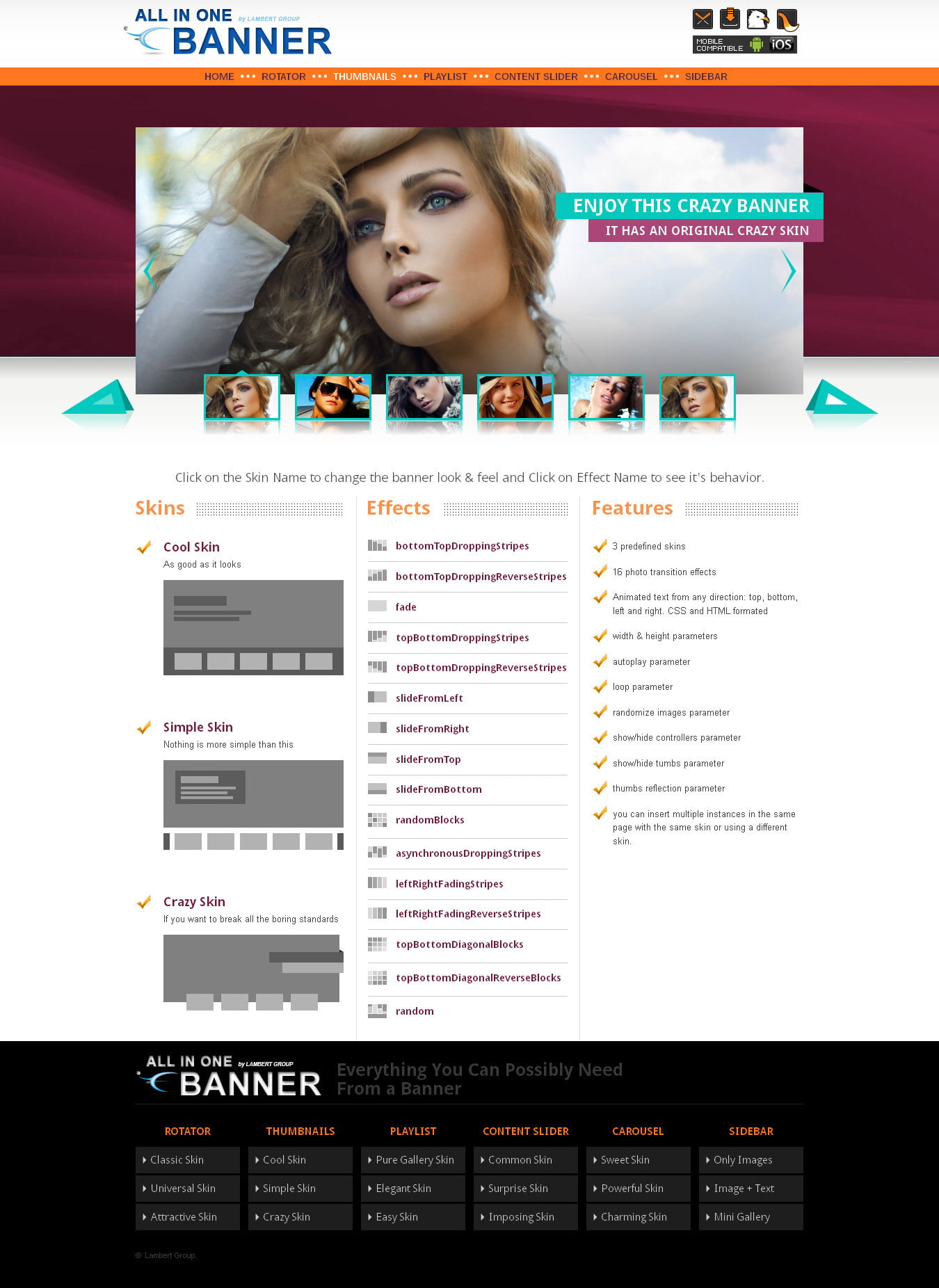
This WordPress banner rotator is a sophisticated Jquery WordPress plugin. It can be utilized as content material slider too. It is available in 6 presentation sorts: Banner Rotator, Thumbnails Banner, Banner with Playlist, Content Slider, Carousel and Sidebar Banners. From these banners you may create sidebar banners or mini-galleries. Each banner comes with 3 predefined skins, a number of results, animated textual content and limitless customizations. It is appropriate with all browsers like Internet Explorer, Google chrome, Opera, Firefox, Safari and with IOS and Android cellular units.
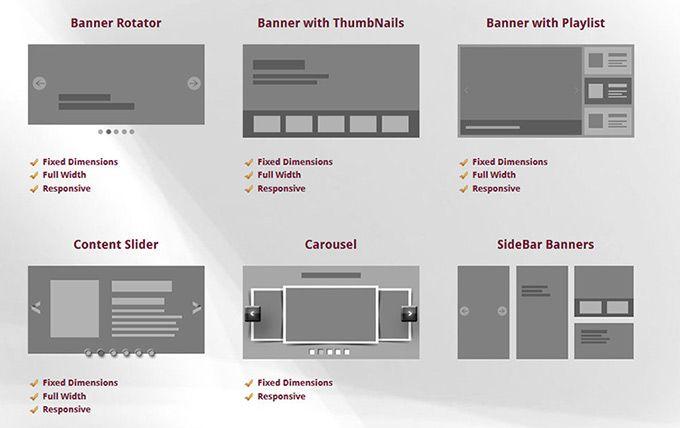
Banner rotator contains touch display screen navigation for cellular assist and responsive design which suggests all advertisements or sliders will look nice on handheld units. Responsive function may be turn on or off. Plugin comes with 3 predefined skins and 16 transition results. Text may be animated from any route. Top, backside, left or proper. Banner rotator plugin helps varied parameters like width, top, autoplay, loop, randomize photographs, playlist, border colour and width and many others.
Other features include:
- exterior url hyperlink parameter for giant picture
- goal parameter: _blank or _self
- present/disguise controllers parameter
- present/disguise tumbs parameter
- thumbs reflection parameter
- circle timer parameters for colour, dimensions, transparency
- you may insert a number of cases in the identical web page with the identical pores and skin or utilizing a distinct pores and skin
- embody YouTube, Vimeo & HTML5
For the value of $20 this WordPress Banner Rotator plugin is worthy funding. More than 3 000 gross sales and common updates go in favor of this nice plugin. It can be utilized for displaying banners in sliders or every other photographs and web site content material.
Adrotate
With this Adrotate WordPress plugin, any website proprietor can simply handle a single advert or a bunch of advertisements positioned on the web site. This plugin lets the customers add new banner advertisements or edit the present banner advertisements. Everything related to positioning, rotating and eradicating of banner advertisements may be straight constructed from the WordPress dashboard.
This WordPress plugin will allow the web site customers to handle the blogs or advertisements positioned in your web site. By putting in this plugin, even customers with little information of PHP can place advert banners on their web pages. With particular shortcodes, drag ‘n’ drop features and customized widgets, customers can control something related to the promoting campaigns.
Promote your web site in an distinctive method on the digital world by embedding personalized banners. The website customers can add an outline and insert a title to the banners which may be positioned at any place on the web site. Users can have full control on the rotation of banners, set colour and font for the banners from admin space.
Price: $49.00
The JS Banner Rotate makes use of JavaScript to determine a platform-agonistic revolving banner image to your weblog or web site. This plugin may even work on browsers with flash plugins disabled. You can add footage individually via the WordPress built-in picture gallery module.
WordPress blogs look engaging when banners are positioned on them. WordPress blogs and web sites possessing banners will be capable to set up and handle their banners with this Useful Banner Manager. This plugin aids in banner promoting. It is straightforward and easy to determine your website and weblog.
Related Post Top Digital Marketing Terms
Random/Rotating Ads
The random/rotating advertisements plugin allows you to display rotating and random ads in your web site. You can display advertisements utilizing widgets or template files. All types of ads like affiliate ads, Google AdSense, photographs, banners, textual content, flash may be displayed. You can display infinite advertisements in your web site utilizing this utility WordPress plugin.
Simple Ads Manager
Choosing the right WordPress banner ad plugin is crucial for effectively monetizing your website. One highly useful plugin in this regard is Simple Ads Manager. This WordPress banner plugin offers a range of features to help you establish and manage banner advertisements on your website or blog. It provides flexible ad rotation logic based on the measured weight and size of each ad within a specified group known as Ads Place.
Now, it’s time to select the ideal WordPress banner ad plugin for your website. Many WordPress site owners have valuable content and significant daily traffic, but they may not be maximizing their earnings. One effective way to monetize a WordPress site is by displaying banner ads.
Banner ads can include image ads sold directly to advertisers, referral banners for affiliate programs, promotions for your other services, or ads from ad publishing networks like Google AdSense. Numerous plugins and software options are available for displaying banner ads on WordPress. However, it’s crucial to ensure that your banner is displayed correctly on various devices and locations. You can use a VPN service for this purpose; check Cooltechzone.com for brief reviews of top VPN providers.
When choosing a WordPress banner ad plugin, it’s essential to select one that can display various types of ads, including images, videos, flash, code, etc. Here is a list of the 15 best WordPress banner ad plugins and software options that I could find:
Ad Rotate

Ad Rotate is one other WordPress banner rotator plugin. It is available in free and paid model. Free could be very restricted with choices and settings so PRO model is very really useful. You can create and handle limitless advertisements with this WordPress promoting plugin.
It makes possible conserving stats and run profitable promoting campaigns straight from WordPress dashboard. AdRotate provides you the liberty to position adverts virtually wherever in your website. This WordPress banner rotator can be utilized to exclude clicks from logged in customers, rotate advertisements each few seconds, helps varied type advertisements, you may schedule advertisements look, and many others.
The best function Ad Rotate gives is Geo Location concentrating on possibility. Using this function you may set advertisements to focus on only particular guests by nation or metropolis displaying them related advertisements based mostly on IP.
Other Ad Rotate features include:
- Assign adverts to teams
- Graphs
- Multisite assist
- Show a nag message to these utilizing an adblocker
- Have your advertisers add/edit/handle their very own advertisements
- Track what number of instances a banner is clicked and present its Cick-Through-Ratio
- Unlimited widgets
- Multiple teams per banner location
AdRotate helps limitless teams for banners permitting you to tie sure banners to completely different areas of the web site. On top of that with GeoLocation you may tie adverts to sure areas of the world. It can be accessible as a premium plugin for a value. Offering further and extra intensive features and quicker assist.
Random / Rotating Ads
The Random or Rotating Ads plugin developed by DataFeedr will help the web site house owners in displaying the rotating advertisements at anyplace on the web site. This plugin helps rotation of any Ad type be it both Google Adsense, Ads from associates, banner advertisements, photographs or any flash textual content. The numbers of Ads on the web site which are to be subjected to rotation aren’t restricted to a particular quantity.
WordPress Content Slider Plugin Summary
Having good WordPress banner rotator plugin may be handy should you promote varied completely different products and don’t need your website to look closely commercial oriented. Having an excessive amount of advertisements in sidebars, content material, and many others. is just not really useful. Using banner rotator you may nonetheless present all advertisements by rotating them in preset time and even set them to focus on particular geolocations. I personally like Ad Rotate Pro model. It has all features wanted to run succesful advert campaigns.
| Plugin | Price | Best For | Key Features |
|---|---|---|---|
| AdRotate | Free / Pro | Most users | Image/code ads, scheduling, geo-targeting, stats, adblocker nag |
| Ads Pro | Premium | Full ad management | CPC/CPM/CPD pricing, detailed stats, multiple ad types |
| Ad Inserter | Free | Flexible ad placement | 16 ad blocks, black/whitelist by post, IP, country |
| AdPresso | Free | AdSense and affiliate ads | Location targeting, scheduling, tracking in free version |
| Advanced Ads | Free / Pro | All-in-one ad management | Code, rich content, image, AdSense ads, multiple locations |
| WP AdCenter | Free | Unlimited campaigns | AdSense importer, geo-targeting, unlimited ad zones |
| Banner Rotator / Content Slider | $20 | Slider and banner rotator | 6 presentation types, 16 transitions, touch navigation |
| Simple Ads Manager | Free | Weighted ad rotation | Flexible rotation logic based on ad weight and size |
With dozens of options available, choosing the right plugin comes down to five practical questions:
- What type of ads will you display? Image banners, AdSense code, affiliate links, or all of the above. Pick a plugin that supports the formats you need.
- Do you need scheduling or geo-targeting? AdRotate and WP AdCenter both offer geo-targeting; AdRotate also offers scheduling.
- How much control do you want over placement? Ad Inserter is the most flexible for inserting ads anywhere in posts and pages.
- Do you need detailed statistics? Ads Pro, AdRotate, and Ultimate Ads Manager all provide detailed stats and click-through rates.
- Is the plugin actively maintained? Check the last update date on WordPress.org and the number of active installations. A plugin that hasn’t been updated in over a year may break with the next WordPress release.
- Don’t overload your site with ads. Too many banners in sidebars and content can hurt user experience and SEO.
- Use responsive banners. Ensure your ads display correctly on mobile, tablet, and desktop.
- Track performance. Use the plugin’s built-in statistics to see which ads perform best and adjust accordingly.
- Rotate ads regularly. Rotating ads keeps the site fresh and gives all advertisers a fair share of impressions.
- Comply with ad network policies. If you use AdSense, ensure your ad placements comply with Google’s policies.
- Test page speed. Heavy ad scripts can slow down your site. Use a caching plugin and optimize images.
Performance and SEO Considerations
Banner ads can impact your site’s performance and search rankings if not managed carefully. Key considerations:
- Page speed: Ads that load external scripts can increase page load time. Use asynchronous loading and limit the number of ad scripts.
- Core Web Vitals: Large banner images can affect LCP (Largest Contentful Paint). Optimize image sizes and use lazy loading.
- Mobile experience: Ads that are too large on mobile can cause layout shifts. Use responsive ad units.
- Ad density: Google’s page layout algorithm penalizes pages with too many ads above the fold. Keep the ad-to-content ratio reasonable.
- AdSense policy: Ensure ads are clearly distinguishable from content and don’t violate AdSense placement policies.
Banner rotators open up several monetization opportunities:
- Direct ad sales: Sell banner space directly to advertisers and rotate multiple creatives.
- Affiliate marketing: Rotate affiliate banners for products you promote.
- AdSense: Rotate AdSense ads alongside direct-sold ads.
- Promote your own products: Use banner rotators to showcase your own services or digital products.
- Sponsorships: Offer sponsored banner placements to relevant brands.
Frequently Asked Questions
A banner rotator plugin is a WordPress plugin that lets you display multiple banner ads in a single location on your site. It automatically rotates through the ads on a timer, on each page load, or in random order, keeping your site looking fresh and giving all advertisers exposure.
AdRotate is widely considered the best free option for most users. It supports image and code ads, scheduling, geo-targeting, detailed statistics, and includes a Pro version for advanced features. Ad Inserter is another strong free choice for flexible ad placement.
Yes. Many banner rotator plugins, including AdRotate, Advanced Ads, and Quick Adsense, support AdSense ads. Make sure your ad placements comply with Google’s AdSense policies, especially regarding ad density and placement above the fold.
They can if not used carefully. Choose a lightweight plugin, limit the number of ads displayed, use asynchronous loading, and optimize ad images. Test your site speed with tools like Google PageSpeed Insights after installing any ad plugin.
Most banner rotator plugins provide a widget that you can drag and drop into your sidebar from the WordPress widgets screen. Configure the ads within the plugin settings, then place the widget where you want the rotation to appear.
Can I schedule ads to appear on specific dates?
Yes. AdRotate, Ads Pro, and several other plugins support scheduling, allowing you to set start and end dates for each ad campaign. This is useful for time-limited promotions or seasonal advertising.
A banner rotator specifically rotates multiple banners in one location. An ad manager is a broader category that includes rotation but also provides campaign management, advertiser accounts, detailed reporting, and sometimes payment processing. Ads Pro and AdRotate Pro are closer to full ad managers.
Do I need coding knowledge to use these plugins?
No. Most banner rotator plugins are designed to be used without coding. You can upload images, paste ad codes, and configure settings through the WordPress dashboard. Some advanced features may require shortcodes or template tags, but the basics are no-code.
WordPress.com has restrictions on advertising and plugin installation. On the free plan, you cannot install plugins or display ads. On the Business plan or higher, you can install plugins, but ad networks like AdSense have specific requirements. Self-hosted WordPress.org sites have no such restrictions.
AdRotate is a strong choice because it supports code ads (including affiliate links), scheduling, and geo-targeting. Ads Pro offers more advanced campaign management if you’re running multiple affiliate campaigns. For simple rotation, Random/Rotating Ads or Meks Easy Ads Widget are lightweight options.
There is no single best banner rotator plugin for every site — the right choice depends on your ad types, budget, and technical comfort. For most users, AdRotate offers the best balance of features, ease of use, and price (free, with a capable Pro version). If you need full campaign management with CPC/CPM pricing, Ads Pro is the premium choice. For maximum flexibility in ad placement, Ad Inserter is hard to beat. And if you primarily run Google AdSense, Quick Adsense or AdPresso will get the job done with minimal setup.
Whichever plugin you choose, keep the best practices in mind: don’t overload your site with ads, test on mobile, monitor performance, and ensure compliance with ad network policies. Used well, a banner rotator can turn unused space into a steady revenue stream without hurting user experience.