
How to Download YouTube Videos: 7 Easy & Free Methods (2026 Guide)
- YouTube Premium is the only 100% legal method: As BestVideoDownloader’s 2026 testing confirms, YouTube Premium’s native offline download feature is the only method that fully complies with YouTube’s Terms of Service — no grey areas, no expiry risks, no malware.
- Third-party tools are legal in most countries for personal use: As Lynote’s legal analysis explains, downloading copyrighted content with third-party tools technically violates YouTube’s ToS but is not copyright infringement for personal offline viewing in most jurisdictions — the line is crossed only when you redistribute, monetise, or re-upload.
- This guide covers 7 methods for 2026 — YouTube Premium, YouTube Studio (creators), yt-dlp (command line), 4K Video Downloader, online tools like Y2Mate, browser extensions like Video DownloadHelper, and screen recording — with step-by-step instructions, pros, cons, and safety ratings for each.
- Many free downloader sites contain malware: SecuritySenses warns that a large number of free YouTube download websites bundle malicious code, spyware, and adware. This guide only recommends tools that have been vetted as safe and reputable in 2026.
- yt-dlp is the most powerful free option in 2026: As BestVideoDownloader’s March 2026 review confirms, yt-dlp (version 2026.02.04) remains the most reliable, most capable, and most regularly updated free YouTube downloader available — supporting every quality level up to 8K, playlists, subtitles, and audio extraction.
You’ve found the perfect YouTube tutorial, a lecture you want to study offline, or a video you want to watch on a long flight without Wi-Fi — and you need a way to save it to your device. The problem is that searching for “how to download YouTube videos” returns a minefield of sketchy websites, pop-up-filled converters, and tools that install more than they advertise.
This guide cuts through all of that. We’ve tested and verified 7 methods that actually work in 2026 — from the fully legal YouTube Premium approach to the powerful open-source yt-dlp command-line tool. Every method here is safe, functional after YouTube’s March 2026 API updates, and rated honestly for legality, ease of use, and quality.
Before we get into the methods, a quick note on legality — because it matters and the situation is more nuanced than most guides admit.
⚖️ Is It Legal to Download YouTube Videos? (What you need to know before you start)

The honest answer is: it depends on what you download and what you do with it. Here is the clearest breakdown available.
| Scenario | Legal Status | YouTube ToS | Copyright Law |
|---|---|---|---|
| YouTube Premium offline download | ✅ 100% Legal | ✅ Compliant | ✅ Fully permitted |
| Downloading your own uploaded videos via YouTube Studio | ✅ 100% Legal | ✅ Compliant | ✅ Fully permitted |
| Downloading Creative Commons licensed videos | ✅ Legal | ⚠️ Grey area | ✅ Permitted under licence |
| Downloading public domain videos | ✅ Legal | ⚠️ Grey area | ✅ Fully permitted |
| Third-party tool — personal offline use | ⚠️ Grey area | ❌ ToS violation | ✅ Legal in most countries for personal use |
| Re-uploading downloaded videos | ❌ Illegal | ❌ ToS violation | ❌ Copyright infringement |
| Monetising downloaded content | ❌ Illegal | ❌ ToS violation | ❌ Copyright infringement |
| Ripping audio from music videos | ❌ Illegal | ❌ ToS violation | ❌ Music piracy |
Saving a video to watch offline on your own device for personal use is almost certainly fine legally in most countries — similar to recording a TV programme to watch later. What will get you into real trouble is taking someone else’s content, re-uploading it, monetising it, or redistributing it. The tool itself is neutral. Your use of it determines the legality.
🎬 7 Methods to Download YouTube Videos in 2026 (Ranked by ease, quality, and legal safety)

YouTube Premium is the only YouTube download method that is 100% officially sanctioned. It builds a download button directly into the YouTube app — no third-party tools, no grey areas, no risk of account bans or malware. As YTD Downloader confirms, Premium also benefits creators — when Premium subscribers download and watch offline, creators are still compensated through YouTube’s revenue-sharing system.
- Subscribe to YouTube Premium at youtube.com/premium — $13.99/month in the US (2026 pricing); student and family plans available at reduced rates
- Open the YouTube app on your phone or tablet and navigate to the video you want to download
- Tap the Download button below the video title (it appears as a downward arrow icon)
- Select your preferred video quality — Premium supports up to 1080p HD for most videos
- Find your downloaded videos in the Library → Downloads section of the YouTube app
- Downloads are available for 30 days offline before they require an internet connection to refresh
- Desktop users: YouTube Premium also enables offline downloads in Chrome and Edge browsers on select videos
| Detail | Info |
|---|---|
| Legal Status | ✅ 100% Legal — officially sanctioned by YouTube |
| Max Quality | 1080p HD (mobile), up to 4K on select devices |
| Cost | $13.99/month (US, 2026) — includes ad-free, background play, YouTube Music |
| File Export | ❌ Cannot export downloads as standalone MP4 files — locked to YouTube app |
| Download Expiry | Downloads expire after 30 days offline |
| Ease of Use | ⭐⭐⭐⭐⭐ — Simplest possible: one tap in the app |
- Completely legal — no ToS violation, no account risk
- No malware risk whatsoever — official YouTube feature
- Also includes ad-free viewing, background play, and YouTube Music
- Creators still earn revenue from your offline views
- Monthly subscription required — not free
- Downloads locked to YouTube app — no standalone MP4 export
- Downloads expire after 30 days without internet connection
Best for: Regular YouTube users who want the safest, most convenient legal offline viewing experience without any technical setup.
2. YouTube Studio (For Your Own Videos)

If you are a YouTube creator, you can download your own uploaded videos directly from YouTube Studio — completely free, completely legal, and with no third-party tools required. This is the most overlooked method in every YouTube download guide, and it is the cleanest option for anyone who has their own channel.
How to Download Your Own Videos via YouTube Studio
- Go to studio.youtube.com and sign in with your YouTube account
- Click Content in the left sidebar to see all your uploaded videos
- Find the video you want to download and hover over it
- Click the three-dot menu (⋮) that appears to the right of the video
- Select Download from the dropdown menu
- The video will download as an MP4 file to your device’s default Downloads folder
- Note: YouTube Studio only allows downloading videos you have uploaded yourself — it cannot be used to download other creators’ content
| Detail | Info |
|---|---|
| Legal Status | ✅ 100% Legal — you own the content |
| Cost | Free — included with any YouTube account |
| File Format | MP4 |
| Quality | Original upload quality — up to 4K if you uploaded at that resolution |
| Who Can Use It | Only for videos you have uploaded to your own channel |
| Ease of Use | ⭐⭐⭐⭐⭐ — Three clicks in a browser |
- Completely free — no subscription needed
- 100% legal — downloading your own content
- Downloads as standalone MP4 — no app lock-in
- Original upload quality preserved
- Only works for videos on your own channel
- Requires a YouTube/Google account
Best for: YouTube creators who want to back up their own content, repurpose clips, or create offline archives of their channel’s videos.
3. yt-dlp (Command Line — Most Powerful Option)

yt-dlp is an open-source command-line tool and the most capable free YouTube downloader available in 2026. As BestVideoDownloader’s March 2026 testing confirmed, version 2026.02.04 is current, functional, and handles YouTube’s latest anti-bot measures reliably. It supports every video quality from 144p to 8K, full playlist downloads, subtitle extraction, audio-only downloads, and over 1,000 other video sites.
How to Install and Use yt-dlp
- Windows: Download the
yt-dlp.exefile from github.com/yt-dlp/yt-dlp/releases and place it in a folder. Open Command Prompt in that folder. - Mac: Install via Homebrew with
brew install yt-dlp, or download the binary directly from GitHub releases - Linux: Install via package manager —
sudo apt install yt-dlp(Ubuntu/Debian) orsudo pacman -S yt-dlp(Arch) - Basic download:
yt-dlp https://www.youtube.com/watch?v=VIDEO_ID - Download best quality:
yt-dlp -f bestvideo+bestaudio https://www.youtube.com/watch?v=VIDEO_ID - Download as MP3 audio only:
yt-dlp -x --audio-format mp3 https://www.youtube.com/watch?v=VIDEO_ID - Download entire playlist:
yt-dlp https://www.youtube.com/playlist?list=PLAYLIST_ID - Download with subtitles:
yt-dlp --write-sub --sub-lang en https://www.youtube.com/watch?v=VIDEO_ID - Choose specific resolution:
yt-dlp -f "bestvideo[height<=1080]+bestaudio" https://www.youtube.com/watch?v=VIDEO_ID
| Detail | Info |
|---|---|
| Legal Status | ⚠️ Grey area for copyrighted content — legal for personal use in most countries |
| Cost | Free — open source (MIT licence) |
| Max Quality | 8K (7680×4320) — any quality YouTube offers |
| Current Version | 2026.02.04 (March 2026) |
| Platforms | Windows, macOS, Linux |
| Ease of Use | ⭐⭐⭐ — Requires comfort with command line; powerful once learned |
- Completely free and open source — no ads, no upsells
- Supports every quality level including 8K
- Handles playlists, channels, subtitles, audio extraction
- Regularly updated — stayed functional through YouTube’s March 2026 API changes
- Works on 1,000+ video sites beyond YouTube
- Requires comfort with command line — not beginner-friendly
- Grey area for copyrighted content (legal for personal use in most countries)
Best for: Technical users, developers, and power users who want the most capable free tool with no restrictions on quality, format, or batch size.
4. 4K Video Downloader Plus

4K Video Downloader Plus is the best graphical desktop application for downloading YouTube videos in 2026 — combining the power of a tool like yt-dlp with a clean, click-based interface that requires no command-line knowledge. As Clipchamp’s 2026 guide confirms, version 26.0 (released January 2026) includes improved stability, Ubuntu 24 support, and handles 8K, 360° video, and full playlist downloads.
How to Use 4K Video Downloader Plus
- Download and install 4K Video Downloader Plus from 4kdownload.com — available for Windows, macOS, and Linux
- Open YouTube in your browser and navigate to the video you want to download
- Copy the full video URL from the address bar
- Open 4K Video Downloader Plus and click the green Paste Link button — it automatically reads your clipboard
- A quality and format selection window appears — choose your resolution (144p up to 8K), format (MP4, MKV, WebM), and whether you want subtitles
- Click Download and select your save location
- The video downloads at high speed and saves as a standalone file
- For playlists: paste the playlist URL and choose whether to download all videos or select specific ones
| Detail | Info |
|---|---|
| Legal Status | ⚠️ Grey area for copyrighted content — personal use only |
| Cost | Free (30 downloads/day limit); Pro version $45/year for unlimited |
| Max Quality | 8K — supports all resolutions YouTube offers |
| Current Version | 26.0 (January 2026) |
| Platforms | Windows, macOS, Linux (Ubuntu 24 confirmed) |
| Ease of Use | ⭐⭐⭐⭐⭐ — Paste link, select quality, click download |
- Clean, simple GUI — no command line needed
- Supports 8K, 360° video, playlists, and subtitles
- Free tier allows 30 downloads/day — sufficient for most users
- Actively maintained — updated January 2026
- Free version limited to 30 downloads per day
- Requires software installation on your device
- Grey area for copyrighted content (personal use only)
Best for: Users who want yt-dlp’s capabilities with a point-and-click interface — the sweet spot between power and ease of use.
5. Y2Mate (Online Converter Tool)

Y2Mate is the most widely used online YouTube downloader — a web-based tool that requires no installation, works on any browser including mobile, and converts YouTube URLs to downloadable MP4 or MP3 files in seconds. As Clipchamp’s 2026 guide notes, Y2Mate now has significant limitations including standard-definition video only and aggressive advertising — but it remains the fastest no-install option for quick, occasional downloads.
How to Use Y2Mate
- Go to y2mate.com in any browser (desktop or mobile)
- Open YouTube and copy the URL of the video you want to download
- Paste the URL into the Y2Mate search/input box and click Start
- Choose your format — MP4 for video or MP3 for audio only
- Select your preferred resolution or audio bitrate from the available options
- Click Download — the file will save to your device’s downloads folder
- ⚠️ Important safety note: Y2Mate displays aggressive pop-up ads. Only click the clearly labelled green download button. Close any pop-up windows that open without clicking them. Never download anything that appears as a separate installer.
| Detail | Info |
|---|---|
| Legal Status | ⚠️ Grey area for copyrighted content |
| Cost | Free (ad-supported) |
| Max Quality | 720p (standard definition only in 2026) |
| Installation Required | ❌ None — works entirely in browser |
| Mobile Support | ✅ Works on iOS and Android browsers |
| Ease of Use | ⭐⭐⭐⭐ — Paste and click; beware ad popups |
- Zero installation — works on any device with a browser
- Fast — average download initiation under 5 seconds
- Supports both MP4 video and MP3 audio extraction
- Works on mobile browsers including iPhone and Android
- Maximum quality limited to 720p in 2026 — no HD
- Aggressive pop-up advertising — requires careful navigation
- Occasional server reliability issues under high load
- Cannot download videos longer than approximately 2 hours
Best for: Quick, occasional downloads on any device when you don’t want to install software. Not suitable for HD quality or long videos.
6. Video DownloadHelper (Firefox Extension)

Video DownloadHelper is a browser extension that integrates directly with Firefox, adding a download button to your toolbar that activates whenever a downloadable video is detected on the page. As Clipchamp confirms, it is well maintained, updated as recently as January 2026, and supports YouTube downloads in multiple formats and resolutions.
Important Chrome note: The Chrome Web Store does not allow extensions that enable YouTube downloading. The Chrome version of Video DownloadHelper does not support YouTube. Use Firefox only for this method.
How to Install and Use Video DownloadHelper
- Open Firefox and go to addons.mozilla.org and search for Video DownloadHelper
- Click Add to Firefox and confirm the installation — the icon (three coloured circles) appears in your toolbar
- Navigate to any YouTube video in Firefox — the toolbar icon will animate to indicate a downloadable video is detected
- Click the Video DownloadHelper icon to see all available download options
- Select your preferred format and resolution from the dropdown — options typically include MP4 at multiple quality levels
- Click your chosen option and select a save location — the download begins immediately
- The companion app (free) may be required for some format conversion features — install it if prompted
| Detail | Info |
|---|---|
| Legal Status | ⚠️ Grey area for copyrighted content |
| Cost | Free (core features); optional paid tier for advanced conversions |
| Max Quality | Up to 1080p HD (format dependent) |
| Browser Support | Firefox only for YouTube; Chrome version does not support YouTube |
| Current Version | Updated January 2026 |
| Ease of Use | ⭐⭐⭐⭐ — One-click once installed |
- One-click download directly from the video page
- No copy-paste required — detects videos automatically
- Supports multiple formats and resolutions
- Well maintained and actively updated
- Firefox only for YouTube — Chrome version does not work for YouTube
- Requires Firefox installation if you normally use Chrome
- Some advanced conversion features require companion app
Best for: Firefox users who want the most seamless, integrated download experience without switching between browser tabs and websites.
7. Screen Recording (Snagit, OBS, or Built-In Tools)
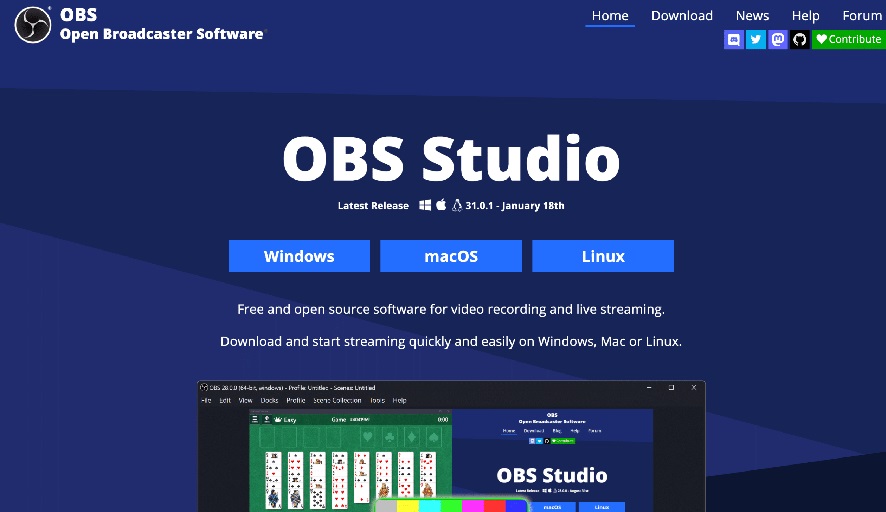
Screen recording is the most legally conservative method for capturing YouTube content. As TechSmith notes, recording only the specific portion of a video you need — rather than downloading the entire thing — can actually strengthen a fair use argument by demonstrating that you used only the minimum necessary amount. It is particularly suited for short clips needed for presentations, educational commentary, or analysis.
Best Free Screen Recording Tools for YouTube
- Windows built-in (Xbox Game Bar): Press
Win + Gto open the Game Bar overlay → click the Record button (or pressWin + Alt + R) → play your YouTube video → stop recording. Saves as MP4 to your Videos/Captures folder. Completely free. - macOS built-in (Screenshot app): Press
Cmd + Shift + 5→ select Record Selected Portion → draw around the YouTube video player area → click Record. Stop with the menu bar icon. Saves as MOV. - OBS Studio (free, Windows/Mac/Linux): Open-source professional screen recorder. Download from obsproject.com. Add a Display Capture source, set your output to MP4, and record. Best quality of all free options.
- Snagit (paid, Windows/Mac): Premium screen capture tool with scrolling capture and video trimming. Available from TechSmith. Ideal for professional content capture with editing features.
- Tips for best quality: Set YouTube to the highest available resolution before recording. Close other windows. Use headphones to avoid audio feedback. Ensure your screen recording resolution matches your display (1080p or higher).
| Detail | Info |
|---|---|
| Legal Status | ⚠️ Grey area — strongest fair use position of all methods |
| Cost | Free (built-in OS tools and OBS); Snagit is paid |
| Max Quality | Limited by your screen resolution — typically 1080p |
| Installation Required | Built-in tools require nothing; OBS requires download |
| Best Free Option | OBS Studio (Windows/Mac/Linux) |
| Ease of Use | ⭐⭐⭐ — Requires setup but produces clean results |
- Strongest fair use position — captures only what you need
- Built-in tools are completely free on Windows and macOS
- Works regardless of DRM or download restrictions
- OBS produces broadcast-quality recordings at no cost
- Quality capped at your screen resolution — typically 1080p
- Requires playing the video in real time — not faster than watch speed
- Audio quality depends on system audio routing setup
Best for: Capturing short clips for educational use, presentations, commentary, or research — particularly when you need only a portion of a video and want the most defensible legal position.
📊 All 7 Methods Compared (Choose the right method for your situation at a glance)
| Method | Legal Status | Cost | Max Quality | No Install | Ease | Best For |
|---|---|---|---|---|---|---|
| YouTube Premium | ✅ 100% Legal | $13.99/mo | 1080p–4K | ✅ App only | ⭐⭐⭐⭐⭐ | Regular viewers wanting legal peace of mind |
| YouTube Studio | ✅ 100% Legal | Free | Original quality | ✅ | ⭐⭐⭐⭐⭐ | Creators downloading their own videos |
| yt-dlp | ⚠️ Grey area | Free | 8K | ❌ | ⭐⭐⭐ | Power users, batch downloads, any quality |
| 4K Video Downloader | ⚠️ Grey area | Free / $45/yr | 8K | ❌ | ⭐⭐⭐⭐⭐ | Non-technical users wanting high quality |
| Y2Mate | ⚠️ Grey area | Free | 720p | ✅ | ⭐⭐⭐⭐ | Quick mobile downloads, no install needed |
| Video DownloadHelper | ⚠️ Grey area | Free | 1080p | ❌ (Firefox) | ⭐⭐⭐⭐ | Firefox users wanting one-click downloads |
| Screen Recording | ⚠️ Strongest fair use | Free | 1080p (screen limit) | ✅ (built-in) | ⭐⭐⭐ | Short clips for education or commentary |
Frequently Asked Questions
Q: Is it illegal to download YouTube videos for personal use?
For personal offline viewing, downloading is legal in most jurisdictions even without YouTube Premium — though it technically violates YouTube’s Terms of Service. The clear legal line is redistribution and monetisation: downloading for personal use is rarely enforced; re-uploading or selling downloaded content is copyright infringement.
Q: What is the best free YouTube downloader that actually works in 2026?
yt-dlp is the most reliable and capable free option in 2026 — it stayed functional through YouTube’s March 2026 API changes and supports every quality level including 8K. For users who prefer a GUI (no command line), 4K Video Downloader Plus is the best free desktop app, offering 30 free downloads per day.
Q: Why doesn’t YouTube downloading work in Chrome?
The Chrome Web Store explicitly prohibits extensions that download YouTube videos. If you want a browser extension approach, install Firefox and use Video DownloadHelper — it is the only well-maintained browser extension that supports YouTube downloads in 2026.
Q: Can I download YouTube videos on iPhone or Android?
YouTube Premium’s offline downloads are the safest mobile option — available directly in the YouTube app on both iOS and Android. For free mobile downloads, Y2Mate works in any mobile browser without requiring an app install. yt-dlp can also be used on Android via the Termux terminal app, though this requires technical comfort.
Q: How do I download a YouTube video as MP3 audio only?
yt-dlp handles audio-only extraction with the command yt-dlp -x --audio-format mp3 [URL]. Y2Mate also offers MP3 download as a format option alongside MP4. Note that downloading audio from music videos specifically to avoid paying for music is considered music piracy and is not covered by personal use fair use arguments.
The Final Word: Match the Method to the Need
There is no single best way to download YouTube videos — the right method depends entirely on your situation. If legality is your priority, YouTube Premium is the only unambiguous answer. If you need maximum quality and capability for free, yt-dlp is the clear winner. If you want a no-install quick download on any device, Y2Mate gets the job done despite its limitations. If you are a creator who just needs your own videos back, YouTube Studio is free and takes three clicks.
Whatever method you choose — keep it personal, keep it honest, and never redistribute what you download. The tools are neutral. The ethics are yours.
Bookmark this guide — we update it every time YouTube changes its API or a tool stops working. Share it with anyone who has wasted time on a sketchy download site when safer, better options were available all along.
- Boost Your WordPress SEO with Rank Math: Complete 2026 Tutorial — If you run a WordPress blog or content site, this complete Rank Math guide will help you rank your posts on Google — including content about tools like the ones covered here.
- Top 10 Divi WordPress Templates for 2026 — Build a professional WordPress site with the best Divi layout packs reviewed and compared.
- Inspirational Graduation Quotes for the Class of 2026 — Shareable quotes and captions for every graduating milestone — great content for social media and YouTube video descriptions.
- 111 Self-Love Quotes for a New Chapter in Life — Perfect for YouTube video title cards, thumbnail text overlays, and social media content.
- 150 Manifestation Quotes: Weekly Wish List Affirmations — Motivational content for video creators looking for caption and overlay inspiration.





Thanks for sharing nice post
Thanks so much for reading the post and taking the time to leave a comment! I really appreciate your thoughts and feedback.
Great post! I found the information about guest posting really useful, especially the tips on creating valuable content instead of focusing only on backlinks. Thanks for sharing these practical insights.
The step-by-step screenshots are what set this apart from the usual downloader listicles. One thing I would add from experience: offline copies are also handy for creators reviewing their own uploads frame by frame. thanks
This is such a thorough guide! The point about writing for humans first, not just search engines, really resonated with me. Saving this for reference.
This is such a thorough guide! The point about writing for humans first, not just search engines, really resonated with me. Saving this for reference.
Solid list – I appreciate that you flagged which options work right in the browser, since the desktop installers are where most people get burned. Thanks
The distinction between saving your own videos and downloading someone else’s work is especially useful. Thanks
This guide is useful for anyone who wants a practical way to work with video content. For readers who need searchable notes. Thanks
This guide is useful for anyone who wants a practical way to work with video content. For readers who need searchable notes. Thanks
This guide is useful for anyone who wants a practical way to work with video content. For readers who need searchable notes. Thanks
The comparison between YouTube Studio and is useful for creators who need to keep their own offline materials organized. Thhanks